

Finding a project management software that meets a long list of requirements can be challenging due to the numerous options available. With varying strengths and weaknesses, not all software will have all the desired features, and some may have unnecessary additional ones. It is crucial to prioritize essential features, compare and test different options, and weigh the cost-benefit before deciding. Effective project management ensures that projects are completed on time and meet their goals. PM software tools make planning, delegating tasks, and maintaining team organization easy.
25 Most Popular Project Management Software Tools for 2026
Project management software typically comprises functionalities for assigning and monitoring tasks, improving team collaboration and communication, managing schedules and deadlines, and monitoring and reporting progress. Additional prevalent features include allocating resources, tracking budgets and costs, and managing documents and files. Project management software integrates with tools like time-tracking and project accounting.
#1. Monday.com

Monday.com is an AI-powered work platform designed to help teams manage work—and increasingly do the work for them. Built as a flexible operating system for projects, processes, and cross-functional collaboration, it supports teams across marketing, sales, operations, IT, and product development. With agentic AI, no-code customization, and modular products, monday.com replaces fragmented tools with one centralized platform trusted by over 60% of the Fortune 500.
Features
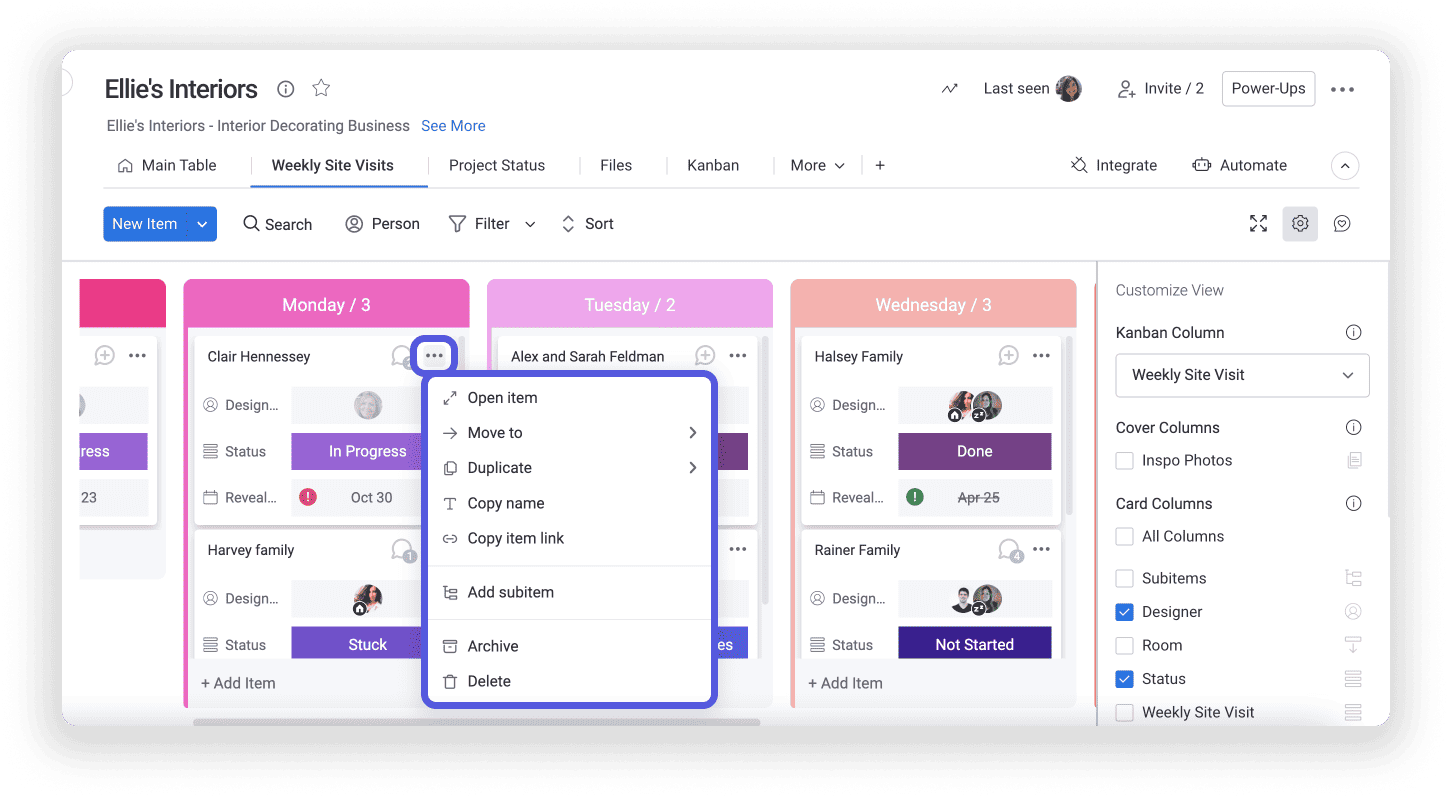
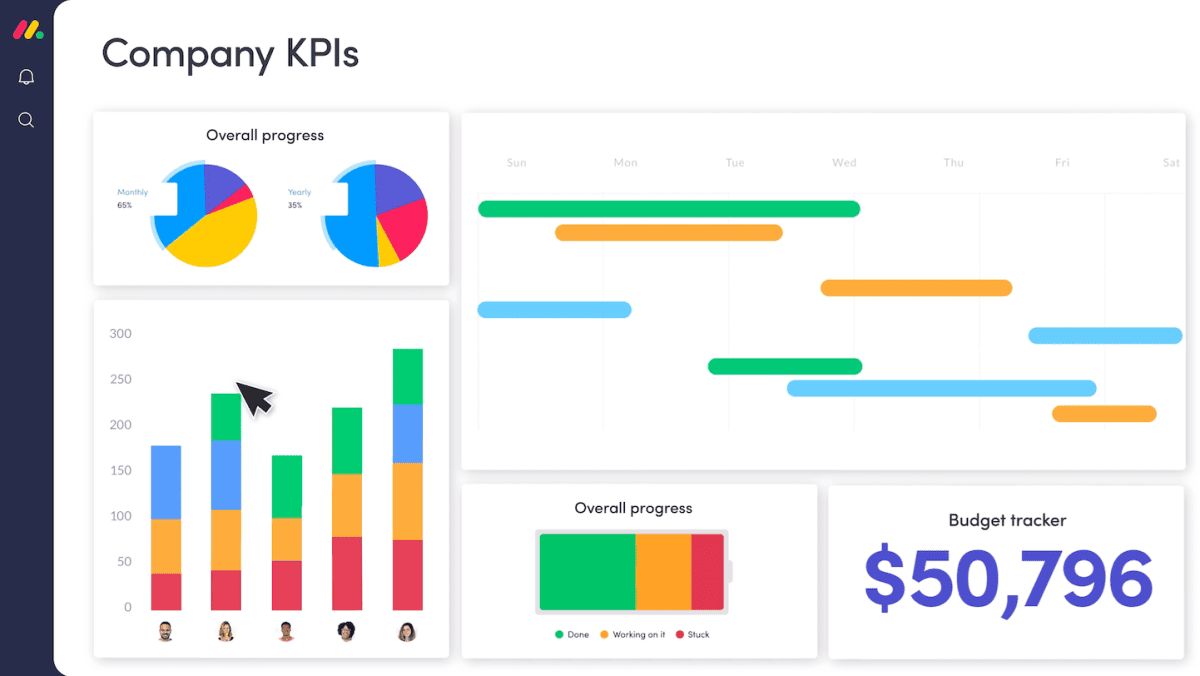
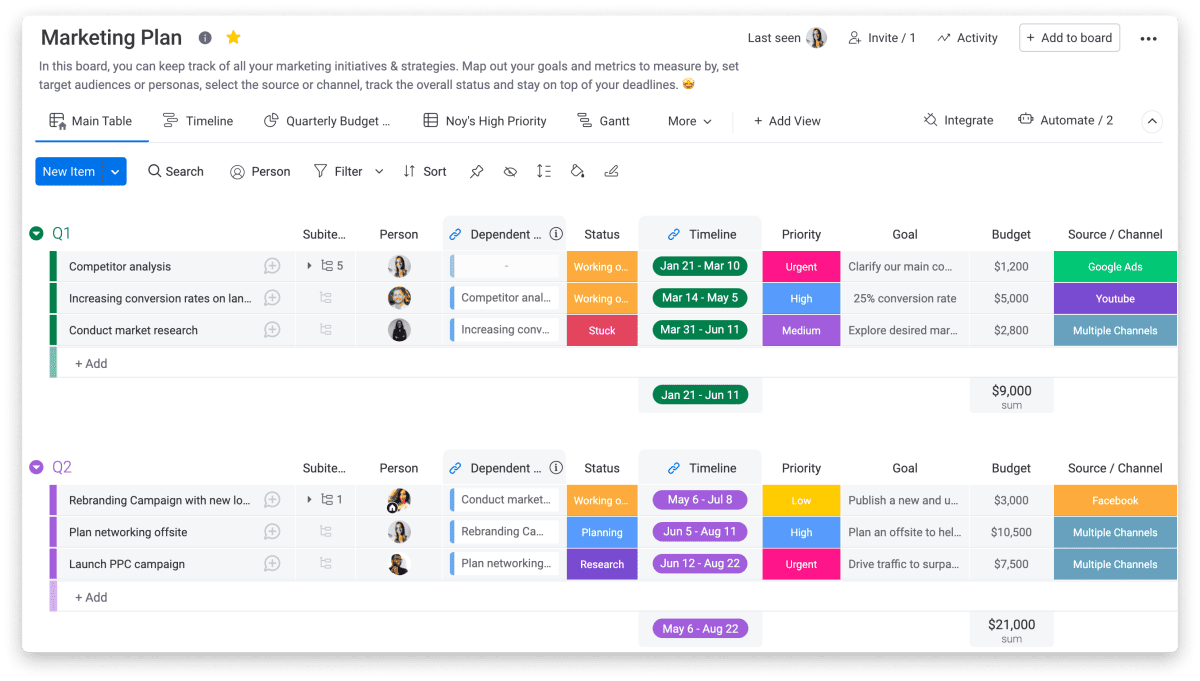
Monday.com is built to support virtually any type of work, including projects, tasks, CRM, IT operations, product development, marketing, and leadership planning. Its core strength lies in combining flexible, no-code customization with AI-driven execution and decision support. Teams can manage work using multiple views such as Kanban, Gantt, Timeline, Grid, and Dashboards, while AI-powered insights help detect risks early, flag delays, and optimize workflows in real time. The platform enables full collaboration through shared boards, updates, file sharing, and Docs, ensuring alignment across teams.
What differentiates monday.com is its growing suite of AI assistants, including project assistants, service agents, SDR experts, scrum masters, and competitive analysis tools. These assistants can automate repetitive actions, triage requests, assign tasks, guide sprints, and generate insights—reducing manual effort and accelerating execution at scale.
Rating:
Best Feature: Agentic AI Assistants
Monday.com’s standout feature is its agentic AI assistants that actively execute work, not just analyze it. These AI agents can qualify leads, triage service tickets, flag project risks, plan sprints, and generate reports around the clock. Unlike passive AI tools, monday’s assistants are embedded directly into workflows, enabling teams to describe a job once and let AI handle repetitive execution continuously.
Pricing
The platform offers a generous free tier and scalable paid plans, making it suitable for individuals, growing teams, and large enterprises. Below is a clear breakdown of the available pricing options based on annual and monthly billing.
- Free Plan ($0 – Free Forever): Designed for individuals or very small teams. Includes up to 2 seats, 3 boards, 3 Docs, 200+ templates, basic column types, and mobile apps for simple work tracking.
- Standard Plan ($12/seat/month billed annually or $14 monthly): Ideal for teams collaborating across projects. Adds unlimited boards and items, guest access, Timeline and Gantt views, dashboards combining up to 5 boards, and 250 automation and integration actions per month.
- Pro Plan ($19/seat/month billed annually or $24 monthly): Built for complex workflows at scale. Includes private boards, time tracking, formulas, advanced dashboards (up to 20 boards), chart views, and 25,000 automation and integration actions monthly, plus trial AI credits.
- Enterprise Plan (Custom Pricing): Tailored for large organizations. Adds portfolio and resource management, advanced analytics, multi-level permissions, enterprise-grade security, large dashboards, enterprise automations, AI credits, and dedicated support.
Monday.com offers unlimited time on its Free plan and does not require a credit card to get started.
#2. ClickUp (recommended)

ClickUp is an all-in-one productivity and project management platform built to eliminate work sprawl and lost context. Launched to replace fragmented tools, ClickUp combines tasks, docs, chat, dashboards, automation, and AI into a single converged workspace. It’s designed for teams that want one system to plan work, execute faster, and scale without juggling multiple apps. From startups to enterprises, ClickUp centralizes both human and AI-driven work in one place.
Features
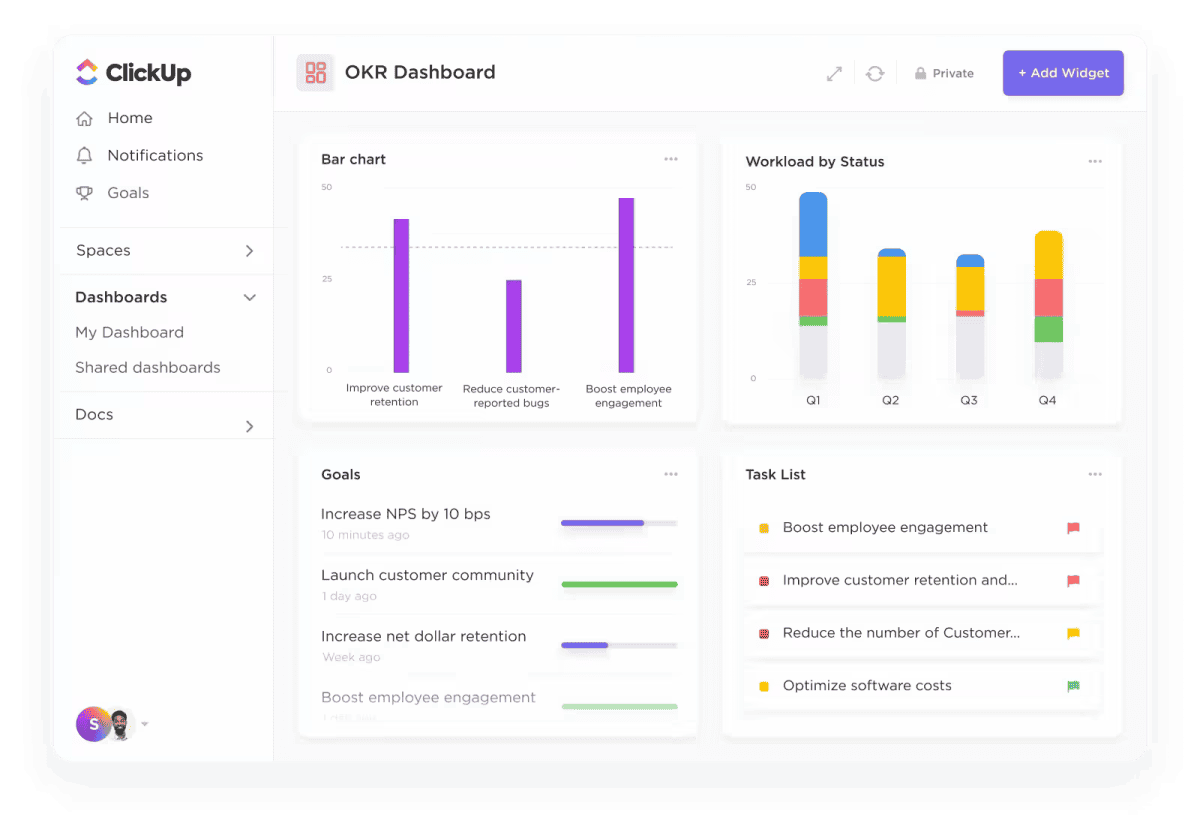
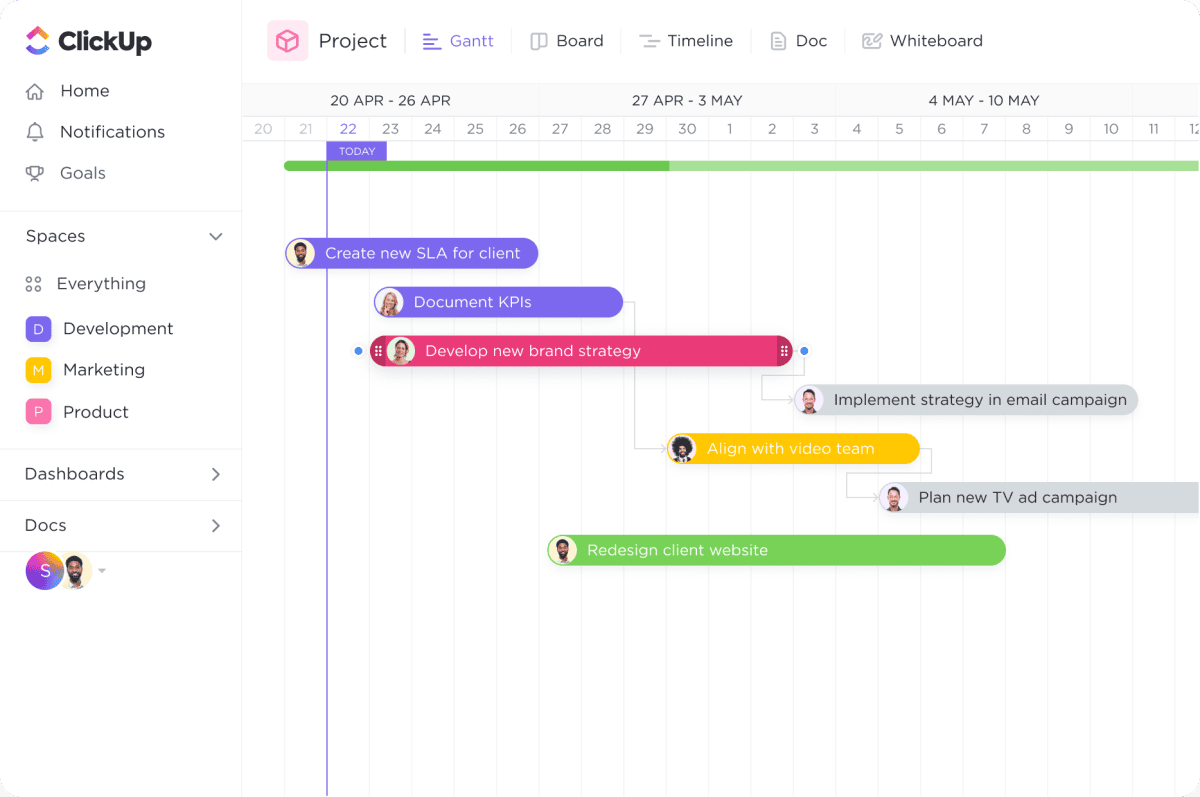
ClickUp offers over 100 features that cover the full lifecycle of work. Teams can manage tasks, projects, sprints, goals, docs, and timelines while collaborating through chat, comments, and real-time updates. Advanced views like Gantt charts, Kanban boards, dashboards, and calendars provide complete visibility. Built-in automations, forms, time tracking, and reporting reduce manual effort, while deep integrations connect ClickUp to email, cloud storage, design tools, and developer platforms.
Rating:
Best Feature: Kanban Board View
ClickUp’s Kanban Board view is one of its most powerful execution tools because it turns complex work into a clear, visual flow. Tasks move smoothly across fully customizable stages, making progress, bottlenecks, and priorities obvious at a glance. Teams can drag and drop tasks, apply filters, set WIP limits, and automate status changes without friction. Unlike basic boards, ClickUp’s Kanban ties directly into time tracking, dependencies, assignees, and AI—so the board isn’t just visual, it’s operational.
Pricing
ClickUp pricing structure is designed to support different team sizes, automation needs, and levels of operational complexity. Below is a clear breakdown of ClickUp’s main pricing options.
- Free Forever ($0/month): Best for individuals or small teams getting started. Includes unlimited tasks and members, 60MB storage, collaborative docs, Kanban boards, sprints, calendar view, basic custom fields, in-app video recording, and 24/7 support.
- Unlimited ($7/user/month billed yearly or $10 monthly): Designed for growing teams that need fewer limits. Adds unlimited storage, folders, integrations, Gantt charts, custom fields, chat messages, forms, guest permissions, email in ClickUp, native time tracking, goals, and AI compatibility.
- Business ($12/user/month billed yearly or $19 monthly): Ideal for scaling teams and departments. Includes Google SSO, advanced dashboards, whiteboards, mind maps, automation integrations, sprint reporting, workload management, custom exporting, and increased automation capacity.
- Enterprise (Custom pricing): Built for large organizations requiring advanced security and control. Offers SSO/SCIM, custom roles, advanced permissions, HIPAA compliance, data residency options, dedicated onboarding, and a customer success manager.
#3. AceProject

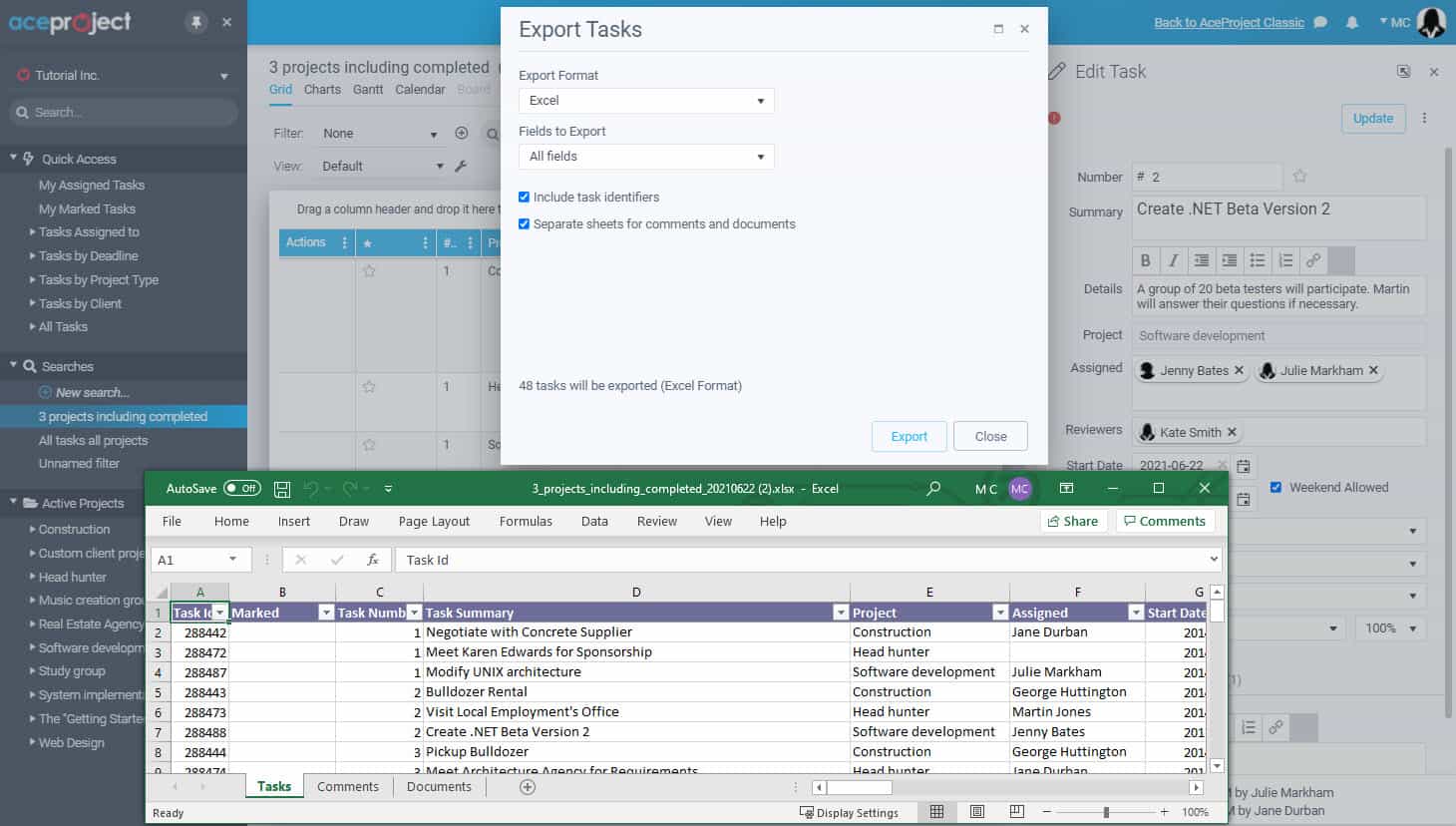
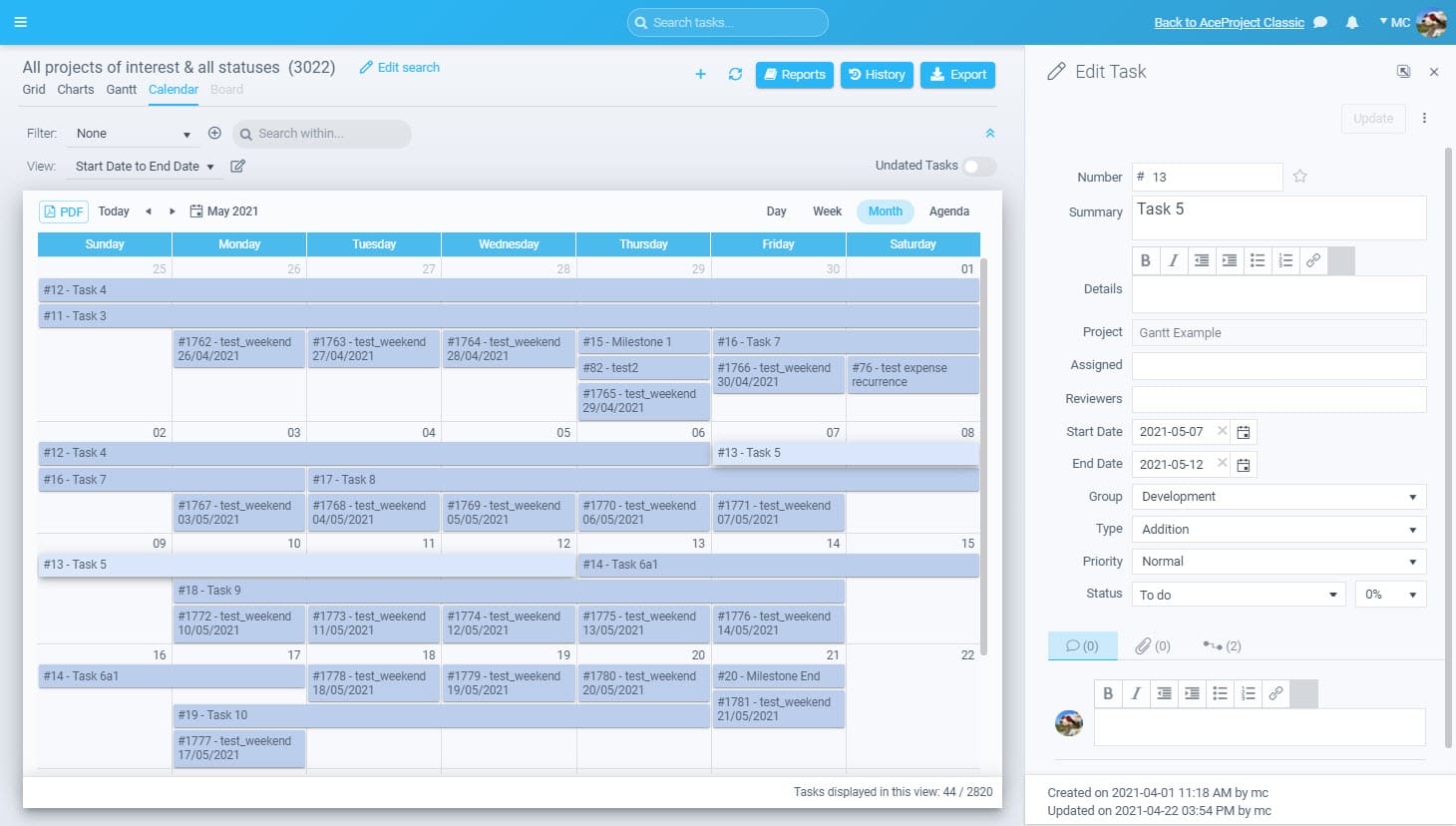
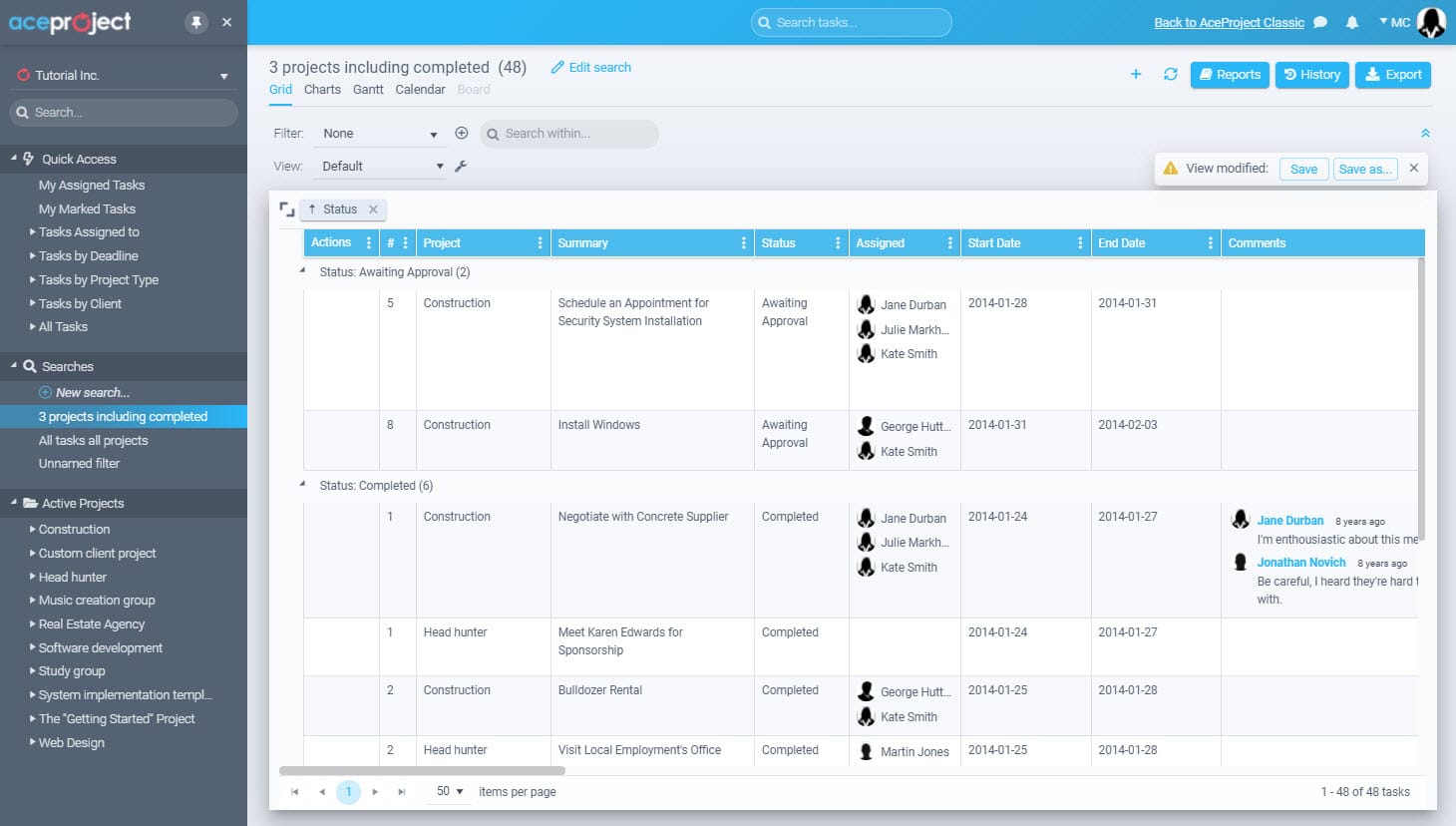
AceProject is a web-based project management software designed to help teams organize work, track progress, and collaborate without unnecessary complexity. Launched in 2002, it combines task management, time tracking, document control, and expense management into one centralized platform. AceProject is built for businesses that want structure, accountability, and visibility across projects, while remaining simple enough for everyday use across distributed teams and multiple industries.
Features
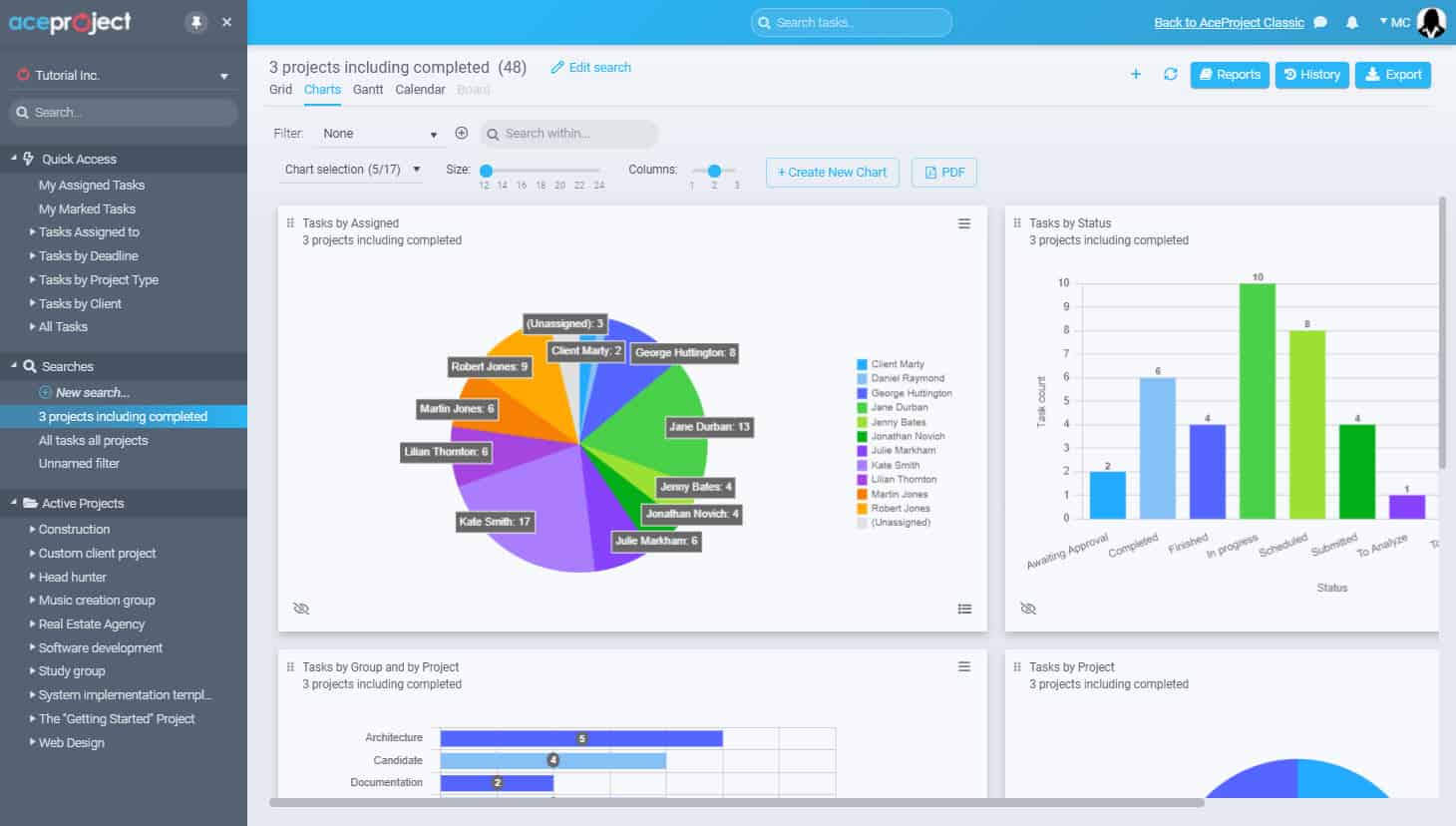
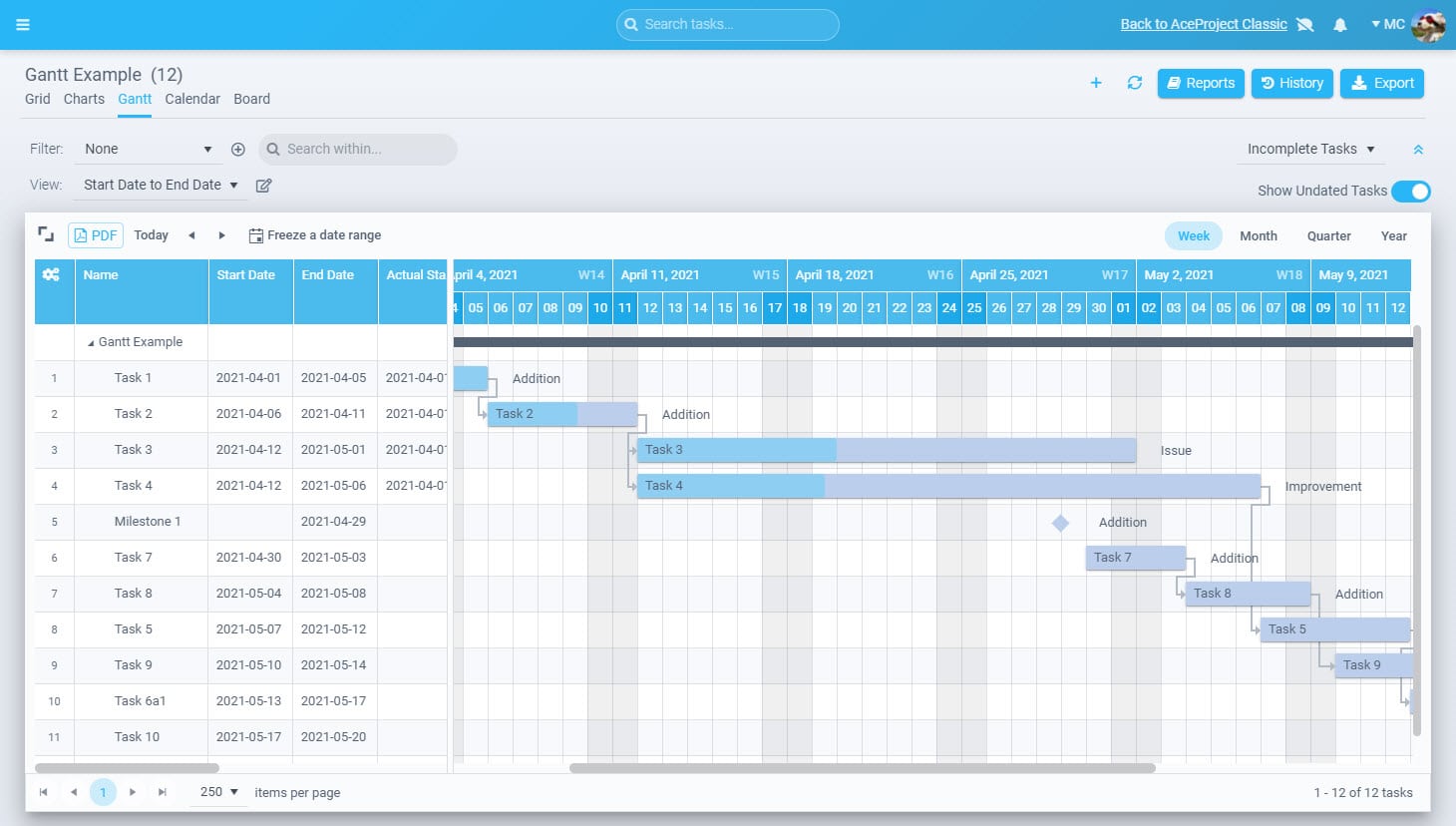
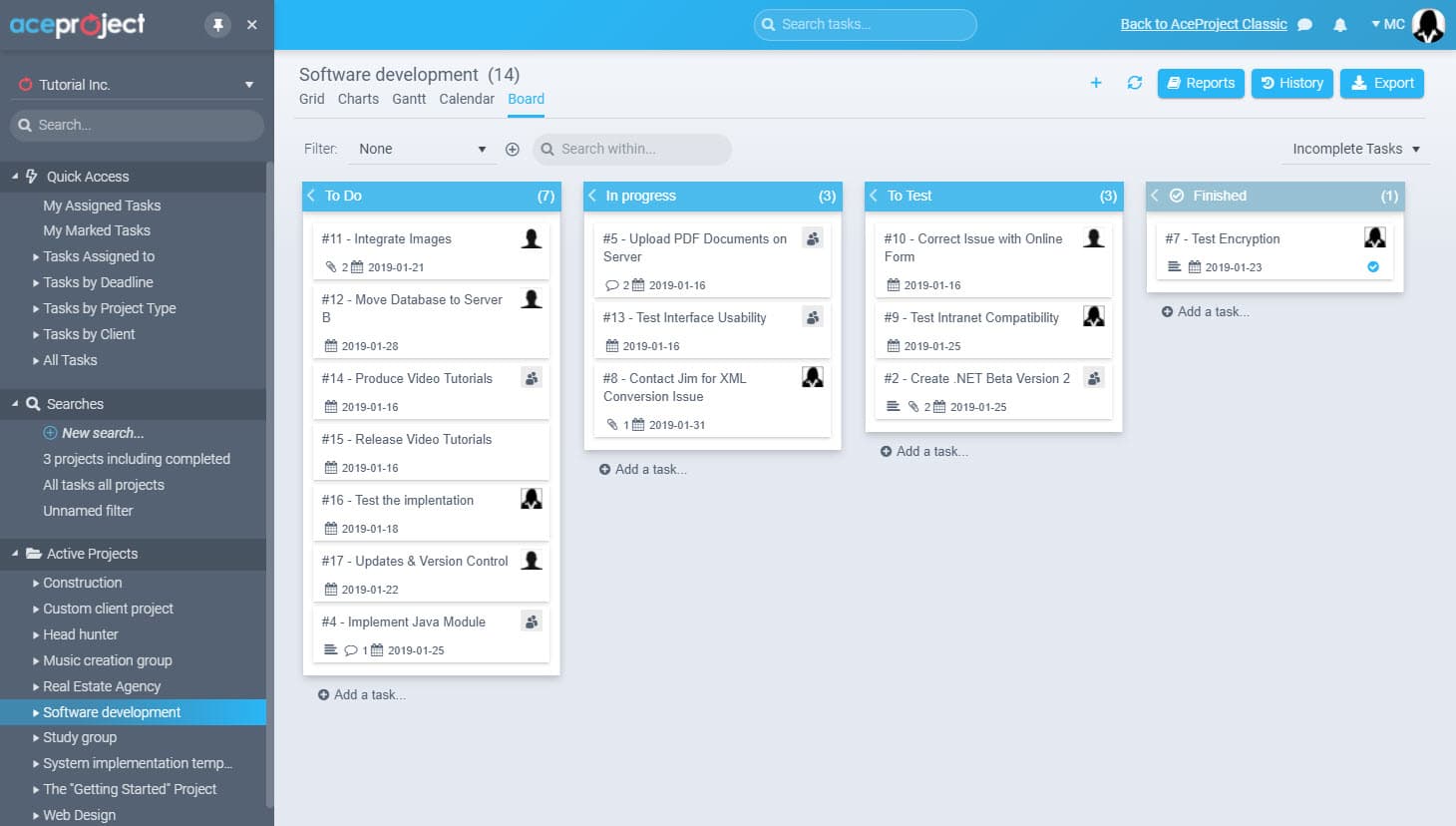
AceProject delivers various features to manage projects from end to end. The project tracking features are Gantt charts, advanced reports, project templates, and recurring tasks. The time tracking features are time approval, time clock, and time reports. The document management features are document sharing, versioning, and locking. The expense tracking features are expense approval and expense reports.
Rating:
Best Feature: Report Engine (New Interface)
AceProject’s standout feature is its newly redesigned Report Engine, which gives teams precise control over how project data is analyzed and presented. Users can build custom reports by selecting specific fields, filters, and sorting rules across tasks, time entries, expenses, and projects. Reports can be saved, reused, and exported, making performance tracking consistent and repeatable. The new interface improves speed and clarity, turning raw project data into actionable insights without relying on external analytics tools.
Pricing
AceProject’s pricing is based on active users, active projects, and storage capacity, not locked features. Every plan includes full access to the platform’s core functionality, allowing teams to start small and scale without losing capability. This structure makes it easy to control costs while ensuring project visibility, accountability, and reporting remain intact as your organization grows.
- Basic Plan ($0/month): Allows up to 3 active users and 3 active projects with 1 GB of storage. Designed for small teams or individuals who want to manage projects without upfront cost.
- Standard Plan ($24/month): Allows up to 10 active users and 10 active projects with 5 GB of storage. Suitable for small teams managing multiple ongoing projects.
- Advanced Plan ($49/month): Allows up to 30 active users and 30 active projects with 15 GB of storage. Built for growing teams that need greater capacity and control.
- Silver Plan ($99/month): Allows up to 100 active users and projects with approximately 45–50 GB of storage, built for larger organizations.
- Gold Plan (Custom pricing): Allows unlimited users and unlimited projects with over 100 GB of storage. Designed for enterprises requiring maximum scalability and flexibility.
#4. Notion

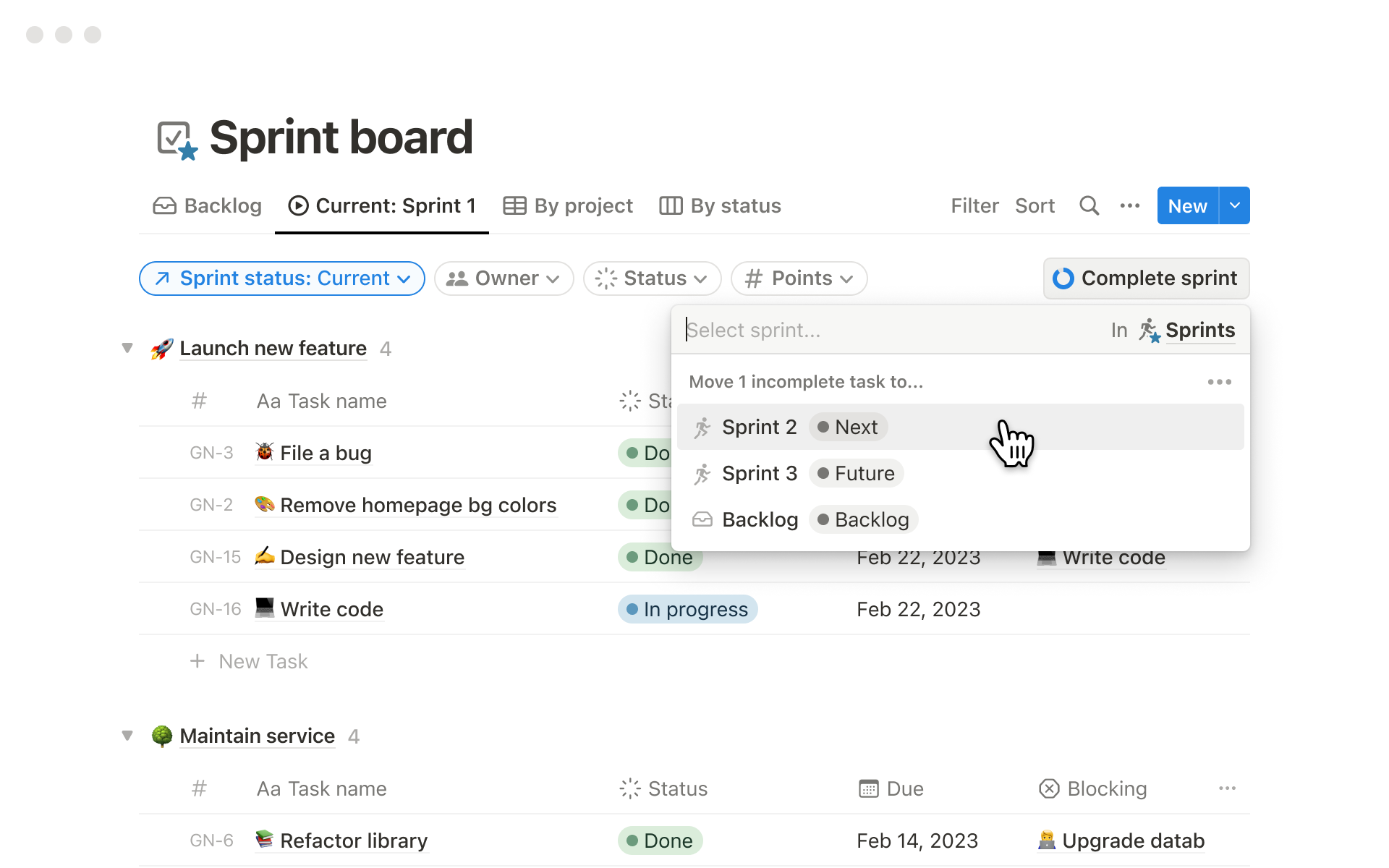
Notion is a unified workspace built to eliminate busywork by combining team knowledge, project execution, and AI-driven automation in one platform. With the launch of Notion 3.0, it goes beyond documentation and task tracking into active work execution through built-in AI agents. Teams use Notion to capture knowledge, find answers instantly, and automate projects—making small teams operate with the output of much larger organizations.
Features
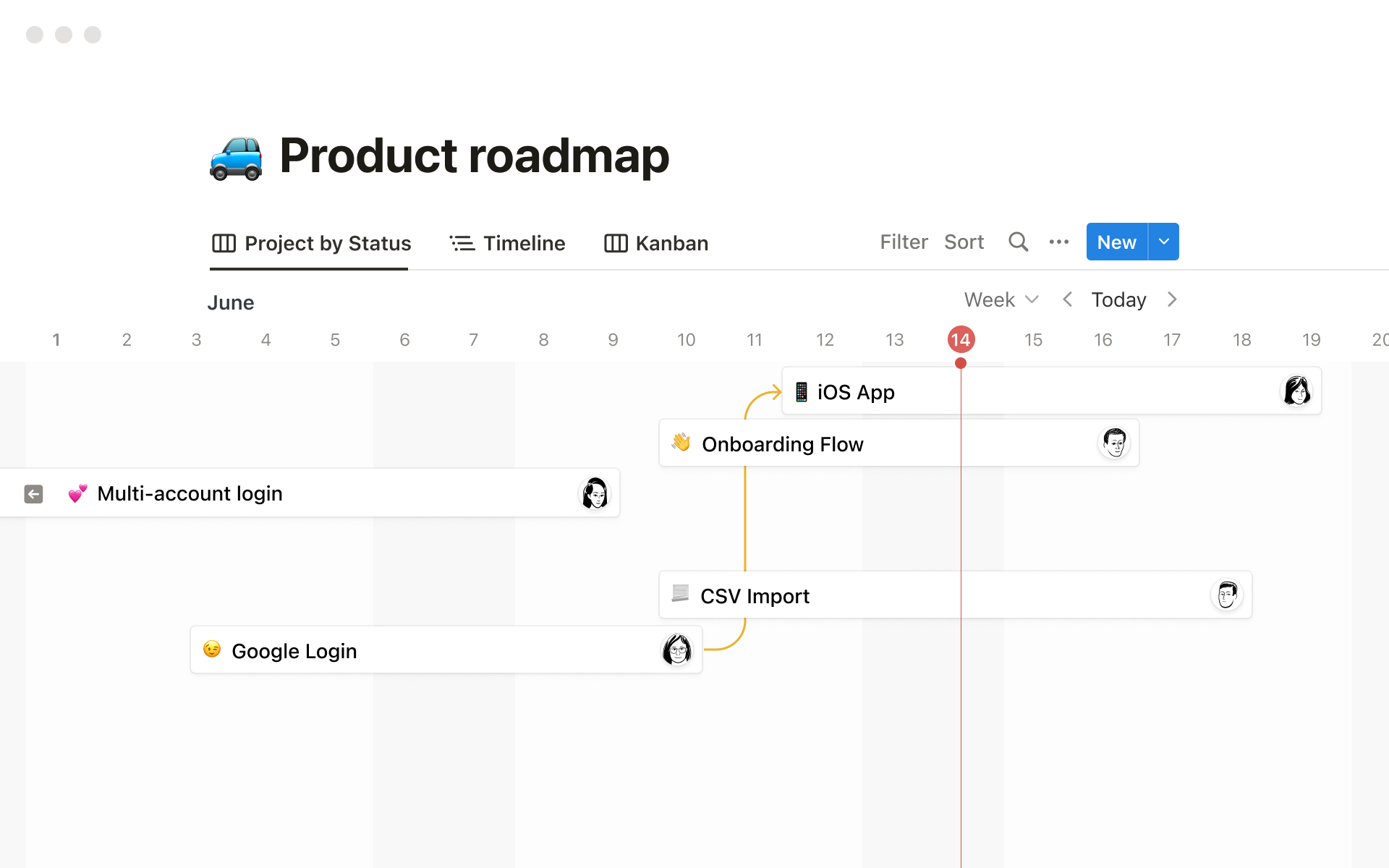
Notion centralizes documents, wikis, projects, and databases into a single flexible workspace. Teams can manage tasks, roadmaps, meeting notes, and internal knowledge while collaborating in real time. Notion AI enhances this by enabling AI search across the entire workspace, automated writing, summaries, and intelligent answers. New features like AI Meeting Notes and Enterprise Search reduce manual follow-ups. With integrations, templates, and multi-view databases, Notion adapts to any workflow—from product planning to operations, HR, and content management.
Rating:
Best Feature: Boards and Custom Fields
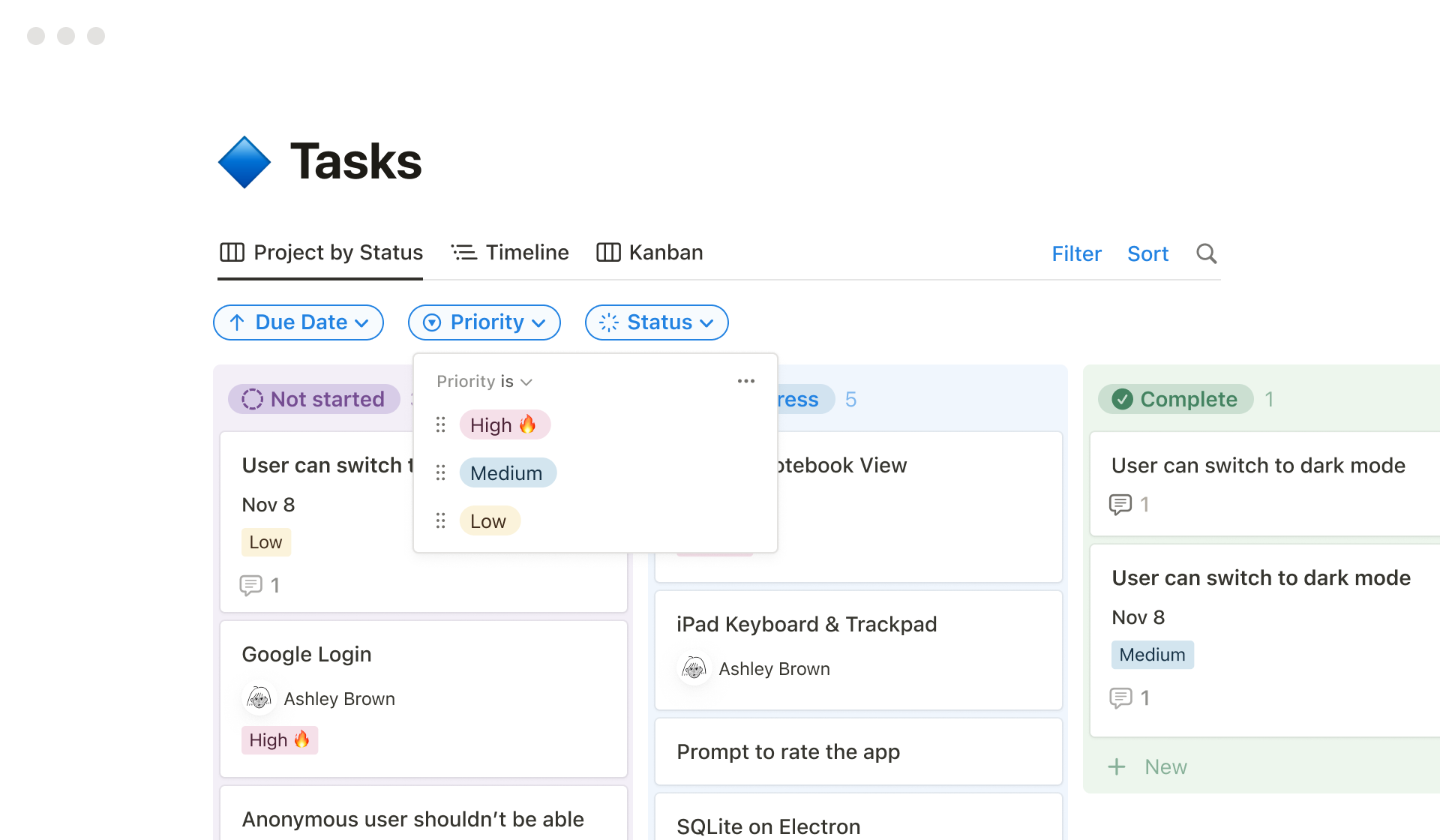
Notion’s boards and custom fields give teams complete control over how work is organized and tracked. Boards provide a clear Kanban-style view for managing tasks, projects, and workflows, while custom fields let teams define exactly what data matters—status, priority, owner, deadlines, tags, formulas, and more. Together, they allow Notion to function as a project manager, CRM, content planner, or operations hub without forcing rigid structures or unnecessary complexity.
Pricing
Notion’s pricing scales from personal use to enterprise operations, with clear savings for teams that commit to annual billing. By paying yearly, teams save up to 20% compared to monthly pricing, reducing per-member costs as usage grows. This makes it practical to start on monthly plans for flexibility, then switch to annual billing to lock in lower rates once workflows and team size stabilize.
- Free Plan ($0 per member/month): Ideal for individuals and light personal use. It includes core pages and databases, basic collaboration, Notion Calendar, Notion Mail syncing with Gmail, basic forms and sites, and limited Notion AI access for individual use.
- Plus Plan ($10 per member/month billed yearly or $12 monthly): Designed for small teams and professionals. It unlocks unlimited collaborative blocks, unlimited file uploads, charts, custom forms, custom sites, and basic integrations—suitable for shared workspaces and growing teams.
- Business Plan ($20 per member/month billed yearly or $24 monthly): Best for scaling organizations. It adds advanced permissions, private teamspaces, SAML SSO, domain verification, conditional forms logic, premium integrations, and access to AI agents, enterprise search, and AI meeting notes.
- Enterprise Plan (Custom pricing): Built for large enterprises requiring security and compliance. It includes SCIM provisioning, audit logs, advanced security controls, domain management, zero data retention with LLM providers, and a dedicated customer success manager for ongoing support.
#5. Wrike

Wrike is an enterprise-grade work management platform designed to centralize planning, execution, and collaboration across teams of any size. It allows organizations to build custom workflows, automate routine processes, and maintain full visibility from idea to delivery. Used by over 20,000 companies worldwide, Wrike adapts to different industries and team structures, making it suitable for everything from small teams to complex, global enterprises managing high-volume work.
Features
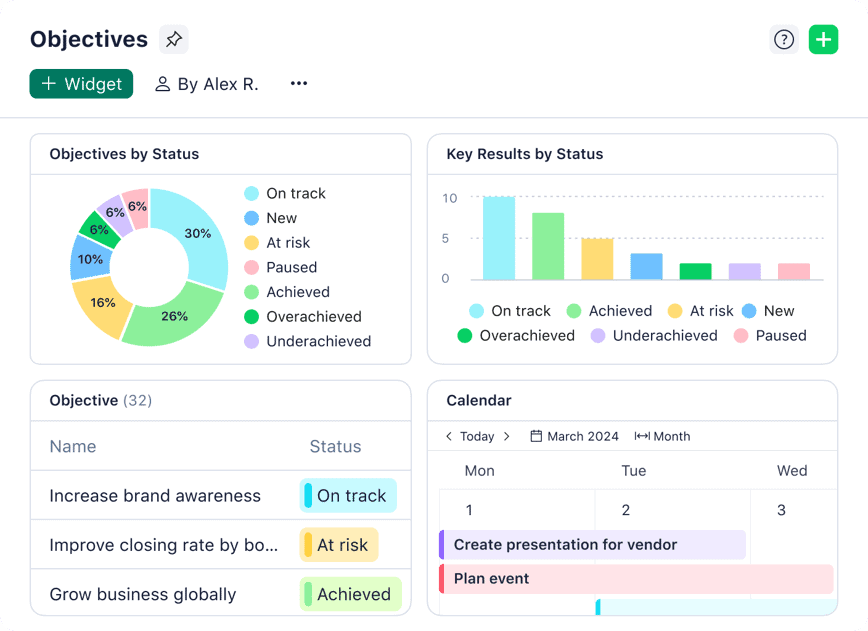
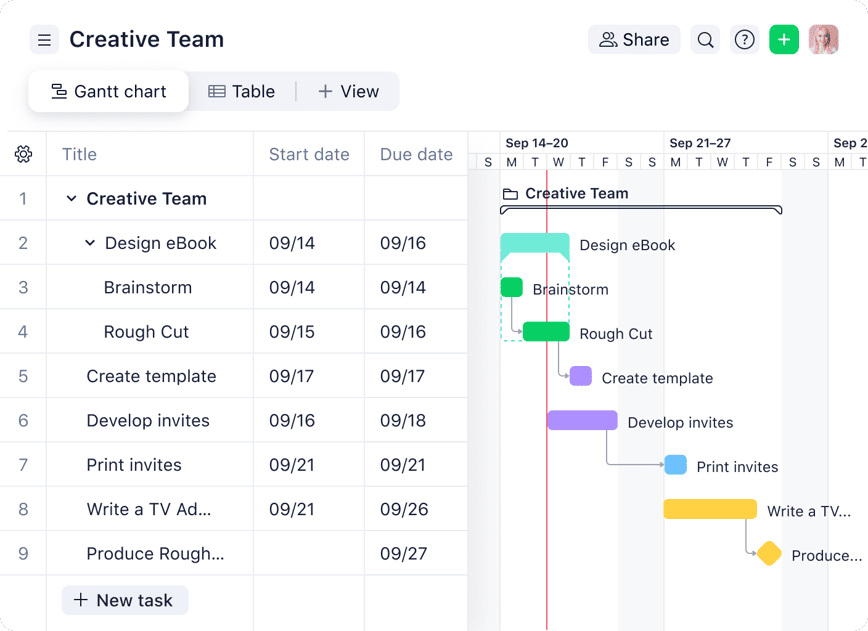
Wrike combines task management, project planning, automation, and collaboration into a single platform. Teams can manage work using multiple views, including lists, boards, calendars, and Gantt charts. Custom workflows, request forms, and dashboards standardize processes across departments. Built-in approvals, proofing, and real-time reporting keep work moving without constant meetings. Wrike AI adds intelligent summaries, content generation, and automation support, while integrations with tools like Slack, Microsoft, Google, Adobe, and Salesforce ensure seamless data flow across existing tech stacks.
Rating:
Best Feature: Fully Customizable Kanban Boards
Wrike’s customizable Kanban boards give teams a clear, visual way to manage work as it moves from idea to completion. Tasks can be organized into fully custom columns that match real workflows, not generic stages. Teams can drag and drop work, set WIP limits, apply automation rules, and track ownership and priorities at a glance. Combined with filters, custom fields, and real-time updates, Wrike’s Kanban boards eliminate guesswork and keep execution moving without constant status meetings.
Pricing
Wrike’s pricing is structured to support teams at different stages, from basic task tracking to complex, enterprise-wide work management. Each plan builds on the previous one, adding scalability, automation, security, and advanced analytics as needs grow.
- Free Plan ($0/user/month): Ideal for individuals or small teams getting started. It includes basic task and project management, board and table views, AI Essentials, and access across web, desktop, and mobile apps, with active task limits applied.
- Team Plan ($10/user/month): Designed for small teams of 2–15 users. It adds unlimited projects and tasks, shared spaces, custom fields, dashboards, Gantt charts, integrations, 50 automation actions per user per month, and 2 GB storage per user.
- Business Plan ($25/user/month): Built for organizations scaling work across teams. It includes unlimited request forms, approvals, resource planning, advanced automations, real-time reports, proofing tools, AI Elite features, and 5 GB storage per user.
- Enterprise Plan (Custom pricing): Tailored for large organizations requiring advanced security and administration. It adds SSO, 2FA, custom roles, audit reports, and increased automation limits.
- Pinnacle Plan (Custom pricing): Designed for complex work environments needing advanced analytics, budgeting, utilization tracking, and BI integrations, with 15 GB storage per user.
#6. Teamwork Projects
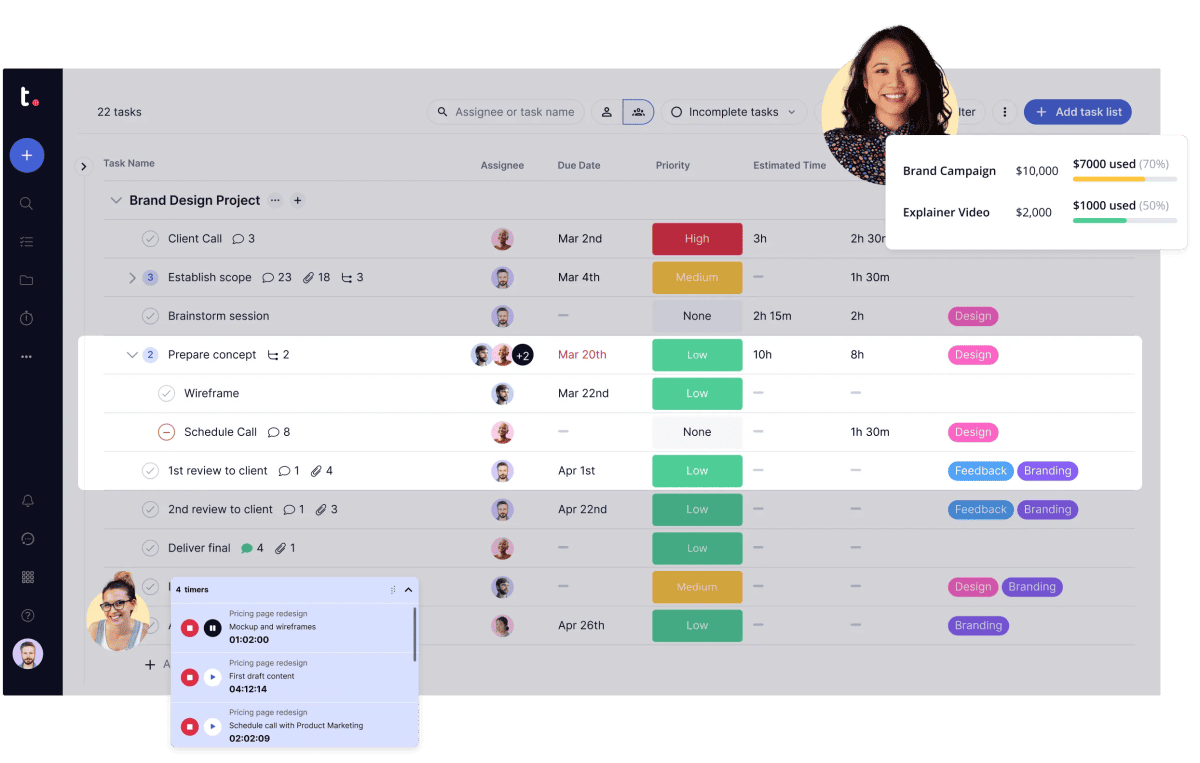
Teamwork Projects is an AI-powered project and resource management platform built specifically for client work. It helps agencies, consultants, and professional services teams plan projects, allocate resources, track billable time, and protect profitability in one system. Unlike generic task tools, Teamwork.com focuses on visibility, utilization, and financial control—so teams can deliver work on time, keep clients happy, and avoid profit leakage caused by poor planning or overworked staff.
Features
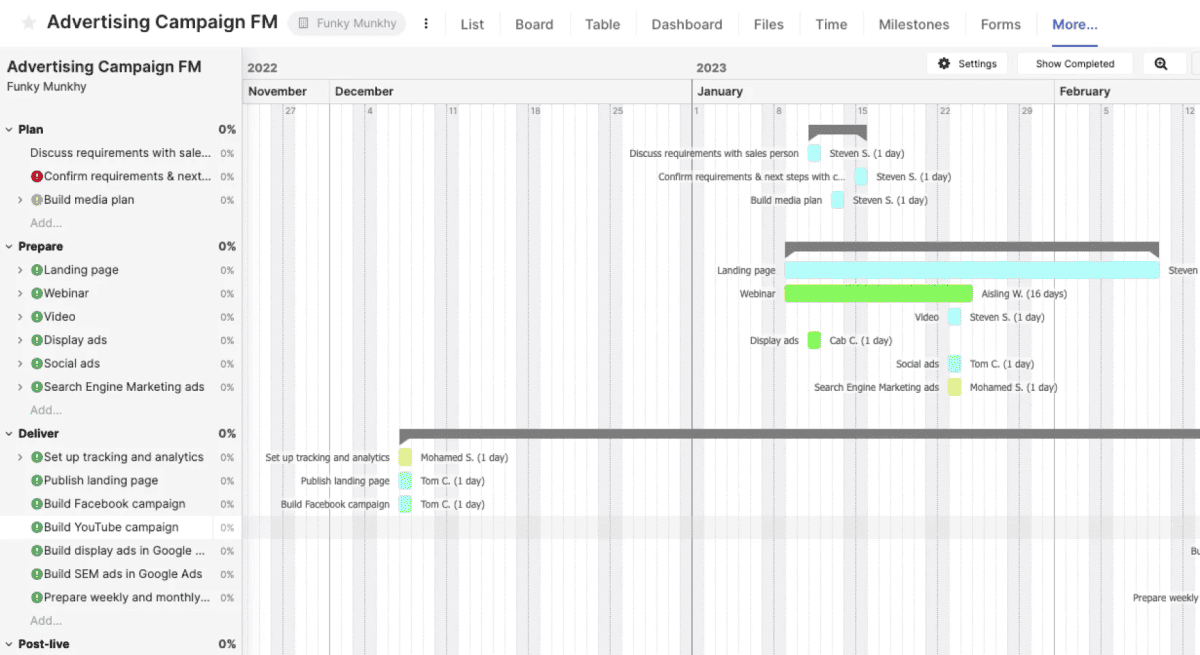
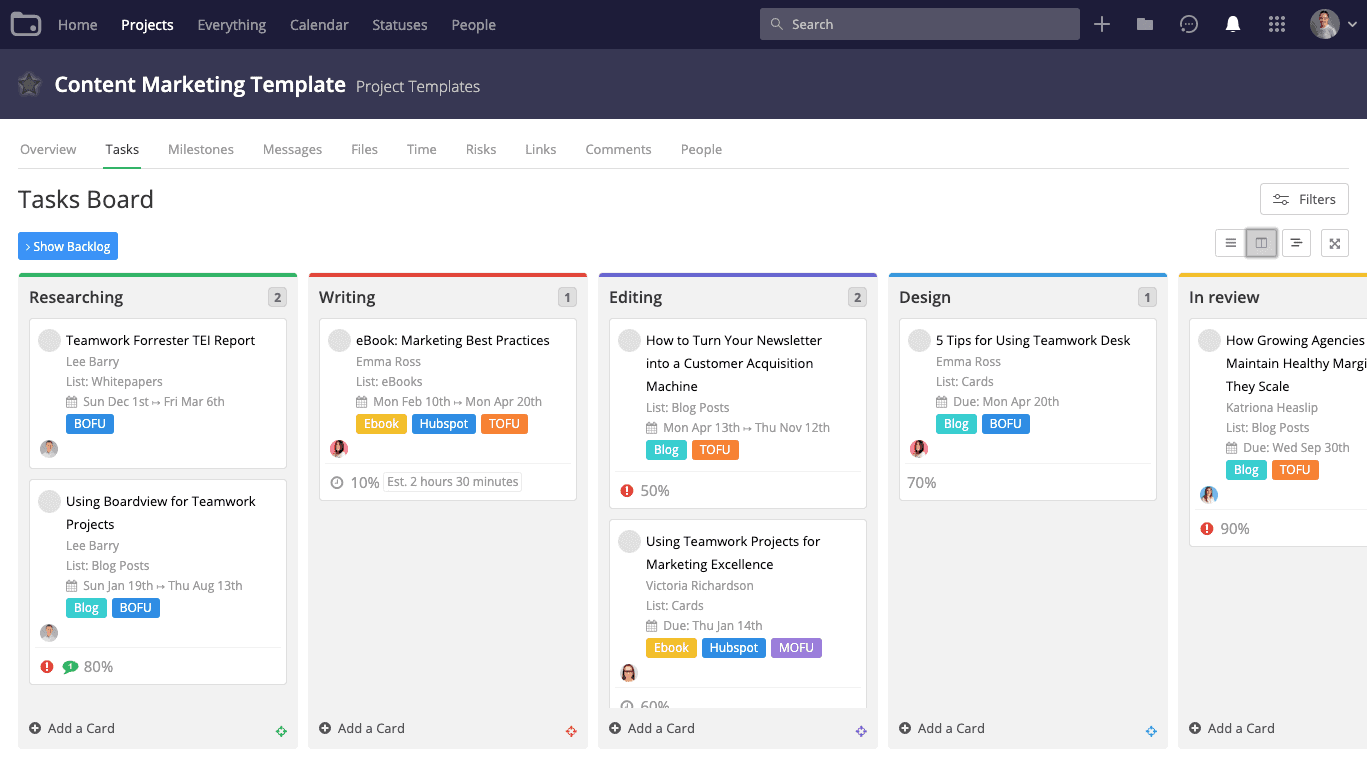
Teamwork Projects combines project management, resource planning, time tracking, and AI-powered assistance into a single platform designed for client-facing teams. Users can manage projects end to end, forecast workloads, monitor billable utilization, and track budgets in real time. Built-in reports and dashboards provide instant insight into project health and profitability. TeamworkAI reduces admin work by turning updates into tasks, answering workload questions, and surfacing key insights. Integrations connect existing tools, keeping workflows centralized and efficient.
Rating:
Best Feature: Resource Planning & Billable Utilization Tracking
Teamwork.com’s resource management tools are its biggest differentiator. Teams can see availability, workloads, and utilization at a glance, forecast future capacity, and quickly spot overbooked or underutilized staff. This makes it easier to protect billable time, prevent burnout, and ensure the right people are assigned to the right work—without relying on spreadsheets or guesswork.
Pricing
Teamwork.com offers flexible pricing with monthly and annual billing options. Teams that choose annual plans save around 20% per user compared to monthly pricing, making yearly billing the better option for long-term client work. Every paid plan includes a 30-day free trial with no credit card required, allowing teams to test the platform before committing.
- Free Plan ($0/user/month – free forever): Best for small teams getting started with client work. It includes TeamworkAI, project management essentials, client work foundations, key integrations, up to 5 projects, up to 5 users, and 100 automations per month.
- Deliver Plan ($10.99/user/month billed yearly or $13.99 billed monthly): Ideal for teams needing stronger project visibility and structure. It adds project status and health reports, teams, intake forms, planned vs actual reports, integrations, 20 project templates, 5,000 automations per month, and 100 GB of storage.
- Grow Plan ($19.99/user/month billed yearly or $25.99 billed monthly): Built for managing more complex client projects. It unlocks budgeting, time, and financial tracking, HubSpot integration, workload resource planning, powerful reporting, 50 project templates, 20,000 automations per month, 250 GB storage, and up to 600 projects.
- Scale Plan (Custom pricing): Designed for agencies focused on productivity and profitability. It includes unlimited premium features, advanced resource scheduling, profitability reports, custom and scheduled reporting, retainer management (beta), budget expenses, tasklist budgets, 100,000 automations per month, and 500 GB storage.
- Enterprise Plan (Custom pricing): Built for large organizations requiring advanced services. It adds enterprise-grade security with SSO, premium support, dedicated infrastructure, increased API limits, 1,000 GB storage, a dedicated account manager, and up to 10 hours of technical services.
#7. Asana

Asana is a work management platform built to help teams plan, track, and deliver work in one centralized system. It brings people, projects, and AI together so organizations can move faster without losing clarity. From marketing campaigns to operations and leadership goals, Asana connects daily tasks to strategic objectives. Trusted by a large share of Fortune 100 companies, it’s designed to scale from small teams to complex global enterprises.
If you need an advanced reporting and exporting platform to boost Asana’s capabilities, consider Bridge24 for Asana.
Features
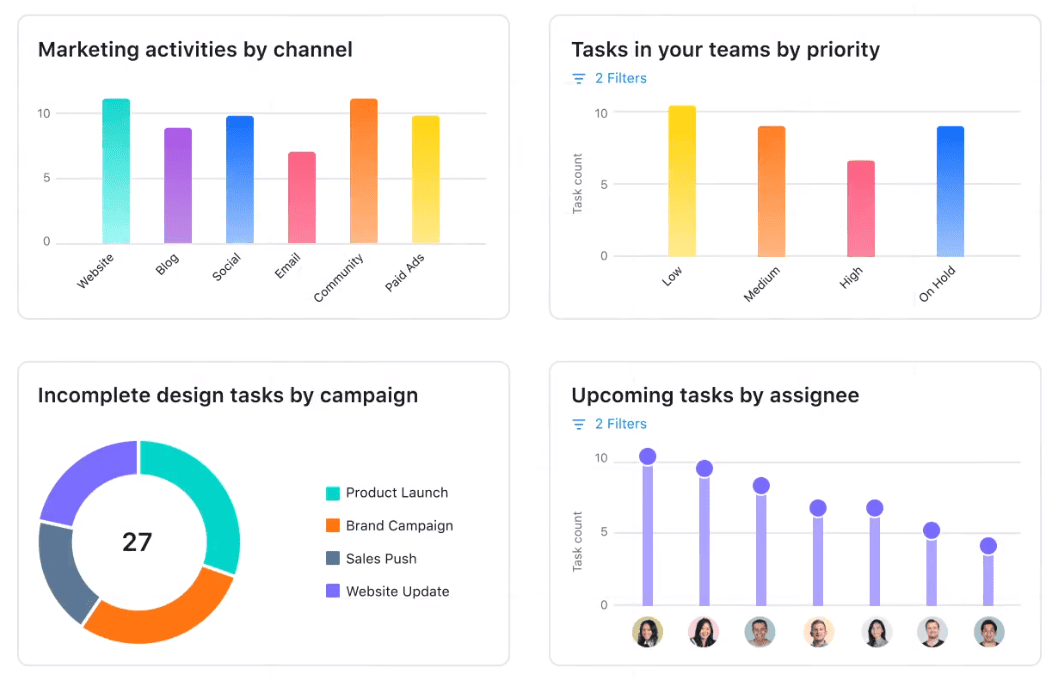
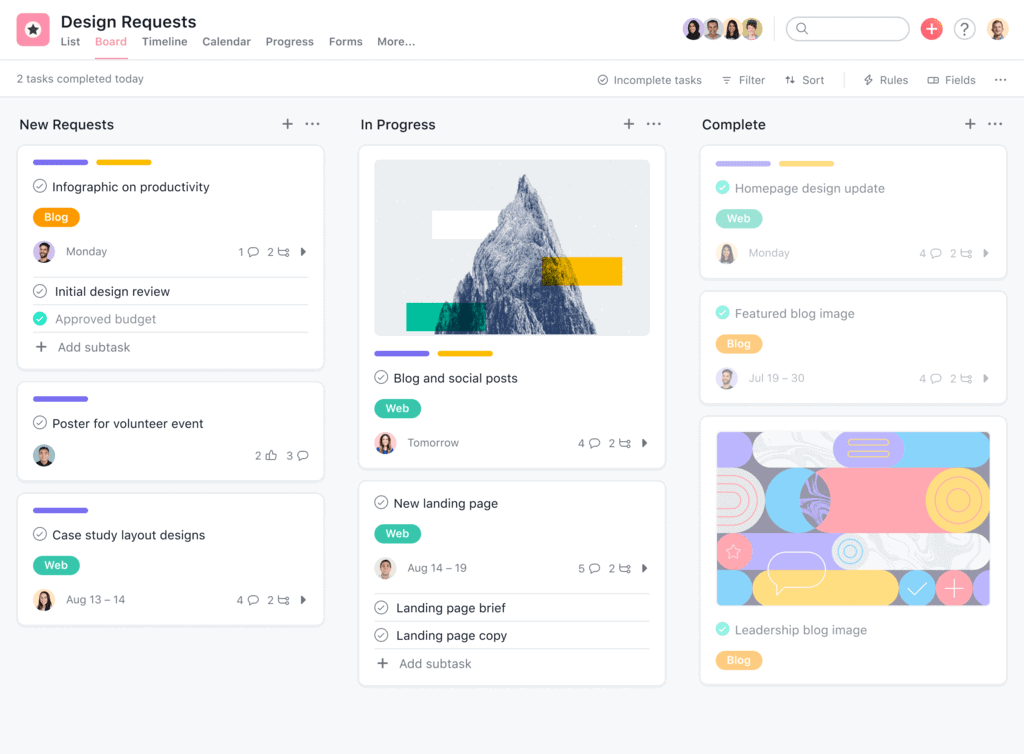
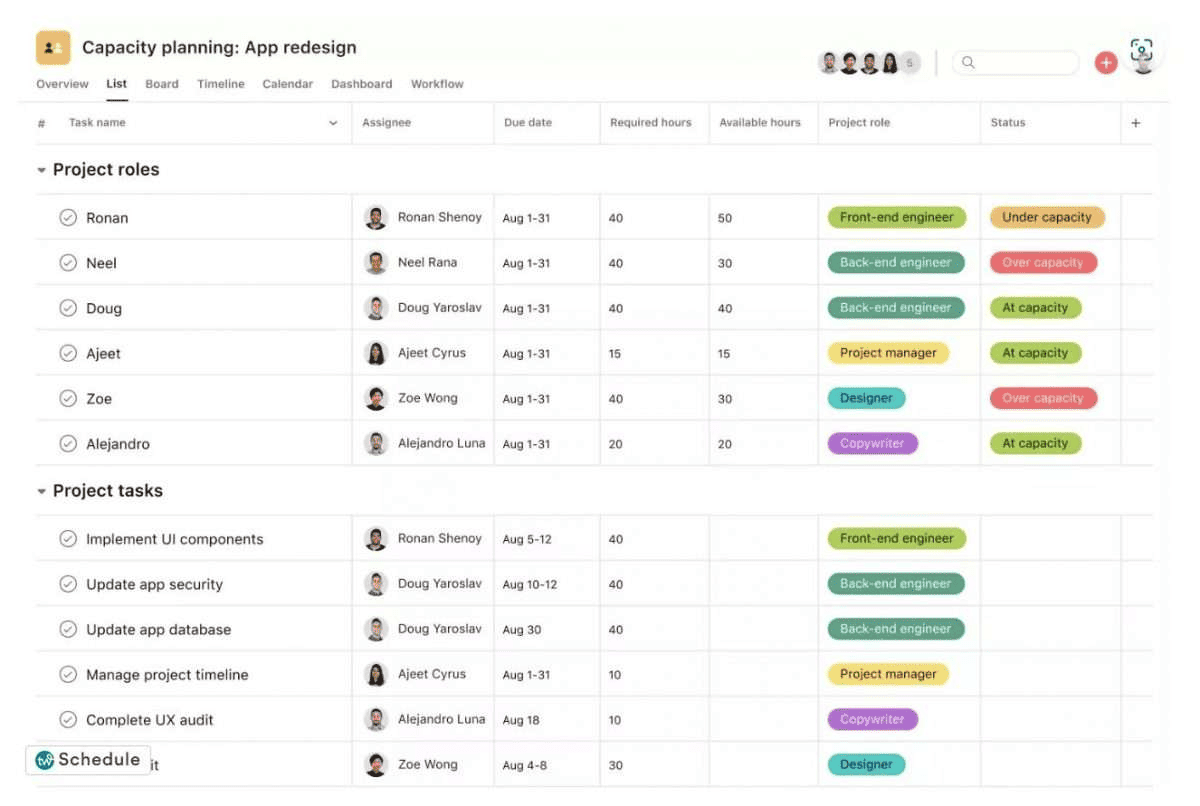
Asana offers powerful features designed to streamline project management and team collaboration. Users can access dashboards to overview project progress, set and track goals, and customize fields for tailored management. Portfolios organize projects, while rules automate tasks. Asana AI helps summarize work, identify risks, and automate routine tasks with full business context. Forms gather essential information, and workload and time-tracking features ensure efficient resource allocation. Gantt charts, timelines, and calendars facilitate detailed planning and scheduling.
Rating:
Best Feature: Custom Fields for Tasks and Projects
Custom Fields give Asana its real power. They let teams define exactly what matters to their work—priority, status, budget, owner, region, approval stage, or any custom data point—and apply it consistently across tasks and projects. This turns Asana from a simple task list into a structured work system. Custom Fields also drive reporting, automation, and filtering, making it easy to track progress, spot risks, and standardize workflows across teams without adding complexity.
Pricing
Asana’s pricing is structured to support individuals, growing teams, and large enterprises, with clear upgrades in automation, visibility, and governance at each tier. Annual billing offers noticeable savings compared to monthly plans, making it more cost-effective for long-term use.
- Personal Plan (€0, free forever): Designed for individuals or very small teams. It includes up to 2 users, unlimited tasks and projects, list, board, and calendar views, basic search, status updates, mobile apps, and 100+ integrations—ideal for managing personal work and simple to-dos.
- Starter Plan (€10.99/user/month billed annually or €13.49 monthly): Built for growing teams. It adds Asana AI, timeline and Gantt views, workflow builder, project dashboards, advanced search, custom fields, forms, unlimited automations, and private teams for better control and efficiency.
- Advanced Plan (€24.99/user/month billed annually or €30.49 monthly): Suited for cross-department organizations. It introduces goals, portfolios, workload management, approvals, proofing, native time tracking, advanced integrations, and scaled security for managing work at a higher level.
- Enterprise & Enterprise+: Custom pricing. These plans deliver advanced security, compliance, admin controls, resource management, 24/7 support, and strict data governance for large, regulated organizations.
#8. Trello

Trello is a visual productivity and task management platform built to help individuals and teams capture, organize, and complete work with clarity. Owned by Atlassian, Trello uses boards, lists, and cards to turn scattered ideas and conversations into actionable to-dos. With built-in automation, AI-assisted task capture, and flexible views, Trello reduces clutter and keeps work moving—whether you’re managing personal tasks or coordinating work across large teams.
If you need an advanced reporting and exporting platform to boost Trello’s capabilities, consider Bridge24 for Trello.
Features
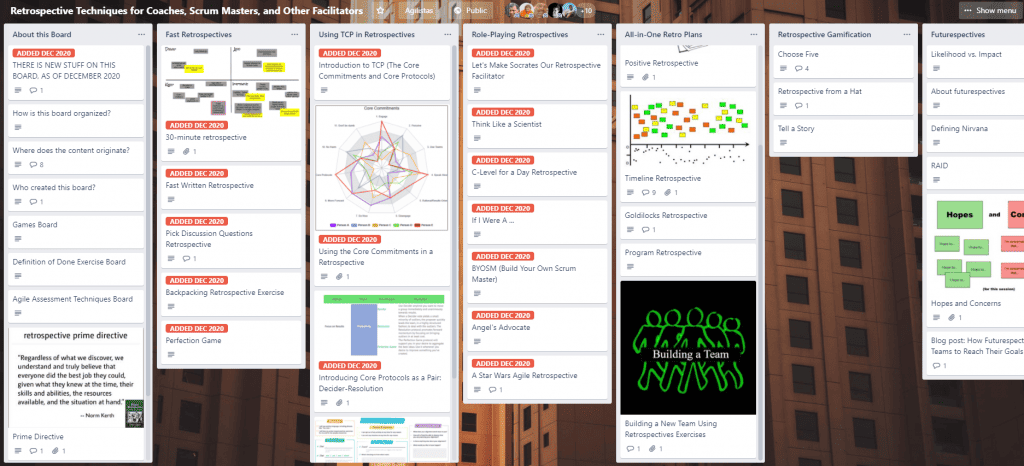
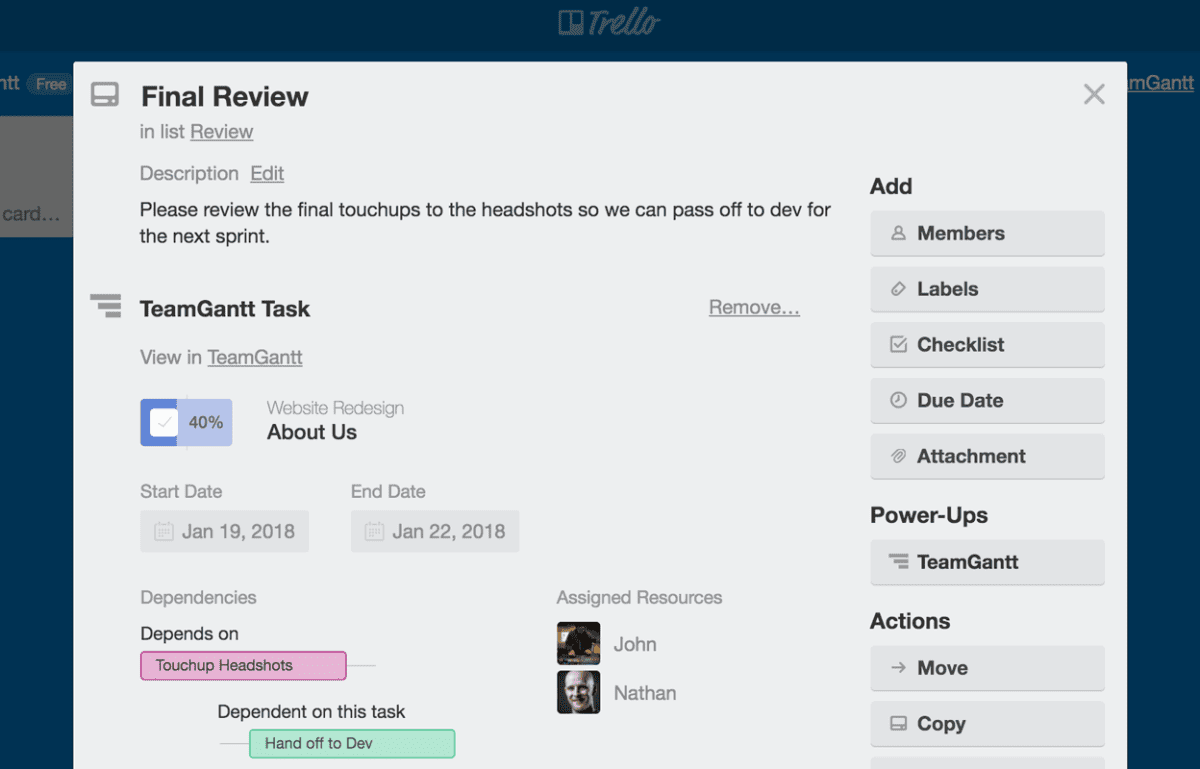
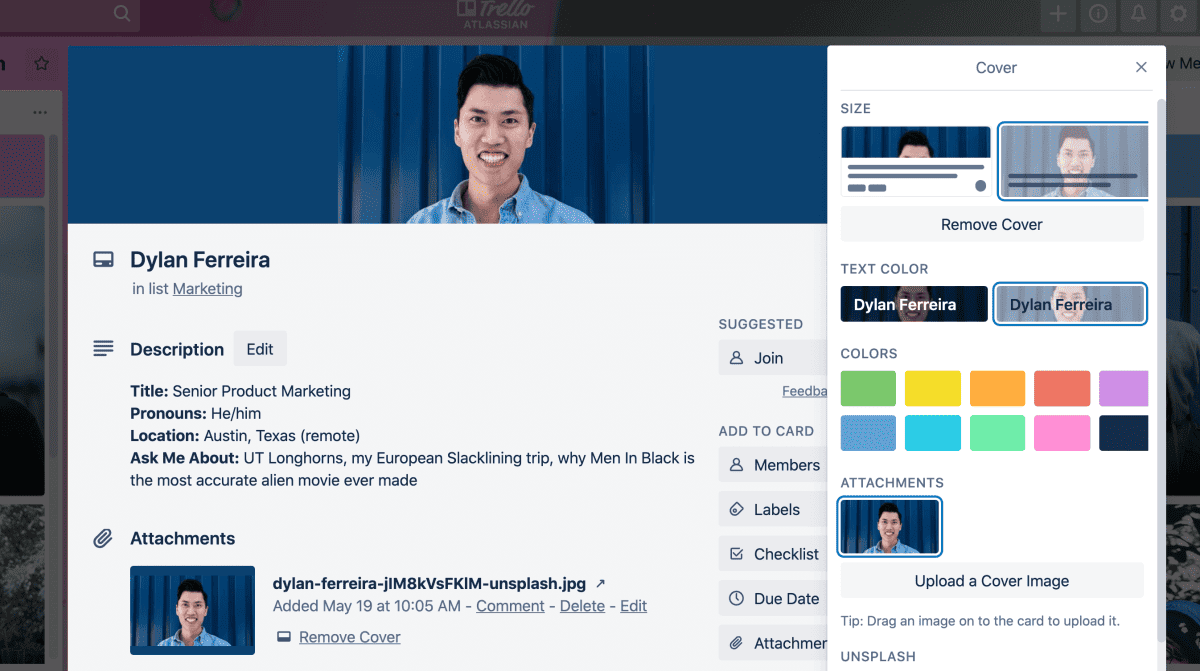
Trello simplifies project management with its intuitive features. Cards and boards allow users to organize tasks and projects visually, while power-ups integrate additional functionalities. Advanced checklists and custom fields enhance task specificity. Dashboards offer a consolidated view of project progress. The timeline feature aids in planning, and the calendar ensures deadlines are met, making Trello a versatile tool for teams of any size.
Rating:
Best Feature: Visual Boards with Kanban Workflow
Trello’s visual boards are its standout feature. The Kanban-style layout makes work instantly understandable—tasks move from “to do” to “done” with simple drag-and-drop actions. This visual clarity helps teams spot bottlenecks, prioritize work, and maintain momentum without meetings or status reports. It’s straightforward, proven, and effective—exactly how task management should be done.
Pricing
Trello offers flexible pricing designed to scale from individual users to global enterprises. Each plan builds on the last, adding automation, AI, advanced views, and administrative controls as teams grow. Annual billing provides clear savings compared to monthly rates.
- Free Plan ($0/month – free forever): Ideal for individuals and small teams getting started. It includes unlimited cards, up to 10 boards per Workspace, Inbox for capturing to-dos from email and messaging apps, unlimited Power-Ups per board, basic automation, mobile apps, and essential task management features.
- Standard Plan ($5/user/month billed annually or $6 monthly): Best for growing teams that need more structure. It unlocks unlimited boards, Planner, advanced checklists, card mirroring, Custom Fields, larger file uploads, and increased automation limits—making it easier to manage more complex workflows.
- Premium Plan ($10/user/month billed annually or $12.50 monthly): Designed for teams that need deeper insights and control. It adds AI features, advanced views like Calendar, Timeline, Table, Dashboard, and Map, Workspace-level templates, collections, observers, and enhanced admin and security tools.
- Enterprise Plan ($17.50/user/month billed annually – $210 per user/year): Built for large organizations requiring enterprise-grade security and governance. It includes unlimited Workspaces, organization-wide permissions, advanced board controls, attachment permissions, Power-Up administration, and Atlassian Guard with SSO and 24/7 admin support.
#9. Basecamp

Basecamp is a project management platform built to eliminate complexity, not add to it. With over 20 years of real-world use behind it, Basecamp focuses on clarity, accountability, and calm execution. Instead of overwhelming users with bloated features and constant notifications, it brings tasks, communication, files, and schedules into one predictable structure. It’s designed for small to mid-sized teams that want work to move forward without chaos, friction, or endless meetings.
If you need an advanced reporting and exporting platform to boost Basecamp’s capabilities, consider Bridge24 for Basecamp.
Features
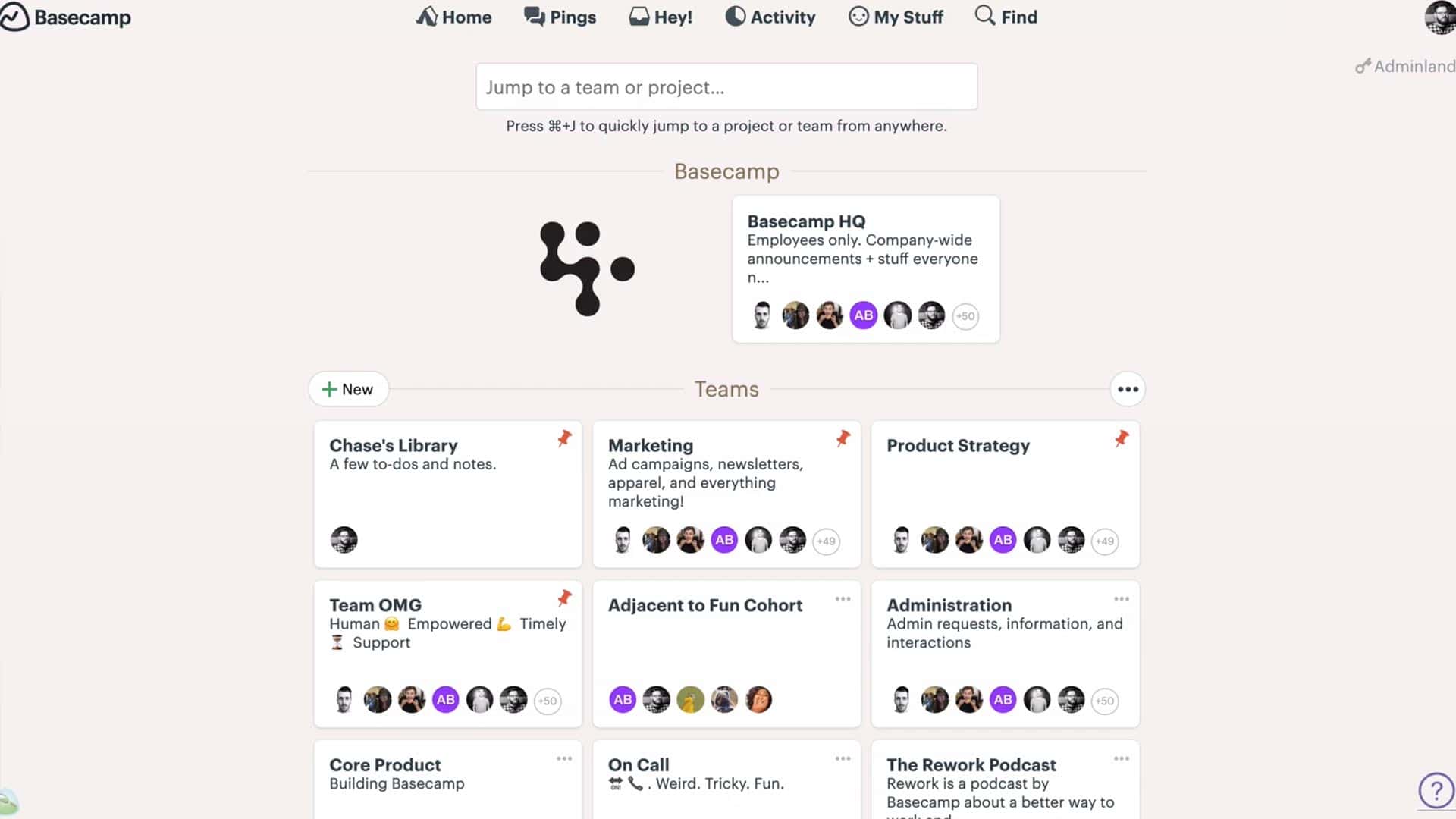
Using Basecamp, users can access to-do lists, schedules, document management, charts, reports, notifications, and various communication and collaboration tools in one application. The message board facilitates company-wide communication, Campfire enables real-time group chat, Pings supports direct messaging, and Check-in questions provide regular reporting. With everything centralized in one workspace, work is more visible, and people are more accountable, making it easy to search, track, and clarify information.
Rating:
Best Features: Kanban Boards and Built-In Group Chat
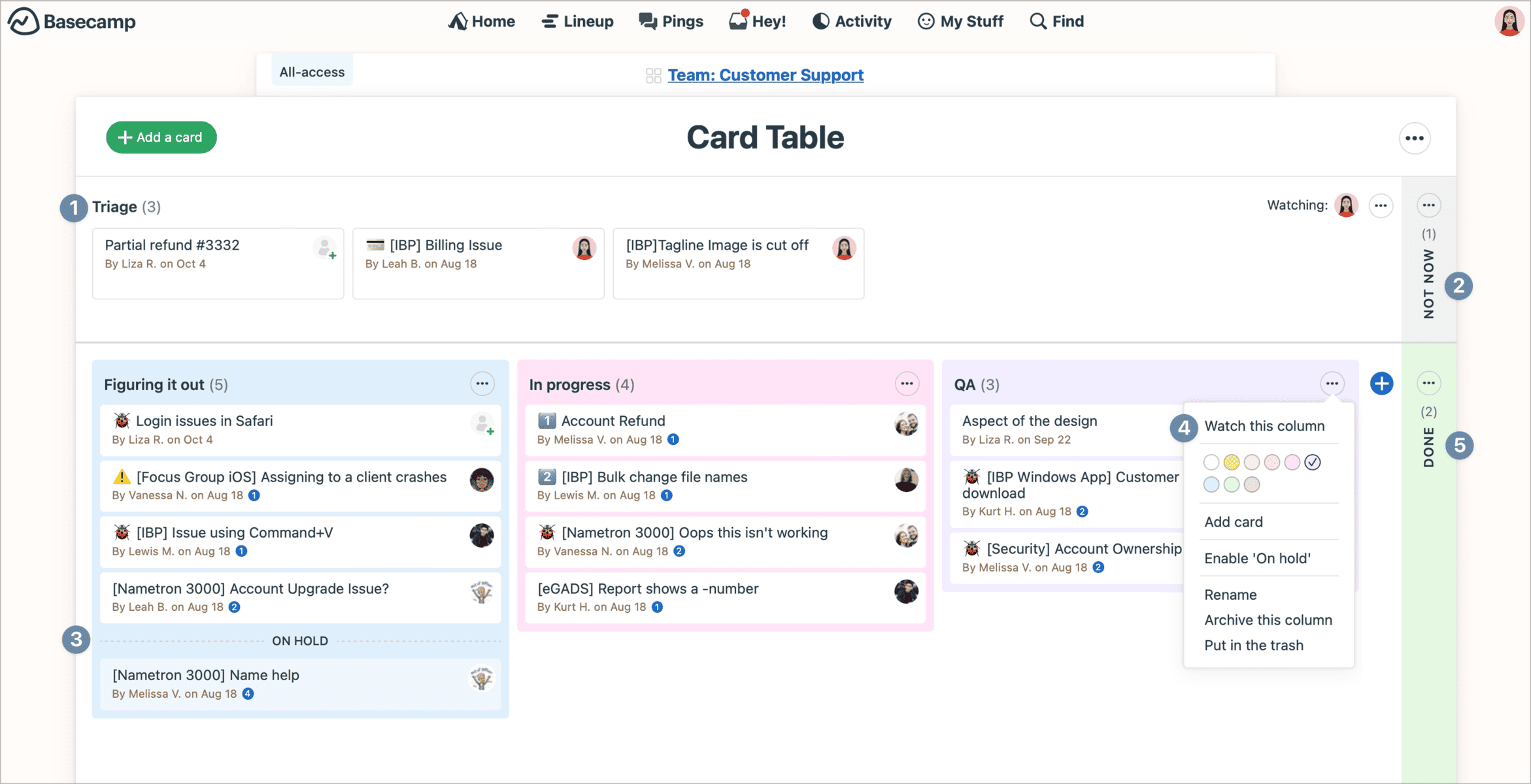
Basecamp’s Kanban boards (Card Tables) and built-in group chat work together to keep execution tight and communication focused. Card Tables provide a clean, visual way to track workflows without overengineering—perfect for seeing progress, spotting bottlenecks, and moving work forward fast. Campfires and Pings replace Slack-style sprawl with calm, purposeful conversations tied directly to projects. No context switching, no noise—just work and the discussions that actually matter, in one place.
Pricing
Basecamp keeps pricing simple and transparent, avoiding complex tiers and hidden add-ons. Whether you’re solo, growing a team, or scaling fast, each plan includes the same core features—only limits and billing models change.
- Basecamp Free ($0/month, free forever): Ideal for individuals or very small teams running a single project. It includes one active project, 1 GB of storage, and access to all core tools to experience Basecamp’s workflow.
- Basecamp Plus ($15/user per month, month-to-month): Designed for freelancers, startups, and small teams that need flexibility. It offers unlimited projects, 500 GB storage, 24/7 support, and optional Timesheets and Admin Pro Pack upgrades. Guests and clients are always free.
- Basecamp Pro Unlimited ($299/month billed annually or $349 monthly): Built for growing businesses that want predictable costs. It includes unlimited users, projects, 5 TB storage, priority support, all upgrades, and personal onboarding—one flat price for the entire organization.
#10. Bitrix24

Bitrix24 is an all-in-one digital workspace built to replace scattered SaaS tools with a single, unified platform. It combines collaboration, CRM, project management, HR automation, websites, and sales tools under one roof. Designed for teams of all sizes, Bitrix24 stands out with flat pricing instead of per-user fees, making it especially cost-effective as teams grow. With over 15 million organizations using it worldwide, Bitrix24 positions itself as a complete business operating system.
Features
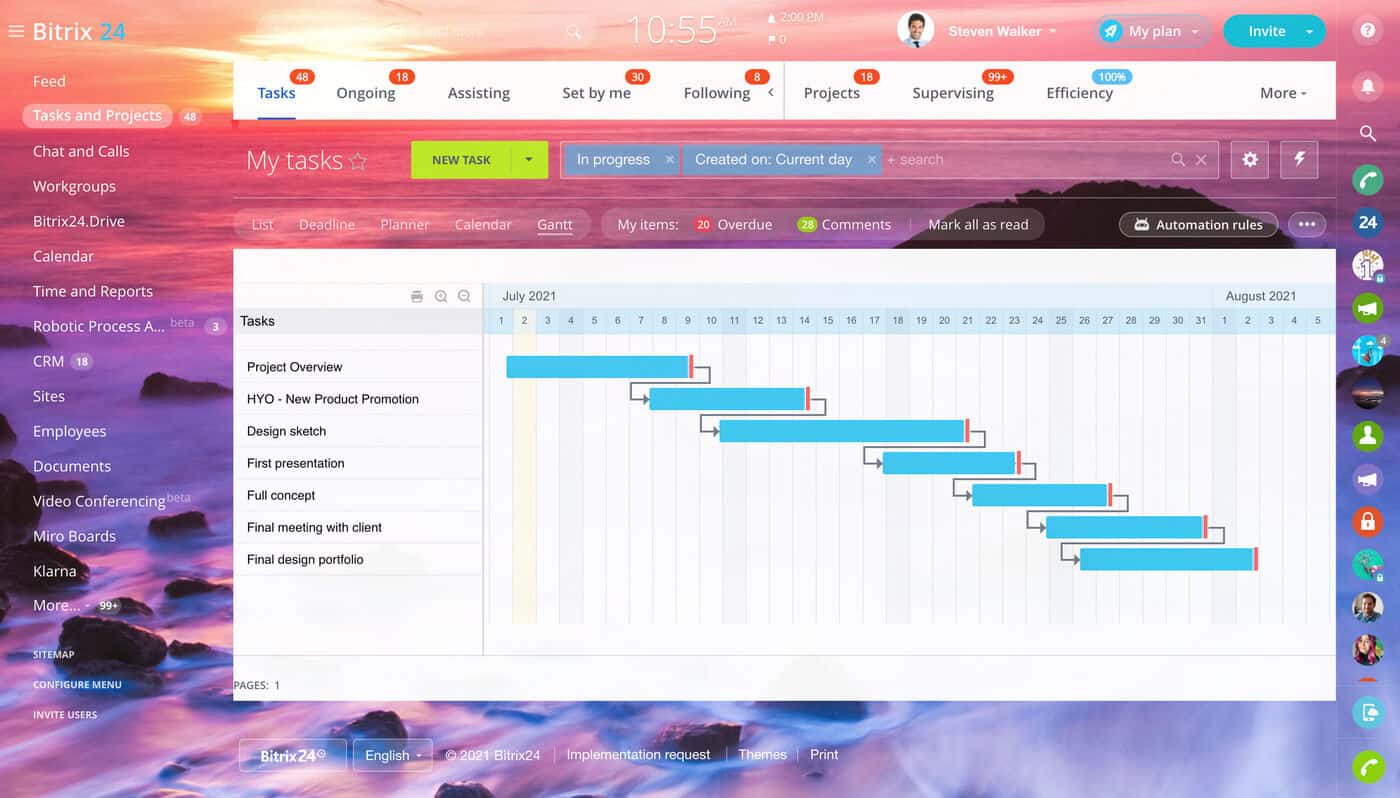
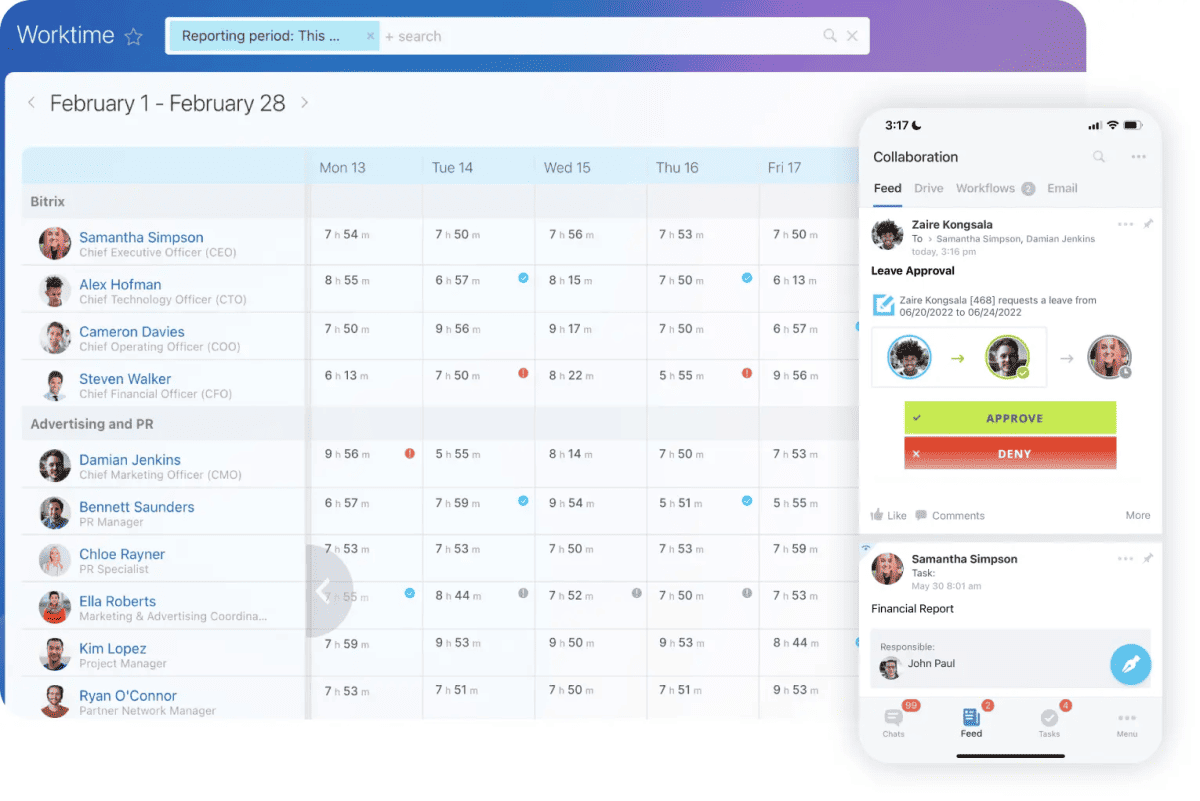
Bitrix24 delivers a full business toolkit that covers daily operations from end to end. Teams can manage tasks, projects, time tracking, and internal communication through chats, video calls, and shared workspaces. Its built-in CRM handles leads, deals, contacts, invoices, and online payments, while marketing and sales automation streamline follow-ups and pipelines. HR tools support employee management, approvals, and workflows. Bitrix24 also includes a website and online store builder, document management, e-signatures, analytics, and deep integrations—eliminating the need for multiple disconnected platforms.
Rating:
Best Feature: CRM Platform
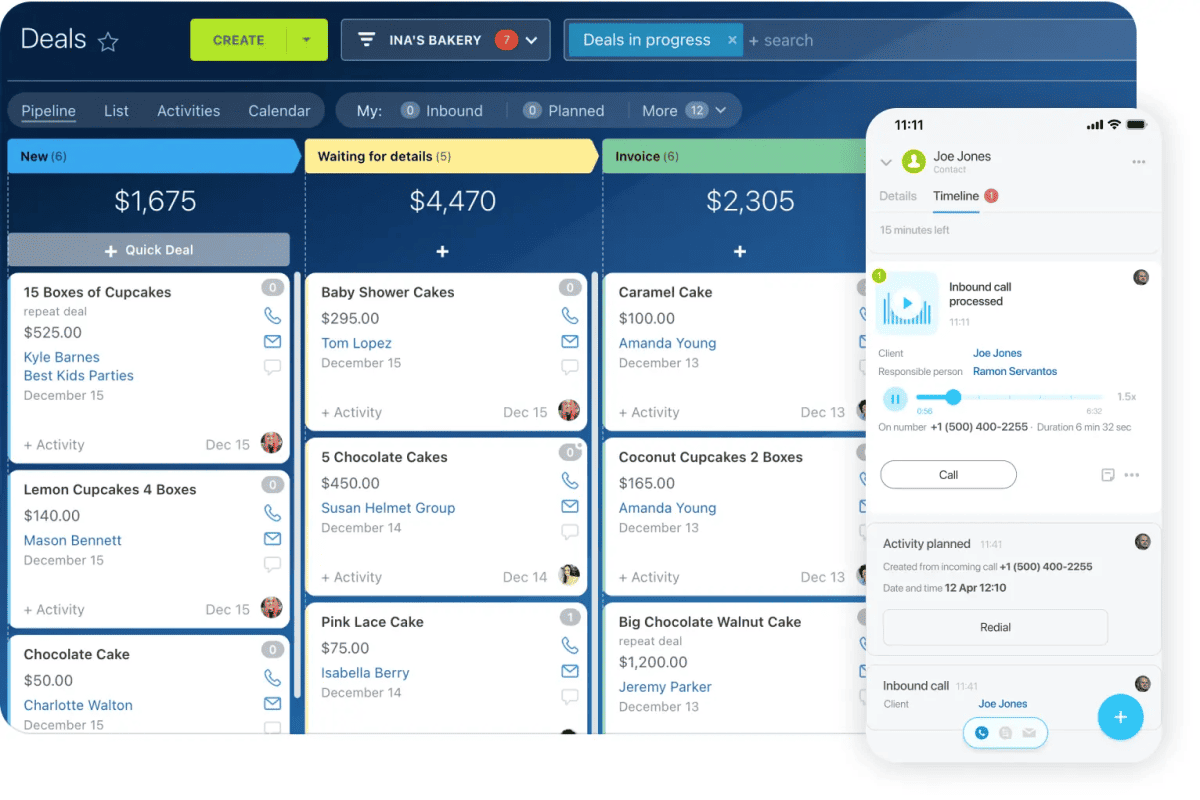
Bitrix24’s CRM platform is built to manage the entire customer lifecycle in one place—from first contact to closed deal and repeat sales. It centralizes leads, deals, contacts, and companies while automating follow-ups, task assignments, and pipeline movement through rules and triggers. Built-in invoicing, estimates, online payments, and sales analytics remove the need for third-party tools. With omnichannel support for email, calls, live chat, and social messaging, Bitrix24 CRM gives sales teams full visibility, tighter control, and fewer leaks across the funnel.
Pricing
Bitrix24’s pricing is designed for businesses that want predictable costs without per-user penalties. All plans use flat monthly or annual pricing, with significant savings for annual billing.
- Free Plan ($0/month, free forever): Ideal for small teams testing the platform. It includes unlimited users with limited storage, core collaboration tools, tasks and projects, basic CRM, contact center, website builder, and online store capabilities.
- Basic Plan ($61/month or $46/month billed annually): Built for small teams of up to 5 users. It adds 24 GB of storage, CRM tools, Bitrix24 Sign, Drive, contact center, customer support features, and full collaboration essentials.
- Standard Plan ($124/month or $87/month billed annually): Designed for growing teams of up to 50 users. It expands storage to 100 GB and unlocks marketing tools, online documents, administration controls, and advanced collaboration features.
- Professional Plan ($249/month or $175/month billed annually): Best for larger teams up to 100 users. It includes 1 TB storage, advanced CRM (X5), sales intelligence, automation, HR tools, and e-signatures for HR workflows.
- Enterprise Plan ($499/month or $325/month billed annually): Built for enterprises starting at 250 users and scaling to 10,000. It offers multi-branch support, up to 3 TB storage, maximum automation, enterprise security, and scalability options.
#11. Zoho Projects

Zoho Projects is a comprehensive project management tool designed to facilitate project planning and collaboration for teams of all sizes. It features a wide range of functionalities including task management, time tracking, and Gantt charts to help streamline workflows. The platform offers a free package for small teams, while its competitively priced Premium and Enterprise packages cater to growing and large organizations respectively, with additional features like project templates, custom fields, and advanced security options.
Features
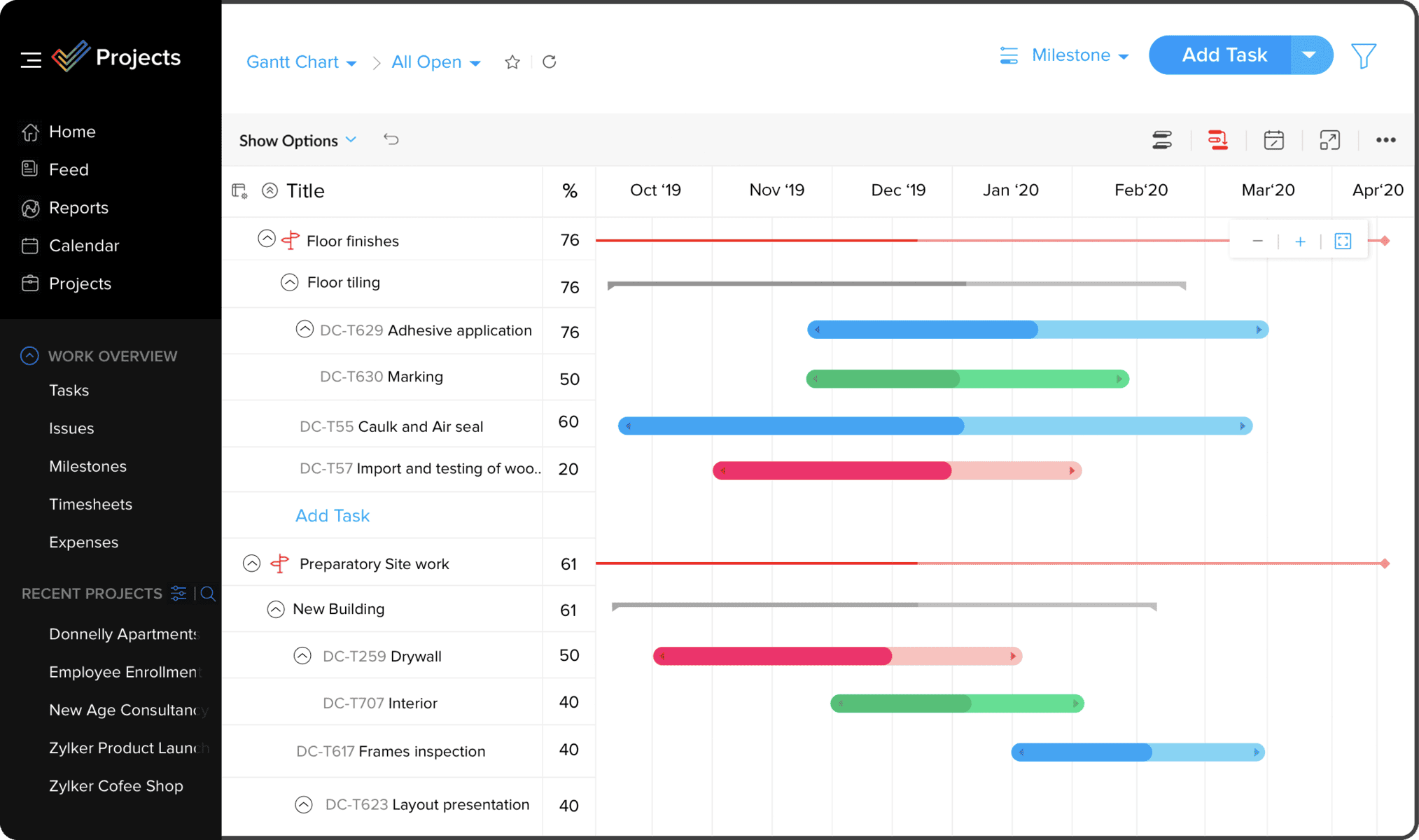
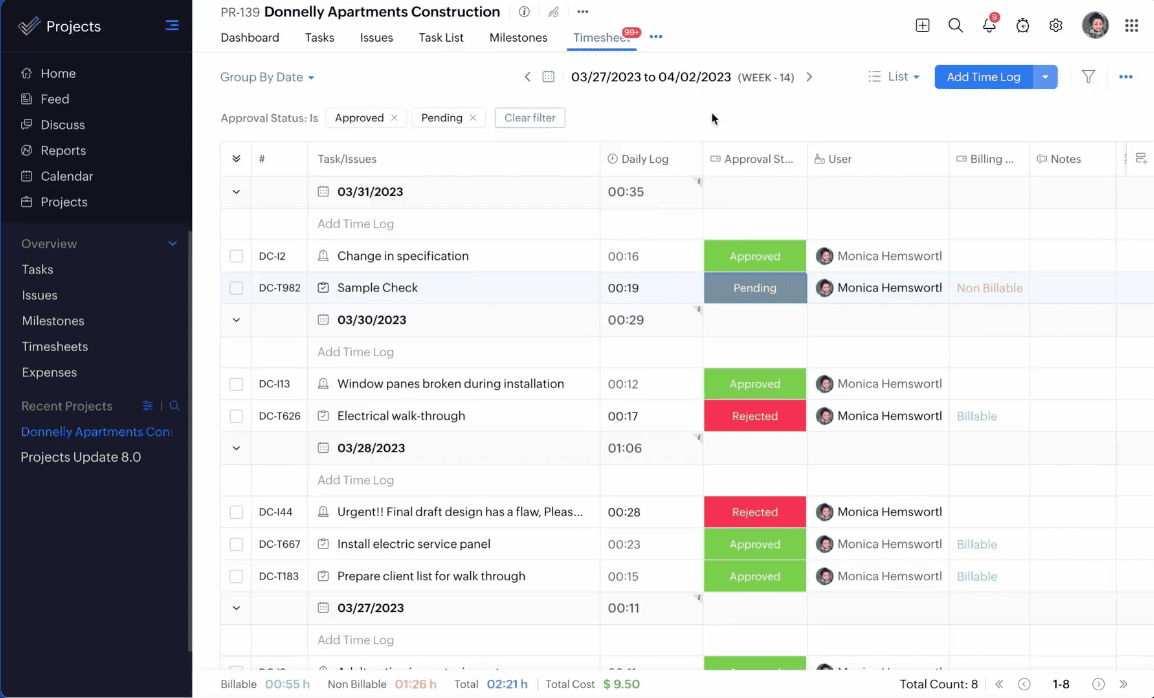
Zoho Projects offers numerous features at a very affordable price, giving users more excellent value for their money. These features include task management, task automation, time tracking, charts and reporting, issue tracking, and social task management. Users can create tasks, assign them, and track their progress until completion. Zoho Projects also features milestones, dependencies, a Kanban board view, and a Calendar view.
Rating:
Best Feature: Custom Fields & Time Tracking
Zoho Projects stands out with its powerful combination of custom fields and built-in time tracking. Teams can tailor projects with custom fields to match exact workflows, capture critical data, and maintain consistency across tasks. At the same time, integrated time tracking allows users to log billable and non-billable hours with precision, using timers or manual entries. Together, these features give managers clearer visibility into effort, costs, and productivity—without relying on external tools.
Pricing
Zoho Projects offers flexible pricing designed to scale from small teams to large enterprises. Each plan builds on the previous one, adding more automation, control, and reporting depth. Annual billing provides noticeable savings compared to monthly plans, making it cost-effective for long-term use.
- Free Plan ($0 – Free Forever): Best for small teams starting out. It supports up to 5 users, 3 projects, basic task management, subtasks, whiteboards, 5 GB storage, mobile apps, limited workflow actions, and integrations with Google Workspace and Microsoft 365.
- Premium Plan ($2.80/user/month billed annually or $3.50 monthly): Designed for growing teams. It unlocks unlimited projects, custom views and statuses, task blueprints, project budgets, timesheets, recurring tasks, reminders, and expanded workflow automation.
- Enterprise Plan ($6.30/user/month billed annually or $7 monthly): Built for structured organizations. It adds custom roles, SSO, advanced security, portfolio dashboards, critical path analysis, Power BI integration, sandbox environments, and user hierarchy controls.
- Ultimate Plan ($9/user/month billed annually or $10 monthly): Ideal for large-scale operations. It includes extensive storage, advanced timesheet management, multi-project tracking, high-volume automation, multiple business calendars, and enterprise-grade resource management.
#12. Microsoft Planner
Microsoft Planner is Microsoft’s unified work management platform that brings together task tracking, team planning, and enterprise project management into one intelligent experience. It consolidates Microsoft To Do, Planner, and Project for the web into a single interface deeply integrated with Microsoft 365. Designed to scale from simple team task boards to complex, resource-driven portfolios, Planner helps organizations manage daily work, structured projects, and long-term initiatives without switching tools.
Features
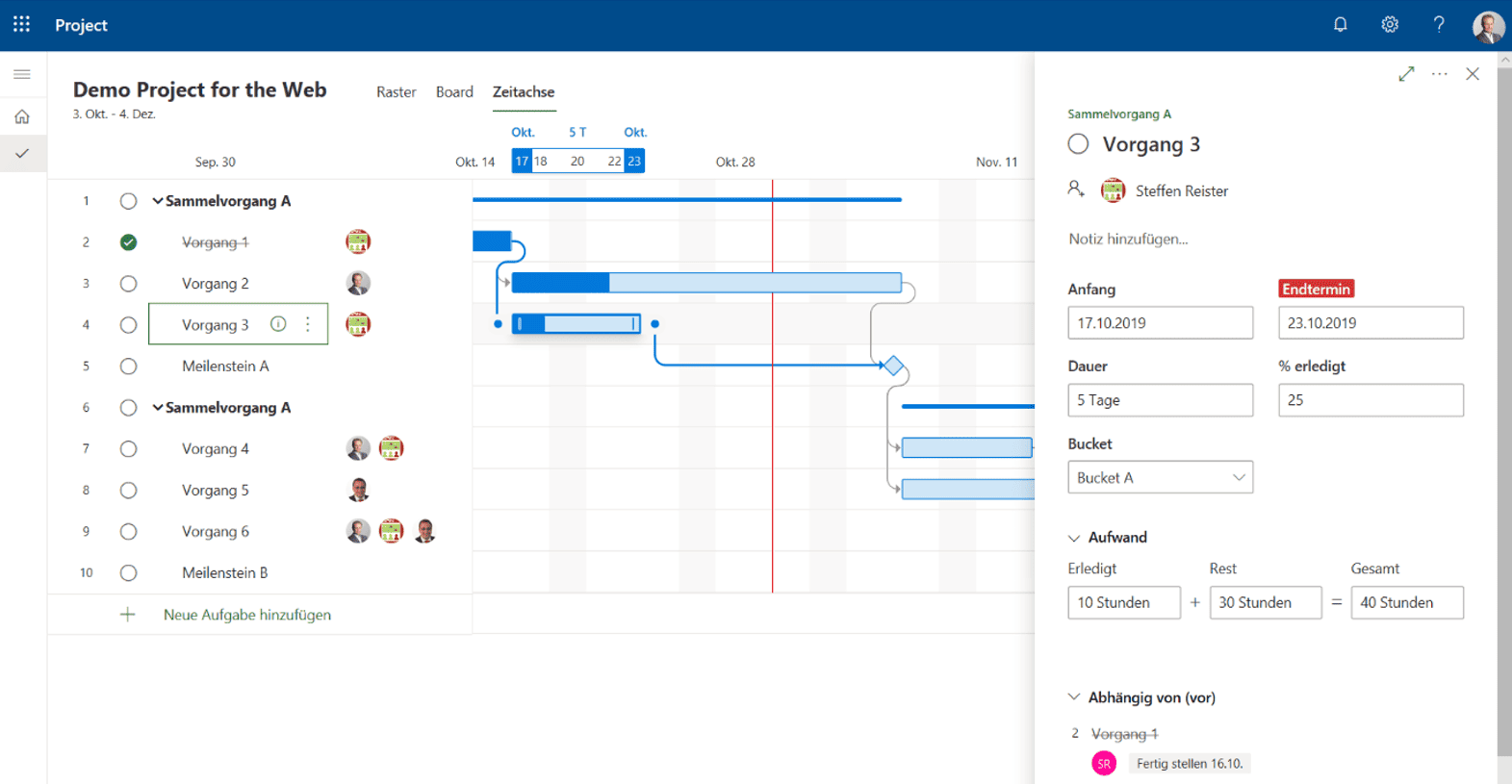
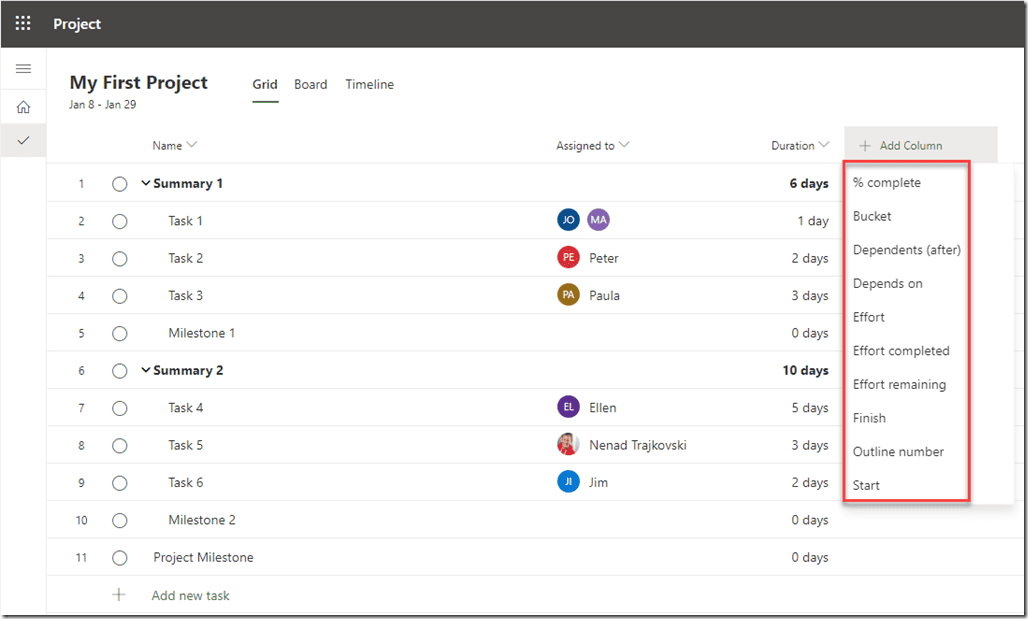
Microsoft Planner centralizes tasks, plans, and projects across Microsoft 365, allowing teams to manage work from one familiar environment. Users can organize tasks using Grid, Board, Schedule, Timeline (Gantt), and Charts views, adapting easily to different workflows. Built-in templates speed up setup across departments like marketing, IT, HR, and software development. Deep integration with Microsoft Teams, Outlook, and Loop keeps work connected to conversations and emails. Advanced plans add task dependencies, backlogs, sprints, reporting, resource management, and enterprise-grade security and compliance.
Rating:
Best Feature: Unified Work Management Across Microsoft 365
Planner’s strongest advantage is its single, unified experience that combines personal tasks, team plans, and enterprise projects in one place. Instead of juggling multiple tools, users manage everything inside Microsoft 365—connected directly to Teams, Outlook, and Copilot—reducing context switching and keeping work visible, structured, and accountable.
Pricing
Microsoft Planner uses a tiered pricing structure that scales with project complexity. From basic task management included in Microsoft 365 to advanced portfolio and resource planning, each plan is designed for a specific level of control and oversight.
- Planner in Microsoft 365 (Included with M365 Enterprise plans – Free): Ideal for teams needing simple task and plan management. It includes content-rich tasks, basic templates, My Day and Assigned to Me views, Teams integration, and Grid, Board, Schedule, and Charts views.
- Planner Plan 1 ($10/user/month billed yearly): Designed for growing teams managing structured projects. It adds Timeline (Gantt) view, task dependencies, backlogs and sprints, project goals, premium templates, and reporting dashboards for better execution control.
- Planner and Project Plan 3 ($30/user/month billed yearly): Built for professional project managers. It includes everything in Plan 1 plus advanced dependencies, baselines, roadmaps, resource requests, financial tracking, task history, Project Online, and the Project desktop client.
- Planner and Project Plan 5 ($55/user/month billed yearly): Designed for enterprise leadership and PMOs. It adds portfolio management, enterprise resource management, and advanced portfolio analysis for strategic, organization-wide decision-making.
#13. ProofHub

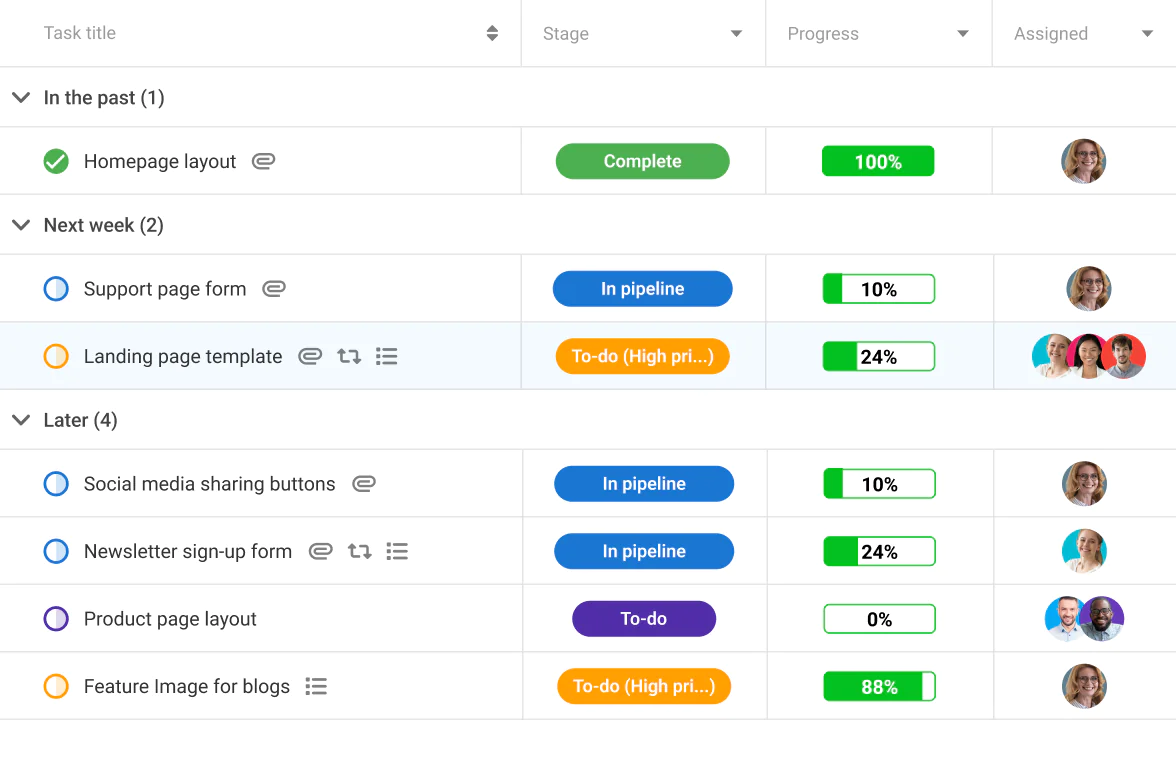
ProofHub is an all-in-one project management and team collaboration that brings all of your projects, teamwork, and team communication to one place. You can create a custom workflow, break a project into tasks, collaborate on tasks with the team from a centralized place, and track the real-time progress of a project. It is an easy-to-use and easy-to-learn tool for users of all levels of experience to learn the basics within minutes. You have all the features you need to stay on top of project management and make it easy for teams to work together.
Features
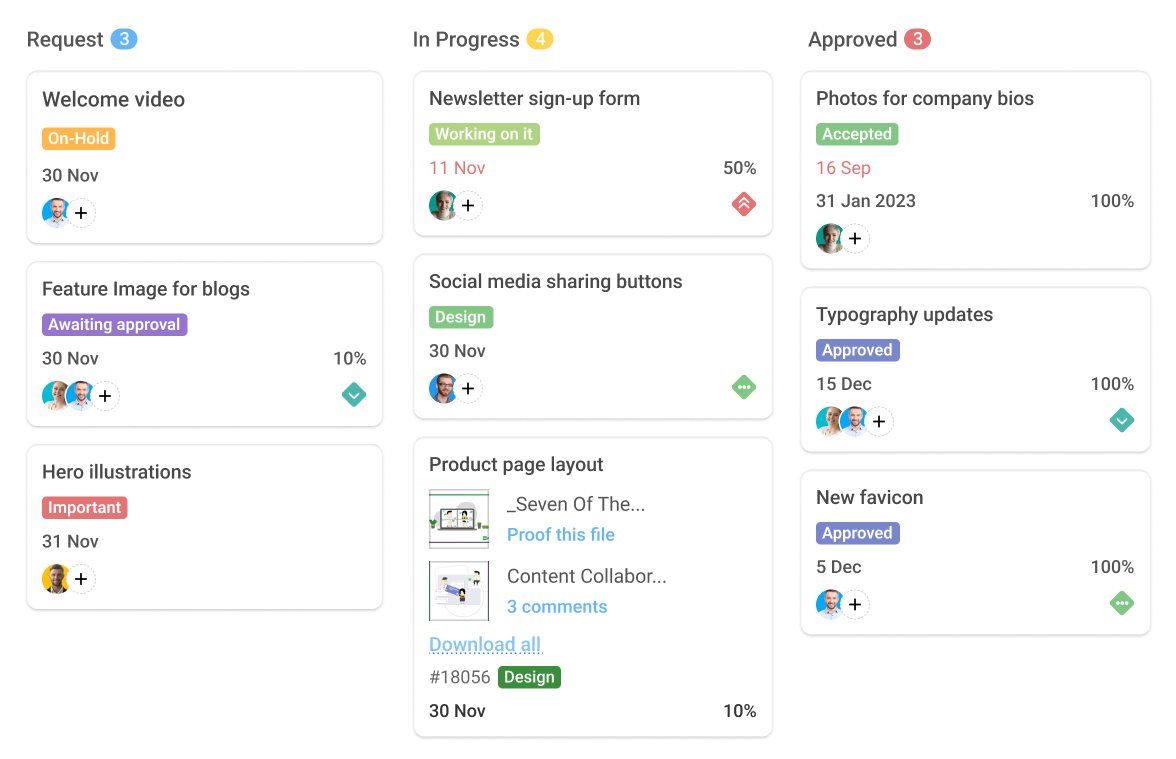
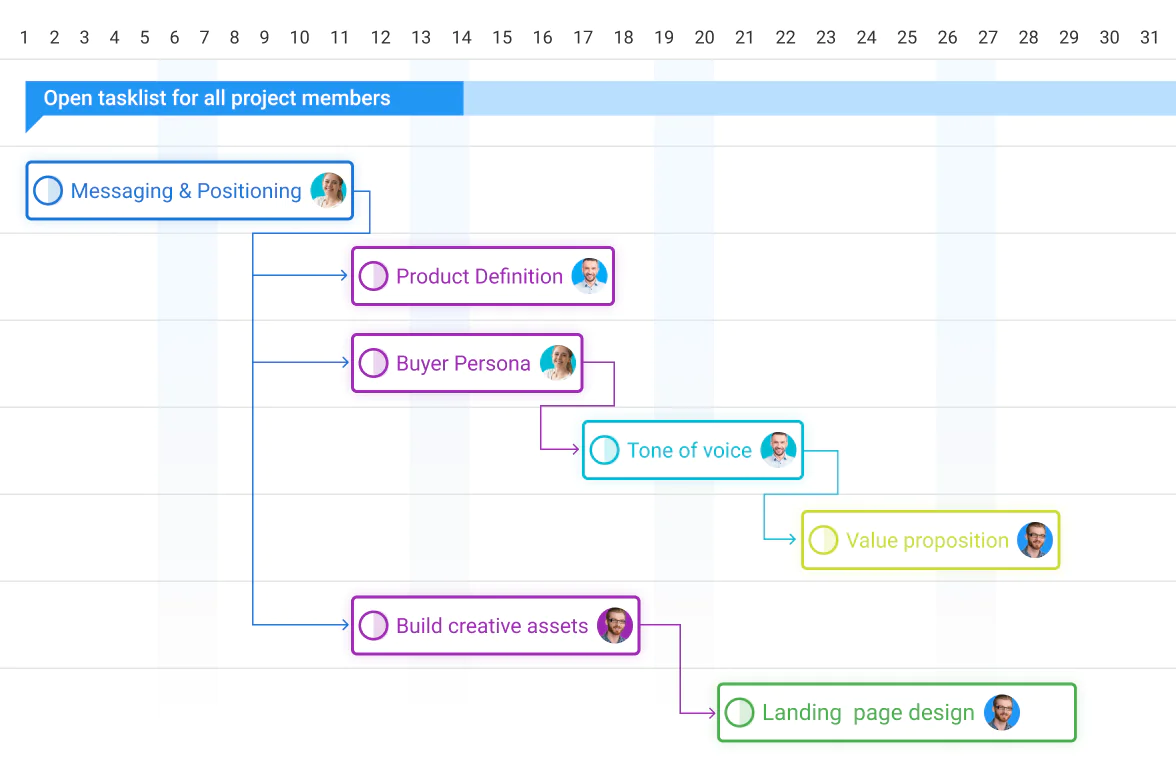
ProofHub is a feature-rich project management tool that provides you with a comprehensive set of features. It provides you with task management, Gantt chart, Kanban board, custom workflows, and project templates to manage projects. The software offers project reports to overview the progress of the project. Time tracking features such as timesheets, time reports, and automatic timer helps you with accurate tracking. Real-time chat, project discussions, task comments, notes, and file sharing make collaborating easy. The online proofing allows you to review, edit, and share feedback on digital assets.
Rating:
Best Feature: Task Management
ProofHub’s task management is built for clarity and control. Teams can create tasks, set priorities, assign owners, and track progress using board, table, Gantt, calendar, or personal views. Subtasks, dependencies, deadlines, and custom workflows keep work structured without confusion. With real-time updates, comments, file attachments, and time tracking tied directly to tasks, everyone knows what needs to be done, by when, and by whom—no follow-ups, no guesswork.
Pricing
ProofHub’s pricing is straightforward because it avoids per-user fees and complex tiers. Instead, ProofHub offers flat monthly pricing based on features and project limits, making it predictable and cost-effective for teams that collaborate heavily.
- Essential Plan ($45/month billed annually or $50/month billed monthly): Designed for small teams managing focused workloads. It includes up to 40 projects, unlimited users, 15GB storage, and all core features such as task management, discussions, file sharing, time tracking, workflows, and basic reporting—ideal for teams that want simplicity without sacrificing collaboration.
- Ultimate Control Plan ($89/month billed annually or $99/month billed monthly): Built for larger teams and client-facing organizations. It unlocks unlimited projects, 100GB storage, advanced access controls, white labeling, IP restrictions, API access, detailed activity logs, advanced reports, priority support, and full administrative control across teams and projects.
#14. Jira

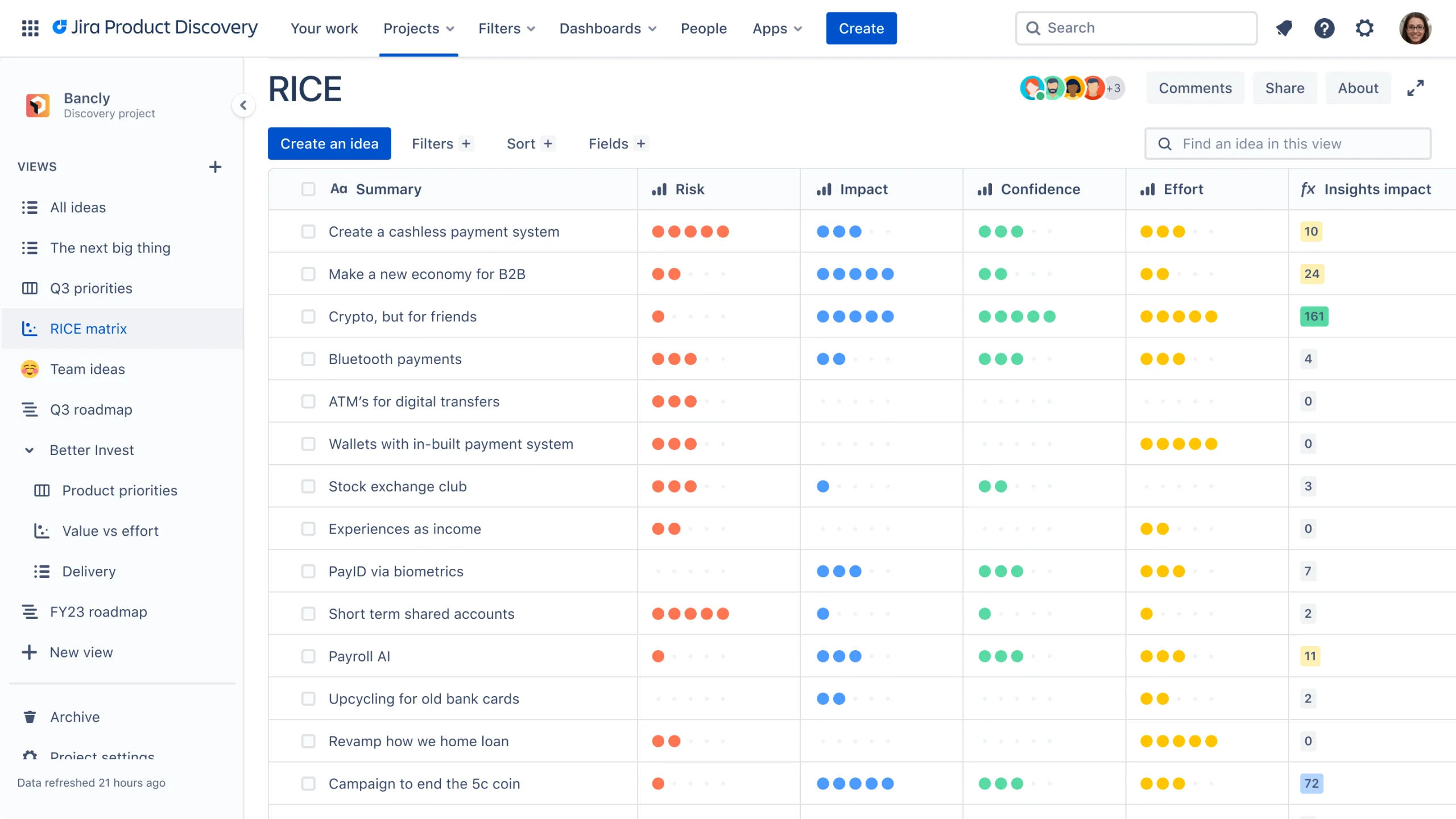
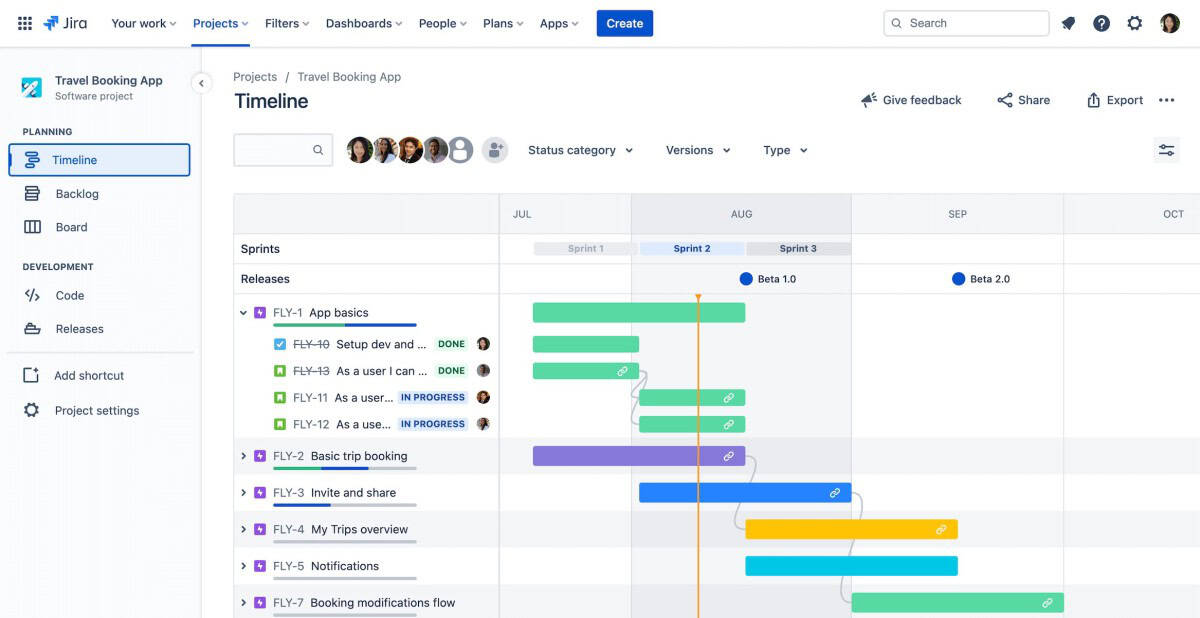
Jira by Atlassian is the ultimate project management tool designed to facilitate the planning and tracking of work across diverse teams. Renowned for its flexibility and powerful features, Jira adapts seamlessly to any project type, from software development to task management. Its intuitive interfaces and customizable workflows enable teams to streamline their processes, enhance collaboration, and increase transparency. With Jira, project leads can assign tasks, track progress, and manage deadlines effectively, ensuring that every team member is aligned and productive. Whether you’re part of a small startup or a large enterprise, Jira offers the scalability and tools necessary to achieve your project goals efficiently. With strong automation, deep integrations, and AI-powered assistance through Rovo, Jira centralizes tasks, goals, and collaboration in one reliable workspace.
Features
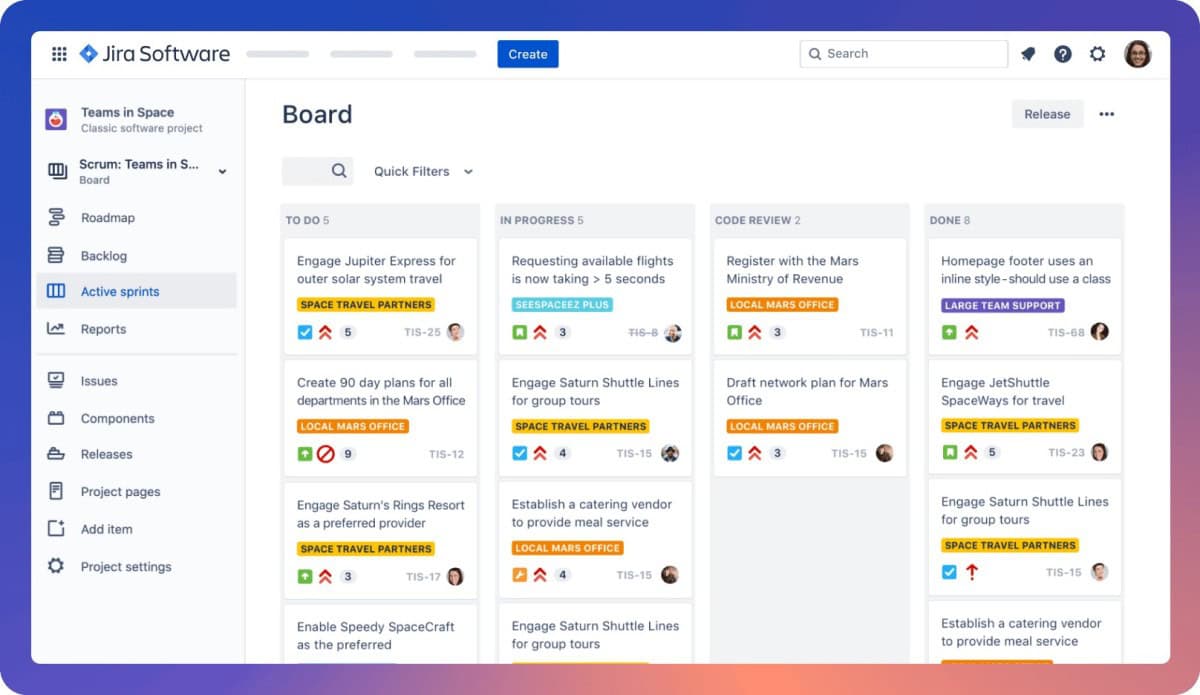
Jira offers a comprehensive suite of features designed to elevate project management through intelligent planning, dynamic tracking, and seamless collaboration. At its core are powerful, customizable Scrum and Kanban boards that enable teams to visualize workflows and monitor progress in real-time. These are supercharged by Rovo AI, which actively breaks down projects, summarizes conversations, flags risks, and surfaces critical insights to reduce administrative overhead. The platform supports robust release management, goal alignment, and dependency tracking to coordinate complex launches. Detailed reporting and dashboards provide clear visibility into project health and team performance. Furthermore, Jira’s deep integrations with tools like Slack, GitHub, and Google Drive consolidate work into a single source of truth, ensuring all teams—from development to marketing—stay connected, informed, and focused on delivering impact efficiently.
Rating:
Best Feature: Kanban and Scrum Boards
Jira’s customizable Kanban and Scrum boards provide the core visual framework for agile teams to manage work. Kanban boards enable continuous flow and limit work-in-progress, while Scrum boards structure work into time-boxed sprints with backlogs and burndown charts. Together, they offer unmatched flexibility to visualize processes, track progress in real-time, and adapt workflows to any team’s agile methodology.
Pricing
Jira offers transparent pricing designed to scale from small teams to global enterprises. Annual billing delivers savings of up to 17% compared to monthly pricing, making it the smarter long-term choice for growing organizations. Below is a clear breakdown of Jira’s pricing plans.
- Free Plan ($0 – Free Forever for up to 10 users): Ideal for small teams getting started. Includes unlimited goals, projects, tasks, and forms, multiple views (board, list, timeline, calendar), basic reports, 100 automation rule runs per month, 2 GB storage, and community support.
- Standard Plan ($7.91/user/month billed annually or higher monthly): Best for teams that need structure and collaboration. Adds Rovo AI features, roles, and permissions, external collaboration, multi-region data residency, 1,700 automation rule runs per month, 250 GB storage, and 9/5 regional support.
- Premium Plan ($14.54/user/month billed annually): Built for cross-team coordination. Includes advanced planning, dependency management, customizable approvals, unlimited storage, higher automation limits, 24/7 critical support, and a 99.9% uptime SLA.
- Enterprise Plan (Custom pricing): Designed for large organizations needing advanced analytics, security, identity management, unlimited automation, multiple sites, and a 99.95% uptime SLA.
#15. Airtable
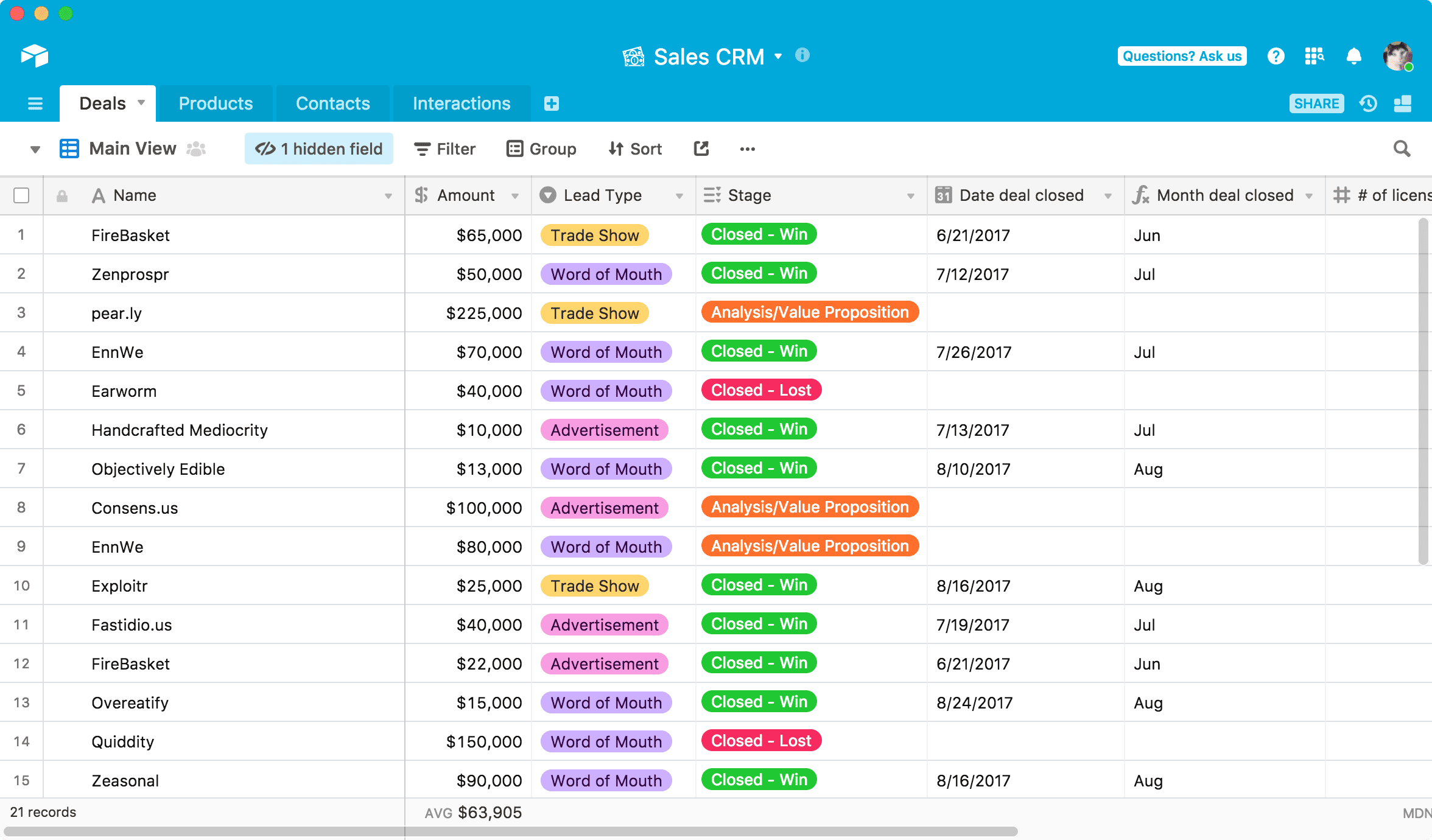
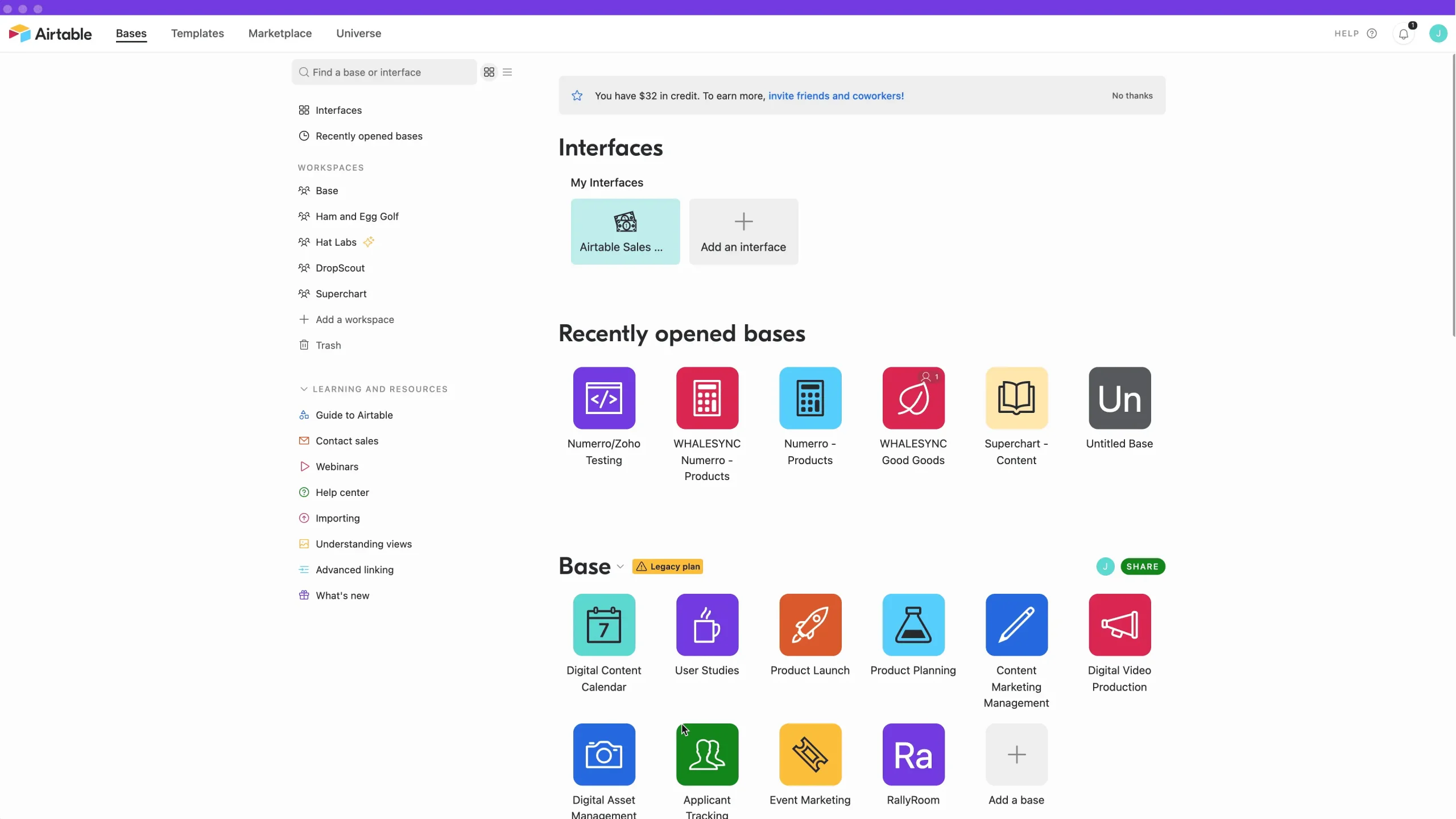
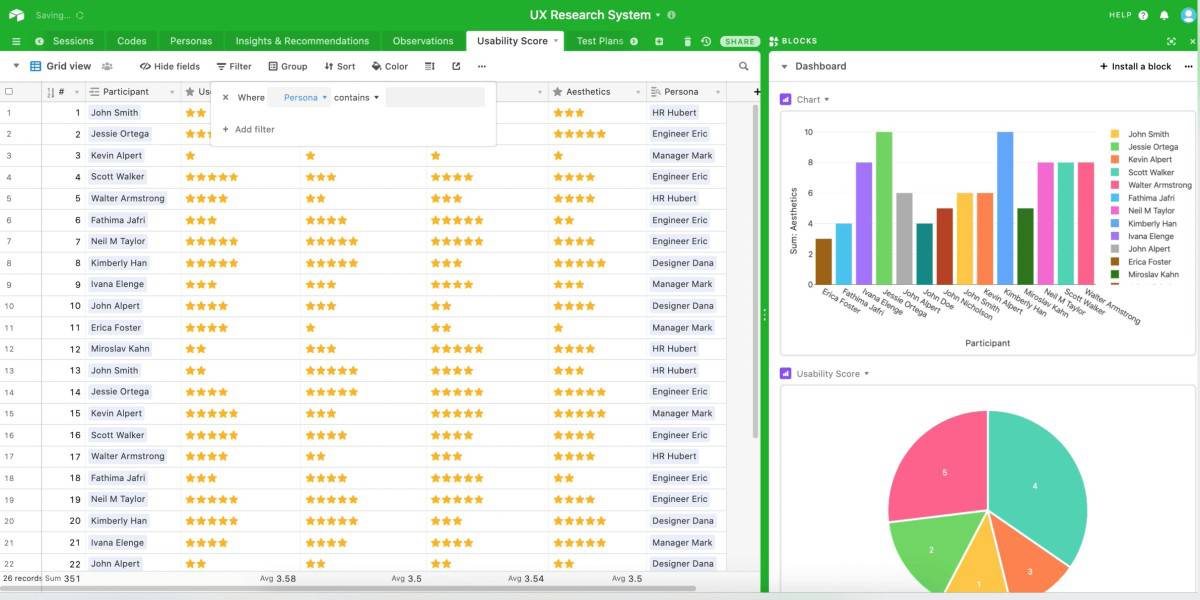
Airtable is a unified AI-powered platform that enables teams to build custom applications and automate complex workflows without code. It combines the familiarity of a spreadsheet with the power of a flexible database, making it easy to organize data, projects, and processes. With integrated AI agents, conversational app building, and enterprise-grade security, Airtable transforms how teams orchestrate work—from marketing campaigns to product development—helping over 500,000 organizations scale their operations and turn data into actionable intelligence.
Features
Airtable unifies data, teams, and AI in a single, no-code platform. Users build custom apps with intuitive components and connect data across systems. Its core AI capabilities include conversational app building, intelligent agents that orchestrate actions across thousands of records, and the powerful Omni model for generating enterprise applications. The platform offers robust views (grid, calendar, Kanban), extensive automations, and granular permissions. Enterprise features like HyperDB for massive datasets, comprehensive security compliance (SOC 2, HIPAA), and flexible model integrations (OpenAI, Anthropic) make AI scalable, secure, and practical for any workflow.
Rating:
Best Feature: App Building and Embedded AI Workflows
Airtable’s defining strength is its seamless integration of no-code app building with embedded AI. Users can construct fully customized applications to manage any workflow, then infuse them with intelligent AI agents that automate tasks, analyze data, and orchestrate actions directly within the app, creating dynamic, self-operating systems.
Pricing
Airtable offers transparent, tiered pricing options that support growth from individual use to global enterprise deployment.
- Free Plan ($0/mo Free Forever): Ideal for individuals or very small teams starting out. Includes 500 monthly AI credits per editor, 1,000 records per base, up to 5 editors, 1 GB of attachments, 100 automation runs, and basic Interface Designer.
- Team Plan ($20/seat/mo billed annually or $24 monthly): Perfect for teams building collaborative workflows. Upgrades to 15,000 AI credits per user, 50,000 records per base, 25,000 automation runs, 20 GB of attachments, Gantt view, extensions, and standard sync integrations.
- Business Plan ($45/seat/mo billed annually or $54 monthly): For departments needing advanced features. Provides 20,000 AI credits per user, 125,000 records, 100,000 automations, 100 GB attachments, admin panel, SAML SSO, two-way sync, and premium integrations.
- Enterprise Scale Plan (Custom Pricing): For organizations requiring maximum scale and governance. Includes 25,000 AI credits per user, 500,000 records, 500,000 automations, 1 TB attachments, Enterprise Hub, HyperDB, enhanced security controls, audit logs, and dedicated support.
#16. Todoist
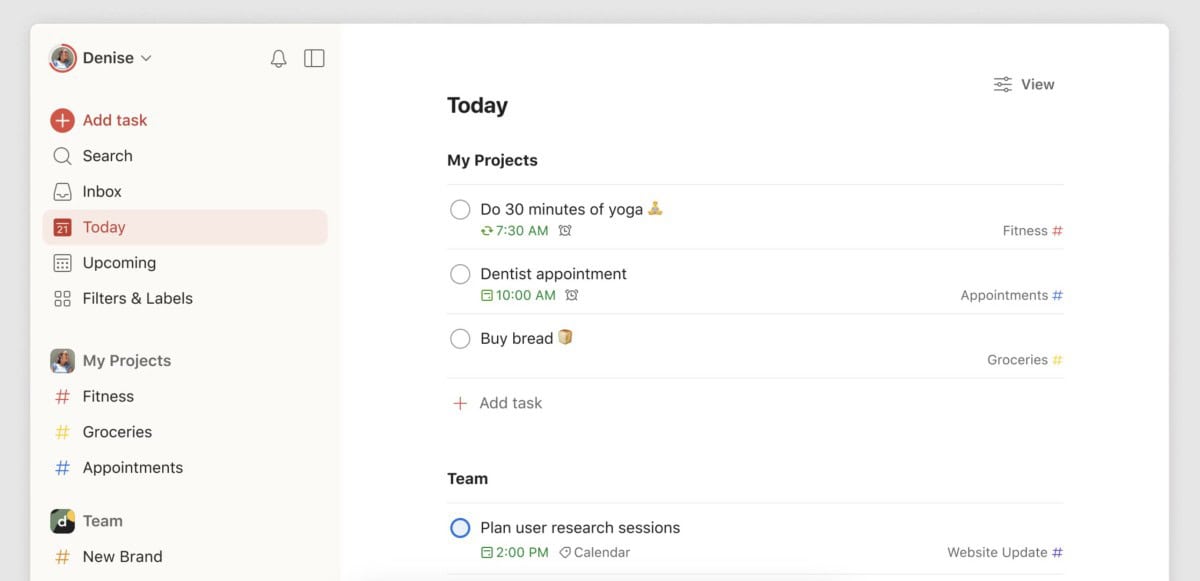
Todoist is the world’s #1 to-do list app, trusted by over 50 million professionals to bring clarity and organization to work and life. For nearly two decades, it has helped users capture, organize, and prioritize tasks with intuitive design and powerful simplicity. The app enables seamless planning with natural language input, smart scheduling, and collaborative team workspaces. With robust cross-platform apps and a trusted, independent mission, Todoist transforms scattered thoughts into actionable plans to reduce stress and boost productivity.
Features
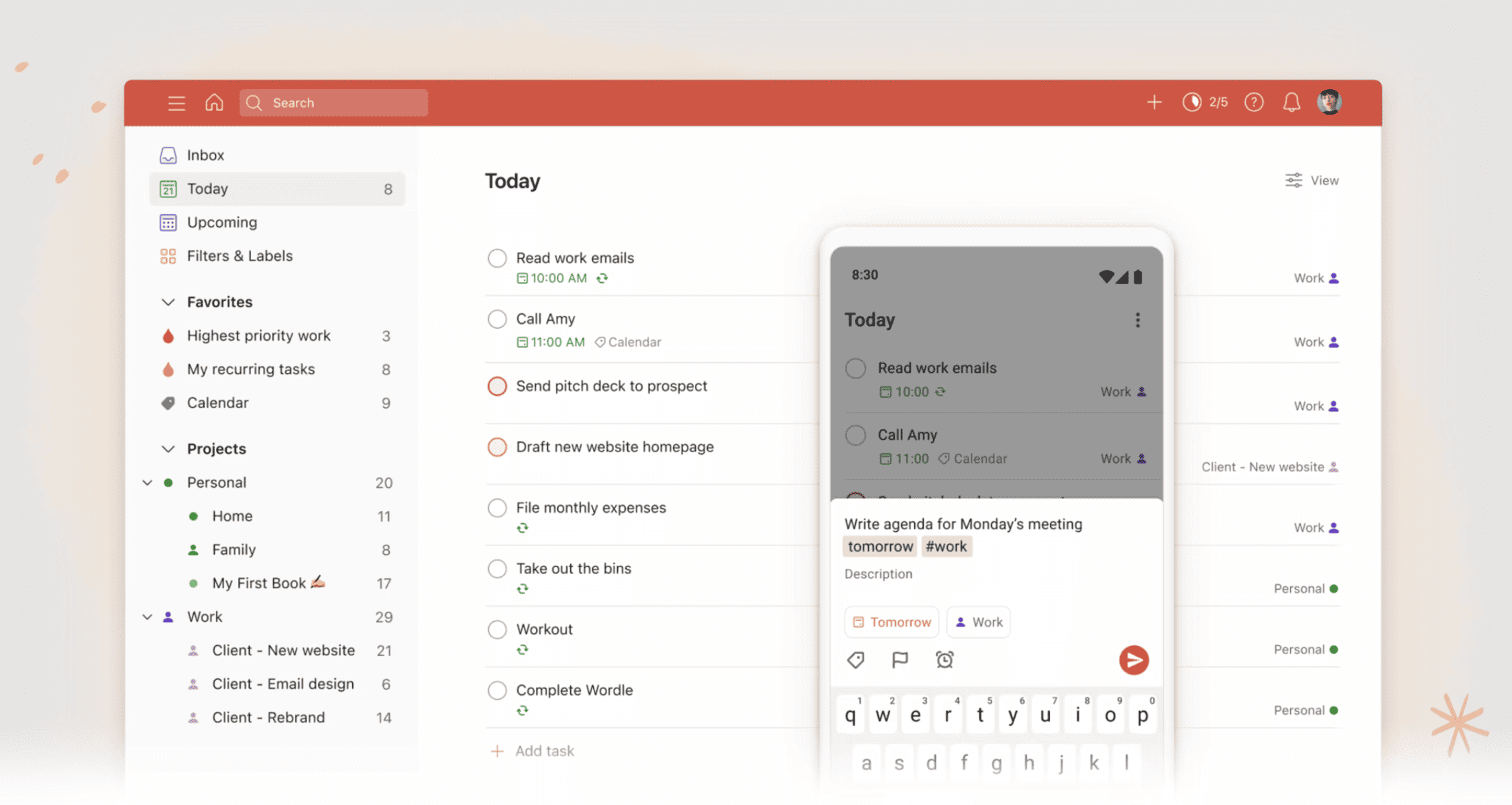
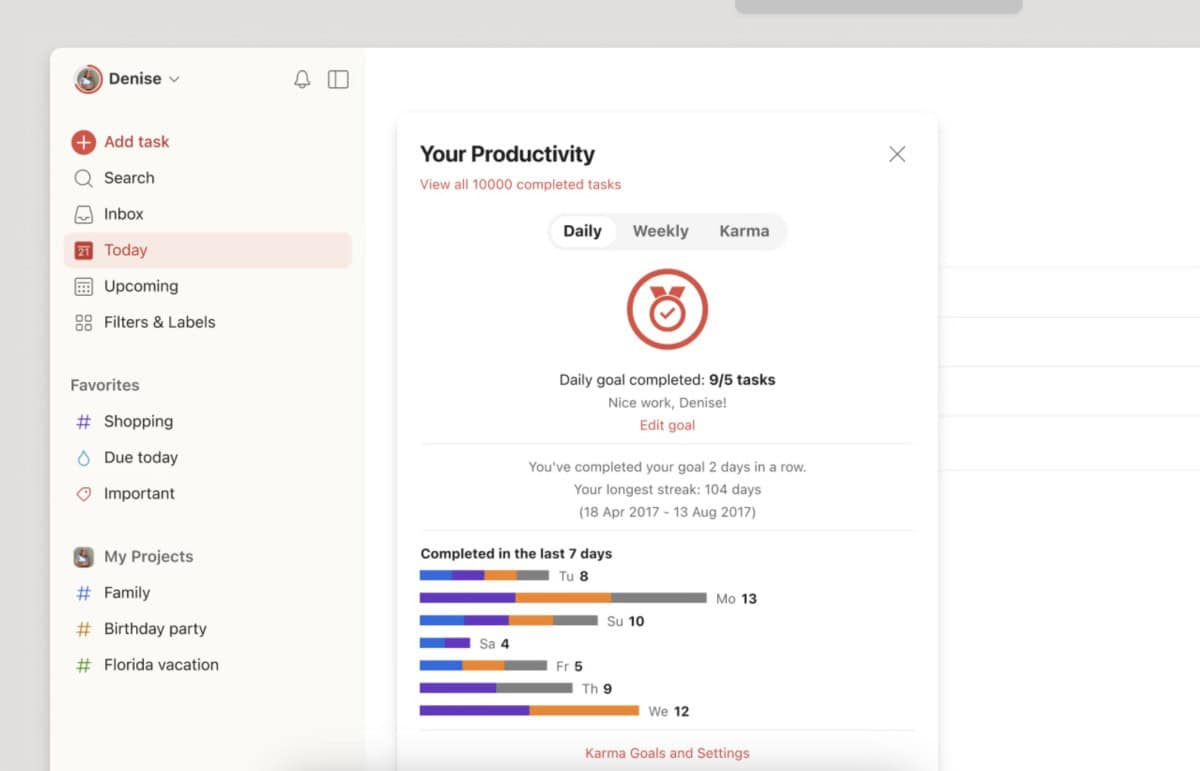
Todoist provides a clean, powerful interface for managing tasks across personal and professional life. Its core features include natural language input for instant task capture, smart scheduling with due dates and recurring tasks, and multiple project views (list, board, calendar). Collaboration tools allow teams to share projects, assign tasks, and track progress in a dedicated workspace. Smart features like Task Assist (AI) help organize and prioritize, while templates kickstart projects. With robust reminders, custom filters, activity history, and integrations with popular tools like Gmail and Google Calendar, Todoist creates a centralized hub for all tasks.
Rating:
Best Feature: Quick Add with Recurring Due Dates and Reminders
Todoist’s defining feature is its lightning-fast Quick Add, powered by natural language processing. Users can instantly capture a task like “Send report every Friday at 3 pm with a reminder” and Todoist will automatically create it with the correct recurrence and alert. This seamless integration of capture, scheduling, and alerting in one step eliminates manual setup and ensures no critical task is ever forgotten.
Pricing
Choosing the right Todoist plan ensures you have the features needed for personal mastery or team collaboration without complexity. Its straightforward pricing scales from individual use to full business teams.
- Beginner Plan ($0/mo Free Forever): Ideal for starting personal organization. Includes 5 active projects, smart quick-add, basic task reminders, list/board views, 3 filter views, 1-week activity history, and essential email/calendar integrations.
- Pro Plan ($5/user/mo billed annually or $7 monthly): Perfect for organizing advanced work and life. Upgrades to 300 personal projects, calendar and duration views, custom reminders, 150 filter views, unlimited activity history, AI-powered Task Assist, and deadline tracking.
- Business Plan ($8/user/mo billed annually or $10 monthly): Built for team collaboration and management. Provides a shared team workspace, up to 500 team projects, team calendar views, granular activity logs, shared templates, roles/permissions, centralized billing, and support for up to 1000 members and guests. All plans include enterprise-grade SOC2 Type II security.
#17. Smartsheet

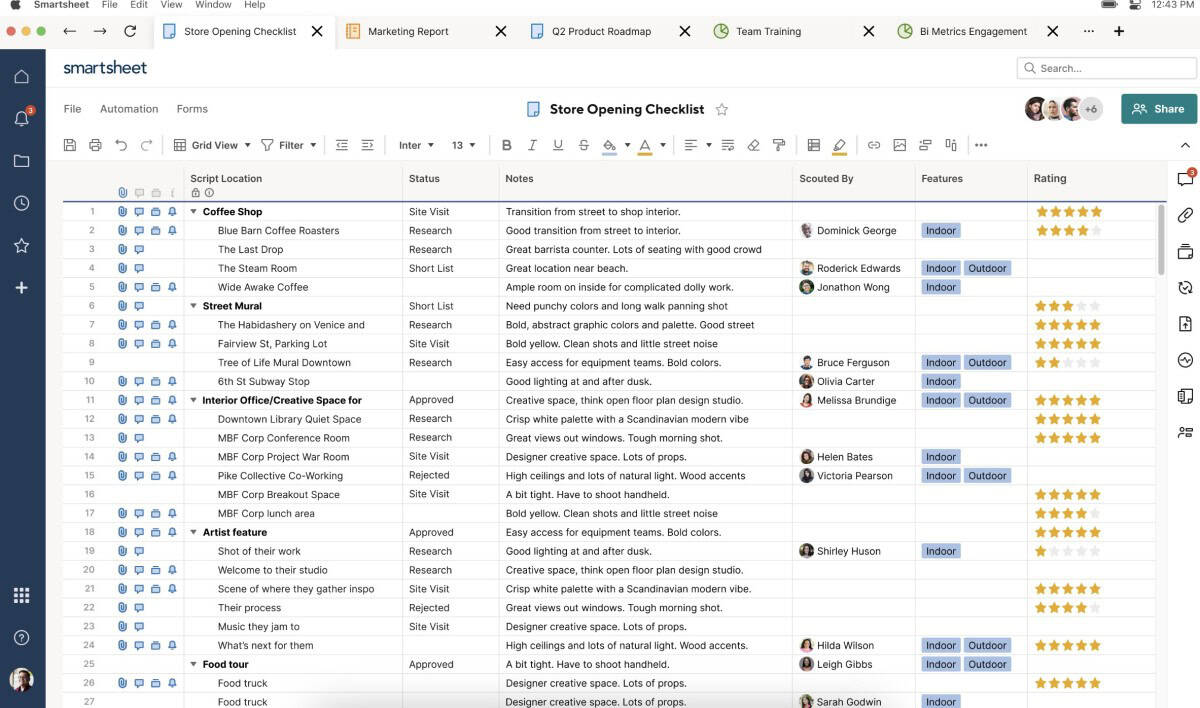
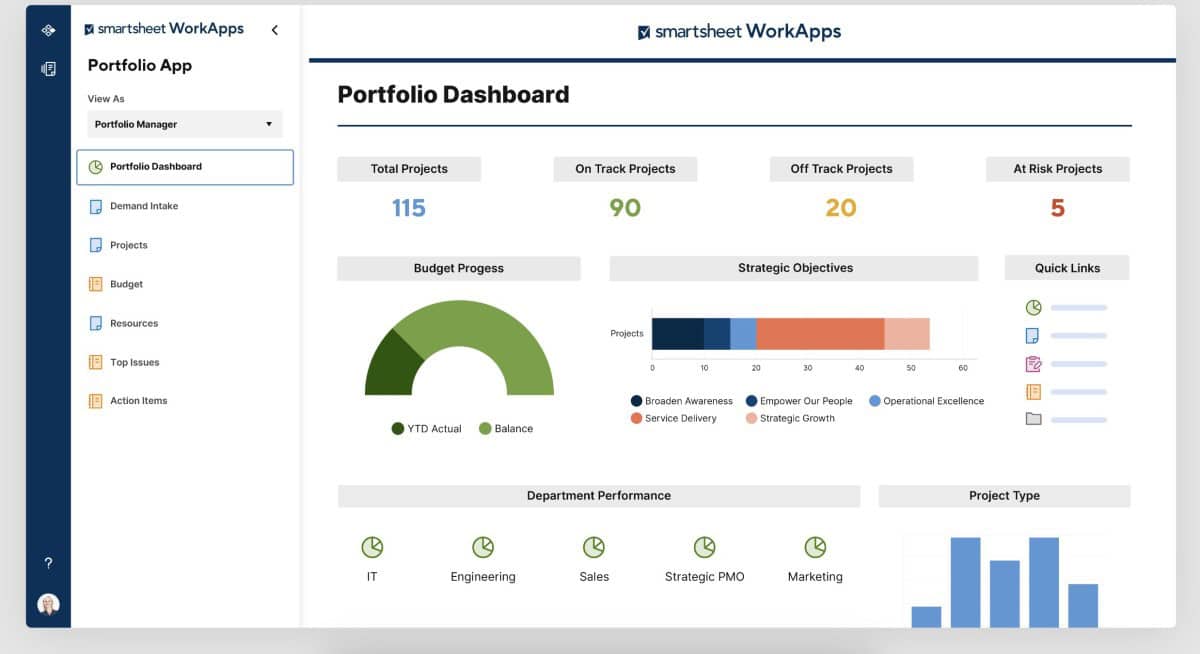
Smartsheet is a premier enterprise-grade platform that transforms how organizations manage work by unifying projects, portfolios, and operations into a dynamic, collaborative system. Recognized as a Leader in the Gartner Magic Quadrant, it combines a spreadsheet-like interface with powerful project management capabilities. With integrated AI for insights, automation, and deep integrations across the tech stack, Smartsheet enables teams from IT to marketing to execute with greater velocity, visibility, and control, driving smarter outcomes at scale. Trusted by over 90% of Fortune 100 companies, Smartsheet offers a robust foundation for handling tasks that range from modest projects to expansive portfolios.
Features
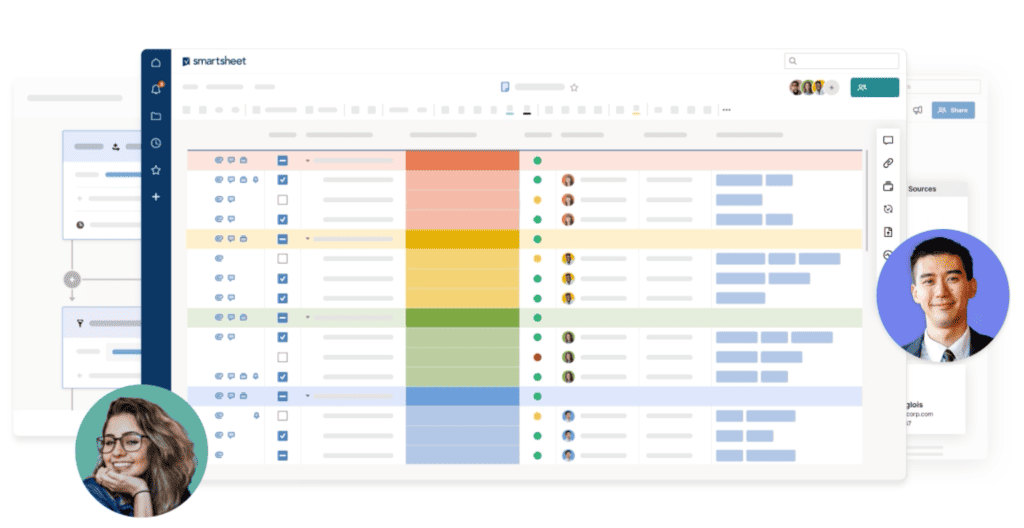
Smartsheet stands out with its powerful automation capabilities, allowing users to streamline processes and minimize repetitive tasks, significantly boosting productivity. The platform’s advanced dashboards and reporting tools offer real-time, actionable insights that empower decision-makers to track progress and manage resources effectively. Smartsheet also excels in team collaboration, facilitating seamless communication and coordination across various stakeholders. With its robust integrations, Smartsheet seamlessly connects with multiple applications, enhancing workflow continuity. These core features make Smartsheet a versatile and indispensable tool for managing complex projects and workflows in dynamic business environments.
Rating:
Best Feature: Workflow Automation and Multiple Task Management Views
Smartsheet’s standout feature is its powerful combination of no-code workflow automation and versatile visualization. Users can automate complex approval chains, status updates, and notifications while managing the same data across Grid, Gantt, Kanban (Card), Calendar, and Timeline views, giving every team the right lens for planning, tracking, and collaboration.
Pricing
Selecting the correct Smartsheet plan is crucial for accessing the right level of collaboration, automation, and enterprise control.
- Pro Plan ($9/member/mo billed annually or $12 monthly): Designed for individuals and teams tracking projects. Includes unlimited sheets, forms, and reports; Grid, Gantt, Card, and Calendar views; rich formulas; 250 monthly automations; and unlimited free Viewers.
- Business Plan ($19/member/mo billed annually or $24 monthly): Built for businesses aligning people and programs. Adds unlimited free Guests, Timeline view, team workload tracking, admin capabilities, unlimited automations, 1 TB of attachment storage, and management features.
- Enterprise Plan (Custom Pricing): For organizations requiring advanced security and solutions. Includes AI for formulas and charts, SAML-based SSO, Collections, Work Insights, an Enterprise Plan Manager, unlimited attachment storage, and directory integrations.
- Advanced Work Management (Custom Pricing): For large-scale portfolio management. Adds Control Center, Dynamic View, Data Shuttle, premium connectors (e.g., Salesforce, Jira), DataMesh, and premium support.
#18. Toggl Focus

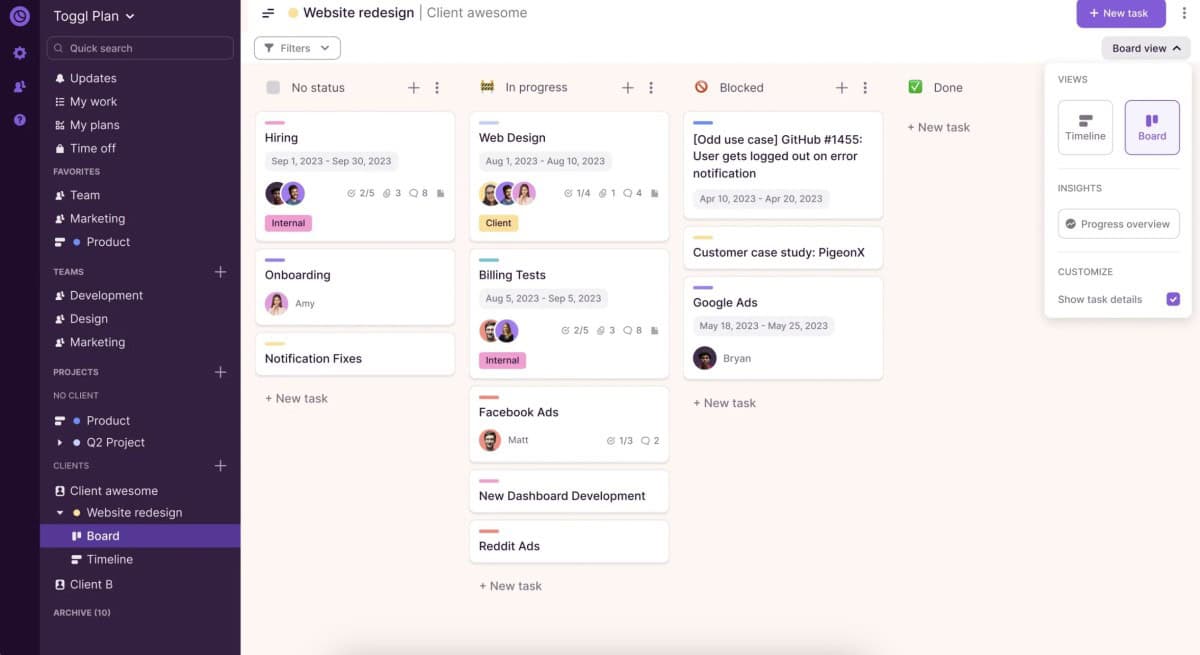
Toggl Focus (formerly Toggl Plan) is a reality-proof planning tool built upon Toggl’s industry-leading time tracking foundation. It uniquely integrates capacity management and project planning with accurate time data to eliminate guesswork and burnout. By merging intuitive scheduling views with flexible time tracking (manual, timer, Pomodoro), it provides a clear, shared space for teams to manage tasks, visualize workloads, and align priorities. Toggl Focus is designed to replace bloated tools, offering clarity and alignment for freelancers and teams to plan with confidence.
Note: Toggl Plan has evolved into Toggl Focus; the original app remains accessible to existing users.
Features
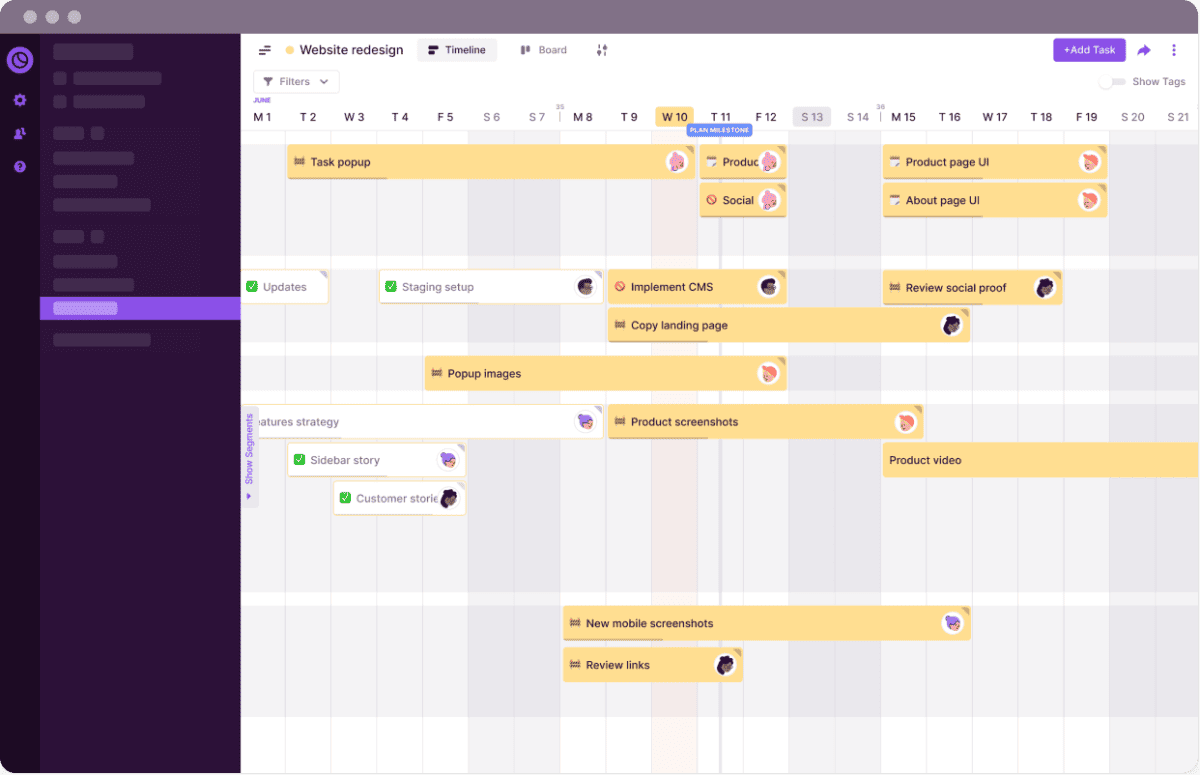
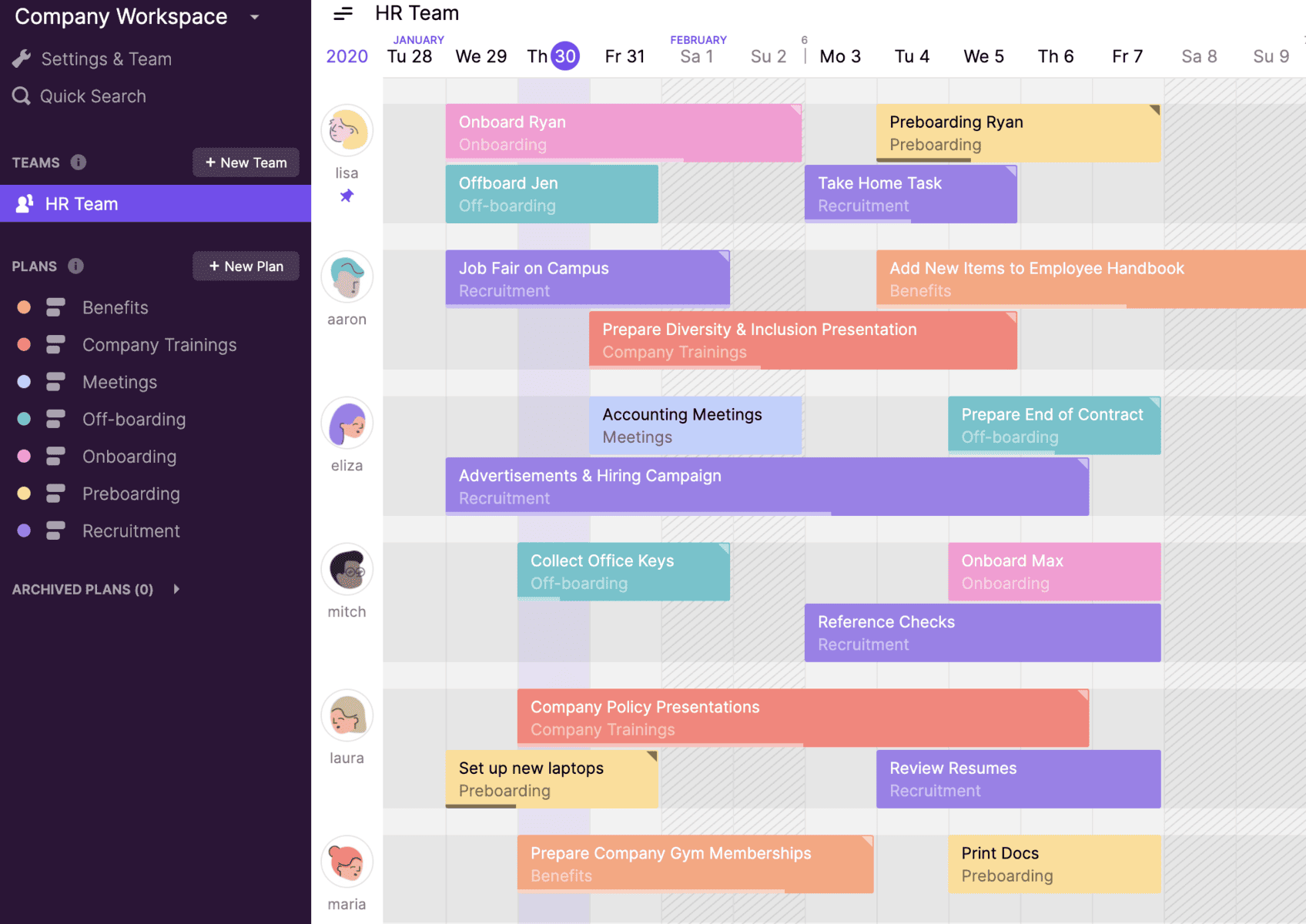
Toggl Focus combines project planning and time tracking in one streamlined interface. Key features include multiple project views (Board, Calendar, Timeline) for flexible planning, real-time capacity management to prevent overload, and integrated time tracking with manual entry, timers, and Pomodoro sessions. The platform provides visual reports on time vs. estimates, powerful data filters, and Focus Mode for distraction-free work. It ensures plans stay realistic by accounting for time off and holidays. With robust compliance (GDPR, SOC 2) and a focus on user experience, Toggl Focus creates a single source of truth for task and resource management.
Rating:
Best Feature: Integrated Capacity Planning with Time Tracking
Toggl Focus’s defining strength is its seamless blend of visual capacity planning and trusted time tracking. Teams can plan projects on a timeline while seeing real-time workload data, ensuring schedules are based on accurate historical effort, not guesswork. This integration prevents burnout and keeps deadlines realistic.
Pricing
Toggl Focus offers a generous free tier for up to 5 users. Choose annual billing to save up to 18% off monthly rates.
- Free Plan ($0/mo Free Forever): Ideal for small teams. Includes manual & real-time timers, Focus Mode, task/board views, task estimates, personal reports, and calendar integrations for up to 5 users.
- Starter Plan ($9/user/mo billed annually or $11 monthly): Perfect for teams needing basic capacity planning. Adds timeline view, tags, milestones, PTO/holiday planning, team reports, and filtered timeline views.
- Premium Plan ($20/user/mo billed annually or $24 monthly): Designed for advanced workload management. Includes everything in Starter plus upcoming utilization/workload reporting and billable rates features.
- Enterprise Plan (Custom Pricing): For organizations requiring custom solutions. Offers personalized onboarding, a dedicated Customer Success Manager, priority support, custom engineering solutions, and multiple workspaces under one organization.
#19. Podio
Podio by Progress is a flexible, no-code work management platform designed to unify and automate business workflows. It enables teams to build custom digital workspaces for CRM, project tracking, approvals, and operations using a drag-and-drop builder. With powerful automation rules, multiple data views (table, Kanban, calendar), and real-time collaboration tools, Podio helps structure, scale, and simplify work. Trusted by thousands, it centralizes data and processes to reduce tool sprawl, boost productivity, and provide visibility across teams and clients.
Features
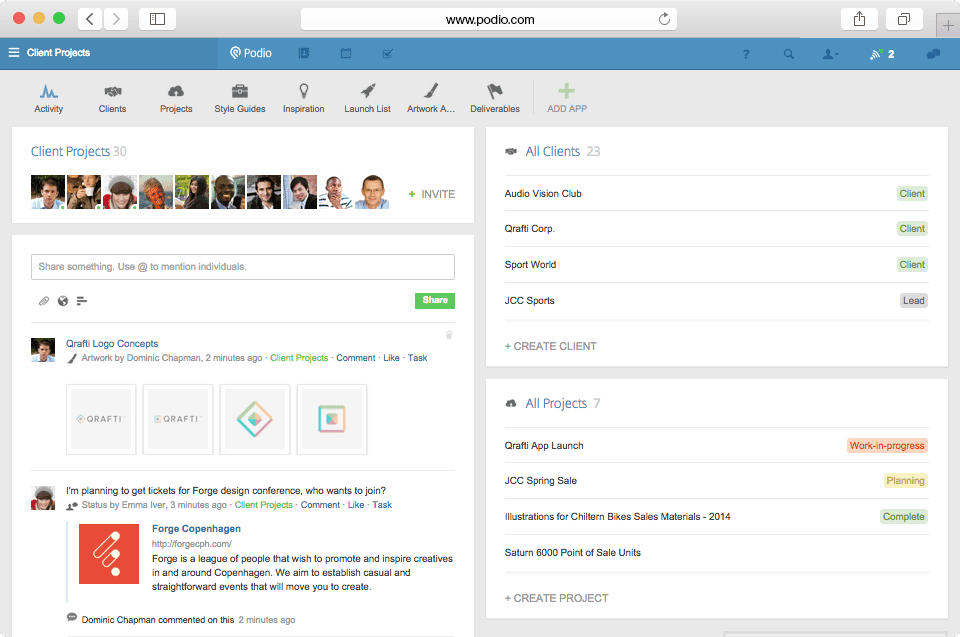
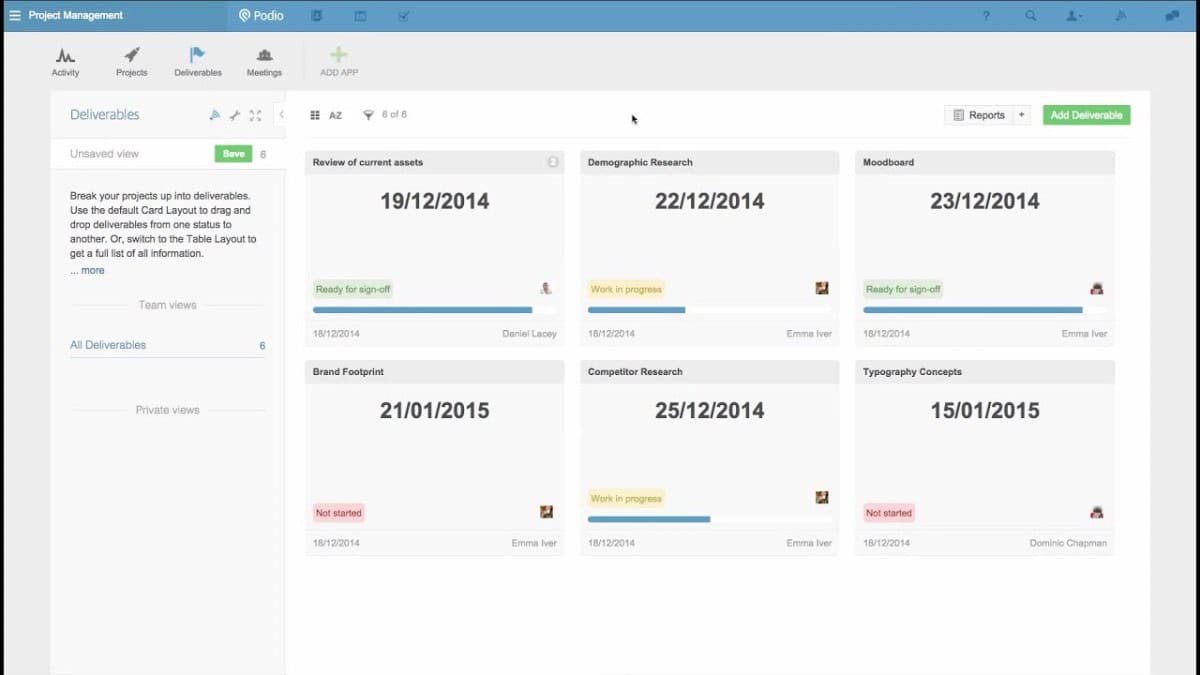
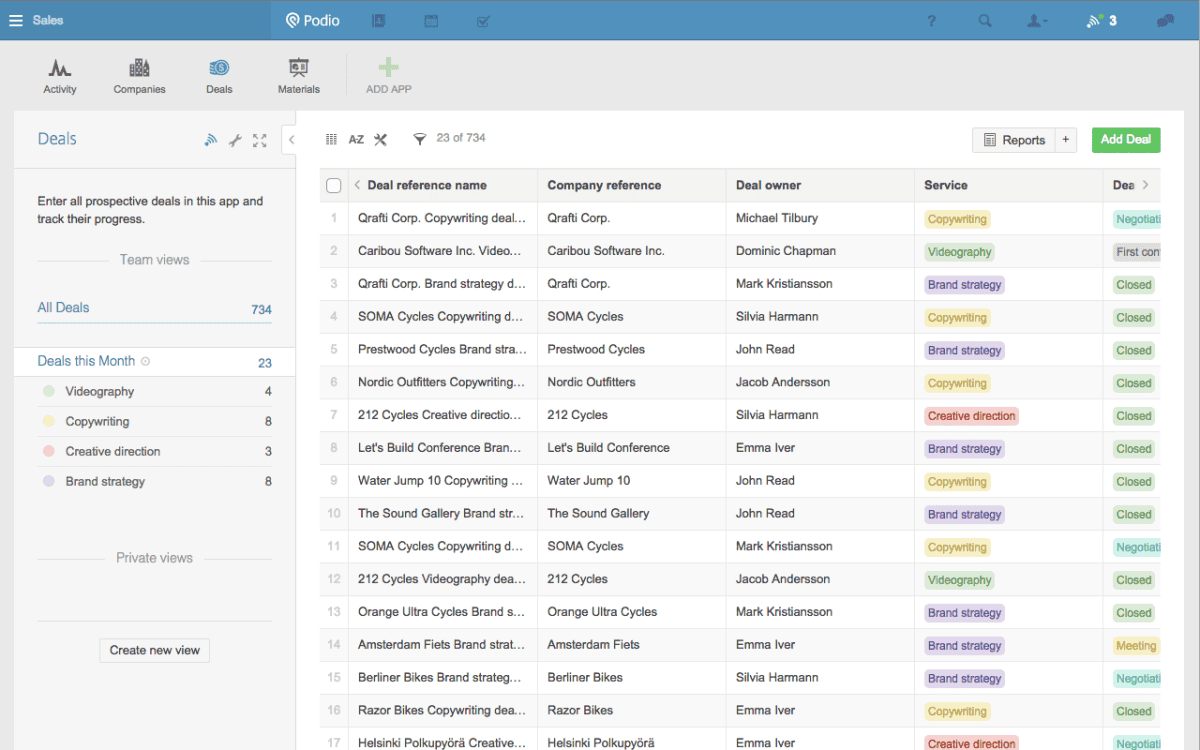
Podio provides a highly customizable workspace with no-code app building, allowing teams to design data structures, dashboards, and workflows tailored to their needs. Core features include multiple data views (table, Kanban, calendar), automated workflows with if-then rules, and real-time collaboration via comments, file sharing, and mentions. The platform supports client access with free external licenses, detailed user permissions, and webforms for external data intake. Advanced capabilities include PDF generation, approval requests, email/SMS automation, and robust integrations via API. This flexibility makes Podio adaptable for project management, CRM, operations, and more.
Rating:
Best Feature: Organized Team Communication and Collaboration
Podio excels by centralizing all team interaction directly within the context of work. Conversations, file sharing, task assignments, and @mentions are seamlessly tied to specific projects, clients, or records, eliminating scattered emails and chat threads to keep everyone aligned and accountable.
Pricing
Podio offers clear, tiered pricing with a free plan for small teams and annual billing that provides significant savings. Each plan scales to support more advanced automation and reporting needs for growing organizations.
- Free Plan ($0/user/mo): Ideal for up to five employees to get started. Includes basic task management, apps, workspaces, user management, and unlimited client users.
- Plus Plan ($11.20/user/mo billed annually or $14 monthly): Designed for teams needing automated workflows. Adds unlimited items, light user roles, automated workflows, and read-only access to streamline processes.
- Premium Plan ($19.20/user/mo billed annually or $24 monthly): For organizations requiring full feature access. Includes everything in Plus, plus visual reports, interactive sales dashboards, a cloud phone system with power dialer, and advanced workflow automation capabilities.
#20. MeisterTask
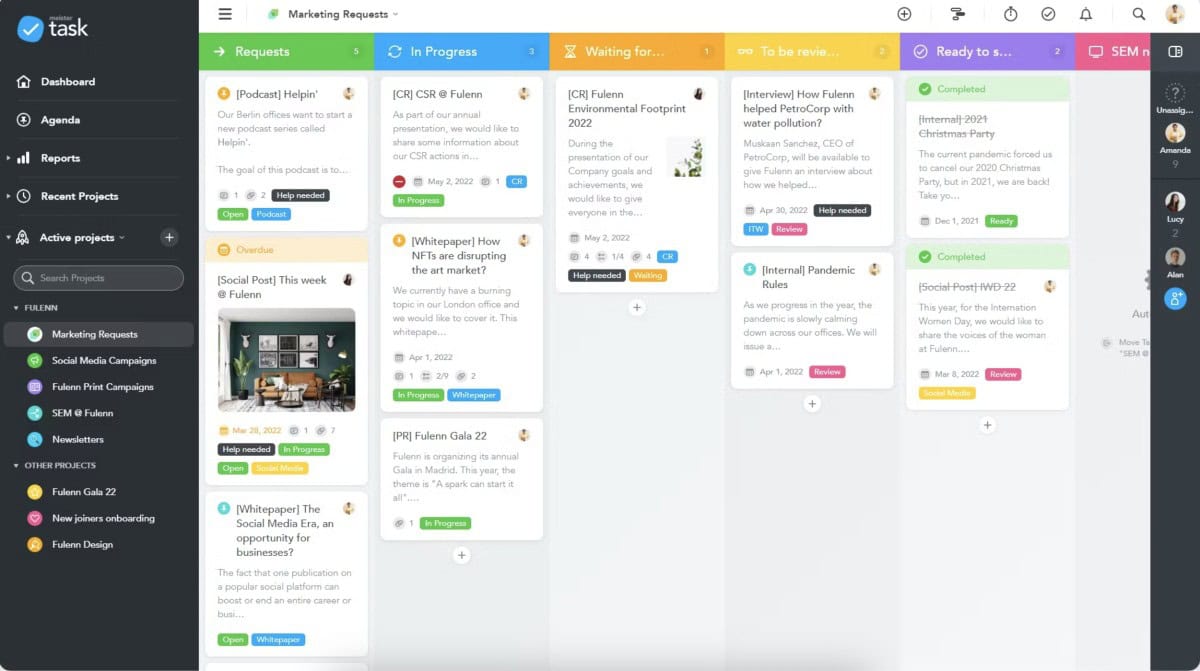
MeisterTask is a premier task management platform designed to enhance the productivity and alignment of teams across any industry. Known for its intuitive interface, MeisterTask facilitates a seamless integration into your team’s workflow, allowing for easy setup and adoption. By enabling team members to collaborate effectively, track progress, and manage tasks efficiently, it serves as an essential tool for teams striving for operational excellence. Whether you’re coordinating simple projects or complex initiatives, MeisterTask offers the tools and flexibility needed to ensure your team performs at its best.
Features
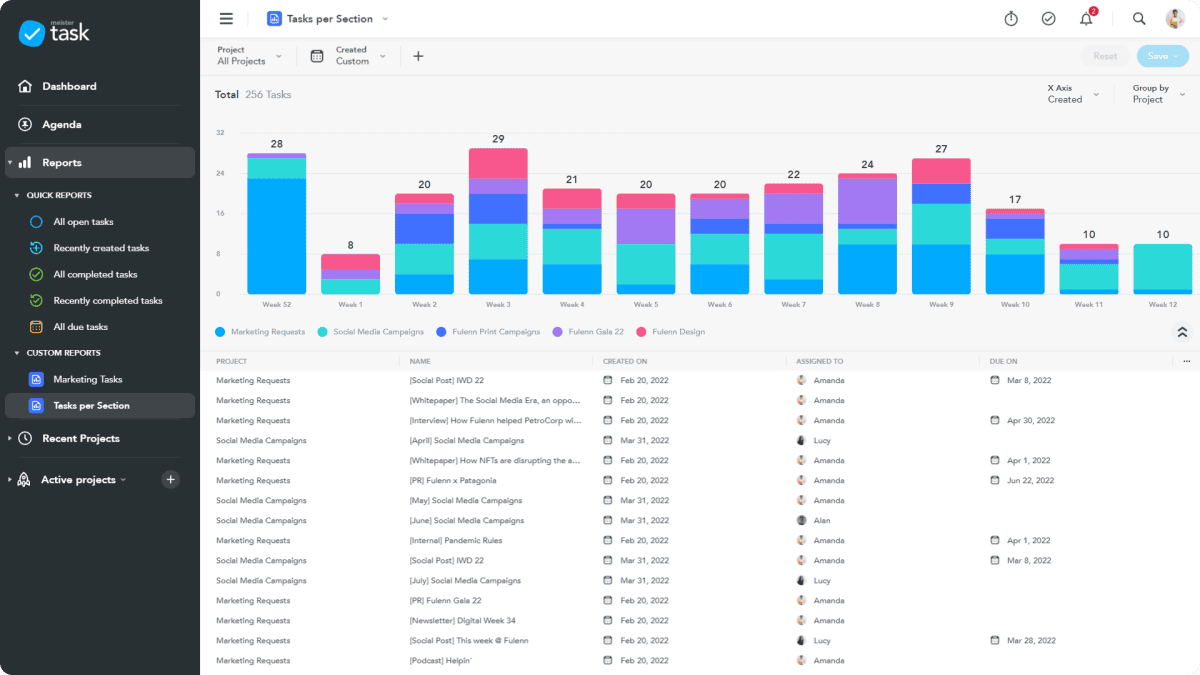
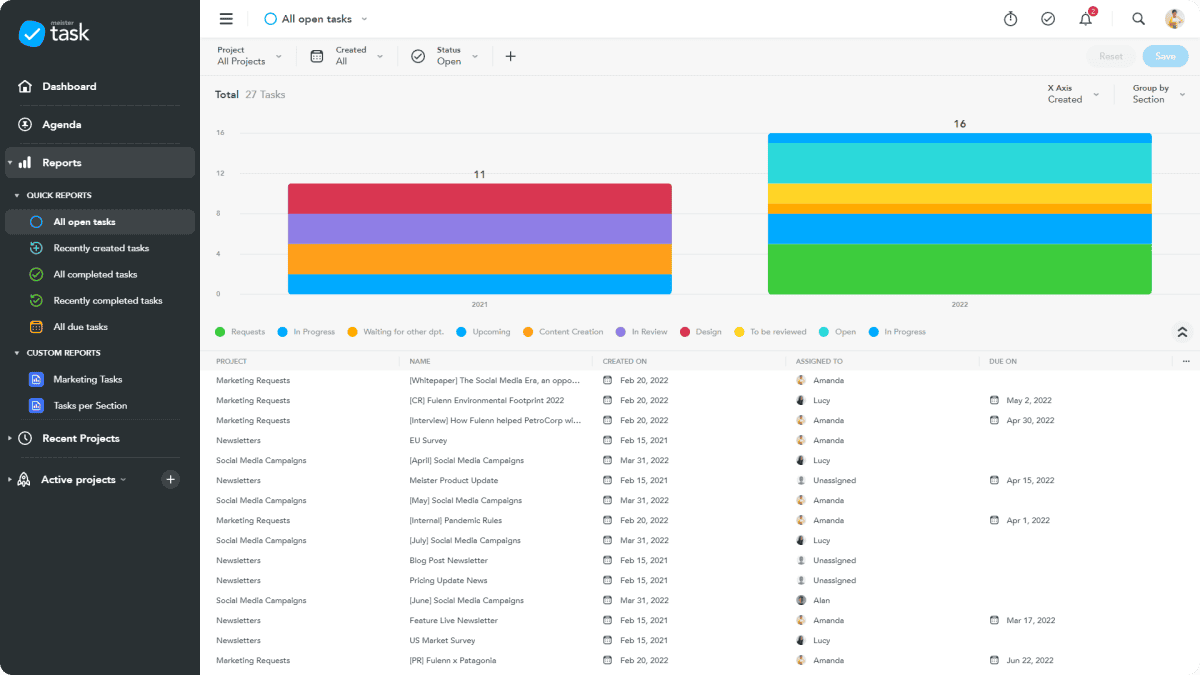
MeisterTask is one of the most intuitive task management tools available, with innovative features tailored for both individual productivity and team collaboration. Its core capabilities include robust task management that allows users to create, assign, and track tasks effortlessly. Enhanced project management features enable the precise planning and execution of projects. For communication, MeisterTask offers built-in tools that ensure seamless interactions among team members. The platform now includes Ask MeisterAI, a built-in intelligent assistant that can find pages within your connected Notes knowledge base and help with writing tasks—from drafting emails to creating blog posts. Additionally, MeisterTask supports comprehensive project documentation, enabling teams to maintain all necessary information in an organized and accessible manner. The platform is also designed to be scalable, efficiently accommodating teams of varying sizes and complexities.
Rating:
Best Feature: Online Project and Team Collaboration Management
MeisterTask excels as a unified hub for project and team collaboration. It brings task tracking, real-time communication, file sharing, and documentation together in one secure online workspace, eliminating silos and ensuring everyone is aligned, accountable, and moving forward on the same priorities.
Pricing
MeisterTask offers scalable pricing with a free plan to start and annual billing for savings. A free trial is available for paid plans, and all tiers benefit from high EU security standards and dedicated support.
- Basic Plan ($0/mo Free Forever): Ideal for individuals or small teams beginning task management. Includes unlimited projects & tasks for up to 3 projects, basic integrations, and community support.
- Pro Plan (~$8.50/user/mo billed annually): Perfect for growing teams needing automation. Adds unlimited projects, automations, recurring tasks, agenda & calendar view, time tracking, checklists, and file attachments (max 200 MB).
- Business Plan (~$14.50/user/mo billed annually): Designed for organizations requiring control and security. Includes team reporting & dashboards, custom fields, project archiving, advanced admin controls, and unlimited file attachments.
- Enterprise Plan (Custom Pricing): For large organizations with complex needs. Offers SAML/SSO, personalized onboarding, premium support, enhanced security controls, and custom contract terms.
#21. ProjectManager.com

ProjectManager.com is a leading provider of award-winning project and work management software trusted by over 35,000 teams. It combines detailed planning tools with robust execution features for managing complex projects, resources, and portfolios. With AI-powered analysis, advanced resource management, and real-time reporting, it provides agility and accuracy from the office to the field via its synchronized mobile app. Built for industries like construction, IT, and manufacturing, it offers enterprise-grade security (SOC 2 compliant) and integrates with over 1,000 apps to create a single source of truth.
Features
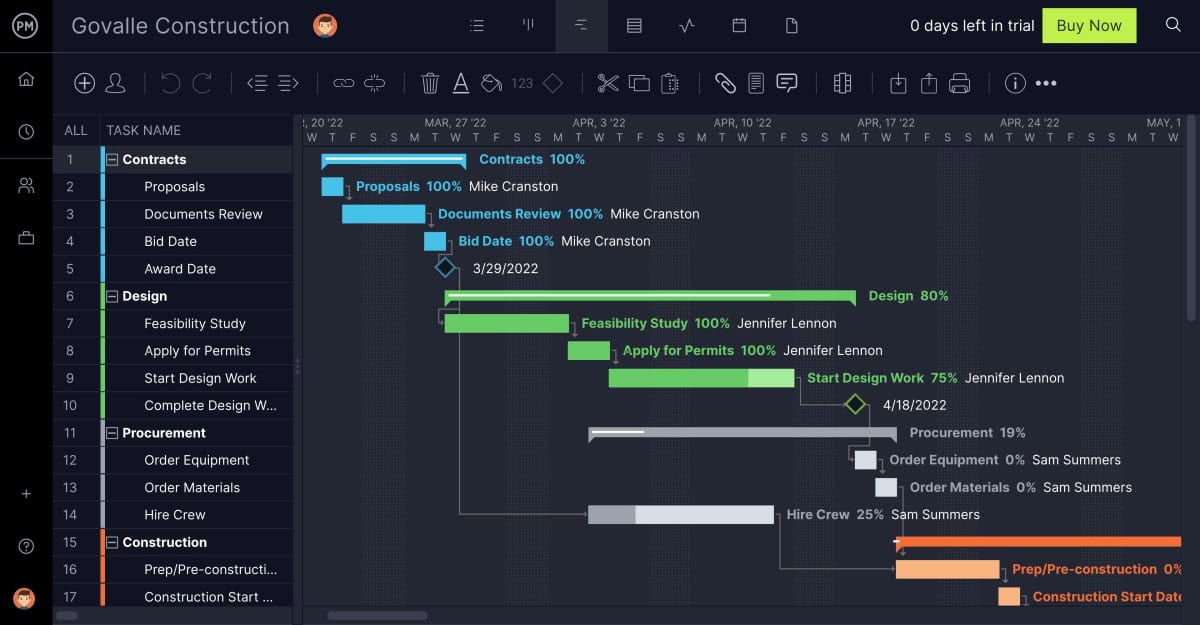
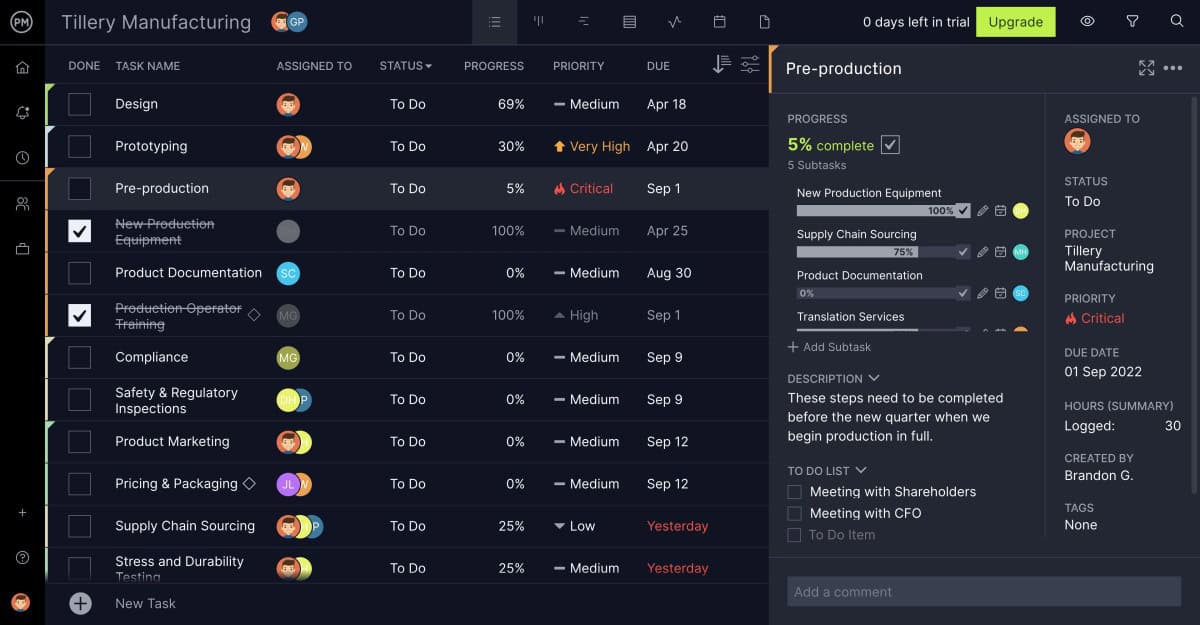
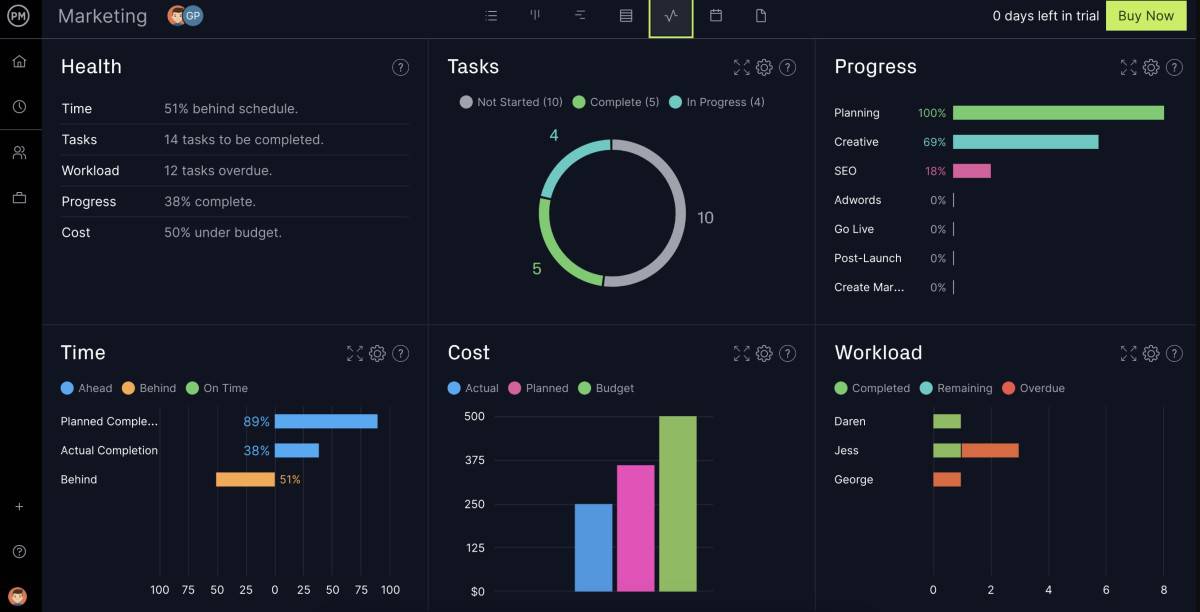
ProjectManager.com equips teams with advanced tools to streamline project management efficiently. Key features include detailed Gantt charts for precise planning, task lists, and customizable Kanban boards for effective task management. The platform’s real-time dashboards and portfolio management tools provide critical insights into project status and resource allocation, ensuring that project deliverables meet quality standards and timelines. Additionally, automated workflow capabilities and project timesheets simplify administrative tasks, boosting productivity. The mobile app ensures accessibility, allowing project management on the go. These tools support a variety of project methodologies, making ProjectManager.com a versatile choice for dynamic professional environments.
Rating:
Best Feature: Kanban Boards and Gantt Charts
ProjectManager’s core strength is its powerful combination of Kanban boards for workflow visualization and dynamic Gantt charts for detailed planning. Teams can manage daily tasks intuitively on the Kanban while using the Gantt for complex scheduling, dependencies, and timelines, providing both agility and precision in execution.
Pricing
ProjectManager.com offers transparent, tiered pricing with a free 30-day trial for all paid plans and no long-term contracts. Its structure is designed to scale from core project management to advanced portfolio oversight, with annual billing providing savings.
- Team Plan ($14/user/mo billed annually or $17 monthly): Ideal for teams needing effective planning and tracking. Includes core views (Gantt, Kanban, Calendar), dashboards, essential reports, up to 20 projects, 5GB storage, mobile apps, and API access for up to 10 users with unlimited guests.
- Business Plan ($26/user/mo billed annually or $30 monthly): Built for powerful portfolio and resource management. Adds AI Project Insights, resource management, time tracking, expenses, advanced reports, portfolio dashboards, workflow automation, and 25GB storage for unlimited users and up to 100 projects.
- Enterprise Plan (Custom Pricing): For organizations requiring enterprise-grade features. Offers everything in Business plus unlimited projects/storage, SSO/SAML, custom permissions, audit logs, dedicated support, personalized training, and advanced workflow automation. Contact sales for volume-based pricing.
#22. Hive

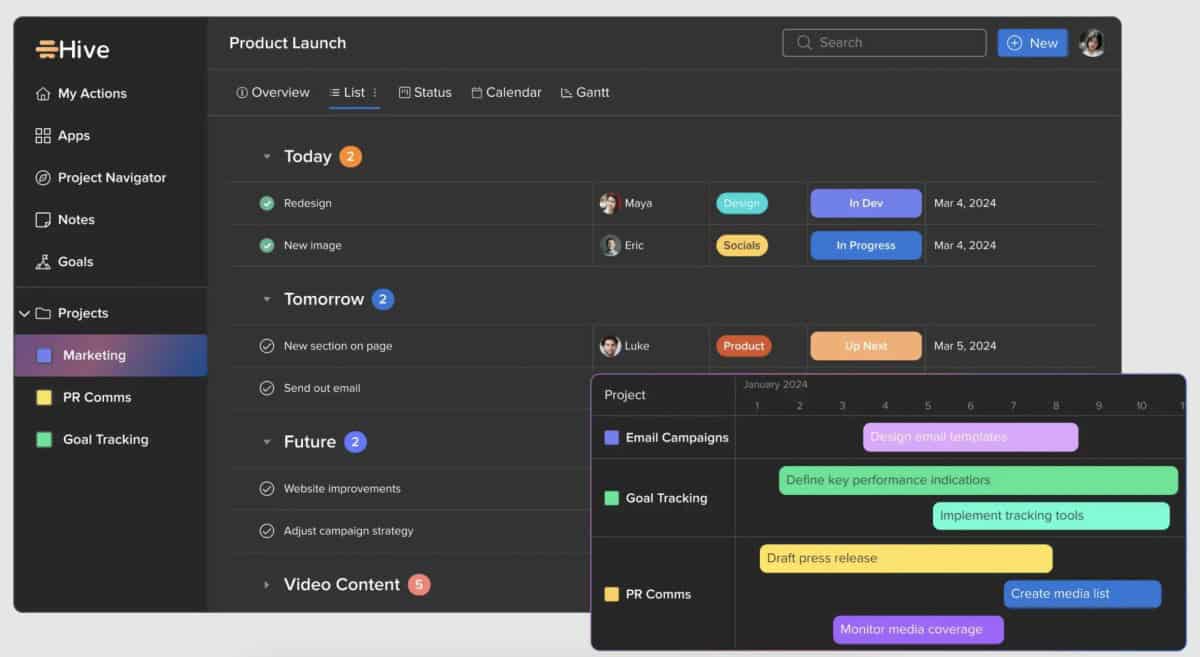
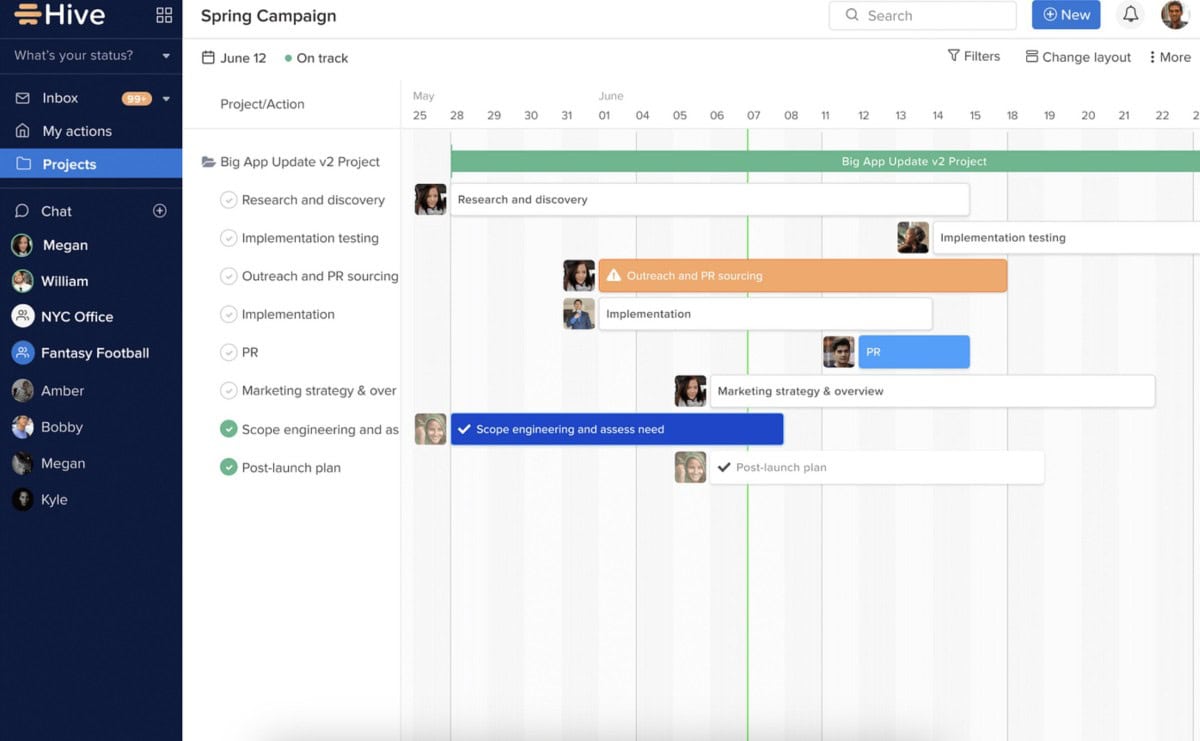
Hive is a project management platform designed to help teams move faster by running their entire workflow in one unified workspace. Built to be flexible and user-friendly, it offers multiple project views, hundreds of action and project templates, and integrates deeply with the tools teams already use. With its AI assistant, Buzz, teams can automate tasks and gain insights. Known for its democratic development process, Hive combines powerful functionality with a competitive price point and a unique adoption guarantee.
Features
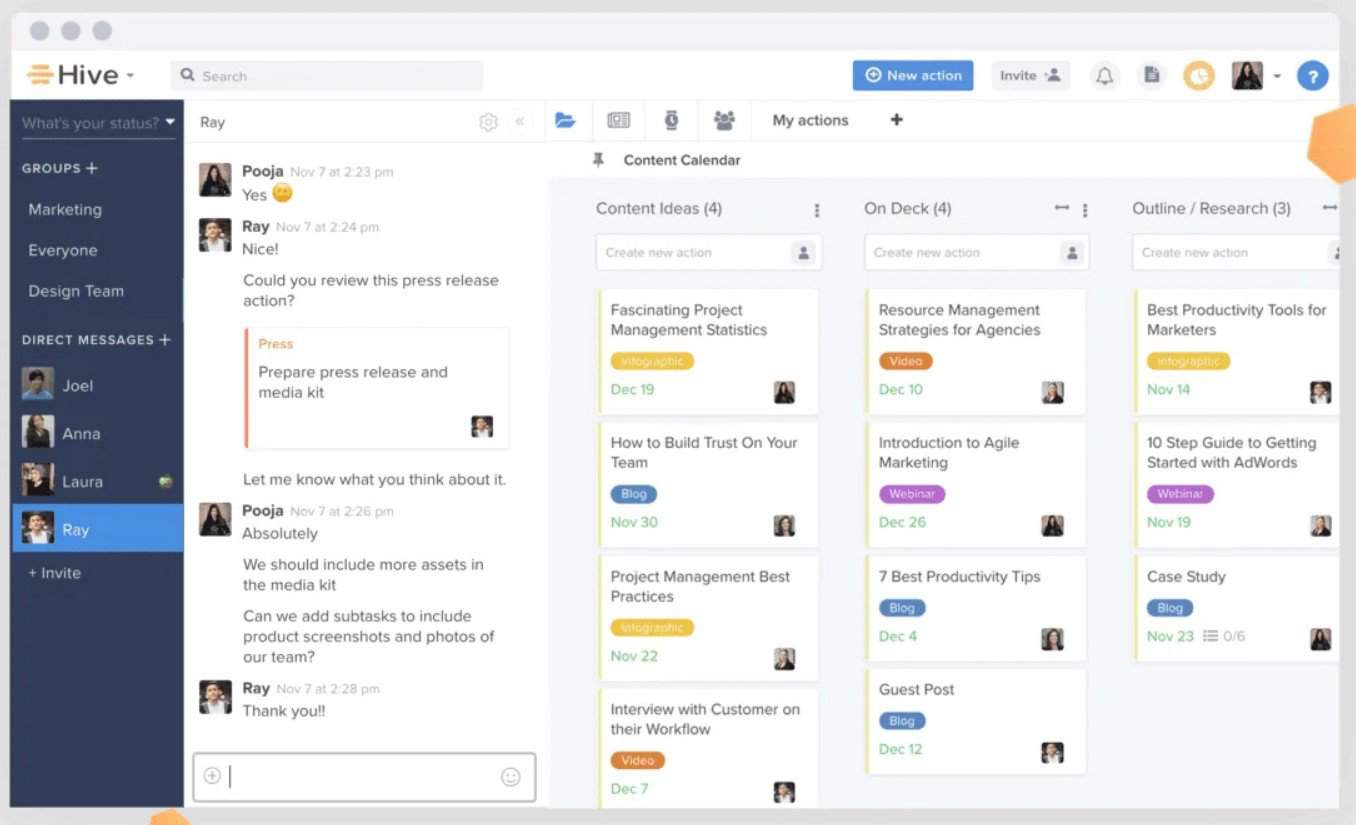
Hive centralizes project management with flexible views (Kanban, Gantt, Calendar, Table) to suit any workflow. Its AI assistant, Buzz, automates task creation, drafts emails, and provides workspace insights. The platform offers extensive automation, customizable labels, and hundreds of pre-built templates to launch projects instantly. Robust time tracking, collaborative Hive Notes, and proofing/approval tools streamline execution. Hive integrates seamlessly with popular apps like Slack, Jira, Google Drive, and Zoom, pulling data into a single dashboard. Designed for team collaboration, it eliminates tool-switching and provides a centralized hub for tasks, communication, and files.
Rating:
Best Feature: Flexible Project Hierarchies and Seamless Agile Management
Hive excels by offering deeply flexible project structures that adapt to any workflow. Teams can nest projects, create sub-actions, and organize work in multi-level hierarchies for complex initiatives. This structure is paired with agile management tools, allowing for seamless transitions between sprints, backlog grooming, and iterative planning within the same intuitive interface, supporting both high-level strategy and daily execution.
Pricing
Hive provides exceptional value with transparent, low-cost pricing and a free plan. Opt for annual billing to save 33% on monthly rates, maximizing affordability for teams of all sizes.
- Free Plan ($0/mo Free Forever): Best for light project management. Includes up to 10 workspace members, unlimited tasks, 200 MB storage, multiple views, collaborative notes, native chat, and Hive Mail for email integration.
- Starter Plan ($1/user/mo billed annually or $1.50 monthly): An entry-level plan for core needs. Upgrades to unlimited storage, up to 10 projects, Gantt view, cloud storage integrations, an in-app calendar, and Zoom/Slack connectivity.
- Teams Plan ($3/user/mo billed annually or $5 monthly): The most popular plan for unlimited, customizable work. Includes unlimited members and projects, portfolios, time tracking, shareable forms, unlimited workflows, custom fields, and team sharing.
- Enterprise Plan (Custom Pricing): For organizations needing advanced support and security. Provides all Teams features plus flexible add-ons, enhanced security controls, unlimited onboarding, a dedicated Customer Success Manager, and Enterprise API access.
#23. TeamGantt

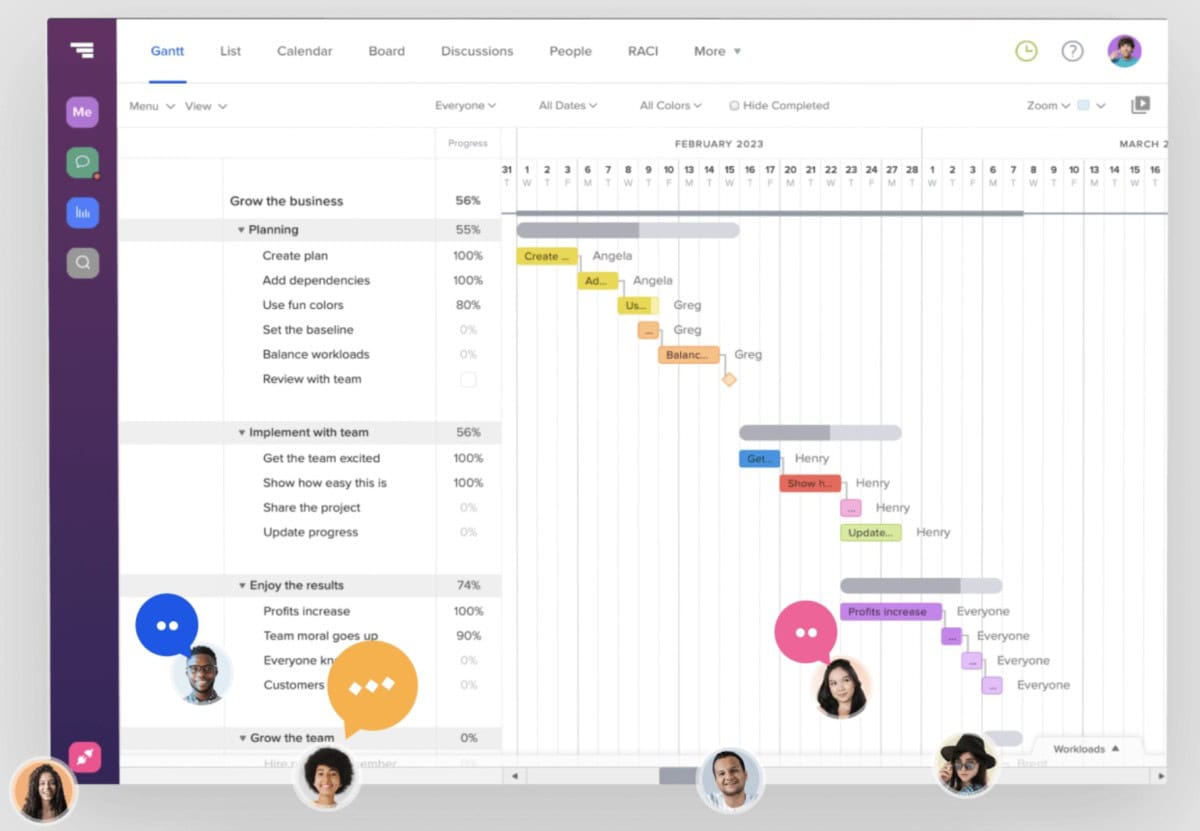
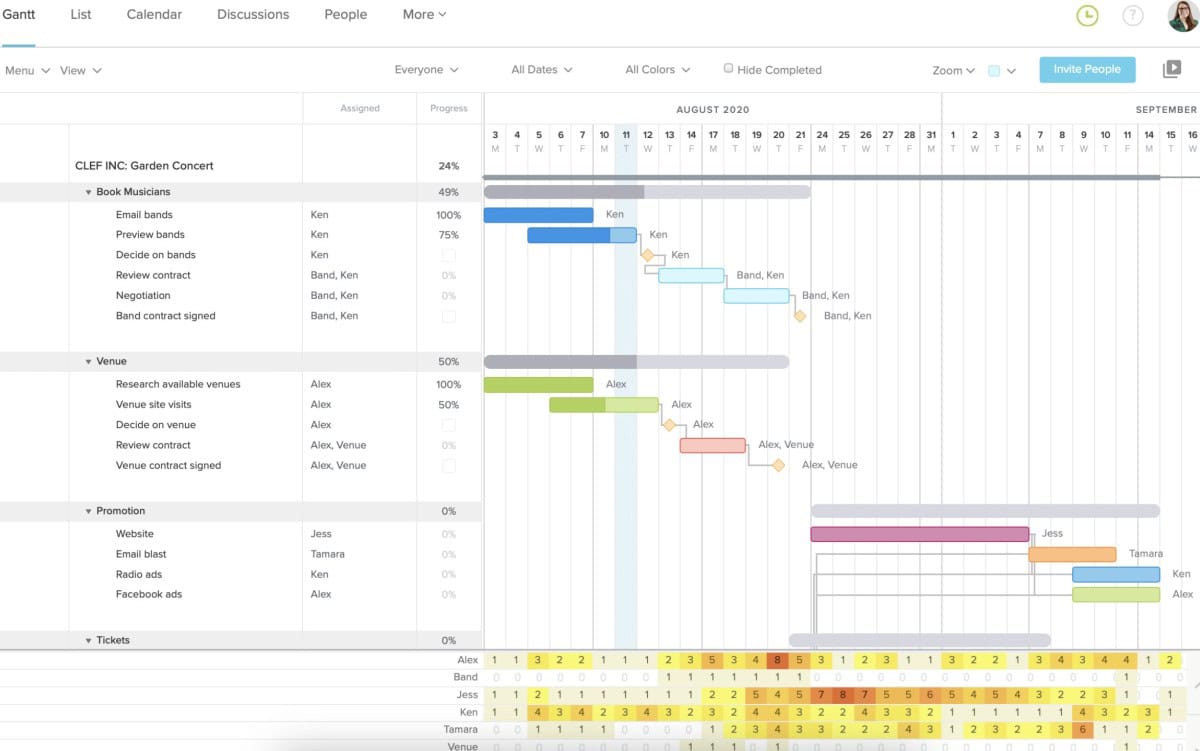
TeamGantt’s project management tool elevates the way companies like Amazon, Netflix, Nike, and Intuit plan and execute their projects. As a top-rated, free Gantt chart tool, TeamGantt offers an intuitive platform centered around a visual timeline, simplifying task scheduling and team collaboration. With the ability to invite clients and teammates to engage in real-time project updates, TeamGantt ensures efficient workflow integration without a steep learning curve. Whether you’re looking to manage a small team project or a large-scale corporate initiative, TeamGantt’s user-friendly interface and robust features make it one of the easiest and most effective ways to stay on track and achieve project success.
Features
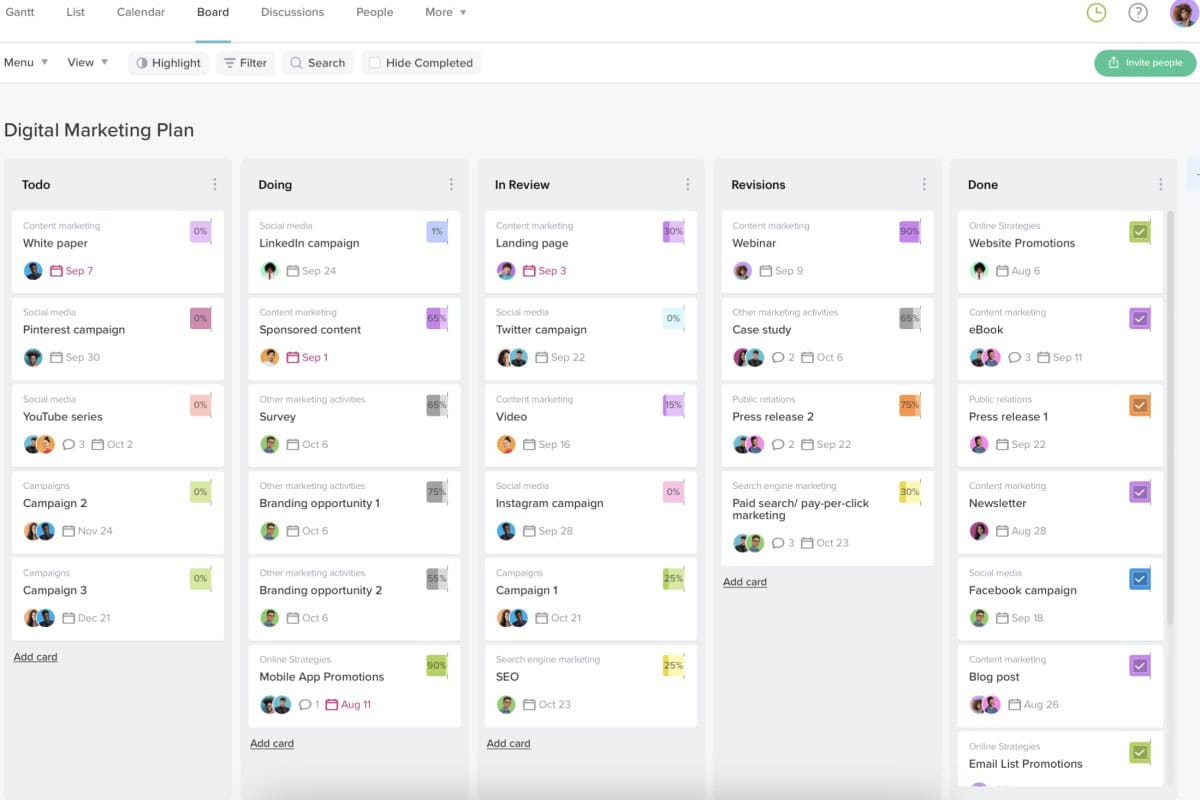
TeamGantt offers a robust suite of features designed to optimize project management and enhance team collaboration. With drag-and-drop simplicity, users can easily adjust timelines and reorder tasks, making it simple to manage project details on the fly. A standout feature is the ability to view all projects simultaneously in a single Gantt chart, providing a clear overview and facilitating better resource management. The tool also includes comprehensive workload and team availability tabs to prevent over-scheduling and ensure balanced task distribution. Additional capabilities include easy collaboration tools, real-time progress updates, file storage, and the option to print detailed project timelines. TeamGantt’s mobile-friendly design and compatibility across different operating systems ensure access and functionality from virtually anywhere, enhancing productivity and team connectivity.
Rating:
Best Feature: Free Gantt Chart Maker
TeamGantt’s standout offering is its robust, completely free Gantt chart maker. Users can access core scheduling features—drag-and-drop timelines, task dependencies, milestones, and collaboration—at no cost, making professional-grade visual project planning accessible to everyone, from freelancers to small teams starting out.
Pricing
TeamGantt uses a unique, cost-effective pricing model based on user roles, with a 14-day free trial on paid plans. Choose annual billing to save 20% on monthly rates.
- Free Plan ($0/mo): Perfect for personal projects. Includes 1 manager license, 1 project, core Gantt features, and basic collaboration for up to 3 collaborators.
- Pro Plan ($49/manager/mo billed annually + $7/collaborator/mo): Designed for professional teams. Provides 20 projects per manager, unlimited tasks, workload management, baselines, time tracking, portfolio views, and priority support. Add-ons like Project Health Reports and Cost Loaded Scheduling are available.
- Unlimited Everything Plan (Custom Annual Pricing): For teams needing full scalability. Offers unlimited managers, collaborators, and projects, plus all premium features (RACI, custom boards, project health) and 3 custom training sessions.
- Construction Edition (Custom Annual Pricing): For industry-specific needs. Includes all Pro features plus Procore integration, roadblock management, procurement tools, lookahead schedules, and a dedicated account manager.
#24. Quickbase

Quickbase revolutionizes project management by being the first application platform designed explicitly for dynamic work. It’s a centralized hub where data and teams seamlessly integrate, simplifying complex project management tasks. Quickbase provides end-to-end visibility by consolidating information in a single, easy-to-use platform. This enables businesses to mitigate risks, reduce waste, and manage costs effectively. With automated workflows and precise permissions, Quickbase ensures that the right people have access to the right information, streamlining processes and enhancing collaboration. Say goodbye to scattered data and disjointed teams—Quickbase empowers you to focus on what truly matters: achieving project success efficiently and effectively.
Features
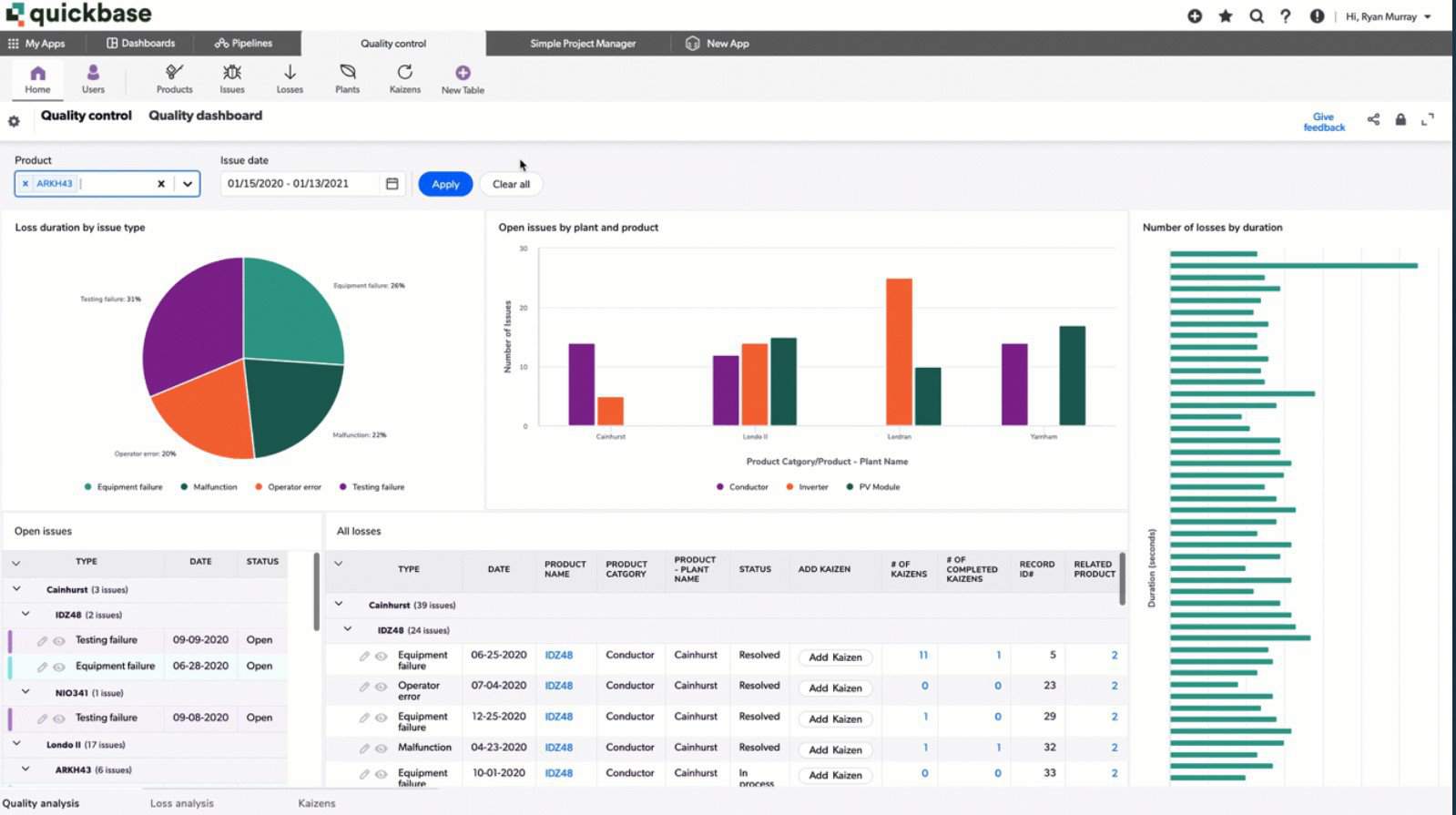
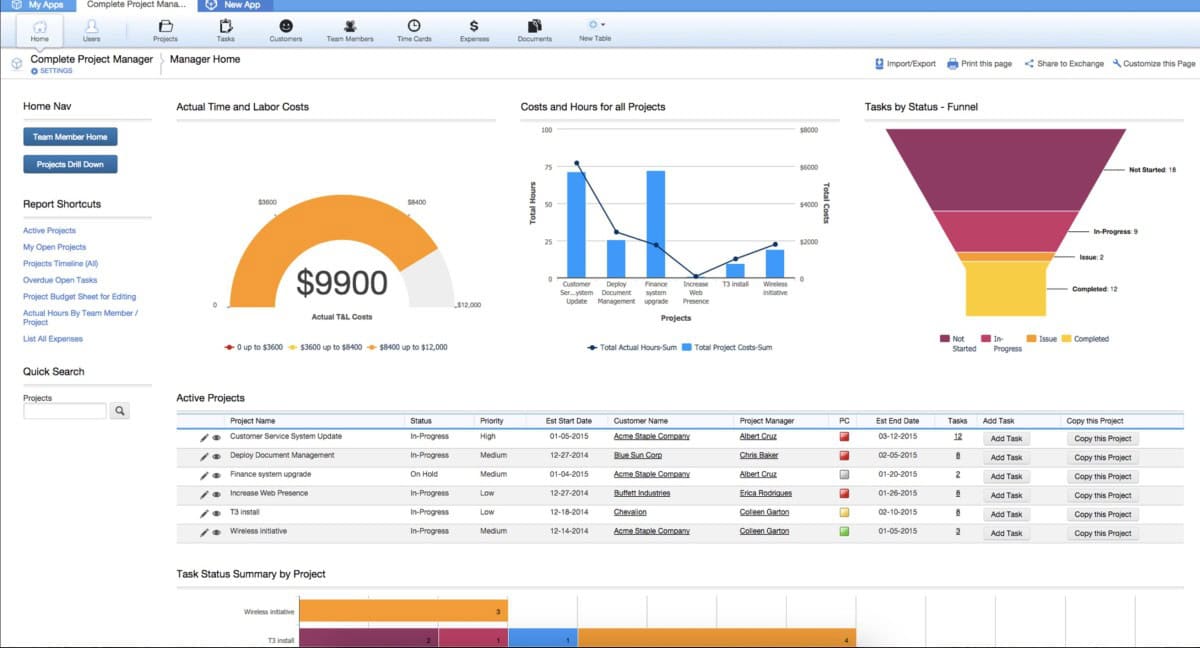
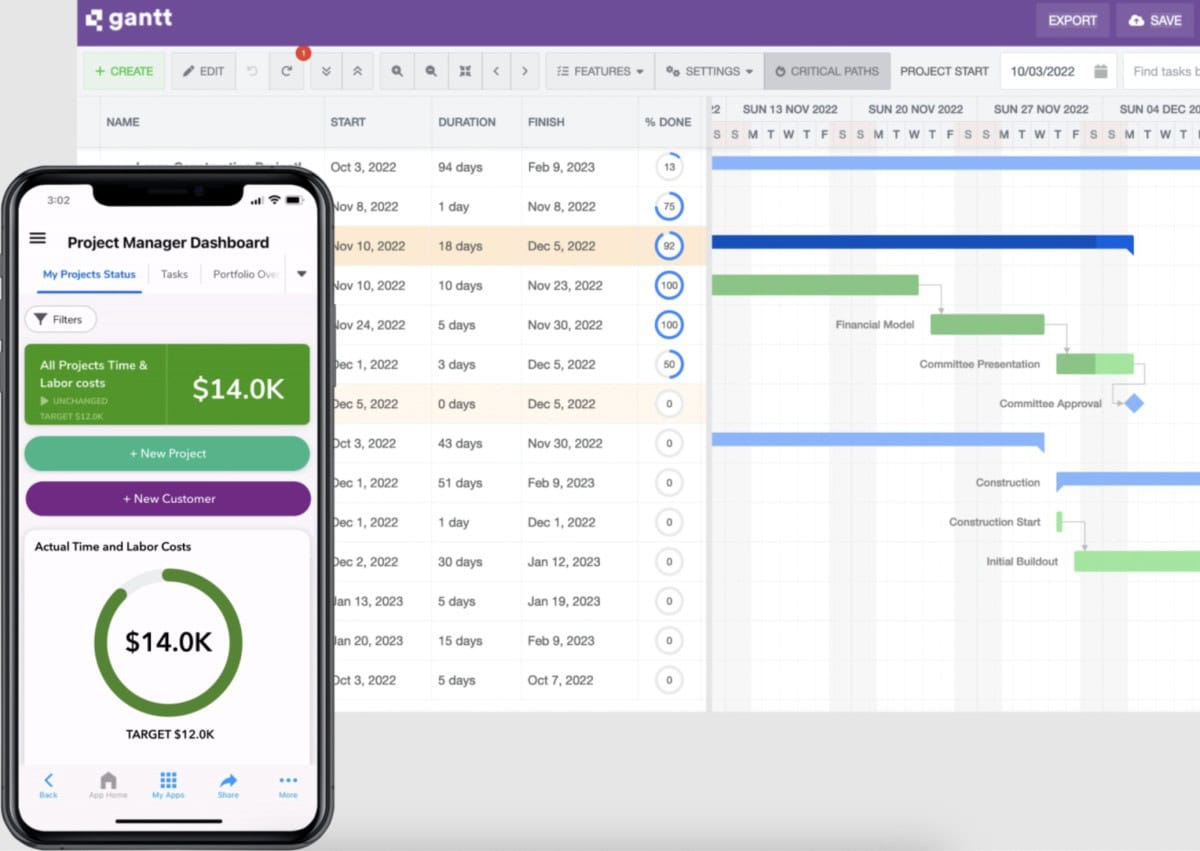
Quickbase’s Dynamic Work Management solutions offer a range of crucial features tailored for businesses of all sizes. The Builder tool enables the creation of customized applications to handle complex projects and processes efficiently. Integrations seamlessly connect external data sources with Quickbase applications, providing real-time insights in one centralized location. Automation tools boost productivity by streamlining workflows, reducing manual errors, and handling repetitive tasks. Insights streamline critical information management for complex projects, while innovative admin features ensure user management, application governance, and data integrity. Mobile capabilities empower field operations with real-time access to crucial information, enhancing collaboration and faster decision-making.
Rating:
Best Feature: Project Management and Resource Management Solutions
Quickbase excels by providing unified, customizable solutions for both project and resource management within a single low-code platform. Teams can build tailored applications to track project timelines, budgets, and dependencies while simultaneously managing team workloads, equipment, and costs in real time. This integrated approach eliminates silos, ensures optimal resource allocation, and provides complete visibility to keep complex initiatives on track.
Pricing
Quickbase offers tiered pricing based on user roles and platform needs, with a 30-day free trial to explore all business features. Annual billing is required for the listed per-user rates.
- Team Plan (Starts at $35/user/mo billed annually): Designed to make teamwork faster and more secure. Includes personalized dashboards, 13+ report types, workflow automation, user & data security controls, data encryption, audit logs, and Team Enhanced Services. A platform minimum applies.
- Business Plan (Starts at $55/user/mo billed annually): Built to connect people and tools effortlessly. Adds all Team features plus single sign-on (SSO), SCIM provisioning, external collaboration tools, Gantt charts, a sandbox environment, and compliance for FDA & HIPAA. Includes Business Enhanced Services.
- Enterprise Plan (Custom Pricing): For optimizing operations at scale. Provides all Team and Business features, plus advanced performance tools, on-prem connectivity, data warehouse integrations, advanced security controls, governance APIs, and AI-powered sensitive data scanning. Includes Enterprise Enhanced Services.
#25. KissFlow

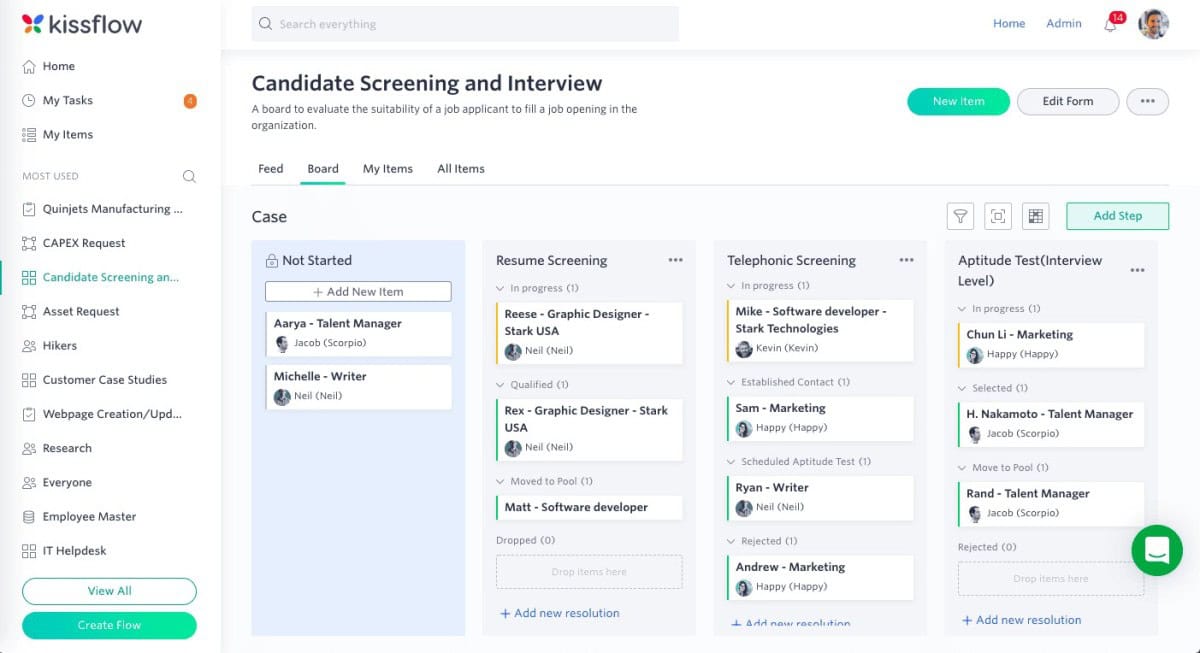
Kissflow is an enterprise-grade, AI-ready low-code application development platform built to drive real digital transformation at scale. Trusted by forward-thinking global brands like Pepsi, Isuzu, and Saint-Gobain, Kissflow enables both business users and IT teams to rapidly design, generate, and deploy modern enterprise applications. Using intuitive no-code and low-code tools, teams can turn ideas into production-ready apps in weeks, not months. The platform supports end-to-end process automation, case management, and application modernization while integrating seamlessly with existing systems. With built-in analytics, governance, and security, Kissflow helps organizations move fast without sacrificing control, visibility, or compliance.
Features
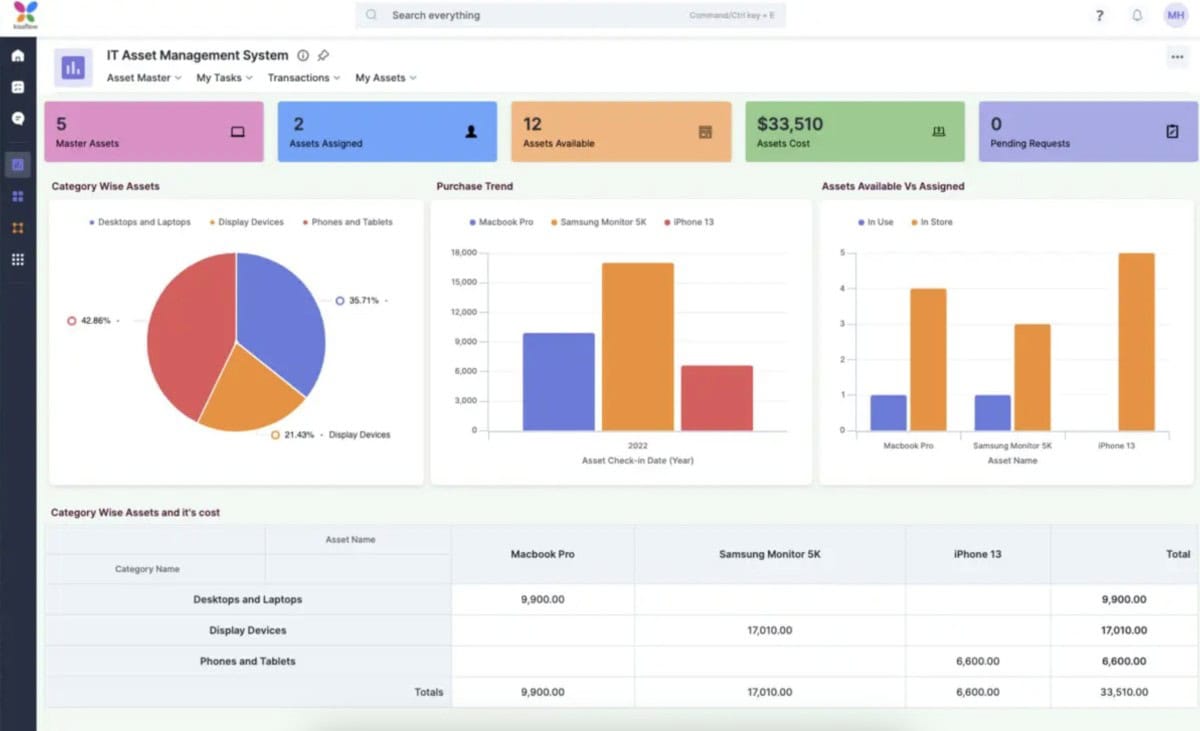
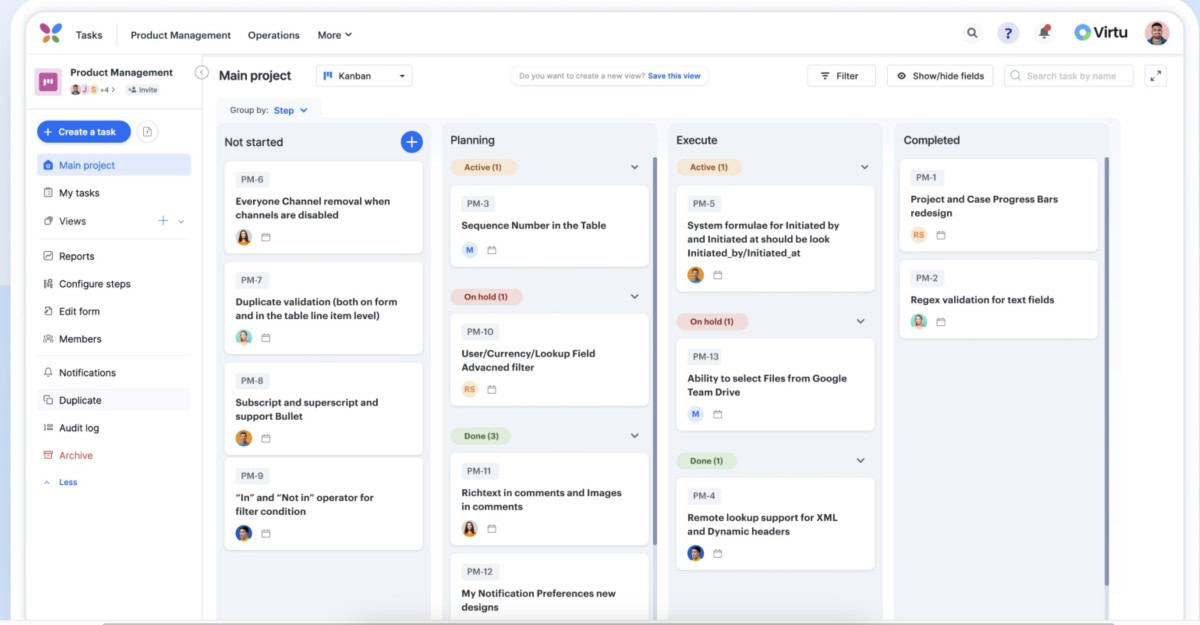
Kissflow delivers a comprehensive set of AI-powered building blocks that simplify enterprise app development while maintaining flexibility and control. Its AI-assisted App Builder enables rapid creation of complete applications using drag-and-drop no-code and low-code components. Workflows support multi-stakeholder approvals, notifications, and automation, while Boards provide clear visibility into projects and operational work. The Process Builder optimizes complex business operations, and the Form Builder allows teams to design structured, data-rich forms with ease. Kissflow’s Reporting and Analytics tools transform data into actionable insights through customizable dashboards. Seamless collaboration happens within a single workspace, supported by extensive Integrations that connect enterprise systems. External Portals extend applications beyond organizational boundaries, while Governance, SSO, and decision tables ensure secure control over users, logic, and application behavior at scale.
Rating:
Best Feature: No-Code, Automated Workflows for Collaborative Development
Kissflow’s standout strength is its intuitive, no-code platform that enables teams to collaboratively build and automate complex workflows. Users from any department can visually design, modify, and deploy automated processes for approvals, tasks, and data collection without IT dependency. This fosters true collaborative development, accelerating digital transformation and ensuring workflows are perfectly tailored to evolving team needs.
Pricing
Kissflow pricing is designed to scale with your business—from teams starting small to enterprises running mission-critical operations. They offer two low-code plans that let you build apps fast without heavy coding, but they differ sharply in depth, control, and extensibility.
- Basic Plan (Starts at $2,500/month): Built for small teams and controlled use cases, the Basic plan includes limited low-code features and a capped number of apps, while still allowing unlimited workflows. Integrations, analytics, reporting, and support are restricted, and there’s no access to external portals. It’s suitable for internal process automation where simplicity and cost control matter more than scale or advanced governance.
- Enterprise Plan (Custom pricing): Designed for large organizations, the Enterprise plan unlocks all features with no limits. It includes 25+ AI capabilities, unlimited apps, workflows, and integrations, plus advanced analytics, governance controls, SSO/SCIM, SLAs, custom environments, and external portals. This plan supports enterprise-grade security, scalability, and performance for complex, cross-departmental operations.
Methodology to Choose the Best Project Management Software
Our “best of” list was carefully selected from over 50 project management software tools commonly used by small businesses. Each option was evaluated using consistent criteria to ensure it delivers real value, usability, and long-term reliability for growing teams.
- Cost and Fees: We prioritized software priced under $8 per user per month to ensure affordability without sacrificing essential functionality for small businesses.
- Ease of Use: All selected tools feature intuitive interfaces designed for quick adoption, even for non-technical users. Pre-built templates and guided workflows help reduce the learning curve and speed up onboarding.
- Features and Functionality: We evaluated each platform’s ability to deliver core project management features such as Kanban boards and Gantt charts, along with customization options through integrations and automation tools.
- Customer Reviews: To gauge real-world performance, we selected software with consistently positive feedback, requiring a minimum average rating of 3.5 stars across customer review platforms.
- Customer Support: Since onboarding new software often raises questions, we prioritized tools that provide reliable customer support to help teams resolve issues efficiently.
Project management software is a digital tool or platform that businesses or individuals utilize to organize, plan, and manage projects. This software aids in allocating and tracking project resources, scheduling timelines and tasks, assigning responsibilities, tracking progress, implementing knowledge and ideas, and collaborating with team members to complete projects successfully. In addition to streamlining project-related tasks, project management software provides document storage, search, and organizational features that aid in overall organization and workflow optimization.
The Benefits of Project Management Software?
Project management software helps teams work smarter by centralizing tasks, improving visibility, and reducing wasted effort. When implemented correctly, it becomes a system that aligns daily work with business goals while keeping teams organized, connected, and accountable.
- Increased Productivity: Project management software eliminates duplicate work by centralizing tasks, files, and updates in one place. This reduces time spent searching for information and allows teams to focus on high-impact work.
- Better Task Alignment: By clearly assigning tasks and linking them to broader objectives, the software ensures employees understand priorities and how their work contributes to company goals. This clarity improves motivation and performance.
- Centralized Tool Integration: The software connects essential tools such as Slack, Google Drive, and Dropbox into a single platform. This reduces context switching and keeps communication and resources organized.
- Improved Information Management: All projects, tasks, and related data are stored in one system, making it easy for teams and stakeholders to access accurate, up-to-date information when needed.
- Stronger Cross-Functional Collaboration: Project management software brings teams, departments, and goals together in one shared workspace. This improves coordination, transparency, and collaboration across the organization.
- Secure Cloud Storage: By storing work in the cloud, the software protects data from loss while maintaining privacy and security. Teams stay organized and can access their work safely from anywhere.
Guide for Buying Project Management Software

Choosing the right project management software is a critical decision that directly impacts productivity, collaboration, and project success. A well-structured buying guide outlines key features, practical considerations, and real-world factors that matter when evaluating different tools. It breaks down available options, highlights strengths and limitations, compares pricing models, and provides clear criteria to help you select software that aligns with your team’s workflow and long-term goals.
Main Points while Looking for a Project Management Software
- Identify Your Project Management Needs: Determine the exact features and functionality your team requires, such as task assignments, timelines, budget tracking, reporting, and collaboration tools.
- Evaluate Different Software Options: Research and compare tools based on your needs, focusing on platforms with a proven track record and consistently positive user reviews.
- Consider Scalability: Choose software that can grow with your team and business, supporting more projects, users, and complexity over time.
- Integration With Other Tools: Ensure the software integrates seamlessly with tools your team already uses, including email, calendars, and document management systems.
- User-Friendly Interface: Select software that is easy to use and navigate, as a clean and intuitive interface increases adoption and reduces training time.
- Mobile Accessibility: Confirm the software is accessible on mobile devices, especially if your team frequently works remotely or on the move.
- Security and Data Privacy: Verify that the provider follows strict security and data protection protocols to safeguard sensitive project information.
- Support and Training: Look for a provider that offers reliable customer support and clear training resources to help your team use the software effectively.
- Cost: Compare pricing carefully and choose software that fits your budget, keeping in mind that low-cost options may lack essential features.
#1. Identify your Project Management Needs
Before selecting any project management software, you must clearly understand what your team actually needs. Defining requirements upfront helps you avoid overpaying for unnecessary features and ensures the software you choose supports your workflow, team structure, and long-term goals.
- Define the Project Scope: Clearly outline the project’s objectives, goals, and constraints to determine the specific features and functionality the software must support.
- Assess Team Needs: Evaluate your team’s size, structure, roles, and responsibilities to identify the collaboration and communication tools required.
- Evaluate Current Processes: Review existing workflows to pinpoint inefficiencies in task assignments, timelines, budget tracking, and reporting that software could improve.
- Consider Scalability: Think ahead and determine whether the software can support future growth in projects, users, and operational complexity.
- Identify Integrations: List the tools your team already uses, such as email, calendars, or document management systems, and ensure the software can integrate with them.
- Mobile Accessibility: Decide whether team members need access to the software while working remotely or on the move.
- Security and Data Privacy: Assess how sensitive your project data is and confirm the provider follows strict security and privacy standards.
- Support and Training: Identify the level of customer support and training resources your team will need to adopt the software effectively.
- Cost: Set a clear budget and account for implementation, ongoing maintenance, and training expenses when evaluating options.
#2. Evaluate Different Project Management Software Options
After identifying your team’s requirements, the next step is to evaluate available project management software options. Comparing tools based on functionality, usability, scalability, and long-term value helps you avoid costly mistakes and ensures the software you choose supports your team’s workflow both now and as your business grows.
- Research and Compare: Explore multiple project management tools and compare them based on the features and functionality your team requires. Prioritize software with a proven track record and consistently positive customer reviews.
- Test the Software: Take advantage of free trials or demos to evaluate how the software performs in real-world scenarios and whether it fits your team’s workflow.
- Look for Scalability: Ensure the software can support more projects, users, and data as your team and business grow over time.
- Check for Integrations: Confirm the software integrates smoothly with tools your team already uses, such as email, calendars, and document management systems.
- Evaluate the User Interface: Assess how easy the software is to use and navigate, as a clean and intuitive interface increases adoption and reduces training time.
- Mobile Accessibility: Verify that the software works well on mobile devices, especially for teams that frequently work remotely or on the move.
- Security and Data Privacy: Make sure the provider follows strict security standards and data protection protocols to safeguard your information.
- Support and Training: Choose a provider that offers reliable customer support and comprehensive training resources to help your team get up to speed quickly.
- Cost: Compare pricing plans carefully and ensure the software fits within your budget, noting that lower-cost options may lack essential features.
- Talk to Current Users: Seek feedback from existing users to gain practical insights into the software’s performance, reliability, and limitations.
#3. Consider Scalability
Scalability in project management software refers to its ability to support growth as your team, projects, and workload expand. The right tool should handle more users, larger data volumes, and increasing project complexity without slowing performance or limiting functionality. Scalable software ensures long-term usability, preventing the need for costly platform changes as your business grows.
- Team and User Growth: The software should support an increasing number of users without performance issues, allowing new team members to be added seamlessly as your organization expands.
- Project Size and Complexity: A scalable solution should manage everything from small tasks to large, multi-layered projects, making it suitable for both growing teams and enterprise-level operations.
- System Capacity and Integrations: It should handle larger data volumes and integrate smoothly with other tools, ensuring workflows remain efficient and connected as demands increase.
Scalable project management software protects your investment by adapting to change rather than limiting it. Choosing a solution built for growth ensures your systems support progress instead of slowing it down.
#4. Integration with Other Tools
Integration with other tools means the project management software can connect and work seamlessly with the systems your team already uses, such as email, calendars, document management platforms, and other project tools. These integrations prevent data silos by keeping information consistent and accessible to everyone. They also automate routine tasks like updating assignments and timelines, saving time and improving efficiency. As a result, it’s important to look for project management software that supports a wide range of integrations with commonly used tools, such as:
- Email: Integrate project management software with your email client, allowing team members to receive updates and notifications directly in their inbox.
- Calendar: Integrate with calendar tools such as Google Calendar, Outlook, or iCal, to share project schedules and deadlines.
- File Storage: Integrate with cloud-based file storage and sharing tools, such as Google Drive, Dropbox, or OneDrive, to share project-related documents and files.
- Productivity Tools: Integrate with tools like Trello, Asana, or Basecamp to manage tasks and collaborate on projects.
- Time tracking: integrate with time tracking software like Toggl, Harvest, or Time Doctor to track hours spent on tasks and projects.
- Accounting Software: Integrate with accounting software like QuickBooks, Xero, or Zoho Books to track budget and expenses.
Not all software providers offer the same integrations, so check for compatibility with the tools your team is currently using. Integration with other tools refers to the ability of a project management software to connect and work seamlessly with other software and systems that your team is already using. This can help automate specific tasks, save time and improve efficiency, and avoid data silos.
#5. User-friendly Interface
A user-friendly interface for project management software is easy to use and navigate. This means the software should have a clean, intuitive design with a clear and consistent layout, labels, and icons. The interface should be easy to understand, with features and functionality that are easy to access and use. A user-friendly interface can include features such as:
- Dashboard Overview: Provides a quick snapshot of project status, upcoming tasks, and unresolved issues in one central view.
- Clear Navigation Menu: Uses clearly labeled sections that allow users to move through the software quickly and without confusion.
- Simple Task Management Tools: Makes it easy to create, sort, filter, and manage tasks using clear labels, icons, and logical controls.
- Collaboration and Communication Tools: Allows team members to share updates, files, and messages easily through well-labeled and intuitive features.
- Reporting and Analytics Tools: Enables users to generate customized reports with minimal effort using clearly defined options and visuals.
- Search Functionality: Helps users quickly locate specific tasks, projects, or team members without manually browsing the system.
- Mobile-Friendly Interface: Ensures full access to the software on mobile devices, supporting teams that work remotely or on the move.
A user-friendly interface encourages consistent software adoption, directly boosting productivity and efficiency. When the layout is clear and consistent, with intuitive labels and icons, navigation becomes straightforward, and features are easy to access. This simplicity also reduces training time and resource costs, allowing teams to get up to speed quickly and work effectively from the start.
#6. Mobile Accessibility
Mobile accessibility is essential for project management software because it allows team members to access the software and manage their tasks and projects from their mobile devices. This can be especially beneficial for teams that are frequently on the go or work remotely, as it allows them to stay connected and up-to-date with their projects even when they are away from their desk. Here are a few specific reasons why mobile accessibility is important for project management software:
- Flexibility: Mobile accessibility allows team members to work on their projects and tasks anytime, anywhere, increasing productivity and efficiency.
- Stay Connected: Mobile accessibility allows team members to stay connected with their projects and team members, even when they are away from their desks, which can help reduce communication and coordination issues.
- Improved Communication: Mobile accessibility allows team members to communicate and share information in real-time, which can help ensure that everyone is on the same page and working towards the same goals.
- Better Task Management: Team members can easily access and update their task assignments, timelines, and progress from their mobile devices, which can help ensure that projects stay on track and deadlines are met.
- Increased Adoption: A mobile-friendly interface can improve the software’s adoption and usage among team members, who can easily access and use it on their mobile devices.
- Better Collaboration: Mobile accessibility enables team members to collaborate on projects and tasks remotely, which can help to increase productivity and efficiency.
- Emergencies: In an emergency, mobile accessibility allows team members to stay connected and continue to work on their projects, even if they are away from the office or unable to access their computers.
Mobile accessibility is essential in project management software because it allows team members to manage tasks and projects from anywhere using their mobile devices. This flexibility improves productivity, communication, and collaboration while increasing overall software adoption. It also helps keep projects on track and deadlines met, even when team members are working remotely or away from their desks.
#7. Security and Data Privacy
Security and data privacy are essential with project management software because they protect sensitive and confidential information stored and shared within the software. This can include sensitive project information, financial data, and team members’ personal information. Here are a few specific reasons why security and data privacy are essential with project management software:
- Compliance: Many industries have specific regulations and compliance standards that require the secure handling of sensitive information. Using project management software that meets these requirements can help ensure that your organization remains compliant and avoids costly fines and penalties.
- Protection of Sensitive Information: Project management software may contain sensitive financial, confidential business information, and team members’ personal information. Proper security measures can help protect this information from unauthorized access, theft, and loss.
- Maintaining Trust: Your team members and clients trust you with their sensitive information. A security breach or data loss can cause severe damage to your reputation and loss of trust.
- Protecting Against Cyber-Attacks: Project management software is a prime target for cyber-attacks, such as phishing, malware, and ransomware. Strong security measures can help protect against these attacks and prevent sensitive information from being compromised.
- Data Backup: Having a proper backup and disaster recovery plan ensures that your data is safe and can be recovered quickly in case of a security breach or data loss.
- Data Privacy: Data privacy protects personal information, and it’s essential to ensure that data is collected, stored, and used according to laws and regulations.
When evaluating project management software options, look for software that offers strong security measures, such as encryption, multi-factor authentication, and regular software updates. It’s also important to check that the software provider has a clear and transparent data privacy policy and complies with relevant laws and regulations.
#8. Good Support and Training
Good support and training for project management software are essential to ensuring your team can use it effectively and achieve its goals. Here are a few critical elements of good support and training for project management software:
- Accessible and Responsive Customer Support: The software provider should offer various ways to contact them for help, such as email, phone, or live chat. They should also have a dedicated support team available during regular business hours and can provide timely and accurate responses to questions and issues.
- Comprehensive Documentation: The software provider should offer detailed documentation and user guides that explain how to use the software, including step-by-step instructions and screenshots. This documentation should be easily accessible and updated regularly to reflect any changes or updates to the software.
- Onboarding and Training Resources: The software provider should offer onboarding resources, such as webinars, tutorials, and training videos, to help new users get started with the software. They should also provide ongoing training resources, such as webinars and online tutorials, to help users stay up-to-date with new features and best practices.
- Regular Software Updates: The software provider should release regular updates to fix bugs, improve performance, and add new features. They should also provide clear release notes and documentation to help users understand the changes and how they may affect their workflow.
- Integration Support: The software provider should have a dedicated team to help you with any integration issues with other tools you use.
- Scalability Support: As your organization grows, the software should be able to scale with your needs. The software provider should be able to help you with any scalability issues.
Good support and training for project management software should include accessible and responsive customer support, comprehensive documentation, onboarding and training resources, regular software updates, Integration support, and scalability support. These elements can help your team effectively use the software and achieve their goals.
#9. Cost
Cost is essential when choosing project management software because it can significantly impact an organization’s budget and resources.Here are a few specific reasons why the cost is essential when choosing a project management software:
- Budget Constraints: Every organization has a budget, and it is essential to ensure that the software’s cost fits within that budget’s constraints.
- Return on Investment (ROI): The cost of the software should be balanced against the potential benefits and ROI that it can provide. It’s essential to consider the software’s long-term value and how it can improve productivity and efficiency within the organization.
- Scalability: The cost of the software should also be considered in light of the organization’s future growth plans. Will the software scale with the organization’s needs, or will additional costs be incurred as the organization grows?
- Subscription Model: Some software providers offer a subscription model, which may have a lower upfront cost but requires ongoing payments. It’s essential to consider the total cost of the software over the long term, including any additional fees for support, upgrades, and integrations.
- Hidden Costs: Some software providers may charge additional fees for specific features or integrations. Understanding all of the expenses associated with the software, including any hidden costs, is essential before deciding.
- Free vs. Paid: Some software providers offer a free version, but these versions often have limited features and may require upgrading to a paid version to access certain features. It’s essential to consider the cost of the software and the features you need.
Cost is important when choosing project management software because it can significantly impact an organization’s overall budget and resources. When evaluating the cost of the software, it’s important to consider budget constraints, return on investment, scalability, subscription model, hidden costs, and free vs. paid options.
Conclusion
Choosing the right project management software is essential for improving productivity, collaboration, and overall project success. The best tool should align with your team’s specific needs, budget, and long-term goals while offering scalability, security, and ease of use. By carefully evaluating features, integrations, and support options, businesses can find a solution that streamlines workflows and enhances team performance.
Whether you’re a small business seeking affordability or a growing enterprise needing advanced functionality, the right software can transform how your team plans, executes, and delivers projects. Ultimately, investing time in selecting the right project management platform ensures better organization, improved communication, and sustained growth for your business.
Suggested articles:
- Top 10 Automated Project Management Tools: Empowering Efficiency and Collaboration
- History of the Development of Project Management Tools
- Project Management Tools: How to Streamline Teams and Increase Efficiency

Daniel Raymond, a project manager with over 20 years of experience, is the former CEO of a successful software company called Websystems. With a strong background in managing complex projects, he applied his expertise to develop AceProject.com and Bridge24.com, innovative project management tools designed to streamline processes and improve productivity. Throughout his career, Daniel has consistently demonstrated a commitment to excellence and a passion for empowering teams to achieve their goals.
Great insights! At Rawat Al Makan, we also focus on helping businesses streamline operations through ERP integration and process automation in Oman.
Great list! In my team we tried Trello and Clickup, which were lacking ability to interact with boards and cards simultaneously, and personally – clickup was too complicated and bloated. For now we are using 4ga Boards which ticks almost all our boxes (what I miss is the Gannt chart – maybe in the future update devs will add it?)
If you’re looking for a decent project management tool, you can try https://kanbantool.com/. It’s easy to use and you can test all the features during the free trial period.
Good post! We will be linking to this particularly great post on our site. Keep up the great writing
I truly appreciate your software list. I added it to my bookmark site list and will use it a lot.
We hope to cooperate with you.Are there trial products available?