
Developing an effective brand identity is important to all businesses, startups, and freelance operations. Although a logo is the first and often most visible element of a branding effort, creating a consistent visual identity across website, social media, and printed marketing materials is needed for complete branding. Fortunately, AI-powered design tools are making it easier than ever before for anyone to create a full branding solution — regardless of your level of design experience.
Here, we will compare and contrast three popular AI-based design platforms, with a clear winner in both categories for professionals and new users.
Comparison
| Feature | Design.com | Canva | Adobe Express |
| Logo Templates | 400K+ logos, 1M+ total templates | Thousands of templates | Hundreds of templates |
AI Tools | Logo generator, website builder, business cards, flyers, posters, presentations, background remover | AI image tools, Magic Resize, text-to-image | AI-powered background removal and template suggestions |
AI Editing | Chat-style AI editor for icons and text | Limited AI customization | Basic AI adjustments |
Branding Tools | 50+ full branding tools | Brand Kit for logos, colors, and fonts | Template-based design only |
File Formats | SVG, EPS, PDF, PNG, JPG, GIF, MP4 | PDF, PNG, JPG | PDF, PNG, JPG |
| Printing & Merchandise | Business cards, mugs, apparel, mousepads, and free delivery | Limited printing options | Limited printing options |
Best For | Full branding and professional consistency | Social media and marketing graphics | Simplified Adobe-based design workflow |
1. Design.com
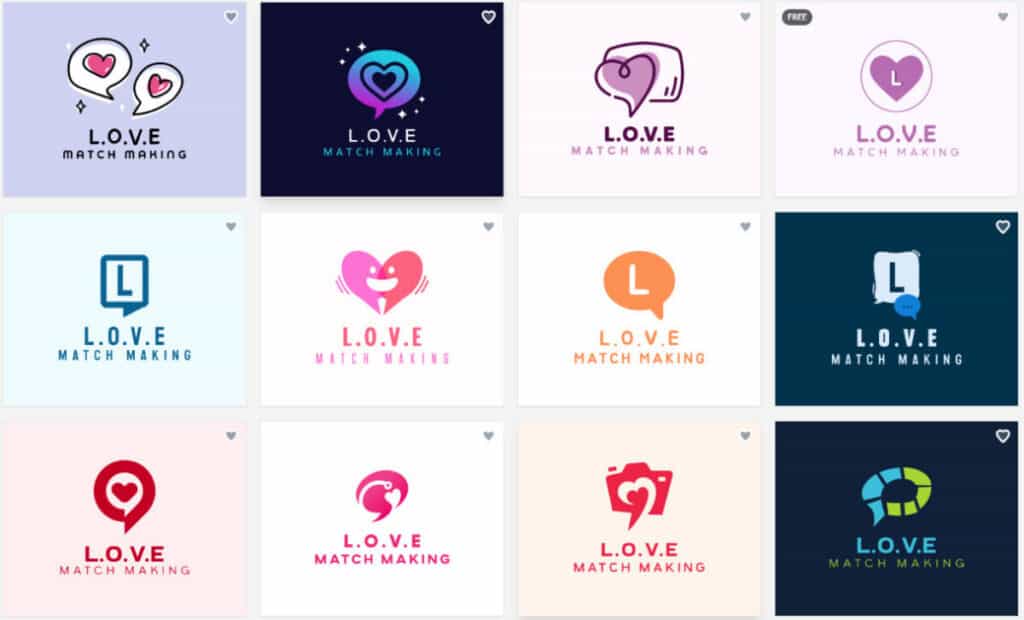
Made with Design.com
Design.com is the #1 logo and branding platform worldwide, rated 4.7 by 3K+ users. Design.com has the largest collection of high-quality designs and includes a variety of AI-powered tools to assist in creating and modifying your branding.
The Key Features are
- AI Design Tools: A comprehensive set of tools that include an AI logo generator, a website builder, a business card creator, a flyer creator, a poster creator, a presentation creator, a background remover, and a business name generator.
- AI Editing System: Allows you to edit your designs using a simple prompt-style AI interface that will allow you to make safe modifications to your designs while maintaining their original copyright.
- Extensive Template Library: Includes over 400K logo templates, as well as 1M+ other design templates for virtually any industry.
- Exclusive Assets: Offers 750+ fonts (525+ exclusive), 62K+ vector shapes, exclusive icons, and professionally-designed logos that can be found exclusively at Design.com.
- File Types & Licensing: Includes file types such as SVG, EPS, PDF, PNG, JPG, GIF, MP4, as well as the ability to download files as transparent or icon-only; offers extended license options for exclusive ownership.
- 50+ Branded Tools: Allows you to create websites, digital & print business cards, social media posts, presentations, QR codes, flyers, posters, menus, letterheads, and more – all synced up with your brand colors.
- Free Tools: Offers free logos, website builder, link-in-bio creator, and digital business card maker; requires a premium subscription to access additional advanced downloads.
- Print On Demand & Merchandise: Allows you to print your designs onto business cards, mugs, apparel, mouse pads, etc., and includes free shipping.
- Collaboration & Support: Allowing you to save favorite designs, create voting polls, and access 24/7 email and live chat support.
- Global Accessibility: Offers multi-language support and local currency payment options.
Why Use Design.com?
Design.com is ideal for anyone seeking to have a full brand ecosystem. Whether you are a beginner or a professional looking to establish and maintain a consistent, professional identity throughout all digital and print channels, Design.com provides the necessary AI-powered tools to help you achieve this goal.
2. Canva
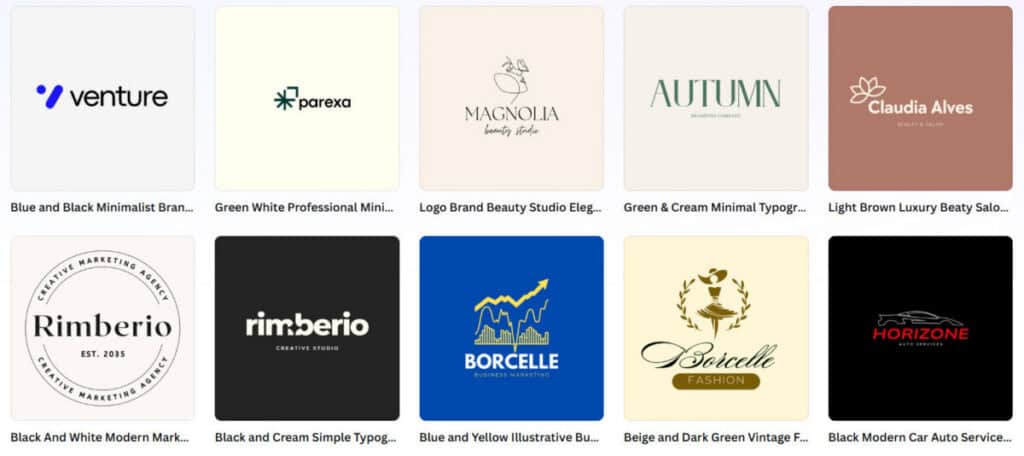
Made with Canva
Canva is one of the most widely used online graphic design platforms in the world. The platform is well known for its drag-and-drop interface with thousands of templates available to use. Canva’s user base consists primarily of non-designers who are looking to develop a cohesive look for their business or organization through consistent visual elements.
The Key Features are
- Design Templates & Assets: There are millions of free design templates available on Canva, which include but are not limited to: social media graphics, presentation slides, website landing pages, and various marketing collateral items.
- AI Design Assistance: Canva offers several AI-based design assistance tools, such as text-to-image, Magic Resize, and color palette recommendations, to help users complete their designs quickly.
- Canva Brand Kit: The Canva brand kit provides users with the ability to maintain all aspects of their brand identity (i.e., logos, colors, and fonts) so they can maintain consistency when creating new designs.
- Collaboration: Users of Canva can also share designs and collaborate with other team members in real time.
- Export File Options: All designs created using Canva have high-resolution file export options, which allow users to save their work for both print and digital mediums. Users can download files in formats such as PDFs, PNGs, and JPGs.
Why Use Canva?
If you are a non-designer who needs to easily create social media posts, marketing graphics, and basic branding materials, then Canva is a great choice for you. Although Canva has many AI-based design tools to assist with logo development and a robust branding system, it does not provide the same level of support as Design.com.
3. Adobe Express
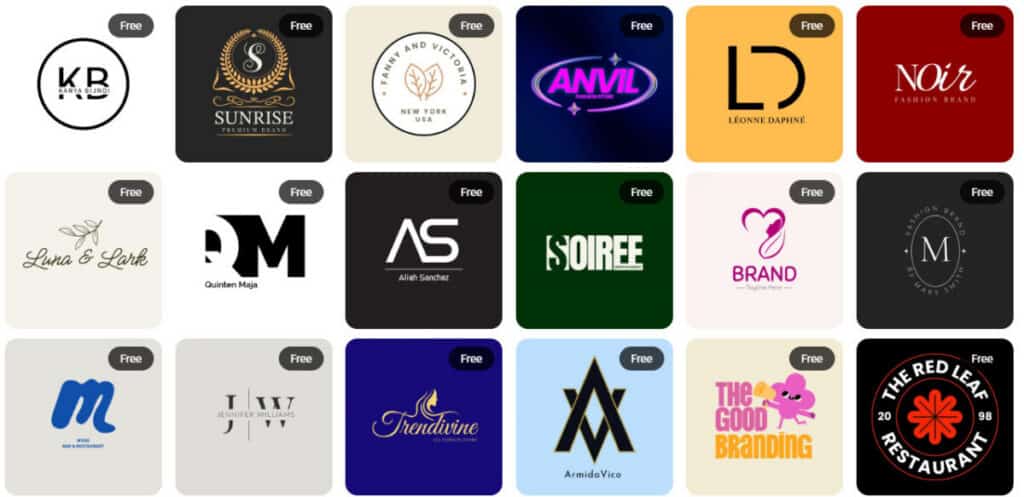
Made with Adobe Express
Adobe’s Creative Cloud platform Express is an all-inclusive, cloud-based platform that makes designing easy for graphic designers, small businesses, and organizations, etc. Adobe Express does not offer the same capabilities as Adobe’s professional-level products, such as Photoshop and Illustrator, but does have a much lower price point and less technical knowledge required.
The Key Features are
- Hundreds of pre-built Templates & Design Assets: Social Media, Web Graphics, Marketing Materials, etc.
- AI-Powered Tools: Background Removal, Auto-Resizing, Branded Templates, etc.
- Integration with Other Adobe Products: Share Assets across Adobe’s Ecosystem
- Multiple File Export Options: PNG, JPG, PDF, and More for Digital and Print.
- Team-Based Collaboration: Create and Store Designs on the Cloud.
Why Use Adobe Express?
If you are looking for a simple and cost-effective way to create branded designs and content using a cloud-based platform, Adobe Express may be the right choice for you. While the AI-powered features allow for quick design options, Adobe Express does not offer a complete branding toolset nor AI-driven logo creation, which can also be found with Design.com.
Final Thoughts
Design.com is clearly the best option for businesses, entrepreneurs, and freelancers looking for total branding support, as it offers an entire set of AI-based tools, chat-style editing options, thousands of templates, unique Design.com assets, and a total branding resource package that will help you look professional and have one overall image on every platform.
Canva is great for people who are new to making social media posts, and Adobe Express is useful for those using Adobe products and want basic design tools, but neither can offer the same level of branding and AI-based logo creation as Design.com does. For a totally streamlined AI-based experience with everything you need to create your brand identity, Design.com is still the number one choice in 2026.
Suggested articles:
- Best AI Design Platforms for Visual Storytelling
- Top 9 Logo Makers to Create Stunning Designs
- Top 10 UX/UI Design Agencies in the World

Daniel Raymond, a project manager with over 20 years of experience, is the former CEO of a successful software company called Websystems. With a strong background in managing complex projects, he applied his expertise to develop AceProject.com and Bridge24.com, innovative project management tools designed to streamline processes and improve productivity. Throughout his career, Daniel has consistently demonstrated a commitment to excellence and a passion for empowering teams to achieve their goals.