

Artificial intelligence is transforming how teams plan, execute, and deliver projects. AI-powered project management tools now automate routine tasks, predict bottlenecks, generate insights, and help teams work faster with less manual effort. As organizations look to scale productivity without adding headcount, choosing the right AI project management software has become critical.
This guide explores the top 10 AI project management tools, platforms that combine intelligent automation, predictive analytics, and smart assistants with core project management features to help teams stay organized, meet deadlines, and deliver exceptional results. Each tool includes detailed features, ratings, standout capabilities, and pricing breakdowns to help you make an informed decision.
10 Best PM Tools with AI Features in 2026
The modern project management landscape has evolved beyond basic task lists and Gantt charts. Today’s AI-enhanced platforms use machine learning to optimize resource allocation, natural language processing to extract action items from meetings, and predictive algorithms to forecast project risks before they become problems. These intelligent systems can automatically prioritize tasks, suggest optimal team assignments based on workload and skills, and generate status reports in seconds. While traditional functionalities like task assignment, collaboration, scheduling, and progress monitoring remain essential, AI capabilities now add a strategic layer, turning project management software from passive tracking tools into active execution partners that help teams work smarter, anticipate challenges, and make data-driven decisions in real time.
#1. Monday.com

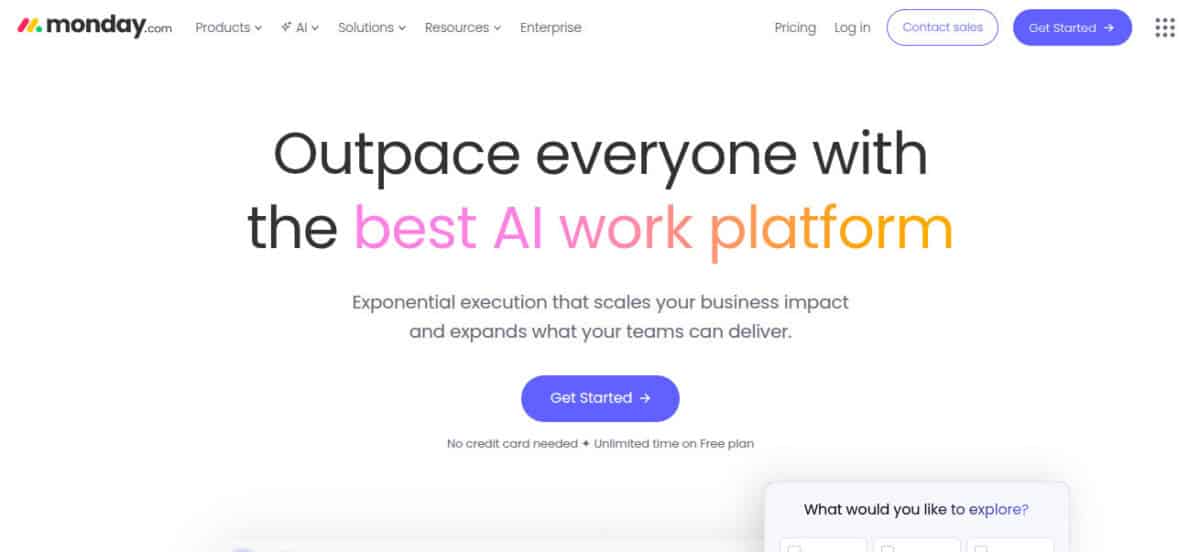
Monday.com is an AI-powered work platform designed to help teams manage work, and increasingly do the work for them. Built as a flexible operating system for projects, processes, and cross-functional collaboration, it supports teams across marketing, sales, operations, IT, and product development. With agentic AI, no-code customization, and modular products, monday.com replaces fragmented tools with one centralized platform trusted by over 60% of the Fortune 500.
AI Features
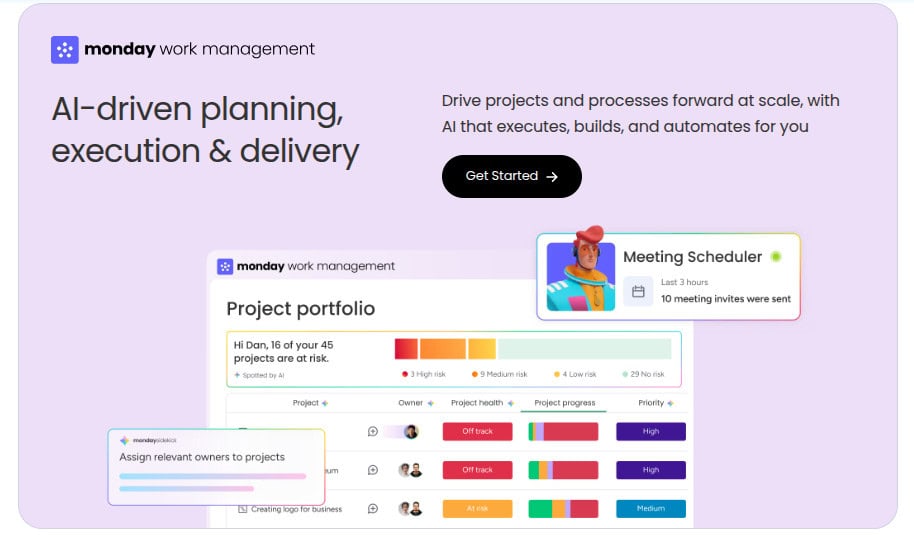
Monday.com is built to support virtually any type of work, including projects, tasks, CRM, IT operations, product development, marketing, and leadership planning. Its core strength lies in combining flexible, no-code customization with AI-driven execution and decision support. Teams can manage work using multiple views such as Kanban, Gantt, Timeline, Grid, and Dashboards, while AI-powered insights help detect risks early, flag delays, and optimize workflows in real time. The platform enables full collaboration through shared boards, updates, file sharing, and Docs, ensuring alignment across teams.
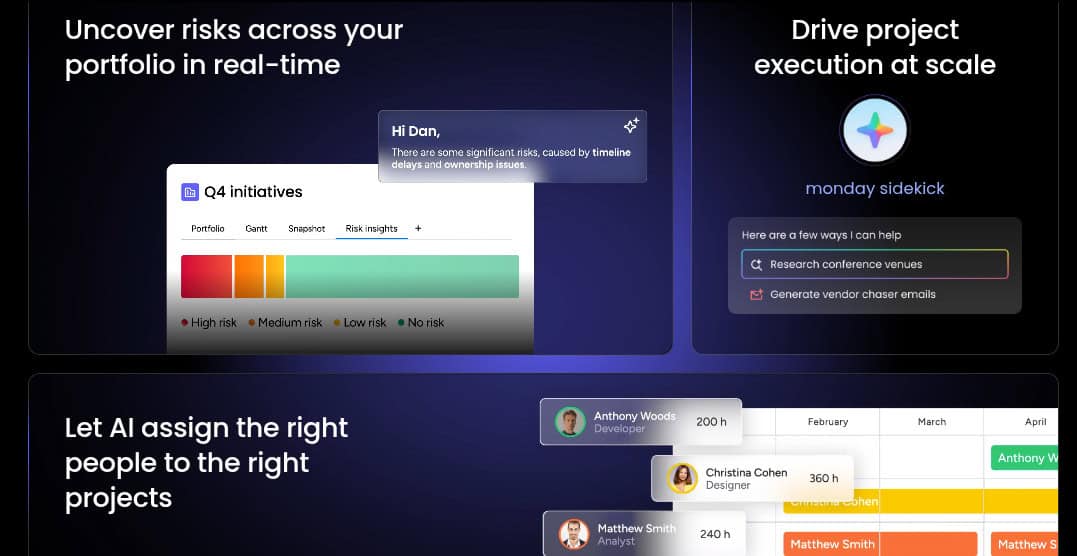
What differentiates monday.com is its growing suite of AI assistants, including project assistants, service agents, SDR experts, scrum masters, and competitive analysis tools. These assistants can automate repetitive actions, triage requests, assign tasks, guide sprints, and generate insights, reducing manual effort and accelerating execution at scale.
Rating:
Best Feature: Agentic AI Assistants
Monday.com’s standout feature is its agentic AI assistants that actively execute work, not just analyze it. These AI agents can qualify leads, triage service tickets, flag project risks, plan sprints, and generate reports around the clock. Unlike passive AI tools, monday’s assistants are embedded directly into workflows, enabling teams to describe a job once and let AI handle repetitive execution continuously.
Pricing
The platform offers a generous free tier and scalable paid plans, making it suitable for individuals, growing teams, and large enterprises. Below is a clear breakdown of the available pricing options based on annual and monthly billing.
- Free Plan ($0 – Free Forever): Designed for individuals or very small teams. Includes up to 2 seats, 3 boards, 3 Docs, 200+ templates, basic column types, and mobile apps for simple work tracking.
- Standard Plan ($12/seat/month billed annually or $14 monthly): Ideal for teams collaborating across projects. Adds unlimited boards and items, guest access, Timeline and Gantt views, dashboards combining up to 5 boards, and 250 automation and integration actions per month.
- Pro Plan ($19/seat/month billed annually or $24 monthly): Built for complex workflows at scale. Includes private boards, time tracking, formulas, advanced dashboards (up to 20 boards), chart views, and 25,000 automation and integration actions monthly, plus trial AI credits.
- Enterprise Plan (Custom Pricing): Tailored for large organizations. Adds portfolio and resource management, advanced analytics, multi-level permissions, enterprise-grade security, large dashboards, enterprise automations, AI credits, and dedicated support.
Monday.com’s Pricing With AI
All Monday.com paid plans include AI credits to fuel an intelligent, context-aware assistant that streamlines your workflow by understanding, connecting, and running your work. You can start for free and purchase more credits as needed, or fully embrace the potential of an AI assistant that integrates seamlessly to automate and accelerate your productivity.
#2. ClickUp (Recommended)

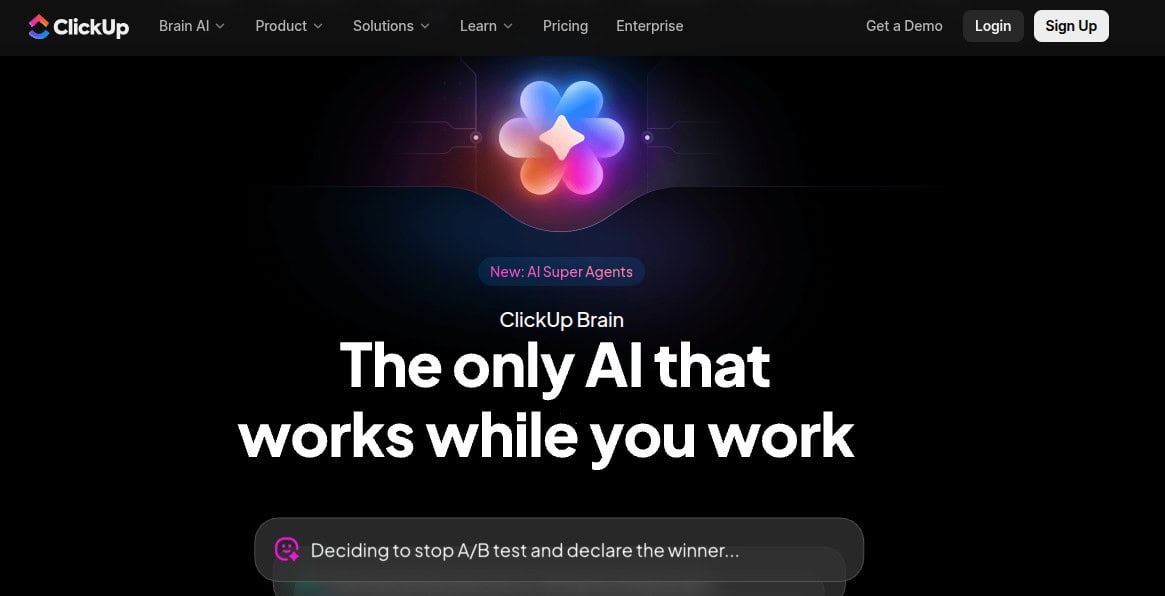
ClickUp is an AI-powered work operating system designed to replace fragmented software, eliminate lost context, and centralize how humans and AI get work done. Built around ClickUp Brain, the platform combines projects, tasks, docs, chat, automation, and AI agents into one converged workspace. Unlike traditional project management tools that bolt AI on top, ClickUp embeds intelligence directly into workflows, allowing teams to delegate tasks to AI agents, retrieve answers instantly, and execute work with full context. The result is faster decisions, fewer tools, and dramatically higher productivity at scale.
AI Features
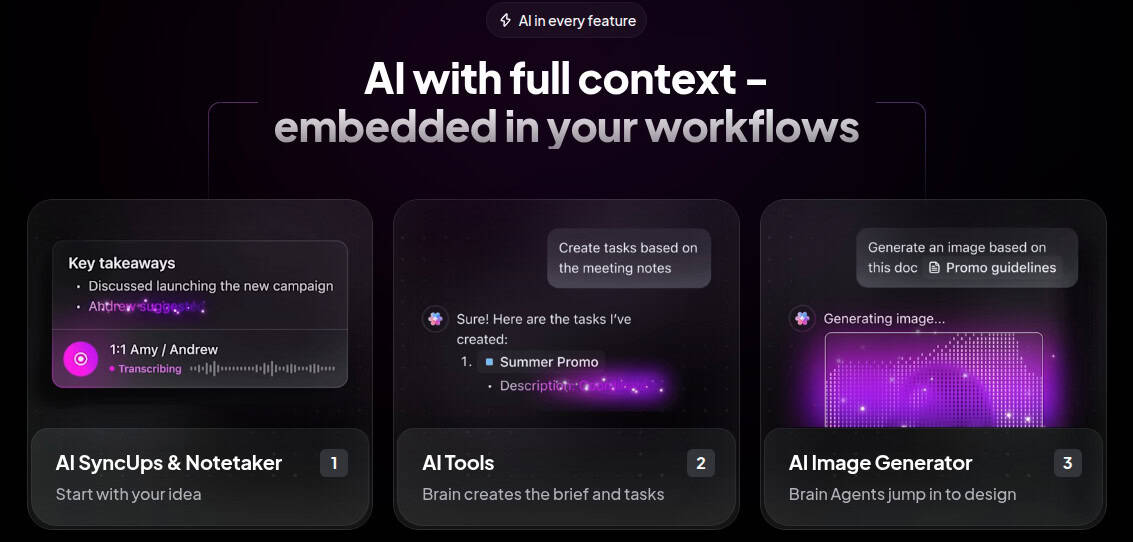
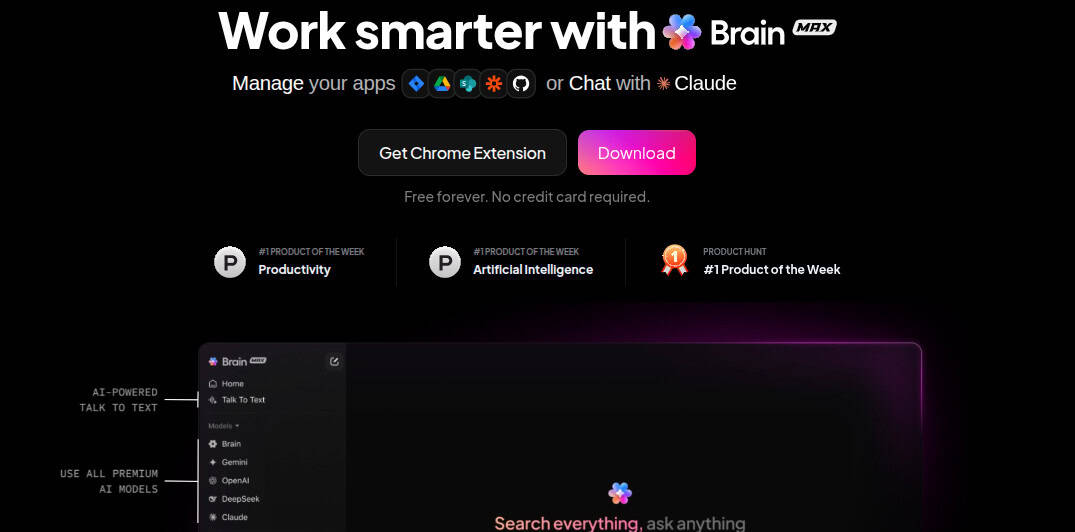
At the core of ClickUp is ClickUp Brain, an AI system that works inside the platform where teams already plan, communicate, and execute. Brain acts as a 24/7 intelligent assistant with full awareness of tasks, docs, chats, timelines, and connected apps.
Key AI-driven capabilities include:
- AI Agents (Super Agents): Teams can build custom agents to delegate work, such as task creation, event scheduling, email sending, progress tracking, and updates. These agents operate continuously, retain context, and use over 500 connected tools.
- AI Q&A & Ambient Answers: Instead of asking teammates, users can ask Brain questions like “Where is the final logo?” or “What’s blocking this project?” and receive instant, contextual answers.
- AI Project Management: Brain automatically creates tasks from chats, assigns owners, sets priorities, tracks milestones, and monitors timelines without manual input.
- AI Writer & Talk-to-Text: Generate, rewrite, and summarize tasks, docs, and updates, or dictate content up to 4× faster with AI-refined voice input.
- AI Notetaker & Summaries: Meetings, comments, and updates are automatically summarized into clear action items.
- Enterprise Search: Instantly find anything across tasks, docs, comments, files, and integrations like Google Drive, Figma, GitHub, and Dropbox.
Alongside AI, ClickUp delivers a full project management stack: tasks, dependencies, goals, sprints, Kanban boards, Gantt charts, dashboards, automations, forms, time tracking, reporting, and integrations, ensuring AI operates with complete, real-time context.
Rating:
ClickUp Brain + AI-Powered Kanban Boards
ClickUp’s Kanban Boards become significantly more powerful when paired with ClickUp Brain. Beyond visual task flow, AI can summarize board status, identify blockers, suggest next actions, and generate or update tasks directly from the board. AI agents can move tasks, assign owners, adjust priorities, and keep work flowing automatically. This transforms Kanban from a passive visualization tool into an intelligent execution engine that actively manages progress instead of just displaying it.
Pricing
ClickUp’s pricing structure is designed to support different team sizes, automation needs, and levels of operational complexity. Below is a clear breakdown of ClickUp’s main pricing options.
- Free Forever ($0/month): Best for individuals or small teams getting started. Includes unlimited tasks and members, 60MB storage, collaborative docs, Kanban boards, sprints, calendar view, basic custom fields, in-app video recording, and 24/7 support.
- Unlimited ($7/user/month billed yearly or $10 monthly): Designed for growing teams that need fewer limits. Adds unlimited storage, folders, integrations, Gantt charts, custom fields, chat messages, forms, guest permissions, email in ClickUp, native time tracking, goals, and AI compatibility.
- Business ($12/user/month billed yearly or $19 monthly): Ideal for scaling teams and departments. Includes Google SSO, advanced dashboards, whiteboards, mind maps, automation integrations, sprint reporting, workload management, custom exporting, and increased automation capacity.
- Enterprise (Custom pricing): Built for large organizations requiring advanced security and control. Offers SSO/SCIM, custom roles, advanced permissions, HIPAA compliance, data residency options, dedicated onboarding, and a customer success manager.
ClickUp AI Pricing
ClickUp’s AI pricing is offered as add-ons that sit on top of its core plans, allowing teams to scale from basic AI assistance to full automation depending on how deeply they want to automate work.
- Free Forever (AI Trial – $0/month): Provides limited trial access to AI writing, summaries, and the @Brain assistant across tasks and docs. Users can test capabilities before choosing a paid tier.
- Brain AI ($18/user/month or $9/user/month billed yearly): An embedded AI assistant for writing, Q&A, and project updates. It features unlimited @Brain workspace assistance and AI Chat (GPT-4, Gemini, Claude) with workspace-wide search. Includes 1,500 AI Super Credits monthly for automated actions and AI Fields.
- Everything AI ($68/user/month or $28/user/month billed yearly): A comprehensive automation suite adding unlimited Ambient Answers, Talk-to-Text, and an AI Notetaker. It unlocks unlimited AI Fields, Image Generation, and Autopilot Agents. Users receive 5,000 AI Super Credits monthly for high-volume automation.
Note: ClickUp AI is billed per paid user and added on top of ClickUp’s core plans (Unlimited, Business, or Enterprise). Brain AI focuses on assistant-based productivity, while Everything AI unlocks full workspace automation and specialized generative tools.
Additional AI Options:
- AI Super Credits: $10 for 10,000 credits. Use these for pay-as-you-go access to Super Agents, AI Fields, and Image Generation.
- ClickUp Assist: Personalized expert guidance for setting up AI agents, including 2 hours of 1:1 expert time per month.
- Super Fair Billing Policy: ClickUp adjusts pricing based on optimized AI costs, passing savings to the user or subsidizing sudden provider rate increases.
#3. Notion

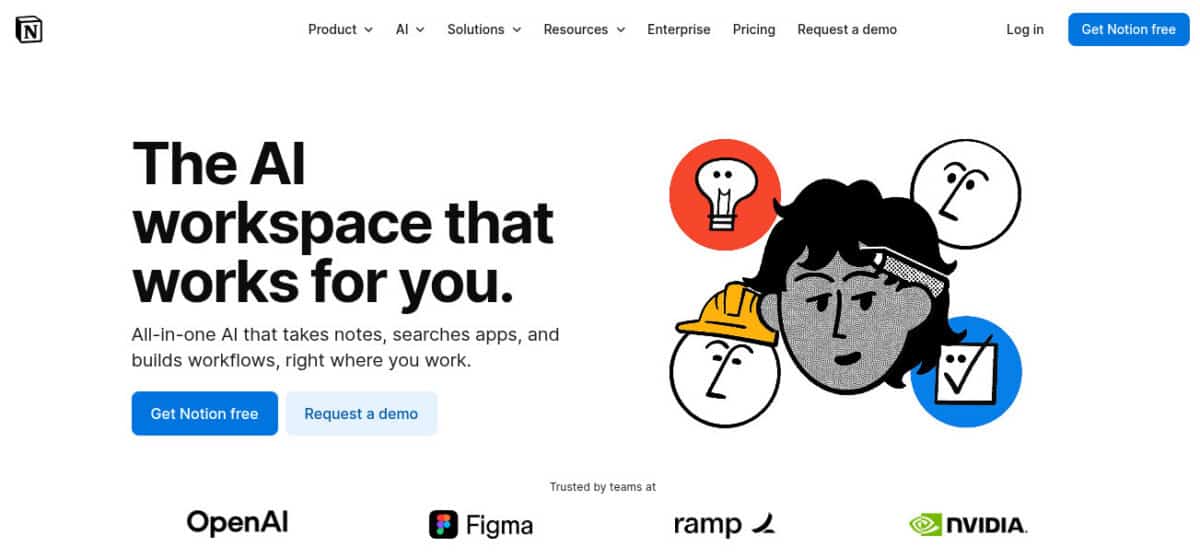
Notion is a unified workspace built to eliminate busywork by taking notes, searching across apps, and building workflows directly where teams already work. With Notion 3.0, the platform moves beyond static documents into real execution through Notion AI and built-in agents. Instead of juggling multiple AI tools, teams use Notion as a single system to capture knowledge, retrieve answers instantly, automate follow-ups, and push work across the finish line, making small teams operate with the efficiency and output of much larger organizations.

AI Features
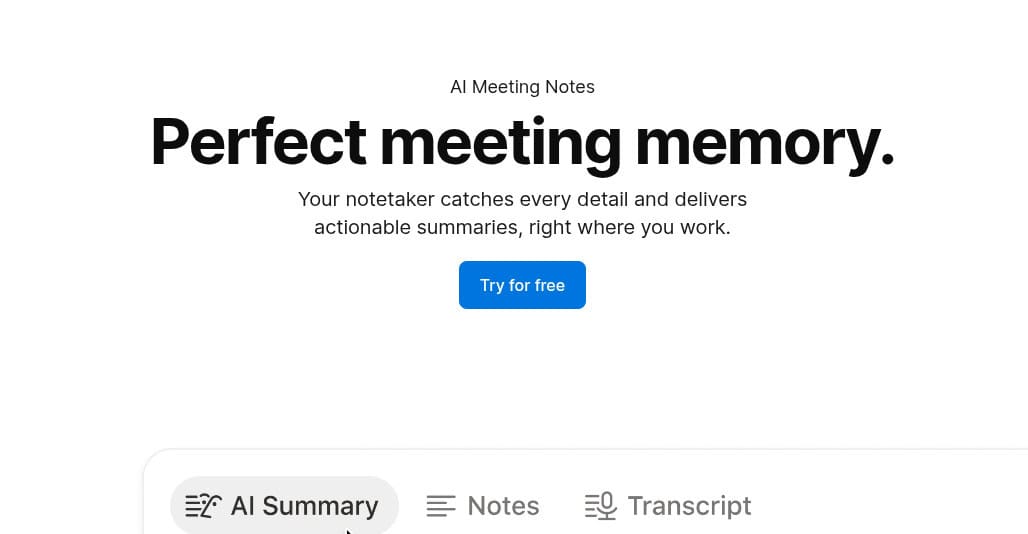
Notion centralizes documents, wikis, projects, and databases into a single flexible workspace. Teams can manage tasks, roadmaps, meeting notes, and internal knowledge while collaborating in real time. Notion AI enhances this by enabling AI search across the entire workspace, automated writing, summaries, and intelligent answers. New features like AI Meeting Notes and Enterprise Search reduce manual follow-ups.
With integrations, templates, and multi-view databases, Notion adapts to any workflow, from product planning to operations, HR, and content management. Notion AI also supports AI agents that can build, edit, and act on work, assigning tasks, updating projects, and turning notes into execution. With enterprise-grade permissions, zero data training, and support for multiple AI models (including GPT-4.1 and Claude), Notion delivers AI that is practical, secure, and fully integrated into everyday workflows.
Rating:
Best Feature: AI Search + Boards with Custom Fields
Notion’s boards and custom fields become significantly more powerful when paired with AI Search. Teams can organize work visually using Kanban-style boards while defining exactly what data matters, status, owner, priority, deadlines, formulas, and AI-generated insights. AI Search then turns the entire workspace into a real-time knowledge engine, allowing users to ask questions and receive context-aware answers pulled from tasks, docs, databases, and meeting notes. Together, these features allow Notion to function as a project manager, CRM, knowledge base, and execution hub, without rigid structures.
Pricing
Notion’s pricing scales from personal use to enterprise operations, with clear savings for teams that commit to annual billing. By paying yearly, teams save up to 20% compared to monthly pricing, reducing per-member costs as usage grows. This makes it practical to start on monthly plans for flexibility, then switch to annual billing to lock in lower rates once workflows and team size stabilize.
- Free Plan ($0 per member/month): Ideal for individuals and light personal use. It includes core pages and databases, basic collaboration, Notion Calendar, Notion Mail syncing with Gmail, basic forms and sites, and limited Notion AI access for individual use.
- Plus Plan ($10 per member/month billed yearly or $12 monthly): Designed for small teams and professionals. It unlocks unlimited collaborative blocks, unlimited file uploads, charts, custom forms, custom sites, and basic integrations, suitable for shared workspaces and growing teams.
- Business Plan ($20 per member/month billed yearly or $24 monthly): Best for scaling organizations. It adds advanced permissions, private teamspaces, SAML SSO, domain verification, conditional forms logic, premium integrations, and access to AI agents, enterprise search, and AI meeting notes.
- Enterprise Plan (Custom pricing): Built for large enterprises requiring security and compliance. It includes SCIM provisioning, audit logs, advanced security controls, domain management, zero data retention with LLM providers, and a dedicated customer success manager for ongoing support.
Notion’s Pricing With AI
- Add-on to Existing Plans (Free/Plus): $10 per member/month (annual billing) or $12 per member/month (monthly billing).
- Included in Business Plan: ~$20–$24 per user/month, which now bundles AI features.
- Enterprise Plan: Custom pricing, including advanced AI functionality, like summarization and drafting across the workspace.
#4. Wrike

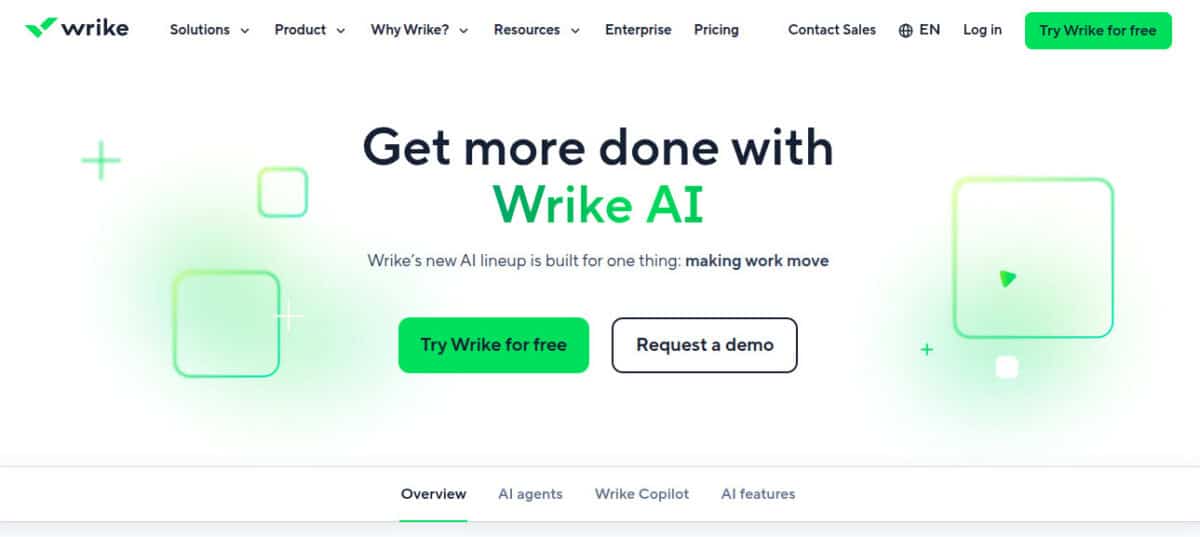
Wrike is an enterprise-grade work management platform built to help organizations plan, execute, and optimize work at scale. It centralizes projects, processes, and collaboration across teams while maintaining strong governance and visibility. What separates Wrike today is its deep AI integration. Instead of bolting AI onto workflows, Wrike embeds it directly into daily execution through AI Agents, Wrike Copilot, productivity automation, and real-time insights, helping teams reclaim hours every week by eliminating manual coordination and reporting. Trusted by over 20,000 organizations worldwide, Wrike is used across industries like manufacturing, professional services, marketing, and IT, making it a reliable choice for teams managing complex, high-volume work.
AI Features
Wrike combines traditional project management with advanced AI-powered execution tools. Teams can manage work using lists, boards, calendars, Gantt charts, and dashboards, while custom workflows and request forms standardize intake across departments.
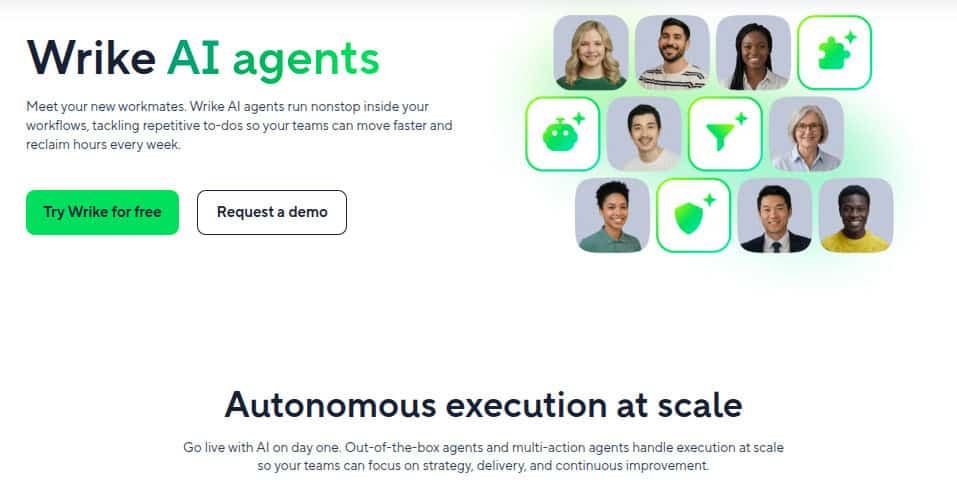
- Wrike AI Agents quietly run inside workflows, handling repetitive tasks like intake classification, task assignment, field population, prioritization, and status updates. These agents can perform multi-step actions in a single flow, reducing handoffs and cleanup work. Prebuilt agents allow teams to deploy AI on day one, while the Agent Builder includes a zero-risk testing sandbox for validation before launch.
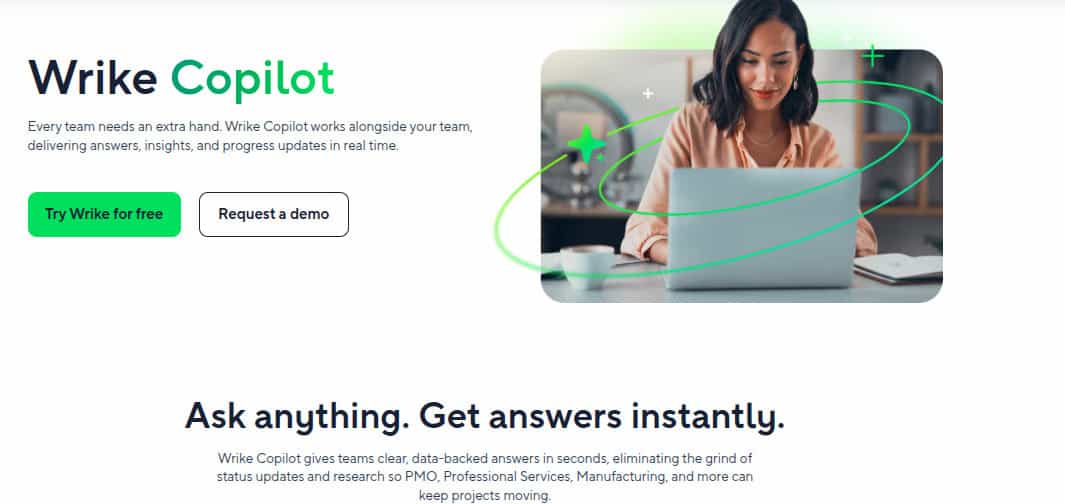
- Wrike Copilot acts as an intelligent assistant directly inside projects and portfolios. Users can ask natural-language questions like “What’s blocking this project?” or “Who’s overloaded?” and get instant, data-backed answers. Copilot also generates summaries, action items, insights, and visualizations without digging through tasks manually.
- Additional AI productivity features include inbox prioritization, smart replies, AI-powered content creation and editing, board-level AI assistance, and automated insights that surface risks, trends, and progress. Wrike also supports MCP (Model Context Protocol), allowing organizations to safely connect Wrike data to external AI tools while keeping Wrike as the single source of truth.
Wrike integrates seamlessly with tools like Slack, Microsoft, Google Workspace, Adobe, and Salesforce, ensuring AI-powered workflows don’t live in isolation.
Rating:
Best Feature: AI Agents for Autonomous Work Execution
Wrike’s AI Agents are the standout feature for teams serious about scale. These agents don’t just suggest actions, they execute them. From parsing free-text requests and populating custom fields to automatically assigning work based on skills and workload, agents eliminate the hidden admin that slows teams down. Multi-action agents allow complex automations to run reliably, while prebuilt templates and a testing sandbox make deployment fast and low risk. The result is fewer meetings, cleaner data, and faster delivery without adding headcount.
Pricing
Wrike offers flexible pricing tiers that scale from basic task management to advanced, AI-powered enterprise workflows. Each plan is designed to match team size, workflow complexity, and AI maturity, allowing organizations to adopt AI gradually without locking into enterprise pricing too early.
- Free ($0/user/month): Best for individuals and small teams getting started. Includes web, desktop, and mobile apps, core project and task management, board and table views, with active task limits applied. No credit card required.
- Team ($10/user/month): Designed for teams of 2–15 users. Adds AI Essentials, shareable dashboards, interactive Gantt charts, and custom fields and workflows for more structured project execution.
- Business ($25/user/month): Built for growing teams of 5–200 users. Includes AI Elite features, reusable templates, standard integrations, resource and capacity planning, advanced workflow customization, and optional paid add-ons like Wrike Whiteboard, Wrike Integrate, and Wrike Sync.
- Pinnacle (Most Popular – Custom pricing): Designed for complex, multi-team environments. Supports 5 to unlimited users and adds advanced resource planning, budgeting and financial tracking, BI reporting, SSO, enhanced security and compliance, and Wrike Datahub (10K records), with paid add-ons including Wrike Lock.
- Apex (Custom pricing): Wrike’s most advanced offering for AI-led enterprise operations. Includes AI Elite features, unlimited whiteboards, enterprise-grade integrations and automations with Wrike Integrate, bi-directional sync with third-party tools, and Wrike Datahub with up to 30 million records.
Wrike’s Pricing With AI
Wrike organizes its AI capabilities into two tiers to support teams at different stages of growth and operational complexity. This structure allows organizations to adopt AI gradually, starting with productivity support and advancing toward autonomous execution and decision intelligence as workflows scale.
- AI Essentials: Included in the Team plan, is designed to improve everyday efficiency. It provides AI-generated task summaries, descriptions, and content editing, along with translation and rewriting to support cross-team collaboration. Teams can also use board-level AI features for faster task creation, grouping, and prioritization, while mobile AI tools such as inbox prioritization and smart replies help reduce daily admin work.
- AI Elite: Available in the Business, Pinnacle, and Apex plans, expands AI’s role from assistance to execution and insight. It includes Wrike Copilot for natural-language queries that surface real-time answers, risks, and progress updates across projects and portfolios. AI Agents automate intake, task assignment, and data cleanup, while AI-powered reporting, highlights, request forms, dashboards, and widgets give leaders continuous visibility without manual reporting overhead.
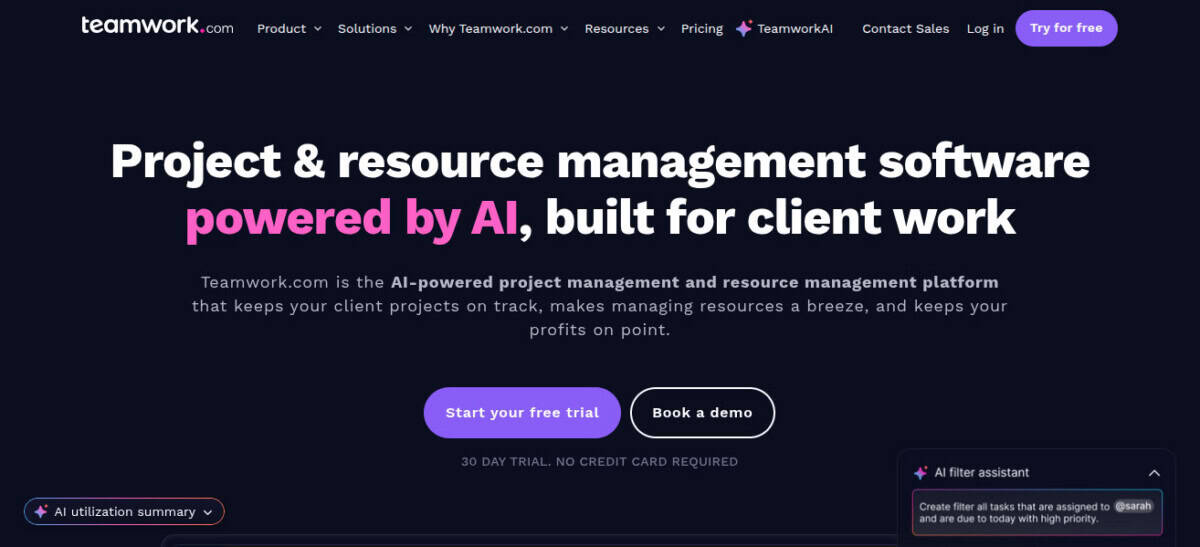
#5. Teamwork Projects
Teamwork Projects is an AI-powered project and resource management platform purpose-built for client work. Designed for agencies, consultants, and professional services teams, it combines project delivery, resource planning, and financial visibility with embedded AI that runs projects like your best team lead. Instead of generic task tracking, TeamworkAI helps teams plan smarter, allocate resources accurately, protect billable utilization, and deliver profitable client work without burnout or spreadsheet chaos. Used by over 16,000 businesses worldwide, Teamwork.com is built for environments where deadlines shift, scope creeps, and profitability depends on visibility into people, projects, and margins.

AI Features
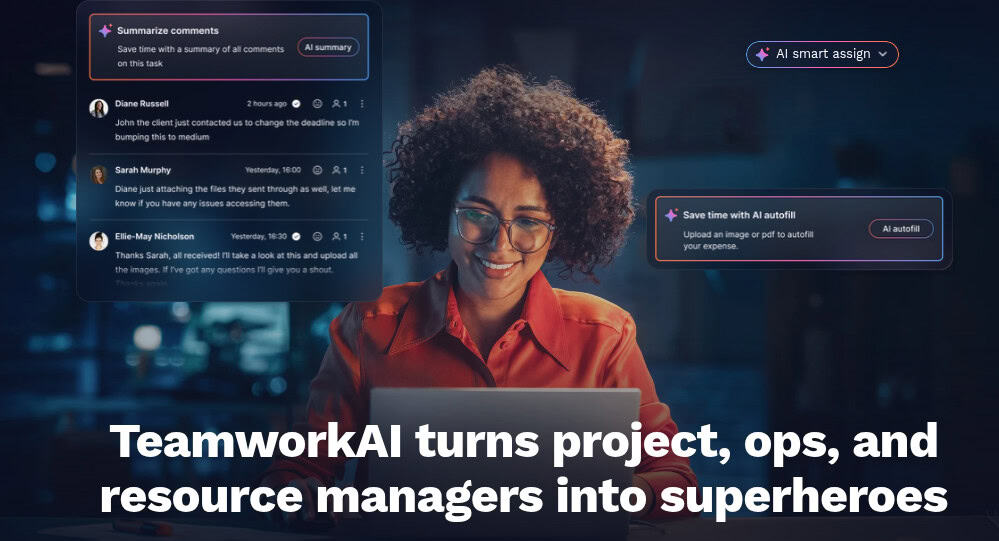
Teamwork Projects blends core project and resource management with AI-driven execution across the entire client lifecycle. TeamworkAI turns messy client requests into structured projects, automatically creating tasks, timelines, and team recommendations so work can move from kickoff to execution faster. AI-powered resource management removes guesswork by instantly showing who’s overbooked, underutilized, or available, helping teams balance workloads and forecast capacity with confidence.
On the financial side, TeamworkAI surfaces risks tied to scope creep, missed estimates, and inefficiencies, while providing data-backed predictions for revenue, costs, and profitability, without relying on spreadsheets. AI also reduces admin by turning updates into tasks, answering natural-language questions about workloads or project health, and filtering information intelligently so managers can make faster decisions. Built-in reports and dashboards give continuous visibility into utilization, budgets, and delivery, while integrations ensure existing tools stay connected in one system.
Rating:
Best Feature: AI-Driven Resource Planning & Billable Utilization
Teamwork Projects stands out for how deeply AI is embedded into resource and utilization management. TeamworkAI continuously analyzes workloads, availability, and billable targets to help teams assign the right people at the right time. Managers can instantly spot capacity gaps, prevent burnout, and protect billable hours while forecasting future demand. This makes it easier to maintain profitability without micromanagement or reactive resourcing decisions.
Pricing
Teamwork.com offers flexible pricing with monthly and annual billing options. Teams that choose annual plans save around 20% per user compared to monthly pricing, making yearly billing the better option for long-term client work. Every paid plan includes a 30-day free trial with no credit card required, allowing teams to test the platform before committing.
- Free Plan ($0/user/month – free forever): Best for small teams getting started with client work. It includes TeamworkAI, project management essentials, client work foundations, key integrations, up to 5 projects, up to 5 users, and 100 automations per month.
- Deliver Plan ($10.99/user/month billed yearly or $13.99 billed monthly): Ideal for teams needing stronger project visibility and structure. It also includes Teamwork AI and adds project status and health reports, teams, intake forms, planned vs actual reports, integrations, 20 project templates, 5,000 automations per month, and 100 GB of storage.
- Grow Plan ($19.99/user/month billed yearly or $25.99 billed monthly): Built for managing more complex client projects. It unlocks budgeting, time, and financial tracking, HubSpot integration, workload resource planning, powerful reporting, 50 project templates, 20,000 automations per month, 250 GB storage, and up to 600 projects.
- Scale Plan (Custom pricing): Designed for agencies focused on productivity and profitability. It includes unlimited premium features, advanced resource scheduling, profitability reports, custom and scheduled reporting, retainer management (beta), budget expenses, tasklist budgets, 100,000 automations per month, and 500 GB storage.
- Enterprise Plan (Custom pricing): Built for large organizations requiring advanced services. It adds enterprise-grade security with SSO, premium support, dedicated infrastructure, increased API limits, 1,000 GB storage, a dedicated account manager, and up to 10 hours of technical services.
Teamwork’s Pricing With AI
Teamwork AI isn’t priced separately, it’s included across Teamwork Projects plans. Every tier, from the Free plan to Grow and custom Scale or Enterprise, bundles AI features like intelligent project setup, workload insights, and utilization forecasting. All paid plans come with a 30-day trial, and no credit card is required. This means teams get AI value built into their core project and resource management tools as they scale.
#6. Asana

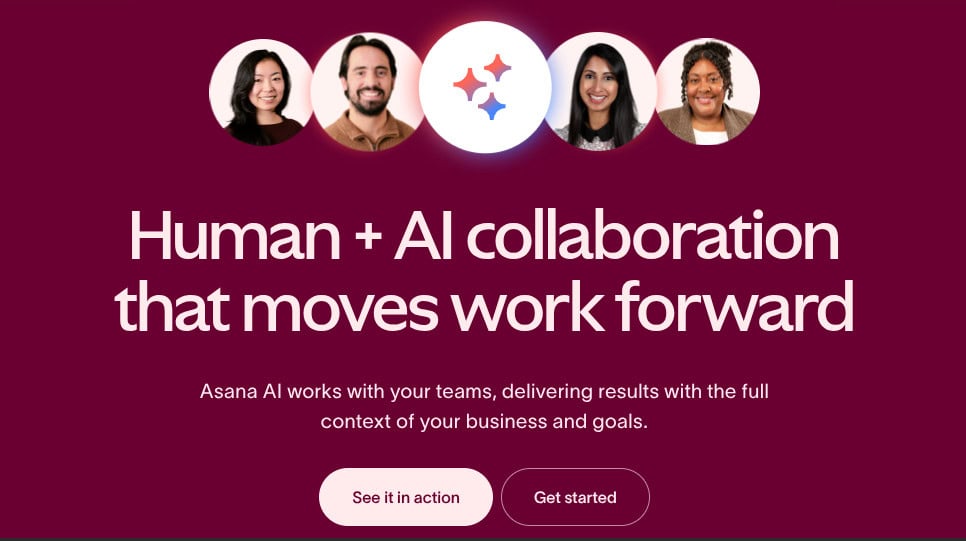
Asana is an AI-powered work management platform designed to bring people, projects, and intelligent automation into one system. Built for human + AI collaboration, Asana helps teams plan, track, and deliver work faster while keeping strategic goals front and center. Its AI operates directly inside workflows, summarizing work, identifying risks, and accelerating execution with full business context. Trusted by 85% of Fortune 100 companies, Asana scales from small teams to complex global organizations without losing clarity or control.
If you need an advanced reporting and exporting platform to boost Asana’s capabilities, consider Bridge24 for Asana.
AI Features
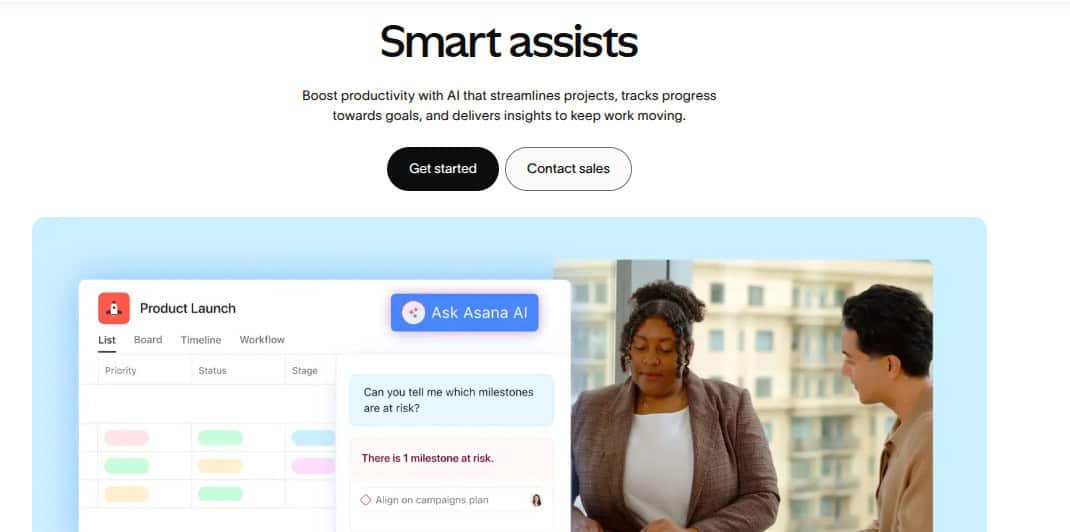
Asana’s AI capabilities are embedded across the entire platform to reduce busywork and improve decision-making. Asana AI includes Smart Assists that summarize tasks, generate status updates, surface blockers, and track progress toward goals in real time. AI can create projects from simple prompts, auto-generate custom fields, and recommend improvements to goals and workflows.
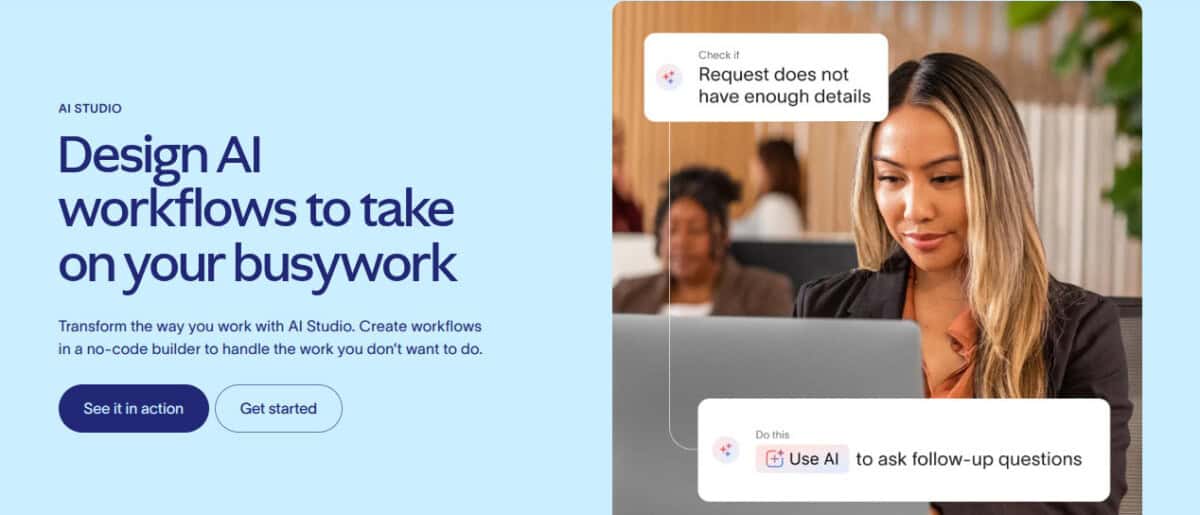
For deeper automation, AI Studio allows teams to build no-code AI workflows that handle intake, planning, execution, and reporting. AI Teammates act as collaborative agents, such as Campaign Strategists, Sprint Accelerators, or Insights Analysts, taking on complex work with transparency and enterprise-grade controls. Smart workflows, AI connectors, and 300+ integrations ensure AI works where teams already operate.
Rating:
Best Feature: Asana AI Studio & AI Teammates
Asana’s stand out feature is its AI Studio combined with AI Teammates. AI Studio lets teams design intelligent workflows that handle repetitive work without writing code, while AI Teammates collaborate on higher-level tasks like planning, analysis, and reporting. Unlike surface-level AI add-ons, Asana’s AI operates with full context, projects, goals, portfolios, and permissions, making it practical, controlled, and scalable for real business use.
Pricing
Asana’s pricing is structured to support individuals, growing teams, and large enterprises, with clear upgrades in automation, visibility, and governance at each tier. Annual billing offers noticeable savings compared to monthly plans, making it more cost-effective for long-term use.
- Personal Plan (€0, free forever): Designed for individuals or very small teams. It includes up to 2 users, unlimited tasks and projects, list, board, and calendar views, basic search, status updates, mobile apps, and 100+ integrations, ideal for managing personal work and simple to-dos.
- Starter Plan (€10.99/user/month billed annually or €13.49 monthly): Built for growing teams. It adds Asana AI, timeline and Gantt views, workflow builder, project dashboards, advanced search, custom fields, forms, unlimited automations, and private teams for better control and efficiency.
- Advanced Plan (€24.99/user/month billed annually or €30.49 monthly): Suited for cross-department organizations. It introduces goals, portfolios, workload management, approvals, proofing, native time tracking, advanced integrations, and scaled security for managing work at a higher level.
- Enterprise & Enterprise+: Custom pricing. These plans deliver advanced security, compliance, admin controls, resource management, 24/7 support, and strict data governance for large, regulated organizations.
Asana’s Pricing With AI
Asana’s AI is included in every paid plan, Starter, Advanced, Enterprise, and Enterprise+, so teams get AI-powered project creation, Smart Assists, and goal insights without needing a separate license. For deeper automation and custom workflows, AI Studio is available with extra credits: Basic is included on paid plans, while AI Studio Plus and AI Studio Pro can be purchased for larger workloads and advanced use cases, scaling with your organization’s needs.
#7. Bitrix24

Bitrix24 is an all-in-one digital workspace built to replace scattered SaaS tools with a single, unified platform. It combines collaboration, CRM, project management, HR automation, websites, and sales tools under one roof. At the center is Bitrix24 CoPilot, an embedded AI assistant designed to eliminate busywork across communication, CRM, projects, and content creation. Instead of adding AI as a bolt-on feature, Bitrix24 weaves it directly into daily workflows. Combined with flat pricing and broad functionality, Bitrix24 positions itself as a practical AI-driven business operating system for teams of any size.
AI Features
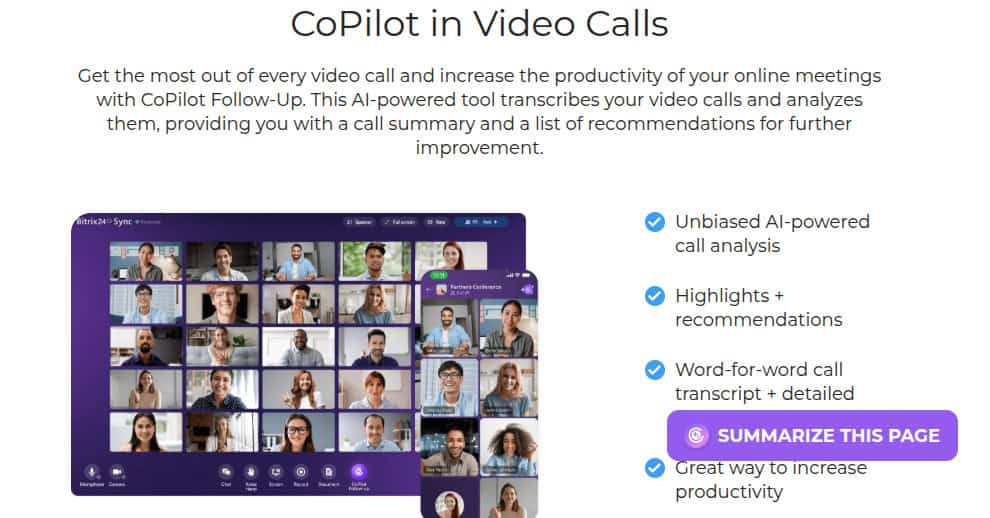
Bitrix24’s AI capabilities are powered by CoPilot, which works natively across chat, video calls, CRM, tasks, feeds, and websites. In communication tools, CoPilot generates ideas, writes messages, translates content, and provides grammar checks while maintaining conversation context. During video calls, CoPilot Follow-Up transcribes meetings, produces summaries, highlights key decisions, and suggests actionable next steps that can be converted into tasks instantly.
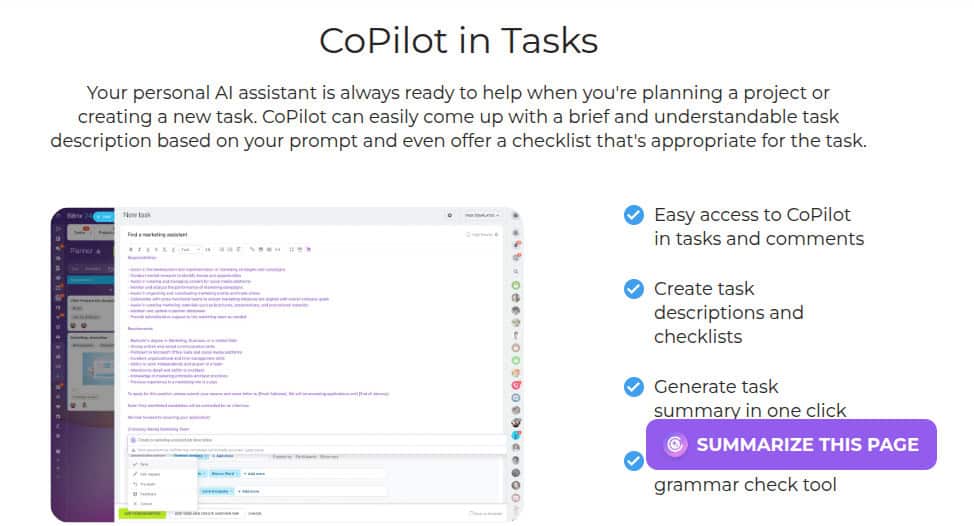
Within CRM, CoPilot assists with sales copy, marketing ideas, call transcription, and automatic deal and lead field completion. In task and project management, it generates task descriptions, summaries, and checklists in seconds. For marketing teams, CoPilot can create website copy, landing pages, and original images using prompts. All AI features are designed with strict privacy controls, data is not used for training and is deleted after use.
Rating:
Best Feature: Bitrix24 CoPilot Across the Entire Platform
Bitrix24’s CoPilot isn’t limited to one module. It operates consistently across CRM, tasks, communication, content, and websites, acting as a universal AI assistant for the business. This removes the need for separate AI writing tools, meeting assistants, or CRM add-ons. Combined with full context awareness and strong data privacy guarantees, CoPilot turns Bitrix24 into a centralized, AI-driven workspace rather than a collection of disconnected tools.
Pricing
Bitrix24’s pricing is designed for businesses that want predictable costs without per-user penalties. All plans use flat monthly or annual pricing, with significant savings for annual billing.
- Free Plan ($0/month, free forever): Ideal for small teams testing the platform. It includes unlimited users with limited storage, core collaboration tools, tasks and projects, basic CRM, contact center, website builder, and online store capabilities.
- Basic Plan ($61/month or $46/month billed annually): Built for small teams of up to 5 users. It adds 24 GB of storage, CRM tools, Bitrix24 Sign, Drive, contact center, customer support features, and full collaboration essentials.
- Standard Plan ($124/month or $87/month billed annually): Designed for growing teams of up to 50 users. It expands storage to 100 GB and unlocks marketing tools, online documents, administration controls, and advanced collaboration features.
- Professional Plan ($249/month or $175/month billed annually): Best for larger teams up to 100 users. It includes 1 TB storage, advanced CRM (X5), sales intelligence, automation, HR tools, and e-signatures for HR workflows.
- Enterprise Plan ($499/month or $325/month billed annually): Built for enterprises starting at 250 users and scaling to 10,000. It offers multi-branch support, up to 3 TB storage, maximum automation, enterprise security, and scalability options.
Bitrix24’s Pricing With AI
Bitrix24 includes its AI assistant CoPilot across all paid plans, bringing AI-powered content creation, CRM support, task summaries, chat assistance, and meeting transcription to your workspace without per-user AI fees. The Free plan offers limited CoPilot access. As you move up, Basic, Standard, Professional, and Enterprise, AI features scale with your business needs, unlocking broader context-aware AI support across communication, sales, projects, and websites.
#8. Zoho Projects

Zoho Projects is a comprehensive project management tool designed to facilitate project planning and collaboration for teams of all sizes. It offers AI-enabled project management features built to help teams plan, execute, and deliver work with greater clarity and control. At the core of its intelligence layer is Zia, Zoho’s built-in AI assistant that acts as a second-in-command for project teams. Zia analyzes project data, interprets natural language, and delivers actionable insights, helping teams make smarter decisions, communicate better, and stay on track without manual oversight.
AI Features
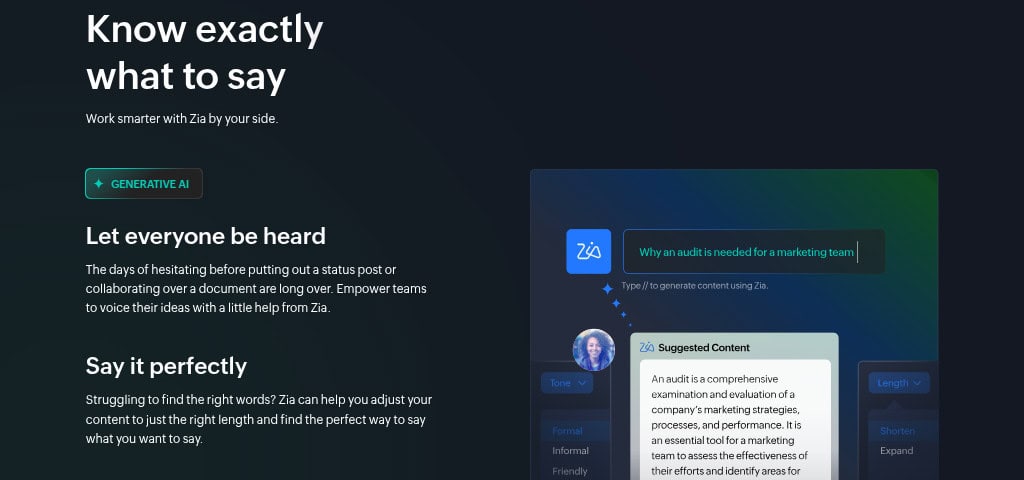
Zoho Projects leverages Zia AI to enhance productivity across planning, communication, and reporting. With Generative AI, Zia helps users write clearer task updates, adjust tone, and summarize information so ideas are communicated effectively. NLP-powered search allows users to find tasks, files, or discussions using natural language, even if they don’t remember exact names.
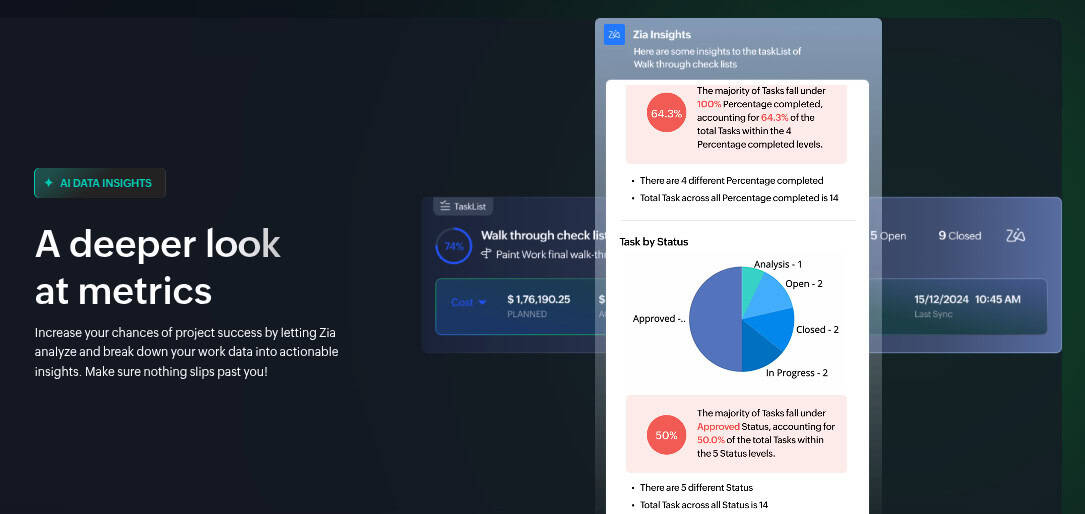
Zia also delivers AI-driven data insights, analyzing timelines, workloads, and performance metrics to surface risks and improvement opportunities. Built-in AI translation removes language barriers for global teams, ensuring smooth collaboration. All AI capabilities are optional, secure, and controlled by the user, Zoho does not train models on customer data and keeps all information protected within its own infrastructure.
Rating:
Best Feature: Zia AI for Project Intelligence
Zia’s ability to combine project data analysis, natural language understanding, and generative assistance makes it Zoho Projects’ strongest feature. Instead of relying solely on static reports, teams get proactive insights, smarter searches, and clearer communication, all powered by AI that works in context. This turns Zoho Projects from a tracking tool into an intelligent project command center.
Pricing
Zoho Projects offers flexible pricing designed to scale from small teams to large enterprises. Each plan builds on the previous one, adding more automation, control, and reporting depth. Annual billing provides noticeable savings compared to monthly plans, making it cost-effective for long-term use.
- Free Plan ($0 – Free Forever): Best for small teams starting out. It supports up to 5 users, 3 projects, basic task management, subtasks, whiteboards, 5 GB storage, mobile apps, limited workflow actions, and integrations with Google Workspace and Microsoft 365.
- Premium Plan ($2.80/user/month billed annually or $3.50 monthly): Designed for growing teams. It unlocks unlimited projects, custom views and statuses, task blueprints, project budgets, timesheets, recurring tasks, reminders, and expanded workflow automation.
- Enterprise Plan ($6.30/user/month billed annually or $7 monthly): Built for structured organizations. It adds custom roles, SSO, advanced security, portfolio dashboards, critical path analysis, Power BI integration, sandbox environments, and user hierarchy controls.
- Ultimate Plan ($9/user/month billed annually or $10 monthly): Ideal for large-scale operations. It includes extensive storage, advanced timesheet management, multi-project tracking, high-volume automation, multiple business calendars, and enterprise-grade resource management.
Zoho Projects Pricing With AI
Zoho Projects includes Zia AI on its Premium and Enterprise plans, embedding intelligence directly into everyday project workflows. Zia works contextually and responsibly, allowing teams to use AI only when it adds value, never forcing automation. These plans unlock generative writing support, NLP-powered search, AI-driven data insights, and translation tools. The Free plan does not include AI features, keeping entry-level usage simple while scaling intelligence as teams grow.
#9. Jira

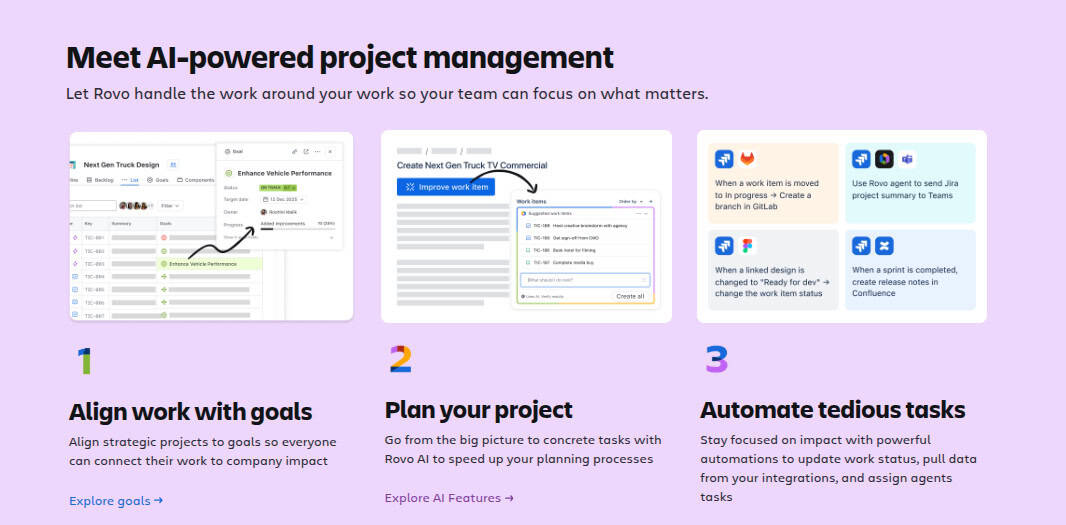
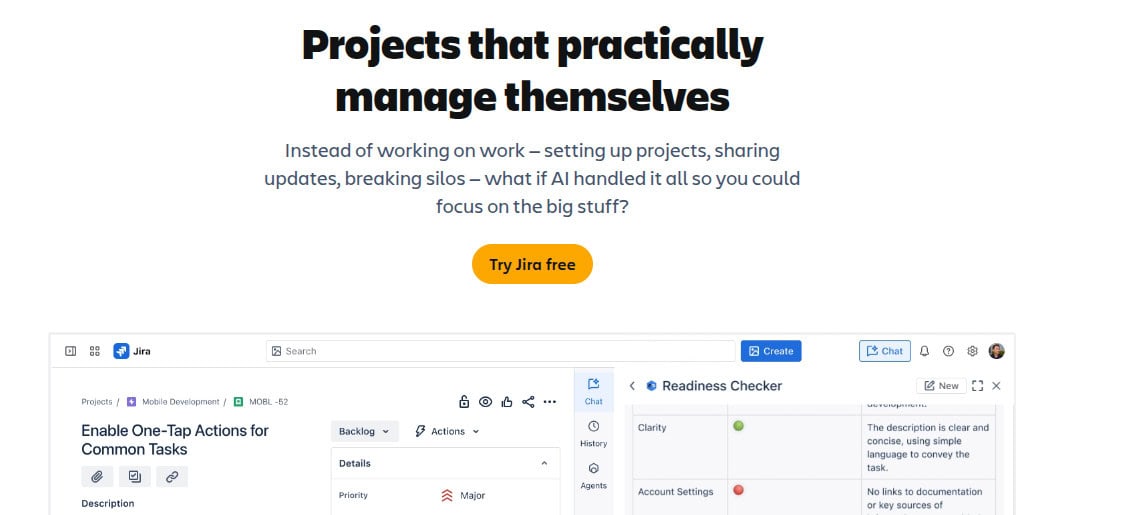
Jira by Atlassian is the ultimate AI-powered project management platform designed to facilitate the planning and tracking of work across diverse teams. At the center of Jira’s intelligence layer is Rovo, Atlassian’s AI system that actively manages work instead of just tracking it. This AI tool is esigned to help teams move faster with less manual effort. Rovo automates project setup, breaks down complex initiatives, surfaces insights across tools, and keeps teams aligned, turning Jira into a workspace where projects practically manage themselves. Its intuitive interfaces and customizable workflows enable teams to streamline their processes, enhance collaboration, and increase transparency. With strong automation, deep integrations, and AI-powered assistance through Rovo, Jira centralizes tasks, goals, and collaboration in one reliable workspace.

AI Features
Jira embeds Rovo AI directly into everyday workflows to eliminate busywork and accelerate delivery. AI-powered Rovo Agents help teams create workflows using plain language, check work readiness before execution, and automatically break large initiatives into actionable tasks with summaries and descriptions.
Rovo also delivers enterprise-grade AI search, pulling context from Jira, Confluence, Slack, email, and connected tools to surface the right information instantly. With Rovo Chat, teams can ask questions, explore related work, onboard faster, and take action without switching tabs. AI-driven insights flag risks, dependencies, and gaps early, keeping projects moving forward with clarity and confidence.
Rating:
Best Feature: Rovo Agents for Workflow Automation
Rovo Agents are Jira’s standout feature, transforming how work is created, planned, and executed. Instead of manually configuring workflows or managing dependencies, teams can rely on AI agents to build processes, validate readiness, and guide next steps. This agent-based approach reduces friction, cuts setup time, and keeps teams focused on outcomes rather than administration.
Pricing
Jira offers transparent pricing designed to scale from small teams to global enterprises. Annual billing delivers savings of up to 17% compared to monthly pricing, making it the smarter long-term choice for growing organizations. Below is a clear breakdown of Jira’s pricing plans.
- Free Plan ($0 – Free Forever for up to 10 users): Ideal for small teams getting started. Includes unlimited goals, projects, tasks, and forms, multiple views (board, list, timeline, calendar), basic reports, 100 automation rule runs per month, 2 GB storage, and community support.
- Standard Plan ($7.91/user/month billed annually or higher monthly): Best for teams that need structure and collaboration. Adds Rovo AI features, roles, and permissions, external collaboration, multi-region data residency, 1,700 automation rule runs per month, 250 GB storage, and 9/5 regional support.
- Premium Plan ($14.54/user/month billed annually): Built for cross-team coordination. Includes advanced planning, dependency management, customizable approvals, unlimited storage, higher automation limits, 24/7 critical support, and a 99.9% uptime SLA.
- Enterprise Plan (Custom pricing): Designed for large organizations needing advanced analytics, security, identity management, unlimited automation, multiple sites, and a 99.95% uptime SLA.
Jira Pricing With AI
Jira’s Rovo AI is available on Standard, Premium, and Enterprise Cloud plans, with AI features fully activated by default on Premium and Enterprise tiers. Rovo delivers AI-powered agents, intelligent search, workflow automation, task breakdown, and contextual insights across connected tools. AI can be disabled by admins if needed, giving organizations full control while benefiting from enterprise-grade, privacy-first AI embedded directly into Jira’s workflows.
#10. Airtable
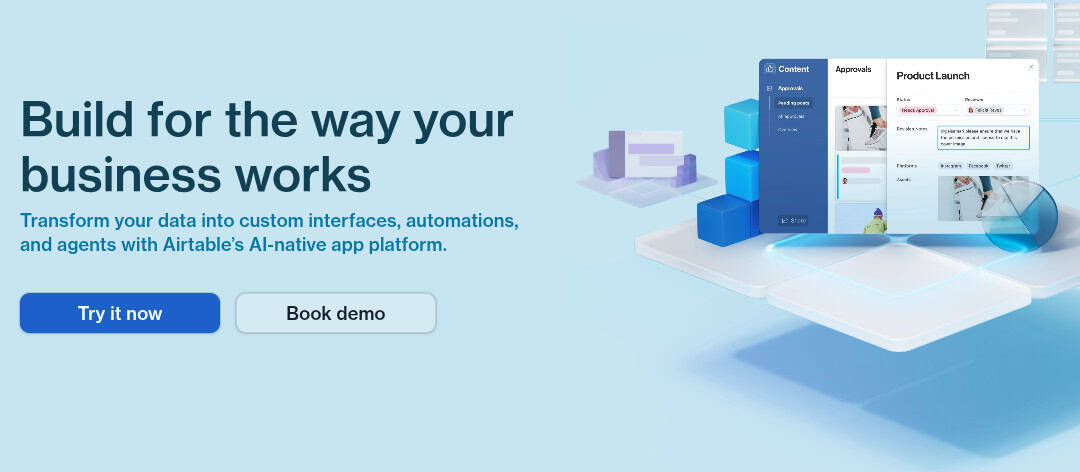
Airtable is a unified AI-powered platform that enables teams to build custom applications and automate complex workflows without code. At the center is Omni, Airtable’s expert AI builder, paired with scalable AI agents that think across records, automate decisions, and execute workflows at scale. Designed for speed, governance, and enterprise trust, Airtable turns raw data into intelligent systems that run real business operations. With integrated AI agents, conversational app building, and enterprise-grade security, Airtable transforms how teams orchestrate work, from marketing campaigns to product development, helping over 500,000 organizations scale their operations and turn data into actionable intelligence.
AI Features
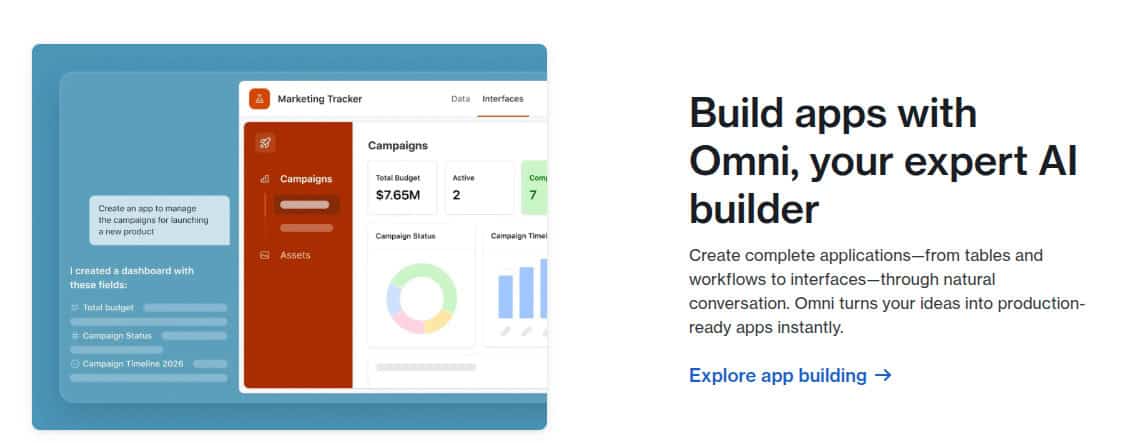
Airtable’s platform is built around AI-native app creation and agent-driven automation, allowing teams to design, deploy, and scale intelligent workflows without writing code. Omni, Airtable’s conversational AI builder, can generate complete applications, including tables, interfaces, automations, permissions, and business logic, simply by describing the outcome you want.
Embedded AI Agents operate continuously across thousands of records, performing research, summarizing data, generating content, classifying information, and triggering actions across connected systems. For enterprise use, Airtable offers HyperDB to support massive datasets, flexible AI model selection (OpenAI, Anthropic, Gemini, Llama), granular admin and AI usage controls, and a security-first architecture where customer data is isolated, never retained, and never used to train AI models.
Rating:
Best Feature: AI App Building with Omni and Agents
Airtable’s defining strength is its seamless integration of no-code app building with embedded AI. Users can construct fully customized applications to manage any workflow, then infuse them with intelligent AI agents that automate tasks, analyze data, and orchestrate actions directly within the app, creating dynamic, self-operating systems.
Pricing
Airtable offers transparent, tiered pricing options that support growth from individual use to global enterprise deployment.
- Free Plan ($0/mo Free Forever): Ideal for individuals or very small teams starting out. Includes 500 monthly AI credits per editor, 1,000 records per base, up to 5 editors, 1 GB of attachments, 100 automation runs, and basic Interface Designer.
- Team Plan ($20/seat/mo billed annually or $24 monthly): Perfect for teams building collaborative workflows. Upgrades to 15,000 AI credits per user, 50,000 records per base, 25,000 automation runs, 20 GB of attachments, Gantt view, extensions, and standard sync integrations.
- Business Plan ($45/seat/mo billed annually or $54 monthly): For departments needing advanced features. Provides 20,000 AI credits per user, 125,000 records, 100,000 automations, 100 GB attachments, admin panel, SAML SSO, two-way sync, and premium integrations.
- Enterprise Scale Plan (Custom Pricing): For organizations requiring maximum scale and governance. Includes 25,000 AI credits per user, 500,000 records, 500,000 automations, 1 TB attachments, Enterprise Hub, HyperDB, enhanced security controls, audit logs, and dedicated support.
Airtable Pricing With AI
Airtable includes AI capabilities across all plans, with usage governed by monthly AI credits per editor that scale by tier. Higher plans unlock significantly more AI credits, larger agent workloads, and advanced governance controls. Enterprise customers gain full control over enabled AI models, data handling, and permissions, allowing organizations to deploy AI at scale without sacrificing security, compliance, or operational trust.
How to Choose the Best AI Project Management Software
Our “best of” list was created after evaluating more than 50 project management platforms with a specific emphasis on AI-driven execution, automation depth, and real-world usability. Each tool was assessed using consistent criteria to ensure it delivers measurable value for modern teams.
- AI Cost Efficiency: We analyzed whether AI features genuinely replace manual effort or simply add cosmetic value. Tools were prioritized based on how much operational work their AI removes relative to cost, ensuring teams gain real efficiency gains without being forced into expensive enterprise plans.
- AI Usability & Adoption: Platforms were evaluated on how easily teams can activate and use AI features without technical setup. Preference was given to tools that support natural language commands, guided AI workflows, and minimal onboarding friction.
- Depth of AI Functionality: We assessed whether AI merely provides insights or actively executes tasks. Higher rankings were given to software that can generate tasks, automate workflows, forecast risks, and adjust priorities autonomously.
- Customer Feedback on AI Performance: Customer reviews were examined specifically for AI accuracy, reliability, and usefulness in daily operations, filtering out platforms where AI felt experimental or inconsistent.
- AI Support & Transparency: Tools offering strong documentation, onboarding resources, and clear policies around AI data usage and governance were prioritized to ensure trust and long-term viability.
What Is AI-Powered Project Management Software?
AI-powered project management software applies artificial intelligence to optimize planning, execution, and coordination, reducing the need for constant human oversight.
- Automates task creation, prioritization, and assignment based on real-time activity
- Analyzes project data to predict delays, bottlenecks, and resource conflicts
- Summarizes conversations, updates, and progress automatically
- Provides contextual recommendations to keep projects on track
- Enables teams to focus on execution rather than administration
Benefits of AI Project Management Software
AI shifts project management from manual coordination to intelligent execution at scale by transforming static data into a dynamic driver of progress. Instead of simply tracking tasks, these systems act as an autonomous engine, synthesizing complex workflows and providing real-time oversight. This evolution enables organizations to bypass traditional bottlenecks, fostering a high-velocity environment where strategic decision-making is fueled by continuous, automated insights.
- Increased Productivity: AI reduces time spent on updates, reporting, and follow-ups by automating routine project administration. By handling meeting summaries and status entries, it allows teams to focus on high-impact strategic work.
- Predictive Planning: The software anticipates risks, resource bottlenecks, and potential delays before they occur. It uses historical patterns to forecast timelines, allowing teams to act proactively rather than reactively.
- Centralized Intelligence: AI unifies fragmented data across disparate tools, such as email, chat, documents, and task boards, into a single, cohesive decision-making layer that provides a “source of truth.”
- Improved Information Access: Using natural language processing, teams can instantly retrieve project insights, specific deliverables, or milestone summaries through simple queries, eliminating manual searching and “info-hunting.”
- Stronger Collaboration: AI intelligently highlights blockers, aligns cross-functional priorities, and ensures accountability. It bridges communication gaps by surfacing the most relevant tasks to the right stakeholders at the right time.
- Data-Driven Resource Allocation: The software analyzes team workloads in real-time to prevent burnout and optimize talent distribution. It ensures that human capital is deployed where it is most effective based on skill sets and availability.
- Scalable Cloud Infrastructure: Supports rapid organizational growth without a proportional increase in managerial overhead. AI maintains oversight and coordination consistency even as project complexity and team sizes double.
Evaluation Criteria: Choosing the Right AI Project Managemen Partner
When purchasing AI project management software, the focus shifts from “Which tool has the most features?” to “Which model understands my data?” Because AI is an engine that feeds on your information, the selection process requires a specialized set of evaluation criteria. Instead of simply tracking tasks, these systems act as an autonomous engine, synthesizing complex workflows and providing real-time oversight. This evolution enables organizations to bypass traditional bottlenecks, fostering a high-velocity environment where strategic decision-making is fueled by continuous, automated insights.
1. Intelligence Quality and Context Awareness
Not all AI is created equal. You need to distinguish between “wrapper” tools and “agentic” systems built specifically for work execution.
- Agentic Execution: Look for tools like monday.com, which features agentic AI assistants that don’t just analyze data but actively execute work, such as qualifying leads or triaging service tickets.
- Conversational Insights: Can you ask the software complex questions? ClickUp and Jira (via Rovo AI) allow teams to summarize long comment threads and surface critical insights through natural language, reducing administrative overhead.
- Contextual Knowledge: Tools like Notion leverage AI to search across your entire workspace, turning static documents into an active knowledge base that can answer questions about project history or company policy instantly.
2. Integration Depth and Data Synthesis
An AI is only as smart as the data it can see. A tool that only looks at its own internal task board is “blind” to the reality of your team’s day.
- Unified Ecosystems: Platforms like Bitrix24 and Zoho Projects excel by housing CRM, time tracking, and project management in one place. This allows the AI to correlate sales data with project timelines without needing external integrations.
- Cross-App Orchestration: Airtable and Wrike allow you to build custom apps and workflows that connect to your existing tech stack. This ensures the AI can trigger actions in external tools, like updating a GitHub repo or a Salesforce record, based on project changes.
3. Security, Privacy, and Model Governance
This is often the most overlooked but critical section of a buyer’s guide. You are essentially inviting an algorithm into your sensitive business strategy.
- Data Sovereignty: Does the vendor use your proprietary data to train their models? For large-scale operations, Airtable and Asana offer enterprise-grade security and data governance to ensure your information remains private.
- Explainability: In a complex environment like Jira, it is vital to have an audit trail. If an AI flags a project risk, the logic behind that flag must be transparent so project leads can verify the reasoning before taking action.
- Compliance Standards: Ensure the tool meets SOC2 or HIPAA requirements if you are in a regulated industry, a standard feature in the Enterprise tiers of Teamwork Projects and ClickUp.
4. ROI and “Time-to-Value”
Sophisticated AI is useless if the interface is too complex for your team to adopt.
- Customization vs. Complexity: Notion and monday.com offer high “time-to-value” because of their no-code nature. You can describe a project once, and the AI helps build the structure, allowing you to bypass weeks of manual setup.
- Measurable Efficiency: Evaluate how the tool impacts your bottom line. Teamwork Projects focuses specifically on billable utilization and profitability, using AI to ensure the right people are assigned to the right tasks to prevent profit leakage.
- Scalability: Consider the pricing structure. Bitrix24 offers flat-rate pricing, which provides a predictable ROI as your team grows, whereas Zoho Projects offers a low-cost entry point for teams moving away from spreadsheets for the first time.
5. Selection Checklist: The 14-Day Pilot
Before committing to an enterprise license, run a 14-day pilot with a single cross-functional team. A successful pilot isn’t just about technical uptime; it’s about whether the AI “earns its keep” by reducing the mental load of your project leads. Use these specific benchmarks to evaluate performance:
- Risk Detection & Forecasting Accuracy:
- The Test: Compare the AI’s “Risk Alerts” (like Wrike’s machine learning health scores) against a human PM’s manual assessment.
- The Benchmark: Does the AI identify a “High Risk” delay at least 48 hours before it hits the critical path? Look for the AI’s ability to synthesize signals, such as an overdue task in a sub-project combined with a team member’s heavy calendar load, that a human might miss.
- Administrative Relief & “Agentic” ROI:
- The Test: Measure the time spent on “Work About Work.” Track how long it takes to generate status reports, triage new requests, or re-level a project schedule manually.
- The Benchmark: Effective agentic features (like monday.com’s AI assistants or Jira’s Rovo) should reduce weekly admin time by at least 15–20% within the first two weeks. If your PMs are still manually copying data into executive summaries, the AI isn’t yet properly integrated into your workflow.
- Human Alignment & Semantic Clarity:
- The Test: Evaluate the quality of AI-generated summaries and search results (like Asana’s Smart Summaries or ClickUp Brain).
- The Benchmark: Are the summaries “faithful” to the source data, or do they hallucinate details? Survey the pilot team: “On a scale of 1–5, how often did you have to rewrite an AI-generated update?” A successful tool should achieve a satisfaction score of 4 or higher, meaning the AI’s output required only minor polish rather than a complete overhaul.
- Actionable Intelligence vs. Noise:
- The Test: Monitor the “signal-to-noise” ratio of AI notifications.
- The Benchmark: Does the AI provide prescriptive advice (e.g., “Shift Task A to Tuesday to avoid a conflict”) or just descriptive noise (e.g., “Task A is late”)? A pilot succeeds when the team feels the AI is a collaborator helping them stay ahead, rather than a nag just pointing out the obvious.
Conclusion
AI has fundamentally changed what project management software is supposed to do. The best AI project management tools no longer just help teams track work, they actively think, predict, and execute alongside them. From automating task creation to forecasting risks and optimizing resources in real time, AI-driven platforms remove friction that traditional tools were never designed to handle.
Choosing the right AI project management software means looking beyond surface-level features and focusing on depth of automation, reliability of insights, and real-world impact. The tools featured in this guide stand out because their AI capabilities directly reduce manual workload, improve decision-making, and scale with growing teams without adding complexity.
For businesses that want to move faster, stay aligned, and operate with clarity, investing in the right AI project management tool is not about following a trend, it’s about building a smarter execution system. The right platform becomes a competitive advantage, enabling teams to spend less time managing work and more time delivering results.

Daniel Raymond, a project manager with over 20 years of experience, is the former CEO of a successful software company called Websystems. With a strong background in managing complex projects, he applied his expertise to develop AceProject.com and Bridge24.com, innovative project management tools designed to streamline processes and improve productivity. Throughout his career, Daniel has consistently demonstrated a commitment to excellence and a passion for empowering teams to achieve their goals.