
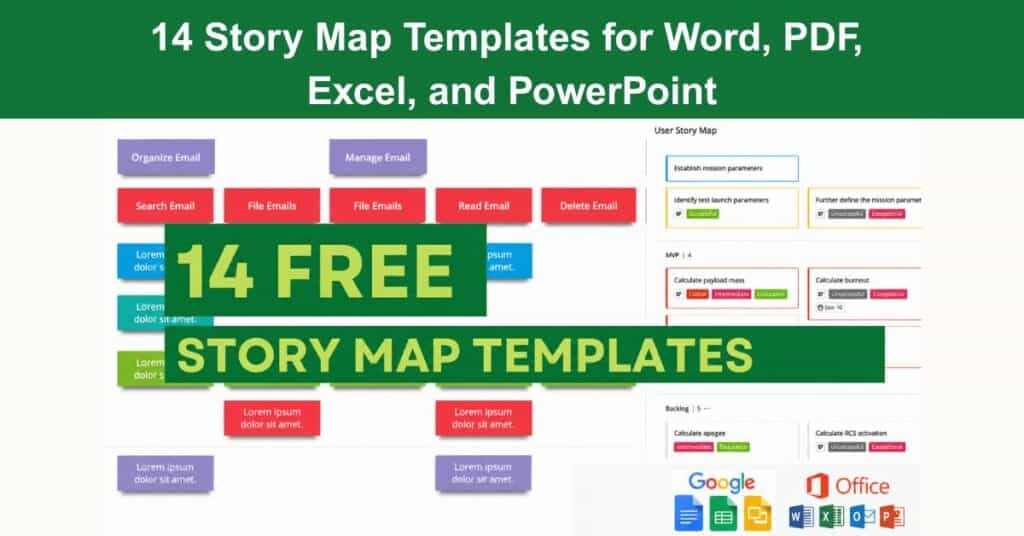
A story map template is a graphical tool that visualises the user stories held within a product backlog. It represents the progression of work on a product from inception to delivery, enabling teams to track individual user stories from the moment they enter the backlog through to full implementation. Story maps give stakeholders a shared, structured view of the product journey that a flat backlog simply cannot provide.
Used widely by agile development teams, story mapping helps capture, organise, and prioritise user requirements in a format that is both accessible and actionable. Product managers rely on this technique to maintain oversight of backlog progress, confirm that all user stories are addressed, and keep development aligned with user needs. This article explores the purpose of story mapping and how to apply the right templates to build better products.
Agile Story Mapping Template Excel
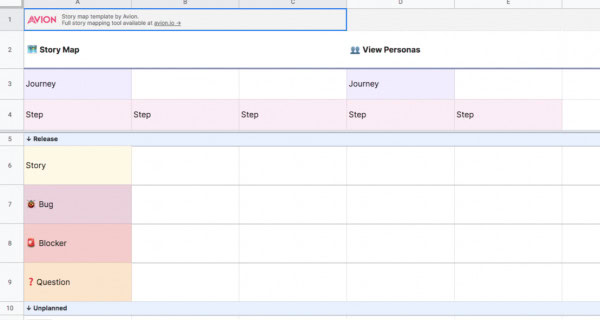
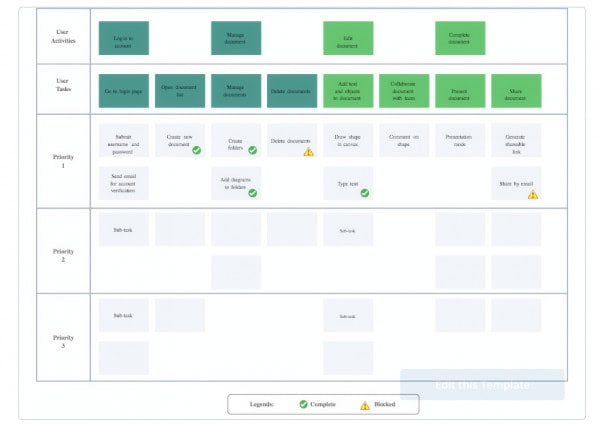
Excel-based story mapping templates offer a practical, accessible entry point for teams that are already working within spreadsheet environments. These templates allow teams to organise user stories by theme, assign priorities, and track progress across sprints without requiring specialist software. Because Excel supports custom formatting, colour coding, and filtering, agile teams can tailor the layout to reflect the unique structure of their product backlog.
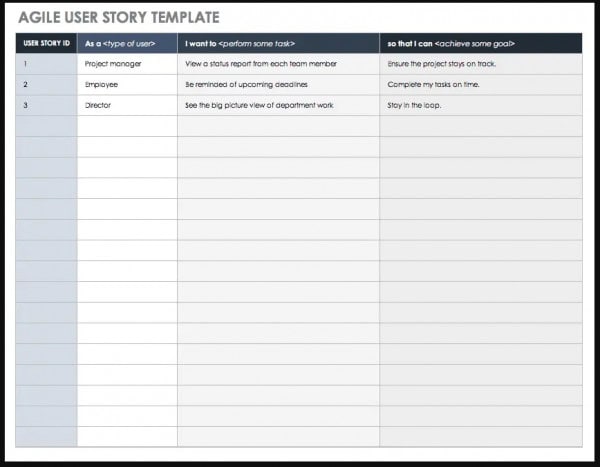
Story Mapping Template Excel 1
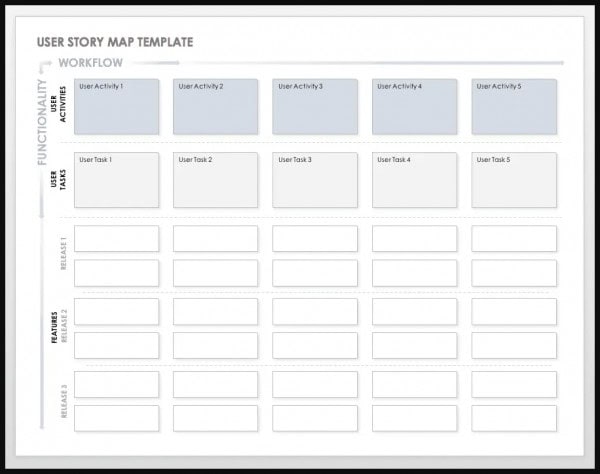
Story Mapping Template Excel 2
The flexibility of Excel makes it particularly well-suited to smaller teams or organisations in the early stages of adopting agile practices. Teams can begin with a simple grid that maps epics across the top and tasks cascading downward, then evolve the template as their workflow matures. Excel story maps strike a useful balance between structure and adaptability, making them a reliable starting point for backlog management.
The Purpose of Story Mapping
Story mapping provides a visual framework that helps product teams move beyond a simple list of features and understand the full arc of the user experience. While product backlogs are valuable for tracking individual items, they rarely convey how those items connect to form a coherent journey. Story mapping addresses this gap by organising user stories by theme and sequencing them according to user flow, giving teams a richer context for decision-making.
This technique is especially well-suited to complex products with a large number of features and diverse user groups. By laying out the user’s journey visually, teams can identify gaps in coverage, surface hidden dependencies, and evaluate whether planned features genuinely serve user goals. Story mapping is considered an essential practice in agile product development precisely because it shifts the focus from task completion to user value.
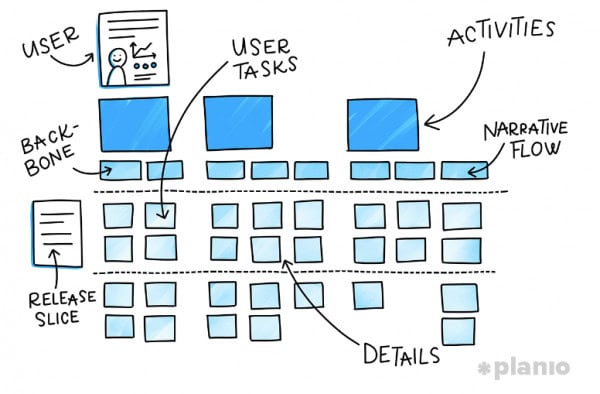
A story map consists of four core elements that structure the entire exercise:
- The User’s Journey: This represents the end-to-end path a user takes through the product, from first interaction to achieving their goal, providing the backbone of the entire story map.
- The User’s Activities: These are the high-level actions users take at each stage of their journey, grouping related tasks and helping teams identify where effort should be concentrated.
- The Product’s Features: Features sit beneath activities and describe the specific functionality the product must deliver to support each user action at the appropriate stage.
- The Product’s Benefits: Benefits articulate the value each feature delivers to the user, ensuring that development decisions remain grounded in genuine user outcomes.
User Story Mapping Template PowerPoint
PowerPoint templates are an excellent choice for teams that need to present story maps to stakeholders, leadership, or cross-functional groups. The slide-based format allows story maps to be walked through step by step, making it easier to communicate the user journey and explain how each element of the backlog contributes to the broader product vision. These templates combine visual clarity with professional presentation quality.
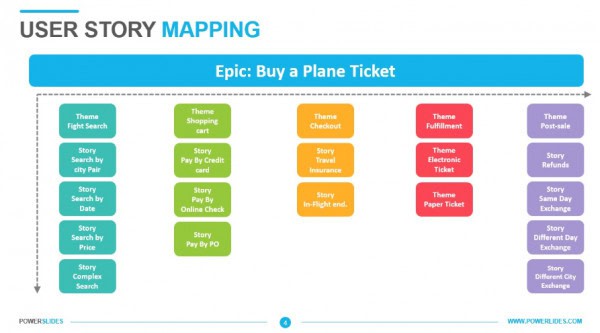
Story Mapping Template PowerPoint 1
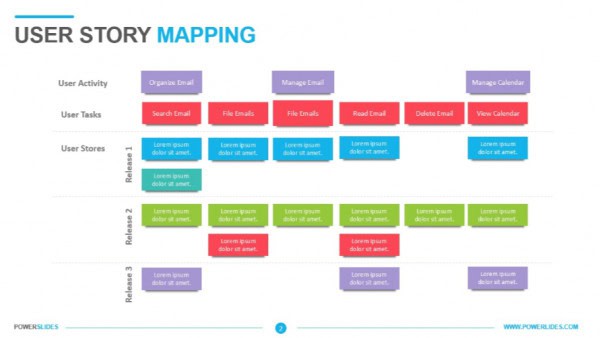
Story Mapping Template PowerPoint 2
Beyond presentations, PowerPoint story map templates can also support sprint planning and roadmap reviews. Teams can add speaker notes, annotate slides with priorities, and update content between sessions as the product evolves. The visual flexibility of PowerPoint makes it straightforward to represent complex workflows in a format that is immediately understandable to a wide range of audiences.
Story Map Software Teams
Software development teams benefit from story mapping templates that reflect the technical structure of their workflows, including epics, sprints, and release milestones. These templates help engineering and product teams align on scope, sequence work logically, and plan releases with confidence. A well-constructed story map gives software teams a shared reference point that bridges the gap between product vision and technical execution.
Templates designed for software teams typically support the full story mapping hierarchy, from high-level epics down to individual tasks and acceptance criteria. By grounding the map in user flow, these templates ensure that technical decisions remain focused on delivering value rather than simply completing tasks. The result is a planning artefact that supports both daily development decisions and longer-term release planning.
Creating a story map is a structured process that follows a clear sequence of steps:
- Gather the team and any relevant stakeholders, such as product owners or users.
- Define the goal of the story map. Start by creating a high-level overview of the product’s vision and goals.
- Identify the user flow, from high-level overview to detailed business requirements or tasks. Break down epic stories into smaller, more manageable user stories. Identify user groups by category, such as customers, internal users, or any other party who will interact with the product.
- Create user stories for each group:
- Ask users to describe the actions they will take and the goals they hope to achieve while using the product.
- Use the format: “As a [user], I want to [do something], so that [I can achieve the goal].”
- Use the story map to plan and organise user stories. Ensure that all stories are clear, actionable, and accurately reflect the needs and goals of the users.
- Prioritise user stories based on their dependencies.
- Share the story map with stakeholders, gather feedback, and refine the map as the product develops and new insights emerge.
Online Story Mapping Tools
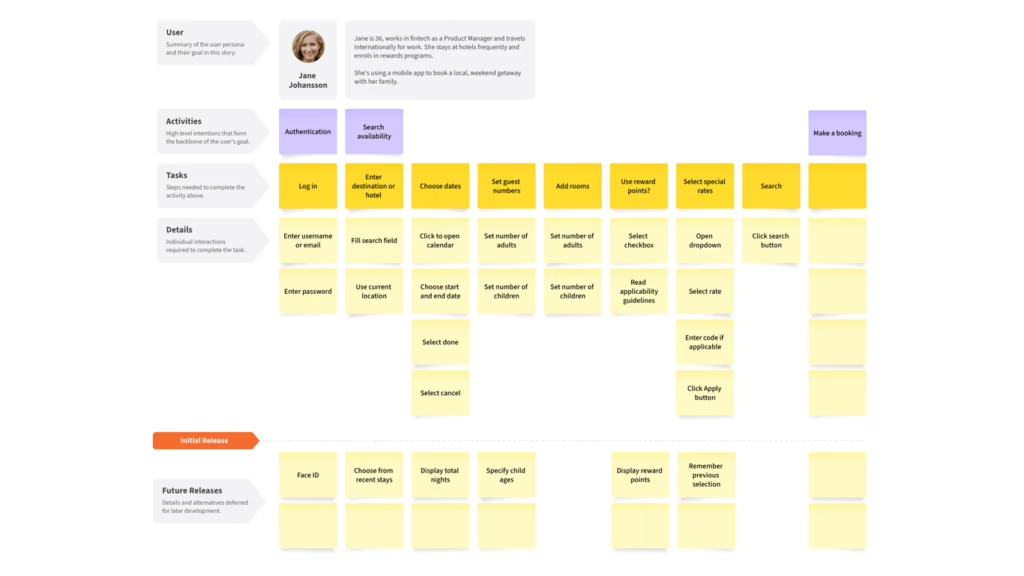
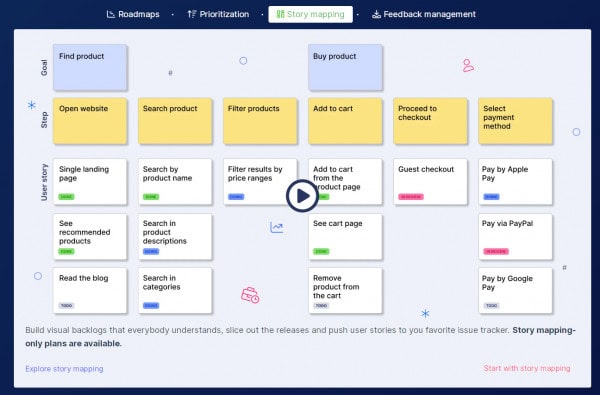
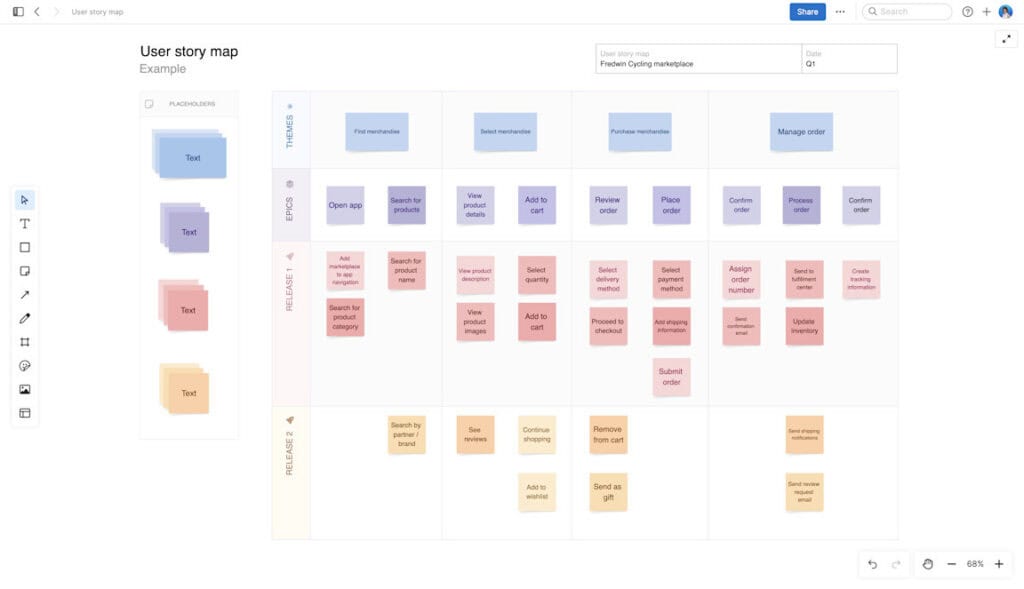
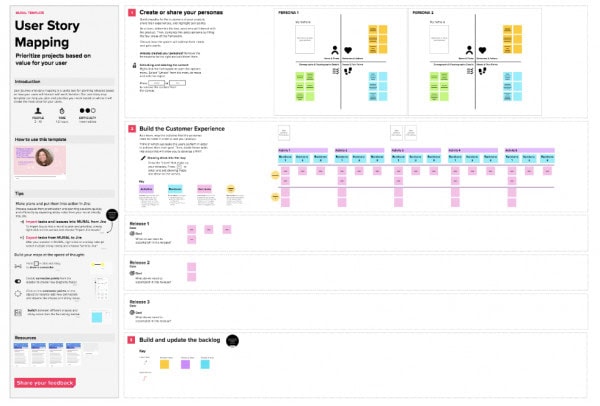
Digital tools have made story mapping more accessible and collaborative, particularly for distributed teams working across different locations or time zones. Online platforms provide shared workspaces where team members can add, move, and annotate user stories in real time, removing the logistical constraints of physical whiteboards or static files. The ecosystem of available tools has grown significantly, giving teams a wide range of options to suit different workflows and budgets.
These tools vary in their feature depth, with some offering lightweight visual canvases and others providing deep integration with agile project management platforms. Teams should evaluate tools based on ease of use, collaboration features, and compatibility with existing workflows. The following platforms are widely used for online story mapping across agile and product teams:



When Should You Use Story Mapping?
Story mapping is most valuable when a team needs to move beyond a list of features and gain a shared understanding of the user experience as a whole. Product backlogs are effective for tracking individual items, but they can obscure how those items combine to form a complete and coherent journey. Story mapping fills this gap by giving the team a visual, user-centred view of the product that supports better prioritisation and planning decisions.
The technique is particularly useful in specific scenarios where alignment and clarity are critical. Teams working on new products, complex redesigns, or cross-functional initiatives stand to benefit most. The following situations represent the strongest use cases for applying story mapping:
- Complex User Experience: When the product involves multiple user types or a multi-step journey, story mapping surfaces how different features interact and ensures the full experience is accounted for.
- Stakeholder Buy-In: When leadership or external stakeholders need to understand product direction, a story map communicates scope and sequence in a format that is accessible without requiring technical knowledge.
- New Product Development: When a team is building a product from scratch, story mapping establishes a shared vision early and helps align everyone around the user journey before development begins.
- Redesigning an Existing Product: When revisiting an established product, story mapping helps teams assess what currently exists, identify gaps, and plan improvements with the user experience as the organising principle.
Video on Creating a User-Story-Map to Make Customer-Focused Roadmaps
Watch this step-by-step walkthrough on how to build a user story map that keeps your customers at the centre of your product roadmap. This video covers the key techniques and best practices to help your team align around the user journey from day one.
Conclusion
Story mapping is a foundational practice that transforms how product teams plan, prioritise, and communicate their work. By organising user stories around the actual journey a user takes, teams gain a clearer understanding of scope, dependencies, and value. Whether supported by Excel, PowerPoint, or a dedicated online tool, story maps bring structure and shared visibility to a process that can otherwise feel fragmented and disconnected.
The templates and steps covered in this article provide a practical starting point for any team ready to adopt or refine their story mapping approach. Selecting the right format, following a consistent process, and keeping the user journey at the centre of every decision are the foundations of an effective story map. With these elements in place, teams are better equipped to build products that genuinely meet user needs and deliver measurable value.
Story Mapping FAQs
What is included in a user story?
A user story includes a short, simple description of a desired feature or piece of functionality told from the perspective of the user. It is written to reflect the user’s journey through the product and captures what the user wants to do and why, giving the development team the context they need to build the right solution.
What are epics?
In product development, an epic is a large user story that needs to be broken down into smaller, more manageable stories or tasks before work can begin. Epics are commonly used in agile development to help product owners and developers track progress incrementally and deliver value to users in a structured, prioritised way.
What tools do you need for story mapping?
Story mapping can be carried out using a physical whiteboard with sticky notes, a spreadsheet, or a dedicated digital tool such as Miro, Avion, or Jira. The choice of tool depends on the team’s size, location, and workflow preferences, with digital tools being particularly well-suited to distributed or hybrid teams.
How long does story mapping take?
The time required depends on the size and complexity of the project, as well as the number of participants involved. Most story mapping sessions run from a few hours to a full day, with larger or more complex products typically requiring more time to work through the full user journey and prioritise the backlog effectively.
When should you revisit a story map?
A story map should be treated as a living document rather than a one-time exercise. Teams should revisit and update it whenever significant new insights emerge from user research, stakeholder feedback, or changes in product direction, ensuring it continues to accurately reflect the current understanding of the user journey and product scope.
Suggested articles:
- Secret to Agile Story Mapping with 5 Examples
- 7 x Free User Story Template on Google, Excel, PowerPoint
- 9 x Epic Templates in Agile – FREE on Google Docs, Word, PPT, PDF

Shane Drumm, holding certifications in PMP®, PMI-ACP®, CSM, and LPM, is the author behind numerous articles featured here. Hailing from County Cork, Ireland, his expertise lies in implementing Agile methodologies with geographically dispersed teams for software development projects. In his leisure, he dedicates time to web development and Ironman triathlon training. Find out more about Shane on shanedrumm.com and please reach out and connect with Shane on LinkedIn.