
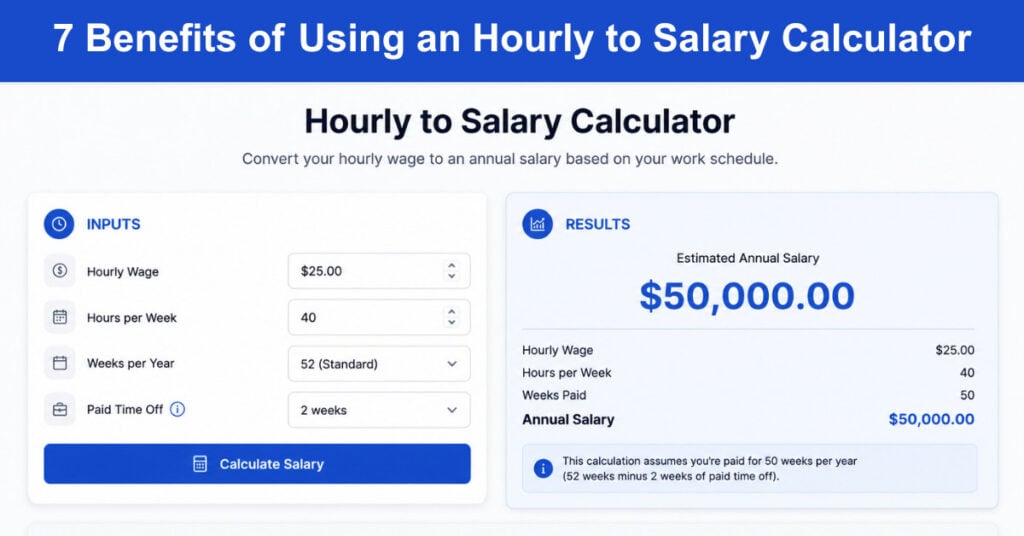
Managing your company’s finances and operations is rarely straightforward, especially when compensation variables shift with staffing levels, overtime, and market conditions. Business leaders need reliable tools that bring precision to pay practices without adding complexity to already demanding workflows. Few tools deliver this combination as effectively as a well-designed hourly-to-salary calculator.
An hourly-to-salary calculator converts hourly wage rates into accurate annual salary figures, accounting for variables like tax withholdings, deductions, overtime, and benefits contributions. Whether you run a small business or oversee a large HR function, this tool supports better decisions across payroll, compliance, and compensation planning. The seven benefits below explain why adopting this calculator is a smart move for any organization managing hourly staff.
1. Enhanced Budgeting and Financial Planning
Accurate financial planning depends on knowing your true labor costs, not rough estimates built from inconsistent spreadsheets. An hourly-to-salary calculator gives finance and operations leaders a precise view of net pay after all deductions, making it far easier to build reliable budgets and forecast workforce costs across quarters and fiscal years. When the numbers are dependable, the decisions built on top of them are stronger.
The calculator works through every relevant component of pay: gross wages, federal and state tax withholdings, benefits deductions, and employer contributions. This level of detail eliminates guesswork from the budget-building process and helps leadership teams allocate resources with a clearer picture of actual personnel costs. Research consistently shows that businesses using automated wage tools significantly reduce budgeting errors compared to those relying on manual methods.
Here are some of the key financial planning advantages these calculators provide:
- Accurate Labor Cost Projections: Precise hourly-to-annual conversions allow finance teams to build forward-looking staffing budgets based on real numbers rather than rounded estimates, reducing variance between projected and actual payroll costs.
- Scenario Modeling Capability: Many calculators allow users to run compensation scenarios, such as comparing the cost of hiring one full-time salaried employee versus two part-time hourly workers, before making headcount decisions.
- Deduction Transparency: By itemizing taxes, benefits, and retirement contributions, the hourly to salary calculator gives both employers and employees a clear view of how gross pay translates to take-home earnings, reducing payroll-related questions and disputes.
- Cash Flow Predictability: When labor costs are calculated accurately, businesses can better manage monthly cash flow, avoiding the shortfalls that arise when payroll projections miss actual compensation totals.
2. Improved Salary Negotiation and Transparency
Salary negotiations are more productive when both parties come to the table with access to accurate, consistent data. An hourly-to-salary calculator provides that shared reference point, allowing HR teams and candidates to discuss compensation expectations using the same figures. This clarity reduces the chance of misunderstandings that can derail an otherwise promising negotiation or damage an employee relationship early in their tenure.
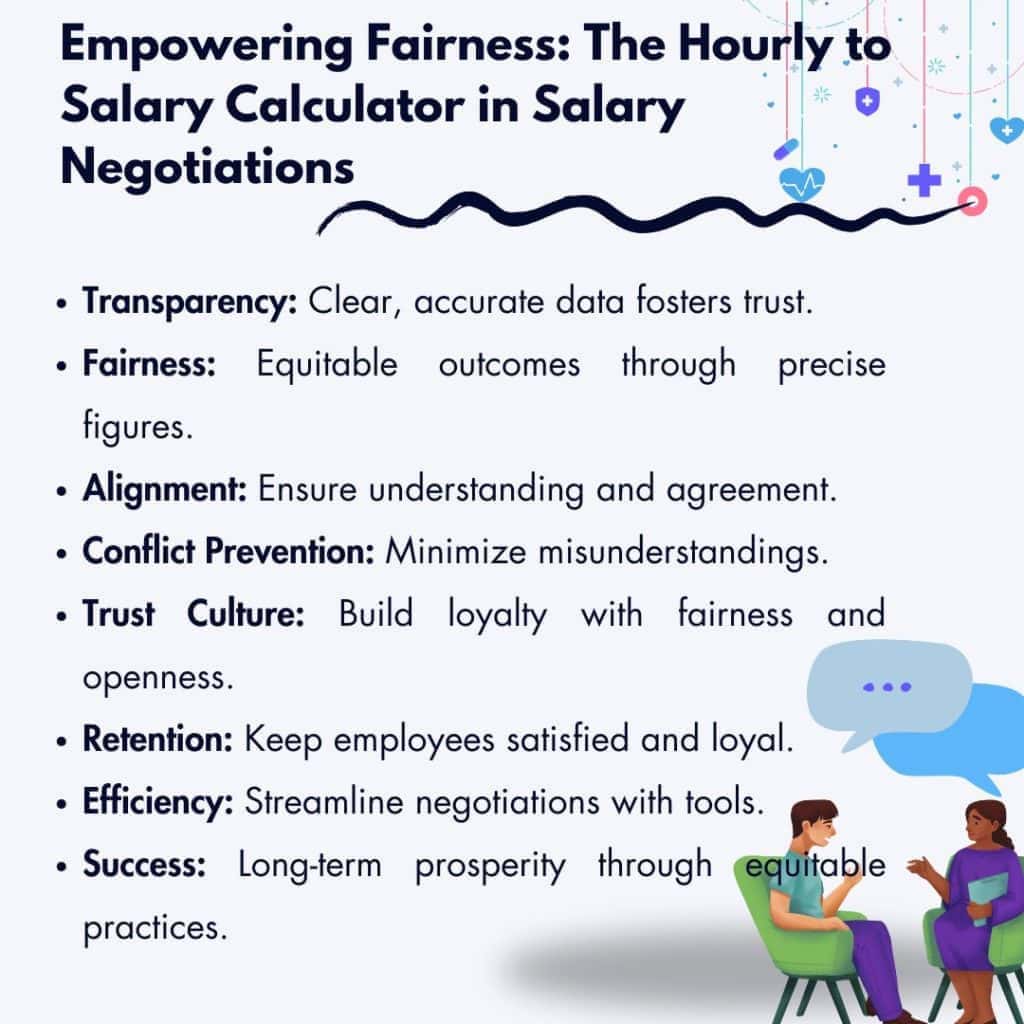
Beyond individual negotiations, these calculators support a culture of pay transparency. When employees understand how their hourly rate converts to an annual salary, and how deductions factor into their take-home pay, they are more likely to feel treated fairly. Organizations that prioritize compensation transparency consistently report higher levels of employee satisfaction and stronger retention rates than those that leave pay calculations opaque.
The following capabilities directly strengthen the negotiation and transparency process:
- Consistent Compensation Benchmarks: The calculator establishes a common reference figure that HR managers can use across all compensation conversations, ensuring that offers and raises are calculated the same way every time.
- Raise and Promotion Clarity: When proposing a pay increase, converting the new hourly rate to an annual salary equivalent gives employees a concrete sense of what the change means for their total annual earnings.
- Bonus and Variable Pay Modeling: Calculators that account for variable compensation allow HR teams to show candidates how bonuses, commissions, or overtime affect total annualized pay, giving a more complete picture of the offer.
- Reduced Negotiation Friction: When salary figures are grounded in transparent, tool-generated data rather than informal estimates, negotiations tend to move faster and close with greater mutual satisfaction.
3. Streamlined Payroll Processing
Manual payroll processes are time-consuming, error-prone, and difficult to scale as headcount grows. Every calculation done by hand introduces an opportunity for mistakes that can result in overpayments, underpayments, and compliance violations. An hourly-to-salary calculator automates the most repetitive part of this workflow, freeing payroll staff to focus on exceptions, reporting, and employee support rather than routine arithmetic.
The efficiency gains are measurable. Organizations that move from fully manual payroll methods to calculator-assisted processing typically reduce the hours spent on payroll preparation each cycle while also improving accuracy across employee types, including hourly, salaried, and variable-rate workers. The table below compares how the two approaches stack up on critical dimensions.
| Feature | Traditional Approach | Hourly to Salary Calculator |
|---|---|---|
| Calculation Method | Manual, spreadsheet-based | Automated hourly-to-salary conversion |
| Error Risk | High, due to human input | Significantly reduced through automation |
| Time Required | High, especially at scale | Streamlined, with faster cycle times |
| Resource Allocation | Requires dedicated manual effort | Frees staff for higher-value tasks |
| Consistency | Variable across pay periods | Consistent and rule-based every cycle |
Here are the primary operational improvements that streamlined payroll processing delivers:
- Automated Conversions for All Employee Types: The calculator handles hourly, salaried, and variable-rate employees within a single process, reducing the need for separate workflows and the risk of inconsistencies across staff categories.
- Faster Payroll Cycles: Automation compresses the time from wage data entry to final payroll output, which is especially valuable for businesses with large or geographically distributed hourly workforces.
- Reduced Administrative Burden: When routine calculations are handled automatically, payroll staff can redirect their attention to employee inquiries, reporting requirements, and process audits that actually require human judgment.
- Scalability Without Added Complexity: As headcount grows, the calculator scales without requiring proportional increases in payroll staff or processing time, making it a sustainable solution for growing businesses.
4. Facilitated Compliance with Labor Laws
Labor law compliance is one of the most consequential responsibilities a business carries. Minimum wage requirements, overtime thresholds, mandated benefits, and tax withholding rules vary by jurisdiction and change regularly. A single miscalculation can trigger penalties, back-pay obligations, or regulatory scrutiny that costs far more than the original error. An hourly-to-salary calculator with up-to-date legal parameters helps businesses stay ahead of these risks without requiring HR teams to become compliance specialists.
The most reliable calculators incorporate current federal, state, and local wage requirements directly into their algorithms. This means that when a minimum wage changes or overtime rules are updated, the tool reflects those changes automatically rather than relying on someone to manually update a formula. Paired with a pay stub creator, the calculator produces documentation that meets legal standards and provides a verifiable record of compliant pay practices.
These are the compliance functions that matter most to businesses using hourly wage tools:
- Minimum Wage Monitoring: The calculator flags when an hourly rate falls below applicable minimum wage thresholds, preventing inadvertent violations that can lead to back-wage liability and regulatory fines.
- Overtime Calculation Accuracy: Correct overtime pay depends on applying the right multiplier to the right hours under the applicable standard, and the calculator handles this automatically rather than leaving it to individual payroll staff interpretation.
- Tax Withholding Compliance: Federal income tax, FICA contributions, state taxes, and local levies all factor into correct tax withholding amounts, and the calculator ensures these are applied consistently and correctly across every employee.
- Payroll Documentation Standards: Accurate, automatically generated pay records reduce audit risk and provide defensible documentation if a wage claim or labor dispute arises.
5. Simplified Conversion for Remote Teams
Managing compensation for a geographically distributed workforce introduces variables that make manual payroll approaches especially unreliable. Different regions carry different labor laws, cost-of-living benchmarks, and currency considerations, and keeping pay equitable across all of them requires both precision and consistency. An hourly-to-salary calculator with multi-region support simplifies this complexity significantly, allowing businesses to maintain fair and legally compliant pay structures across every location where they employ staff.
Pay inequity in remote teams is a well-documented driver of disengagement and attrition. When employees in different locations suspect they are being compensated inconsistently, morale suffers, and retention becomes difficult. Standardizing the conversion process through a reliable calculator ensures that all remote employees are evaluated against the same compensation framework, which reinforces a sense of fairness and organizational integrity regardless of geography.
The following features make salary calculators particularly valuable for remote workforce management:
- Cross-Border Currency Conversion: Calculators that incorporate exchange rate data allow businesses to express compensation in local currencies while maintaining alignment with a centralized pay strategy.
- Regional Minimum Wage Compliance: Because wage floors vary by country, state, and city, a calculator that accounts for regional legal requirements protects the business from compliance gaps across dispersed teams.
- Cost-of-Living Adjustments: Some calculators incorporate regional cost-of-living data to support equitable compensation planning, helping employers make decisions that reflect real purchasing power differences across locations.
- Consistent Pay Policies at Scale: A standardized calculator enforces uniform compensation logic across all locations, reducing the risk of ad-hoc pay decisions that create internal pay equity issues over time.
6. Optimization of Labor Costs
Labor is typically the largest line item in a business’s operating budget, which means even modest improvements in how wages are calculated and managed can have a meaningful financial impact. An hourly-to-salary calculator supports cost optimization not by reducing pay, but by improving the accuracy and efficiency of how compensation is determined and tracked. When calculations are precise and consistent, businesses avoid the costly corrections that result from payroll errors, wage disputes, and compliance failures.
Beyond error reduction, the data generated by regular use of a wage calculator can surface useful patterns. Overtime trends, shift distribution anomalies, and workforce utilization metrics all become easier to analyze when compensation data is calculated consistently. These insights give operations and finance leaders the information they need to make smarter staffing decisions, identifying where adjustments can improve efficiency without affecting workforce quality or morale.
Key labor cost optimization benefits include the following areas:
- Error-Driven Cost Avoidance: Payroll errors, including overpayments, underpayments, and misclassifications, carry real financial consequences, and consistent use of a calculator reduces the frequency and severity of these mistakes. This level of precision supports businesses in compensating workers fairly. For instance, in fiscal year 2023, over $274 million in back wages and damages were recovered for more than 163,000 workers nationwide, underscoring just how costly payroll inaccuracies can be.
- Overtime Pattern Visibility: When hourly-to-salary conversions are tracked over time, managers can identify which roles or departments consistently generate overtime costs and address the underlying scheduling or staffing causes.
- Workforce Utilization Analysis: Comparing wage costs against output metrics gives leadership a clearer picture of where labor spending is generating value and where restructuring might improve returns.
- Proactive Budget Adjustments: Regular use of the calculator as a planning tool allows finance teams to catch cost overruns before they become significant, giving them time to adjust headcount or scheduling before the end of a budget period.
7. Support for Strategic HR Management
HR strategy at its best is data-driven, connecting compensation decisions to broader organizational goals like talent acquisition, workforce development, and retention. An hourly-to-salary calculator plays a supporting role in this work by providing the accurate compensation data that informed HR decisions depend on. When salary figures are reliable, benchmarking against market rates, modeling new compensation structures, and analyzing the cost of proposed benefits changes all become more credible and useful exercises.
The calculator also supports proactive talent management by making it easier to identify compensation gaps that put retention at risk. If an analysis reveals that certain hourly roles are consistently paid below market equivalents when converted to annual salary terms, HR can make a case for adjustment before those employees begin exploring other opportunities. This kind of anticipatory compensation management is far less expensive than the cost of replacing experienced staff.
These strategic HR functions benefit directly from consistent salary calculator use:
- Market Rate Benchmarking: Converting hourly wages to annual salaries makes it easier to compare internal compensation trends against industry surveys and job market data, most of which report figures on an annual basis.
- Compensation Structure Design: When building or revising pay bands, having accurate hourly-to-salary equivalents for each level ensures the structure reflects real costs rather than theoretical ranges.
- Retention Risk Identification: Regularly comparing calculated annual salaries against market benchmarks helps HR leaders spot roles where below-market pay may be quietly driving turnover before it becomes a measurable problem.
- Incentive and Bonus Planning: Understanding the annualized value of base pay is a prerequisite for designing incentive structures that are meaningful in proportion to total compensation rather than arbitrary in dollar terms.
Conclusion
An hourly-to-salary calculator is more than a convenience tool. For businesses that manage hourly staff, it is a foundational component of accurate financial planning, compliant payroll processing, and informed HR decision-making. The precision it brings to compensation calculations reduces errors, supports fair pay practices, and gives leadership teams the data they need to manage labor costs with confidence.
Organizations that integrate this tool into their payroll and HR workflows gain a consistent advantage in operational efficiency and compliance readiness. Whether your priority is tighter budgets, stronger retention, or better alignment between compensation strategy and business goals, the hourly to salary calculator provides the accurate, reliable data that those efforts depend on. The case for adopting it is straightforward: better calculations lead to better decisions.
Frequently Asked Questions About Hourly to Salary Calculators
How does an hourly-to-salary calculator work?
An hourly-to-salary calculator multiplies an employee’s hourly rate by the number of hours worked per year, typically 2,080 for a standard 40-hour workweek, to produce an annualized salary figure. More advanced calculators also factor in tax withholdings, benefits deductions, overtime pay, and employer contributions to produce a net pay estimate. The result gives both employers and employees a clear, comparable figure that reflects total annual compensation more accurately than the hourly rate alone.
Is an hourly-to-salary calculator accurate enough for payroll compliance?
When built with current federal, state, and local wage data, an hourly-to-salary calculator can be highly accurate for compliance purposes. The key is choosing a tool that is regularly updated to reflect changes in minimum wage rates, overtime rules, and tax withholding tables. Using an outdated calculator or one that lacks regional settings can introduce errors that lead to underpayments or tax filing discrepancies. For complex payroll situations, calculators work best as part of a broader payroll system rather than as a standalone compliance tool.
Can an hourly-to-salary calculator help with remote team compensation?
Yes. Businesses that employ remote workers across multiple states or countries can use calculators that incorporate regional wage laws, cost-of-living adjustments, and currency conversion to standardize compensation decisions. This helps ensure that remote employees are paid equitably and in compliance with local labor regulations, which vary significantly across jurisdictions. A consistent calculation method also reduces the risk of pay disparities that can damage team morale and expose the business to wage claim liability.
What is the difference between gross salary and net salary in a wage calculator?
Gross salary is the total annual compensation calculated from an employee’s hourly rate before any deductions are applied. Net salary is what the employee actually receives after federal and state income taxes, Social Security and Medicare contributions, health insurance premiums, and any other deductions are subtracted. A good hourly to salary calculator presents both figures, giving employers and employees a complete picture of compensation costs on one side and take-home earnings on the other.
How can a salary calculator support HR strategy beyond payroll?
Beyond ensuring payroll accuracy, a salary calculator provides the annualized compensation data HR teams need for market benchmarking, pay band design, retention analysis, and incentive planning. Most compensation surveys and job market databases report salaries on an annual basis, so converting hourly roles to their annual equivalents makes it much easier to compare internal pay structures against external benchmarks. This data-driven visibility helps HR leaders make proactive adjustments to compensation strategy before pay gaps become retention risks.
Suggested articles:
- Free GST Tax Calculator (Basic + Advanced)
- Top 10 Online Calculators To Help You With Your Projects
- The Hidden Financial Risks of High-Performing Project Managers

Daniel Raymond, a project manager with over 20 years of experience, is the former CEO of a successful software company called Websystems. With a strong background in managing complex projects, he applied his expertise to develop AceProject.com and Bridge24.com, innovative project management tools designed to streamline processes and improve productivity. Throughout his career, Daniel has consistently demonstrated a commitment to excellence and a passion for empowering teams to achieve their goals.