
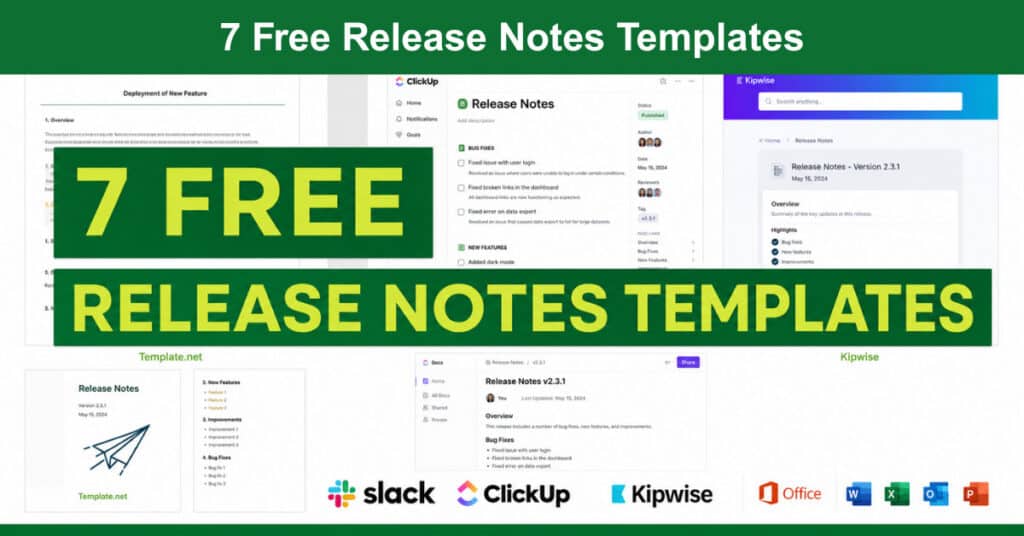
A release notes template is a structured document shared each time a software product launches or receives an update. It summarizes recent changes, new features, and resolved bugs in a format that users, developers, and stakeholders can quickly understand. When written well, it serves as both a communication tool and a product record that builds user trust over time.
Release notes reach both internal and external audiences, from developers and QA testers to end users and customer support teams. Teams that invest in consistent, well-formatted release notes reduce support tickets, improve feature adoption, and demonstrate that their product is actively maintained. This article covers everything you need to get started, including free templates, best practices, and the tools top product teams use.
Importance of Release Notes
Release notes are essential to the whole product experience because they help product teams connect with customers, improve support efficiency, and drive feature engagement. When done consistently and clearly, they reinforce customer confidence and reduce the friction that comes with unexpected changes. Over 80% of software users read release notes, making them one of the most highly engaged communication channels a product team has available.
Today, product teams increasingly treat release notes as a strategic asset rather than an administrative task. With faster release cycles and more demanding users, clear and timely communication about what changed, and why, directly affects retention, adoption, and churn. The following factors explain why release notes matter at every stage of the product development lifecycle.
Here are the core reasons release notes are worth prioritizing for your product team:
- Informing Users of New Features: Release notes give users a reliable way to discover what is new in a product update. By clearly describing new functionality and linking to detailed documentation, teams can drive feature adoption among users who might otherwise miss an update entirely.
- Improving Team and Customer Communication: Release notes serve as a shared source of truth for sales, support, and marketing teams who interact with customers daily. Writing them collaboratively helps align cross-functional teams and reduces miscommunication about what has actually shipped.
- Telling the Product Story: A consistent archive of release notes creates a record of how a product has grown and improved over time. This historical record is useful for onboarding new team members, reporting to stakeholders, and demonstrating the pace of development to prospective customers.
- Reducing Support Volume: When users can find clear answers about recent changes in published release notes, they are less likely to contact support with questions. Teams that maintain well-organized release notes consistently report fewer repetitive support inquiries.
What Does a Good Release Note Look Like?
There is no single prescribed format for a release note, and different products will have different needs depending on their audience, release cadence, and level of technical complexity. That said, effective release notes tend to follow a predictable structure that readers can scan quickly without needing to read every word.
A great release note that users will actually read opens with the product name, version number, and release date at the top, followed by a concise overview of what changed and why it matters. The body covers specific new features, bug fixes, and documentation changes, with each item clearly labeled. It also includes a section for known issues, future development plans, and contact or support information for users who need additional help.
What Should Be Included in the Release Note Template?
Even though there is no universal standard for writing release notes, the content should be consistent with your organization’s communication style and appropriate to the complexity of the release. A major product launch warrants more detail than a minor bug fix update, but both should follow the same structural framework so users always know where to look.
Every effective release note template covers several essential components. These elements ensure readers get the context they need without having to search elsewhere:
- Header: The document title, product name, release version number, and release date should appear at the top of every note so users can immediately identify which update they are reading.
- Overview: A concise two to three-sentence summary that explains what changed and why it matters should appear near the top, before any technical details.
- Purpose: A brief statement describing the intent of the release, whether it introduces a new feature, resolves a critical bug, or improves performance in a specific area.
- Issue Summary: A plain-language description of any problems or limitations that prompted the changes included in this release.
- Steps to Reproduce: For bug-related releases, a short list of the steps that were used to identify and replicate the issue before it was resolved.
- Resolution: A clear explanation of the technical or process changes made to address the reported bug or limitation.
- End-User Impact: A description of how the changes affect the user experience, including any new steps users may need to take or behaviors that have changed.
- Support Impacts: Notes for support or implementation teams covering any configuration changes, updated workflows, or documentation revisions required as a result of the release.
- Notes: Any additional context about upgrades, hardware requirements, installation considerations, or compatibility dependencies relevant to the release.
- Disclaimers: Product liability or warranty disclaimers relevant to the software or update.
- Contact: Support contact details, including email, phone, or help center links, so users know how to get help if needed.
Release Notes Templates in Word Format
Word-format templates remain popular because they are easy to edit, share via email, and adapt to a company’s existing documentation standards. They work especially well for teams that manage release notes as standalone documents rather than through a dedicated changelog platform. Several reliable sources offer free Word-compatible release notes templates:
Template.net
Offers a variety of professionally formatted release note templates in Word format, suitable for both technical and non-technical audiences.
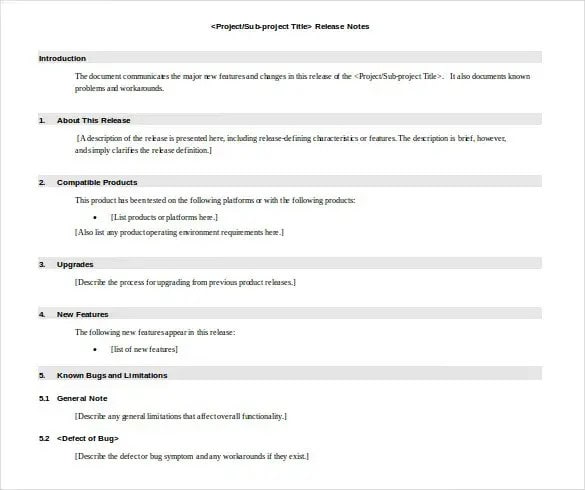
SampleTemplates
Provides clean, minimal release note layouts that teams can download and customize quickly without design experience.
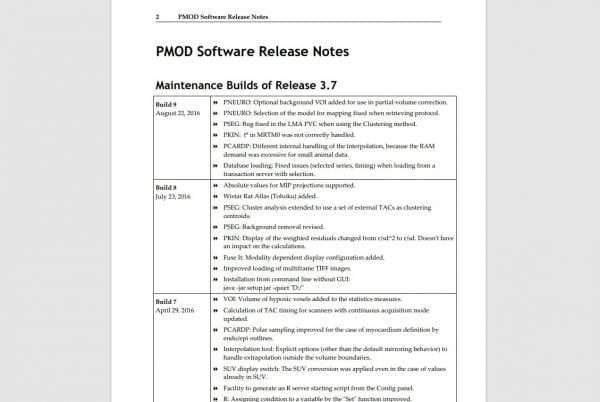
Klariti
Specializes in software documentation templates, including release notes, and provides detailed writing guidelines alongside its Word downloads.

How to Create a Release Note Template
Following a consistent process ensures that every release note your team publishes meets the same standard of clarity and completeness. The steps below apply whether you are creating a release note for a major feature launch or a routine maintenance update. Here are the steps to follow when creating a release note template from scratch:
- Add a Title: Add a clear, descriptive title that summarizes the release at a glance. Include the product name, version, and release type if applicable.
- Include Product and Company Details: State the full product name and company name near the top so readers can immediately confirm they are reading the right document.
- Mention the Release Version: Include the release date, version number, or full operating system name to provide precise context for the changes documented.
- New Feature Details: Describe each new feature clearly, focusing on what it does and how users can access or benefit from it in their daily workflows.
- Details of Fixed Problems: List every resolved bug with enough context for users to recognize whether the fix affects them, without requiring deep technical knowledge.
- Mention Improvements: Document performance improvements, UI changes, and workflow enhancements alongside new features so users have a complete picture of what changed.
- Additional Resources: Include links to detailed help articles, video tutorials, or documentation pages where users can learn more about specific changes.
- Bibliography: Provide references to external resources, APIs, or dependent systems that are relevant to the release, particularly for developer-facing documentation.
- Contact: List support contact information at the end so users know where to go if they have questions or encounter issues after the update.
Release Notes Template Online Tools
Dedicated release notes platforms have evolved significantly since 2020. In 2026, the best tools go beyond simple documentation by offering AI-assisted drafting, multi-channel distribution, in-app widgets, and engagement analytics. These platforms help teams turn release communication into a repeatable, measurable process rather than an ad-hoc writing task.
The following tools are widely used by product and engineering teams for managing release notes at scale:
Kipwise
A knowledge management and documentation tool that supports structured release notes alongside internal wikis, making it useful for teams that want release documentation integrated with their broader knowledge base.
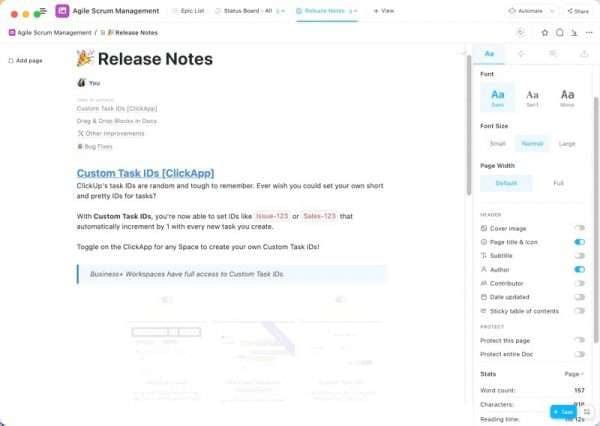
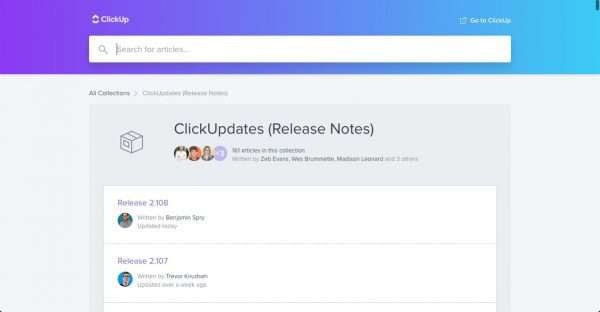
ClickUp
A project management platform with built-in release notes templates and task-level documentation features, suited to teams that already manage their sprints and product backlog within the tool.
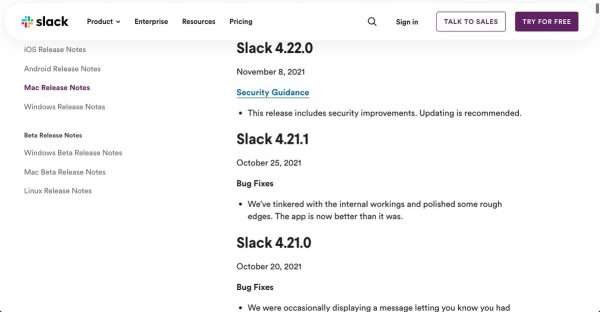
Slack
Works well for distributing release notes internally through dedicated product update channels, particularly for engineering and customer success teams that need to stay aligned in real time.
Release Notes Best Practices
Writing effective release notes requires more than filling in a template. The best release notes communicate clearly, stay focused on user impact, and follow a consistent structure that readers can rely on across every update. Teams that treat release notes as a communication discipline, rather than a compliance task, see measurably better user engagement and fewer support inquiries.
The following best practices reflect how high-performing product teams approach release note writing:
- Use Plain Language: Avoid technical jargon that may confuse non-developer users. Write as if you are explaining the change to a customer who understands the product but not the underlying code.
- Keep It Simple: For minor changes and routine bug fixes, a brief description is sufficient. Reserve longer, more detailed notes for major feature launches or updates that significantly change user workflows.
- Be Customer-Centric: Frame every change in terms of what users can now do or what problem has been resolved for them. Focus on the benefit, not the implementation detail.
- Add Relevant Links: Include links to help articles, video walkthroughs, and documentation pages wherever additional context would help users get more value from a new feature or fix.
- Use Consistent Formatting: Apply the same headings, labels, and visual structure across every release note. Users who read updates regularly will learn where to find the information most relevant to them.
- Match Frequency to Value: Publishing release notes for every minor commit creates noise. A weekly cadence works well for fast-moving teams, while monthly roundups suit products with less frequent changes.
Release Notes Email Template
Email remains one of the most effective channels for distributing release notes, particularly for B2B SaaS products where users may not log in frequently enough to notice in-app announcements. A well-structured release notes email leads with the most important change, uses clear subject lines, and links back to the full changelog for users who want more detail.
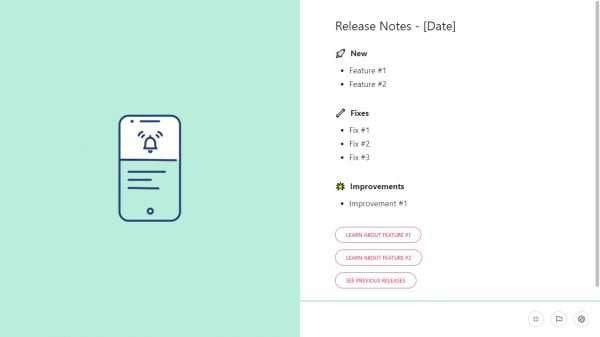
Stonly – Release Notes Template
Tools like Stonly provide pre-built email templates specifically designed for release note communication. These templates are optimized for readability on mobile devices, include structured sections for features, fixes, and improvements, and make it straightforward to personalize messaging for different customer segments.
Release Note Distribution Methods
Choosing the right distribution method depends on your audience, the significance of the update, and how frequently you ship changes. Most product teams use a combination of channels rather than relying on a single method, which helps ensure different user segments receive updates in the format that works best for them.
The most commonly used distribution methods for release notes include the following options:
- Email Distribution: Ideal for communicating significant updates directly to users who prefer not to navigate to a changelog page. Email works particularly well for enterprise customers who want a paper trail of product changes.
- Social Media and Community Distribution: Posting release highlights on LinkedIn, X (formerly Twitter), or community forums builds public awareness of product momentum and encourages engagement from users who follow the brand.
- Website Banner Distribution: A brief banner or pop-up on the product website or login page draws attention to important releases without requiring users to seek out the information on their own.
- In-App Distribution: Tools like ClickUp, Jira, Beamer, and AnnounceKit allow teams to surface release notes directly inside the product through widgets, notification badges, or modal announcements, reaching users at the moment they are most engaged.
Release Notes Templates in PowerPoint PPT Format
PowerPoint templates are useful when release notes need to be presented to stakeholders, executive teams, or enterprise customers in a meeting format rather than read as a standalone document. They allow product teams to highlight the most impactful changes visually, pair updates with screenshots or diagrams, and deliver release summaries as part of a broader product review.
Free and purchasable PPT templates are available from several sources:
SlideServe
Offers downloadable release notes presentation templates with clean layouts suited to product or engineering updates.
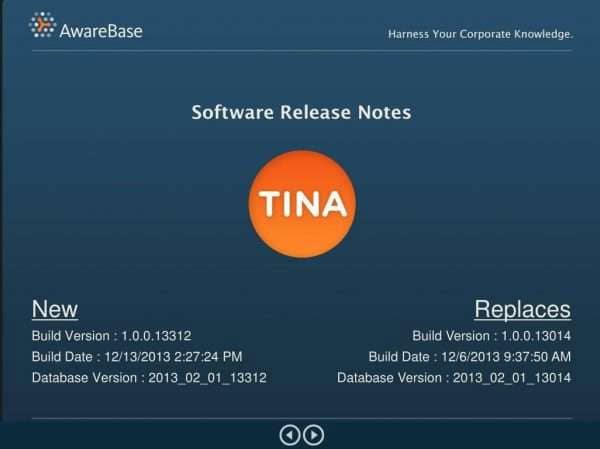
Slideserve – Release notes PPT
SlideTeam
Provides a Release Management Playbook in PowerPoint format, covering the full release process from planning through communication, including slide layouts specifically designed for documenting what shipped and why.

SlideTeam – Release Management Playbook PowerPoint
Video About How to Write Release Notes
Not sure where to start with release notes? This video walks you through the entire process, from structure and tone to what to include and what to skip. Watch to get a clear, practical overview before diving into the templates below.
Conclusion
Release notes are more than a documentation formality. They are a direct communication channel between your product team and the people who depend on your software. When written clearly, distributed consistently, and structured around what users actually care about, release notes improve feature adoption, reduce support volume, and strengthen the relationship between a product and its audience.
The templates, tools, and best practices covered in this article give product teams a practical foundation for making release notes a reliable part of their communication workflow. Whether you are working from a Word template, a dedicated changelog platform, or an automated tool like Released, the goal is the same: publish updates that are easy to find, easy to read, and genuinely useful to the people who receive them.
Frequently Asked Questions About Release Notes
What is the difference between a release note and a changelog?
Release notes and changelogs serve similar purposes but differ in scope and audience. Release notes are formal documents published to users when a new version ships, covering features, bug fixes, and user impact in an accessible language. A changelog is a running, cumulative log of every change made to a product over time, often more technical in nature and typically maintained in a file or dedicated platform. Many teams maintain both: a changelog for internal or developer reference and release notes for end users.
Who is responsible for writing release notes?
Responsibility varies by team size. At small startups, the lead developer or founding team typically writes release notes. In mid-sized companies, a product manager usually owns the process. At larger organizations, a combination of product managers, technical writers, and the head of product may collaborate to create and approve release notes before publication. Regardless of team size, the most effective release notes are written by someone who understands both the technical change and how it affects users.
How often should release notes be published?
Release cadence should drive publication frequency, but more notes do not always mean better communication. For teams shipping updates daily or multiple times per week, a consolidated weekly release note is usually more effective than a note for every individual change. For teams on monthly or quarterly release cycles, individual notes tied to each release make more sense. The goal is to keep users informed without creating notification fatigue.
What is the difference between a release note and a release plan?
A release plan is a forward-looking document that outlines what is expected to ship, when it will ship, and what dependencies or risks are involved. A release note is a retrospective document that describes what was actually released. Teams use release plans during the development and planning phase, and they switch to release notes when a version is ready to be delivered to users. Both serve different audiences at different stages of the product lifecycle.
Are release notes necessary for internal tools and APIs?
Yes. Internal tools and APIs benefit from release notes just as much as customer-facing products do. When developers, support teams, or internal stakeholders are not informed of changes to internal systems, it can cause broken integrations, confusion about system behavior, and duplicated effort. Internal release notes are often more technical than customer-facing versions, covering API endpoint changes, database schema updates, and breaking changes that require migration steps, but the underlying principle is the same: document what changed and what teams need to know.
Suggested articles:
- 4 Free Release Note Templates
- 7 Free Release Plan Templates (Word, Excel, and PowerPoint)
- 31 Free Test Plan Templates – Word, Excel, Google Docs

Shane Drumm, holding certifications in PMP®, PMI-ACP®, CSM, and LPM, is the author behind numerous articles featured here. Hailing from County Cork, Ireland, his expertise lies in implementing Agile methodologies with geographically dispersed teams for software development projects. In his leisure, he dedicates time to web development and Ironman triathlon training. Find out more about Shane on shanedrumm.com and please reach out and connect with Shane on LinkedIn.