
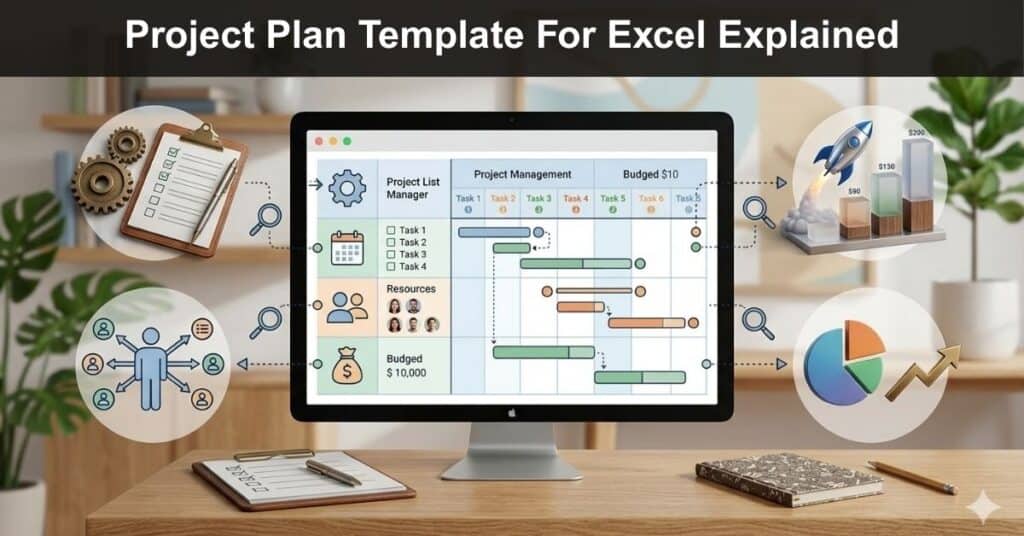
A project plan is an essential component of every project manager’s toolkit. While it may be tempting to dive straight into task execution, dedicating time to strategic planning can significantly conserve resources and reduce costs. A well-structured project plan template is indispensable, as it provides the flexibility needed to adapt to the inevitable changes that arise throughout a project’s lifecycle.
Project planning is a critical stage of the project management process in which project managers establish a clear vision and structured framework for the execution phase. This process helps identify and eliminate inefficiencies before they arise. It involves documenting the details of each project stage, integrating stakeholder input, and developing contingency measures that enable project managers to navigate and recover effectively from unexpected setbacks.
What Is a Project Plan Template?
A project plan template is a pre-formatted document that provides a standardized structure for capturing all essential project information. Rather than building a new plan from scratch for every project, a template gives project managers a reliable starting point that can be customized to fit the specific needs of each assignment.
Typically, a project plan template includes elements such as project scope, stakeholder details, estimated costs, resource assignments, timelines, milestones, and communication methods. The project manager populates these fields based on the nature of the assignment, ensuring nothing critical is overlooked.
In Excel specifically, project plan templates are especially popular because they combine the familiarity of a spreadsheet with powerful organizational features. They require no technical training to use, can be deployed immediately, and are easy to share across teams — making them one of the most practical tools available for project managers at any level.
Project Plan Template in Excel
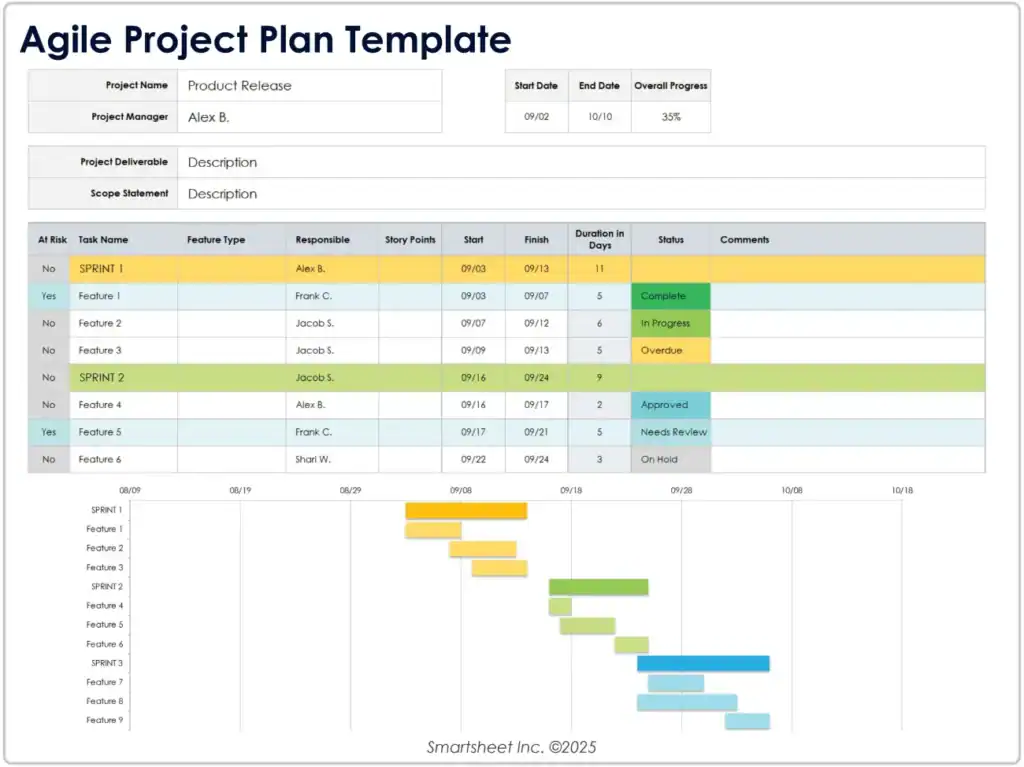
This project plan template is designed to be intuitive and straightforward, enabling project managers to consolidate all project information in a single, easily accessible location. It encompasses all the essential details required to effectively monitor and guide a project’s progress. Furthermore, no technical expertise is necessary to utilize this template, allowing project managers to implement it immediately and efficiently, significantly streamlining the overall project planning process.
You can download the top project planning templates here.
Why Do You Need a Project Plan?
Project planning plays a vital role in guiding sponsors, stakeholders, managers, and teams through each phase of a project. Without a plan, projects are vulnerable to scope creep, missed deadlines, budget overruns, and miscommunication between teams. A strong project plan helps teams reduce risk by identifying potential issues before they escalate.
It keeps everyone aligned on desired goals and deliverables, ensures the agreed product is built to specification, and creates accountability by assigning ownership of tasks and timelines. In short, planning is what separates reactive firefighting from proactive, efficient project delivery.
Components of a Project Plan Template
A well-designed project plan template is built on several key components that work together to keep your project organized, on track, and transparent to all stakeholders. Understanding each of these components will help you get the most out of your template and ensure nothing falls through the cracks.
1. Company Details
This section records the foundational information about the organization running the project, including the company name, address, zip code, location, contact person’s name, and email address. Having this information at the top of the document ensures that anyone reviewing the plan can quickly identify who owns the project and who to contact with questions.
2. Project Details
The project details section contains the core specifics of the assignment: the project’s name, location, scope, key deliverables, and the overall start and end dates. This section sets the context for everything that follows, giving stakeholders a high-level snapshot of what the project is, what it aims to achieve, and how long it is expected to take.
3. Activity/Task Name
This is where the project team documents every task and activity involved in delivering the project. A detailed task list gives the project manager complete visibility into the work pipeline and makes it easier to identify dependencies, bottlenecks, and resource conflicts before they become problems. It also creates a shared understanding across the team of what work is actually required.
4. Resource Assigned
Each task should have a clearly assigned team member or group responsible for completing it. This column lists the names of the individuals or teams working on each activity, making it easy to see at a glance who is responsible for what and to identify if any resources are over-allocated across multiple tasks simultaneously.
5. Start Date and End Date
These two fields define the planned commencement and completion dates for each task. By recording both dates at the activity level, project managers can track whether individual tasks are progressing on schedule and quickly identify if delays in one area are likely to affect the broader project timeline.
6. Duration (In Days)
The duration column captures how many working days each task is expected to take. This information is especially useful when building or reviewing Gantt charts, calculating resource availability, and forecasting the impact of delays. Tracking actual versus planned duration over time also helps teams improve their estimation accuracy for future projects.
7. Activity/Task Status
This field provides a real-time snapshot of where each task stands. Common status values include Completed, Under Progress, Yet To Be Taken Up, and On Hold. Keeping this column updated ensures that the project plan remains a living document rather than a static snapshot, giving managers and stakeholders accurate information for decision-making at any point in the project.
How to Use the Template
One of the greatest strengths of an Excel-based project plan template is its flexibility. It can be as simple or as detailed as your project demands. A small internal initiative might only need a basic task list with dates and statuses, while a large cross-functional program might require a dynamic Gantt chart, budget tracking columns, and milestone markers.
To get started:
- Begin by filling in the company and project details sections to establish context.
- Then work with your team to list all required tasks in the activity section, assign resources to each, and set realistic start and end dates based on team availability and dependencies between tasks.
- As the project gets underway, team members should update the status column regularly so that the plan accurately reflects current progress.
- For more complex projects, consider adding conditional formatting to highlight overdue tasks, or use Excel’s built-in charting tools to build a visual Gantt chart directly from your task data.
These enhancements can dramatically improve how quickly stakeholders can interpret the plan and identify areas that need attention.
Why Use a Template for a Project Plan?
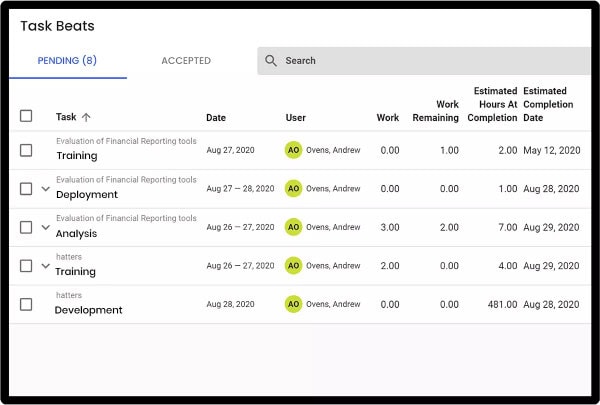
Projects often involve numerous tasks, schedules, milestones, and globally distributed teams, making it challenging to accurately capture the full project outline from the outset. There are several key reasons why visual representation and careful timeline planning are essential:
- Visual Clarity Drives Alignment: Representing project components such as milestones, timelines, and objectives visually helps all stakeholders quickly understand the project’s structure and current status, reducing the risk of miscommunication.
- Early Visibility Prevents Costly Mistakes: Mapping out the project visually from the beginning allows teams to identify gaps, overlaps, and dependencies before they escalate into serious issues.
- Timelines Anchor the Entire Project: The project timeline serves as the foundational framework upon which all other project elements are structured and sequenced. A poorly defined timeline can cause a ripple effect of delays and resource conflicts across every phase of the project.
- Global Teams Require Structured Coordination: When teams are distributed across different time zones and locations, a well-organized visual plan ensures everyone is working from the same reference point, minimizing confusion and keeping efforts synchronized.
Tips and Tricks to Make the Best Out of the Template for Excel
An effective Excel project plan does more than list tasks; it becomes the single source of truth that guides decisions, shows progress, and keeps teams aligned. To get the most value from your template, adopt a few disciplined habits that ensure the plan remains accurate, actionable, and collaborative throughout the project lifecycle.
- Use Status Fields Consistently: Agree on a standard set of status values across your team before the project begins. Inconsistent terminology makes it harder to generate accurate progress reports and can lead to miscommunication.
- Leverage Conditional Formatting: Excel’s conditional formatting feature lets you automatically highlight overdue tasks, approaching their deadline, or on hold. This creates a visual early-warning system that helps managers spot issues without manually scanning every row.
- Involve Your Team in the Planning Process: The best project plans are built collaboratively. When team members contribute to building the plan, they develop a stronger sense of ownership over their tasks and are more likely to keep their sections updated throughout the project.
- Review and Adjust as the Project Evolves: No project goes exactly as planned. Treat your project plan template as a living document and update timelines, resource assignments, and scope details as circumstances change. A plan that evolves with the project is far more useful than a perfect document that becomes outdated after week one.
- Keep It Updated: A project plan only delivers value if it reflects the current state of the project. Build a habit of reviewing and updating the plan at regular intervals — weekly check-ins work well for most teams.
You can check these templates to help you create an effective project management plan in MS Word.
Video On How to Create a Project Plan in Excel
Conclusion
A clear, well-structured project plan template in Excel saves time, reduces risk, and keeps teams aligned from kickoff through delivery. By capturing company and project details, tasks, assigned resources, dates, durations, and real-time status, the template becomes the single source of truth for decision-making and progress tracking. Use conditional formatting, collaborative input, and regular reviews to keep the plan current and actionable.
Whether managing a small internal initiative or a complex, cross-functional program, adapting the template to include Gantt visuals, budget tracking, and milestone markers improves transparency and accountability. Prioritize consistency in status reporting and involve your team in planning to boost ownership. With these practices, your Excel project plan will not only document the work but also actively drive predictable, efficient project outcomes.
FAQs
What is a project plan template?
A project plan template is a pre-formatted document that provides a standardized structure for organizing all essential project information. It typically includes elements such as project scope, stakeholder details, estimated costs, timelines, and communication methods. The project manager populates the template based on the specific requirements of each assignment, ensuring consistency across projects and reducing the time spent building plans from scratch.
What does a project plan include?
A project plan includes all the information required for the execution phase: project objectives, goals, milestones, scope of work, assigned resources, budget estimates, and identified risks. This information gives the project manager a comprehensive framework for monitoring progress, controlling changes, and keeping the project on track from initiation through to completion.
Why do we need a project plan?
Project planning plays a critical role in guiding sponsors, stakeholders, project managers, and teams through every phase of a project. A solid plan helps reduce risks, keeps everyone aligned on desired goals, ensures the agreed deliverables are met to specification, and prevents missed deadlines. Without one, projects are far more vulnerable to scope creep, budget overruns, and miscommunication between teams.
What are the components of a project plan template?
The core components of a project plan template are company details, project details, task and activity names, assigned resources, start date, end date, duration, and activity status. Together, these fields give project managers and stakeholders a complete picture of what needs to be done, who is responsible, and how the project is progressing at any given point.
How long should a project plan be?
There is no one-size-fits-all answer — the length and complexity of a project plan should match the scale and nature of the project itself. A small internal initiative might only require a single-page task list with dates and owners, while a large cross-functional program may demand a detailed multi-tab Excel workbook complete with Gantt charts, budget tracking, and risk registers. The goal is to include enough detail to guide execution effectively without overcomplicating the document to the point where teams stop using it.
Can a project plan template be used across different industries?
Yes. One of the greatest advantages of a well-designed project plan template is its versatility. Whether you are managing a software development sprint, a construction project, a marketing campaign, or an organizational change initiative, the core structure — tasks, owners, dates, durations, and statuses — applies universally. The template can be customized with industry-specific columns, terminology, or workflows while retaining the same fundamental framework that makes it effective.
Suggested articles:
- Project Planning: 10 Steps To Write A Project Plan
- Top 11 Best Free Project Planning Tools in 2025
- 6 Steps of a Project Planning Process Diagram

Shane Drumm, holding certifications in PMP®, PMI-ACP®, CSM, and LPM, is the author behind numerous articles featured here. Hailing from County Cork, Ireland, his expertise lies in implementing Agile methodologies with geographically dispersed teams for software development projects. In his leisure, he dedicates time to web development and Ironman triathlon training. Find out more about Shane on shanedrumm.com and please reach out and connect with Shane on LinkedIn.