
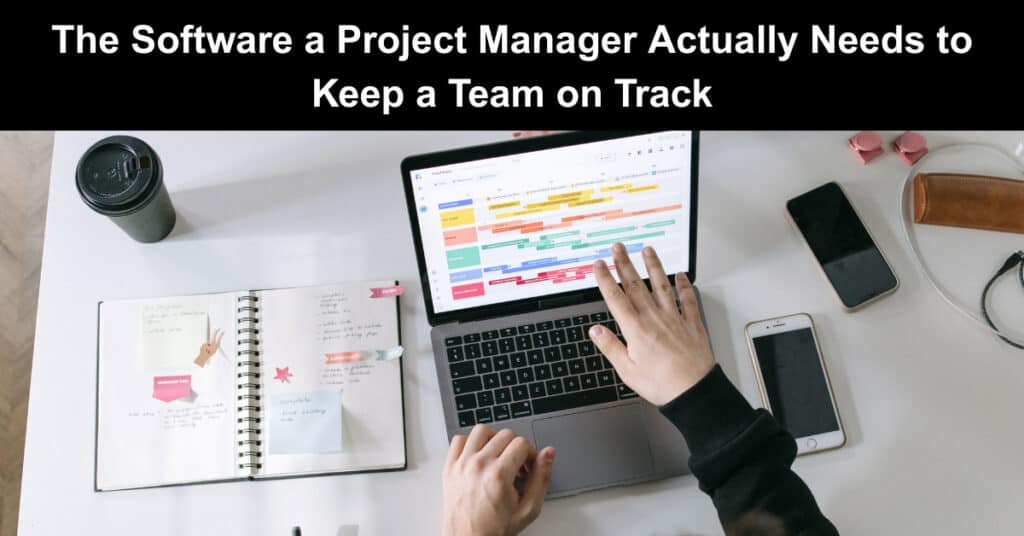
A project manager is only as effective as their visibility into two things: the work and the people doing it. Good tools give you that visibility without getting in the way. Bad ones bury you in dashboards nobody updates. The market is crowded, and almost every category has dozens of options. So the goal is not to own the most tools. It is to cover the jobs that matter with software that talks to itself. Here are the categories worth getting right, with a few names worth knowing in each.
The failure mode is rarely a missing tool. It is duplication: two apps doing the same job because nobody retired the first one when the second one arrived, or a tool bought to fix a symptom instead of the actual gap. Every additional login is a small tax on adoption, and every tool only half the team uses becomes a second source of truth nobody trusts. Before evaluating a category, it helps to know what you are actually trying to see, not which app looked best in a demo.
Project and Task Management
This is the core, where work is broken down, assigned, sequenced, and tracked. Software teams often live in Jira, built around issues, sprints, and backlogs. Broader teams tend to reach for top project management tools like Asana, Trello, Monday.com, ClickUp, or Wrike, each with its own take on boards, lists, and timelines. There is a tool built around almost any way a team likes to work. Pick the one your team will actually keep up to date, because the most powerful platform is useless if people stop using it.
The mistake most teams make here is choosing a tool based on its feature list rather than the workflow it will replace. A tool with more configuration options is not automatically better if it takes longer to set up than the sprint it is meant to track. Migrating a team’s history, custom fields, and habits from one platform to another costs real weeks, so it is worth staying conservative about switching once something is working, even an imperfect something, rather than chasing whichever platform a new hire liked at their last job.
Once you coordinate work across dozens of teams and multiple portfolios, single-team platforms start to buckle. For example, enterprise project management software such as ONES.com connects team-level tasks with cross-project dependencies and resource planning, helping managers see how a delay in one project affects work elsewhere.
That is where PMO-focused tools come in; they are built around portfolio visibility, resource capacity, and governance rather than just task lists. If leadership is asking for cross-project visibility your current stack cannot give them, it is worth comparing the best enterprise PMO software options separately from team-level tools. The buying criteria differ, as does the cost of getting it wrong.
Time Tracking
If you bill by the hour, forecast capacity, or just want to know where the week went, time tracking earns its place. Tools like Toggl, Harvest, and Clockify run quietly in the background and turn hours into reports you can act on, rather than turning your team into timekeepers. Keep it light. Time tracking that feels like surveillance gets gamed or ignored.
The category tends to split into two use cases that get treated as one. Agencies and consultancies need time tracking to bill clients accurately, so precision and client-facing reports matter. Internal teams usually just want a rough sense of where capacity is going, a much lower bar that does not need the same granularity. Conflating the two is how time tracking ends up feeling punitive: holding a salaried engineer to the same logging standard as a billable consultant is a fast way to get inaccurate data and a resentful team.
Resource and Capacity Planning
Time tracking tells you where hours went. It does not tell you where hours are about to go, which is a more useful question for a project manager trying to head off a bottleneck two weeks out. Capacity planning tools such as Float, Runn, or Forecast sit on top of your task list and show who is overbooked before it becomes a missed deadline, rather than after.
For a small team, this can live in a shared spreadsheet without much loss. Past a certain size, usually somewhere around fifteen or twenty people across multiple projects, the spreadsheet stops being trustworthy the moment two people update it in the same afternoon, and a dedicated tool earns its cost back the first time it flags an overallocation before a client notices.
Team Availability and Attendance
You cannot plan work around people whose availability you cannot see. Attendance and presence tools tell you who is working, when, and from where, which matters more than ever for distributed and hybrid teams. It is a wide field: in one independent ranking of attendance tracking software, Deputy, Buddy Punch, and Connecteam come out on top, each built for a different setup, from shift-based and deskless teams to salaried remote staff. The right choice depends on how your team actually works, not on feature counts.
Attendance tracking earns the most suspicion of any category on this list, since it can tip from visibility into surveillance if it is rolled out badly. The distinction usually comes down to what the data is used for. A tool that helps a manager notice a team member is quietly overloaded, or confirms coverage across time zones, is doing its job. The same tool used to police minutes away from a desk will get worked around within a month. Choose the softer end of the category unless the work genuinely requires shift-level precision.
Leave and Time Off
Closely related, and just as easy to get wrong, is leave. Nothing derails a plan like discovering three key people booked the same week off. Dedicated leave management software handles requests, approvals, balances, and the rules that vary by team and region, and it keeps a shared calendar everyone can see. For a small team, a spreadsheet limps along. Past that, a real tool pays for itself the first time it prevents a clash.
The regional part of this is easy to underestimate until it bites. Statutory leave, public holidays, and accrual rules differ by country and sometimes by state or province, and a spreadsheet does not know any of that. A distributed team with people in four countries is carrying four sets of rules whether anyone wrote them down or not, and the first time a manager approves a leave request that quietly breaks local law is usually the last time that team relies on a spreadsheet for it.
Communication and Documentation
Then there is the connective tissue: chat, video, scheduling, and a shared home for documents and decisions. Slack and Microsoft Teams anchor most real-time communication, Zoom or Google Meet handle calls, a tool like Calendly takes the back-and-forth out of booking them across time zones, and Notion or Confluence hold the lasting knowledge. The trap here is sprawl. Three chat apps and two wikis are not a stack; it is a scavenger hunt. Pick one home for real-time talk and one for lasting knowledge, and defend those choices.
The harder discipline is not choosing the tools; it is deciding what belongs in chat and what belongs in the wiki. A decision that only exists in a thread from six weeks ago is a decision that does not exist, because nobody will scroll back far enough to find it. A useful habit is treating chat as disposable by design and documentation as the only place anything counts as official. That one rule does more for a team’s institutional memory than any feature comparison between wikis.
Reporting to Stakeholders
None of the tools above were built for the person who wants a two-minute answer to “are we on track?” A board full of cards or a wiki full of docs is the right view for the team doing the work and the wrong one for a sponsor checking in once a month. That gap is usually closed with a lightweight status report, either a recurring summary pulled from whatever tracker the team already uses, or a simple dashboard that rolls tasks up into milestones and risks.
The goal is not another tool so much as a discipline: someone has to translate the detail into a shape a stakeholder can actually use. That means filtering out the noise of day-to-day task updates and surfacing only what affects timelines, budgets, and risk, and that translation should not require the stakeholder to learn the tracker themselves.
The Rule That Ties It Together
Whatever you choose, integration beats raw power. A modest tool that syncs cleanly with the rest of your stack beats a brilliant one that traps its data. Jira that feeds your reporting, a time tracker that flows into payroll, an attendance tool your leave calendar can actually see: that is what turns separate apps into a system. Before adding anything, ask two questions. What job is this doing that nothing else covers, and will it share data with the tools I already run? If the answer to either is weak, you do not need it.
Run the test against a real example, and it gets easier to apply. A time tracker that exports a CSV nobody imports anywhere is failing the second question even if it answers the first one well. A dedicated capacity planner bought because the free version of the task tool already has a workload view is failing the first question, because that job is already covered. The two questions are less a checklist than a habit, and the habit is what keeps a stack from growing past the point where anyone can explain why each piece is there.
Conclusion
The best project management stack is not the longest one. It is the smallest set of tools that gives you a clear view of the work and the team, updates itself without nagging, and shares data so you are not the integration layer. Get that right, and the software fades into the background, which is exactly where it belongs.
None of this has to happen at once. Most project managers inherit a stack rather than choose one, and the realistic path is fixing one weak link at a time. Start with whichever category is causing the most avoidable surprises this quarter, fix that, and let the rest of the stack catch up as it needs to.
Suggested articles:
- 8 Tips for Keeping Projects on Track During Holidays
- How to Use Software for Efficient Productivity Tracking on Jobsites in a Project
- Top 11 Best Time Tracking Tools to Improve Teamwork

Daniel Raymond, a project manager with over 20 years of experience, is the former CEO of a successful software company called Websystems. With a strong background in managing complex projects, he applied his expertise to develop AceProject.com and Bridge24.com, innovative project management tools designed to streamline processes and improve productivity. Throughout his career, Daniel has consistently demonstrated a commitment to excellence and a passion for empowering teams to achieve their goals.