
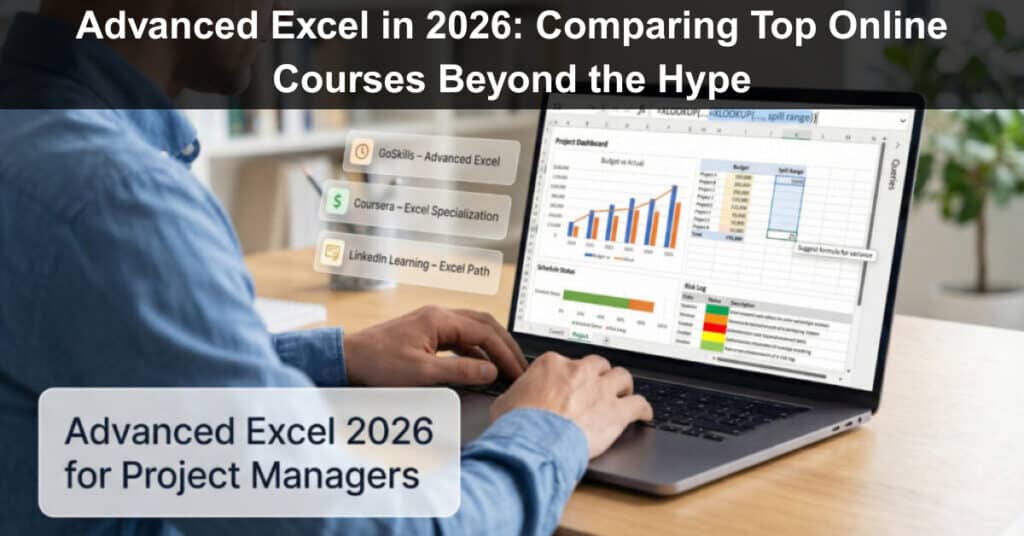
Excel still powers every project budget, schedule, and risk log. Yet Microsoft 365’s 2025–26 upgrades—dynamic arrays, XLOOKUP, Python-in-cell, and Copilot suggestions—turn yesterday’s formulas into busywork. GoSkills’ 2025 Upskilling Forecast shows that professionals with an advanced Excel credential earn about 12 percent more than peers without one.
In this guide, we compare five up-to-date courses, teach you how to spot an outdated syllabus in seconds, and help you choose the fastest path to real project impact.
How to Choose an Advanced Excel Course
Most “best Excel” lists gloss over the question that matters: which course will help you deliver cleaner budgets, sharper forecasts, and faster status reports?
- Run a Version Check: If the syllabus still praises VLOOKUP, keep scrolling. Modern 365 relies on XLOOKUP, dynamic arrays, Python-in-Cell, and Copilot (all released in Microsoft’s 2025 updates, according to the Microsoft Tech Community announcement).
- Match Outcomes to Your Workload: Project professionals juggle baselines, risks, and executive dashboards. Look for Power Query, pivot-driven visuals, and at least a hint of automation so lessons translate directly to weekly deliverables.
- Check the Credential: Recruiters notice CPD or university backing far more than a generic PDF. If you log PMI PDUs or CPE hours each year, verify that the provider is accredited.
- Balance Price With Access Time: A one-month subscription can cost less than a $20 lifetime deal if you finish quickly. Long-term access pays off when you prefer bite-sized refreshers throughout the year.
Here’s a quick reference grid you can save for later:
| Course | Hours/level | Cost model | Key 365 topics | Certificate/credits | Ideal for |
| GoSkills Advanced Excel | 14 h / Int–Adv | $39 monthly | XLOOKUP, dynamic arrays, Copilot | CPD (14 h) | Busy PMs, quick cert |
| Coursera Macquarie Specialization | 100 h / All | $49 monthly | Full stack + Power Pivot | Univ. cert | Comprehensive path |
| LinkedIn Learning path | 14 h / Mixed | $40 monthly | Modular 365 updates | LinkedIn badge, some CPE | Targeted upskilling |
| Udemy Excel | 18 h / All | $15–20 one-off | 2025 update bundle | Udemy cert | Budget, lifetime access |
| CFI Advanced Formulas | 10 h / Adv | $497 annual | Finance-heavy functions | CPD, NASBA CPE | Finance analysts |
Use these columns as a quick scorecard. When a course rates high on version freshness, real-world relevance, recognized certification, and fair pricing, you’re looking at a winner.
Up next, we rank five front-runners and unpack what each one actually teaches, starting with the course that checks every box.
The Best Online Advanced Excel Courses in 2026
GoSkills Advanced Excel Course

Ken Puls—Microsoft MVP—teaches advanced Excel in short, focused video lessons. The course includes 3 hours and 18 minutes of instruction presented in bite-sized segments, making it easy to complete over a weekend and continue reviewing at your own pace. Lessons are demonstrated using modern Excel (Microsoft 365–compatible features), including XLOOKUP and other up-to-date functions. You’ll also work with PivotTables, data cleanup techniques, and Power Query to automate repetitive tasks.
The emphasis is on practical skills you can apply immediately. GoSkills is accredited by The CPD Certification Service (CPD UK), and the Advanced Excel course carries an estimated 14 hours of study time, which you may be able to apply toward professional development requirements depending on your organization. The course holds a strong reputation, with a rating of around 4.7 stars from over 1,200 reviews, according to GoSkills.
Pricing is straightforward: GoSkills offers a 7-day free trial, followed by $39 for a single month, or $21 per month billed annually. Finish the course within your first month, and you can earn an advanced Excel certificate for less than the cost of a team lunch.
For project managers, the payoff is immediate: Power Query turns messy exports into clean status dashboards, advanced lookup functions streamline analysis, and workflow-saving techniques reduce reporting time—so you spend less time managing spreadsheets and more time managing the project.
Coursera + Macquarie University: Excel Skills for Business Specialization

Picture a university term where you can pause for dinner. This four-course path runs about 100 hours in total, and Coursera estimates three months at 10 hours a week to finish. The final course, Excel Skills for Business: Advanced, dives into array formulas, multi-criteria lookups, and dashboard design, then wraps up with a build-your-own project. Every lesson uses the current Microsoft 365 release, so you practice dynamic arrays, advanced INDEX/MATCH chains, and light automation that still feel fresh in 2026.
More than 631,000 learners have enrolled, and the specialization holds a 4.9-star rating from 47,000+ reviews, according to Coursera. Busy forums mean quick answers when you hit a snag. Finish the program, and you earn a Coursera certificate co-signed by Macquarie University, a name that stands out on LinkedIn. One click adds the badge to your profile.
Coursera Plus costs $49 per month. Wrap up in three months, and the credential totals about $150. Deadlines help many students stay on track, so they avoid paying for extra months.
Pick this specialization when you want university-level depth plus a credible credential and can set aside a few focused hours each week. It equips you for everything from forecasting spend to flagging late tasks in a polished dashboard.
LinkedIn Learning: Master Microsoft Excel Learning Path

Already comfortable with formulas but need a quick tune-up on PivotTables or Power Query? This LinkedIn Learning path bundles nine short courses (about 14 hours total), each led by a different Excel MVP. You can dip into a single two-hour module before tomorrow’s status deck, or work through the whole track over a weekend.
Videos refresh each year, so you see dynamic arrays, VLOOKUP, and brief Copilot demos in Microsoft 365 — reinforcing the Excel skills for modern project management you’ll use every week. Core titles such as Excel Essential Training (Microsoft 365) have 270,000+ viewers, while Excel: Advanced Formulas and Functions tops 430,000, according to LinkedIn Learning. Those numbers show the content resonates. Finish any module and LinkedIn adds a completion badge to your profile, giving recruiters an instant signal of your skill.
Pricing is simple: $39.99 per month after a one-month free trial (many companies cover the fee). With a focused plan, you can finish the parts you need during the trial and pay nothing.
Choose this path when you’re competent and want targeted growth. Short, focused lessons keep overload low, and each new badge quietly highlights your updated skill set to your network.
Udemy: Microsoft Excel — Beginner to Advanced (Kyle Pew)
If you want a course you can keep for life, this Udemy best-seller fits the bill. A single $15–$20 purchase (Udemy’s typical sale price) unlocks 18 hours of video, downloadable workbooks, and an active Q&A forum. Instructor Kyle Pew, a Microsoft Certified Trainer, records fresh content every few months. The latest update in August 2025 added VLOOKUP, TEXTSPLIT, and other dynamic-array functions, so you can revisit lessons whenever Microsoft ships a new 365 feature without paying again.
The curriculum starts with navigation basics, then tackles advanced lookups, PivotTable deep dives, dashboard design, and an introduction to Macros and VBA. By the final module, you build reports that pull data, transform it, and present executive-ready visuals. According to Udemy, the course has a 4.7-star rating from more than 500,000 reviews and 1.66 million learners enrolled.
Choose this program when the budget is tight, but ambition is high. It doesn’t provide an accredited certificate, yet the evergreen reference library, plus the instructor’s responsive Q&A, often outweigh formal paper for project teams that need quick, practical answers.
CFI: Advanced Excel Formulas and Functions

When your revenue model relies on flawless logic, this Advanced Excel Formulas and Functions course drills the formulas finance teams use every day: multi-criteria SUMPRODUCT, nested INDEX/MATCH chains, and OFFSET scenarios, then tests them against real balance-sheet data. The curriculum, filmed entirely in Excel 365, received a June 2025 refresh that adds dynamic-array options beside classic methods. It runs 2 hours 15 minutes across 64 micro-lessons, each about ten minutes long, so you can finish in an afternoon and replay sections before closing books.
CFI holds NASBA approval (3.5 CPE credits) and appears on the CPD Certification Service. According to CFI, completing the quizzes and final assessment earns a certificate that meets many annual license requirements for accountants, analysts, and controllers. Access comes through CFI’s all-access plan: $497 for 12 months. The subscription also unlocks 250+ other finance and Excel courses, including full FP&A and modeling paths, so the cost per course drops fast if you live in spreadsheets.
Choose this track when you already know dashboards but want bulletproof formulas. It skips VBA, yet it will make every model leaner, faster, and easier to defend in a boardroom.
Conclusion
Advanced Excel remains one of the highest-leverage skills in any project, operations, finance, or analytics role, yet the ecosystem has changed dramatically with Microsoft 365’s new era of dynamic arrays, Python-in-Excel, and Copilot automation. The courses reviewed here span every need and budget: fast upskilling for busy PMs, university-level mastery, lifetime reference libraries, and formula-driven finance tracks.
Your best course is the one that fits your version of Excel, your weekly workload, and your career goals. Choose deliberately, commit to consistent practice, and your next forecasting model, dashboard, or automation workflow won’t just be “good enough”—it’ll set a new bar for your team. In 2026, Excel is more powerful than ever, and the right training turns that power directly into confidence, speed, and project impact.
Frequently Asked Questions
1. Do I still need advanced Excel skills now that Copilot exists?
Yes. Copilot speeds up routine tasks, but it can’t replace understanding. You still need to know which formulas, structures, and checks to use—and how to validate Copilot’s output. Advanced Excel skills make Copilot more effective, not less relevant.
2. How do I know if a course is up to date for 2026?
Check for Microsoft 365 features, especially:
- Dynamic arrays
- XLOOKUP
- TEXTSPLIT / TEXTAFTER family
- Power Query
- Python-in-Excel
- Any Copilot demos
If the syllabus emphasizes VLOOKUP, legacy array formulas, or Excel 2016 screenshots, it’s outdated.
3. Are cheap Udemy courses as good as university-backed programs?
They can be for certain goals. Udemy excels at:
- Lifetime access
- Practical examples
- Frequent updates
But they lack accredited credentials. If you need CPD, CPE, PMI PDUs, or a university logo for your résumé, choose GoSkills, CFI, or Coursera instead.
4. How long does it take to reach the “advanced” level?
Most motivated learners reach advanced competency in 20–40 hours spread across several weeks. If you already know the basics, you can jump into Power Query, dynamic arrays, and dashboard automation much faster—sometimes within a single focused weekend.
5. Which Excel skill gives the biggest productivity boost?
For most professionals:
- Power Query saves the most time (automating messy imports)
- Dynamic arrays simplify complex formulas
- PivotTables speed up reporting
- Python-in-Excel unlocks advanced analytics
- Copilot accelerates repetitive tasks
Combined, these can cut hours of weekly reporting into minutes.
Suggested articles:
- How To Import Data Into Excel From Images?
- Why Excel Skills Are Crucial for Modern Project Management
- Project Management Excel Templates for Project Managers

Daniel Raymond, a project manager with over 20 years of experience, is the former CEO of a successful software company called Websystems. With a strong background in managing complex projects, he applied his expertise to develop AceProject.com and Bridge24.com, innovative project management tools designed to streamline processes and improve productivity. Throughout his career, Daniel has consistently demonstrated a commitment to excellence and a passion for empowering teams to achieve their goals.