

Every minute lost to tab switching, retyping, and manual research is a minute stolen from real work, and that is exactly the problem ChatGPT Chrome extensions were built to solve. These browser tools put AI assistance where your tasks actually happen, so you draft emails, summarize pages, and answer questions without ever leaving the tab you are working in, and the setup process takes seconds.
This guide reviews the best ChatGPT Chrome extensions available today, from prompt libraries and live web search to email writers and LinkedIn assistants. It also covers AI YouTube summarizers like Eightify that compress hours of video into minutes of reading, so you can build a powerful browser stack that genuinely accelerates your daily work and keeps your whole team moving faster every single working day.
The Power of ChatGPT Chrome Extensions
ChatGPT Chrome extensions are changing the way people work online, and OpenAI’s ChatGPT assistant powers many of them. These AI tools fit directly into your browser, offering quick help for content creation, research, writing, and communication. From drafting replies to summarizing long pages, they are designed to make your work easier, faster, and noticeably more productive.
These extensions deliver their value across several core daily workflows:
- Content Creation: Generate social media posts, blog outlines, headlines, and ad copy directly from the pages you are viewing. What once took an hour of drafting now takes seconds of refinement, and quality stays consistent.
- Research Assistance: Extensions with live web access fetch current information and summarize it beside your search results. That removes the back-and-forth between a query, a dozen open tabs, and a half-written note.
- Writing and Communication: Email writers and tone adjusters polish drafts before you hit send, matching professional standards. LinkedIn assistants even suggest relevant replies based on comments you have already saved for reuse.
- Task Automation: Prompt libraries turn recurring jobs into one-click routines with proven templates. Teams standardize how they ask for summaries, translations, and analysis, which cuts errors and eliminates busywork.
Top ChatGPT Chrome Extensions for Productivity
The extension landscape changes quickly, but a handful of tools consistently earn their place in productive browsers. Each one solves a different problem, from prompt engineering to live search to professional writing. The extensions below represent the strongest options, and the descriptions explain exactly where each one fits into your daily work routine with ease.
The most valuable extensions to install right now, in brief, are:
- AIPRM for ChatGPT: A curated library of prompt templates and advanced features makes it the cheat code for ChatGPT. Pick a proven template for marketing, SEO, or writing instead of puzzling over how to phrase each request, and better output follows.
- WebChatGPT: Real-time web results enter your ChatGPT conversations, so answers stay current and verifiable. The tool protects privacy by not collecting personal data, which makes it a dependable companion for research and news.
- ChatGPT for Google (Now AI Chat for Search): AI answers appear directly inside search results on any engine, with detailed summaries alongside normal listings. Searching becomes more useful and informative without you ever leaving the page.
- Merlin: A helpful AI assistant for creating and using content, it summarizes videos and blogs, assists with emails and social posts, and answers questions across the web from one compact browser extension.
- ChatGPT Writer (Now JetWriter): Professional email responses draft in seconds using past email context. You enter the conversation context and a summary of the reply you want, and the tool produces a polished message ready to send.
- Engage AI: LinkedIn users create relevant, insightful replies with the Second Brain feature, which saves past comments for easy recall. Engagement stays consistent, personal, and genuinely useful across every conversation.
Benefits of Using ChatGPT Chrome Extensions
The productivity gains from AI tools are measurable, not anecdotal. Businesses embedding AI into daily workflows report dramatic improvements in output, and the benefits below explain why these extensions matter for individuals and organizations alike. Automating routine writing and research saves hours that compound across teams, departments, and entire organizations over the course of a year.
Increased Productivity
AI-powered tools have shown remarkable potential for improving productivity, and industry reports cite gains of up to 40% within the first year of use. Companies like Microsoft and Google report improvements of up to 25% among teams using AI for data analysis and task automation. Those numbers translate into faster project completion and lighter workloads.
Higher productivity shows up in several very concrete ways for teams:
- Faster Task Completion: Routine drafting, summarizing, and research finish in minutes instead of hours. Employees clear their queues earlier and take on higher-value work that moves the business forward.
- Reduced Workload: Automation absorbs the repetitive parts of content work, so people focus on judgment and creativity. Fatigue drops, quality improves, and teams sustain output levels that once caused burnout.
- Better Overall Performance: Small per-task gains compound across hundreds of tasks each month. Departments benchmark before-and-after metrics and consistently find measurable improvements in throughput and delivery speed.
Time-saving
ChatGPT extensions automate routine tasks, letting employees focus on work that genuinely requires human thinking. Features like automated email responses and content summarization dramatically reduce time spent on repetitive activities. In a fast-paced business world where every minute counts, handing mundane jobs to AI frees professionals for strategic thinking, creative problem-solving, and high-impact project work.
Time savings come from several reliable and highly consistent sources:
- Automated Responses: Email and message drafts generate in seconds, with tone and length adjusted to the situation. Professionals send more timely replies without sacrificing thoughtfulness or quality.
- Instant Summarization: Long articles, reports, and meeting notes compress into key points in seconds. Readers capture the essentials of dense material without reading every paragraph twice or skimming past the details that matter.
- Fewer Distractions: Staying inside one browser tab eliminates the context switching that drains focus. Employees finish tasks in single sessions instead of scattering attention across tools and windows.
Improved Communication
Extensions like JetWriter and Engage AI help create more engaging, professional responses across platforms. With 81% of customers expecting faster service because of technology improvements, these tools matter for business survival. They not only polish messages but also keep tone and messaging consistent across email, social media, and support channels of every possible kind.
Communication quality improves through several practical, visible, and measurable mechanisms:
- Professional Polish: AI suggestions catch awkward phrasing, typos, and overly casual tone before messages leave your inbox. Replies read as carefully written even when drafted in seconds.
- Consistent Brand Voice: Reusable templates and style-aware writing keep every channel sounding like the same company. Customers recognize the voice across email, chat, and social media, which builds trust.
- Faster Response Times: Prepared drafts shorten the gap between receiving a message and answering it. Teams respond within minutes rather than hours, which directly addresses what 81% of customers say they want.
AI YouTube Summarizer Chrome Extensions
Along with ChatGPT extensions, AI-powered YouTube summarizers are changing how people consume video content, and social media usage statistics show the scale of the shift. These tools matter when video output is enormous and attention is scarce, and they turn hours-long lectures into readable summaries. The three tools below lead the category, so professionals extract substance without watching every minute themselves.
1. Eightify
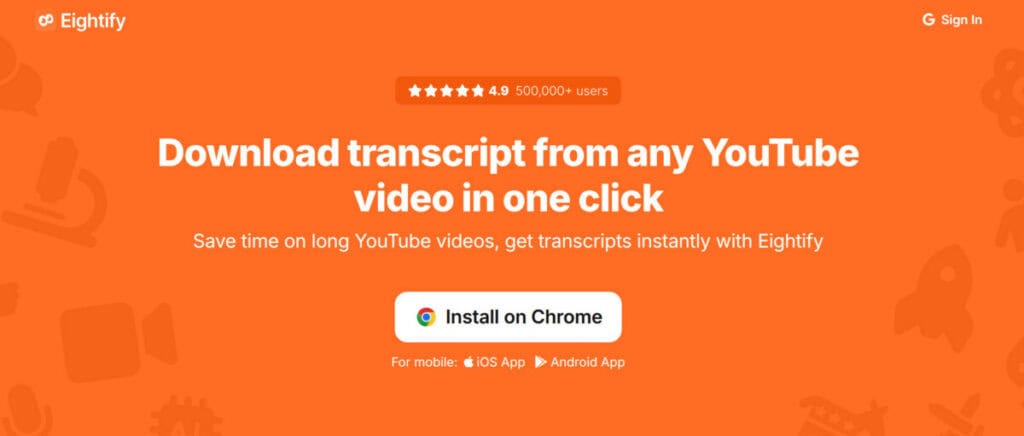
Eightify stands out as a powerful AI YouTube summarizer with a distinctive feature set. It produces short summaries, key insights, and summarized comments, supports more than 40 languages, downloads transcripts, and offers timestamped breakdowns. Its average processing time of seven seconds, even for four-to-six-hour videos, makes it exceptionally practical for busy professionals and researchers.
Eightify’s feature set helps busy users in several notable ways:
- Short Summaries: Videos condense into digestible summaries with key points front and center, plus summarized comments from viewers. Professionals absorb the essence of a presentation in seconds instead of watching the full length.
- Multilingual Support: More than 40 languages are supported for translations, breaking down language barriers for global teams. A Japanese lecture, a German webinar, or a Spanish tutorial all become accessible in your own language.
- Transcript Downloads: Full transcripts download for offline reading, note-taking, and citation. Researchers can quote sources accurately without replaying video segments to catch exact wording and important details.
- Timestamped Breakdowns: Navigation markers split the video into labeled sections for easy jumping. Viewers skip straight to the chapter they need instead of scrubbing through the timeline.
2. TubeOnAI
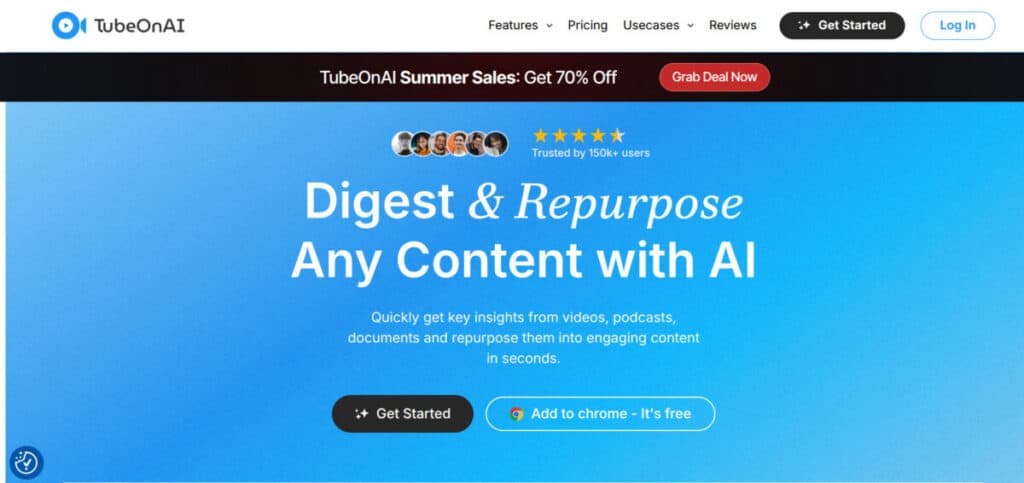
TubeOnAI offers comprehensive summarization abilities that extend beyond YouTube itself. It creates short summaries for videos, podcasts, and long-form content, and it can summarize automatically for channels you subscribe to. Instant or scheduled notifications keep users informed, and the service runs on web, iOS, and Android platforms alike, making it a strong companion for podcast-heavy professionals.
TubeOnAI supports busy professionals in several practical everyday ways that matter:
- Multi-Format Summaries: Summaries cover YouTube videos, podcasts, and other long-form content, not just standard uploads. Listeners capture podcast insights without committing to the full episode or series.
- Automatic Channel Summaries: Subscribed channels summarize automatically as new videos appear. Followers stay current with their favorite creators without manually requesting each summary or visiting the site daily.
- Smart Notifications: Instant or scheduled alerts deliver summaries when it suits your routine. You decide whether updates arrive immediately or in a digest at a convenient time.
- Cross-Platform Availability: Web, iOS, and Android access means summaries follow you across devices. Professionals on the go check key points on a phone and return to full notes on a laptop.
3. Wordtune
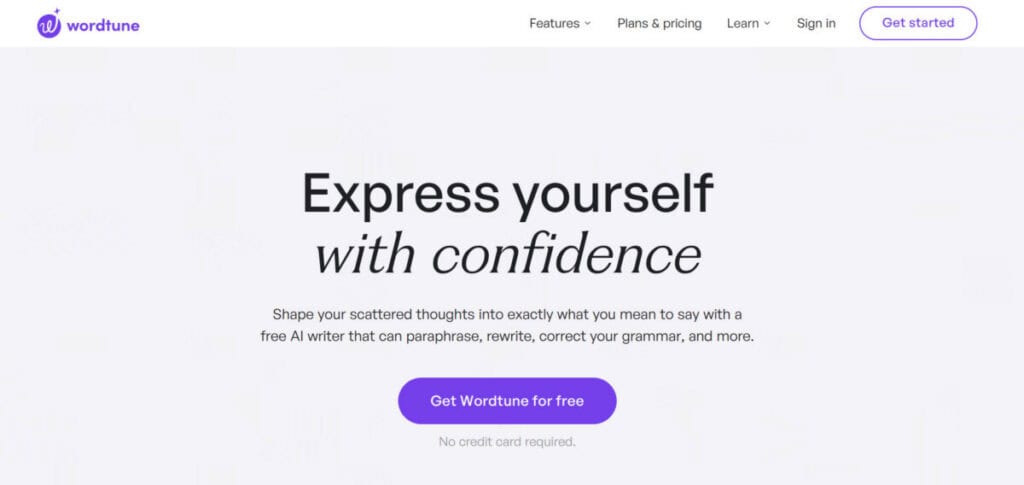
Wordtune goes beyond YouTube to offer versatile summarization for many content types. It summarizes academic papers, magazine articles, and videos, and it produces human-sounding summaries that match your writing style. The tool also creates quality content like emails, social posts, and headlines at the press of a button, serving researchers, marketers, and creators equally well.
Wordtune’s versatility shows up in several highly valuable everyday ways:
- Wide Source Coverage: Academic papers, magazine articles, and YouTube videos all summarize cleanly in one place. Researchers and content professionals process material from multiple sources without switching tools.
- Human-Sounding Output: Summaries read naturally and adapt to your unique writing style instead of sounding mechanical. The result feels like a colleague’s notes rather than raw machine output.
- Content Generation: Emails, social media posts, and headlines generate at the press of a button. Marketers prototype messaging quickly, then refine the strongest option rather than starting from a blank page.
The Eightify Advantage
While all these summarizers offer valuable features, Eightify stands out through its combination of speed, language support, and comprehensive output. Very fast processing, broad language coverage, and complete summaries make it especially useful for professionals reviewing multiple long videos. The advantages below explain why Eightify consistently earns its place in productive workflows of every kind.
The advantages that set Eightify apart are worth examining closely:
- Very Fast Processing: With an average processing time of just seven seconds, even for videos of four to six hours, Eightify delivers information quickly. That speed is unmatched in the category and can save hours for professionals reviewing multiple long-form videos.
- Support for Many Languages: Supporting more than 40 languages, Eightify breaks down language barriers and makes content accessible globally. International businesses and researchers working with multilingual material gain immediate value from this breadth.
- Complete Summaries: Eightify not only summarizes video content but also provides key insights and summary comments. You get a full understanding of the video and how viewers reacted to it, which supports smarter decisions about the material.
Making the Most of AI Tools
ChatGPT Chrome extensions and AI YouTube summarizers like Eightify together form a powerful toolkit for modern professionals, and current artificial intelligence (AI) trends confirm how rapidly these technologies continue to evolve. Beyond saving time, these tools enhance work quality by delivering fast, reliable access to information and actionable insights. The examples below demonstrate how professionals across different roles combine them to achieve real, measurable results.
A few real-world use cases illustrate the combined value clearly:
- Marketing Workflows: A marketing professional uses ChatGPT extensions to write social posts and email campaigns quickly, then relies on Eightify to track industry trends from YouTube thought leaders. Drafting and research accelerate inside one routine.
- Research Workflows: A researcher organizes ChatGPT queries with dedicated prompt tools and uses ChatGPT YouTube Summary for long academic lectures and conference presentations. Sources get digested systematically, and notes stay structured for later reference.
- Executive Workflows: Busy executives compress board materials, industry updates, and video briefings into minutes of reading each day. They enter meetings prepared without sacrificing the time needed to lead the business.
Try Eightify Today
Ready to change your YouTube experience and increase your productivity? Download the Eightify YouTube Summarizer and start using content more efficiently than ever before. With very fast processing, support for many languages, and complete summaries, Eightify is the tool you need to stay ahead in a fast-paced digital world. Do not miss out on valuable information.
Getting started takes just a few minutes and delivers immediate benefits:
- Instant Access: The extension installs in seconds from the Chrome Web Store and works directly inside YouTube. No accounts to configure, no steep learning curve, and no disruption to your existing workflow.
- Daily Time Returns: Every hour-long video becomes a few minutes of reading, which returns substantial time each week. Professionals reinvest that time in analysis, decisions, and the work that moves their careers forward.
- Staying Ahead: Processing more information in less time gives you an edge. Whether you are an executive, researcher, or content creator, Eightify helps you grasp the main points of any video in seconds.
Conclusion
AI browser tools have moved from novelty to necessity for professionals who want to protect their time and focus. ChatGPT extensions handle writing, research, and communication, while YouTube summarizers like Eightify compress hours of video into minutes of reading. Together they form a browser stack that turns information overload into a manageable, productive daily routine, and the payoff appears in hours reclaimed and stronger decisions.
Start with one extension that solves your biggest productivity bottleneck, measure the time it saves each week, and expand from there. Experiment with prompts, compare tools honestly, and discard anything that adds friction. That disciplined approach turns AI assistance into a genuine competitive advantage for your career, and most users see clear, measurable results within the first week of consistent use in their daily routine.
Frequently Asked Questions About ChatGPT Chrome Extensions
Are ChatGPT Chrome extensions safe to use?
Most reputable extensions are safe, but you should check permissions before installing. Only grant access the tool actually needs, read recent reviews, and prefer extensions with clear privacy policies. Malicious browser extensions exist, so installing from official stores and keeping extensions updated reduces risk substantially. Avoid unknown tools that demand broad access to your browsing history or saved passwords.
Do ChatGPT Chrome extensions require a paid ChatGPT subscription?
Many extensions work with the free version of ChatGPT, though features vary by tool. Extensions that add advanced prompts, live web search, or heavy summarization often work better with a paid subscription, which offers higher usage limits and newer models. Check each extension’s documentation for its requirements before subscribing, and start with free tiers to confirm the tool fits your workflow first.
Which ChatGPT Chrome extension is best for email writing?
JetWriter and Merlin are strong choices for email drafting. JetWriter uses past email context to generate professional responses, while Merlin writes emails and social posts and summarizes content along the way. Both produce polished drafts quickly, and you can refine tone and length before sending. Pick the one whose interface matches how you already work in your inbox.
Can Chrome extensions summarize YouTube videos without an API key?
Yes, tools like Eightify and TubeOnAI summarize YouTube videos without any API key from you. They run their own models in the background and deliver summaries directly in the extension or app. That makes them practical for non-technical users, and transcripts remain accessible for citation and note-taking. Just verify the free tier’s limits before relying on it for heavy daily use.
How do ChatGPT browser extensions protect my privacy?
Legitimate extensions process requests through their own servers and should disclose what they store. Read the privacy policy, avoid tools that require unrelated permissions, and use incognito sessions for sensitive browsing. Some extensions offer local-only processing or no-log policies, which suit privacy-conscious users. Treat any extension that collects personal data without explanation as a red flag and choose accordingly.
Suggested articles:
- Top 10 Cons & Disadvantages of ChatGPT
- How AI Writing Assistants Improve Project Proposals
- AI and Content Creation: From Writing to Video Production

Daniel Raymond, a project manager with over 20 years of experience, is the former CEO of a successful software company called Websystems. With a strong background in managing complex projects, he applied his expertise to develop AceProject.com and Bridge24.com, innovative project management tools designed to streamline processes and improve productivity. Throughout his career, Daniel has consistently demonstrated a commitment to excellence and a passion for empowering teams to achieve their goals.