

Being a successful project manager requires the ability to wear many hats. From planning and budgeting to dealing with stakeholders and keeping the project on track, a lot goes into it. However, effective project planning is one of the most important aspects of a successful project manager. Planning a project can seem challenging, but several online tools can help make it easier.
Top 11 Project Planning Software in 2025 for Agile Teams
This section provides a curated list of cutting-edge software solutions designed to enhance the agility and efficiency of project teams. Considering the dynamic nature of project management, this guide showcases tools that excel in facilitating collaboration, streamlining workflows, and optimizing task management.
1. Trello
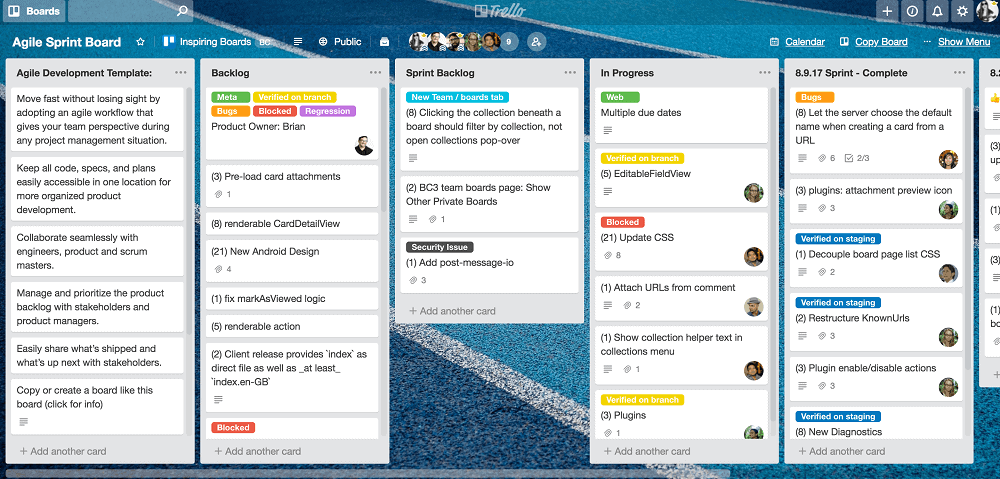
This tool helps build a complete project workflow with visibility at every stage. Its free plan allows unlimited cards and members, ten boards per workspace, unlimited Power-Ups, and 250 automated commands monthly. It allows you to create task-oriented lists and customize them according to your workflow. Moreover, you can categorize your to-dos and create labels, checklists, attachments, and comments to keep everything organized in a single location.
Pros:
- Easy-to-use interface
- Automation of repetitive tasks
- Customization and upgrade options
Cons:
- The commenting feature needs improvement
- Do not give a view of task dependencies
- Do not provide native time tracking or cost tracking for your projects
2. Celoxis
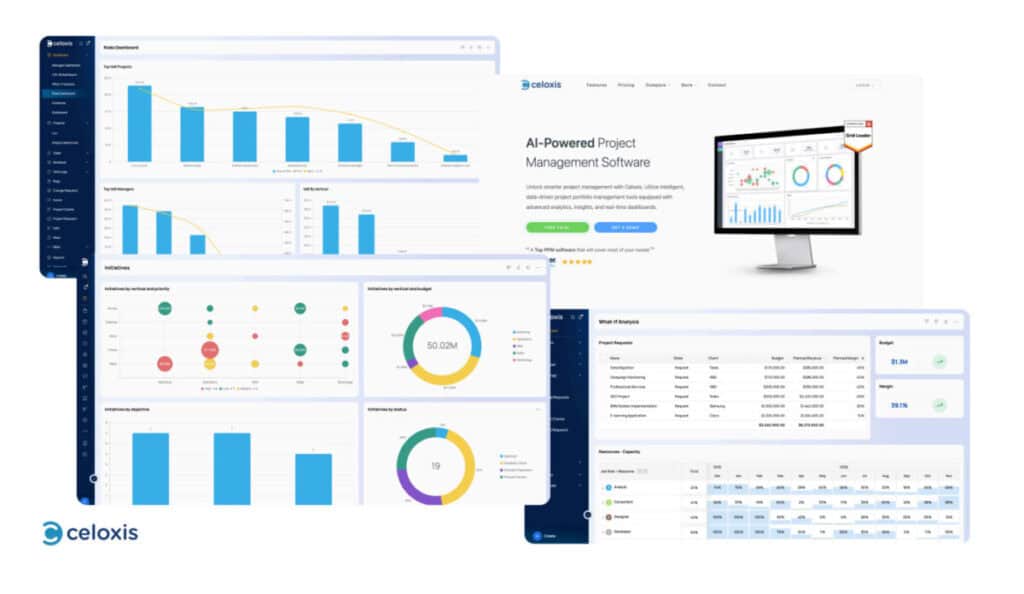
Celoxis is a comprehensive project workspace designed to help teams effectively plan, track, and deliver projects by providing clear visibility into schedules, resources, and workloads. It allows users to create detailed project plans, assign responsibilities, and monitor progress in real time. The platform offers a complete set of features for managing tasks, allocating resources, tracking time and expenses, and analyzing project performance from a centralized location.
Users can customize workflows, manage capacity across multiple teams, and utilize What-if analysis to make confident planning decisions. A free trial allows access to advanced features like portfolio dashboards, interactive Gantt charts, workload views, and AI-powered insights through its built-in assistant, LEX. Additionally, Celoxis integrates smoothly with essential tools such as Jira, Slack, Google Workspace, and QuickBooks, ensuring all work remains connected and organized.
Pros:
- Easy-to-use interface with high scalability
- Advanced resource and capacity planning
- AI-assisted scheduling and risk prediction
- Strong reporting with portfolio dashboards
Cons:
- Free access is limited to a trial period
- Mobile experience offers fewer advanced controls
3. ClickUp
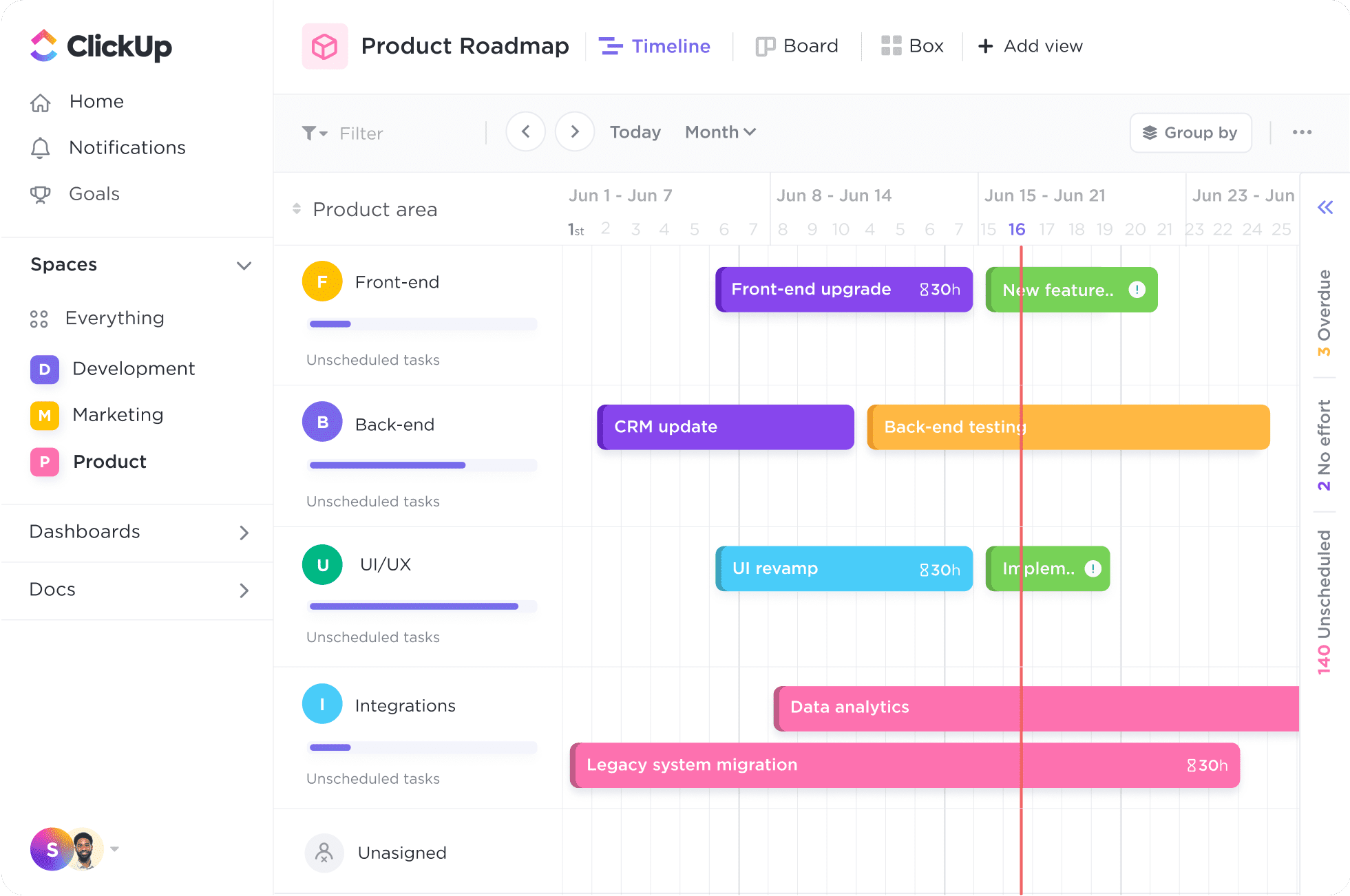
This tool helps you manage and complete your team’s projects in one place. It can be used to schedule tasks, assign resources, and communicate with team members regardless of your business’s size. With ClickUp, you can create recurring tasks and templates and easily view or search for tasks using the filters and sort options. Its free plan includes unlimited tasks and users and up to 100 uses of Gantt charts, mind maps, dashboards, and timeline views.
Pros:
- Direct integration with other tools
- Customization option
- Real-time report generation
Cons:
- Limitations on the time tracking feature
- Too many notifications can be overwhelming
- Interface speed needs improvement
4. Asana
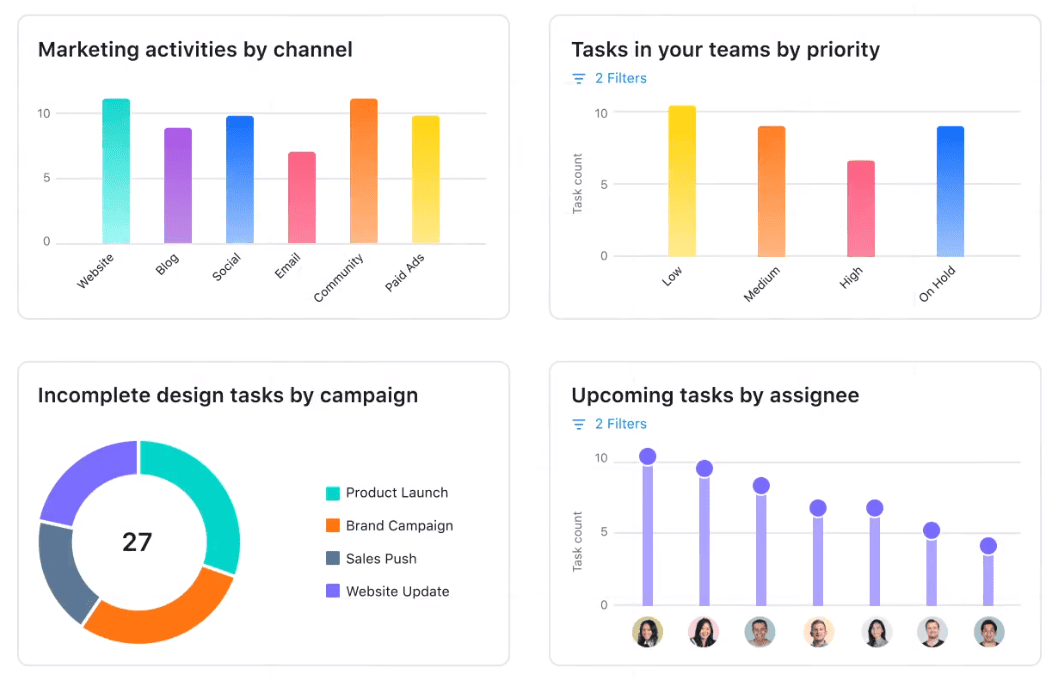
This tool breaks projects into sections and sub-lists to overview of what you need to do. You can also use dashboards to see your progress. Asana lets you manage tasks like a to-do list, but with additional features that make it easy to work together seamlessly. The free plan includes unlimited tasks, projects, boards, lists, and storage for up to 15 users.
Pros:
- Integration
- Security for confidential or sensitive data
- Team collaboration
Cons:
- It is not ideal for single projects or small teams
- Assigning more than one person to the same task is not allowed
- Limited import and export functions
5. Wrike
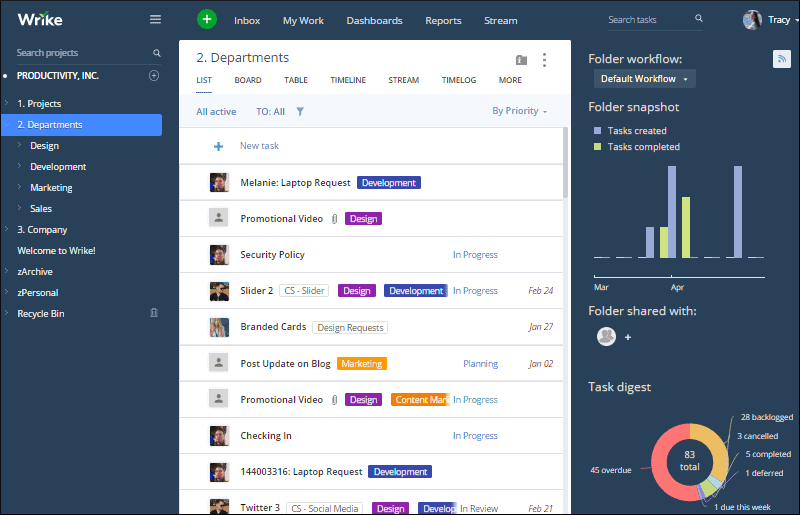
Wrike is as flexible as a spreadsheet, but it has columns for every task-related detail you want to track. The team can update the status of tasks at various intervals: in progress, on hold, canceled, or completed, for a more accessible organization and quicker weekly project status reports. The free plan allows unlimited projects for as many users as you want.
Pros:
- Flexible templates
- Straightforward task management
- Built-in time tracking feature
- Detailed insights and analytics
Cons:
- The Mobile version needs improvement
- Lacks communication tools
- Filtering needs improvement
6. ActiveCollab
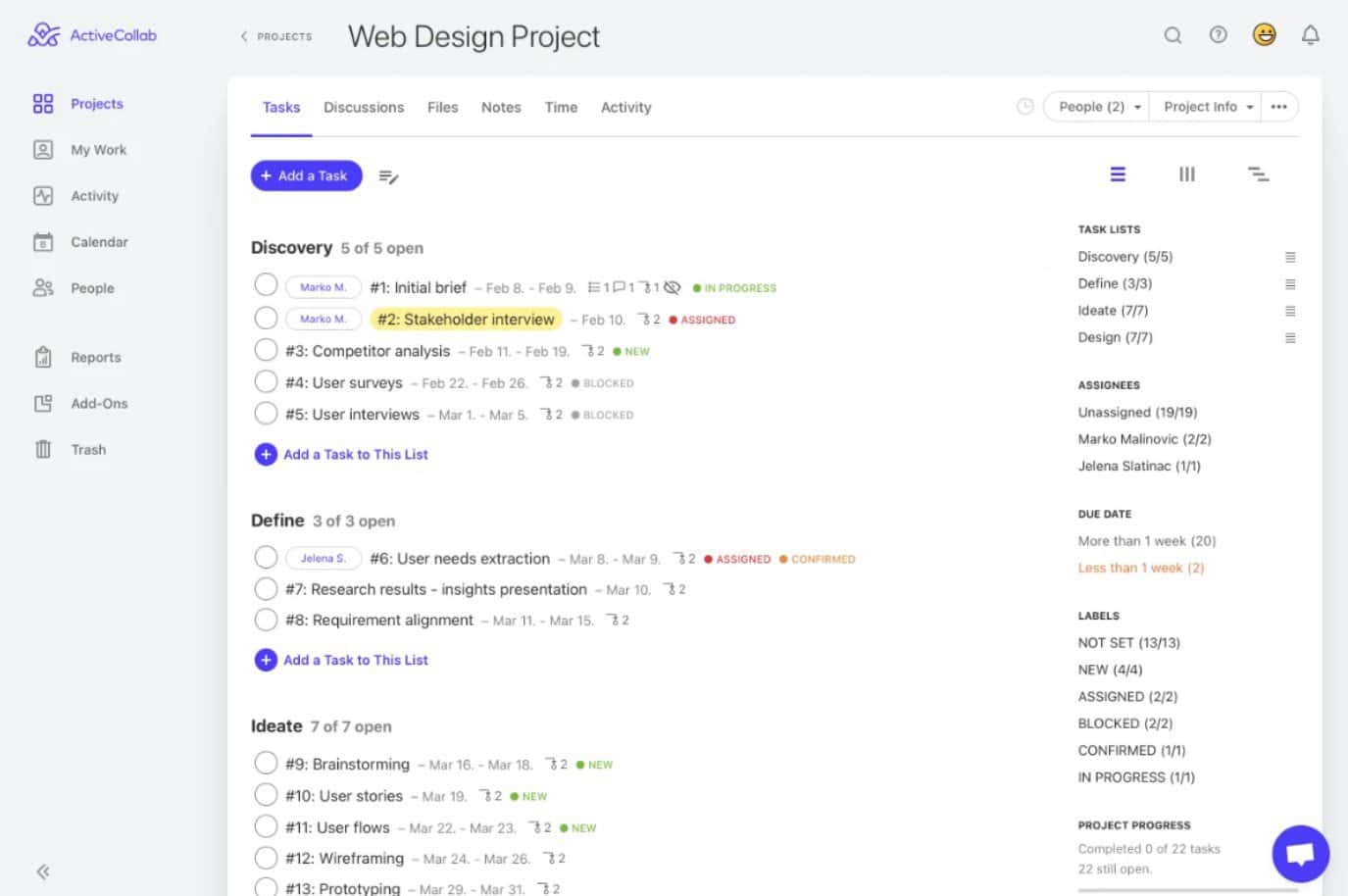
With features like workload management, time tracking, task dependencies, third-party integrations, and others, ActiveCollab helps you complete your work efficiently. The free plan allows unlimited projects and tasks for three team members with task dependencies, lists, and Kanban views.
Pros:
- Easy to navigate
- Sorting of campaigns or projects
- Straightforward staff onboarding
Cons:
- Needs improvement on the search function
- No task dependencies
- Lacks visual aids
7. Basecamp
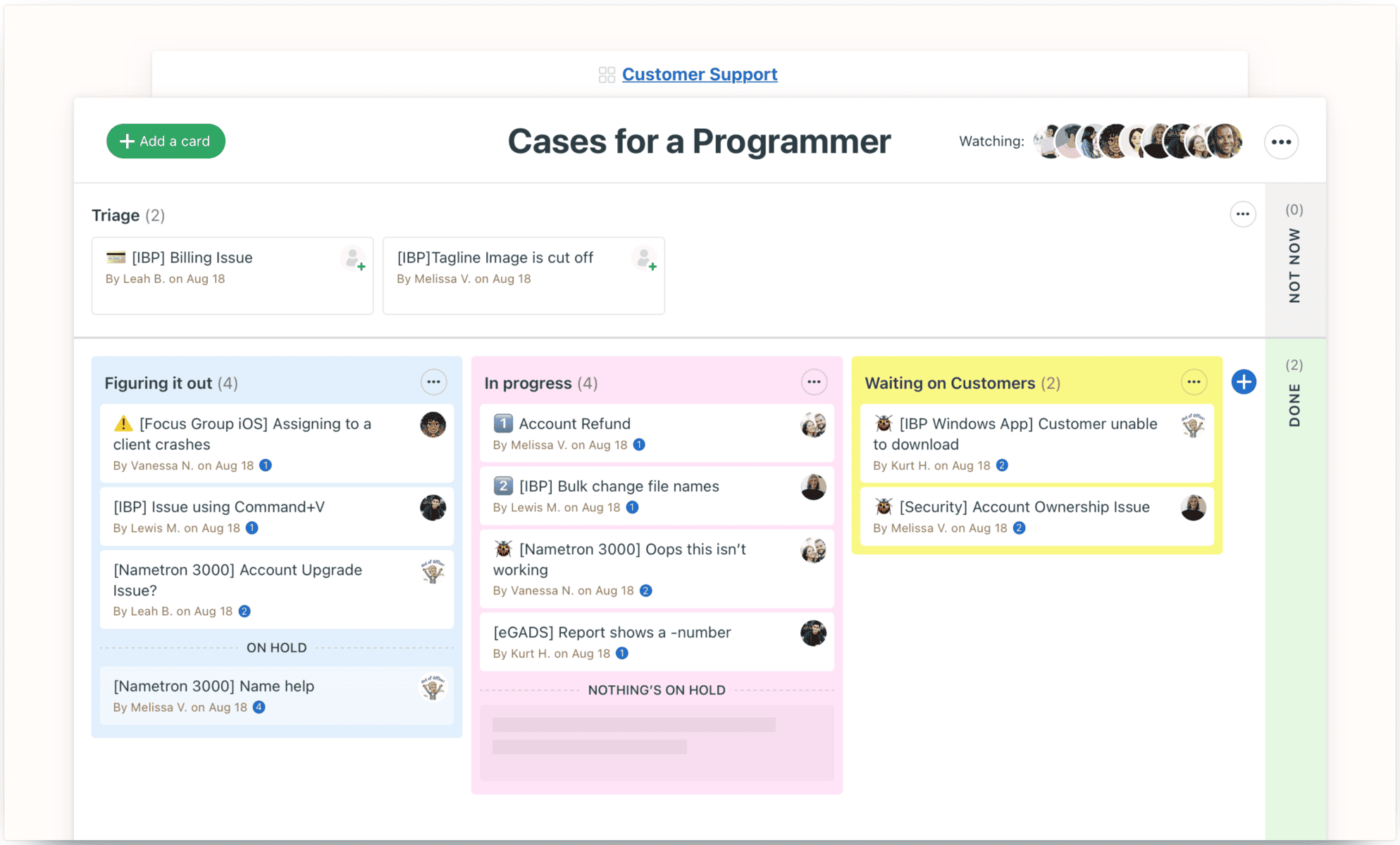
This planning tool helps the team set up to-do lists and schedules. Basecamp allows document creation and uploading, and users can comment on files, assign tasks, and receive notifications about recent actions. It is easy on the eyes because it has organized icons on the main page instead of linear lists. The tool consolidates everything into one platform, so members won’t communicate through other messaging services.
Pros:
- Creation of client-specific projects
- Integration and extensions
- Backing up of data
Cons:
- No tags and labels
- Limited customization option
- No time-tracking feature
8. Zoho Projects
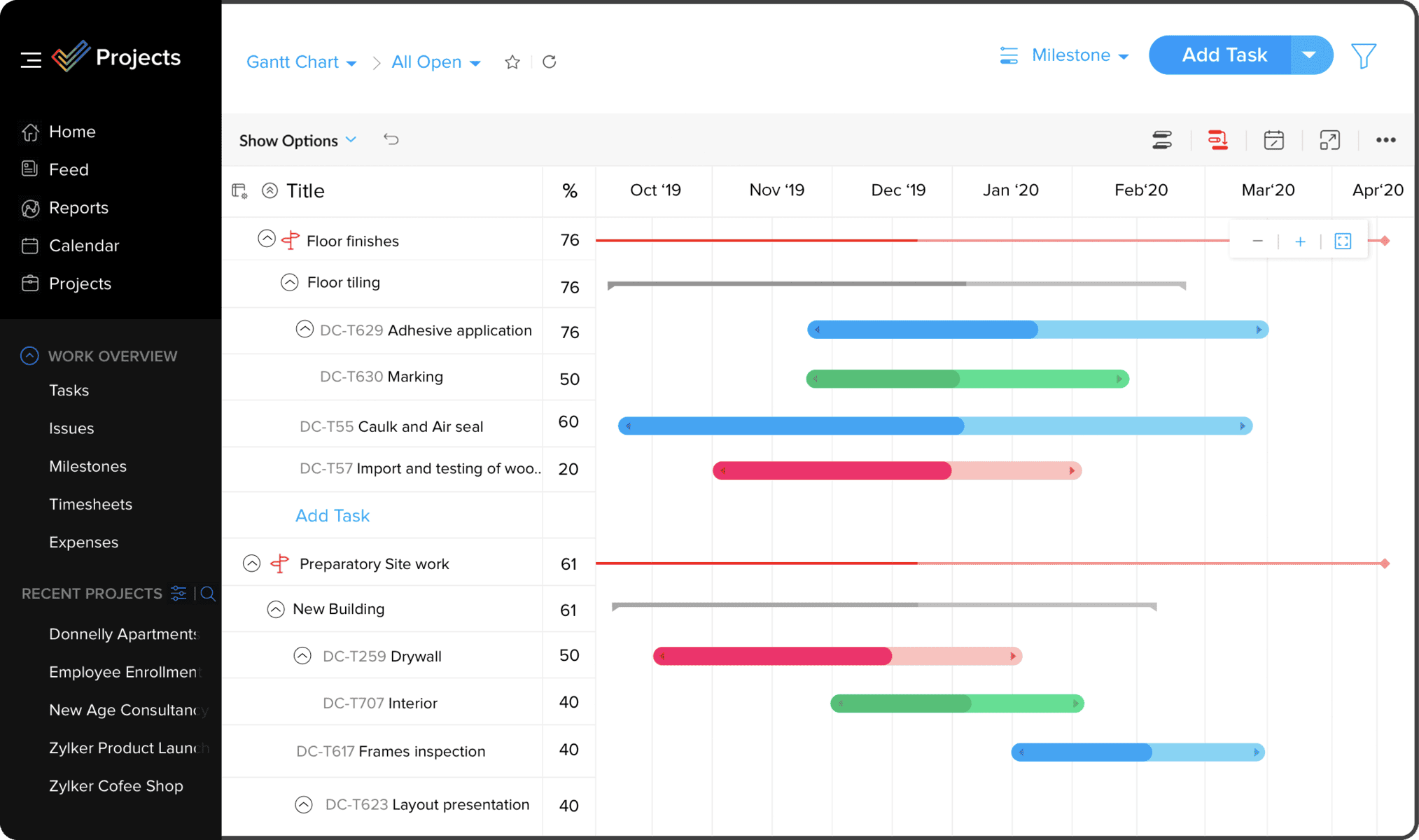
This project planning platform helps businesses manage both easy and complicated projects. With Zoho, you can plan and track your work effortlessly and collaborate with your team no matter where they are. Zoho Projects helps break down complex tasks into more manageable pieces. It also has files organized and accessible, so everyone can stay on the same page.
Pros:
- Easy integration with other apps
- Lots of customization options
- Easy report automation
Cons:
- The Task location feature needs improvement
- Import finalization takes time
- Reporting tool lags for big teams
9. Monday.com
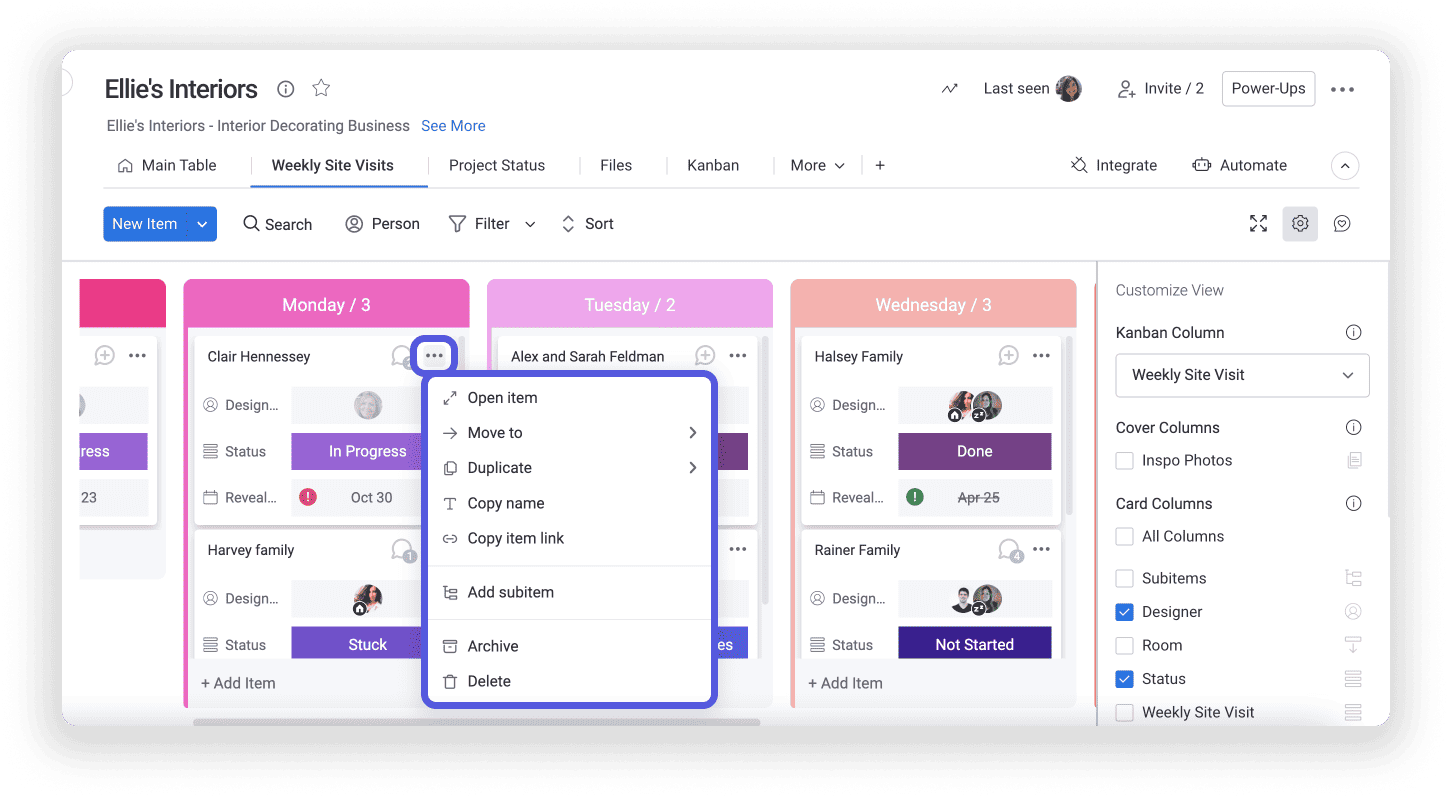
This tool helps teams define real-time project deliverables, timelines, tasks, and roles. It is best for groups or businesses that want efficient project management, inventory, and tracking. Monday.com’s free plan includes features that are best for those running businesses or working on freelance projects.
Pros:
- Best for multiple users
- Effective communication tool
- Integration and automation
Cons:
- The time tracking feature needs improvement
- Compatibility issues with some mobile
- Limitation on task dependencies
10. Teamwork
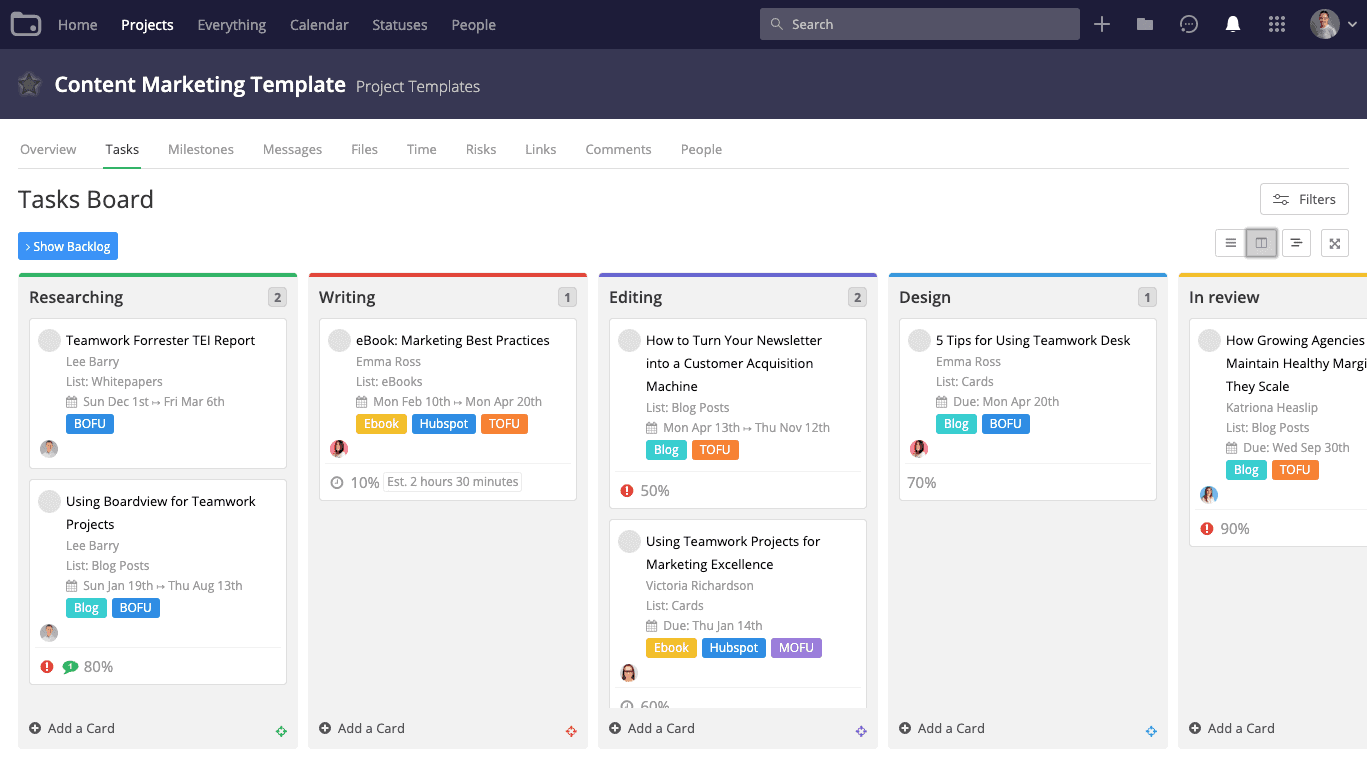
Teamwork uses workflows to make your operations more streamlined and efficient. Its task and project management features, including roles and tags for sub-teams, help you stay organized so your team can spend more time completing projects and satisfying clients. Teamwork’s free plan includes standard tools like the messaging app and milestones planner, which are recommended for groups with five people or fewer.
Pros:
- Wide range of customization options
- Useful activity log
- Compatible with various file types
Cons:
- Logging takes time
- The reporting feature can be improved
- Difficulty in locating tasks
11. Airtable
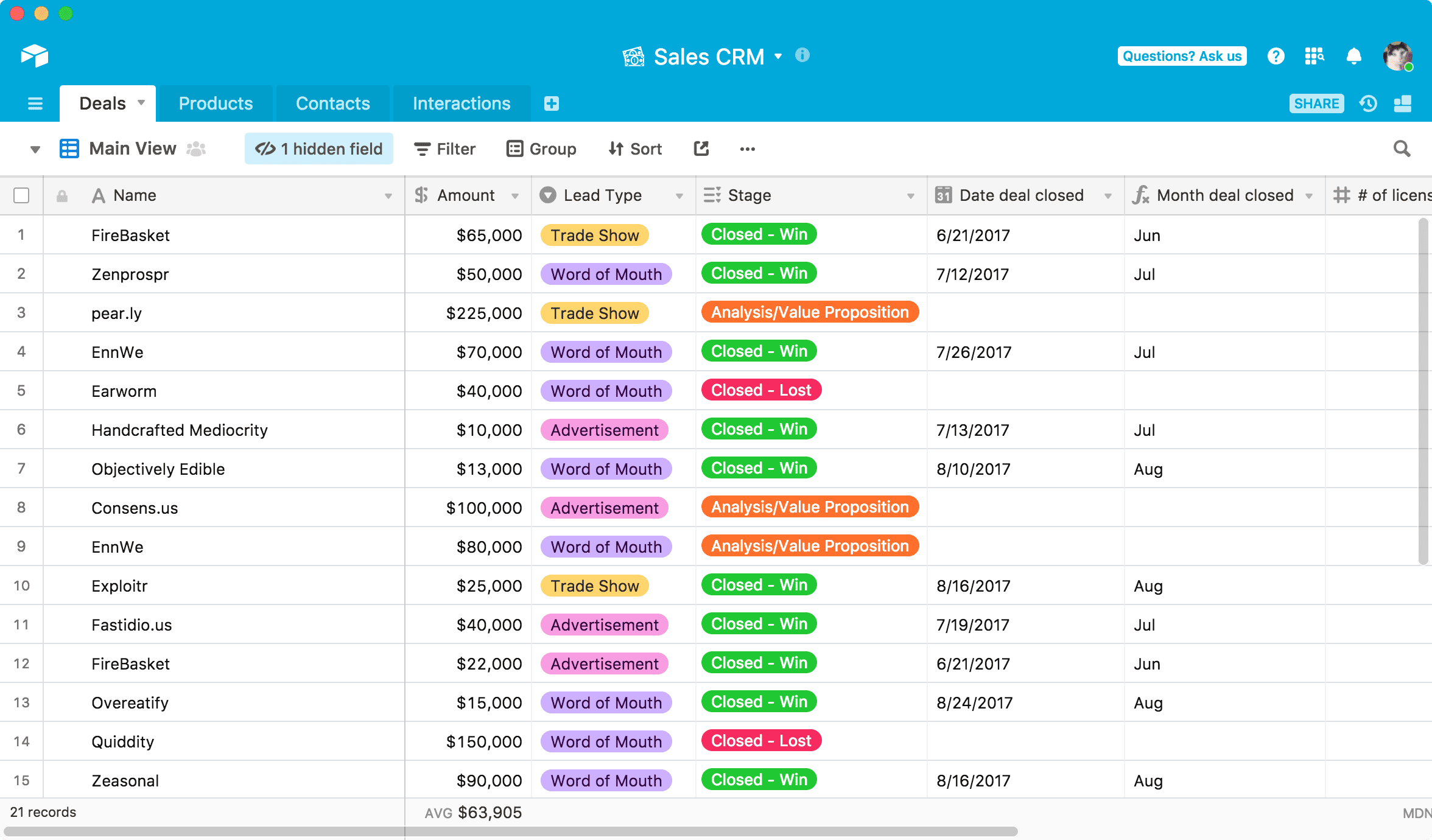
This tool enables a team to work together for increased efficiency. It helps teams collaborate through its spreadsheet-like interface that acts as the centralized location for ideas, content, projects, and records. With Airtable, you can transfer data to other databases without losing information. You can add files, photos, barcodes, and checkboxes for different organizations.
Pros:
- Adjustable views depending on the user
- Powerful data tracking system
- Easy file sharing
Cons:
- The commenting function can be confusing
- Tendency to load slowly depending on the data
- Limitation on integration
Video About Top Project Management Software
Videos offer dynamic insights into project management software, showcasing real-world applications and features. This comprehensive guide highlights the top tools available, helping you compare functionalities and select the perfect solution for your team’s workflow and project requirements.
What are Project Planning Tools? Described in 10 Points
- A project planning tool is software designed to assist project managers and teams in organizing, scheduling, and managing their projects efficiently. It enables the creation of detailed project plans that outline tasks, deadlines, and resources, ensuring a clear roadmap for project completion.
- These tools often feature task assignment capabilities, allowing managers to effectively distribute work among team members. This fosters accountability and ensures everyone knows their responsibilities, contributing to a more coordinated and productive project execution.
- Gantt charts are a common feature, providing a visual timeline for the project. This helps track progress against planned schedules and deadlines, making it easier to identify delays or issues early on and adjust plans accordingly.
- Many project planning tools include collaboration features like message boards, chat functions, and document sharing. These features facilitate seamless communication within the team, regardless of members’ locations, enhancing teamwork and decision-making.
- Resource management is another key aspect. It enables managers to allocate and track the use of resources, including personnel, equipment, and budget. This ensures optimal resource utilization, preventing overallocation or bottlenecks.
- Risk management features help identify, assess, and mitigate project risks. By planning for potential issues in advance, teams can develop strategies to avoid or address them, increasing the project’s chances of success.
- Integration capabilities allow these tools to work with other software, like email, calendar, and financial systems. This integration streamlines processes, reducing the need for manual data entry and ensuring consistency across tools.
- Many tools offer customizable templates for various project types, which can save time when setting up new projects. These templates can be adapted to suit specific project requirements, providing a solid starting point for planning.
- Reporting and analytics functions generate insights into project performance, highlighting areas of success and those needing improvement. This data-driven approach aids in making informed decisions and continuous project optimization.
- Cloud-based project planning tools offer the advantage of accessibility from anywhere, anytime. This flexibility supports remote and distributed teams, ensuring that all members can stay updated and contribute to the project regardless of location.
Conclusion
The wide range of options for project management software can make it challenging to choose the best one for your needs. However, each tool has unique features that benefit businesses or projects of any size. The project management tools listed here are some of the best on the market and offer a variety of features that can streamline any workflow.
When choosing a project management tool, consider the size of your team, the type of projects you typically work on, and your budget. With so many options available, you’re sure to find the perfect fit for your business.
Suggested articles:
- 5 AI Tools That Will Replace 99% of Project Management Work
- AI Tools Revolutionizing Project Management
- Project Management Tools: How to Streamline Teams and Increase Efficiency

Daniel Raymond, a project manager with over 20 years of experience, is the former CEO of a successful software company called Websystems. With a strong background in managing complex projects, he applied his expertise to develop AceProject.com and Bridge24.com, innovative project management tools designed to streamline processes and improve productivity. Throughout his career, Daniel has consistently demonstrated a commitment to excellence and a passion for empowering teams to achieve their goals.