
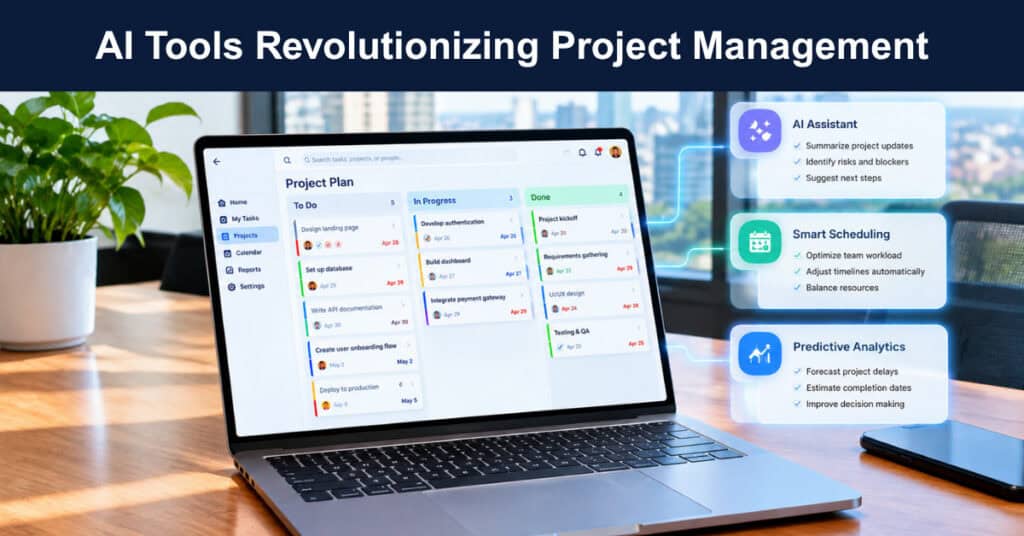
If you’ve worked in project management long enough, you know the odds aren’t always in your favor. Projects run late, budgets creep past their limits, and goals quietly get scaled back long before anyone calls the outcome a failure out loud. So why does this keep happening? A big part of the problem comes down to inefficient processes and outdated tools that haven’t kept pace with today’s demands. That’s exactly why AI-powered tools have become essential for modern project managers.
A recent Harvard Business Review study revealed a sobering statistic: only about 35% of projects are completed successfully, and closing that gap starts with automating repetitive tasks, sharpening decision-making, and improving cross-team communication. AI has the power to reshape project management, making your job not just easier, but genuinely more rewarding. After all, when you’re no longer bogged down by tedious, repetitive work, you can focus your energy on the things that actually matter (and interest you).
Below are some of the best AI-driven tools for optimizing project management, tools that can help you save time, cut costs, boost collaboration, and much more.
Automating the Busywork
Nobody became a project manager to update spreadsheets or chase status updates, yet that is where whole days disappear. AI features inside platforms like ClickUp Brain and monday.com now schedule meetings, generate progress reports, and flag bottlenecks in real time. This roundup of the best AI project management tools shows how much of that admin layer now runs itself.
Compare every candidate platform’s automation depth using the following standards:
- Automated Reporting: Status reports generated from live task data arrive without anyone assembling them, which frees hours every week and removes the copy-paste errors manual reporting invites.
- Predictive Risk Flags: Algorithms scan schedules and workloads to flag bottlenecks well before they escalate, turning a weekly surprise into a quick Tuesday-morning fix your team handles calmly.
- Smart Scheduling: Assistants propose meeting times and shift deadlines automatically when priorities change, so the plan adjusts itself instead of waiting for someone to redraw it manually.
Smarter Project Cost Estimation
Budget overruns sink more projects than almost anything else, and traditional estimation leans on history plus guesswork. AI platforms like Forecast and Cleopatra Enterprise analyze past projects, market trends, and supply-chain signals to produce cost and resource predictions that update as work progresses. Studying established project cost estimation methods makes that output far easier to interrogate.
Judge every candidate platform’s estimation quality against the following checks:
- Dynamic Re-Estimation: The strongest tools revise forecasts in real time as scope, rates, or timelines shift, so the budget you present executives matches the project actually running.
- Scenario Modeling: Run best-case and worst-case resource scenarios before committing staff or budget, which turns estimation from a single fragile number into a range you can confidently defend.
- Variance Tracking: Compare actual spend against the original estimate continuously, because the gap between the two is exactly where the next project’s estimating accuracy quietly gets built.
Virtual Project Assistants
Virtual assistants have matured from novelty into a genuine support layer. Trello’s AI assistant features and ChatGPT-based helpers assign tasks, manage deadlines, and even onboard new team members, while AI hiring platforms screen resumes and rank candidates by fit. Candidates increasingly arrive with an AI-powered resume in hand, which speeds hiring on both sides of the table.
Check every candidate assistant’s real capability across the following areas:
- Task Assignment: Assistants route work based on workload and role, so assignments land with the right person without a manager playing traffic controller every single morning of the week.
- Onboarding Support: New team members get guided checklists and answers to routine questions from day one, which shortens the whole ramp-up period without adding to anyone’s coaching load.
- Hiring Screens: AI screening ranks candidates by genuine fit and drafts personalized outreach messages, letting you fill specialized roles faster without reading dozens of irrelevant applications yourself.
Enhanced Communication and Collaboration
Communication failure is the oldest project risk, and AI is finally good at reducing it. Slack AI and Microsoft Teams Premium summarize long threads, generate meeting notes, and suggest action items, while Krisp AI cleans audio and Otter.ai transcribes live. This same shift is reshaping team communication tools, helping global teams to stay aligned across time zones and languages.
Evaluate your team’s communication features against the following real needs:
- Thread Summaries: Automatic recaps of long discussion threads mean nobody scrolls through three hundred messages just to learn exactly what was actually decided in yesterday afternoon’s meeting.
- Meeting Transcription: Live transcription with speaker identification turns every call into searchable text, so key decisions survive well beyond the memories of the people who made them.
- Language Support: Translation and tone assistance keep multilingual teams productive and understood, which matters the very moment your project spans offices, contractors, or clients in different countries.
Continuous Learning and Feedback
Every finished project holds lessons, and AI tools like Jira Align and Zoho Projects mine post-project data for them. These platforms highlight where delays cluster, which handoffs stall, and which team members consistently exceed expectations in specific roles. monday.com’s overview of AI-powered project management shows how those insights translate into refined processes and smarter resource allocation.
Turn your project history into real improvement using these practices:
- Pattern Detection: Analytics surface recurring delay points, such as handoffs between specific teams, so you can fix the underlying system rather than blame whoever missed the nearest deadline.
- Actionable Insights: Static reports describe the past; AI recommendations propose specific changes, such as rebalancing workloads before a sprint starts instead of after it has already failed.
- Performance Baselines: Consistent metrics across every completed project make improvement measurable over time, so each retrospective adds a genuinely comparable data point rather than another opinion from memory.
Agentic AI Project Assistants Are the New Normal
The newest shift is agentic AI: assistants that plan and execute multi-step work, not just answer questions. Asana’s AI Studio builds custom agents, ClickUp Brain runs autonomous workflows, and Gartner projects that 80 percent of today’s project management tasks will be eliminated by 2030 as AI takes over. That timeline gives project managers roughly five years to shift from doing the work themselves to directing the agents that do it.
Prepare your team for agentic tools using the following steps:
- Start With One Workflow: Pick a single repetitive process, such as weekly status reporting, and hand it to an agent first before delegating anything remotely consequential to the machine.
- Keep Human Review: Agents draft the plans and updates, but a person still approves anything that touches budgets, clients, or public commitments, which keeps accountability unambiguous.
- Watch Data Boundaries: Agents act directly on your project data, so confirm where that data travels, who can access it, and whether vendors ever train models on it.
How to Choose AI Tools Without Adding Risk
Every AI tool promises faster delivery, but not every rollout delivers on that promise. Without a clear evaluation process, teams end up juggling overlapping platforms, exposing sensitive project data, or watching costs climb with little to show for it. The right approach starts small, tests deliberately, and only scales once the results actually prove themselves.
Reduce your team’s adoption risk by following these practical rules when choosing an AI project management tool:
- Pilot Before Contracts: Run one or two candidate tools with a small team for a full month, and expand only when the measured results justify the ongoing spend.
- Check Data Policies: Confirm where project data is stored, whether it trains vendor models, and how easily you can export everything if you later leave the vendor’s platform.
- Integrate, Don’t Pile On: Each new tool should replace or connect with existing systems, because overlapping platforms fragment your data and quietly double your licensing costs month after month.
| Project Task | Manual Approach | AI-Assisted Approach |
|---|---|---|
| Status reporting | Assembled by hand each Friday | Generated from live task data |
| Cost estimation | Spreadsheet built from last year | Recomputed continuously from actuals |
| Meeting notes | Typed up from memory or recording | Transcribed and summarized live |
Conclusion
AI is not replacing project managers; it is removing the work nobody wanted in the first place. Automated reporting, sharper estimates, capable assistants, cleaner communication, and post-project learning now come standard in serious platforms, and agentic assistants are extending that trajectory very quickly. Teams that start small and measure results are capturing the gains already.
Identify the pain points in your current process, pick tools that address them specifically, and expand as the results come in. The difference between AI-assisted and manual project work grows with every release cycle, and closing it early compounds in your favor. Start with one or two solutions aligned to your goals, and let the evidence guide the next step.
Frequently Asked Questions About AI Tools in Project Management
How is AI used in project management today?
AI now handles the administrative core of project work: automated status reports, scheduling, risk prediction, cost estimation from historical data, meeting transcription, and post-project analytics. Platforms like ClickUp Brain, Asana AI Studio, and monday.com embed these features directly, so the manager’s job shifts from assembling information to interpreting it and making the judgment calls machines cannot.
Which AI project management tools are best for small teams?
Look for free or low-cost tiers with genuine AI features rather than paid add-ons. ClickUp, monday.com, Notion, and Trello all offer entry plans where automation and AI assistants are usable from day one. Start with one workflow, prove the time savings with a small group, and upgrade only when the numbers clearly support the move.
Will AI replace project managers by 2030?
Unlikely in full. Gartner expects AI to take over a large share of routine project management tasks by 2030, but stakeholders, trade-offs, negotiation, and accountability remain human work. The realistic picture is a project manager directing AI assistants that draft, schedule, and flag, while the manager owns the decisions, relationships, and the judgment behind them.
What are the risks of using AI in project management?
The main risks are data privacy, over-automation, and tool sprawl. AI features process sensitive project information, so check storage, access controls, and model-training policies before adopting. Agents that act without review can repeat mistakes at scale, and overlapping tools fragment data. Small pilots, human approval steps, and clear data policies keep those risks manageable for most teams.
How should a team start using AI in its project workflow?
Start with the task everyone hates most, usually status reporting or meeting notes, and automate that first. Pick one platform feature rather than a new suite, run it for a month with a small team, and measure hours saved plus error reduction. Expand gradually, keeping a human approval step on anything that touches budgets or clients.
Suggested articles:
- Top 10 Cons & Disadvantages of Generative AI
- How to Manage an AI Agent On Your Next Project the Way You’d Manage a Person
- How Project Managers Can Lead AI Transformation in Financial Services

Daniel Raymond, a project manager with over 20 years of experience, is the former CEO of a successful software company called Websystems. With a strong background in managing complex projects, he applied his expertise to develop AceProject.com and Bridge24.com, innovative project management tools designed to streamline processes and improve productivity. Throughout his career, Daniel has consistently demonstrated a commitment to excellence and a passion for empowering teams to achieve their goals.