
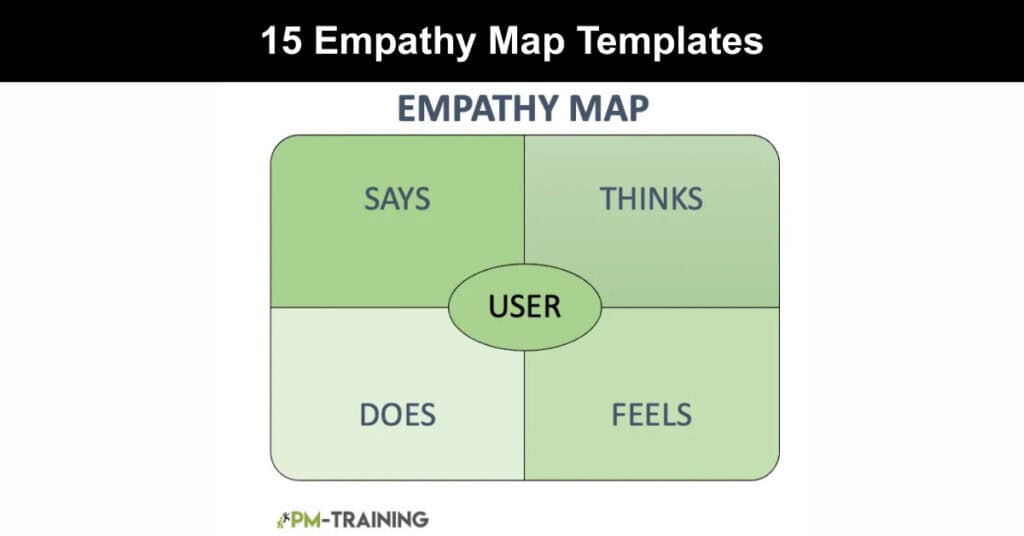
Empathy map templates give teams a structured way to understand users, customers, or stakeholders at a level that goes far deeper than demographics or behavioral data. Originally developed by Dave Gray at XPLANE and later incorporated into Alexander Osterwalder’s Business Model Generation framework, the empathy map has become a foundational tool in UX design, product development, and design thinking. Used correctly, it converts scattered research findings into a shared, visual understanding of the people a team is designing for.
This guide covers what empathy map templates are, how to use them, and why they remain one of the most practical tools in any product or UX team’s workflow. Whether you are new to empathy mapping or looking to refresh an established practice, the steps, formats, and tips outlined below will help you produce maps that lead to sharper decisions, better product experiences, and more user-centered outcomes.
Empathy Map in Design Thinking
Empathy maps play a specific and well-defined role in the design thinking process, which moves through five stages: empathize, define, ideate, prototype, and test. The empathize stage, where empathy mapping is most naturally applied, asks teams to set aside assumptions and build a genuine understanding of the people they are designing for. Applied at this early stage, a well-constructed map ensures that every downstream decision is rooted in actual user insight rather than internal speculation.
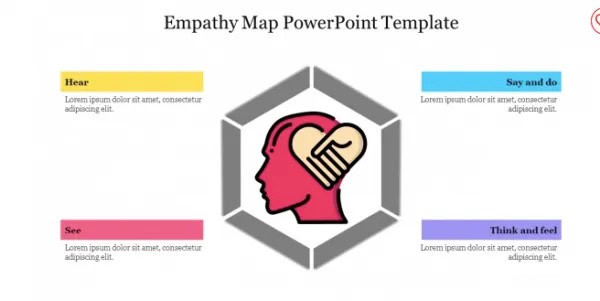
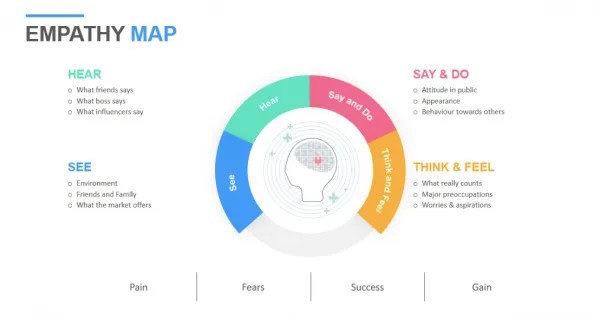
Beyond the empathize stage, these maps are also valuable during the test phase, when teams gather feedback from usability assessments and need to update their understanding of user experience. Empathy maps should not be treated as one-time deliverables. As user research evolves, the maps should be revisited and refined to remain accurate and useful.
Teams using empathy maps benefit from several key outcomes across the design process:
- Shared User Understanding: Empathy maps create a common reference point for cross-functional teams, aligning designers, developers, marketers, and product managers around a single view of the user before design decisions are made.
- Research Gap Identification: When a quadrant is sparse or filled with assumptions, it signals where additional user research is needed, giving teams a clear next step rather than a vague sense of uncertainty.
- Bias Reduction: By grounding the map in direct quotes, observed behaviors, and qualitative data, teams are held accountable to actual user evidence rather than internal opinions or organizational assumptions.
- Faster Alignment in Workshops: Empathy mapping exercises bring diverse stakeholders into the same conversation quickly, reducing the time spent debating user priorities in product planning sessions.
It Captures the Identity of a User or Persona
One of the most practical uses of an empathy map is consolidating everything a team knows about a specific user type into a single, scannable document. Rather than leaving research notes scattered across interview transcripts, survey exports, and support ticket logs, the map draws that material together into a unified picture. The four or six-quadrant format forces teams to categorize insights systematically, which helps surface patterns that might otherwise go unnoticed across hundreds of data points.
The map is particularly useful when building or refining user personas. By aggregating empathy maps created for multiple individual users, teams can identify common themes and construct personas that reflect real behavioral clusters rather than invented archetypes. This research-first approach significantly improves the accuracy and relevance of those personas in downstream design work.
Describes a User or Personality to Others
Communicating user insights to stakeholders who were not involved in the research process is one of the persistent challenges in UX and product work. Empathy maps address this by presenting complex qualitative findings in a format that is immediately accessible to non-researchers. A completed map can be shared in a stakeholder presentation, pinned to a project wall, or embedded in a product brief, and it will convey the essence of who the user is without requiring the audience to wade through hours of raw research material.
For the map to serve this function effectively, it should be treated as a living document rather than a finished artifact. Reviewing and updating the map as new research arrives keeps it accurate and prevents it from becoming a source of outdated assumptions that mislead later-stage decisions.
It Collects Data From the User Directly
Empathy maps are most powerful when grounded in direct, unfiltered user input. In practice, this means drawing from user interview transcripts, usability test recordings, support conversations, diary studies, and survey responses. When users participate in filling out the map themselves, the document gains an additional layer of authenticity, surfacing thoughts and feelings that a third-party observer might interpret or describe differently.
This direct-data approach requires discipline. A common and costly mistake is filling quadrants with what the team believes users think or feel rather than what users have actually expressed. Research from design practice consistently shows that maps built on assumptions tend to reflect the biases of the team that created them rather than the reality of the people they are meant to represent.
How to Create an Empathy Map
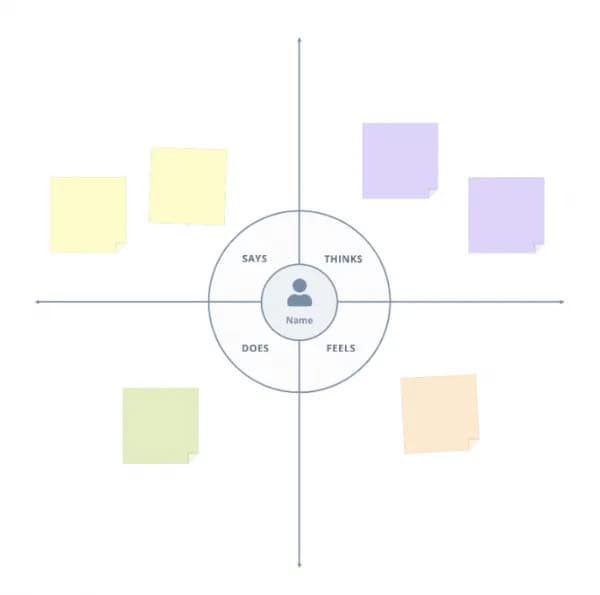
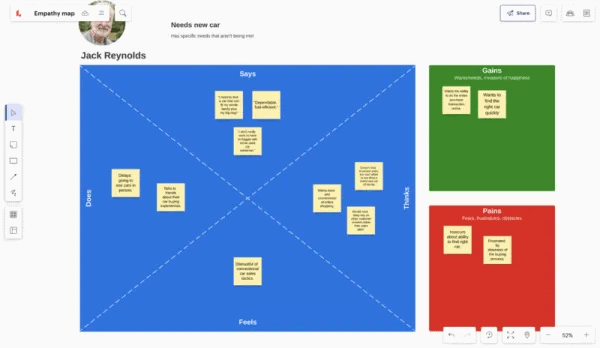
Making an empathy map is a straightforward process that works well in both in-person workshops and remote digital environments. Teams can use online whiteboard platforms such as Miro, Mural, FigJam, or Lucidspark, all of which offer pre-built empathy map templates. Alternatively, a hand-drawn grid on a physical whiteboard with sticky notes works equally well for smaller teams. The format matters less than the quality of the research feeding into it.
Empathy Map Online | Lucidspark
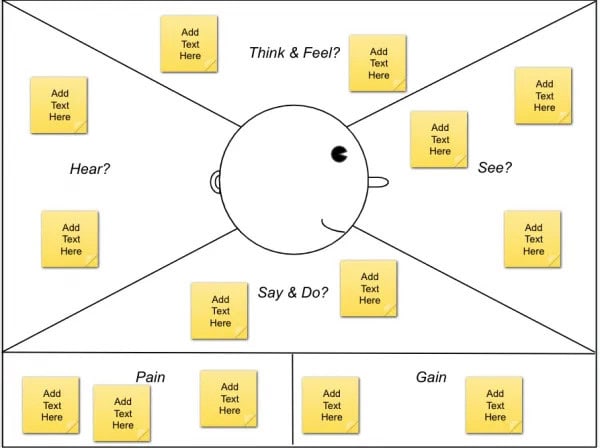
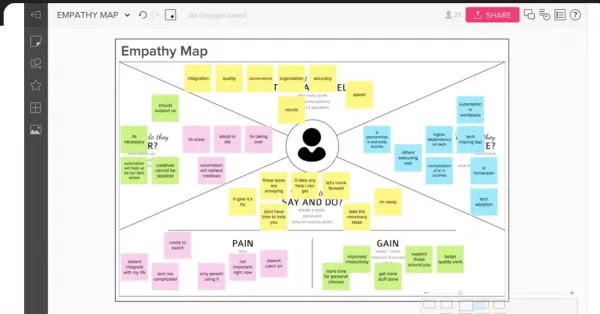
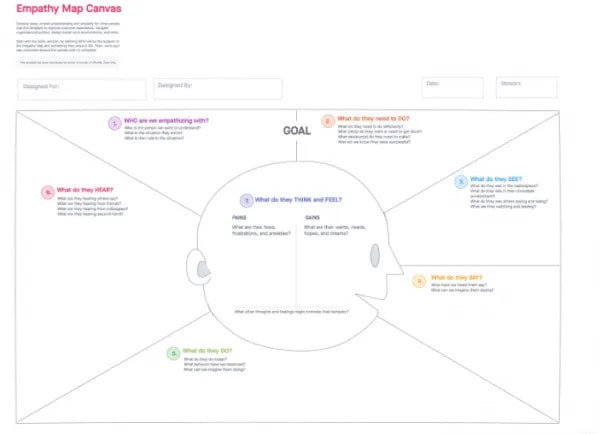
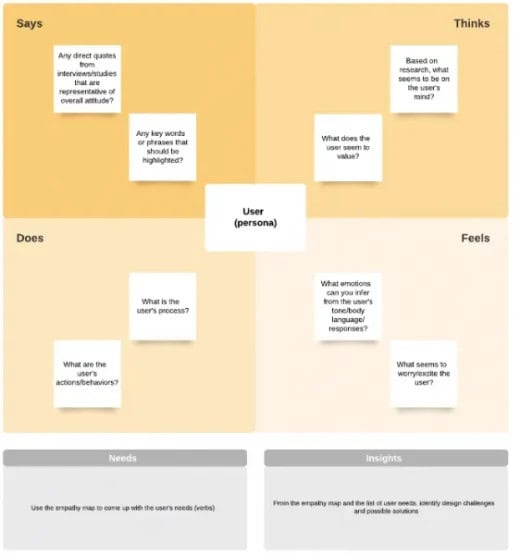
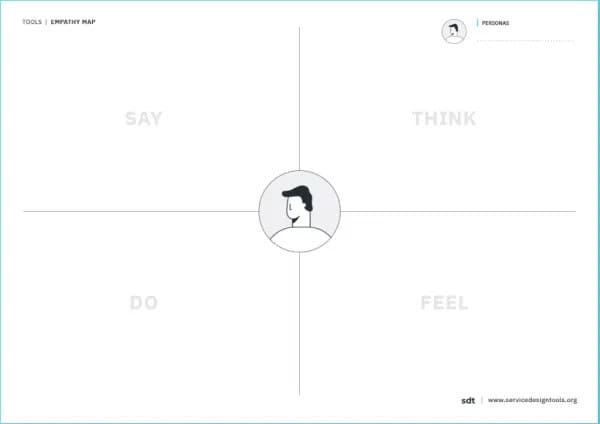
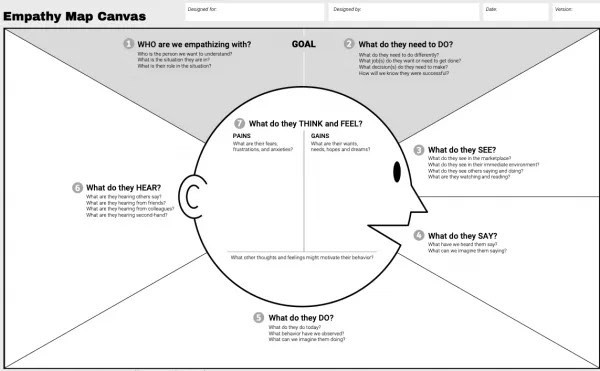
A standard empathy map uses four quadrants: Says, Thinks, Does, and Feels, with the user persona placed at the center. An updated six-field version developed by Dave Gray in 2017 adds Goals, Sees, and Hears sections for teams that need greater depth. Both formats are widely used, and the choice between them should be guided by the complexity of the research available and the level of detail the team needs.
User
Before completing any quadrant, a team must define the user or persona that will occupy the center of the map. This persona represents a specific type of user rather than a broad or generic audience. The more precisely the team can define this person, including their role, environment, goals, and relevant context, the more useful and accurate the map will be. Attempting to map multiple user types onto a single canvas leads to generalizations that dilute the value of the exercise.
To define the user clearly, teams should address these framing questions before beginning the quadrant work:
- Role and Context: What position or role does this user occupy, and in what environment do they typically interact with the product or service being designed?
- Behavioral Baseline: What is this user’s general attitude toward the problem domain, and what relevant habits or patterns have been observed in research?
- Scope of the Map: Is this map representing one individual from a research session or a synthesized persona constructed from multiple user interviews?
Define
The define step establishes the purpose and boundaries of the empathy mapping exercise. Two questions anchor this phase: who is the person being mapped, and what outcome does the team expect from the exercise? Answering both before the workshop begins prevents scope creep and ensures that participants focus their contributions on the most relevant insights. If the exercise is connected to a specific design challenge or product decision, stating that connection explicitly at the outset helps the team contextualize everything they add to the map.
Research
Accurate empathy maps require actual data. Before any mapping session, team members should review the relevant qualitative research, including user interview transcripts, observational study notes, usability test results, and direct user feedback. Research-free mapping sessions, sometimes called provisional empathy maps, carry a higher risk of reflecting team assumptions rather than genuine user behavior. If research is unavailable, any insights recorded during the session should be clearly flagged as hypothetical and validated with users as soon as possible.
The following are reliable sources that inform a well-grounded empathy map:
- User Interview Transcripts: Verbatim quotes from one-on-one interviews provide the most authentic material for the Says and Thinks quadrants, capturing both stated opinions and implied concerns.
- Usability Test Recordings: Observational data from testing sessions is particularly useful for the Does quadrant, revealing how users actually interact with a product versus how they describe that interaction.
- Support Tickets and Reviews: Customer support logs and product reviews surface recurring frustrations and unmet expectations that users rarely articulate in formal research settings.
- Diary Studies and Surveys: Longitudinal studies and survey responses add context about how user attitudes and behaviors evolve over time or across different usage situations.
Observe
The observe step asks team members to step outside their own perspective and examine the user’s experience from the inside out. Using the research materials gathered in the previous step, participants fill in each quadrant of the map by recording what the user encounters, expresses, and experiences. The goal is accuracy over completeness; a smaller number of specific, research-grounded observations is more valuable than a quadrant crowded with vague or speculative entries.
What does the user SEE?
This quadrant captures the visual and environmental inputs that shape the user’s world. It includes the physical surroundings the user encounters, the digital interfaces and media they interact with, the behavior of people around them, competitor products they may have noticed, and any advertising or content that influences their perception. The critical discipline here is to map the user’s environment, not your brand’s presence within it. Many teams make the mistake of centering this quadrant on their own product when the user’s daily field of vision extends far beyond it.
What does the user HEAR?
The Hears quadrant documents the information streams and social influences that shape the user’s thinking. This includes advice from friends, family, and colleagues, as well as the views of bloggers, social media figures, and subject-matter authorities the user follows. It also includes the broader media environment in which the user is embedded. Teams should focus on inputs that directly affect the user’s decisions and attitudes rather than cataloguing every possible information source in the user’s life.
What does the user DO and SAY?
This quadrant records observable behaviors and verbatim statements. What does the user actually do when interacting with the product or navigating the problem area being studied? What do they say in interviews, usability sessions, or support interactions? One of the most revealing exercises in empathy mapping is comparing what users say with what they do, as discrepancies between the two often reveal unstated concerns, workarounds, or unmet needs that users struggle to articulate directly.
Download template Empathy Map | Service Design Tools
Investigate
After capturing the external inputs of sees, hears, says, and does, the empathy mapping process turns inward to examine the user’s private thoughts and emotional state. This is the most interpretive part of the exercise, requiring teams to reason carefully from observed behavior and research evidence rather than projecting their own assumptions onto the user’s interior experience.
What does the user THINK and FEEL?
This quadrant explores the beliefs, concerns, and emotional drivers that influence the user’s behavior but are rarely expressed outright. What does the user worry about? What motivates them? What makes them feel confident, frustrated, or uncertain? Because this quadrant requires inference, it is also the most vulnerable to team bias. The strongest entries in this section are grounded in behavioral evidence or direct user quotes that hint at underlying emotional states rather than being invented to fill the space.
Following this quadrant, teams should identify and document the user’s specific pains and gains. Pain encompasses the obstacles, frustrations, and fears that prevent the user from achieving their desired outcome. Gains represent the positive results, tangible benefits, and emotional rewards the user is actively seeking. In the extended six-field empathy map format, pains and gains are designated as standalone sections positioned below the primary quadrants, ensuring they receive the analytical prominence they warrant.
Summarize
The summarize step closes the mapping session with a structured reflection. After all quadrants have been filled, participants should review the complete map together and discuss what they have learned, what surprised them, and what questions remain unanswered. Any gaps in the map, sections that are thin or speculative, point toward areas where further research is needed. Insights and design opportunities generated during the discussion should be captured alongside the map so they remain connected to the evidence that produced them.
When to Use an Empathy Map
Empathy maps are most valuable when applied at specific, high-leverage moments in a product or service development process. They work best at the start of a project when the team is still forming its understanding of the user, but they retain their value at later stages when new research challenges earlier assumptions. The flexibility of the format makes it useful across a wide range of strategic and creative contexts.
The following situations represent the strongest use cases for empathy mapping in practice:
Creating a Business Model
Applying empathy mapping early in the business model development process allows teams to ground their value proposition in real user needs rather than building around assumed demand. Understanding who the customer is, what frustrates them, and what they are trying to accomplish informs more accurate and durable business decisions.
Product Creation
Empathy maps are particularly useful during the discovery and definition phases of product development, when engineering, design, and product management teams need to align on who they are building for before committing to a direction. As the product matures and real user feedback arrives, the map should be updated to reflect what has been learned.
Google Drawing – Empathy Map Template
Customer Profiles
Empathy mapping adds behavioral and emotional depth to customer personas that demographic data alone cannot provide. A persona built on empathy map insights is far more likely to reflect the complexity of real users than one constructed from survey statistics.
Employee Training
For teams in customer-facing roles, working through an empathy mapping exercise builds the habit of considering the customer’s perspective before responding to requests or designing interactions. This is especially valuable for support, sales, and account management functions.
Design Thinking
Design Thinking structures the design process into five distinct stages: Empathize, Define, Ideate, Prototype, Test, and Implement. Of these, two stages are particularly well-suited for empathy mapping. The Empathize phase, which occurs at the outset of the process, is the most natural fit, as it is explicitly focused on understanding user needs and perspectives. The Test phase also presents a valuable opportunity, where empathy maps can be used to synthesize and communicate feedback gathered from usability assessments.
Online Sales and Marketing Campaigns
Marketers can use empathy maps to understand the emotional context their audience is operating in, allowing them to choose language, messaging, and creative approaches that genuinely connect with the people they are trying to reach.
Analyzing User Behavior
When behavioral analytics data raises questions about why users behave in unexpected ways, an empathy map provides a qualitative framework for generating and testing hypotheses about the underlying motivations.
Empathy Map vs Persona
Empathy maps and personas are both customer experience tools, and they are frequently confused with one another because they address overlapping questions about who users are and how they behave. Understanding the distinction between them helps teams use each tool for its intended purpose rather than substituting one for the other.
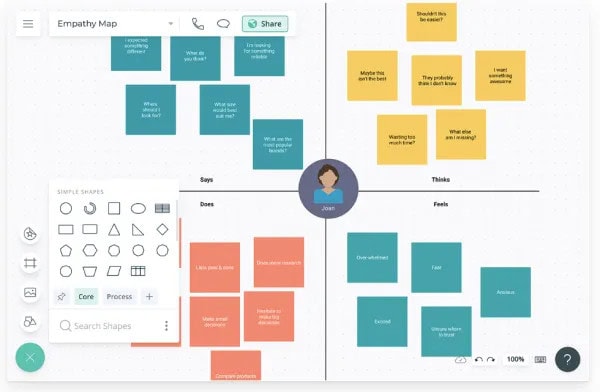
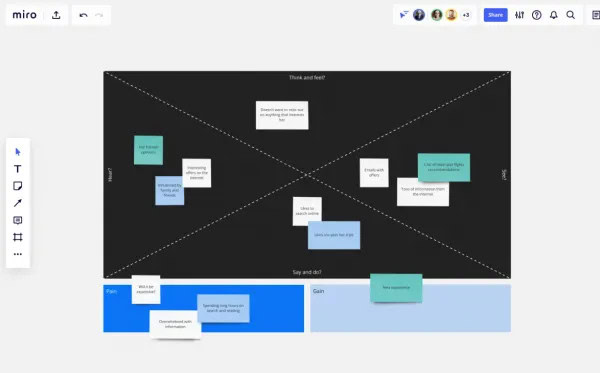
A persona is a research-based fictional profile that represents a significant group of users. It typically includes demographic information, behavioral patterns, goals, frustrations, and a narrative description that helps teams keep the user in mind during design and strategy sessions. Personas are built to answer the question: who are our users? An empathy map, by contrast, is a visual synthesis tool that answers the question: what is it like to be that user in a specific context? It captures the sensory, emotional, and cognitive experience of a particular moment or interaction rather than providing a comprehensive biographical profile.
These tools work best when used in sequence. Personas establish the who, and empathy maps explore the what and how of a specific user’s experience. Together, they create a more complete picture of the customer than either can provide alone.
Limitations of Empathy Mapping
Empathy mapping is a low-cost, accessible method for building user understanding, but it carries several limitations that teams should account for when interpreting and acting on the results. Awareness of these constraints makes the exercise more rigorous rather than less useful.
Several practical constraints apply to empathy mapping in real-world settings:
- Bias Risk: Every empathy map reflects the judgment calls of the people who created it. Without strong research grounding, maps can mirror team assumptions instead of user reality, reinforcing the same blind spots the exercise was designed to remove.
- Narrow Scope: A single empathy map captures one user type in one context. For products serving diverse user populations or complex multi-step journeys, multiple maps are required to develop an accurate overall picture.
- Outdated Insights: User needs and behaviors change over time. An empathy map created during initial discovery may no longer reflect the user population accurately once the product has matured, making periodic updates essential rather than optional.
- Dependence on Research Quality: The map is only as accurate as the research feeding into it. Teams with limited access to users or with gaps in their qualitative data will produce partly speculative maps, which must be clearly distinguished from evidence-based insights.
- Not a Standalone Tool: Empathy mapping should be combined with other user research and design tools, including journey maps, usability testing, and jobs-to-be-done analysis, to build a comprehensive understanding of user needs and behaviors.
Video About Empathy Map
Watch the video below for a quick visual walkthrough of how empathy maps work and how to get the most out of them in your projects. In just a few minutes, you’ll see the key concepts in action and walk away with practical tips you can apply right away.
Conclusion
Empathy map templates offer product teams, UX designers, and marketers a practical and proven method for translating user research into shared understanding. By organizing what users see, hear, say, think, do, and feel into a single visual framework, these maps make it easier for cross-functional teams to stay aligned around the people they are designing for. Whether applied during early discovery, persona development, or usability test analysis, the empathy map consistently delivers clarity where assumptions might otherwise take hold.
The key to getting genuine value from empathy mapping lies in the quality of the research that feeds into it and the discipline to revisit the map as new insights emerge. Teams that treat empathy maps as living documents rather than one-time workshop outputs will find them far more useful over the course of a project. Starting with a well-chosen template, grounding every quadrant in real user data, and reviewing the map regularly are the habits that separate maps that inform great decisions from maps that simply fill a process requirement.
Frequently Asked Questions About Empathy Maps
What are the components of an empathy map?
A standard empathy map is divided into four quadrants representing the four main dimensions of a user’s experience: Says, Thinks, Does, and Feels. The user or persona sits at the center of the map. An updated six-field version developed by Dave Gray adds Goals, Sees, and Hears as additional sections, giving teams greater depth when the research supports it. Some teams working in customer experience or service design further add Pains and Gains sections to connect emotional insights directly to user objectives and frustrations.
Is empathy mapping compatible with agile product development?
Yes, empathy mapping integrates well with agile workflows because it is lightweight, collaborative, and quick to complete. A team can run a focused empathy mapping session in under an hour using a digital whiteboard tool, then refer back to the map during sprint planning or backlog refinement to keep user needs visible throughout the development cycle. The format also supports iteration: maps can be updated incrementally as user interviews and usability tests produce new findings, which aligns naturally with agile’s emphasis on continuous learning.
What comes first, an empathy map or a persona?
Personas typically come before empathy maps, because the persona defines who is being mapped and provides the demographic and behavioral baseline the team will work from. However, many teams find that running empathy mapping sessions during or immediately after user research, before formal personas are finalized, helps produce richer and more accurate persona profiles. In practice, the two tools inform each other iteratively rather than following a strict linear sequence.
What problems can empathy maps help teams solve?
Empathy maps are most effective at addressing problems that stem from a misaligned or incomplete understanding of users. These include cognitive and cultural biases that distort how teams interpret user behavior, undiscovered user needs or motivations that are not captured by quantitative data alone, communication breakdowns between teams that each interact with a different part of the customer journey, and difficulty translating research findings into actionable design or product decisions. When based on solid research, empathy maps bring these issues to the surface before they become costly design failures.
How often should an empathy map be updated?
An empathy map should be treated as a living document and updated whenever significant new user research is available. At a minimum, teams should review their empathy maps at the end of a discovery phase, after each round of usability testing, and whenever a major product change or market shift might affect user behavior and expectations. A map that accurately reflected your users two years ago may now contain outdated assumptions that, if left unexamined, can quietly distort product and design decisions.
Suggested articles:
- 7 x Free User Story Template on Google, Excel, PowerPoint
- The Role of Psychological Principles in Effective UI/UX Design
- 8 Best Design Sprint Templates: The Complete Guide

Shane Drumm, holding certifications in PMP®, PMI-ACP®, CSM, and LPM, is the author behind numerous articles featured here. Hailing from County Cork, Ireland, his expertise lies in implementing Agile methodologies with geographically dispersed teams for software development projects. In his leisure, he dedicates time to web development and Ironman triathlon training. Find out more about Shane on shanedrumm.com and please reach out and connect with Shane on LinkedIn.