
Every project now produces visuals. A product launch needs banners and social posts, a training rollout needs slides, and even a status report reads better with a clear image. For years, many project teams found those assets on Freepik. In April 2026, Freepik changed its name to Magnific and put its stock library and all of its AI tools into one creative platform.
This review looks at the Magnific AI Suite from a project manager’s point of view: what is inside it, where it saves real time on a project, where it falls short, what it costs in November 2026, and how to fit it into a content project without losing control of quality or budget.
Freepik is now Magnific. The company renamed itself on April 28, 2026. Accounts, plans and the 250 million asset stock library moved over, and the AI tools now sit in one platform.
It is built for fast, on-brand visuals. Magnific One with Brand Kit (October 2026), Spaces for team moodboards and Magnific Move for motion graphics make it useful for project teams that ship content on deadlines.
Plans start at $14.50 a month, billed yearly. Credits on yearly plans last a full year, but video and 4K work burn through them quickly, so budget by deliverable.
Better prompts mean fewer retries. Use the free AI Prompt Builder below to turn a project brief into a ready-to-paste prompt, settings and a review checklist.
From Freepik to Magnific: What Changed?
On April 28, 2026, Freepik officially became Magnific. The new name came from the AI image upscaler that Freepik bought in 2024, and it now covers the whole company. The goal was simple: users saw Freepik for stock, a separate Magnific brand for upscaling and AI tools spread across the dashboard. Now everything lives at magnific.com.
For existing users, nothing was lost. Accounts, saved collections, downloads and paid plans moved over automatically. The library of more than 250 million photos, vectors, icons, videos and templates is still there, now next to the AI tools. The company, based in Malaga, Spain, reported more than one million paying subscribers and about $200 million in annual recurring revenue at the time of the rebrand, without US venture capital funding.
For a project manager, the practical change is that one subscription, one login and one credit balance now cover research (stock), creation (AI), editing and delivery. That makes it easier to budget, easier to give a team access and easier to track where visual assets come from.
What Is Inside the Magnific AI Suite in 2026
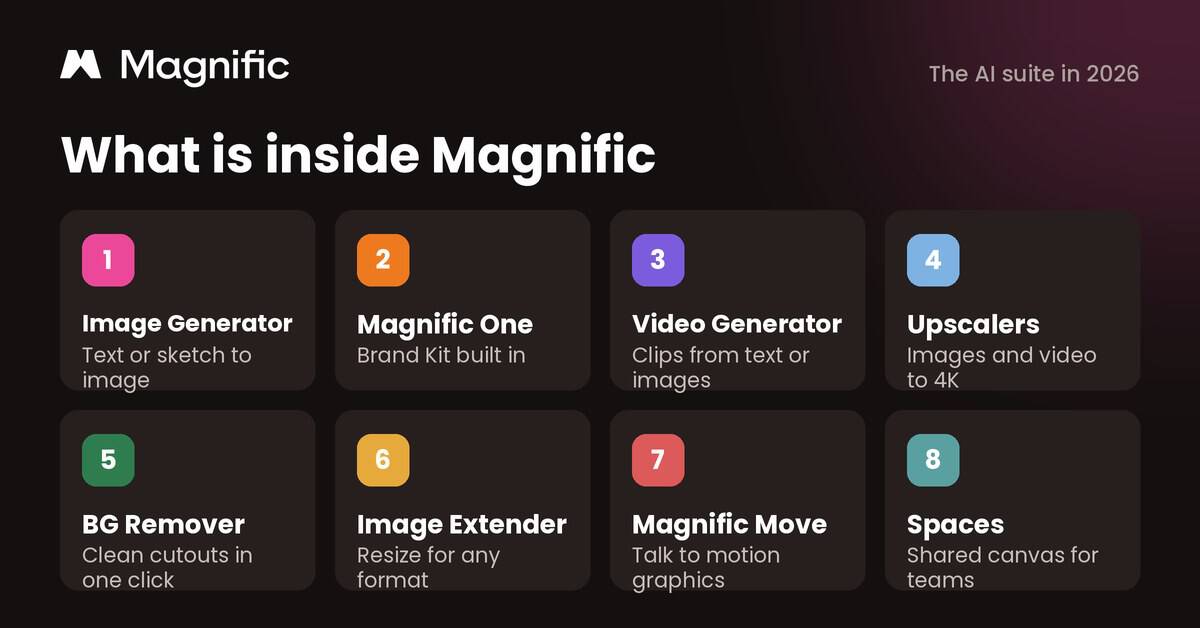
The suite has grown well beyond the tools Freepik offered a year ago. Here is what a project team can use today:
- Magnific AI Image Generator: create illustrations or photorealistic images from text prompts, sketches or reference photos, using a wide choice of AI models in one place. It is the starting point for blog images, social posts, slide visuals and ad concepts.
- Magnific One and Brand Kit: launched on October 8, 2026, Magnific One adds an “art direction” step before the image is made. Draft mode returns 8 or 16 compositions for the credit cost of one image. Brand Kit turns your brand guidelines into rules that the model follows and checks in Final mode.
- Magnific AI Video Generator: generate short clips from text or images, including using your own visuals as the first or last frame. Useful for social teasers, explainer content and launch announcements.
- Magnific Upscaler and Video Upscaler: enlarge low-resolution images while keeping detail, with a “Creativity” control for how much new detail the AI adds. The Video Upscaler can push footage up to 4K at 60 fps.
- Background Remover: remove or replace an image background in one click, then place a product or person into a new scene.
- Image Extender: extend the edges of an image with AI-generated content that matches the original. Turn a vertical photo into a website banner or a square post into a widescreen slide.
- Magnific Move: describe a motion graphic in plain language, attach your logo or footage, and edit it by asking for changes. It exports MP4 files up to 180 seconds long.
- Spaces: a shared canvas where a team can gather references, generate options and organize them into moodboards and workflows. It is the closest thing in Magnific to a project workspace.
- Editors, MCP, API and plugins: a browser photo editor and video editor, plus an MCP connection, API access and plugins that bring Magnific into other apps, including AI assistants and design tools.
This broad scope is the main story of the rebrand. Magnific is no longer a stock site with AI features added on. It is trying to cover the full path from idea to final asset for solo creators, agencies and enterprise project teams.
Pros of Using Magnific for Project Teams and Content Creators
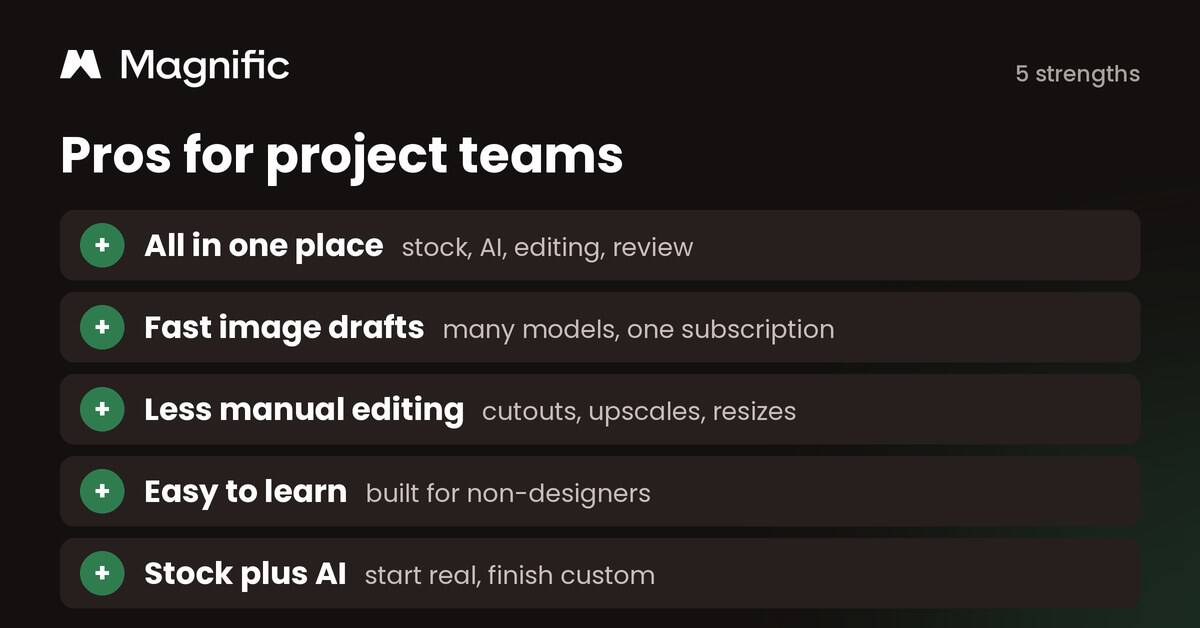
1. One Creative Ecosystem for the Whole Project
Magnific’s strongest selling point is that stock, generation, editing and review now live in one place. Instead of paying for a stock site, an image generator, an upscaler and a background tool separately, a project team can work in one platform with one credit pool. That cuts tool switching, reduces the number of subscriptions to approve and makes it easier for a project manager to see who created what. For marketing, training and product projects with many small visual deliverables, that adds up quickly.
2. Fast and Capable Image Drafts
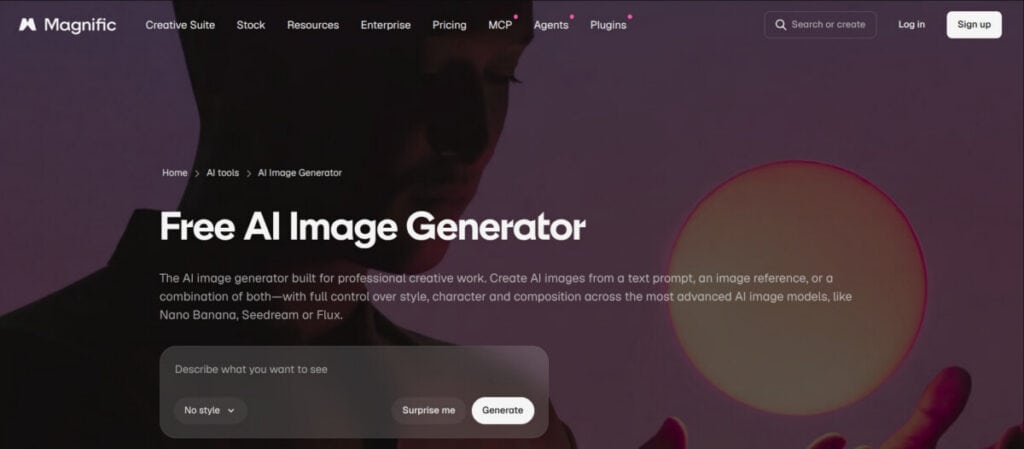
The image generator gives access to many leading AI models from one interface, with style presets and quick iteration. Magnific One goes further: one prompt returns several layout options, so a project team can review directions early instead of polishing a single idea that a stakeholder later rejects. The tool can also keep characters and objects consistent across a series, which matters when a campaign needs ten images that look like they belong together. Results work well for content marketing, social media, concept art and AI product photography, especially when the project schedule is tight.
3. Less Manual Editing on Repetitive Tasks
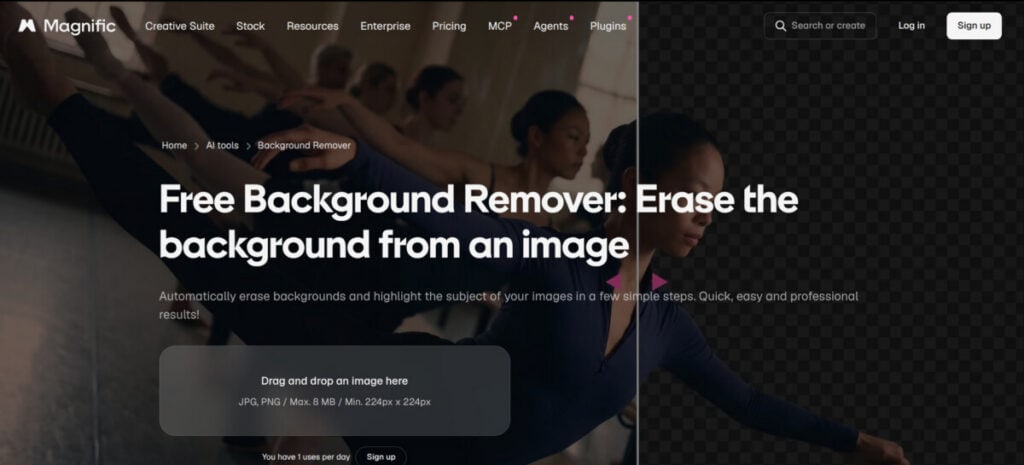
The Background Remover, the upscalers and the Image Extender remove hours of routine work. A few clicks isolate a subject, sharpen an old photo or resize an image for a new channel, tasks that used to require Photoshop skills or an agency ticket. For e-commerce projects with hundreds of product photos, or a project team that must deliver the same visual in five sizes, this is where the time savings are easiest to measure.
4. A Short Learning Curve for Non-Designers
Professional design suites usually need training. Magnific is built for people who are not designers: clean screens, guided actions and plain-language controls. The company says 72% of its new users describe themselves as beginners, which matches what most project teams will see. A project coordinator or a subject matter expert can produce a usable draft in minutes, and the designer on the team can spend time on the work that needs expert judgment.
5. Stock Assets and AI Work Together
One of Magnific’s most useful advantages is the link between stock assets and generative AI tools. You can start with a licensed stock photo, then change it with background removal, image extension or the editor, without downloading and uploading files between tools. That gives project teams a safer starting point than a blank prompt, and it speeds up prototyping, personalization and brand-specific edits at scale.
Cons and Limitations of Magnific
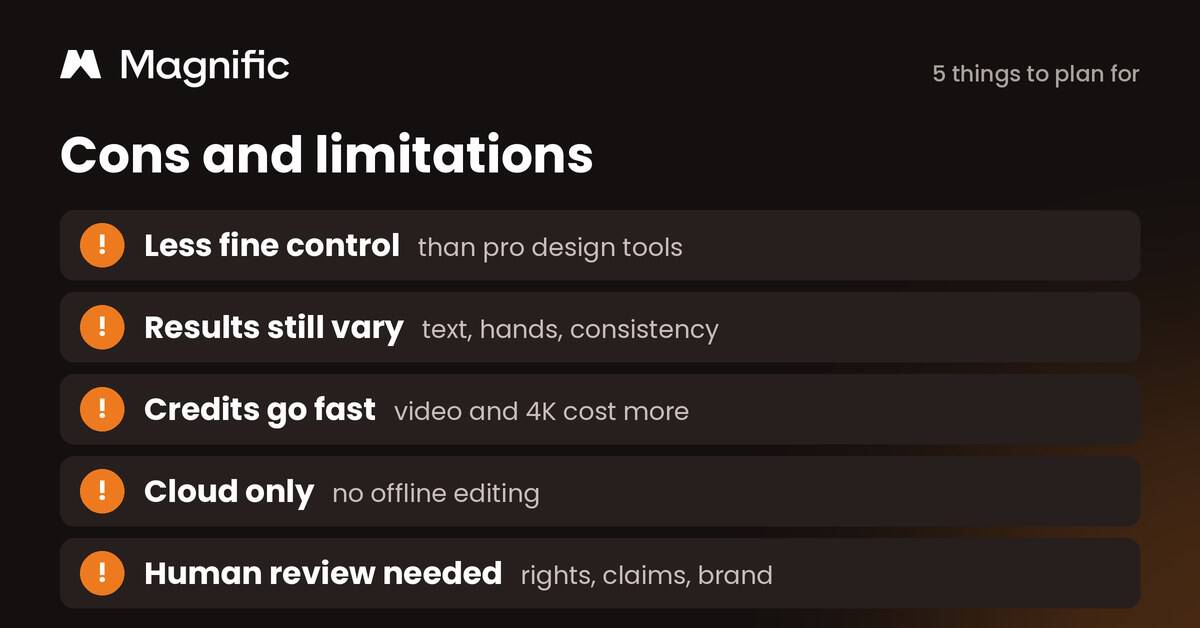
1. Less Fine Control Than Professional Tools
Advanced creators may find the output good enough for social media but not ready for a print campaign. Fine-grained controls are still more limited than Photoshop with generative fill or a full 3D pipeline. If a project needs a very specific visual style or pixel-perfect client polish, plan time in other software or with a designer.
2. Results Still Vary
Like every AI image tool, Magnific can still struggle with long text inside images, realistic hands and perfect consistency across a large series. Magnific One and Brand Kit reduce this, and Brand Kit even flags issues such as unreadable text, but you will still need several attempts on some assets. Build that into the project schedule and the credit budget instead of assuming the first result is final.
3. Credits Go Fast on Video and 4K Work
There is no unlimited free AI plan. Paid plans run on credits, and “unlimited” generation only applies to a list of models on Premium+ and above, some for a limited time. Credits on yearly plans last a full year, which is fair, but video, 4K output and the newest premium models use far more credits than standard images. Estimate credits per deliverable before you pick a plan, and track usage like any other project cost.
4. Cloud Only, With No Offline Editing
All of Magnific’s AI tools run in the cloud, so they need an internet connection and may experience latency on slower networks. That can slow down a team on site visits, during travel or in low-bandwidth offices, and it means project files live on Magnific’s servers. Check that this fits your client’s data policies before you upload confidential material.
5. Human Review and Governance Are Still Required
Paid plans include a commercial AI license, and Magnific says it does not train models on paid users’ data. That still leaves the project team responsible for trademarks, real people, misleading claims and client contract terms. On any project with external visuals, add a clear review and approval step, and keep a record of which assets were AI-generated.
Magnific Pricing in 2026
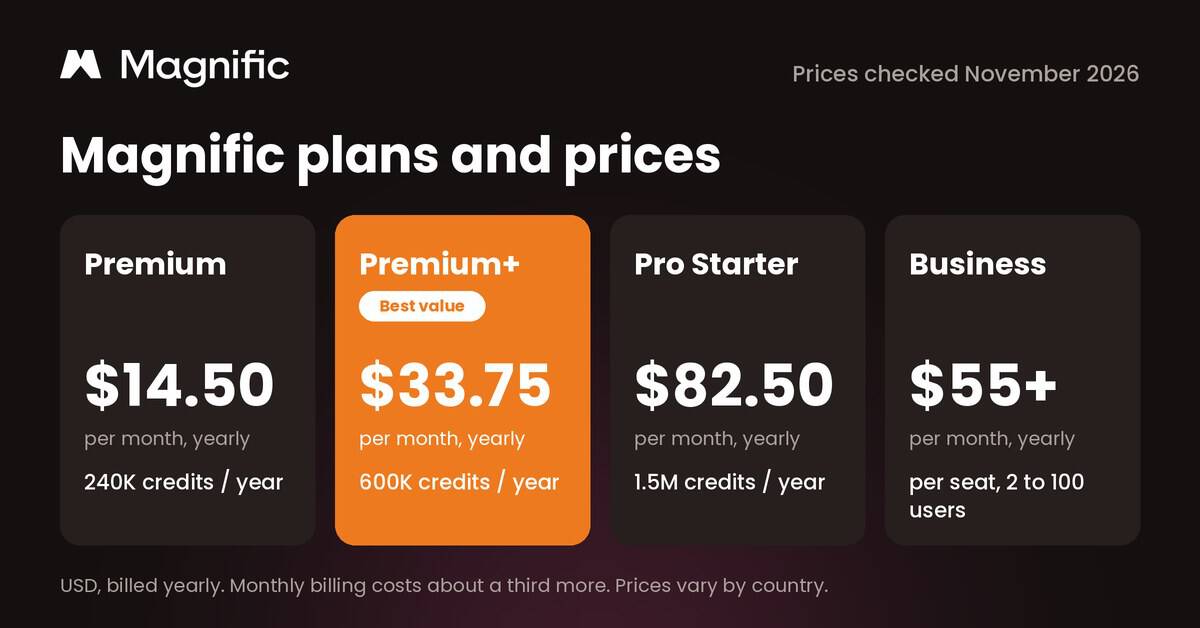
Magnific sells individual plans (Premium, Premium+ and Pro Starter), a per-seat Business plan for teams of 2 to 100 users, and custom Enterprise contracts. All paid plans include Magnific One with Brand Kit, Spaces, the editing tools and the 250 million asset library. Here is how they compare for project work:
Magnific plans compared (November 2026)
| Feature | Premium | Premium+ | Pro Starter | Business |
|---|---|---|---|---|
| Price, billed yearly | $14.50per month | $33.75per month | $82.50per month | About $55per seat / month |
| Price, billed monthly | About $19 | About $45 | About $110 | About $70 per seat |
| Credits | 240,000 a year | 600,000 a year | 1.5 million a year (4 million option) | Shared team pool (1.08 million a year for 2 seats) |
| Unlimited generation | No | Yes, on listed models | Yes, on listed models | Credit based |
| Magnific One, Brand Kit, Spaces | Yes | Yes | Yes | Yes |
| Team controls | Single user | Single user | Single user | 2 to 100 users, shared credits, admin |
| Best for | A project manager making a few visuals a month | Content teams producing images every week | Agencies and heavy video work | Project teams that need shared credits and compliance |
Source: magnific.com/pricing, checked November 4, 2026. Yearly prices as reported in US dollars; monthly prices are estimates (yearly billing saves about 25%). Prices change by country, taxes and promotions. Enterprise pricing is custom.
For most project managers, Premium is enough to test the tool on one project. Content teams that generate images every week usually get better value from Premium+. If several people on a project team need access and you want shared credits, admin controls and compliance features such as ISO 27001 and SOC 2, look at Business.
Free AI Prompt Builder for Project Deliverables
Most wasted AI credits come from vague prompts. Pick a deliverable, describe what the image should show and where it will be used, and add your style and brand colors. The tool builds a ready-to-paste prompt, suggests the aspect ratio and Magnific tool to use, scores the prompt and gives you three variations to test. It works with Magnific and any other AI image generator.
Load an example:
Ready to generate
Prompt strength for blog featured image
Your prompt
Negative prompt. watermarks, extra text, distorted hands, blurry details.
Settings
Aspect ratio: 16:9
crop to 1200 x 628 for most blog themes
Tool: Magnific One (Draft mode first, then Final at 2K)
Workflow
- Run Draft mode to compare 8 or 16 compositions for the cost of one image.
- Pick the strongest draft and render it in Final mode at 2K.
- Use Image Extender if your theme needs a wider crop.
Before you generate
- Check hands, faces and screens closely before you publish. Realistic people are where AI errors show most.
3 variations to test
Close-up detail shot of the key object
An editorial-style photograph of a project team gathered around a large wall planner covered in sticky notes, with a laptop showing a launch timeline, created for a blog article for project managers about running a project kickoff meeting. Close-up detail shot of the key object. Confident mood, soft natural daylight. Color palette built around #12325b and #ee7a1f. Leave clean empty space on the right for text. No text or lettering in the image. Aspect ratio 16:9.
Wide establishing shot that shows the whole scene
An editorial-style photograph of a project team gathered around a large wall planner covered in sticky notes, with a laptop showing a launch timeline, created for a blog article for project managers about running a project kickoff meeting. Wide establishing shot that shows the whole scene. Confident mood, soft natural daylight. Color palette built around #12325b and #ee7a1f. Leave clean empty space on the right for text. No text or lettering in the image. Aspect ratio 16:9.
Top-down overhead view of the same scene
An editorial-style photograph of a project team gathered around a large wall planner covered in sticky notes, with a laptop showing a launch timeline, created for a blog article for project managers about running a project kickoff meeting. Top-down overhead view of the same scene. Confident mood, soft natural daylight. Color palette built around #12325b and #ee7a1f. Leave clean empty space on the right for text. No text or lettering in the image. Aspect ratio 16:9.
This tool runs in your browser and does not send your text anywhere. Paste the prompt into Magnific or any AI image generator. Not affiliated with Magnific.
How Project Managers Can Use Magnific on a Content Project
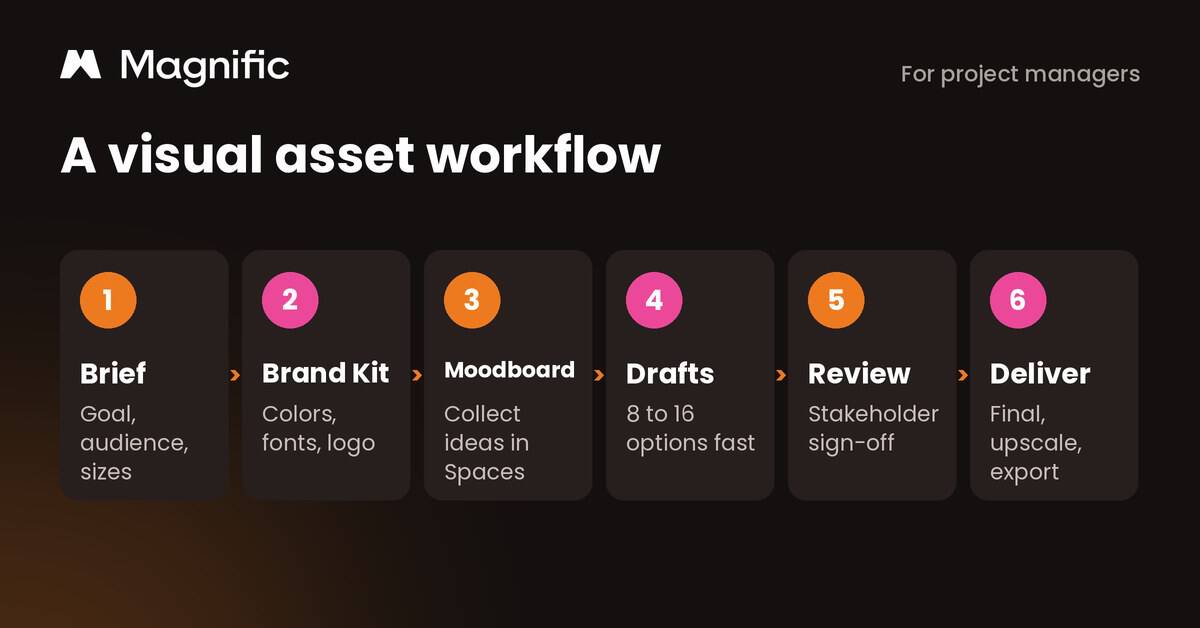
AI tools work best when they sit inside a clear project process. Here is a simple workflow that keeps quality, budget and approvals under control:
- Write a visual brief. List every asset the project needs, with its purpose, audience, size and deadline. Treat visuals as deliverables in your scope, not as extras.
- Set up a Brand Kit. Upload your brand guidelines once so every team member generates images with the same colors, fonts and logo rules.
- Collect references in Spaces. Build a moodboard with stock images and early AI drafts, then share it with stakeholders before anyone spends time on final assets.
- Generate drafts, not finals. Use Draft mode or quick generations to explore several directions for the cost of one image. Pick a direction with your sponsor.
- Review and approve. Check text, hands, faces, claims and rights. Record who approved each asset and whether it was AI-generated.
- Deliver and archive. Render finals, upscale where needed, export every size the project requires and store the prompts with the files so the next project can reuse them.
This approach turns Magnific from a creative toy into a predictable part of your project plan. It also gives you real data, such as credits per asset and review rounds per asset, to improve estimates on the next project.
Real-World Examples and Numbers
Who uses it
Magnific says more than 250 corporate clients use the platform, naming the BBC, Delivery Hero and the agency R/GA. Coca-Cola and Ogilvy also appear on its pricing page. When the Business plan launched, about 2,000 teams signed up in six weeks, which shows how quickly marketing and project teams are moving visual production in-house.
Sources: Magnific rebrand coverage, April 2026; magnific.com/pricing
“Most image models are very good at making the picture you described.”
Martin LeBlanc, Chief Experience Officer at Magnific, explaining why Magnific One adds an art direction step (VentureBeat, October 2026)
What it means for project managers
When most new users are beginners, the tool is not the bottleneck. Your brief, brand rules and review steps are. Treat AI visuals like any other project deliverable: define them in the scope, give them an owner and plan a sign-off step.
Video: Magnific Spaces in Action
Watch: building a project moodboard in Magnific Spaces
Official Magnific Academy tutorial (6:37, October 2026). It shows how a team collects references, generates options and organizes them on one shared canvas, which is the same flow a project manager uses to get early stakeholder feedback.
Facts Worth Checking
Facts worth checking about Magnific
| Claim | Verdict | Source |
|---|---|---|
| Freepik shut down and was replaced by a different company. | False Same company, new name. Freepik renamed itself Magnific on April 28, 2026, and accounts, downloads and paid plans carried over. | Euronews; Magnific |
| Magnific is just an image upscaler. | False Magnific was the upscaler Freepik bought in 2024. The name now covers the whole platform: stock, image and video generation, editing, Spaces and more. | Magnific |
| There is a free plan with unlimited AI images. | False Unlimited generation is a paid feature (Premium+ and above) and covers listed models only. Free accounts are mainly for free stock downloads and trying tools. | magnific.com/pricing |
| Unlimited means every model is unlimited. | Partly true Unlimited covers 30 plus listed models, some only for a limited time (Kling 2.5 until December 4, 2026). Newer premium models still use credits. | magnific.com/pricing |
| Credits reset every month and you lose what you do not use. | False On yearly individual plans, credits are valid for one year with no monthly resets. Business plans list a one year credit rollover. | magnific.com/pricing |
| Magnific trains its AI on your uploads. | False Paid plans list “no model training on your data”. Read the terms if your project handles confidential client material. | magnific.com/pricing |
| Magnific One keeps every image on brand automatically. | Partly true Brand Kit applies your colors, fonts and logo rules in Final mode and flags mismatches, but a person still needs to review results. It only works with Magnific One. | VentureBeat, Oct 2026 |
| Magnific has more than 1 million paying subscribers. | True The company reported over one million paying subscribers when it rebranded in April 2026. | Euronews; VentureBeat |
| Anything you generate is safe to use commercially. | Partly true Paid plans include a commercial AI license, but you are still responsible for trademarks, real people, misleading claims and client contracts. | magnific.com/pricing |
| AI tools like Magnific can replace a design team. | False They speed up drafts and routine edits. Brand strategy, complex layouts and final quality control still need skilled people. | ProjectManagers.net review |
Final Verdict
Is the Magnific AI Suite worth using? For most project teams, yes, with a few caveats. Designers, marketers, solopreneurs, agencies and project managers working under tight deadlines get real value from having stock, AI generation, editing and team review in one place. The rebrand made that value easier to see, and the October 2026 launch of Magnific One with Brand Kit makes it much easier to keep a whole project’s visuals consistent.
It is not a full replacement for professional design software or skilled designers, and credits can disappear fast on video-heavy work. But for everyday project deliverables, from launch graphics to training slides and status report visuals, Magnific (formerly Freepik) is an affordable, capable and easy place to start. Begin on one project, track credits per deliverable, keep a human review step, and use a solid prompt for every asset.
Frequently Asked Questions
Magnific FAQ
Is Magnific the same as Freepik?
Yes. Freepik renamed itself Magnific on April 28, 2026. It is the same company from Malaga, Spain, and existing accounts, collections, downloads and subscriptions carried over automatically. The site moved to magnific.com.
How much does Magnific cost in 2026?
Individual plans start at about $14.50 a month for Premium when billed yearly, $33.75 for Premium+ and $82.50 for Pro Starter. The Business plan for teams is priced per seat. Monthly billing costs roughly a third more, and prices vary by country.
Is there a free version of Magnific?
You can create a free account to download free stock assets and try some tools, but serious AI generation runs on paid credit plans. Unlimited generation on listed models starts with Premium+.
Can I use Magnific images in client projects?
Paid plans include a commercial AI license. You should still check client contracts, avoid real logos or people you do not have rights to, and review every image before it goes out.
What is Magnific One?
Magnific One is an image model launched in October 2026 that adds an art direction step before generating. Draft mode gives 8 or 16 compositions for the cost of one image, and Brand Kit applies your colors, fonts and logo rules.
How can project managers get better results from Magnific?
Write a clear brief for each visual: subject, purpose, format, style and brand colors. Our free AI Prompt Builder on this page turns those details into a ready-to-paste prompt, suggested settings and a review checklist.
Suggested articles:
- How AI Voice Generators Can Enhance B2B Sales and Marketing Calls
- How Independent AiSDR Assistants Are Revolutionizing Sales
- Tap AI marketing tools for Instant SMB growth and boost ad launch speed by 80%

Daniel Raymond, a project manager with over 20 years of experience, is the former CEO of a successful software company called Websystems. With a strong background in managing complex projects, he applied his expertise to develop AceProject.com and Bridge24.com, innovative project management tools designed to streamline processes and improve productivity. Throughout his career, Daniel has consistently demonstrated a commitment to excellence and a passion for empowering teams to achieve their goals.