
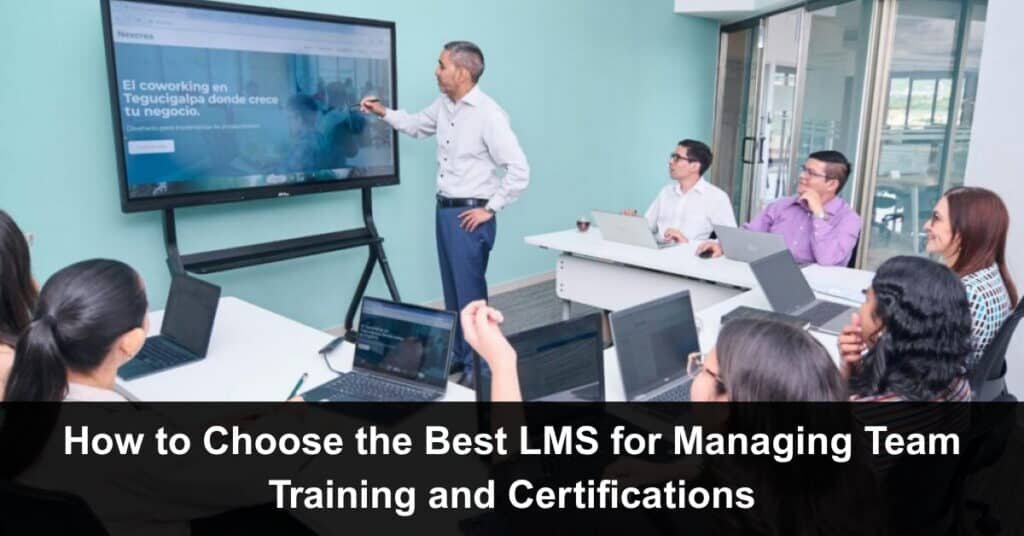
Picking the right tool for team training feels overwhelming. You open a browser and see hundreds of options. Some are cheap. Some look fancy. Most promise the world. But you don’t need magic. You need something that actually works for your people. The wrong choice wastes money and time. The right choice makes training feel easy. So how do you decide? Let’s break it down without the tech nonsense.
You want the best LMS for your specific crew. That means a learning management system that tracks who finished what. That remembers certification dates. That doesn’t make your team want to quit their jobs. The best one fits like a good pair of boots. Not too tight. Not too loose. Just right for the walk you take every day.
Know Your Real Problem First
Before you look at any software, sit down. Ask yourself one question. What hurts right now? Maybe people forget to renew certifications. Maybe new hires take three weeks to get trained. Maybe your managers have no clue who watched the safety video. Write down your top three pains. Do not skip this step. A lot of buyers get distracted by shiny features.
They buy a system with gamification and AI reports. But they still cannot track a simple expiration date. Focus on the mess you have today. That mess will tell you what features actually matter. Don’t let flashy extras blind you. Solve the real problem first, and everything else will naturally fall into place.
Make a List of Must‑Haves
Before spending a single dollar on software, get crystal clear on what you truly need. Grab a notebook or open a sticky note app. Strip away the nice-to-haves and focus only on non-negotiables. For team training and certifications, these core requirements come up again and again:
- Automatic reminders for expiring certifications
- Ability to assign courses to specific groups
- A simple dashboard showing completion rates at a glance
- Scalability that fits your team size, whether ten or two hundred people
- Clean, exportable reports for audits or management reviews
- A short list of five or six hard requirements — nothing more
Keep it tight. This list becomes your filter. Any LMS candidate must pass every item on it before you consider anything else.
Check How Certifications Work
Certifications are tricky. A simple quiz does not always count. Some industries need proof of hands‑on skill. Others need a third‑party stamp. Your Learning Management System (LMS) must comply with your specific certification rules. Look for a system that lets you set expiration periods. That sends automatic emails before a cert runs out. That lets you upload external proof, such as a scanned badge. Test this part during a free trial.
Create a fake course with a fake expiration date. See if the system reminds you. See if you can run a report of soon‑to‑expire certs. If this feels clunky, move on. You will hate fixing cert gaps manually later. A smooth test now saves you real headaches down the road. The few minutes you spend testing today are worth far more than the hours you will lose untangling a broken system six months from now.
Think About Your Team’s Daily Life
Your people are busy. They have emails, meetings, and actual work. Training should not add more stress. So look for an LMS that fits into their normal day. A mobile app helps a lot. Short modules and training videos help even more. Avoid systems that force long videos or big downloads. Also, check if the LMS works with tools you already use, like Slack, Microsoft Teams, and Gmail.
The best LMS feels like an extension of your workflow. Not a separate island where learning goes to die. Ask your team for their opinion during a trial. Give them one small course to test. Watch if they finish it without complaints. If they breeze through it and ask for more, you have found a keeper.
Reporting Should Not Require a Degree
You are not a data scientist. You just need to know who is ready and who is not. Good LMS reporting is simple. One click shows you expired certs. Another click shows course progress by department. You should be able to export a clean list for an auditor. Avoid systems with confusing filters or weird graphs. If you need a manual to run a basic report, say no. Your managers will avoid using it.
Then you are back to spreadsheets and sticky notes, chasing down managers for updates and manually tracking who is overdue. That defeats the whole purpose of buying software in the first place. A good LMS should make your life easier, not add another layer of frustrating, time-consuming busywork.
Support and Updates Matter More Than You Think
Software breaks. People forget passwords. Uploads fail. When that happens, you need help fast. So check the support options before you pay. Is there a live chat? Email response within a few hours? A phone number? Read recent reviews about customer service. Also, ask about updates. Does the company add new features regularly? Or does it feel abandoned?
A dead product becomes a security risk. It also stops working with new browsers and devices, leaving your team stranded without support. The best LMS is a living thing that grows with your needs. The company behind it should release regular updates, fix bugs quickly, and genuinely act as if they care about your long-term success.
Try Before You Buy
Never sign a long contract without testing. Most LMS platforms offer a free trial. Use it hard. Upload a real course. Add real people from your team. Assign a certification with a fake deadline. Run reports. Break something on purpose. See how long it takes to fix. Do this for at least two different systems. Compare them side by side. One will feel smoother. Trust that feeling.
Your gut plus real testing is a powerful combo. Do not get seduced by a smooth sales call. Salespeople are nice, well-trained, and very convincing. But they do not use the software every Tuesday morning. Your team does. They feel the friction. They hit the bugs. Always trust the people doing the real work.
Watch Out for Hidden Costs
The price tag you see first is never the whole story. Some LMS companies charge per user per month. That is fine for small teams. But they also charge for extra storage, premium support, advanced reports, and integrations. Ask for a full price list before you agree to anything. Also, ask about setup fees. Some systems charge you to import your old training data.
Others charge for a dedicated account manager. Add everything up for one year. Then compare that total to your actual budget. Do not forget to factor in future growth. The best LMS is the one you can actually afford for the long run. A cheap system that nickel-and-dimes you is not cheap at all.

Listen to What Other Users Say
Do not trust the case studies on the vendor’s website. Those are happy stories they picked themselves. Go find real people on Reddit, LinkedIn, or review sites. Search for “LMS for certifications” or “training system for teams.” Look for comments from people in your industry. A restaurant chain has different needs than a software company.
Pay attention to complaints that repeat. Slow loading. Bad mobile app. Lost data. Poor customer support. These patterns tell you the truth that polished demos never will. Also, ask peers in your network. Someone you trust has already made this decision and lived with the results. Their honest advice can save you weeks of costly headaches.
Suggested articles:
- 8 Ways to Get the Most Out of Your LMS App Features
- How Enterprise Learning Management Software Improves Productivity
- Exploring Thinkific for Building Structured Training Flows

Daniel Raymond, a project manager with over 20 years of experience, is the former CEO of a successful software company called Websystems. With a strong background in managing complex projects, he applied his expertise to develop AceProject.com and Bridge24.com, innovative project management tools designed to streamline processes and improve productivity. Throughout his career, Daniel has consistently demonstrated a commitment to excellence and a passion for empowering teams to achieve their goals.