
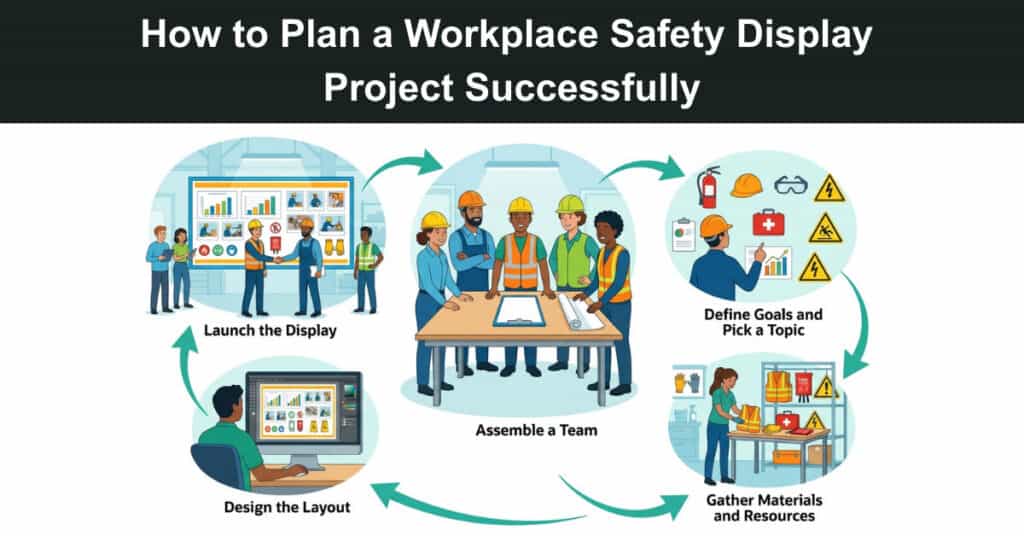
Workplace safety isn’t just a regulatory checkbox: it’s a project with real deliverables, stakeholders, timelines, and success metrics. The difference between a display system that actually changes behavior and one that fades into background noise comes down to how well it was planned from the start. Get the planning right, and the displays do real work. Skip it, and you’ve got expensive wallpaper.
Most organizations treat safety communication as a facilities task. Buy some screens, mount them in the break room, and done. Project managers who’ve been handed ownership of these initiatives know the reality is more complicated. You’re coordinating IT, facilities, HR, legal, and sometimes operations, all of whom have different definitions of success.
This guide walks through how to scope, plan, and run a workplace safety display project in a way that delivers measurable results. The framework draws on standard project management practice, adapted for the specific constraints and compliance considerations that safety communication brings.
Start With a Clear Problem Statement
Before you define scope, you need to know what you’re solving for. Safety display projects often kick off with a vague mandate (“we need better safety communication”) that leads to scope creep, misaligned stakeholders, and screens that show tips nobody reads. A strong problem statement answers three questions: Where is safety communication currently failing? What behavior change are you trying to drive? How will you know if the project succeeded?
Talk to floor supervisors, safety officers, and workers directly. If near misses are being underreported, that’s a different problem than workers being unaware of PPE requirements near specific equipment. The display content, placement, and update cadence should all flow from the specific gap you’re closing.
Define Scope Before You Touch Technology
Technology decisions come last, not first. Scope the project around three dimensions:
- Locations and Placement: Which sites, floors, or zones need displays? OSHA’s guidance on safety communication emphasizes that hazard communication needs to reach workers before they encounter the hazard. That shapes where screens go, not just how many you need.
- Content Types and Update Frequency: Will you display static safety policies, or do you need real-time data like days-since-last-incident counters or shift-specific hazard alerts? Real-time content requires a content management workflow that static displays don’t.
- Who Owns the Content After Launch: If no one is assigned to keep content current, you’ll have outdated displays within weeks. Build content governance into the scope, not as an afterthought.
Before committing to a timeline, answer a few technical questions: What’s the network situation at each screen location? Warehouses and manufacturing floors often have coverage gaps or segmented networks that have never hosted a connected device. Does the hardware need to handle direct sunlight or 24/7 operation? Who creates, approves, and publishes content, and how are emergency alerts pushed? The platform should support the workflow, not the other way around.
Build Your Stakeholder Map Early
Safety display projects touch more departments than most PMs expect. Your typical stakeholder set includes:
- Safety/EHS Team: Content authority. They own what gets displayed and must approve every screen template.
- IT: Network access, device management, security approvals. Getting an unapproved device on the corporate network often takes weeks.
- Facilities: Physical installation, power, mounting approvals, and ADA compliance.
- HR and Legal: Content referencing regulatory requirements or incident data typically needs legal review.
- Operations Managers: They know which locations have line-of-sight issues and when you can’t take a wall offline for mounting.
Sequence your approvals carefully. Don’t ask IT for network access before facilities have confirmed mounting locations. And loop in operations managers before finalizing placement. They’ll flag problems; a floor plan never will.
Build a Realistic Project Plan
A typical project breaks into five phases:
- Discovery and Requirements (2–4 weeks): Site walks, stakeholder interviews, content audit, and technical environment assessment. Don’t skip site walks. A screen that looks fine on paper won’t work mounted behind a support column.
- Design and Approvals (2–3 weeks): Screen templates, content hierarchy, approval workflow. Get EHS and legal sign-off here, not at launch.
- Procurement and Infrastructure (3–6 weeks, often the Critical Path): Hardware ordering, IT network approvals, and facilities scheduling. Lead times on commercial displays vary more than most PMs expect, and IT approval cycles are notoriously unpredictable. Build float here.
- Installation and Configuration (1–3 weeks): Physical installation, software setup, content loading, and testing. Plan for at least one round of rework on screen placement.
- Launch, Training, and Handoff (1–2 weeks): Staff training, documentation handoff, acceptance testing, and go-live.
A single-site project can move through these phases in eight to ten weeks. Multi-site rollouts, especially those spanning multiple legal jurisdictions or network environments, will run longer and benefit from a phased rollout plan rather than a simultaneous launch.
Budget for the Things People Forget
Project budgets often cover hardware and software, but miss the line items that cause overruns. Installation labor is frequently more expensive than the hardware itself, particularly for ceiling mounts or locations that require conduit work. Content creation, staff training, and ongoing content management also need explicit budget lines. They’re not incidental costs, and the last two recur after the project closes.
According to the National Safety Council, work injuries cost U.S. employers $176.5 billion in 2023, with the average medically consulted injury running $43,000. That context belongs in your business case. Define success metrics before launch, too: leading indicators like near-miss report rates and employee awareness scores give you early signals, while recordable incident rates tell the longer-term story for leadership.
Common Failure Modes
Three things sink these projects more than anything else:
- Skipping the Content Strategy. Displays without a content plan become wallpaper within weeks. Workers tune them out and stop looking. Build a content calendar, assign a named owner, and plan for quarterly refreshes at a minimum. Safety messaging that never changes stops registering as safety messaging.
- Underestimating IT Timelines. Network approvals, device security reviews, and firewall configurations can add weeks to a project that looked straightforward on paper. Start IT conversations early, before you’ve finalized hardware.
- No Post-Launch Governance. Who updates screens when regulations change? Who notices when a screen goes offline? Define the operational model as a project deliverable, not an open item at handoff. A complete handoff package includes system documentation, training materials, an escalation path for technical issues, and a scheduled post-launch review.
Safety communication projects done well don’t just reduce incidents: they build a workplace culture where workers trust that management is paying attention. The planning investment is small compared to a single serious injury. That’s worth doing carefully.
Suggested articles:
- 11 Steps to Handle Workplace Troubles Effectively
- How to Manage Workplace Injury Claims Within Your Project Team
- How to Talk to an Injured Employee: 7 Tips for Project Managers

Daniel Raymond, a project manager with over 20 years of experience, is the former CEO of a successful software company called Websystems. With a strong background in managing complex projects, he applied his expertise to develop AceProject.com and Bridge24.com, innovative project management tools designed to streamline processes and improve productivity. Throughout his career, Daniel has consistently demonstrated a commitment to excellence and a passion for empowering teams to achieve their goals.