

AI video is moving fast in this competitive world. A year ago, most people thought realistic AI-generated video was still years away. Now, companies like ByteDance and Seedance 2.0, OpenAI, Google, Kling, and Runway are releasing powerful tools every few months. Each one is better than the last. And here is the thing. This is not just a technology story. It is a business story all about workflow and project management. Content teams are now expected to produce more video than ever before.
TikTok, Instagram Reels, YouTube Shorts, and ad creatives all need constant fresh content. For this specific reason, demand for AI video tools is at its peak. That puts project managers in a tough spot. They need to deliver quality video content on time and on budget. This article is here to help. We are going to break down the AI video race in plain, simple terms. Then we will walk through exactly how to plan and execute projects around it.
Understanding the AI Video Race as a Project Manager
Let’s be honest. The AI video landscape can feel overwhelming right now. There are dozens of tools. New models keep launching. And everyone seems to have a different opinion on which one is best. But here is what you actually need to know as a project manager. The table below shows the demand for short-form videos:
| Metric | TikTok | Instagram Reels | YouTube Shorts |
| Global Market Share | ~40% | ~20% | ~20% |
| Monthly Active Users (MAUs) | ~1.99 Billion | ~3.0 Billion (Total App) | ~2.0 Billion (Shorts Specific) |
| Daily Views / Plays | Highly Volatile (Millions of Uploads) | ~200 Billion Plays | 200 Billion+ Views |
| Average Daily Time Spent | 1 Hour 37 Minutes | 52 Minutes (Total App) | 47 Minutes (Total App) |
| Average Engagement Rate | 3.15% (Highest interaction) | 0.65% | 0.40% |
| Optimal Video Length | Under 30 seconds (72% completion) | Under 90 seconds | 50 to 60 seconds (76% watch-through) |
| Primary Audience Demographics | Gen Z & Millennials (18–24 focus) | Millennials & Gen Z (25–34 focus) | Balanced (25–34 largest segment) |
| Creator Monetization Split | Ads Revenue Sharing / Creator Rewards | Performance-based Bonuses / Brand Deals | 45% Revenue Share to Creators |
A handful of companies are leading this race right now. Each one is taking a different approach.
The Best Companies Leading the AI Video Race
Several companies are clearly leading right now. But what makes this race interesting is that nobody is competing the same way. Some focus on realism. Some on speed. Others on cinematic quality or creator accessibility. Let’s break them down one by one.
ByteDance and Seedance 2.0
ByteDance has a serious advantage here. TikTok gave them years of real data on how people actually watch and engage with video. That understanding is baked into how they build AI models. Seedance 2.0 is a next-generation AI video model from ByteDance built to create high-quality videos from text, images, audio, and video inputs. What makes it stand out for project teams is how much it simplifies complex production tasks.
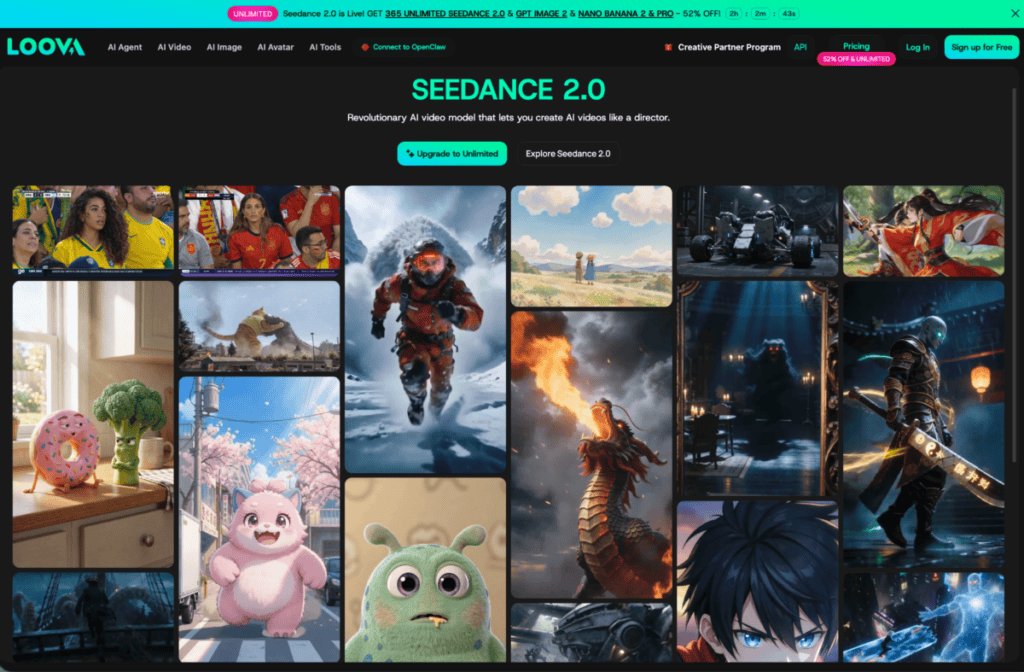
You can use it for image to video, text to video, and even reference-based video. Here is what it handles really well:
- Realistic human motion and emotional delivery
- Cinematic camera movement and complex action sequences
- Flawless consistency across facial expressions, clothing, background details, camera styles, and product design
- Extended video lengths without losing quality
- Precise music synchronization within scenes
For project managers running ad campaigns or content production, this means less back and forth, less manual editing, and more polished output from the start.
Google and Veo 3.1
Google brings something most AI labs simply cannot match. Infrastructure. They already power YouTube, Search, and Android at a massive scale. Veo 3 generates cinematic, high-quality videos with natural motion and audio. Here is what makes it especially useful for production projects:
- Handles complex prompts with precision, following your directions for lighting, subject, motion, and sound
- Built-in audio generation, so you do not need separate sound design tools
- Veo 3.1 lets you set both a start and end frame for smoother, more consistent storytelling
- High-speed generation mode available for rapid content iteration
- Photorealistic output that gets very close to professional video production quality
For project managers, this means tighter control over how a video begins and ends. Fewer revisions. Cleaner approval cycles.
Kling AI and Kling 3.0
Kling became popular fast because of one thing. Motion quality. Most AI video tools can generate a decent still frame. But the moment things start moving, problems appear. Kling handles this better than most. Kling 3.0 is a next-generation AI video generator designed for creators who want more control, consistency, and cinematic quality. Key features that matter for project workflows:
- Design your video shot by shot using adjustable storyboard controls instead of relying only on prompts
- Maintain character consistency across multiple scenes and projects
- Produce videos where different characters speak different languages naturally within the same scene
- Clone a custom voice so characters sound consistent across multiple videos
- Up to 15-second cinematic video clips with multi-shot control
That kind of consistency saves a lot of production time, especially on global brand campaigns.
OpenAI and Sora
OpenAI takes a different angle. Sora is less about flashy outputs and more about understanding how the physical world actually works. Instead of just generating visuals, it tries to simulate how scenes behave over time. Key strengths include:
- Realistic object interaction and environmental consistency
- Natural motion flow that feels physically grounded
- Strong scene realism across longer clips
- Deep integration potential with ChatGPT workflows
OpenAI can eventually connect text, image, and video workflows into one unified production system. For project managers who already use ChatGPT, that kind of integration could become very powerful down the road.
Other Important AI Video Labs
The AI video race is not just about the big players. Several smaller labs are moving incredibly fast, and each one brings something different to the table. Here is a quick breakdown of the ones worth knowing:
| Tool | Best For | Key Strengths | Ideal Users |
| Runway | Post-production & editing workflows | Gen-4.5 model with consistent characters, text-to-video, image-to-video, automated pipelines | Filmmakers, VFX artists, marketing teams |
| PixVerse V6 | Cinematic production & commercial content | 15-second 1080p output, 20+ camera controls, multi-shot with native audio | Content creators, social media managers, ad teams |
| Vidu | Fast generation & daily content | Quick rendering, rapid iteration, low wait times | Marketers, influencers, daily creators |
| Wan | Stylized & artistic video | Anime-style output, experimental visuals, creative storytelling | Artists, stylized content creators |
| Grok Imagine | Unique & visually distinctive content | Creative interpretation, highly stylized aesthetics | Experimental creators, niche content |
How to Plan an AI Video Project Step by Step
Planning an AI video project is not the same as planning a traditional video shoot. The tools are different. The workflows are different. And the decisions you make early on will save you a lot of time and frustration later. Here are five steps to get it right.
Step 1: Define Your Project Goal Clearly
Before you open a single AI tool, ask yourself one question. What does this video actually need to do? That sounds simple, but a lot of teams skip it. They jump straight into generating content and then spend days revising because the output does not match the brief.
Start by deciding which type of output your project needs:
- Realism Focused: Product ads, brand films, corporate content, testimonial-style videos
- Stylized Focused: Creative campaigns, anime-inspired content, artistic brand storytelling
- Speed Focused: Rapid concept testing, social media iterations, daily content production
Your answer here directly determines which AI tools you should use. A realistic commercial ad needs a different model than an experimental artistic campaign. Get this decision clear before anything else.
Step 2: Audit Your Available AI Video Tools
Once you know your goal, the next step is matching the right tools to the job. Here is a simple way to think about it:
| Project Need | Best Tool Match |
| Realistic cinematic output | Seedance 2.0 |
| Fast social media content | PixVerse V6 |
| Strong motion and camera work | Kling 3.0 |
| Stylized or artistic visuals | Wan |
| Audio included in generation | Google Veo 3.1 |
| Post-production and refinement | Runway Gen-4.5 |
Do not assume one tool does everything well. Each model has a strength. Your job as a project manager is to match the tool to the task, not force one tool to do it all.
Step 3: Build Your Tool Stack
This is where smart project managers pull ahead. The best AI video teams are not using one model. They are using several in combination. Multi-model workflows are becoming the new standard because no single AI video tool wins in every category. Think of it like a production team where each person has a specific role.
The basic idea is simple. Use cheap, fast models early when you are still figuring things out. Move to premium quality models when you are ready to produce the final version. This approach saves money. It saves time. And it produces better results than trying to generate perfect output on the first attempt with an expensive model.
Step 4: Assign Roles and Responsibilities
AI video generation still needs humans in the loop. The output quality depends heavily on how well your team manages the process. Here is how to divide responsibilities clearly:
- Prompt Writer: responsible for crafting and refining text prompts. This person needs to understand how each model responds to different prompt structures
- Quality Reviewer: watches every output for consistency issues, motion problems, and off-brand visuals before anything moves forward
- Revision Manager: tracks which outputs need changes and communicates feedback clearly back to the prompt writer
- Final Approver: signs off on outputs before they go to the next production stage
One important thing. Prompt writing is a real skill. The same idea written two different ways can produce completely different results. Invest time in training whoever handles this on each specific model your team uses.
Step 5: Set Timelines Around AI Generation Cycles
AI video does not generate instantly. Well, sometimes it does. But rendering times vary a lot depending on the model and the complexity of the output. Here is what to account for when building your project timeline:
- Rendering Time: Some models take 2 to 5 minutes per clip. Others take longer for high resolution or extended video
- Revision Cycles: Plan for at least 2 to 3 rounds of prompt refinement before you get output that meets the brief
- Approval Time: Build in a buffer for stakeholder reviews, especially if your client or team lead needs to sign off before production moves forward
- Tool Downtime: AI platforms occasionally have high traffic periods or maintenance windows. Do not schedule critical generation right before a deadline
A good rule of thumb is to double your first estimate. If you think the generation phase will take two days, plan for four. AI video production is improving fast, but surprises still happen.
Why Project Managers Should Never Rely on Just One AI Video Model
This is one of the most common mistakes teams make when starting with AI video. They find one tool they like and use it for everything. It feels efficient. But it is actually holding your projects back. Here is the reality. Every AI video model has trade-offs built into its design.
- Workflow integration
- Editing systems
- Creator tools
- Multi-model pipelines
- Distribution ecosystems
No single tool wins across all of these at once. That is just how it works right now. Think about it this way. A construction company does not use a hammer for every job. They bring the right tool for each specific task. AI video works exactly the same way.
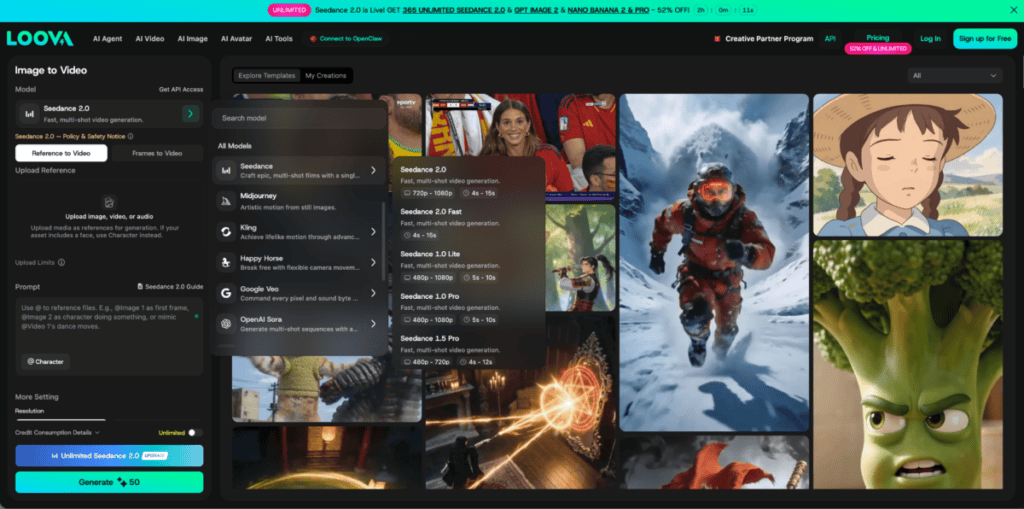
Platforms like Loova AI make this even easier by putting multiple leading models in one place, so your team does not have to jump between five different tools and accounts. The bottom line is simple. If you are only using one AI video model, you are leaving quality, speed, and budget efficiency on the table.
Conclusion
The AI video race is one of the most exciting shifts happening in content production right now. And for project managers, it is genuinely a huge opportunity. The teams that start building smart AI video workflows now will have a serious advantage over those who wait. That gap is only going to grow. You do not need a massive budget or a large team to get started.
You need a clear process, the right combination of tools, and a team that knows which model to reach for and when. Start here. Audit the tools your team is currently using. Identify which projects could benefit from AI video right now.
Frequently Asked Questions
What is the AI video race?
The AI video race refers to the intense competition between major technology companies like ByteDance, OpenAI, Google, Kling, and others to build the most capable AI video generation tools.
Which AI video model is best for project managers?
There is no single best model. It depends entirely on your project type. For realistic cinematic output, Seedance 2.0 is currently one of the strongest options.
What is the most realistic AI video model?
Seedance 2.0, Veo 3.1, and Kling 3.0 are currently among the strongest realism-focused AI video models.
Which AI video model is the fastest?
PixVerse and Vidu are known for their very fast generation speed.
Why are AI video models improving so quickly?
Competition between major AI labs is accelerating research, infrastructure investment, and creator-focused development.
Why are creators using multiple AI video models?
Different models have different strengths. Many creators combine models for realism, cinematic quality, editing, and stylized outputs.
What is Loova AI?
Loova AI is a platform that integrates multiple leading AI video and image generation models into one workflow for creators.
Suggested articles:
- Top 5 Advantages of Using AI Video Generators
- Best 5 ways to use AI Video Intelligence in a Project
- Can AI Replace Humans in Video Advertising?

Daniel Raymond, a project manager with over 20 years of experience, is the former CEO of a successful software company called Websystems. With a strong background in managing complex projects, he applied his expertise to develop AceProject.com and Bridge24.com, innovative project management tools designed to streamline processes and improve productivity. Throughout his career, Daniel has consistently demonstrated a commitment to excellence and a passion for empowering teams to achieve their goals.