
The project plan says the landing page is ready for review. The copy is approved, the developer has finished the layout, and the launch date is close. Then a stakeholder writes, “Could we see it with a different background?” Another asks whether the product image feels too formal. Nobody is asking for a new campaign, yet the team suddenly has a new round of work with no clear owner or deadline. The problem is not that people have opinions about pictures.
It is that visual decisions were never given a proper place in the project plan. Image editing options from services such as Banana Pro AI, now known as Pixomi AI, can make alternatives easier to explore, but a faster image does not automatically produce a faster decision. Project managers need a simple system for defining, reviewing, and closing visual work.
Why Visual Tasks Escape the Project Schedule
A work breakdown structure might include “create homepage graphics” as one line. That seems reasonable until the request hides six decisions: subject, message, composition, color, size, and final approval. A designer may finish an image that satisfies the written brief but surprises the sales team. The result is rework that nobody allocated time for.
Visual feedback is also unusually subjective. A stakeholder can identify a broken button precisely. “Make it more premium,” however, could mean changing the lighting, removing clutter, or selecting a different subject altogether. Without agreed examples, every review becomes a debate about interpretation.
The fix begins before production. Treat an image as a deliverable with acceptance criteria, not as a decorative extra. Record where it will appear, what it must communicate, who provides source material, and who has final authority. Those small decisions make later reviews shorter and much less personal.
Define a Useful Brief Before Anyone Makes a Picture
An effective brief fits on a short page. It should tell the person producing the visual enough to make decisions without guessing. For a conference landing page, for example, specify that the hero image needs room for a headline and should show a collaborative professional setting rather than a posed executive portrait.
Also write what must not change. A real product’s shape, an approved logo, and a legally required label should not drift during editing. Identify where the finished image will be placed so its orientation and empty or white space make sense. A beautiful square image can be useless if the website requires a wide crop with text on the left.
Add two reference examples and explain why each matters. “Use the calm lighting of example A, but the generous negative space of example B” gives much clearer direction than “modern and clean.” Save the agreed brief with the task rather than burying it in a chat thread. When someone requests a late change, the team can compare it against that shared definition.
An Approval Process That Fits a Small Team
A heavy governance process is unnecessary for three images. A repeatable sequence, however, prevents informal feedback from becoming endless revision. The project manager’s job is to make each decision visible and assign one person to close it.
1. Present Distinct Options, Not Tiny Variations
Show two or three choices that represent genuine directions. One might feature the product alone, another might place it in context, and a third might emphasize an emotional moment. If every image differs only by a slight color adjustment, the review has little value.
Label the alternatives by the decision they invite: “product clarity,” “lifestyle context,” or “minimal layout.” Ask reviewers which direction best serves the brief before discussing minor edits. This prevents the team from polishing an option nobody wants.
2. Gather Feedback Against the Brief
Use one shared review document with comments attached to each option. Ask reviewers to identify a problem and its effect: “The headline overlaps the subject at mobile width,” rather than “Something feels off.” Distinguish mandatory corrections from preferences.
If an image was created or edited with a model listed by Pixomi AI Studio, including Nano Banana Pro, treat it like any other draft. Check that requested visual details survived the change. Fast generation is helpful only when everyone evaluates the same version.

3. Record the Decision and Close the Round
Set a review deadline, name the approver, and record what was selected. A short note might read: “Option B approved, subject moved right, logo unchanged; final confirmation Friday.” This is enough to prevent an old comment from resurfacing after sign-off.
When a new suggestion arrives afterward, ask whether it corrects a defect or changes the agreed scope. Both may be valid, but they should not be treated as the same request. That distinction protects the schedule without silencing stakeholders.
Use Image Editing to Test Decisions, Not Avoid Them
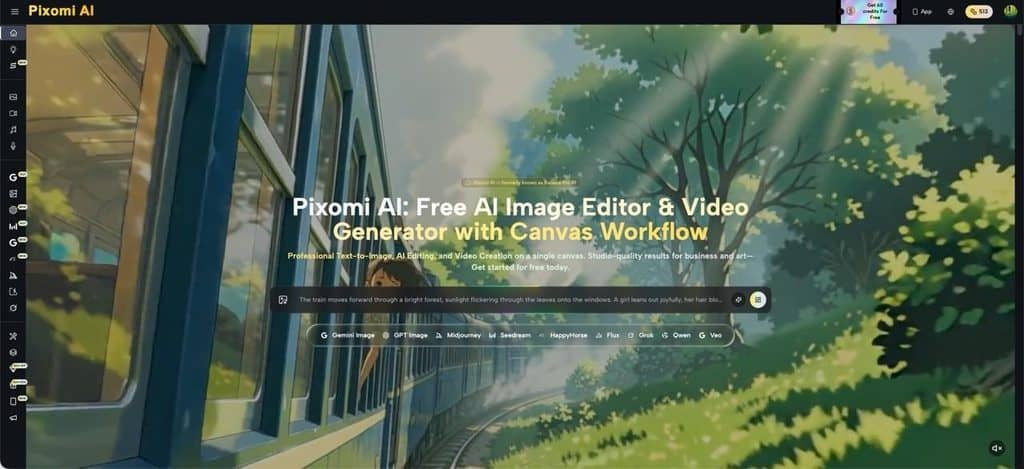
Some requests genuinely benefit from rapid visual experiments. Suppose a retailer wants to compare a product photograph against a plain background and a room setting. Image-to-image editing can help illustrate these concepts before the team commits to additional photography or finishing work. Pixomi AI publicly describes reference-image transformation and text-based image creation, making it one example of a tool suited to early concept work.
The project manager should still separate a concept from an approved production asset and have an efficient creative asset management workflow. Generated details can be inconsistent with real products, and a convincing sample does not prove that every visual element is accurate. Check packaging, labels, proportions, and any claims implied by the setting against original materials.
A useful practice is to mark previews as “concept only” until they pass the same quality checks as traditional design work. This lets teams benefit from easier experimentation without accidentally publishing a draft that was never properly verified.
Measure Rework Instead of Counting Generated Images
An activity report might celebrate that the team produced twenty image options. That number says little about whether the project improved. Better measures include how many review rounds were required, how often approved work was reopened, and whether late visual requests affected the release date.
Keep a lightweight change log for one project. Note when a visual was submitted, what feedback came back, who approved the revision, and when the task closed. If most delays occur after the final stakeholder review, the issue may be unclear authority rather than insufficient creative capacity.
You can also ask team members where instructions were ambiguous. Perhaps marketing expected a bold campaign image while legal expected a documentary product photo. Capturing that conflict early is more valuable than simply generating another option. The goal is not to eliminate creative discussion; it is to make that discussion happen at the right point in the schedule.
Conclusion
Visual work delays projects when its decisions stay invisible. A graphic labeled “almost done” may still contain unresolved questions about message, format, accuracy, and approval. Project managers can reduce that uncertainty with a short brief, distinct review options, one accountable approver, and a clear point of sign-off. AI image tools can support the process by producing concepts or revisions, but they cannot decide what stakeholders actually need.
Tracking review rounds and late changes reveals whether the system is improving. On your next project, choose one visual deliverable and give it the same ownership, criteria, and closure rules you would give any other important task. It also gives the next reviewer a clear reason to say yes or no, rather than asking for another vague round of changes. That small change is a practical place to begin.
Suggested articles:
- Mastering App UX Design: Strategies to Build Exceptional User Experiences
- Top 10 Pros & Cons of Hiring a Website Design Company
- Top 10 UX/UI Design Agencies in the World

Daniel Raymond, a project manager with over 20 years of experience, is the former CEO of a successful software company called Websystems. With a strong background in managing complex projects, he applied his expertise to develop AceProject.com and Bridge24.com, innovative project management tools designed to streamline processes and improve productivity. Throughout his career, Daniel has consistently demonstrated a commitment to excellence and a passion for empowering teams to achieve their goals.