
LinkedIn is the default professional network for much of the world, with more than a billion members, millions of job posts and a feed full of career news. For job seekers, recruiters, freelancers and small businesses, it often works as a resume, a job board, a sales tool and a publishing platform all at once.
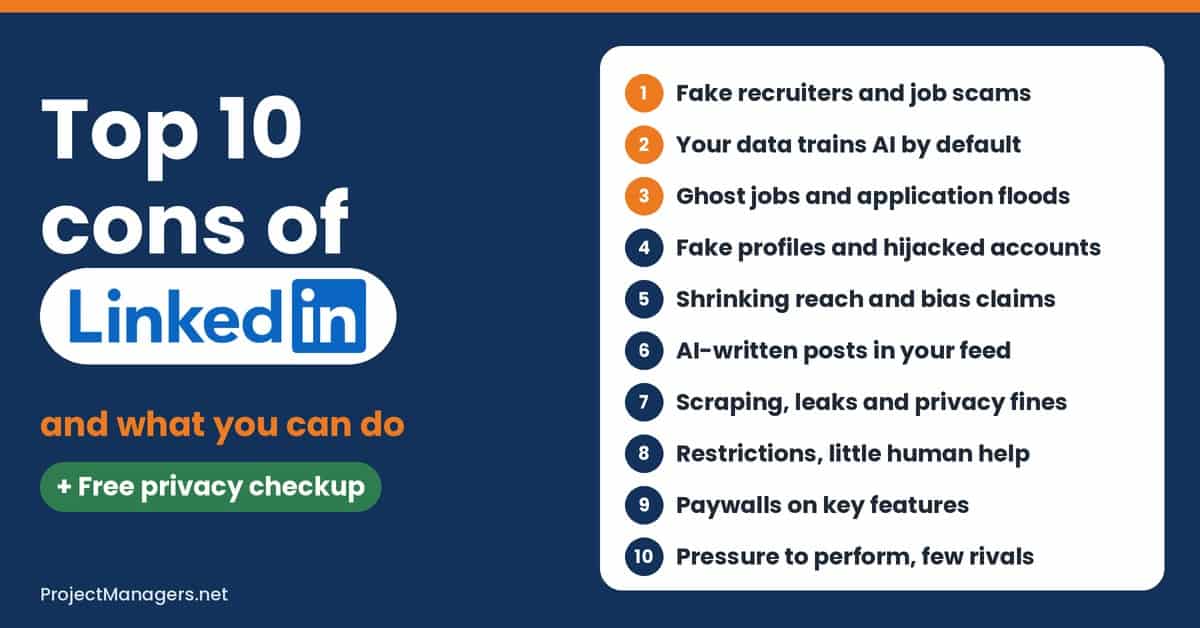
That reach is also the problem. In 2025 and 2026, LinkedIn started training AI on member data by default, fake recruiters and ghost jobs hit job seekers hard, and organic reach fell for most people. This guide ranks the 10 biggest cons with real cases, data and simple fixes, and gives you a free privacy checkup to see where your own account stands.
Scams are the biggest everyday risk. Fake recruiters ask for fees, ID scans or a “coding test” that installs malware, and 37% of US job seekers who saw fake postings in 2025 found them on LinkedIn. Never pay to get a job.
Your data trains AI unless you opt out. Since November 3, 2025, profiles, posts and saved resumes in most regions can train LinkedIn’s AI by default. One setting turns it off for the future.
Not every job post is real, and not every profile either. Ghost jobs, cloned profiles and hijacked accounts are common enough that Texas opened an investigation in 2026. Check badges and apply on company sites.
Use LinkedIn on your terms. Reach is down, AI-written posts are up and some features sit behind paywalls. Turn on two-factor authentication, trim notifications and keep other ways to network.
How Private Is Your LinkedIn Account?
Many LinkedIn risks come from default settings that few people change. Two-factor authentication is off until you turn it on, AI training on your data is on until you turn it off, and outside Europe and the UK your profile and activity data are shared with Microsoft for ads by default.
Answer 15 quick questions about your settings and habits, or pick an example. The checkup gives you a score out of 100, shows which areas are weak and lists the fixes in order, with the menu path for your computer or the phone app. Your answers stay in your browser.
Start from an example
Answer for your own LinkedIn account. Not sure? Pick Not sure and check it in the steps below.
Some gaps to close. Score 51 out of 100.
Some gaps to close
You score 51 out of 100. 6 settings or habits are not covered yet. Start with the top fix: turn on two-factor authentication (+15 points).
- 51/100Privacy score
- 9/15Settings and habits covered
- 0Answered Not sure (check these)
- +15Points from your top fix
Score by area
Fix these first
- Turn on two-factor authentication+15 points
Hijacked LinkedIn accounts are used to message your contacts and post fake jobs. With an authenticator app or SMS code, a stolen password alone is not enough. Con 4
How: Me (your photo, top right), then Settings & Privacy > Sign in & security > Two-factor authentication > Turn on
- Turn off AI training on your data+12 points
This setting is on by default. When it is on, your profile, posts and saved resume data can be used to train content-creating AI models. Con 2
How: Me (your photo, top right), then Settings & Privacy > Data privacy > Data for Generative AI Improvement > Off
- Stop ad data sharing with Microsoft+8 points
Outside Europe and the UK, LinkedIn shares profile and activity data with Microsoft for more personalized ads unless you opt out. Con 2
How: Me (your photo, top right), then Settings & Privacy > Advertising data > Data sharing with affiliates and select partners > Off
- Remove apps you no longer use+5 points
Connected apps can read your LinkedIn data and sometimes act for you. Removing one stops future access. Con 7
How: Me (your photo, top right), then Settings & Privacy > Data privacy > Permitted services > Remove
- Limit discoverability by email and phone+5 points
If anyone with your email or number can find your profile, data brokers and scammers can match your contact details to your job history. Con 7
How: Me (your photo, top right), then Settings & Privacy > Visibility > Discoverability by email (then by phone number)
- Report fakes when you see them+4 points
Member reports help LinkedIn remove fake accounts and scam messages before they reach other people. Con 4
How: Open the profile or message > More > Report
Already covered
- Check where you are signed in
- Use a unique password
- Add a verification badge
- Limit who can see your email
- Trim your public profile
- Check every recruiter before you reply
- Never run files from strangers
- Check jobs before you apply
- Trim notifications
Free. No sign-up. Your answers stay in your browser. Menu names can change between LinkedIn versions; this checkup is a guide, not a security audit.
10 Cons and Disadvantages of Using LinkedIn
The cons below are ranked by how much they affect a typical professional or job seeker, not by how dramatic the headlines are. Each section ends with a real case, three numbers and practical steps. Scenarios are illustrative and labeled as such; every real case is sourced.
1. Fake Recruiters and Job Scams
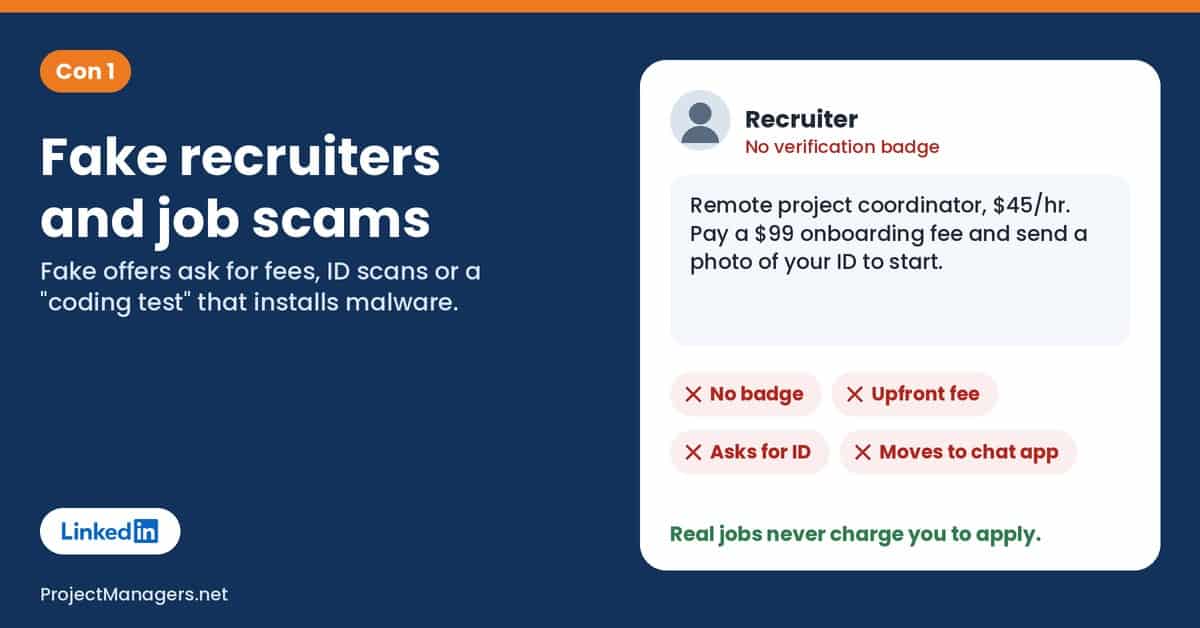
LinkedIn feels safe because everyone uses their real name and job title. Scammers count on that trust. Fake recruiters offer remote jobs with high pay, then ask for an “onboarding fee”, a photo of your ID, your bank details or a move to WhatsApp or Telegram. In 2025, 37% of US job seekers who saw fake postings said they found them on LinkedIn.
Some fake offers are not after money but access. North Korea-linked groups have posed as recruiters for crypto and defense firms and sent “coding tests” or meeting apps that install malware. Security researchers have tracked these campaigns for years, and they still work on experienced engineers.
Red flags to watch for:
- A recruiter with no verification badge and a thin or brand-new profile.
- Any fee for training, equipment, a resume fix or “onboarding”.
- A request to download a file, run a test or move to a chat app in the first messages.
Scenario (illustrative): A product coordinator who just posted “Open to Work” gets a message offering a remote role at $45 an hour. The recruiter asks for a copy of her passport “for payroll” and a $99 fee for a laptop. She pays before checking the company’s careers page, where the job does not exist.
Real-life example: Jay Jones, a copywriter laid off in late 2023, spent about two years hunting recruitment scams, mainly on LinkedIn. He says he got about 60,000 fake job listings removed and flagged about 7,000 profiles he believes scammers used (International Business Times).
What you can do: Never pay to get a job, and never send ID or bank details before a formal offer. Check the recruiter for a verification badge, then find the job on the company’s own website. Do not run files or install apps sent by people you have not verified. For teams and project managers: tell candidates in your job posts exactly how your company contacts them, so impersonators stand out.
Real-life example
North Korea-linked “recruiters” target crypto workers
Reuters found exposed log files listing more than 230 people targeted from January to March 2025 by North Korea-linked hackers posing as recruiters for crypto firms. Most approaches began on LinkedIn or Telegram, including a January 20 LinkedIn message falsely claiming to come from Bitwise Asset Management. One product manager lost about $1,000 in crypto after recording a video for a fake “Ripple” recruiter. LinkedIn said the fake accounts had already been actioned.
Sources: Reuters via WHBL, September 2025
Expert view
“Their malware is mostly simple, yet they manage to lure even tech-savvy targets.”
Peter Kálnai, researcher, ESET, September 2025. Help Net Security
By the numbers
- $501M
lost by US consumers to job scams and fake employment agencies in 2024, up from $90 million in 2020
Source: FTC, 2025
- 37%
of US job seekers who saw fake job postings in 2025 said they found them on LinkedIn
Source: PasswordManager.com survey, 2025
- 9 in 10
scam attempts reported on LinkedIn tried to move the chat to a personal messaging app
Source: HCAmag, 2026
From the field
“You turn the lights on and the roaches run”
Jay Jones, a laid-off copywriter who reports fake job listings, September 2026. Entrepreneur
2. Your Data Trains AI by Default
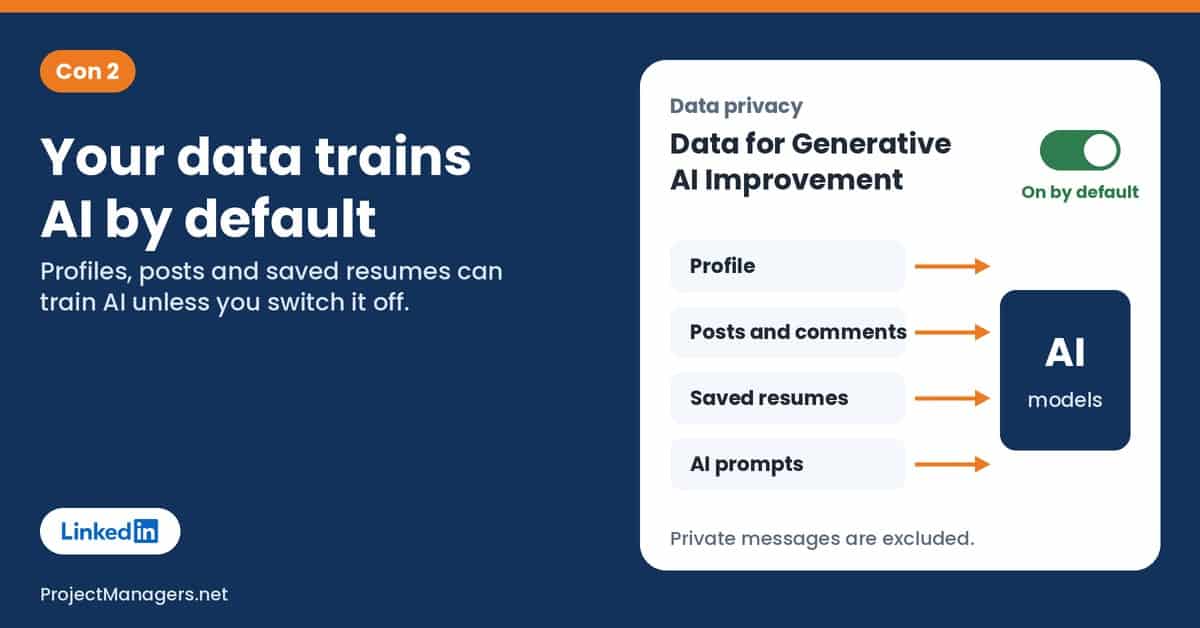
LinkedIn uses member data to train AI models that write content, such as its writing suggestions. The setting that allows it, “Data for Generative AI Improvement”, was switched on by default, first in the US in September 2024 and then, from November 3, 2025, in the EEA, Switzerland, the UK, Canada and Hong Kong.
LinkedIn says it does not train on private messages, passwords or payment data. It does use your profile, posts, comments, saved resumes and screening answers, and what you type into its AI features. Opting out stops future use, but it cannot pull back data already used for training.
What can end up in training data:
- Your profile: name, photo, job history, skills, education and recommendations.
- Your posts, articles, comments and poll answers.
- Resumes and screening answers you saved for future job applications.
Scenario (illustrative): A consultant has posted detailed client case studies on LinkedIn for years. She never saw the new setting, so her posts and saved resume were eligible for AI training from day one, until a colleague pointed it out.
Real-life example: On November 3, 2025, LinkedIn began using member data from Europe, Canada and Hong Kong to train its content-generating AI, on an opt-out basis. Members who did not switch the setting off before that date could not undo training that had already happened (The Register).
What you can do: Turn off “Data for Generative AI Improvement” under Settings & Privacy, then Data privacy. Outside Europe and the UK, also turn off “Data sharing with affiliates and select partners” under Advertising data. Do not paste client or personal details into LinkedIn’s AI tools. For teams and project managers: add these two settings to your onboarding checklist for anyone who posts on behalf of the company.
Real-life example
A lawsuit over private messages, dropped after 9 days
On January 21, 2025, a Premium member filed a proposed class action in California alleging that LinkedIn shared private messages to train AI, seeking $1,000 per member. LinkedIn said “We never did that,” and the plaintiff withdrew all claims on January 30. LinkedIn’s own AI policy lists private messages and InMail among the data it does not use for training.
Sources: Reuters via Carrier Management, February 2025, Top Class Actions, 2025
Expert view
“Once that data is in an AI model, you lose control”
Monique Verdier, Vice-Chair, Dutch Data Protection Authority, September 2025. NL Times
By the numbers
- 2003
the year LinkedIn launched; the Dutch regulator warned data going back that far could be used
Source: NL Times, 2025
- 5
regions added on November 3, 2025: the EEA, Switzerland, the UK, Canada and Hong Kong
Source: PPC Land, 2025
- 0
effect of opting out on data already used for training; it only stops future use
Source: PCWorld, 2025
From the field
We could not verify a quote from a named member about this change in a news report, so we have not included one.
3. Ghost Jobs and Application Floods
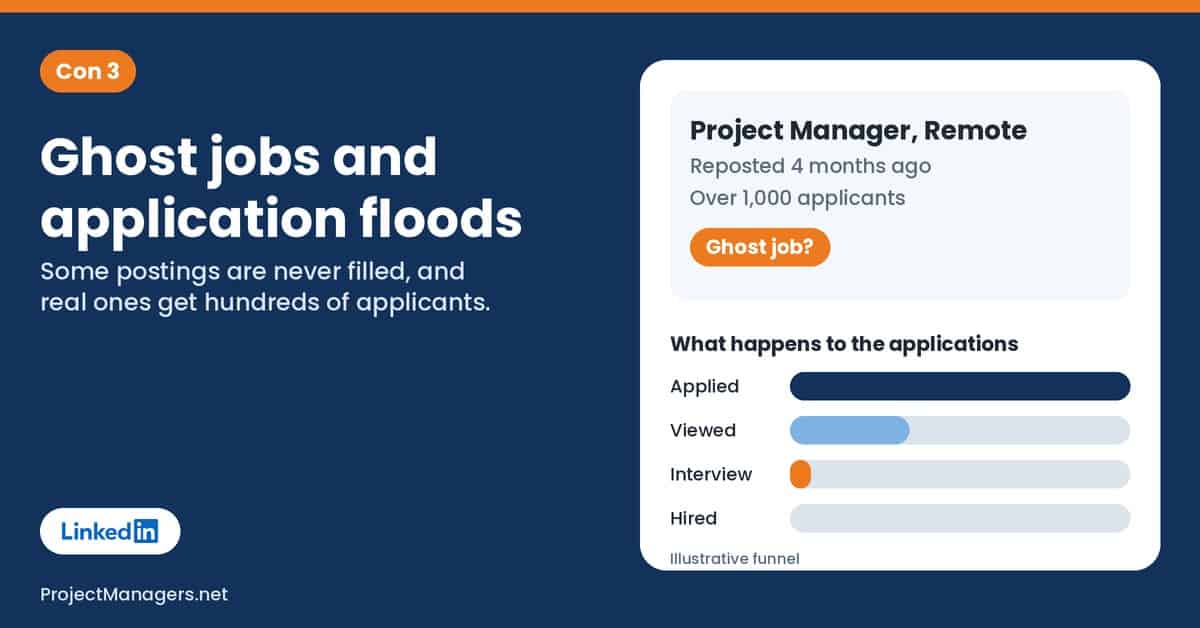
A ghost job is a posting that is old, already filled or never meant to be filled. Companies leave listings up to collect resumes, look busy or test the market. Measured estimates suggest about one in five online job ads leads nowhere, and LinkedIn does not independently verify most listings.
Real jobs have their own problem: volume. With Easy Apply and AI tools, LinkedIn handled about 11,000 applications a minute in 2025. Even when jobs are real, the quality of its job-matching algorithms is sometimes questionable, so strong candidates get lost in the pile.
Signs a job post may be a ghost:
- It was “reposted” weeks or months ago and has hundreds of applicants.
- The same job is not on the company’s own careers page.
- The description is vague and names no team, manager or start date.
Scenario (illustrative): A project manager applies to 40 roles in a month through Easy Apply. Half of them were posted more than 60 days earlier, and she never hears back from any of those. The few interviews she gets all come from roles she found on company websites.
Real-life example: On July 14, 2026, Texas Attorney General Ken Paxton opened an investigation into whether LinkedIn profited from ghost jobs while selling Premium subscriptions. His office says LinkedIn does not independently verify most listings and asked for documents on its advertising and verification practices (Staffing Industry Analysts).
What you can do: Check the posting date and look for a verified job badge. Confirm the role on the employer’s careers page and apply there when you can. Send fewer, tailored applications and follow up with a real person. For teams and project managers: close filled postings the same day, and give candidates a realistic hiring timeline.
Real-life example
About 1 in 5 job ads led nowhere
Greenhouse data reported by the Wall Street Journal classed about 19% of jobs on digital job boards in the second quarter as ghost jobs: postings that drew applications but led to no interviews or tests. One Austin-area marketer had applied to more than 3,000 jobs since her contract ended in May 2025. New York has since required employers to disclose fill timelines and take down filled listings.
Sources: Allwork.Space, August 2026
Expert view
“applicant tsunami that’s just going to get bigger”
Hung Lee, recruiting industry writer, Recruiting Brainfood, June 2025. eWeek
By the numbers
- 11,000
applications submitted on LinkedIn every minute on average in 2025, up 45% in a year
Source: LinkedIn data via eWeek, 2025
- 39%
of US hiring managers said their company had posted fake or ghost listings
Source: Staffing Industry Analysts, 2024
- 67%
of active US job seekers have suspected a listing was fake or never meant to be filled
Source: CPA Practice Advisor, 2026
From the field
“It’s disheartening”
Reggie Thomas, job seeker, on ghost jobs across job sites, January 2024. ABC News 4
4. Fake Profiles, Bots and Hijacked Accounts
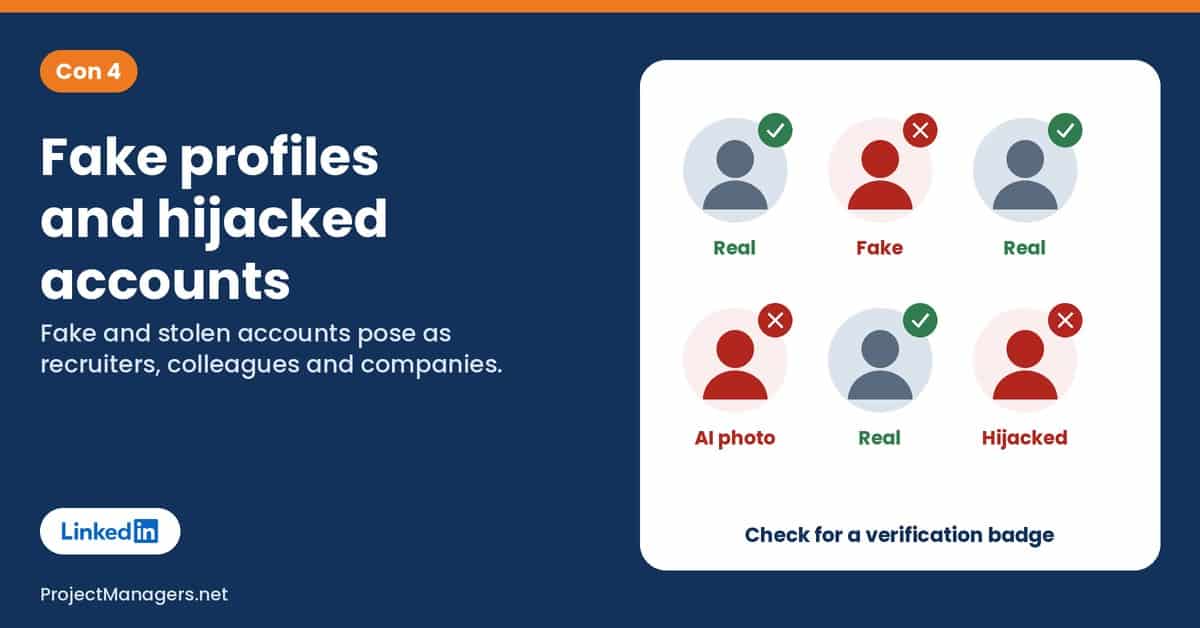
LinkedIn stops millions of fake accounts every year, most of them before anyone sees them. Enough still get through to cause harm: cloned profiles of real recruiters, AI-generated faces with polished job histories, and bots that send connection requests to harvest your network.
Real accounts get hijacked too. Attackers who steal a password can change the email on the account, lock the owner out and use the profile to message contacts or post fake jobs. Accounts with two-factor authentication are much harder to take over.
How fake and stolen accounts are used:
- Posing as a recruiter or executive from a well-known company.
- Messaging your contacts from your real, hijacked account.
- Collecting names, emails and job titles for phishing and scams.
Scenario (illustrative): A team lead accepts a request from a “senior talent partner” at a large firm. The profile looks perfect, but the photo belongs to someone else and the account was created three weeks ago. A day later, the same profile messages her whole team with a “job opportunity” link.
Real-life example: In June 2026, a former tech executive looking for work was approached by someone posing as a senior talent leader at engineering firm Aurecon, using a cloned profile of a real employee. Aurecon said it always holds formal interviews and never asks candidates to pay (HCAmag).
What you can do: Turn on two-factor authentication and check “Where you’re signed in” now and then. Add a verification badge to your own profile, and look for one before trusting a recruiter. Report fake profiles instead of just ignoring them. For teams and project managers: ask staff to verify their workplace, so impersonators are easier to spot.
Real-life example
A wave of hijacked accounts, and a thousand AI faces
In August 2023, Cyberint reported a surge in LinkedIn account hijackings. Attackers swapped the account email and password, locking owners out; some got small ransom demands and others saw their accounts deleted. Accounts with two-factor authentication were only temporarily locked. Earlier, Stanford Internet Observatory researchers found more than 1,000 LinkedIn profiles that appeared to use AI-generated faces.
Sources: Dark Reading, 2023, NPR, 2022
Expert view
“The more they know about a victim, the easier it is to manipulate them,”
Ryan Ko, Director, University of Queensland Cyber Research Centre, October 2026. HCAmag
By the numbers
- 80.6M
fake accounts stopped by LinkedIn at registration in 2024, plus 19.7 million caught later
Source: Prospect, 2025
- 99.7%
of fake accounts LinkedIn stopped from July to December 2025 were caught before any member report
Source: LinkedIn Community Report
- 100M+
members had at least one verification by December 2025, about 60% of them by workplace
Source: TechCrunch, 2025
From the field
“Absolutely furious with LinkedIn right now!”
A LinkedIn user, posting on X during the 2023 hijacking wave. Dark Reading
5. Shrinking Reach and Algorithm Bias Claims
Many people post on LinkedIn to get noticed by clients and employers. In 2025, that got harder. One large study of 1.8 million posts found average views down about 50% in a year, as LinkedIn changed its feed and more people posted. Company pages now reach only a small share of their followers.
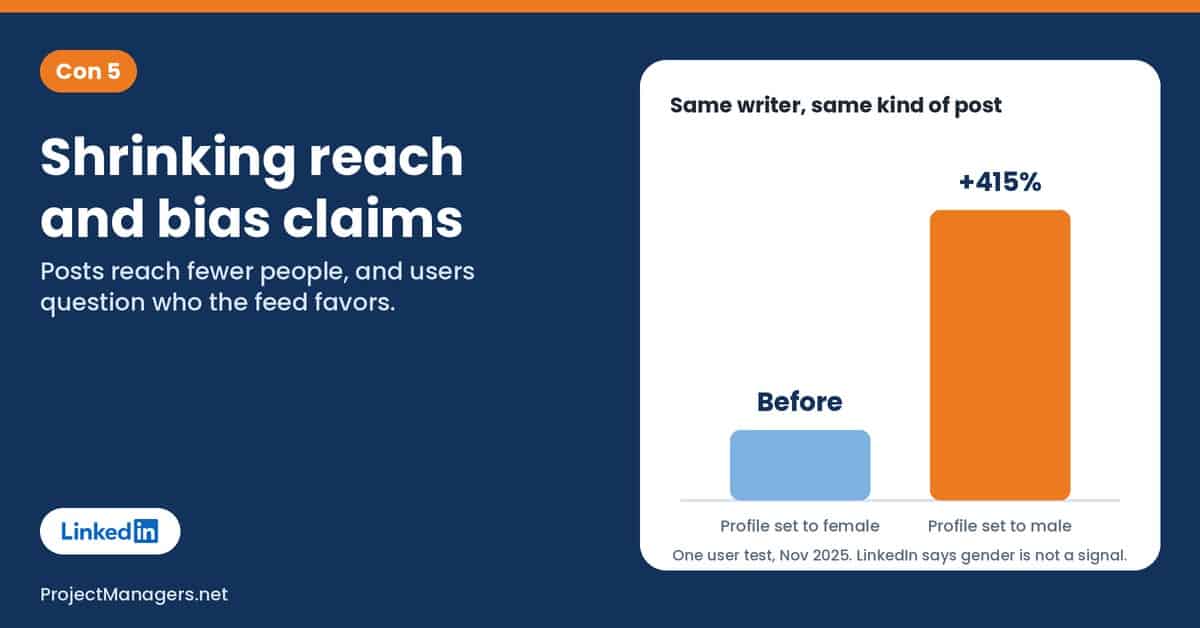
Some users also question who the feed favors. LinkedIn’s job-matching AI was found to be biased years ago, and the network’s value is not equally beneficial for all professions, according to a large study of weak ties. In late 2025, several women reported big jumps in reach after switching their profile gender to male. LinkedIn says gender is not a ranking signal.
Why your posts may reach fewer people:
- More people post, so each post competes harder for the same feed space.
- The feed now favors posts with clear professional value over broad engagement.
- Signals beyond your control, from your network to your industry, shape distribution.
Scenario (illustrative): A freelance designer posts a detailed case study every week. Her impressions fall by half over a year even though her comments stay steady. She starts measuring replies and leads instead of views, and moves her best work to a newsletter she controls.
Real-life example: In November 2025, mental health professional Megan Cornish switched her profile gender to male and rewrote her profile in a more “male-coded” tone. She reported a 415% rise in impressions in seven days; she also changed her wording, so gender was not the only variable (The Washington Post via The Nightly, Megan Cornish).
What you can do: Judge your posts by comments, messages and leads, not raw impressions. Write about concrete work, lessons and industry news, which LinkedIn says performs well. Keep an email list or website so your audience does not depend on one feed. For teams and project managers: set goals for team posts around conversations, not view counts.
Real-life example
Mixed results when users switched gender
Consultancy CEO Kamales Lardi, who has more than 17,000 followers, had seen her engagement fall for a year. After changing her profile gender to male, her impressions rose 421% within a few days. Results across the trend were mixed: some women saw no gain, some men who switched to female saw drops, and Black creator Cass Cooper saw her reach fall.
Expert view
“LinkedIn thinks its algorithm is very neutral.”
Allison Elias, business professor, University of Virginia, December 2025. The Washington Post via The Nightly
By the numbers
- -50%
average drop in post views year over year to February 2025, across 1.8 million posts
- 1.6%
of followers reached on average by a company page post in 2025
Source: Siècle Digital, 2025
- +15%
more posts on LinkedIn year over year, by LinkedIn’s own figures, so each post competes harder
Source: TechCrunch, 2025
From the field
“I changed my pronouns and accidentally broke my own LinkedIn engagement records.”
Jo Dalton, entrepreneur and investor in London, December 2025. AFP via Dawn
6. AI-Written Posts and a Low-Trust Feed
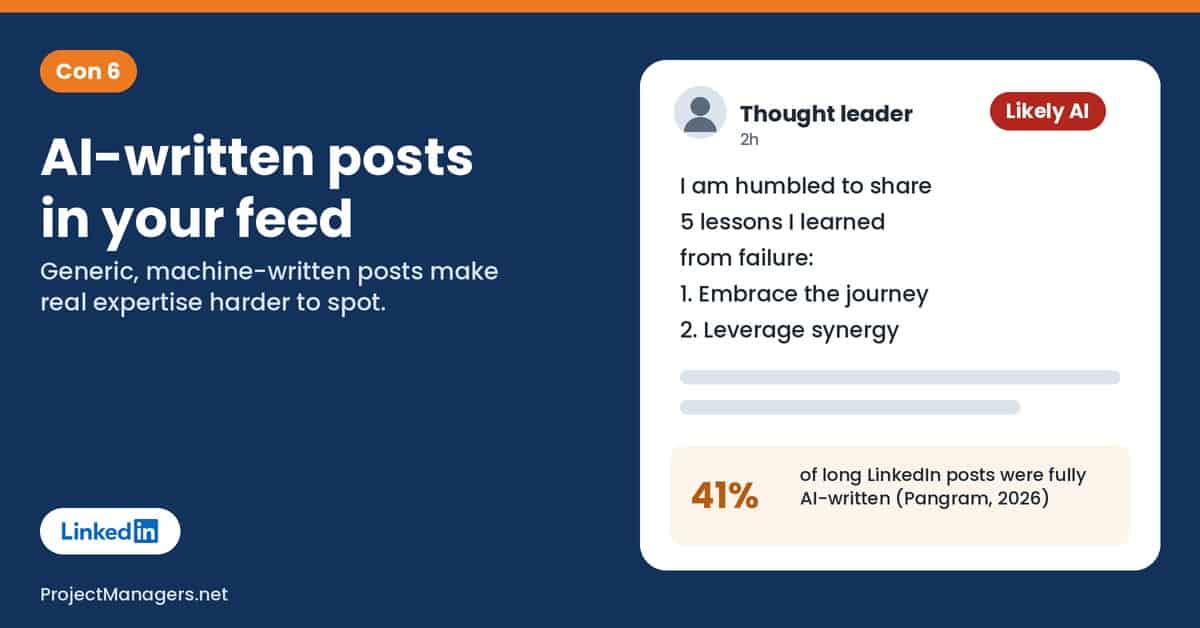
Scroll your feed and you will see it: “humbled to announce” posts, five-lesson lists and comments that sound like a template. Since generative AI tools arrived, studies estimate that a large share of long LinkedIn posts are written mostly or fully by AI. That makes real expertise harder to spot.
Automated comments and engagement pods add to the noise. LinkedIn has started to push back, but the platform still has a misinformation and overhyped content problem, and it can take a while to tell a genuine expert from a polished machine.
Why it matters for you:
- Advice you act on may come from no real experience at all.
- Your own careful posts compete with cheap, high-volume content.
- Readers start to distrust posts that sound polished, including yours.
Scenario (illustrative): A small business owner follows a viral post on pricing strategy and changes his quotes. The post had no sources, and the “founder” behind it had posted twelve similar lists that week. He loses two clients before reverting.
Real-life example: On July 30, 2026, LinkedIn added a “seems like AI slop” option to posts and replaced its AI “enhance your post” writer with a proofreader. It said it blocks hundreds of thousands of automated comment attempts every day (TechCrunch).
What you can do: Use “Seems like AI slop” or “Not interested” in a post’s three-dot menu to tune your feed. Check advice against a named source before you act on it. When you post, share specific numbers, projects and mistakes that only you could write. For teams and project managers: agree that AI can help draft, but a person reviews and signs every post.
Real-life example
Over half of long posts likely AI, back in 2024
Originality.ai analyzed 8,795 public English LinkedIn posts of 100 words or more, published from 2018 to October 2024. It estimated that 54% were likely AI-generated, and suspected AI use jumped 189% in the month after ChatGPT launched. LinkedIn said it does not track how often generative AI is used in posts.
Sources: The Register, November 2024
Expert view
“An internet that is completely flooded with undisclosed AI content is bleak”
Max Spero, CEO and co-founder, Pangram Labs, July 2026. TechRadar
By the numbers
- 41%
of long LinkedIn posts were fully AI-generated from April to June 2026, the highest of 5 platforms
- 81%
of 5,000 public posts of 100+ words were classed “Likely AI” in a July 2026 sample
Source: Originality.ai, 2026
- 1M+
clicks on “seems like AI slop” in about two weeks, as reported by LinkedIn
Source: GIGAZINE, 2026
From the field
“everybody uses AI to some degree”
Brendan Gahan, CEO of a LinkedIn influencer marketing agency, August 2026. Entrepreneur
7. Scraping, Leaks and Privacy Fines
Much of your LinkedIn profile is public by design, and that makes it easy to harvest. Scraping tools copy names, job titles, emails and phone numbers at scale, and the data ends up in sales databases, leak compilations and phishing lists. LinkedIn data has appeared in several big privacy breaches and leak dumps over the years.
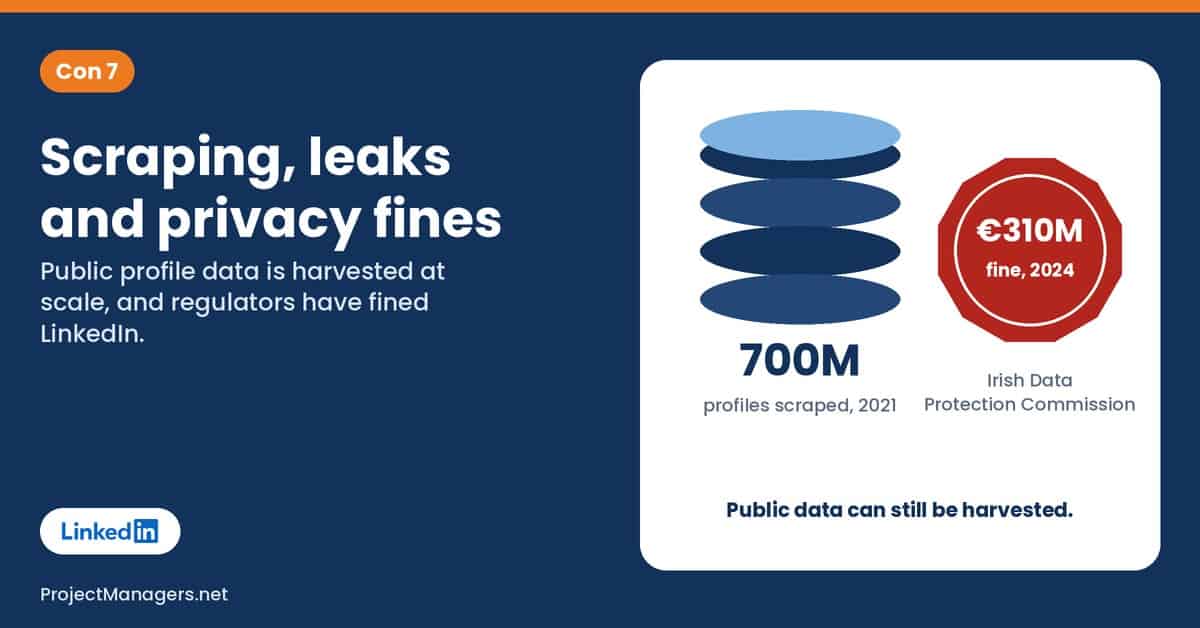
LinkedIn fights scrapers in court and blocks fake accounts, but regulators have also questioned how LinkedIn itself uses member data. In October 2024, Ireland’s Data Protection Commission fined it €310 million for using member data for targeted ads without a valid legal basis.
Where your data can travel:
- Into sales and recruiting databases built from scraped profiles.
- Into leak compilations that criminals use for phishing.
- Into connected apps you authorized years ago and forgot.
Scenario (illustrative): An engineer gets a phishing email that names his manager, his team and a project he listed on LinkedIn. It asks him to “review the attached project plan”. The details come straight from public profiles.
Real-life example: In October 2025, LinkedIn sued data company ProAPIs, alleging it ran millions of fake accounts to scrape member data, including data behind the login wall, and sold it for up to $15,000 a month (The Record).
What you can do: Set your email visibility to 1st-degree connections or Only me, and limit discoverability by email and phone. Review your public profile and hide what strangers do not need. Remove connected apps you no longer use. For teams and project managers: train staff to expect phishing that uses details from their LinkedIn profiles.
Real-life example
4.3 billion scraped records left open online
In November 2025, researchers working with Cybernews found an unprotected database of more than 16 TB holding about 4.3 billion records, much of it apparently scraped from LinkedIn. It exposed names, phone numbers, profile URLs and job histories. The owner secured it two days later.
Sources: Tom’s Guide, December 2025
Expert view
“The lawfulness of processing is a fundamental aspect of data protection law”
Graham Doyle, Deputy Commissioner, Irish Data Protection Commission, October 2024. DPC
By the numbers
- €310M
in GDPR fines for using member data for behavioral ads without a valid legal basis, October 2024
Source: Irish DPC, 2024
- 700M
LinkedIn user records offered for sale in June 2021, built from scraped and merged data
Source: Malwarebytes, 2021
- 251M
LinkedIn records inside the 26-billion-record “Mother of All Breaches” compilation, January 2024
Source: Cyber Daily, 2024
From the field
We could not verify a quote from a named person affected by these leaks in a news report, so we have not included one.
8. Account Restrictions With Little Human Help
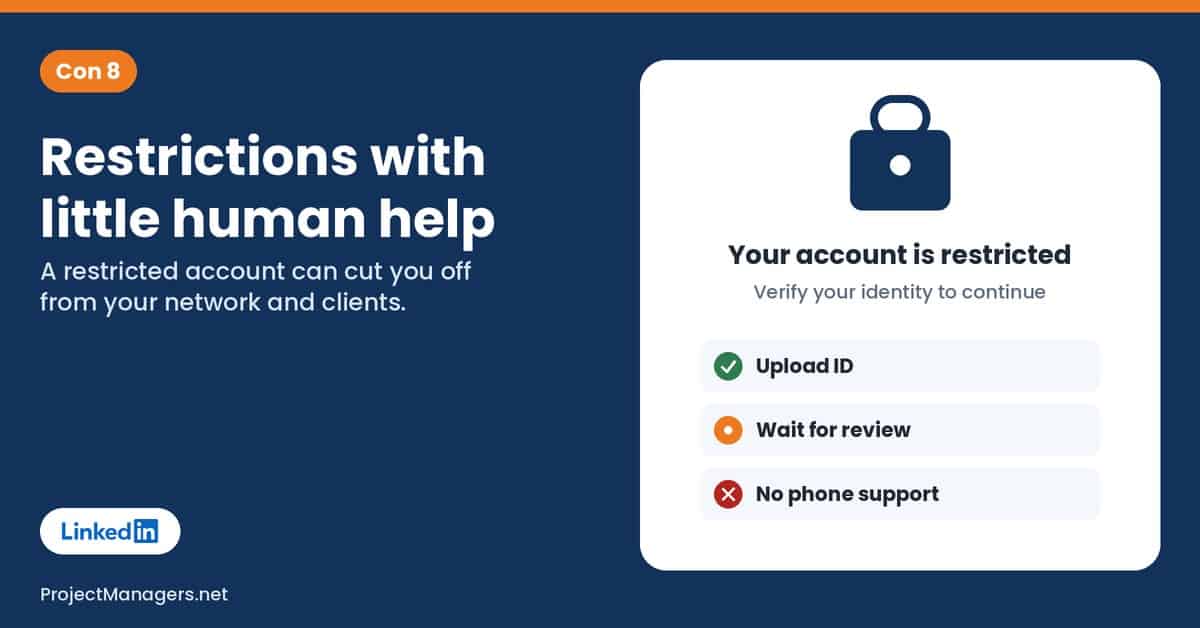
LinkedIn restricts accounts it suspects of breaking its rules, being fake or being hacked. That protects members, but real people get caught too. A restricted account can lose access to its network, messages and job applications overnight, often with only a short notice.
Getting help can be slow. LinkedIn relies on online forms and identity checks through partners, with no phone line for most members. LinkedIn does reverse many decisions on appeal, but people who depend on the platform for work can lose weeks while they wait.
What a restriction can cost you:
- Access to your contacts, conversations and saved jobs.
- Visibility to recruiters while you are looking for work.
- Client leads and sales conversations in progress.
Scenario (illustrative): A consultant’s account is restricted the week she is closing a deal. Her client conversations are on LinkedIn messaging and she has no other contact details for two of them. The account comes back after nine days, but the deal has gone cold.
Real-life example: Rob Wallace, a logistics professional near Atlanta with over 30 years of experience, found his account restricted without warning after he was laid off in September 2025. He says he landed his last three jobs through LinkedIn and got no reply for weeks (WSB-TV).
What you can do: Keep your account secure with two-factor authentication, a unique password and a current email. Avoid automation tools and browser extensions that act for you, which can trigger restrictions. Save key contacts outside LinkedIn and download your data from time to time. In the EU, you can take a decision to a certified out-of-court dispute body. For teams and project managers: keep client and team contacts in your own CRM or project tool, not only in LinkedIn messages.
Real-life example
Locked out, and told only “permanently restricted”
In July 2025, Belgian company founder Pierre-Nicolas Schwab was logged out and asked to verify his identity. He chose the “other method” option instead of the ID partner, then was told by contact form that his account was permanently restricted, with no reason given. About 48 hours later, access came back, also without explanation. He described the episode in his own blog post.
Sources: IntoTheMinds (Schwab’s blog), 2025
Expert view
“Where platforms have engaged constructively, the benefits are clear.”
Thomas Hughes, CEO, Appeals Centre Europe, on platforms and EU dispute bodies in general, October 2025. Irish Legal News
By the numbers
- 29%
of 58,931 appeals in the EU were granted from January to June 2025, by LinkedIn’s own count
Source: LinkedIn DSA report, 2025
- 12 of 36
disputes taken to EU out-of-court bodies were decided against LinkedIn in full or in part
Source: LinkedIn DSA report, 2025
- 1,757
content moderation staff worldwide in 2025, for more than a billion members
Source: Social Media Today, 2025
From the field
“[I]f you’re restricted, you’re basically invisible.”
Rob Wallace, logistics professional and job seeker near Atlanta, December 2025. WSB-TV
9. Paywalls: Premium, InMail and Sales Navigator
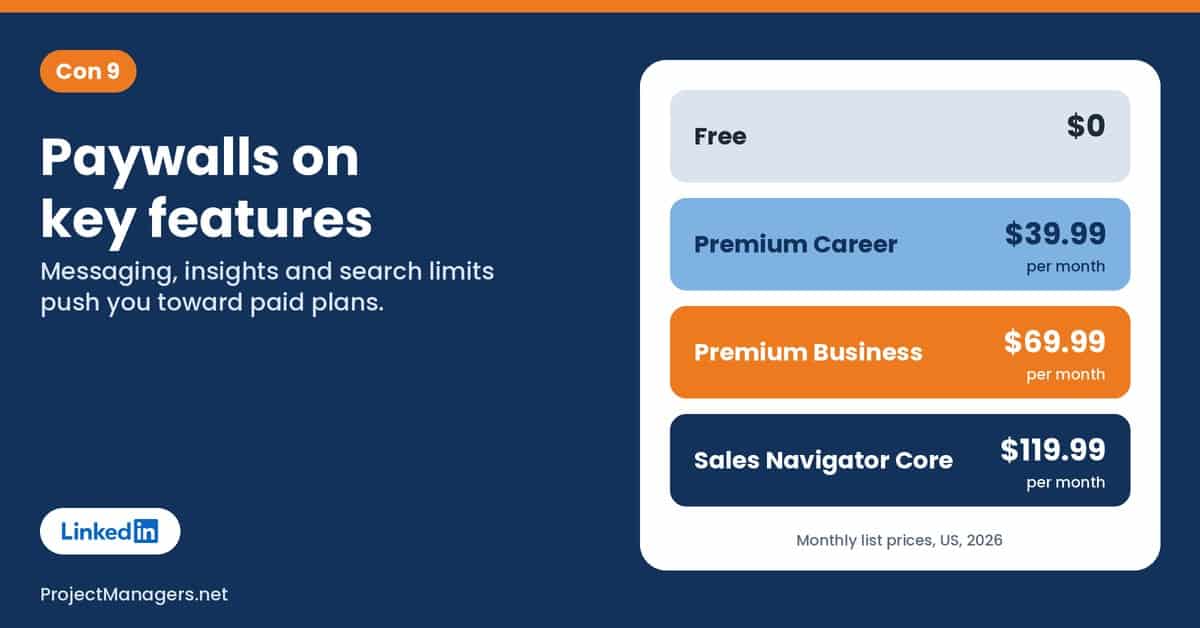
The free version of LinkedIn covers the basics, but many useful features sit behind a subscription: messaging people outside your network, seeing the full list of who viewed your profile, job insights and advanced search. Premium Career costs $39.99 a month, and Sales Navigator Core $119.99.
Some users feel pushed to pay just to keep up, and some business customers say features they relied on moved to pricier tiers. LinkedIn says Premium helps people get hired, but that claim rests on its own data.
What usually costs extra:
- InMail credits to message people you are not connected to.
- The full list of profile viewers and applicant insights.
- Advanced search filters and lead tools for sales and recruiting.
Scenario (illustrative): A job seeker signs up for Premium Career for three months. She uses InMail twice and mostly checks who viewed her profile. When she reviews her spending, she realizes her interviews came from referrals and company sites, not Premium features.
Real-life example: On September 14, 2026, a proposed class action filed in California accused LinkedIn of forcing Sales Navigator customers to upgrade by moving a profile-viewing feature to a pricier tier in February 2025. LinkedIn had no comment (Bloomberg Law).
What you can do: Try a free month with a clear goal, and cancel if you do not use the paid features. Ask for referrals and warm introductions before paying for InMail. Compare the price with what your time and other job boards cost. For teams and project managers: review LinkedIn subscriptions each quarter, like any other software license.
Real-life example
Premium buyers sued over shut-out rivals
In Crowder v. LinkedIn, filed in 2022, Premium buyers allege LinkedIn used contract terms to keep rival networks out, which let it charge more for Premium. A proposed 2025 settlement covered about 9 million Premium buyers but offered them no money; LinkedIn would stop enforcing the terms for three years. LinkedIn denies wrongdoing.
Sources: PYMNTS, July 2025
Expert view
“LinkedIn has a duty to provide the services it advertises”
Ken Paxton, Texas Attorney General, on the ghost jobs probe that cites Premium, July 2026. KTVU
By the numbers
- $39.99
per month for Premium Career, with 5 InMail credits and a full year of profile viewers
Source: LinkedIn Premium, 2026
- $119.99
per month for Sales Navigator Core; Advanced is $159.99
Source: LinkedIn Sales Solutions, 2026
- $2B
in Premium revenue over 12 months, passed in early 2025
Source: TechCrunch, 2025
From the field
We could not verify a quote from a named Premium subscriber in a news report, so we have not included one.
10. Pressure to Perform, Fatigue and Few Alternatives
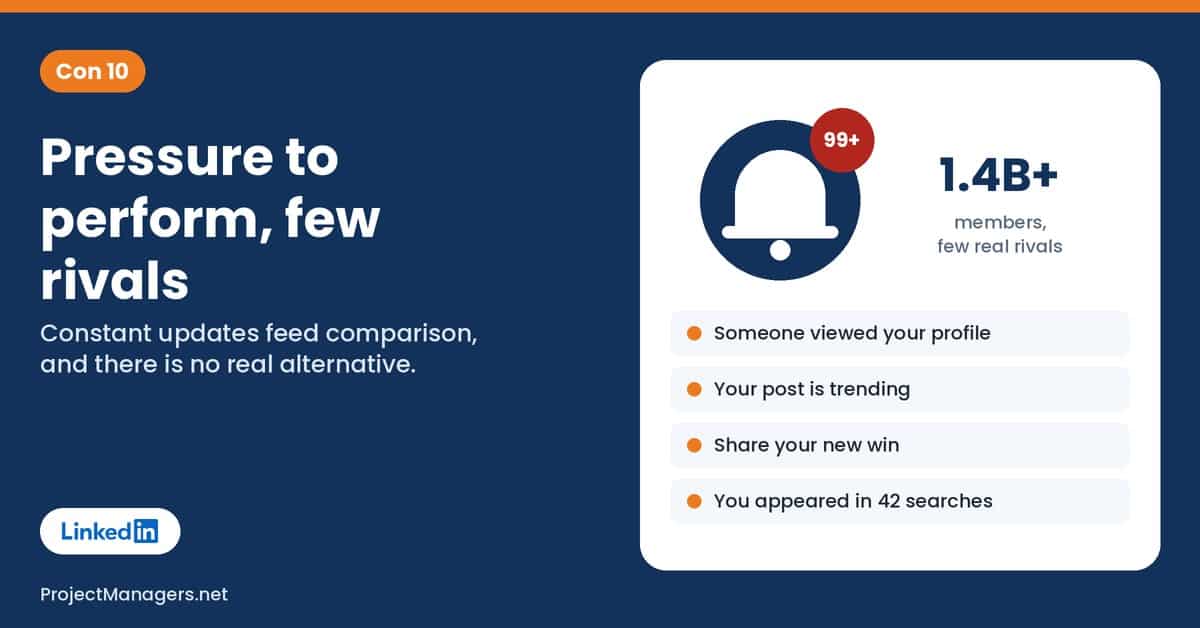
LinkedIn rewards a steady stream of wins: promotions, certifications and quantifiable achievements. That can push people to present a polished and professional image on LinkedIn at all times, even when their career includes gaps, setbacks and side steps. Research has linked posting achievements on LinkedIn to imposter feelings.
The constant notifications, requests and updates can be overwhelming, and there is no real alternative of the same size. Some writers describe an uncontested monopoly on global professional networking, and the overreliance it creates means many professionals feel they cannot leave without losing visibility.
Signs LinkedIn is taking over:
- You check notifications about profile views and reactions several times a day.
- You feel behind after reading other people’s announcements.
- Your whole network, job search or sales pipeline lives on one platform.
Scenario (illustrative): A project manager between contracts opens LinkedIn every morning and sees three peers announcing new roles. He spends an hour polishing his headline instead of calling two former clients, who later hire someone else.
Real-life example: A University of Edinburgh study of 506 LinkedIn users found that both reading others’ posts and posting your own achievements were linked to imposter syndrome, and the link was stronger for posting (IANS via Greater Kashmir).
What you can do: Turn off notifications you do not need and set a time limit for the app. Remember that posts show highlights, not full careers. Build relationships outside LinkedIn too: associations, events, newsletters and direct email. For teams and project managers: do not make LinkedIn activity part of anyone’s performance goals unless it is their job.
Real-life example
The EU names LinkedIn a gatekeeper service
In September 2023, the European Commission designated LinkedIn a core platform service of gatekeeper Microsoft under the Digital Markets Act, the EU’s rules for the biggest online platforms. Microsoft bought LinkedIn for $26.2 billion in 2016. With no rival of similar size, leaving LinkedIn often means losing recruiter visibility.
Sources: European Commission, 2023, TechCrunch, 2016
Expert view
“posting an achievement on LinkedIn can trigger a reflection on your professional identity”
Dr. Ben Marder, University of Edinburgh Business School, December 2023. IANS via Greater Kashmir
By the numbers
- 1.4B+
LinkedIn members, according to the company’s About page in 2026
Source: LinkedIn
- 80%
of people surveyed by LinkedIn felt unprepared to find a job in 2026
Source: LinkedIn research, January 2026
- 220M+
members had turned on “Open to Work”, which scammers also use to find targets
Source: CNBC via NBC New York, 2025
From the field
“My feed has become a succession of soulless messages”
Thomas P., editorial director active on LinkedIn, April 2025 (translated from French). L’Essentiel de l’Éco
How to Overcome These Disadvantages
You do not need to quit LinkedIn to use it safely. Most of the risk comes from default settings and habits, so a few changes go a long way. Our privacy checkup above walks you through each one.
For everyone
- Turn on two-factor authentication and use a password you do not use anywhere else.
- Turn off “Data for Generative AI Improvement” and, outside Europe, ad data sharing with Microsoft.
- Limit who can see your email and find you by email or phone.
- Report fake profiles and scam messages, and review connected apps once a year.
- Trim notifications and judge your posts by conversations, not views.
For job seekers
- Never pay to get a job or send ID before a formal offer.
- Check recruiters for a verification badge and find the job on the company’s site.
- Skip stale posts with hundreds of applicants and apply directly where you can.
- Do not run files or install apps sent by people you have not verified.
- Treat Premium as a tool with a clear goal, not a requirement.
For businesses, teams and project managers
- Ask staff to verify their workplace so impersonators stand out.
- Tell candidates exactly how you contact them, and close filled jobs quickly.
- Keep client and team contacts in your own CRM or project tool.
- Agree that people review every AI-assisted post before it goes out.
- Review LinkedIn subscriptions and connected tools each quarter.
LinkedIn itself could do more too. Clearer opt-in consent for AI training, more transparency about how the feed and its job recommendation system work, faster human support for restricted accounts and stronger checks on job posts would address many of the cons above.
LinkedIn Facts Worth Checking
Some claims about LinkedIn are true, some are half true and some are simply wrong. Here is what the data says about ten claims you will often hear.
Claims you will hear about LinkedIn, checked against the data.
| Con | You may hear | What the data says | Source |
|---|---|---|---|
| 1 | Job scams only cost people small amounts. | False. US job scam losses reported to the FTC rose from $90 million in 2020 to $501 million in 2024, and online job scam reports rose 19% in the first half of 2025. | FTC, 2025, Fortune, 2025 |
| 2 | LinkedIn trains its AI on your private messages. | False, by LinkedIn’s own policy. Private messages and InMail are excluded from training data. A 2025 lawsuit claiming otherwise was withdrawn 9 days after filing. Your profile, posts and saved resumes are used unless you opt out. | LinkedIn Help, Top Class Actions, 2025 |
| 3 | Half of all job postings are ghost jobs. | Overstated. Measured estimates are lower: Greenhouse puts 18% to 22% of its listings as fake, and about 19% of jobs in one 2026 quarter led nowhere. Texas cites one fifth to one third. | Fortune, 2025, Allwork.Space, 2026 |
| 4 | You can always spot a fake profile by its photo. | False. Researchers found more than 1,000 profiles using realistic AI-generated faces, and cloned profiles copy real people’s photos and job titles. A verification badge is a better signal. | NPR, 2022, HCAmag, 2026 |
| 5 | LinkedIn’s algorithm deliberately suppresses women. | Unproven. LinkedIn says gender is not a ranking signal. The viral tests were self-reported, often changed tone as well as gender, and gave mixed results. Reach fell for almost everyone in 2025. | Social Media Today, 2025, TechCrunch, 2025 |
| 6 | Most LinkedIn posts are written by AI. | It depends on the study. Pangram found 41% of long posts fully AI-written in 2026; Originality.ai’s sample came out higher. LinkedIn disputes these studies, and none covers all LinkedIn content. | The Decoder, 2026, Originality.ai, 2026 |
| 7 | LinkedIn was hacked in 2021 and 700 million accounts were breached. | Misleading. LinkedIn says the data was scraped from public profiles and merged with other sources, not taken from its systems. The 2024 €310 million fine was a separate case about ad data. | Malwarebytes, 2021, Irish DPC, 2024 |
| 8 | Appealing a LinkedIn restriction never works. | False, at least in the EU. LinkedIn granted 17,289 of 58,931 appeals (about 29%) in the first half of 2025, with a median decision time under 17 hours. These are LinkedIn’s own figures. | LinkedIn DSA report, 2025 |
| 9 | Premium makes you 2.7 times more likely to get hired. | Unverified. This is LinkedIn’s own figure, based on its January 2022 data, shown on its sales page. Texas is now investigating whether Premium marketing misled job seekers. | LinkedIn Premium, KTVU, 2026 |
| 10 | Studies show LinkedIn use causes depression. | Not supported. A 2021 study of 5,395 US adults found LinkedIn use was not significantly linked to worse depression scores. Research does link posting achievements to imposter feelings. | Perlis et al., JAMA Network Open, 2021, IANS via Greater Kashmir, 2023 |
Checked November 2026. Figures change; follow the source links for the latest numbers.
What Is LinkedIn?
LinkedIn is a professional social network launched in 2003 and bought by Microsoft for $26.2 billion in 2016. It describes itself as the largest professional network in the world, and its About page reports more than 1.4 billion members in over 200 countries and territories. It works as an online resume, a job board, a recruiting database, a sales tool and a publishing platform, with LinkedIn Learning courses on the side.
How people use LinkedIn, and which cons apply:
- Job seekers: scams (con 1), ghost jobs (con 3), restrictions (con 8) and paywalls (con 9).
- Recruiters: fake profiles (con 4), application floods (con 3) and Recruiter and InMail costs (con 9).
- Creators and thought leaders: shrinking reach (con 5), AI-written posts (con 6) and pressure to perform (con 10).
- Sales teams and small businesses: Sales Navigator costs (con 9), scraping (con 7) and dependence on one platform (con 10).
- Everyone: AI training on your data (con 2) and account security (con 4).
Top 5 LinkedIn Marketing Agencies
If you use LinkedIn for B2B marketing, an agency can run your content, ads or outreach. These five agencies offer LinkedIn marketing or lead generation services. Check their current services, prices and references before you hire one.
- Bop Design: a B2B web design, content and branding agency focused on lead generation, including social media marketing.
- Lead Cookie: a B2B lead generation agency that runs LinkedIn and email outreach for clients.
- LinkedSelling: a lead generation and sales development agency offering LinkedIn outreach and LinkedIn Ads management.
- Sculpt: a B2B social media marketing agency and LinkedIn Ads certified partner focused on paid social for lead generation.
- SalesBread: a LinkedIn lead generation agency that combines LinkedIn and email outreach with profile content and LinkedIn Ads.
Research and Further Reading About LinkedIn
These articles look at how LinkedIn shapes hiring, networking and personal data. Some are a few years old, so check the dates as you read.
- 10 Big LinkedIn Trends That Will Impact Hiring And Recruiting This Year: Forbes Coaches Council, 2021: trends in how recruiters use LinkedIn.
- How to Network on LinkedIn: 10 Do’s and Don’ts for You to Consider: Expandi, updated 2026: practical networking strategies and common mistakes.
- LinkedIn Analytics: The 2024 Guide for Marketers: Hootsuite: how to read LinkedIn analytics for pages and posts.
- The Importance of a LinkedIn Profile for Your Career: Industry Connect, updated 2025: why a strong profile still matters to employers.
- LinkedIn Data Leak: What We Can Do About It: Scrubbed: what the 2021 scraped dataset contained and how to protect yourself.
Video: How LinkedIn Job Scams Target Job Seekers
In this ABC News (Australia) report from October 2026, you will see how recruitment scammers approach people who show the “Open to Work” badge, what the consumer watchdog is seeing and how to tell a fake recruiter from a real one.
Jobseekers scammed out of money, and worse in LinkedIn scams, ABC News (Australia) on YouTube. Watch on YouTube
Conclusion
LinkedIn is still the biggest professional network in the world and a useful tool for finding work, hiring and building a reputation. But its cons are real and growing: fake recruiters and ghost jobs, AI training on your data, shrinking reach, a feed full of AI-written posts and paywalls on features that used to feel basic.
The good news is that much of the risk is in your hands. Run the privacy checkup, turn on two-factor authentication, switch off AI training, check every recruiter and job before you share anything, and keep relationships outside one platform. Use LinkedIn as one tool among many, not the only place your career lives.
Suggested articles:
- Best LinkedIn Automation Tools in 2026
- LinkedIn Outreach Automation: What You Need to Know
- Top 10 Cons & Disadvantages of Facebook
- Top 10 Cons of WhatsApp
- Top 10 Cons of TikTok
- Top 10 Cons of ChatGPT

Daniel Raymond, a project manager with over 20 years of experience, is the former CEO of a successful software company called Websystems. With a strong background in managing complex projects, he applied his expertise to develop AceProject.com and Bridge24.com, innovative project management tools designed to streamline processes and improve productivity. Throughout his career, Daniel has consistently demonstrated a commitment to excellence and a passion for empowering teams to achieve their goals.