
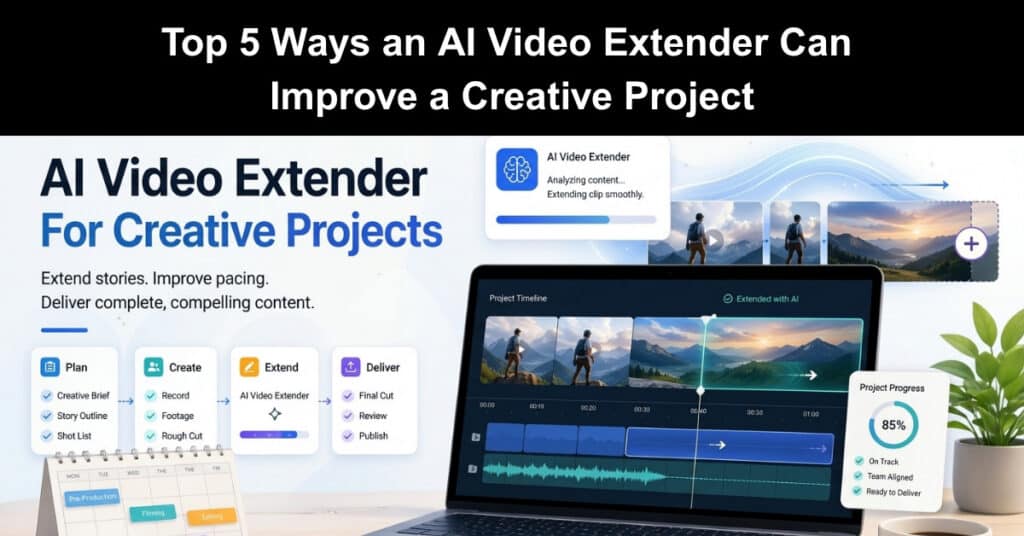
I have worked on enough creative projects to know that the real pressure rarely comes from the idea itself. It usually shows up later, when the timeline tightens, a scene feels too short, a transition lands too abruptly, or a client asks for “just a little more” from footage that is already locked. That is where an AI video extender becomes genuinely useful, not as a gimmick, but as a practical project tool.
What changed my view was seeing how often small timing issues created bigger project problems. A product teaser needed two more seconds for the message to breathe. A mood shot ended too quickly and made the whole edit feel rushed. A social cut worked visually, yet the pacing felt incomplete. In those moments, using an AI video extender to extend a clip was not about adding fluff. It was about protecting flow, reducing rework, and keeping the project aligned with its original intent.
I have also found GoEnhance to be a strong option when I need an AI video generator that produces polished results without making motion feel overly artificial.
Why This Matters In A Creative Project
Creative work may look flexible from the outside, but most teams know how fragile production rhythm can be. Once a storyboard, cut, or presentation sequence is built, even a two-second gap can force unnecessary revisions. Editors start patching around the problem. Designers adjust layouts. Producers push review rounds back. A small issue in one clip can quietly affect the whole project. That is why I no longer see video extension as a post-production trick. I see it as a schedule-protection tool.
Here is where it tends to help most:
| Project Pressure Point | What Usually Goes Wrong | How Video Extension Helps |
| Scene pacing | A shot ends before the idea lands | Adds room for message and timing |
| Client revisions | Stakeholders want more emphasis on existing footage | Extends usable material without reshooting |
| Platform adaptation | Different formats need different clip lengths | Makes repurposing easier |
| Transition quality | Cuts feel abrupt or forced | Creates smoother visual continuity |
| Small-team production | Limited time and limited footage | Helps teams do more with what they already have |
1. It Gives A Project More Breathing Room Without Rebuilding The Edit
One of the most obvious benefits is also one of the most valuable. Some creative projects fail to land simply because they move too fast. I have seen strong concepts feel weaker than they really were because the viewer had no time to absorb the visual, the text, or the emotional beat. When I can extend a shot instead of restructuring the entire sequence, I keep the project stable. That matters more than people think.
A stable timeline means fewer changes to voiceover timing, subtitles, background music, and transition logic. In project terms, that is not just a creative win. It is scope control. A lot of delays start with a tiny pacing problem that nobody fixes early enough. Giving the edit breathing room can prevent that problem from spreading.
2. It Reduces Reshoots And Protects Limited Production Budgets
Not every team can go back and shoot more material. In fact, most small creative teams cannot. Once the set is gone, the talent is unavailable, or the deadline is too close, the footage on hand becomes the footage the project has to live with. This is where an extender earns its place. If a scene is almost right, extending it may be enough to make it usable. I have seen this help on branded clips, promo edits, and pitch videos where the team did not need a brand-new idea.
They just needed the existing idea to last a little longer and feel more complete. That has a direct budget impact. Reshoots cost time, coordination, approvals, and money. Extending usable footage is often the more realistic decision, especially when the project goal is clarity and polish rather than cinematic perfection.
3. It Helps Teams Handle Feedback Without Derailing The Project
Creative review cycles tend to sound simple until they start. A stakeholder wants the opening moment to feel less rushed. Another wants the ending to sit longer before the logo appears. Someone else feels the emotional beat is cut too quickly. None of these comments is unusual, yet each one can trigger disproportionate effort. What I like about using extensions strategically is that it gives me more flexibility during feedback rounds.
I can respond to timing concerns without reopening the entire structure. That keeps the conversation productive. Instead of debating what must be rebuilt, the team can stay focused on what the project needs to communicate. For project managers, that matters. Review rounds become less chaotic when there is a practical way to absorb small but meaningful requests.
4. It Makes Cross-Platform Deliverables Easier To Manage
A creative project rarely ends with one export now. A team may need a hero version, a vertical cut, a shorter social version, a presentation insert, and a website loop. That creates a familiar problem: the source material was designed for one context, but the project now needs to work in several.
Extension gives more flexibility when adapting content across formats. A clip that feels acceptable in a 10-second sequence may feel cramped in a 15-second layout. A product moment that works in a widescreen edit may need extra visual time in a vertical version where text placement changes the rhythm. I often pair extension with concept development as well.
If a team is still building out scenes, an AI image to video generator can help create motion from still concepts, while extension helps those moments fit the final pacing more naturally. Used together, they support earlier planning and smoother delivery. That combination is especially useful when the project is moving fast, and the team needs to test ideas before committing more resources.
5. It Helps Small Teams Deliver Work That Feels More Finished
The biggest difference I notice is not technical. It is perceptual. When timing feels right, a project feels more professional. Viewers may not say, “this shot needed two more seconds,” but they do notice when something feels rushed, awkward, or incomplete. Small teams live with that pressure all the time. They are expected to deliver polished work without the cushion of a large production pipeline.
In that environment, tools that improve rhythm and continuity are not just convenient. They help close the gap between what the team captured and what the final project needs to become. That is why I think video extension fits naturally into modern creative project management. It supports better use of existing assets, gives more control during review, and helps teams protect momentum when time is tight.
Final Thoughts
An AI video extender improves a creative project in a very practical way: it helps teams preserve pacing, reduce waste, respond to feedback, and get more value from the footage they already have. I would not treat it as a replacement for good planning or strong editing judgment. Used well, though, it becomes a smart support layer inside the project workflow.
That is the real value from my perspective. Creative projects do not always fail because the idea is weak. Many run into trouble because the execution loses balance under deadline pressure. When a tool helps restore that balance without sending the team back to square one, it deserves a place in the process.
Suggested articles:
- Top 5 Advantages of Using AI Video Generators
- AI and Content Creation: From Writing to Video Production
- Can AI Replace Humans in Video Advertising?

Daniel Raymond, a project manager with over 20 years of experience, is the former CEO of a successful software company called Websystems. With a strong background in managing complex projects, he applied his expertise to develop AceProject.com and Bridge24.com, innovative project management tools designed to streamline processes and improve productivity. Throughout his career, Daniel has consistently demonstrated a commitment to excellence and a passion for empowering teams to achieve their goals.