
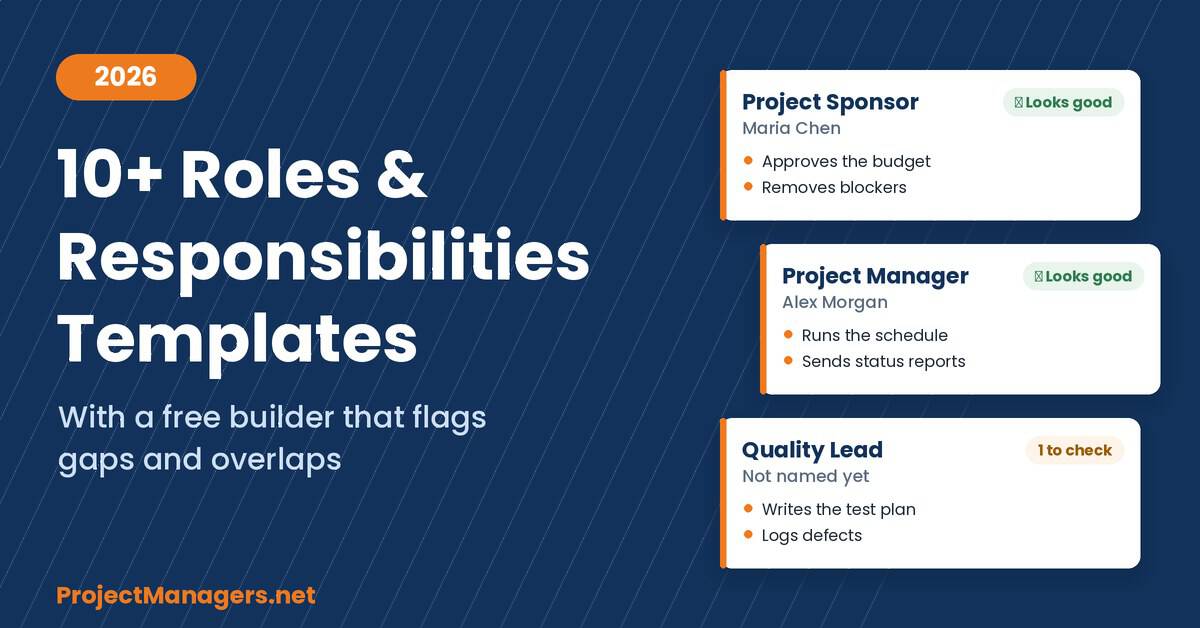
Every project manager has seen it happen. Two people fix the same bug, nobody updates the risk log, and the sponsor assumes the team approved a change that nobody approved. The cause is rarely a lack of effort. It is a lack of clarity about who owns what.
A roles and responsibilities template fixes that in one page. This guide explains what to put in it, shows the common project roles with sample duties, and compares 11 templates in Word, Excel, PowerPoint and online tools. You can also build your own chart below with our free builder, which flags missing owners, overlaps and gaps as you type.
A roles and responsibilities template answers three questions. Who is on the project, what each person must deliver, and who decides what. If a project manager cannot answer all three, work will slip through the gaps.
Write duties as actions, with one owner each. A good template lists a purpose, five to eight responsibilities, decision rights, a reporting line and a backup for every role.
Pair it with a RACI chart, not instead of it. Roles and responsibilities describe the people. A RACI chart maps each task to those people, with exactly one Accountable per task.
Start from our free builder or 11 tested templates. The builder flags missing owners, overlaps and gaps, then exports to Word, CSV or PDF. The templates below cover Word, Excel, PowerPoint and online tools.
Free Roles and Responsibilities Builder
Pick an example project or start blank, add the roles your project needs, and the builder checks your chart as you go. When every check passes, download it as Word or CSV, print it, or copy it into an email.
- Quality Lead: no one is named yet.
- Overlap: “Approve scope changes” is listed for Project Sponsor and Project Manager. Keep one owner.
Project Sponsor Maria Chen
1 to checkSecure funding and approve the budget · Approve scope changes · Remove blockers the team cannot solve
Project Manager Alex Morgan
1 to checkBuild and update the project schedule · Track the budget and forecast costs · Run the risk and issue log · Send weekly status reports to stakeholders · Approve scope changes
Business Analyst Priya Nair
✓ Looks goodGather and document requirements · Run user acceptance testing with customers
Tech Lead Sam Okafor
✓ Looks goodBreak work into tasks and estimates · Review code before release
Quality Lead Not named
1 to checkWrite the test plan · Run tests and log defects
UX Designer Lena Dubois
✓ Looks goodDesign screens and prototypes · Run usability tests
Your roles are saved in this browser only. Nothing is sent to ProjectManagers.net.
How to use the builder
- Choose a starting point. Use “Start from” to load a software launch, office renovation or marketing campaign, or click “Start blank” (twice, to confirm) for an empty chart. “Reload example” (also twice) brings the example back at any time.
- Add roles. Pick one from “Add a common role” to get a sample purpose, duties and decisions you can edit, or click “Add a blank role”.
- Edit one role at a time. Each role shows as a compact summary. Click “Edit” to open it, name the person or team, choose who the role reports to and how much time it needs, then type responsibilities and decisions one per line. Click “Done” to close it.
- Fix what the checks flag. The builder warns when a role has no one named, when two roles list the same duty, when two roles own the same decision, when someone is booked over 100%, when reporting lines loop, and when no one owns a core duty such as budget, risks or sign-off. Click “Fix” next to a warning to open that role.
- Review and share. Switch to “Table” or “Org chart” to see the whole team, then download Word or CSV, print to PDF, or copy as text. Your chart stays saved in this browser.
The example opens with two deliberate problems, an unnamed quality lead and a duty listed twice, so you can see the checks at work.
What Is a Roles and Responsibilities Template?
A roles and responsibilities template is a document that lists every role on a project, the duties that belong to it, and how the roles work together. Project managers fill it in during planning, share it at kickoff and update it whenever people or scope change.
It answers three questions that every team member should be able to answer without asking: What is my role? What am I expected to deliver? Who makes which decisions? When those answers live in one shared document, onboarding is faster, hand-offs are cleaner and fewer tasks fall between two people.
The same document helps outside the project too. HR teams reuse role descriptions in job postings, and job seekers can mirror the duties of a role in their own applications. Choosing the right resume format makes it easier to show recruiters the responsibilities and results that match a project role.
Roles vs Responsibilities vs RACI
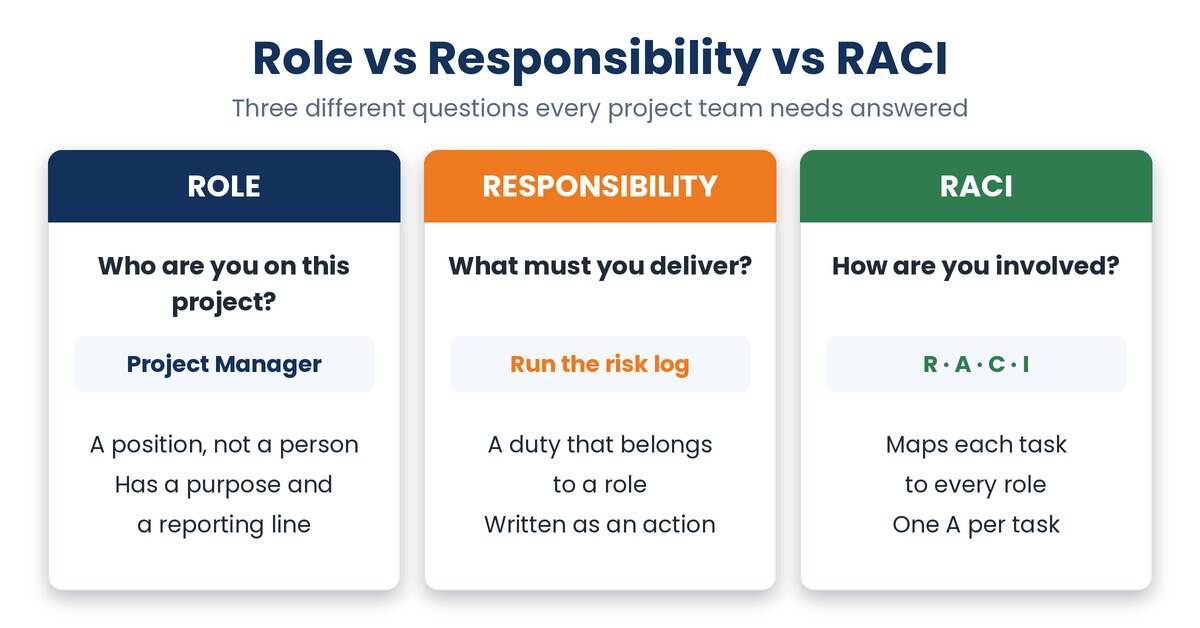
These three terms are often mixed up, but each answers a different question:
- Role: who you are on the project. It is a position, such as project sponsor or business analyst, not a person. One person can hold several roles on a small project.
- Responsibility: what you must deliver. It is a duty that belongs to a role, best written as an action, such as “Run the risk and issue log”.
- RACI: how each role is involved in each task, as Responsible, Accountable, Consulted or Informed. A RACI chart works task by task, while a roles template works role by role.
Most project managers need both: the roles template to set expectations for each person, and the RACI chart to settle ownership of each deliverable.
What to Include in a Roles and Responsibilities Template
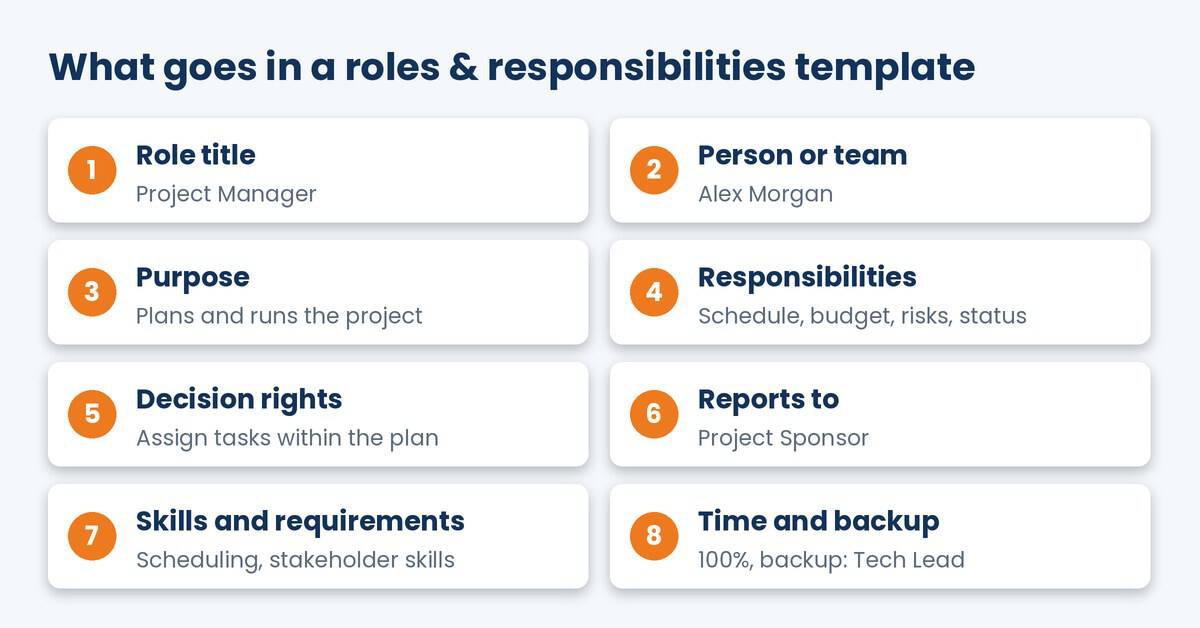
There is no single official format, but strong templates share the same eight parts for every role.
1. Role title
Use the title people will actually say in meetings, such as “Quality Lead”, and keep it consistent with your org chart, RACI chart and project plan.
2. Person or team
Name who fills the role. If the role is not staffed yet, write “TBD” so the gap stays visible instead of hidden.
3. Purpose
One sentence on why the role exists, for example “Makes sure the portal meets the agreed quality.” A clear purpose helps people judge new tasks that the list does not cover.
4. Responsibilities
Five to eight duties written as actions that start with a verb. “Send weekly status reports to stakeholders” is clear; “Communication” is not. Each duty should have one owner. If two roles list the same duty, decide who leads and who supports.
5. Decision rights
List the decisions this role can make without asking, such as “Approve change orders up to $10,000.” Decision rights prevent the slow back-and-forth that stalls projects, and they are often missing from older templates.
6. Reporting line
Who the role reports to on this project. In a matrix organization this may differ from the person’s line manager, so write it down to avoid confusion when issues need escalating.
7. Skills and requirements
The qualifications, certifications or experience the role needs. List years of experience, not age: in the US, age preferences in job notices are generally unlawful for people 40 and over. If you need to check how long someone has held a certification or worked in a field, an age difference calculator from OmniCalculator measures the time between any two dates.
8. Time on the project and backup
Record how much of the person’s time the role needs, and who covers when they are away. A project manager who sees one person booked at 150% across roles can fix the plan before it fails.
Common Project Roles and Their Responsibilities
Use this table as a starting point and adjust it to the size of your project. On small projects one person often holds two or three of these roles.
| Role | Purpose | Typical responsibilities | Typical decisions |
|---|---|---|---|
| Project sponsor | Owns the business case | Secures funding, removes blockers, chairs steering meetings | Approves budget changes and phase gates |
| Steering committee | Gives direction | Reviews progress at gates, resolves escalated issues | Approves major scope changes |
| Project manager | Plans and runs the project | Schedule, budget tracking, risk and issue log, status reports, change control | Assigns tasks within the approved plan |
| Business analyst | Defines what is needed | Gathers and documents requirements, supports acceptance testing | Recommends requirement priorities |
| Team lead | Leads the specialists | Breaks work into tasks, estimates, reviews work before hand-off | Chooses the technical approach |
| Team members | Build the deliverables | Complete assigned tasks, report progress and blockers | Decide how to do their own tasks |
| Quality lead | Protects quality | Writes the test plan, runs tests, logs defects | Declares a build ready for release |
| Subject matter expert | Gives expert input | Answers questions, reviews drafts in their area | Advises; rarely decides |
| Product owner (Scrum) | Maximizes product value | Orders the backlog, accepts or rejects finished work | Sets backlog priority |
| Scrum Master (Scrum) | Helps the team use Scrum | Facilitates events, removes impediments, coaches the team | None over the product |
Large programs add layers on top of these roles. The Disciplined Agile guidance from PMI describes the team structure of a large program as a team of teams, with product owners, architecture owners and team leads coordinating across sub-teams.
How to Create a Roles and Responsibilities Template in 6 Steps
Whether you use the builder above or a Word template, the process is the same. It fits naturally into the planning phase of the project lifecycle, before work is assigned.
- List the roles. Start with the sponsor and project manager, then add every function the work needs. Name roles, not people, so the chart survives staff changes.
- List the work. Pull the main deliverables and duties from your scope statement or work breakdown structure, so nothing is left without an owner.
- Assign one owner per duty. Match duties to roles based on skills and capacity. If two roles want the same duty, pick one owner and make the other a supporter.
- Add decision rights and reporting lines. Write down who can approve what, and who each role escalates to.
- Review it with the team. Walk through the draft at kickoff. People spot gaps and overlaps the project manager cannot see, and agreement in the room builds commitment for efficient project execution.
- Keep it current. Update the document at each phase gate and whenever someone joins or leaves. Store it where the team already works, not in an email attachment.
10+ Roles and Responsibilities Templates Compared
We checked every template from the original version of this page in November 2026 and kept the ones that still work. Here they are side by side.
Every template on this page, checked in November 2026. Costs can change, so confirm on the provider’s page before you download.
| Template | Format | Cost | Best for |
|---|---|---|---|
| Roles and Responsibilities Builder (ProjectManagers.net) | Online, exports Word, CSV, PDF | Free | Building your own chart with automatic checks |
| Roles and Responsibilities template | Ucdavis | Word (.docx) | Free | Department or team role descriptions |
| Roles and Responsibilities template | Smartsheet | Excel (.xlsx) | Free | Mergers, integrations and other large programs |
| Roles and Responsibilities template | projecttemplates | Word (zip download) | Free | A classic project roles chart with an example |
| Roles and Responsibilities Template | Lucidchart | Online diagram | Paid plan | Visual org-chart style frameworks |
| Roles and Responsibilities Template | Slideuplift | PowerPoint, Google Slides | $6.99 | A polished slide for a kickoff meeting |
| Roles and Responsibilities template | Slideegg | PowerPoint, Google Slides, Canva | Free and paid plans | A six-role hub-and-spoke diagram |
| Roles and responsibilities template | SlideBazaar | PowerPoint, Google Slides | Account required | Explaining the project manager role itself |
| Roles and Responsibilities template | Slideteam | PowerPoint | Paid subscription | DSDM-style roles for agile programs |
| RACI matrix template | Creately | Online RACI chart | Free plan | Building a RACI chart with your team online |
| RACI matrix template | Slidesgo | PowerPoint, Google Slides, Canva | Free (attribution) | Presenting RACI with infographics |
| RACI matrix template | Figma | Online whiteboard | Free plan | Workshops where the team fills the chart together |
Free means you can download or use the template without paying. Some free plans ask you to sign up or keep a credit slide.
Benefits of a Roles and Responsibilities Template
Makes delegation fair and visible
When duties are written down, a project manager can match work to skills and capacity instead of to whoever speaks up first. Overloaded people and idle people both become easy to spot.
Improves team cooperation
People cooperate more readily when they know where their job ends and a colleague’s begins. Clear boundaries remove most of the “I thought you were doing that” conflicts.
Reduces duplicated work
Without clear owners, two people can produce the same deliverable. A designer and a copywriter, for example, can each draft a landing page, a problem that grows when teams also bring in outside design services. One owner per deliverable, with others listed as support, prevents it.
Speeds up decisions and the schedule
When decision rights are written down, people stop waiting for approvals that they could have given themselves. Fewer stalls mean fewer slipped milestones.
Leaves a record of who did what
The template becomes part of the project record. It helps audits, lessons learned sessions and performance reviews, and it shows the next project manager how the team was organized.
Makes hiring easier
A clear role description is half of a job posting. It tells HR which skills to look for, and it is exactly the information project management recruiters need to find candidates who fit a specific project role.
Limits of Roles and Responsibilities Templates (and How to Avoid Them)
- They can box people in. A rigid list can discourage people from helping outside their role. Add a line such as “Other duties agreed with the project manager” and review the chart at each phase gate.
- Vague wording causes conflicts. Duties like “quality” or “communication” invite arguments. Write every duty as an action with one owner.
- They go stale. People leave and scope changes. Make updating the chart part of your change control process.
- They do not show task-level ownership. A roles template describes people, not tasks. Pair it with a RACI chart so each deliverable has exactly one Accountable person.
RACI Matrix vs. Roles and Responsibilities Template
A roles and responsibilities template tells each person what their job on the project is. A responsibility assignment matrix, or RACI chart, takes the next step and maps every task to every role. Compared with a roles template alone, a RACI chart:
- Speeds up decisions, because each task has exactly one Accountable person.
- Shows who must be consulted before work is done and who only needs updates.
- Exposes tasks with no owner and tasks with too many owners.
If you need a RACI chart next, try our free RACI builder, or one of these online templates:
Creately
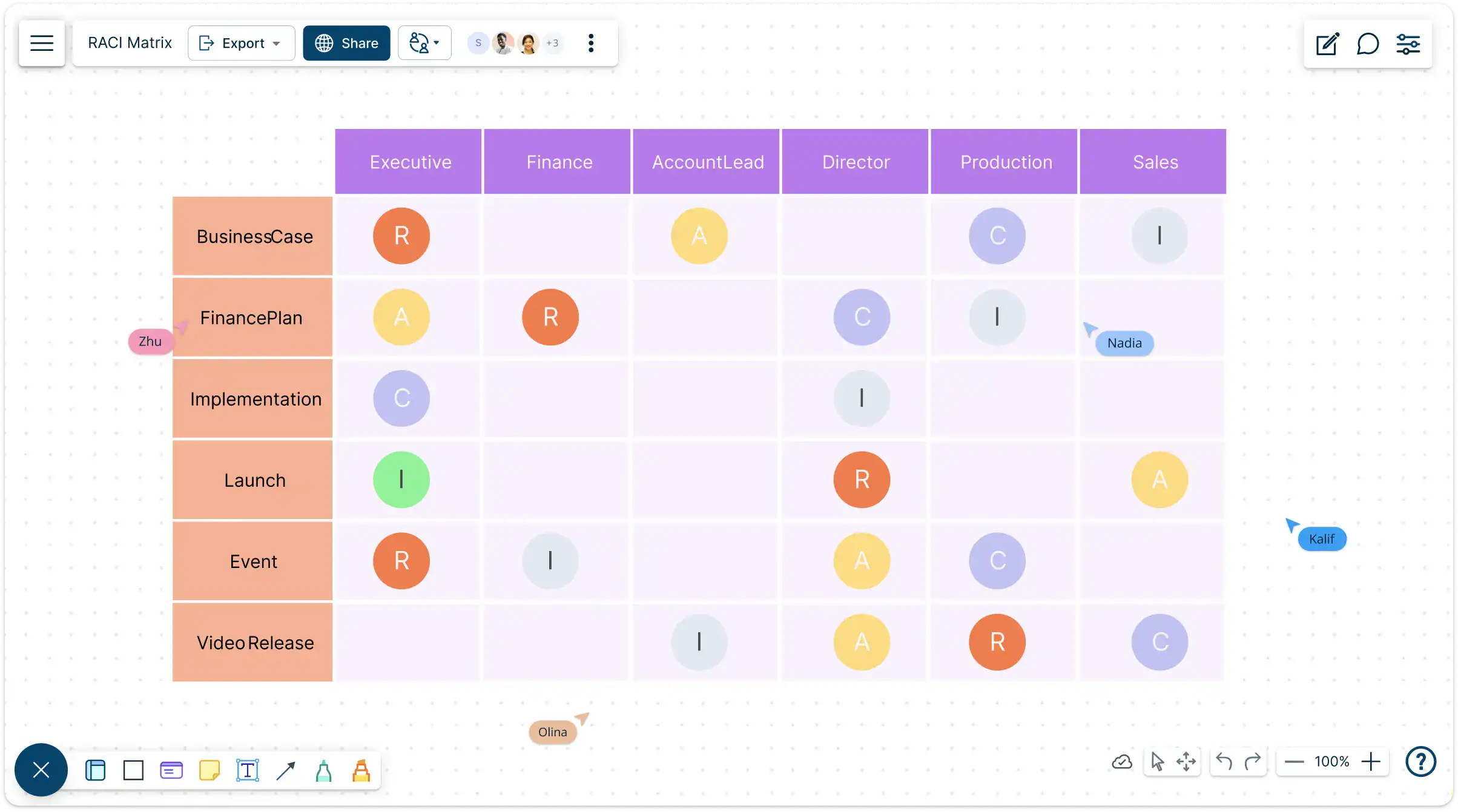
A free RACI chart maker with ready-made examples for projects, product development and website launches. The team can edit the chart together in real time, then export it to PDF or image formats.
Format: Online RACI chart. Cost: Free plan. RACI matrix template | Creately
Slidesgo
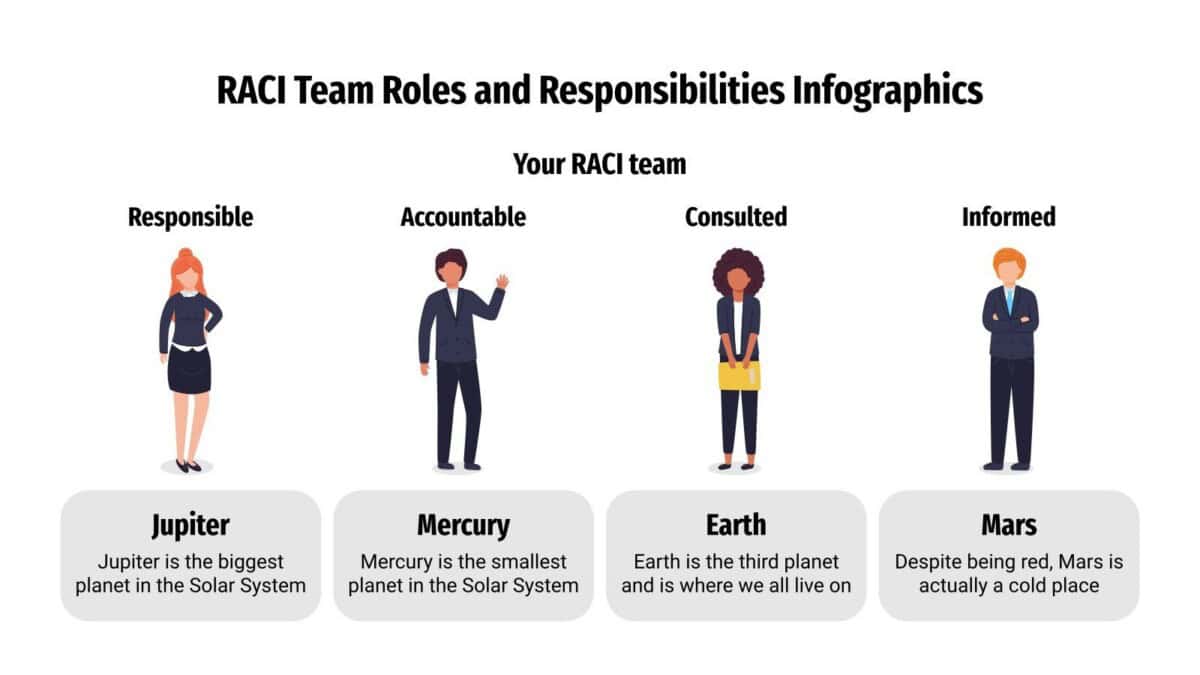
A free set of 31 RACI infographics for Google Slides, PowerPoint and Canva. Free users must keep the Slidesgo credit slide.
Format: PowerPoint, Google Slides, Canva. Cost: Free (attribution). RACI matrix template | Slidesgo
Figma (FigJam)

A RACI matrix template for FigJam, Figma’s online whiteboard. It works well for live workshops where the project team fills in the chart together with sticky notes.
Format: Online whiteboard. Cost: Free plan. RACI matrix template | Figma
Video: Project Team Role Definitions
Prefer to watch? This short video walks through the main roles on a project team and what each one is expected to do.
Project Management: Team Role Definitions, Adriana Girdler on YouTube. Watch on YouTube
Facts Worth Checking
Claims project managers hear about roles and responsibilities, checked against the data.
| Topic | You may hear | What the data says | Source |
|---|---|---|---|
| Clarity | Everyone already knows what is expected of them. | Not anymore. Just under half of US employees strongly agreed they know what is expected of them in a late-2024 Gallup survey, down from 56% in January 2020. | Fortune, reporting Gallup |
| Performance | Role clarity is a soft, nice-to-have issue. | A meta-analysis of 169 samples (35,265 employees) found role ambiguity was among the stressors most strongly linked to lower job performance. | Gilboa et al., Personnel Psychology, 2008 |
| Engagement | Engagement keeps rising, so structure matters less. | US engagement averaged 31% in 2025, unchanged from 2024 and down from a 36% peak in 2020. | Gallup, January 2026 |
| Time lost | Teams rarely waste time hunting for who owns what. | Atlassian found leaders and teams lose about 25% of their time searching for answers, in a survey of 12,000 knowledge workers and 200 executives. | Atlassian State of Teams 2025 |
| RACI | A roles and responsibilities template and a RACI chart are the same thing. | No. A roles template describes each role. A RACI chart maps each task to roles as Responsible, Accountable, Consulted or Informed, with one Accountable per task. | ProjectManagers.net RACI guide |
| Scrum | Scrum has three roles. | Since 2020 the Scrum Guide calls them accountabilities: Product Owner, Scrum Master and Developers. The separate Development Team was removed. | Scrum.org |
| PMBOK | The PMBOK Guide dropped processes for good. | The 8th edition, released digitally in November 2025, brings back about 40 processes alongside six principles and seven performance domains. | PM Study Circle |
| Hiring | You can add age limits to a role’s requirements. | In the US the ADEA protects people 40 and older, and the EEOC says age preferences in job notices and ads are generally unlawful. | US EEOC |
| Team roles | Team roles are just job titles. | Belbin describes nine team roles as clusters of behavior, such as Shaper or Completer Finisher, which sit on top of a person’s job role. | Belbin |
| Project success | Technical skill alone predicts project success. | PMI’s Pulse of the Profession 2025 (2,841 professionals) found those with high business acumen met business goals 83% of the time, versus 78% for others. | CXOToday, reporting PMI |
Checked November 2, 2026. Figures come from the sources linked; survey results describe the people surveyed, not every team.
Conclusion
A roles and responsibilities template is one of the cheapest risk controls a project manager has. One page, agreed at kickoff, prevents duplicated work, unowned tasks and stalled decisions. Write duties as actions with one owner each, add decision rights and reporting lines, pair the document with a RACI chart, and update it whenever the team changes.
The fastest way to start is the free builder at the top of this page. It checks your chart as you type and exports a clean Word file you can share with your team today.
FAQs
What is a roles and responsibilities template?
It is a document that lists every role on a project or team, the duties each role owns, the decisions it can make and who it reports to. Project managers use it at kickoff so everyone knows who does what before work starts.
What should a roles and responsibilities template include?
For each role: a title, the person or team filling it, a one-sentence purpose, five to eight responsibilities written as actions, decision rights, a reporting line, skills or requirements, time on the project and a backup.
What is the difference between roles and responsibilities?
A role is a position on the project, such as project sponsor or quality lead. Responsibilities are the specific duties attached to that role, such as approving the budget or writing the test plan.
Is a RACI chart the same as a roles and responsibilities template?
No. A roles and responsibilities template describes each role. A RACI chart maps each task or deliverable to those roles as Responsible, Accountable, Consulted or Informed. Most projects benefit from both.
How do you write roles and responsibilities for a project?
List the roles the project needs, list every major duty, give each duty one owner, add decision rights and reporting lines, then review the draft with the team and update it when people or scope change.
Who creates the roles and responsibilities document?
The project manager usually drafts it, the team reviews it and the project sponsor approves it. On agile teams the Scrum Master or team lead often facilitates the discussion instead.
Suggested articles:
- 12 Free Strategic Roadmap Templates
- 10 Free 5 Why Analysis Templates
- 9 Free Project Closure Checklist Templates

Shane Drumm, holding certifications in PMP®, PMI-ACP®, CSM, and LPM, is the author behind numerous articles featured here. Hailing from County Cork, Ireland, his expertise lies in implementing Agile methodologies with geographically dispersed teams for software development projects. In his leisure, he dedicates time to web development and Ironman triathlon training. Find out more about Shane on shanedrumm.com and please reach out and connect with Shane on LinkedIn.