
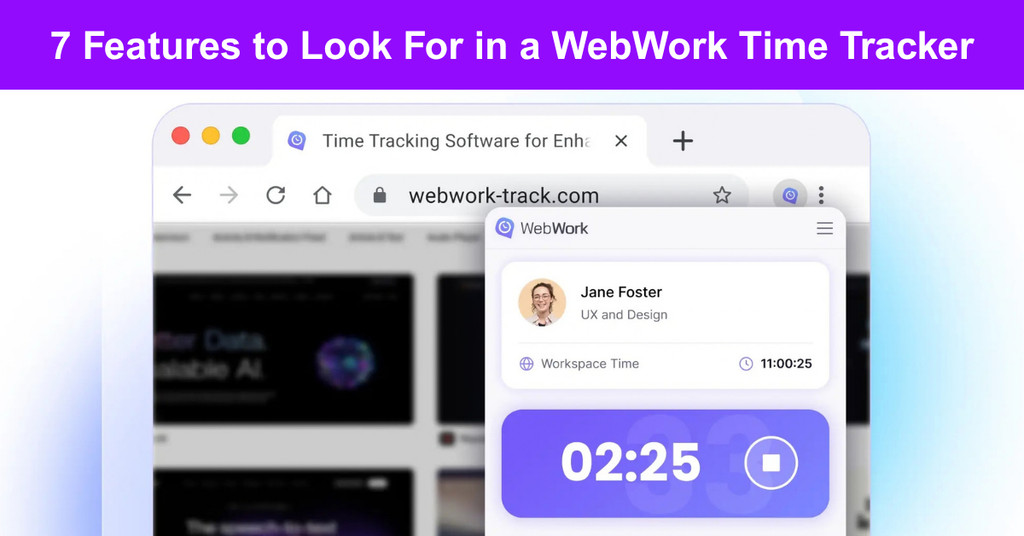
A web time tracker is a tool that records work hours inside the browser, with nothing to install. A person signs in, picks a project and a task, and starts the timer, and the hours go straight to timesheets, reports, and payroll. That sounds simple, and for the person clicking start, it should be. The differences show up later: when someone works from a laptop the company doesn’t own, when a tab closes halfway through the afternoon, or when tracked hours have to become a paycheck at the end of the month.
For owners, operations leads, and HR managers deciding how a team of ten or a thousand will log its hours, those moments matter more than how the timer looks. The seven features below are what actually separate one web time tracker from another.
1. Nothing to Install
A webwork time tracker runs in any modern browser, on any device. There is no installer to approve, no IT ticket to raise, and no version to keep updated across every laptop in the company. That matters most on computers the company doesn’t control. Contractors use their own machines. Part-timers may work a few hours a week from a home computer. Shared machines at a front desk or on a support floor pass between several people in a single day.
In each case, a browser login is easier to roll out than an install, and easier to remove when the work ends. The browser shouldn’t be the only option, though. Some people on the same team will want an app on their phone, and others a full app on their computer. WebWork Time Tracker offers a web time tracker, a Chrome extension, desktop apps for Windows, Mac, and Linux, and mobile apps for iPhone and Android, and all of them sync to one dashboard.
What to ask: Does the tool need anything installed to log time? If people use different devices, does the data end up in one place or several?
2. A Timer On Every Page
Most work doesn’t happen inside the time tracker. It happens in the project management tool, the CRM, the inbox, or a shared document. A timer that lives in its own tab means leaving the work just to start the clock, then going back to stop it. A time tracker Chrome extension fixes that by putting the timer in the browser toolbar, over whatever page is open.
A support agent can start tracking from inside a ticket. A marketer can stop the clock while still in an email draft. Nobody opens a separate tab to do it. It sounds like a small thing. In practice, every extra click is another chance for someone to forget, and forgotten timers turn into guessed hours on a Friday afternoon.
What to ask: Can people start, stop, and switch tasks without leaving the page they’re working on?
3. One Timeline Across Devices
Work doesn’t always stay on one device. Someone starts a task in the browser at the office, heads home, and finishes it on another device. The tracker should treat that as one working day, rather than two separate records a manager has to stitch together later.
The other half of this is preventing overlap. If a person can run one timer in the browser and another on their phone at the same time, the same hour can land on the timesheet twice, and payroll pays for it twice. In WebWork Time Tracker, one person cannot run two trackers at the same time, so the same hour is never counted twice.
What to ask: What happens when one person has the tracker open on two devices at once?
4. A Closed Tab Does Not Lose Hours
Browser tabs get closed by accident, often without a second thought. Laptops restart for scheduled updates while a timer is still running in the background. A person shuts the window at lunch, steps away for a meeting, or simply forgets, never realizing the clock inside that tab is still counting.
A well-built webwork time tracker keeps running after the tab closes, up to a maximum number of hours the company sets. That limit is the important part. Without it, a timer left running overnight turns into a full day nobody worked. With it, an accidental close costs nothing, and a forgotten timer stops at a sensible point.
What to ask: How does each tool handle a closed tab, and who decides the cut-off?
5. Breaks and Corrections in the Browser
Breaks are part of the working day, so they should be tracked from the same place as the work, not a separate system someone has to remember to check. In a good browser setup, a person starts a break directly from the extension and can see the break policy and how much break time is left, without leaving the page they’re on.
Corrections belong there too. People forget to start timers. They log an hour against the wrong task. Being able to add or edit time by hand from the same window, without opening the full dashboard, means mistakes get fixed the same day rather than at the end of the pay period, when nobody remembers what happened.
What to ask: Can someone take a break or fix an entry without opening the main dashboard?
6. Hours That Reach Payroll
Tracking time is only half the job. The hours still have to become pay for staff and invoices for clients. In a connected system, tracked time lands in timesheets, goes through manager approval, and then feeds payroll and invoicing directly. Hours worked and pay owed come from the same record, rather than two spreadsheets kept by two different people that slowly stop matching.
The bigger the team, the more that saves at the end of every month, since fewer hours get lost to manual entry or mismatched records. Many teams also pay contractors in several countries, each with different banks, currencies, and payout rules, so the payment tools at the end of the chain matter just as much as the timer at the start.
What to ask: Which payment tools connect to it, for example, Wise, PayPal, or Payoneer?
7. Privacy the Team Can Read
Every team should be able to answer one question plainly: what does the tracker record? With browser-based time tracking, the answer can be short. It records time only. No screenshots, no website monitoring, no list of pages someone visited. That’s a clear line, and it’s worth putting in writing for the team before rollout, so nobody has to guess.
Some companies do need more visibility, for compliance or client reasons. That kind of employee monitoring belongs to a desktop time tracker, and it should be treated as a separate decision with its own explanation to the people affected, not something folded quietly into a browser login. Check where the data goes as well. Ask whether the vendor handles data under GDPR and CCPA, especially if the team includes people in Europe or California.
What to ask: Can you explain what the tool records in one sentence your team will understand?
Where the Webwork Time Tracker is Going
The timer is moving closer to the work itself. Instead of a project list someone types in by hand, tasks now come in from the tools teams already use. Jira and Asana tasks, GitHub issues, Freshdesk tickets, and Salesforce cases arrive as tasks in the tracker, so every hour lands on a real piece of work rather than a vague label like “admin.”
The next step is that people may not open the tracker at all. Through its MCP server, which offers 120 tools, WebWork Time Tracker lets AI assistants such as ChatGPT and Claude start and stop timers and correct time entries, within the permissions the person already has.
Picture a developer closing a GitHub issue, typing one line into the assistant already open on their screen, and watching the hour land on the right task in the right timesheet- without switching a single tab. For any team choosing a tool today, the real question is whether its tracker will still fit when work happens that way.
Suggested articles:
- Top 11 Best Time Tracking Tools to Improve Teamwork
- Top 10 Cons & Disadvantages of Time Tracking
- The Pros and Cons of Using Time Doctor Software

Daniel Raymond, a project manager with over 20 years of experience, is the former CEO of a successful software company called Websystems. With a strong background in managing complex projects, he applied his expertise to develop AceProject.com and Bridge24.com, innovative project management tools designed to streamline processes and improve productivity. Throughout his career, Daniel has consistently demonstrated a commitment to excellence and a passion for empowering teams to achieve their goals.