
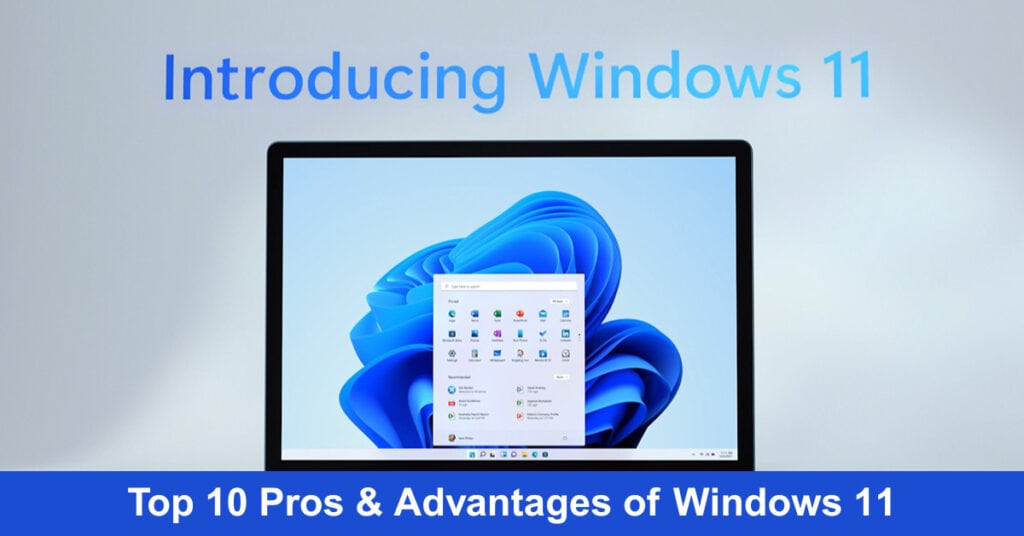
Windows 11 isn’t just a visual refresh; it’s a comprehensive overhaul designed to be the most intuitive, capable, and personal Windows yet. This latest operating system transforms your device into a true productivity and creativity hub, leveraging seamless AI integration and a thoughtfully redesigned interface. It delivers remarkable speed with optimized performance that makes everyday tasks and multitasking fluid and responsive, at least in newer devices. The introduction of Copilot, your built-in AI companion, allows you to accomplish tasks, get answers, and receive real-time guidance using just your voice, revolutionizing how you interact with your PC.
From preserving memories with AI-enhanced creative apps to staying perfectly synced with your phone via Phone Link, Windows 11 connects every aspect of your digital life. It’s engineered to adapt to you, whether you prefer touch, voice, pen, or a traditional mouse and keyboard. As we delve into the specifics, let’s explore the top ten advantages that make Windows 11 a definitive upgrade for work, play, and everything in between.
For organizations seeking a robust project management solution to facilitate team collaboration and streamline project workflows, AceProject is a reliable option. Their pricing model is not based on the number of users, which can result in significant cost savings.
What You Should Know About Windows 11
Windows 11 represents a significant evolution of the familiar Windows experience, designed not just as an update but as a more intuitive, secure, and visually cohesive platform. It moves beyond aesthetic changes like the centered Start Menu to deeply integrate AI-powered assistance and smarter workflows, fundamentally enhancing how you interact with your PC for both work and play.
Key Features & Improvements:
- User Interface: Modernized with a centered Start Menu, streamlined Taskbar, rounded corners, and a clean aesthetic.
- Productivity: Features like Snap Layouts for easy window management, an updated File Explorer with tabs, and personalized Widgets boost efficiency.
- AI & Integration: Copilot, your built-in AI assistant, helps with tasks and queries, while Phone Link seamlessly connects your Android device.
- Gaming: Enhanced with DirectStorage for faster load times and Auto HDR for richer visuals.
- Security: Strengthened by hardware-based security features like TPM 2.0 and VBS, enabled by default.
- Microsoft Store: Redesigned and open, hosting a wider variety of apps, including traditional Win32 programs and third-party stores.
Real-Life Example: Imagine preparing a report using online research, a local document, and a spreadsheet. With Windows 11, you can drag your browser, Word, and Excel windows to a corner to create a Snap Layout that keeps all three perfectly arranged. Stuck on a data point? Ask Copilot for a quick definition without leaving your workflow. When a text arrives on your linked Android phone, you can read and reply directly from your desktop taskbar, maintaining complete focus.
Discover the Top 10 Benefits of Windows 11
Windows 11 delivers transformative capabilities that redefine modern computing. This comprehensive overview reveals ten compelling advantages, from enhanced security and AI integration to superior gaming performance and seamless multitasking, that make Windows 11 an essential upgrade for productivity, creativity, and entertainment in today’s connected world.
1. Redesigned User Interface
Windows 11 marks a significant leap in user interface design, boasting a modern, streamlined look that prioritizes aesthetics and functionality. Introducing a centered Start menu and refreshed icons represents a thoughtful redesign to enhance user interaction and productivity. This transformation manifests through three key improvements that fundamentally change how users engage with their computers:
- Centered Start Menu: Positioned at the heart of the taskbar, the new Start menu offers immediate, centralized access to your most used apps and files, making navigation more intuitive.
- Refreshed Icons and Layouts: With its visually appealing icons and clean layouts, Windows 11 provides a clutter-free and engaging environment that simplifies the user experience.
- Enhanced Productivity: The reimagined interface reduces the time and effort required to locate and manage applications, significantly boosting efficiency in daily tasks.
Real-Life Example: Consider a graphic designer who regularly manages multiple applications and files simultaneously. Windows 11 enables them to efficiently access their primary design tools, such as Adobe Photoshop and Illustrator, directly from the centralized Start menu. This optimized workflow reduces time spent searching for applications and eliminates unnecessary distractions, resulting in enhanced productivity and a more streamlined user experience. This practical example demonstrates how Windows 11’s redesigned interface delivers tangible benefits beyond aesthetic improvements, fundamentally enhancing operational efficiency in professional environments.
2. Improved Performance
Windows 11 is not just an upgrade; it’s a performance revolution. Engineered for speed and efficiency, this operating system transforms your computing experience, making it lightning-fast and remarkably smooth for professional and personal tasks. This performance excellence is built on three fundamental pillars that work together to deliver an exceptional user experience: instantaneous device responsiveness, intelligent resource management, and optimized web performance.
- Faster Wake from Sleep: Windows 11 dramatically reduces the time it takes for your device to wake from sleep mode, ensuring you can jump back into your work or play virtually without delay.
- Enhanced Background Task Management: The system intelligently manages background tasks, ensuring that essential processes run seamlessly without hogging resources, thereby maintaining optimal performance.
- More Responsive Browsing: Experience the web like never before. Windows 11 optimizes browser performance, making web navigation, page loading, and overall browsing significantly faster and more fluid.
Real-Life Example: Imagine a busy professional who frequently shifts between meetings, presentations, and collaborative projects. With Windows 11, they can effortlessly wake their device from sleep to resume work instantly, enjoy seamless multitasking without lag, and rely on swift browsing to access real-time information. This isn’t just about doing things faster; it’s about streamlining your entire digital workflow, making every interaction with your device more efficient and enjoyable. Windows 11 isn’t just keeping pace with the demands of modern computing; it’s setting a new standard for what we can expect from our devices.
3. Enhanced Security
Windows 11 is redefining security standards in operating systems. It incorporates and elevates advanced security measures, ensuring an ironclad defense against the ever-evolving landscape of cyber threats. This comprehensive security architecture is built upon multiple layers of protection, each designed to address specific vulnerabilities and safeguard your digital assets. At its core, Windows 11’s security framework rests on three fundamental pillars:
- Hardware-Based Isolation: This groundbreaking feature creates a virtual barrier around sensitive system operations, safeguarding them from external attacks. By leveraging hardware capabilities, Windows 11 ensures that critical components are isolated, making it exponentially harder for malicious actors to breach your system.
- Robust Encryption: Windows 11 employs state-of-the-art encryption technologies to protect data at rest and in transit. This means that whether your files are stored on your device or sent over the internet, they are shielded from unauthorized access, ensuring privacy and security.
- Proactive Malware Prevention: With an advanced, proactive approach to malware, Windows 11 doesn’t just react to threats; it anticipates and neutralizes them before they can cause harm. This proactive defense mechanism constantly scans for suspicious activities, offering real-time protection against viruses, ransomware, and other malicious software.
Real-Life Example: Consider the scenario of a financial firm handling sensitive client data. With Windows 11, they can confidently operate, knowing that the client information is safeguarded with top-tier encryption and hardware-based isolation. Moreover, proactive malware prevention provides an additional layer of security, ensuring their operations remain uninterrupted and secure from potential cyber-attacks. This enhanced security suite in Windows 11 isn’t just a feature; it’s a commitment to safeguarding users’ digital lives in an increasingly vulnerable cyber world.
4. Optimized for Gaming
Windows 11 elevates the gaming experience to unprecedented heights, specifically tailored to meet and surpass the demands of modern gamers. It’s not just an operating system; it’s a game-changer equipped with features that push the boundaries of what gaming can be. This transformation is powered by three groundbreaking technologies that work in harmony to deliver an unparalleled gaming experience, each addressing a critical aspect of modern gameplay.
- DirectX 12 Ultimate: This is the powerhouse behind the stunning game visuals. DirectX 12 Ultimate harnesses the full potential of the latest graphics hardware, delivering breathtaking, lifelike graphics and smoother frame rates, even in the most graphically intense games.
- Auto HDR: With Auto HDR, Windows 11 brings a new vibrancy and depth to gaming visuals. This feature automatically enhances existing games’ color and brightness range, transforming them into HDR-quality experiences without any extra effort from the game developers.
- DirectStorage: Say goodbye to long loading screens. DirectStorage is a revolutionary feature that drastically reduces game load times, leveraging the speed of NVMe SSDs to stream game assets directly to the GPU. This speeds up loading and allows for more complex and detailed game worlds.
Real-Life Example: Imagine a gamer launching the latest AAA title on Windows 11. They are immediately immersed in a world with ultra-realistic graphics, thanks to DirectX 12 Ultimate. As they move through expansive game environments, they experience vibrant and dynamic scenes brought to life by Auto HDR. This happens without frustrating waits, as DirectStorage ensures the game loads quickly and runs smoothly. This isn’t just playing a game; it’s stepping into a new reality where every detail is vivid, every moment is seamless, and every experience is heightened. Windows 11 isn’t just optimized for gaming; it’s reimagining what gaming can be.
5. Better Virtual Desktop Support
Windows 11 redefines workspace management with its enhanced virtual desktop support, a feature that revolutionizes how users interact with their digital environment. This isn’t just an incremental improvement; it’s a leap forward in personal and professional desktop organization. By offering unprecedented flexibility and customization, Windows 11 empowers users to create distinct workspaces tailored to specific tasks and workflows. This transformative capability is built on three core functionalities that work together seamlessly:
- Seamless Creation and Switching of Desktops: Windows 11 enables users to set up and navigate between multiple virtual desktops effortlessly. Each desktop can be uniquely tailored to suit different activities, allowing for a more organized and focused approach to each task, whether for work, personal use, or gaming.
- Customizable Desktop Environments: Each virtual desktop can be customized with its applications and wallpapers, making it easier to distinguish between different workspaces. This level of customization not only aids in organization but also enhances the user experience by creating distinct environments for various needs.
- Efficient Task Management: The improved virtual desktop support streamlines task management. Users can allocate specific activities to each desktop, reducing clutter and minimizing distractions. This results in a more efficient workflow, as you can concentrate fully on the task without interfering with unrelated applications or files.
Real-Life Example: Consider a freelance graphic designer who juggles multiple projects simultaneously. With Windows 11, they can create a separate virtual desktop for each project, customizing each space with the necessary tools and references. This setup keeps their work organized and allows them to switch between projects seamlessly, maintaining high productivity and focus. Windows 11’s virtual desktop support isn’t just about having multiple screens; it’s about providing a more innovative, more intuitive way to manage and categorize your digital life, tailoring it precisely to your needs and workflow.
6. Enhanced Touch, Pen, and Voice Input
Windows 11 stands at the forefront of interactive technology, offering a quantum leap in touch, pen, and voice input capabilities. This is not just an upgrade; it’s a reinvention tailored to meet the diverse and dynamic needs of users who rely on alternative input methods. The operating system fundamentally transforms how we interact with our devices, making every gesture, stroke, and command feel natural and intuitive. These advancements are built on three core capabilities:
- Refined Touch Input: For tablet and 2-in-1 device users, the touch responsiveness in Windows 11 is unparalleled. The system is finely tuned for precision and sensitivity, ensuring that every tap, swipe, and pinch is accurately registered, providing a smooth and natural touch experience.
- Advanced Pen Support: Artists and designers will find the pen input in Windows 11 to be a game-changer. With improved pressure sensitivity and reduced latency, the pen mimics an actual writing or drawing experience, allowing for more nuanced and detailed creative work.
- Sophisticated Voice Recognition: Voice input in Windows 11 is not just an afterthought; it’s a fully integrated feature. With enhanced voice recognition algorithms, the system efficiently understands and executes spoken commands, making it ideal for hands-free operation or accessibility purposes.
Real-Life Example: Imagine an architect working on a 2-in-1 device using Windows 11. They can effortlessly sketch a design using the advanced pen input, enjoying a level of detail and responsiveness akin to traditional drawing tools. Simultaneously, they can navigate various applications and functions using intuitive touch gestures and even dictate emails or commands without typing. This seamless integration of touch, pen, and voice input in Windows 11 is more than just a convenience; it’s a transformative tool that adapts to the user’s preferred style, enhancing creativity, productivity, and accessibility. Windows 11 isn’t just keeping up with the times; it’s setting a new standard for interacting with our devices.
7. New Microsoft Store Experience
Windows 11 heralds a new era for the Microsoft Store, transforming it into a beacon of convenience and security. This isn’t just an update; it’s a complete overhaul designed to elevate the user’s app discovery and installation experience. Microsoft has reimagined every aspect of the Store, from its visual design to its security infrastructure, creating a platform that prioritizes user safety and satisfaction. This transformation is built on three foundational pillars:
- Curated App Selection: The Microsoft Store in Windows 11 offers a meticulously curated selection of apps, ensuring users have access to high-quality, relevant software. This curation process guarantees the quality of available apps and makes it easier for users to find what they need without sifting through unnecessary clutter.
- Enhanced Security Measures: Security is paramount in the new Microsoft Store. Every app undergoes a rigorous vetting process, providing users with peace of mind that their downloads are safe and free from malicious software. This commitment to security is a cornerstone of the Windows 11 experience, reflecting a deep understanding of user concerns in an age of digital vulnerabilities.
- User-Friendly Interface: The redesigned interface of the Microsoft Store is a study of user-centric design. It’s intuitive and easy to navigate, allowing users of all tech-savviness levels to browse, find, and install apps effortlessly. This accessibility is key to ensuring that the benefits of technology are available to everyone.
Real-Life Example: Consider a small business owner looking to streamline their operations. With the new Microsoft Store on Windows 11, they can quickly find and securely install business tools, productivity apps, and communication platforms, all vetted for quality and security. This ease of access and peace of mind enable them to focus on growing their business rather than worrying about software selection and installation technicalities. The new Microsoft Store experience in Windows 11 is more than a marketplace; it’s a trusted gateway to a world of apps, designed to enrich and simplify its users’ digital lives.
8. Integration with Android Apps
Windows 11’s groundbreaking integration of Android apps is a great feature that seamlessly blends the mobile and desktop computing realms. This integration is not just a feature; it’s a paradigm shift, heralding a new era of interconnectedness and versatility in the computing experience. This revolutionary capability fundamentally transforms how users interact with their devices, bridging ecosystems in ways previously unimaginable. This transformation manifests through three key capabilities:
- Native Android App Support: Windows 11 allows Android apps to run natively on the desktop, an unprecedented move that erases mobile and PC software boundaries. This means users can access their favorite mobile apps with the power and convenience of a desktop interface, offering flexibility and continuity never seen before in the Windows ecosystem.
- Seamless Cross-Device Experience: This integration provides a unified experience across devices. Whether you’re starting a task on your phone and finishing it on your PC, or vice versa, the transition is smooth and effortless. This continuity is key for users who operate across multiple devices, ensuring their workflow or entertainment is uninterrupted as they switch from mobile to desktop.
- Expanding App Ecosystem: By welcoming Android apps into the Windows environment, Windows 11 vastly expands its app ecosystem, giving users access to many apps previously limited to mobile platforms. This expansion enhances user choice and flexibility and opens up new possibilities for productivity, creativity, and entertainment on the Windows platform.
Real-Life Example: Imagine a scenario where a user is planning a trip. They can research destinations on their phone using a travel app and then seamlessly continue planning on their Windows 11 PC, accessing the same app with a larger display and enhanced controls. This integration of Android apps into Windows 11 isn’t just about adding more applications; it’s about creating a cohesive, flexible digital environment that adapts to the user’s lifestyle, blurring the lines between mobile and desktop for a truly integrated digital experience.
9. Enhanced Multitasking with Snap Layouts and Groups
Windows 11 sets a new benchmark in multitasking efficiency with its innovative Snap Layouts and Snap Groups feature. These tools aren’t just incremental improvements; they are transformative elements that redefine how users manage and interact with multiple applications simultaneously. By combining intelligent window organization with powerful workflow restoration, Windows 11 addresses the core challenges of modern multitasking. This sophisticated approach is done through three distinct yet interconnected capabilities:
- Snap Layouts: This feature is a multitasker’s dream. Snap Layouts in Windows 11 allow users to easily organize open windows into a tidy, efficient layout with just a few clicks. This organization is more than mere convenience; it’s a strategic approach to screen real estate, enabling users to view and work on several applications side-by-side without the hassle of manual resizing and positioning.
- Snap Groups: Snap Groups take multitasking a step further. They allow users to save and quickly restore groups of related apps or documents they frequently use together. This means users can return to their previous workflow instantaneously without wasting time reopening and reorganizing each window. This feature’s efficiency is unparalleled, particularly for those juggling complex or numerous tasks.
- Enhanced Productivity and Workflow: Together, Snap Layouts and Snap Groups streamline the multitasking process, significantly improving productivity. Users can swiftly navigate between tasks, maintaining a flow state often disrupted in less organized environments. This streamlined workflow is crucial in today’s fast-paced, multi-faceted work scenarios.
Real-Life Example: Consider the case of a project manager who regularly works with various applications – like email, spreadsheets, project management tools, and communication platforms. With Windows 11, they can arrange these applications using Snap Layouts for optimal viewing and interaction. When they need to switch to a different task, they can do so without losing their arrangement, thanks to Snap Groups. Upon returning, restoring their original workflow is just a click away. This level of multitasking capability transforms work, making Windows 11 an indispensable tool for professionals and power users. It’s not just about doing more; it’s about doing more efficiently and effectively.
10. Optimized for Hybrid Work Environments
In an era where remote and hybrid work models are becoming the norm, Windows 11 emerges as a pivotal force, meticulously optimized to cater to these modern workplace dynamics. This operating system is not merely adapting to change; it’s leading the charge in redefining how we work in diverse environments. By seamlessly integrating cutting-edge collaboration tools, intelligent cloud connectivity, and AI-powered assistance, Windows 11 addresses the core challenges of distributed work and transforms them into opportunities for enhanced productivity and connection.
- Seamless Collaboration: Windows 11 deeply integrates Microsoft Teams directly into the taskbar, making initiating a chat, a call, or a collaborative session as simple as a single click. This reduces friction and keeps your team connected, no matter where they are located, ensuring the fluidity of a physical office in a digital space.
- Unified Cloud Connectivity: Advanced cloud integration ensures that your files, preferences, and projects are synchronized and instantly available across all your devices. This allows for a truly continuous workflow, enabling you to pick up exactly where you left off whether you’re at the office desktop, your home laptop, or a tablet at a café.
- AI & Smart Integration: With Copilot, your built-in AI assistant, you can quickly summarize meetings, draft emails, or find information without breaking your workflow. Furthermore, Phone Link seamlessly connects your Android device, consolidating your mobile notifications, messages, and calls directly onto your PC. This eliminates the need to constantly switch between devices, keeping you focused on your primary screen.
Real-Life Example: Imagine you’re working from home and join a last-minute video call to discuss a complex project. With Copilot running in the background, you can ask it to transcribe the conversation in real-time and generate a list of action items. After the call, you can prompt Copilot to draft a summary email with those tasks, which you then refine and send—all without manually scrubbing through the recording or taking frantic notes. Simultaneously, a crucial text message from a colleague appears via Phone Link on your desktop, allowing you to reply instantly without grabbing your phone and losing focus.
By unifying communication tools, cloud resources, and intelligent AI assistance into a single, intuitive interface, Windows 11 provides the essential toolkit for modern work. It actively bridges the gaps created by physical distance, creating a cohesive, efficient, and flexible digital workspace that empowers productivity in any setting.
Windows 11 Studies
Research and user testimonials reveal a diverse range of responses to Windows 11. The operating system has received praise for its contemporary interface and innovative features. However, critics have raised concerns about compatibility challenges and the learning curve associated with its redesigned interface. Furthermore, cybersecurity experts have engaged in detailed discussions regarding Windows 11’s privacy settings and data collection practices. These comprehensive analyses are essential for understanding how the operating system affects different user demographics and use cases.
- Microsoft Windows 11 Review
- Windows 11 Analysis by Wikipedia.org
- Windows 11 Cheat Sheet by TechRepublic
Conclusion
Windows 11 stands as a definitive step forward in personal computing, offering more than just a visual refresh. It represents a deliberate synthesis of form and function, with thoughtful enhancements like Snap Layouts and the centered Start Menu directly boosting daily productivity. The robust, hardware-enabled security features offer essential peace of mind in an interconnected world, while the revamped Microsoft Store provides a safer, more open app ecosystem. This foundation creates an intuitive and reliable experience tailored for the modern user.
The true advantage of Windows 11, however, lies in its integrated intelligence and hybrid focus. With Copilot weaving AI assistance directly into the OS, complex tasks become streamlined, and information is instantly accessible. Combined with seamless cloud and Phone Link connectivity, it dissolves barriers between devices and locations. Whether for gaming, creativity, or navigating the demands of a hybrid workplace, Windows 11 evolves from a static operating system into a dynamic, adaptive platform ready for the future.
Suggested articles:
- Top 10 Cons & Disadvantages of Windows 11
- The 5 System Requirement Barriers of Windows 11
- Windows 10 vs Windows 11: Difference in 15 Aspects

Daniel Raymond, a project manager with over 20 years of experience, is the former CEO of a successful software company called Websystems. With a strong background in managing complex projects, he applied his expertise to develop AceProject.com and Bridge24.com, innovative project management tools designed to streamline processes and improve productivity. Throughout his career, Daniel has consistently demonstrated a commitment to excellence and a passion for empowering teams to achieve their goals.