
A new coordinator asks the team’s AI assistant for the change request form and gets a template the PMO retired months ago. The request bounces back from the sponsor, and two days slip. Nobody can tell which file the answer came from. Internal knowledge agents can save project teams hours of repeated questions. They also repeat whatever their sources say, current or not.
- Sources Shape Every Answer: Internal AI agents answer team questions from company documents, so wrong or outdated sources become wrong answers.
- Governance Belongs in the Project Plan: Treat governance as part of the project plan, with owners, tasks, and dates, not as an IT afterthought.
- Set the Rules Before Launch: Define approved sources, owners, access rules, and review cycles before the agent goes live.
- Log Answers for Traceable Decisions: Log what the agent answers and why, so decisions can be audited later.
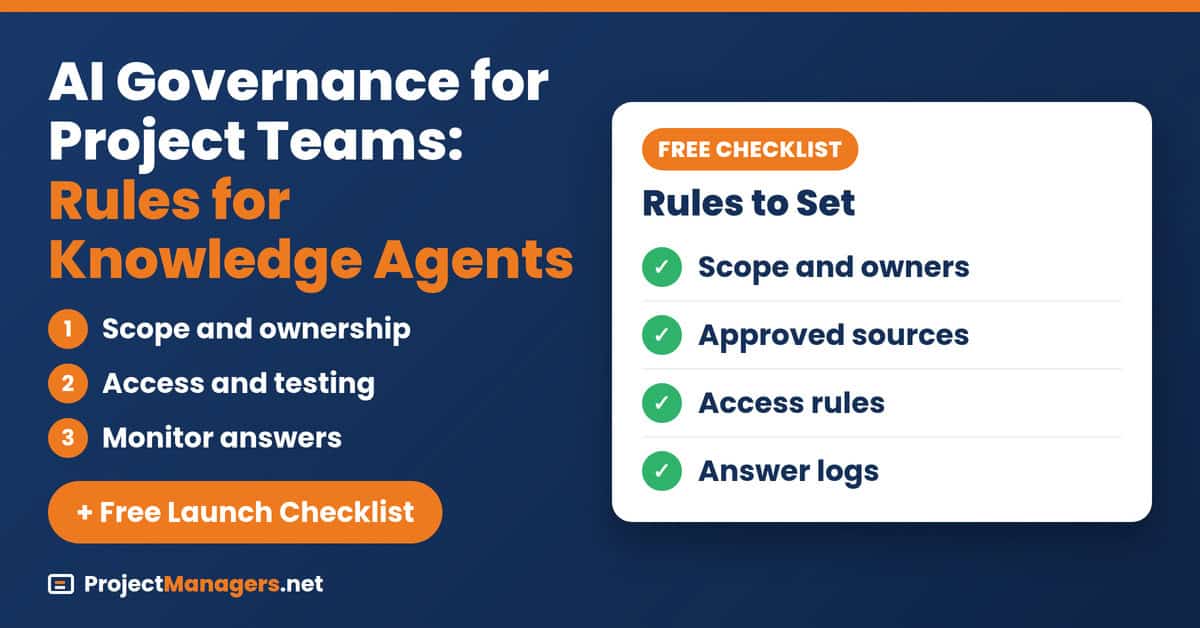
The answer is to govern the agent the way a project governs any deliverable, with scope, owners, and acceptance tests written into the plan. This guide covers what these agents do, where ungoverned ones fail, and who owns what in a sample RACI. It then sets source rules, access limits, testing, and monitoring, and ends by adding the agent’s risks to the project risk register.
What Internal Knowledge Agents Do for Project Teams
An internal knowledge agent is an AI assistant connected to a company’s own documents, such as the PMO handbook, policy library, and project archive. Team members ask it questions in plain language and get an answer drawn from those files, usually with links to the source. For a project team, that replaces the habit of messaging the one colleague who remembers where everything lives.
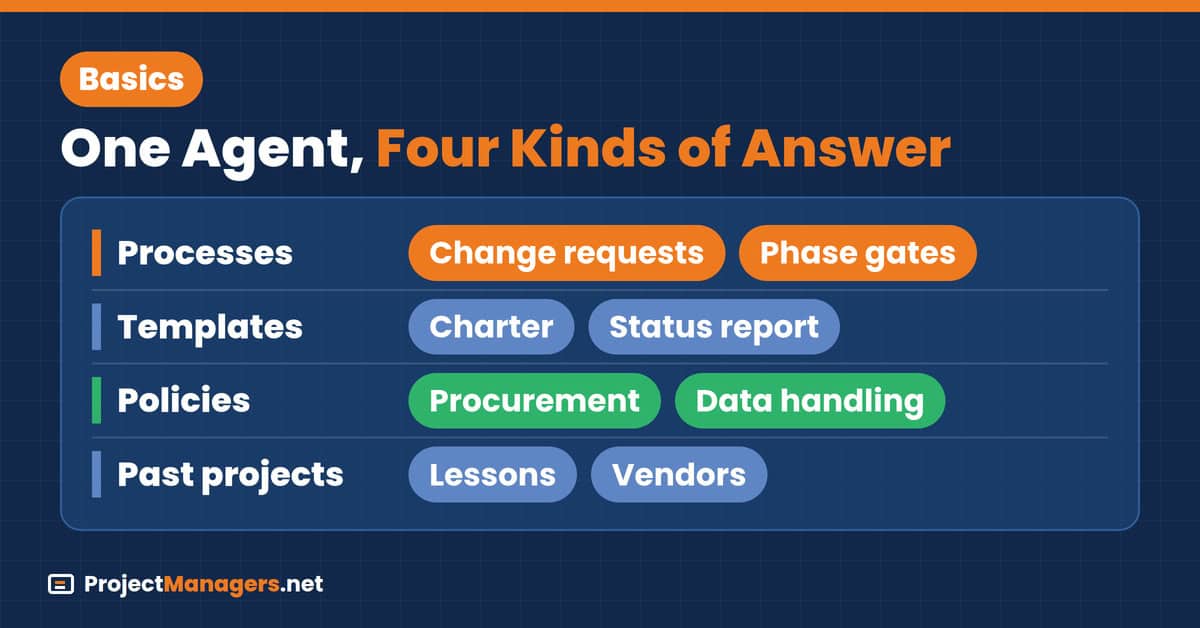
Most project questions it handles fall into four groups:
- Processes: How to raise a change request, who signs off a phase gate, and which steps a project closeout requires.
- Templates: Where the current charter, status report, or RAID log template sits, and which version the PMO expects.
- Policies: What the travel, procurement, or data-handling policy says about a situation the team faces this week.
- Past Projects: What earlier projects learned, which vendors they used, and how similar risks were handled.
The gains show up fastest in onboarding. A new team member can find the escalation path or the reporting calendar without waiting for a meeting, and senior people answer the same question far less often. That speed is also the risk: an answer delivered instantly and confidently is rarely questioned, even when the document behind it is out of date.
Where Ungoverned Knowledge Agents Go Wrong
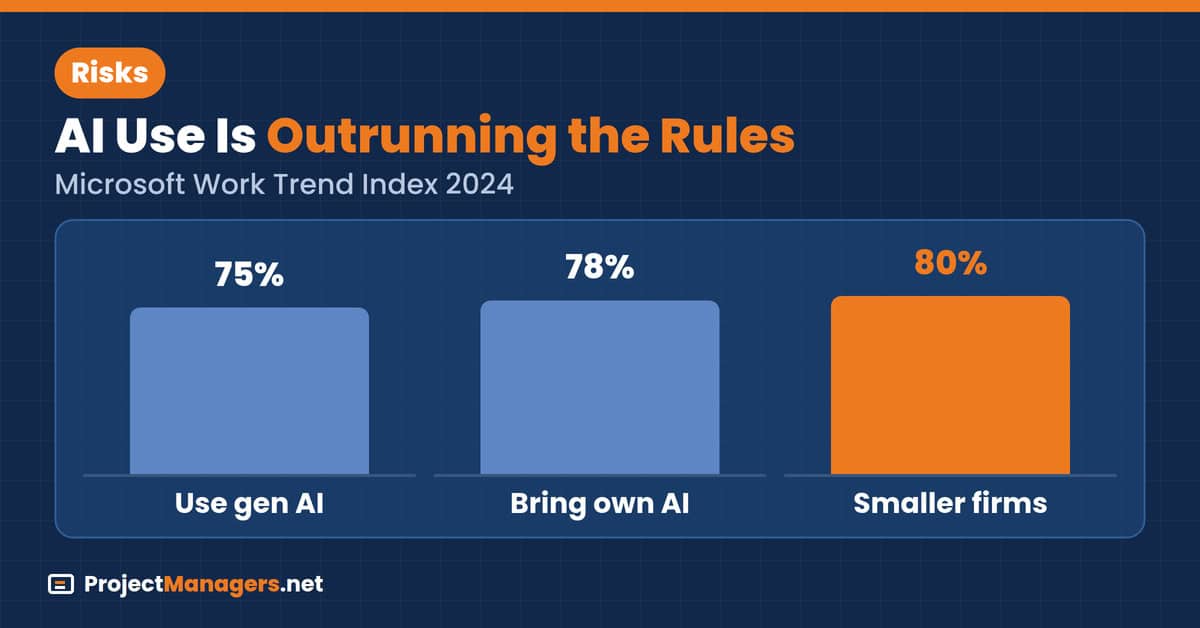
Most teams are not waiting for permission. Microsoft’s 2024 Work Trend Index found that 75% of global knowledge workers use generative AI at work, and 78% of those users bring their own AI tools. An approved internal agent can pull that use into one governed place, but only if the agent itself runs under clear rules from the start.
Without those rules, five problems tend to appear:
- Outdated Documents: The agent quotes a superseded template or last year’s rate card because both versions still sit in the same folder.
- Conflicting Policies: Two departments publish different rules for the same task, and the agent blends them into one answer that matches neither.
- Confidential Data Exposure: A question about budgets or contracts surfaces a client file or salary sheet the person asking should never see.
- Answers No One Can Trace: A decision rests on an answer, but nobody can show which document or rule produced it.
- Unchecked Trust: Busy team members accept fluent answers without opening the source, so small errors move straight into plans and reports.
The National Institute of Standards and Technology names this last pattern directly. Its Generative AI Profile, NIST AI 600-1, released on July 26, 2024, lists confabulation, meaning confidently stated but false content, among 12 risks that generative AI creates or makes worse. Data privacy and information security sit on the same list, which is why governance has to cover sources and access together.
Set the Agent’s Scope and Ownership
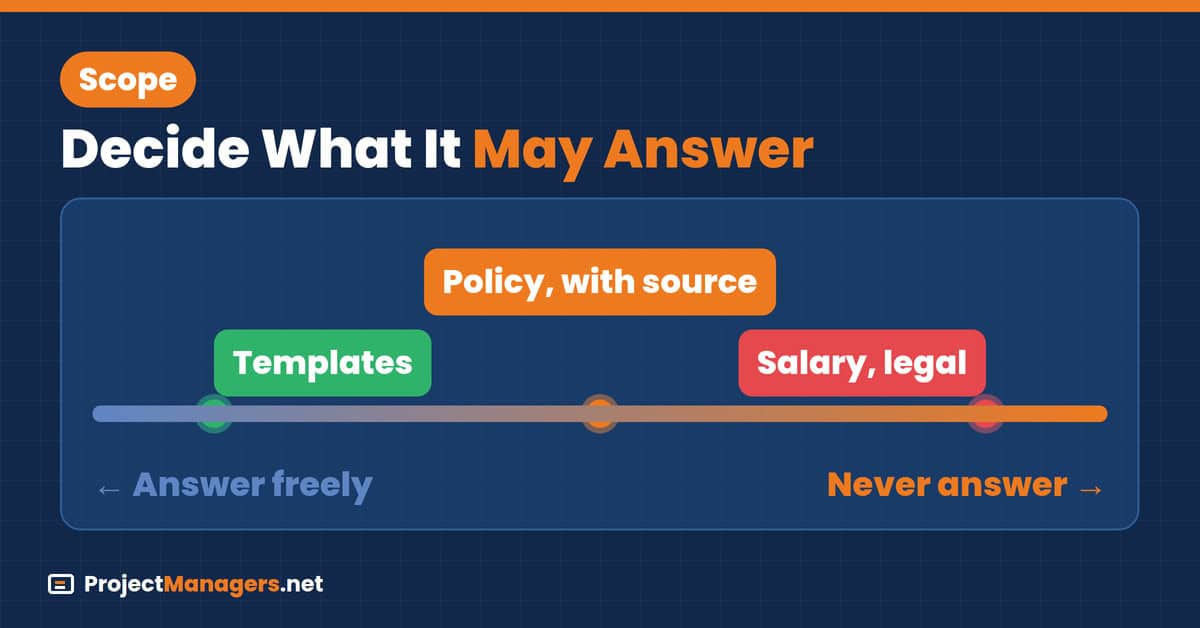
Scope works for an agent the same way it works for a project. Write down which questions it may answer, such as process steps, template locations, and approved policies, and which it must refuse or route to a person, such as legal advice, HR cases, and salary data. Then name one agent owner, plus an owner for each knowledge area it draws on.
The sample RACI below shows one way to split the work across five roles:
Knowledge Agent RACI (Sample Roles)
| Activity | Sponsor | Agent Owner | Knowledge Owner | IT Security | Team Members |
|---|---|---|---|---|---|
| Define what the agent may answer | A | R | C | C | I |
| Approve sources and rules for an area | I | R | A | I | I |
| Grant and remove access | I | C | C | A/R | I |
| Run pre-launch tests | I | A | R | C | C |
| Review answer logs each month | I | A | R | C | I |
| Report a wrong answer | I | A | C | I | R |
Keep exactly one A on every row, because shared accountability tends to mean none. The agent owner, often someone in the PMO, is accountable for the agent as a whole, while each knowledge owner is accountable for the accuracy of their area, such as HR policy or delivery templates. Record the names in the project charter so the roles survive staff changes.
Define Approved Sources and Rules
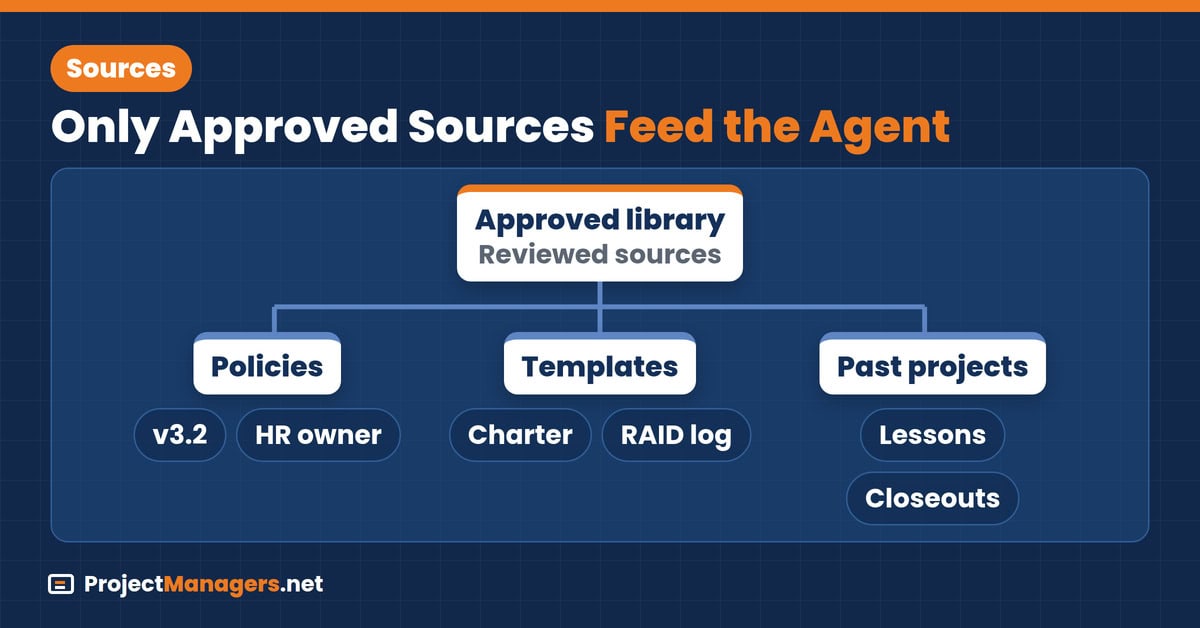
An agent connected to the whole shared drive will treat a draft, a duplicate, and a retired policy as equally valid. Build an approved source list instead: the documents each knowledge owner has signed off on, each with a version number, an owner, and a review date. Anything outside that list stays invisible to the agent until its owner approves it.
Instead of letting an agent read every file on the shared drive, teams can convert approved policies and procedures into versioned rules that experts review before the agent uses them. Platforms built for internal AI knowledge agent governance also record which rule was applied to each answer and who approved it.
Three habits keep the approved library trustworthy:
- One Current Version: Keep a single live copy of each policy or template, archive older versions where the agent cannot read them, and show the version number in every answer.
- Version Control with Review Dates: Give every source a next-review date, and let the agent flag or drop any document whose date has passed.
- Policies Turned into Plain Rules: Rewrite long policy text as short, testable rules, such as “Purchases over the approval limit need two sign-offs,” so the agent and its reviewers read them the same way.
Control Access and Confidentiality
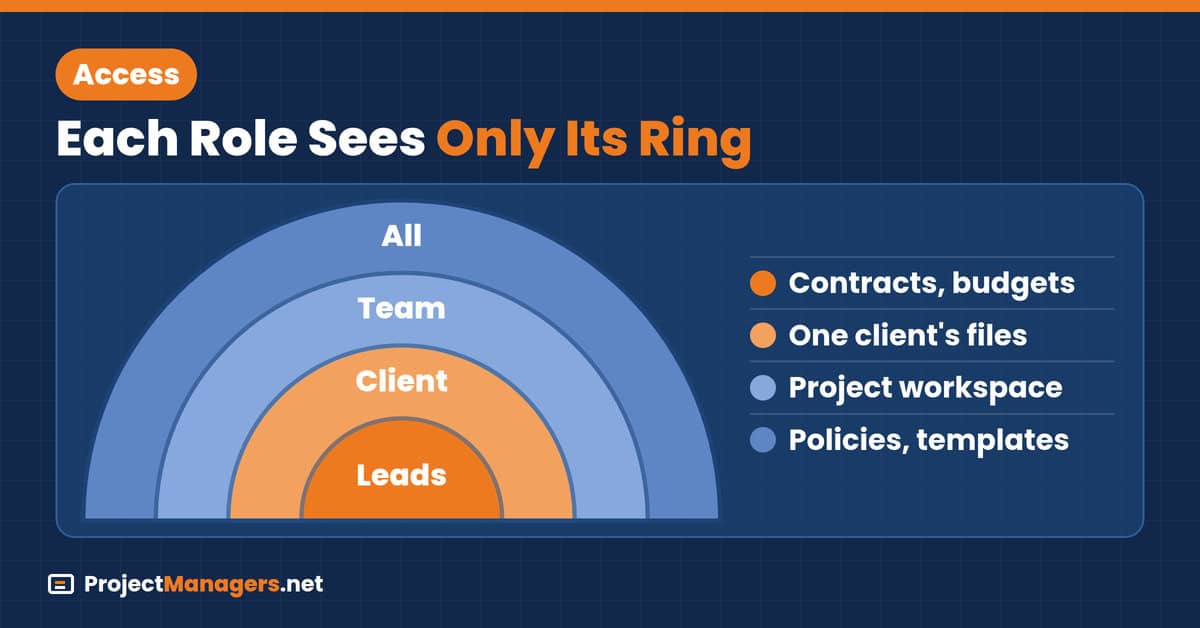
An agent should never know more than the person asking it. Connect it to the same permissions your file system already enforces, so a question only searches documents that the user could open directly. Treat client material as its own zone: one client’s contract, data, or pricing should never appear in an answer about another client’s project.
Set these access rules before the first user logs in:
- Role-Based Access: Map each role, such as team member, project lead, and finance, to the folders it may search, and review that map whenever roles change.
- Client Data: Exclude client folders by default, and add them only for the named people on that client’s project, with the contract’s confidentiality terms in mind.
- Contractor Permissions: Give contractors and freelancers a narrower scope with an end date that matches their contract, and remove access on the last day.
Illustrative Scenario: A consulting team piloting an agent found that a contractor could ask about “last quarter’s rates” and receive figures from another client’s pricing sheet. The sheet sat in a shared finance folder the agent had indexed. The fix took a day: client folders were removed from the default index, and contractor accounts were limited to their own project workspace.
Test the Agent Before Launch
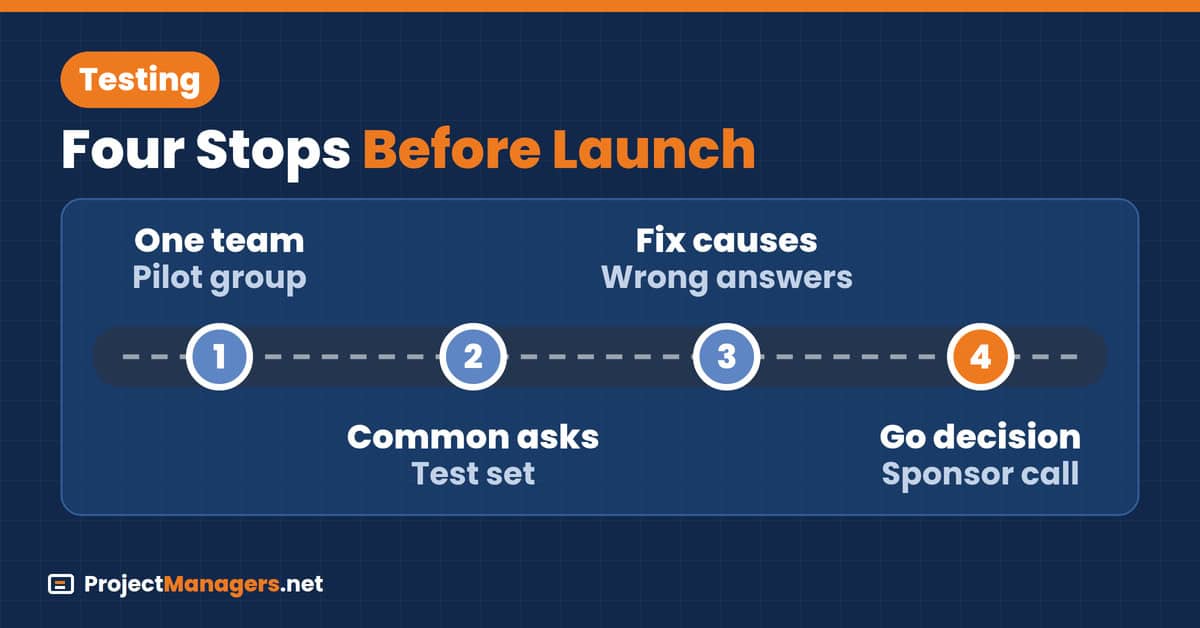
Treat the launch like any other release, with a pilot, test cases, and acceptance criteria. Pick one project team that asks a steady mix of questions and is willing to report problems. Collect the questions they actually ask, from chat threads and help requests, and turn them into a test set that the agent must answer before anyone else gets access.
Run the pilot in four steps:
- Pilot with One Team: Limit access to that team for a fixed period, such as two to four weeks, so problems stay small and easy to trace.
- Test Common Questions: Run the test set and compare each answer with what the knowledge owner would say, including the source it cites.
- Review Incorrect Answers: Sort each wrong answer by cause, such as a missing source, an outdated file, or a badly worded rule, and fix the cause rather than the single reply.
- Agree a Go Decision: Set the pass mark in advance, for example, no wrong answers on confidential topics, and let the sponsor make the launch call.
Include questions the agent should refuse, such as a request for a colleague’s salary or a client’s contract terms. A correct refusal, with a pointer to the right person, counts as a pass. Keep the test set after launch, because rerunning it whenever sources or rules change is the quickest way to catch an answer that has quietly drifted.
Monitor Answers and Update the Rules
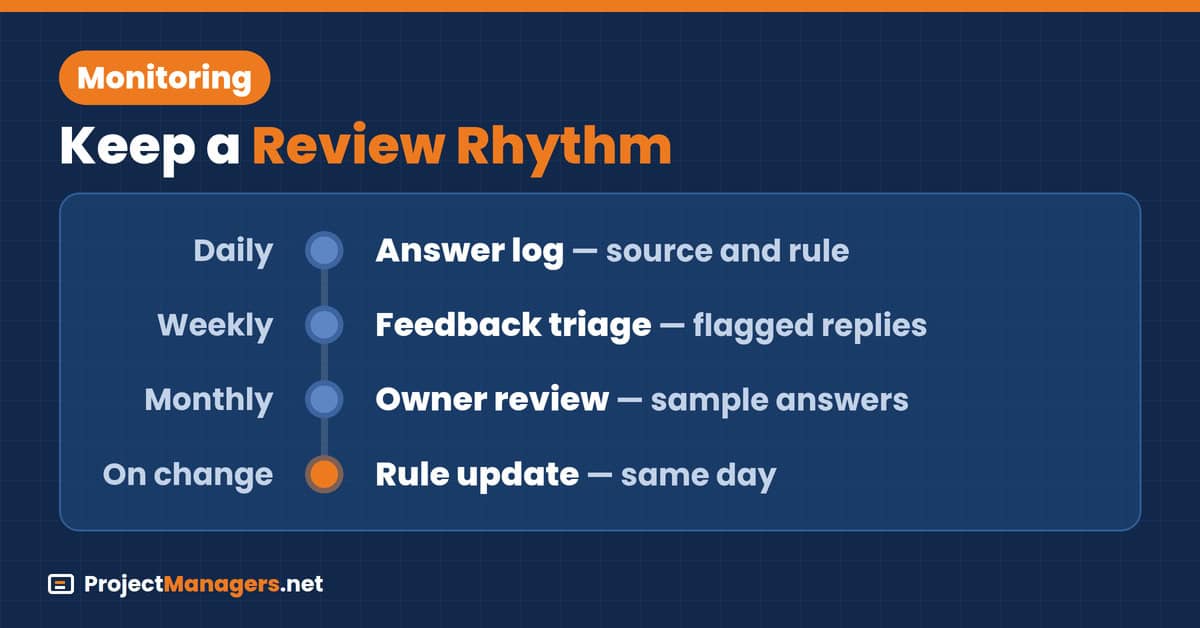
Governance does not end at launch, because the documents behind the agent keep changing. Log every question, answer, source, and rule the agent used, and keep the log where the agent owner and knowledge owners can search it. That record lets a project manager show exactly why a team followed a particular step on a particular day.
A steady review rhythm keeps the agent current:
- Answer Logs: Store each answer with its sources, rule versions, user role, and time, and keep the log for as long as your project records policy requires.
- Monthly Reviews: Have each knowledge owner sample answers from their area every month and correct any source or rule that produced a weak reply.
- Rule Updates on Policy Change: Make updating the agent’s rules part of the policy change process itself, so a new policy and its rules go live together.
- Feedback Button: Let users flag an answer as wrong or unclear in one click, and route each flag to the owner of that knowledge area.
Two published frameworks can give this work a structure. The NIST AI Risk Management Framework, released on January 26, 2023, organizes the work into four functions: Govern, Map, Measure, and Manage. ISO/IEC 42001, published in December 2023, sets requirements for an AI management system. Neither is mandatory for an internal agent, but both offer a shared vocabulary for owners and reviews.
Add AI Governance to Your Project Risk Register
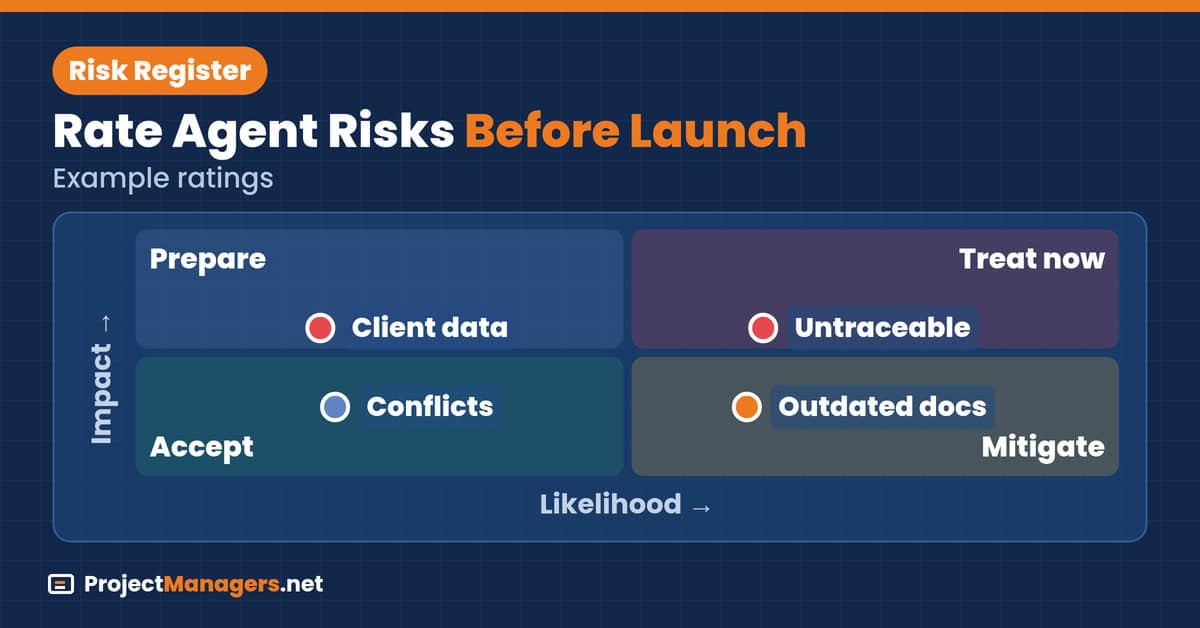
The agent’s risks belong in the same register as schedule and budget risks, reviewed at the same meetings. Rate each one for likelihood and impact, name an owner, and write a mitigation that someone can actually carry out. Ratings change after launch, so a risk that looks small during the pilot may need a higher score once every team uses the agent.
A short register for a new knowledge agent might start like this:
AI Governance Risk Register (Example Ratings)
| Risk | Likelihood | Impact | Owner | Mitigation |
|---|---|---|---|---|
| Outdated source gives a wrong answer | High | Medium | Knowledge owner | Review dates on every source and a monthly sample of answers |
| Client data appears for the wrong person | Low | High | IT security lead | Client folders excluded by default and access tied to roles |
| Answers cannot be traced to a source | High | High | Agent owner | Log the source and rule version behind every answer |
| Conflicting policies produce mixed answers | Low | Medium | Agent owner | One approved version per policy, with older copies archived |
| Team accepts answers without checking | Medium | Medium | Project manager | Show sources in every answer and cover checking in onboarding |
Treat each mitigation as a task with a due date, not a note in a spreadsheet cell. The usual risk control cycle applies: monitor the trigger, act when it fires, and record the result. If the answer logs show a rise in flagged replies, that is the trigger for an early review rather than waiting for the next monthly check.
Knowledge Agent Launch Checklist
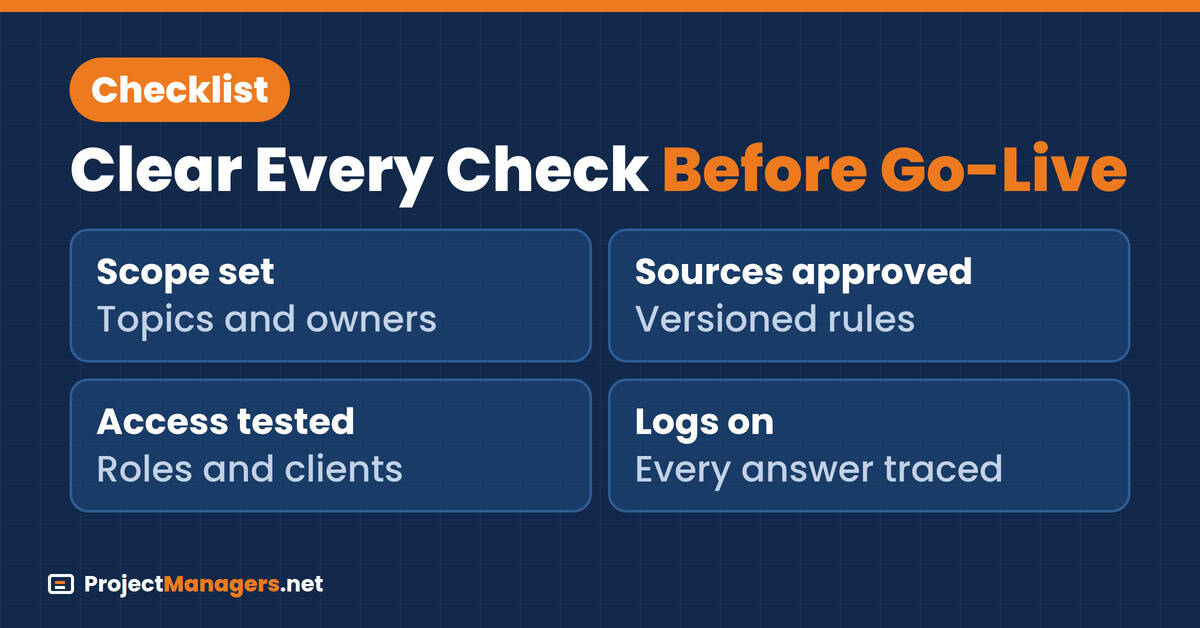
Work through these checks with the agent owner and the knowledge owners before the agent opens to everyone, and again whenever its scope grows to a new team or knowledge area. Each tick should point to evidence, such as a signed RACI, an approved source list, or a passed test set, rather than someone’s memory of a meeting.
- Named Owners Keep Answers Accurate: A person responsible for each knowledge area makes it more likely that stale sources are noticed and replaced.
- Access Rules Limit Exposure: Matching the agent to existing permissions reduces the chance of confidential files appearing in answers.
- Logs Make Decisions Traceable: Recording sources and rules helps a team explain later why it acted on a particular answer.
Video: Securing and Governing Autonomous AI Agents
IBM Technology published this 11-minute discussion in February 2026. Jeff Crume and Josh Spurgin look at how to secure and govern AI agents, covering risks such as prompt injection attacks, data poisoning, and bias, and the safeguards that make agents more transparent and trustworthy. It is a useful primer for agent owners before they write their own rules.
Securing & Governing Autonomous AI Agents: Risks & Safeguards (IBM Technology, 11:43)
Jeff Crume and Josh Spurgin discuss securing and governing AI agents: prompt injection, data poisoning, bias, and practical safeguards.
Internal Knowledge Agent Governance FAQs
Internal Knowledge Agent Governance FAQs
Who Should Own an Internal AI Knowledge Agent?
Give the agent one accountable owner, often in the PMO or knowledge management team, who controls its scope, sources, and launch. Each knowledge area, such as HR policy or delivery templates, also needs its own owner who approves sources and answers for their accuracy. IT security usually owns access settings.
How Often Should the Agent’s Sources Be Reviewed?
Set a review date on every source and have knowledge owners sample answers at least monthly. Update a source the same day its policy changes, and rerun the pre-launch test set after any large update. High-risk areas, such as finance or client contracts, may need more frequent checks.
Can an AI Agent Use Confidential Project Documents?
It can, but only under the same permissions that already protect those files, so each user gets answers only from documents they could open directly. Exclude client folders by default, add them for named project members only, and check the client contract for any limits on AI processing.
What Is an Internal Knowledge Agent?
It is an AI assistant connected to an organization’s own documents, such as process guides, templates, policies, and project archives. Team members ask questions in plain language, and the agent answers from those approved files, ideally citing the source and rule it used for each answer.
Which Frameworks Help with AI Governance?
The NIST AI Risk Management Framework (January 2023) organizes AI risk work into Govern, Map, Measure, and Manage, and its Generative AI Profile (July 2024) lists risks such as confabulation. ISO/IEC 42001 (December 2023) sets requirements for an AI management system. Both are voluntary starting points.
What Should the Agent Do When It Does Not Know the Answer?
It should say so and point the user to the right person or document owner rather than guess. Write that behavior into the agent’s rules, include unanswerable questions in the test set, and treat a clear refusal with a pointer as a correct result.
How Do You Know the Agent Is Giving Reliable Answers?
Track the share of answers flagged as wrong, the results of monthly owner reviews, and how often the test set passes after updates. A rise in flags or failed tests signals a source or rule problem. Logged sources make it possible to find and fix the cause quickly.
Conclusion
An internal agent is only as reliable as the rules behind it. The model can be excellent and still hand a project team a retired template, a confidential figure, or an answer nobody can trace, simply because no one decided which sources it may read and who keeps them current. That decision belongs in the project plan from day one, not after the first mistake.
Before the agent reaches a second team, schedule a half-day with the sponsor and knowledge owners to agree on the scope, the RACI, and the approved source list. Then run the pilot with its test set and add the five agent risks to the register. If those three pieces are in place, wider rollout becomes a decision backed by evidence.
Suggested Articles:
- AI in Project Management: Revolutionizing Efficiency and Success
- How AI Is Revolutionizing Project Management: From Planning to Delivery
- AI Development Project: Phases, Risks + Free Scorecard

Peter Kanai is a Google-certified freelance writer with over a decade of experience crafting high-quality content for business websites, blogs, and SEO & email marketing campaigns. His on-demand writing services are all about helping businesses expand their online presence and achieve their objectives. With a proven track record in delivering results-driven content, Peter is the go-to freelance writer for business owners seeking a strategic partner to help them grow their brand online.