
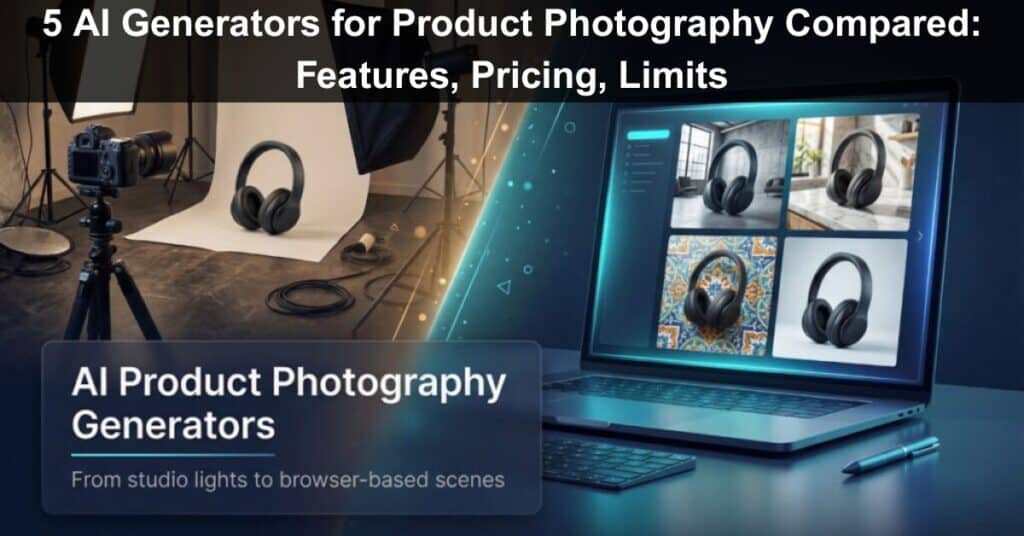
Product photos still drive clicks—about 75 percent of online shoppers rely on images to decide what to buy. Until recently, capturing those shots meant renting a studio, rolling out a white-paper sweep, and spending hours on lighting tweaks. Today, browser-based AI generators strip backgrounds, match angles, and stage a scene within seconds, so you can test three hero shots before lunch instead of hiring freelancers. Below, we compare five AI product-photography generators—what they cost, where they excel, and how to choose the one that fits your workflow, privacy needs, and budget.
How to Choose The Right AI Photo Tool

Choosing a generator comes down to four questions: input, control, privacy, and price.
What Assets Do You Have?
No photos yet? Pick a text-to-image suite that can create a full scene from your prompt. A clean product shot in hand? A background-swap app will be quicker and cheaper. In addition to choosing an AI product photography generator, use reverse image search to research and verify image sources or find related visuals before you create or refine product shots.
How Much Control Do You Need?
End-to-end suites, including AI product photography platforms like Leonardo, include sliders for lighting, depth of field, and props, which is ideal for art directors who iterate. One-tap apps move from upload to export in seconds but offer fewer dials.
Does Confidentiality Matter?
Free tiers often publish images to public feeds. Upgrade or use a desktop editor when the design is still under NDA.
What’s Your Cost Cadence?
According to creative studio Nula, traditional lifestyle photos cost $150–$400 per image in 2025. Most AI tools charge $13–$20 each month for hundreds of renders, so a subscription pays off as soon as you need more than a handful of images.
Leonardo AI: Build Photoreal Scenes From a Single Prompt
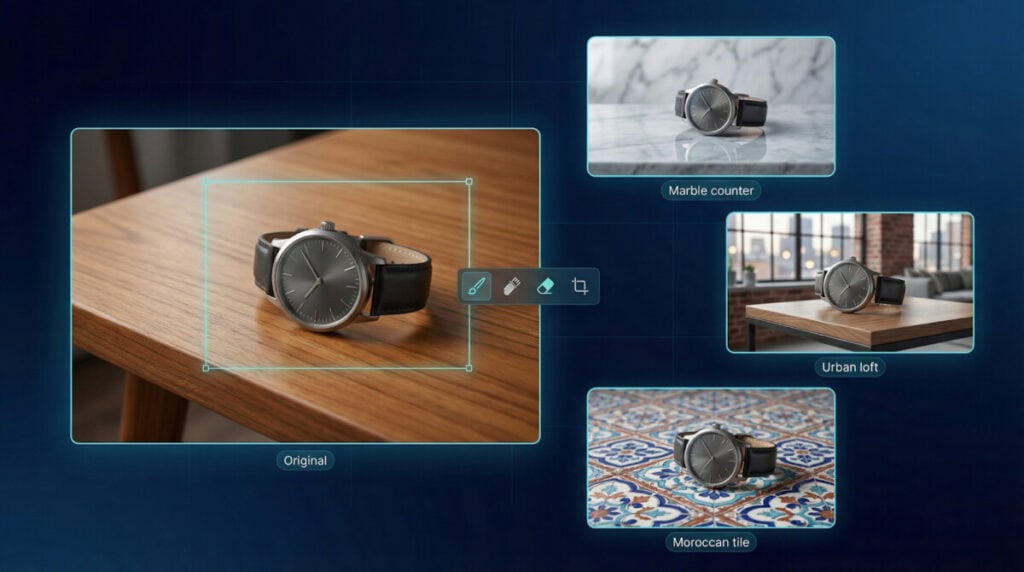
Leonardo AI turns a two-line prompt into a studio-lit image. Choose the PhotoReal v2 model, and the engine handles lighting, depth of field, and color balance automatically. Need finer control? Open the Canvas Editor to erase props, extend the frame, or add a teak tabletop behind your watch. Because edits run on the same diffusion backbone, new pixels match the originals, so the product never looks copy-pasted.
The tool excels at variant testing: generate a hero shot once, duplicate it, and swap backgrounds such as an urban loft, marble counter, or Moroccan tile without regenerating the product layer. Consistent framing makes A/B reviews quick.
Pricing
- Free tier: 150 fast tokens each day (roughly 8–10 images at 1024 px). All creations are public.
- Apprentice plan: about $12 per month for 8,500 fast tokens and private generations, cutting the cost per image at scale.
Watch-Outs
New users face a busy interface; prompt templates shorten the learning curve. Extremely complex scenes, such as stacked products or strong reflections, may take a few regeneration passes, so budget extra time.
If you want concept generation and pixel-level tweaks in one browser tab, Leonardo offers both speed and control at a hobby-friendly price.
OpenAI DALL-E 3: Natural-Language Muscle for Concept Work
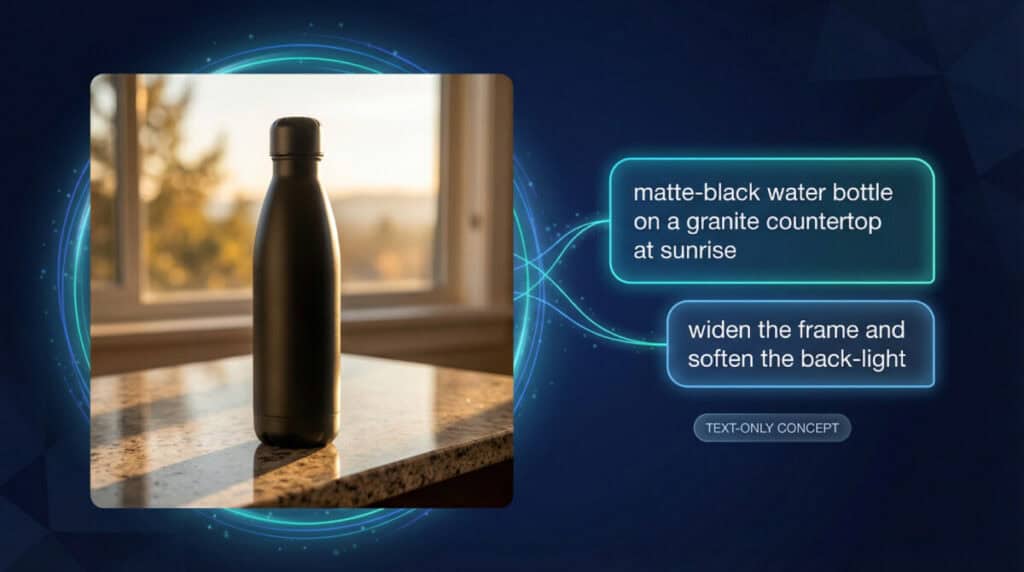
Need a product shot before the prototype exists? Type a plain-English prompt such as “matte-black water bottle on a granite countertop at sunrise,” and DALL-E 3 assembles lighting, angle, and reflections in one render. You can iterate inside ChatGPT or Bing Image Creator. Ask the assistant to widen the frame or soften the back-light, and the next image respects your note without a fresh prompt.
Resolution
Renders top out at 1024 px on built-in tools. For billboards, export and pass the file through an upscaler.
Cost
- Bing / Microsoft Copilot: free with 15 fast boosts per day; Copilot Pro lifts that to 100 boosts.
- ChatGPT Plus: $20 per month with image generation included (credit count varies by plan).
- API: pay-as-you-go at $0.04 per 1024 × 1024 image.
Guardrails
The model blocks brand logos, near-photoreal replicas of trademarked products, and sensitive themes. If legal needs an exact soda can with a swoosh, use licensed photography or another generator.
Reach for DALL-E 3 when you have no source photos, the studio is booked, or you need to pitch three concepts before lunch without a camera.
PhotoRoom: One-Tap Background Swap on Your Phone
Open the app, snap a product, and PhotoRoom erases clutter in one pass; no lasso tools or feather settings needed. Next, tap a template or type “sun-washed terrazzo counter,” and the AI rebuilds a scene that matches perspective, light, and your original shadows, so the image looks photographed, not pasted.
Speed pays off. According to PhotoRoom, second-hand marketplace GoodBuy Gear lifted conversion rate by 23 percent after switching to PhotoRoom-generated backgrounds. When you can test ten variations over coffee, A/B experiments become routine.
Pricing Snapshot
- Free plan: up to 250 white-background exports a month; limited AI scenes.
- Pro tier: $14.99 per month (seven-day free trial) for unlimited exports, high-resolution output, and web plus mobile access.
Limits to Note
PhotoRoom needs an existing photo, and advanced edits stop at template tweaks, which is great for listings but less helpful for art-director deep dives.
For sellers who manage a storefront from a phone, PhotoRoom turns everyday shots into polished catalog assets within minutes.
Pebblely: Lifestyle Presets for Fast Social Drops
Start with a plain product shot, and Pebblely removes the background, then offers more than 40 themed scenes, such as beach brunch, neon arcade, or holiday mantel, in about 30 seconds. Those presets give small teams an art-directed look without hiring a stylist. If none fit, type a custom prompt like “soft morning window light with subtle dust motes,” and the model sketches a brand-new set.
Batch processing is Pebblely’s strength. Upload five cut-outs, pick one theme, and the engine creates a cohesive series that keeps Instagram grids tidy.
Pricing Snapshot
- Free Plan: 40 images a month at 1024 × 1024 px.
- Basic: $15 per month for 1,000 images and sizes up to 2048 px.
- Pro: $32 per month for unlimited images and priority support.
- API: pay-as-you-go from $0.20 per image, with subscription tiers that drop to $0.02 at scale.
Limits to Note
Pebblely focuses on products, so abstract campaign art is out of scope, and occasional ghost props may need a quick retouch.
If you want to turn one studio shot into a month of lifestyle content, Pebblely offers more flexibility than a template app and less complexity than a full creative suite.
Adobe Photoshop with Firefly: Generative Fill for Pixel-Perfect Edits
Firefly lives inside Photoshop, so every AI fill sits on its own editable layer. Select the empty floor around your sneaker, type “concrete studio slab,” and Generative Fill extends the canvas with texture that matches the shot’s lighting and grade—no stock-photo hunt needed.
Because the AI works on the same layer stack, you can mask, blend, or undo each step, keeping the nondestructive workflow that creative directors expect.
Commercial Clarity
Adobe trains Firefly on Adobe Stock and other licensed images, so legal teams can approve outputs for ads without extra paperwork.
Pricing and Credits
- Most new Photoshop Single-App and Photography plans include 25 standard generative credits per month.
- Heavy users can add Firefly Standard for $9.99 per month, which unlocks unlimited standard generations and 750 premium credits.
Watch-Outs
Photoshop skills are still required, and credit caps can slow marathon retouching. Plan large batches or buy extra credits when deadlines loom.
If your team already works in PSD files, Firefly turns hours of cloning and compositing into a few well-phrased prompts without leaving the Adobe pipeline.
Feature Comparison at a Glance
Need the short version? Here’s how the five generators line up on the questions teams ask first.
| Tool | Text-only generation | Needs product photo | Free allowance | Entry paid cost | Private outputs |
| Leonardo AI | Yes | Optional | 150 fast tokens per day | $12 per month (Apprentice) | Paid tiers |
| DALL-E 3 | Yes | No | 15 fast boosts per day in Microsoft Copilot | $20 per month (ChatGPT Plus) or $0.04 per image via API | Plus plan and API |
| PhotoRoom | No | Yes | 250 white-background exports per month | $14.99 per month (Pro) | Pro tier and above |
| Pebblely | No | Yes | 40 images per month | $15 per month (Basic, 1,000 images) | Paid tiers |
| Photoshop + Firefly | No | Yes | 25 generative credits per month in Photography plan | $9.99 per month (Firefly Standard) | In-app only |
Quick Takeaways
- Don’t have source photos? You can start with Leonardo or DALL-E 3 for pure concept art.
- Need strict confidentiality? Upgrade to private tiers or work in desktop editors such as Firefly or PhotoRoom Pro.
- Shooting in-house and want variety fast? PhotoRoom and Pebblely give you the cheapest background swaps.
- If you already use Creative Cloud, adding Firefly credits costs less than a sandwich each month.
Choose the tool that matches your workflow: text-to-image generators for concept work, background removers for quick product shots, or integrated platforms when precision editing matters. Most tools pay for themselves after producing just a handful of images compared to traditional photography costs.
Suggested articles:
- Top 5 Advantages of Using AI Video Generators
- 9 AI Caption Generators for Better Engagement on Social Media
- Top 5 AI Coloring Page Generators

Daniel Raymond, a project manager with over 20 years of experience, is the former CEO of a successful software company called Websystems. With a strong background in managing complex projects, he applied his expertise to develop AceProject.com and Bridge24.com, innovative project management tools designed to streamline processes and improve productivity. Throughout his career, Daniel has consistently demonstrated a commitment to excellence and a passion for empowering teams to achieve their goals.
Great article, thanks for sharing. I liked how clearly you explained “5 AI Generators For Product Photography Compared: Features”.