
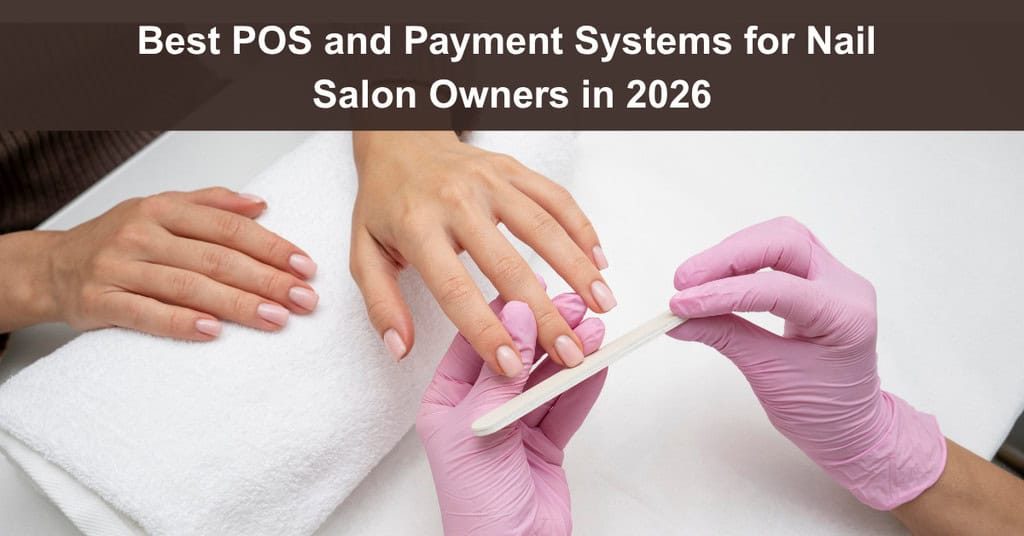
A POS for a nail salon gets complicated once you add tips split across technicians, walk-ins, deposits, and back bar supplies. A nail salon POS handles checkout, scheduling, tips, inventory, and client records in one place, while a basic card terminal only authorizes payments.
In this guide, you get the features to look for, a plain look at fees and payouts, and five systems worth comparing in 2026.
TL;DR
- Definition: A nail salon POS ties checkout, scheduling, tips, inventory, and client records together, while a regular terminal only authorizes card payments.
- Features to Check First: Tip splitting, turn management, no-show protection, and back bar inventory tracking are the features to check first.
- Systems Compared: Booksy Biz is one of five systems compared here, and each entry lists its pricing and one drawback.
- Fees and Payouts: Expect processing around 2.49% plus a fixed fee, with standard payouts in 1 to 2 business days.
What Makes a Nail Salon POS Different From a Card Terminal?
A regular card terminal only authorizes payments, while a nail salon POS connects each payment to the calendar, staff, inventory, and client history. For salon owners, it can work as an app for nail salon owners and the central hub for daily operations.
What Hardware Do You Need?
Setups range from counter terminals with customer-facing displays to handheld card readers. Tap to Pay turns an iPhone or Android phone into a terminal with no extra hardware.
What Does the POS Software Do?
Cloud software syncs data in real time across devices, locations, and online booking pages. It keeps client histories, inventory, and staff schedules in one database.
How Is Card Data Protected?
Payment systems follow PCI DSS and use point-to-point encryption and tokenization to protect cardholder data. They also accept EMV chip cards, magnetic stripe swipes, and NFC wallets such as Apple Pay and Google Pay.
What Changes at Checkout?
Front desk staff stop entering the same sale twice, once in the calendar and once on the reader. Checkout gets faster, and reporting lives in one place.
Which Features Matter Most for a Nail Salon?
The features that matter most cover multi-technician visits, tip splitting rules, no-shows, and supply costs. Here are the four to check first.
How Does Tip Splitting Work?
One client might see a technician for a manicure and another for a pedicure. A salon POS assigns each service line on the ticket to the right employee, then splits the tip and calculates commission using preset rules, such as 60% to the technician and 40% to the house. Every amount posts to the employee’s ledger, so nobody does math at the end of the day.
What Is Turn Management?
Turn management hands walk-in clients to available technicians fairly. The system applies rotation rules, skills, and start times, and booked appointments sit next to the live walk-in queue on one screen.
How Does No Show Protection Work?
No-show protection cuts down on revenue lost to missed appointments. Salons can require a deposit or a card on file at booking and post a cancellation window, such as 24 hours’ notice. Late cancellations trigger a preset fee on the saved card. Booksy Biz is one example of a platform that offers deposits, cancellation fees, a waitlist, and Tap to Pay.
Why Track Inventory?
Inventory tracking separates retail products from back bar supplies such as acrylic powders, polishes, and acetone. Advanced systems log supply use per service to calculate true service cost, and they alert managers when stock hits a reorder level.

Which POS and Payment Systems Are Worth Comparing?
Here are five systems worth a look for nail salons in 2026, and a broader small business POS comparison helps you benchmark them. They appear in alphabetical order, so the sequence is not a ranking. Prices come from each company’s published pages and MyCuts (August 2026), and they can change, so confirm current numbers before you commit.
1. Booksy Biz
Booksy Biz is a Chicago-based platform founded in 2014. It combines booking, payments, marketing tools, and a consumer marketplace where clients can find providers, and it supports deposits, cancellation fees, and Tap to Pay. The company states it serves 330,000+ beauty and wellness professionals. Booksy Biz pricing starts at $29.99 per month for the first user and $20 for each additional user, with a 14-day free trial.
- Best For: Barbers and beauty professionals who want business software plus visibility in a consumer marketplace.
- Watch Out For: Per-user pricing grows with team size, and Boost charges a one-time 30% fee on a new client’s first visit.
2. Boulevard
This Los Angeles company was founded in 2016. Boulevard covers booking, checkout, memberships, forms, marketing, and reporting, and it lists HIPAA, SOC 2, and PCI Level 1 compliance. MyCuts reports list prices of $176 to $410 per location per month, depending on the plan, and a fall offer currently lowers them for new customers.
- Best For: Established salons and spas that prioritize premium client experiences and team operations.
- Watch Out For: The starting price is higher than many small business options, and integrated checkout requires the company’s Duo point-of-sale device.
3. Mangomint
This Los Angeles company was founded in 2017. Since August 1, 2026, Mangomint charges $120 per month per location plus $10 per user, with core features included. It offers Express Booking and a Virtual Waiting Room, and onboarding and data transfer are free.
- Best For: Salons and spas that want streamlined front desk and team workflows.
- Watch Out For: It is built for teams and does not suit solo operators, and using an outside card processor removes features such as deposits and cards on file.
4. Square Appointments
This platform, Square Appointments, is part of Block, Inc. and runs on Block’s payment system. Its Free plan costs $0 per month for one location and includes unlimited staff calendars. The next two plans cost $49 and $149 per location per month.
- Best For: Salons that want familiar payment hardware, integrated scheduling, and a $0 subscription option.
- Watch Out For: It is a general-purpose platform, so some beauty-specific tools, such as service cost tracking, sit on higher plans.
5. Vagaro
This company is based in Pleasanton, California, and was founded in 2009. Vagaro states that more than 100,000 businesses use it daily. One Location costs $30 per month, with a promotional $23.99 rate for the first 6 months.
- Best For: Salons that want booking, marketplace, inventory, reporting, payroll, and marketing in one ecosystem.
- Watch Out For: Final cost depends on calendars, add-ons, payment volume, and network fees, so model the total cost before comparing base prices.
The right pick depends on team size, the mix of walk-ins and booked appointments, and monthly payment volume.
What Do Fees and Payouts Look Like, and How Does Tap to Pay Work?
Processing usually runs on a flat rate of around 2.49% plus a fixed fee per transaction, and standard payouts arrive in 1 to 2 business days. Fees vary by provider, merchant account structure, and debit card interchange rules.
How Do Processing Fees Work?
A flat rate model charges a set percentage plus a fixed fee per transaction. An interchange plus model builds on the interchange fee, which card networks such as Visa and Mastercard charge a merchant’s acquiring bank.
How Fast Do Payouts Arrive?
Standard payouts reach the merchant bank account within 1 to 2 business days. Faster payouts are commonly available for a convenience fee of about 1.5%.
What Should You Compare Besides the Rate?
Compare hardware purchase or lease costs, monthly software fees, and payout speed alongside the processing rate. Model your expected monthly volume before you choose, because base prices alone hide the total cost.
How Do You Set Up Tap to Pay?
Setup takes five steps. The example app here is Booksy Biz.
- Confirm that you have an iPhone or supported Android phone with NFC and a WiFi or cellular connection.
- Download the app and log in to an active merchant account.
- Complete identity verification, submit business details, and link a bank account.
- Open payment settings, allow NFC and Location Services, and select Tap to Pay as the primary checkout method.
- Enter an amount or select an invoice, choose Tap to Pay, and have the client tap a card or device.

How Do You Choose and Roll Out the Right System?
Choose by mapping your operating model and costs first, as a small business POS guide also advises, then migrate data, connect hardware, set staff permissions, and train the team. The process runs in three phases: evaluation, selection, and onboarding.
Phase 1: Evaluation
Decide whether your salon relies on walk-ins, booked appointments, or a mix. Weigh tip splitting, commission calculations, calendar sync, and inventory tracking against basic POS functions.
Phase 2: Selection
Choose between an all-in-one appointment and POS suite, an industry-specific platform, or a general retail POS with salon add-ons. Then complete account setup, including identity verification, merchant account underwriting, and bank linking.
Phase 3: Onboarding
Import client lists, appointment histories, service menus, prices, and inventory catalogs. Connect terminals, card readers, printers, and cash drawers by Bluetooth, WiFi, or Ethernet, then run test transactions.
How Do You Set Staff Access and Train the Team?
Create individual accounts with role-based permissions for owners, managers, technicians, and receptionists. These permissions control access to sales reports, discounts, and client details. Train staff on booking, ticket changes, tip splits, discounts, and daily reconciliation reports, known as Z reports.
Which System Fits Your Salon Best?
A walk-in salon needs turn management and fast checkout. A booked salon needs deposits, card on file, and reminders. Compare fees, payout speed, and hardware costs against your own volume.
FAQs
What is the difference between a nail salon POS and a regular payment terminal?
A regular terminal only authorizes card payments, while a salon POS also ties each sale to the appointment calendar, client histories, and daily sales analytics.
How do flat rate and interchange plus processing fees differ?
A flat rate model charges one percentage plus a fixed fee per transaction. An interchange plus model builds on the interchange fee, which forms the base cost of card processing, and the model you receive depends on your merchant account structure and provider.
How does a salon POS split tips between technicians?
The software can divide a single tip in proportion to the dollar value of each technician’s service. Staff can also apply manual adjustments, and every amount posts to the employee ledger.
How do salon POS systems reduce no-shows?
The system requires a deposit or a card on file at booking and displays your cancellation window. If a client misses the visit, staff charge the preset fee to the saved tokenized card without the physical card present.
Do you need a card reader to accept Tap to Pay?
No, Tap to Pay uses the NFC feature of a compatible smartphone, so no external reader is required. Salons that prefer a counter setup can still add receipt printers, barcode scanners, and cash drawers.
Suggested articles:
- Best Payment Reconciliation Software for Businesses in 2026
- Finix Reviews: What Businesses Are Saying About This Payment Processor
- Why Project Managers Are Choosing Clover for Modern Payment Rollouts

Daniel Raymond, a project manager with over 20 years of experience, is the former CEO of a successful software company called Websystems. With a strong background in managing complex projects, he applied his expertise to develop AceProject.com and Bridge24.com, innovative project management tools designed to streamline processes and improve productivity. Throughout his career, Daniel has consistently demonstrated a commitment to excellence and a passion for empowering teams to achieve their goals.