
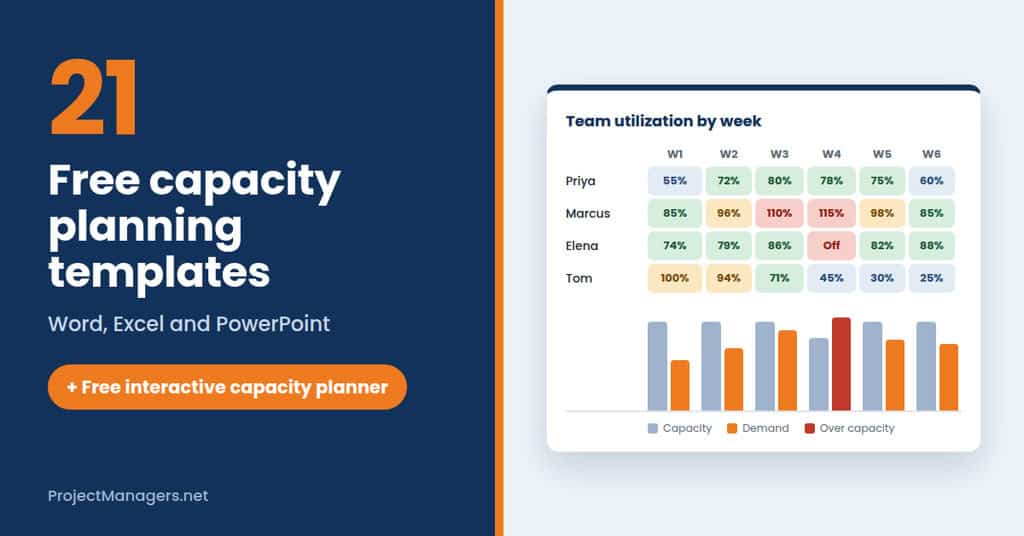
Capacity planning is the process of assessing your project’s prospective resource needs to ensure the right people, time, and budget are in place when required. The goal is to guarantee that resources are available precisely when needed, whether that means skilled personnel, sufficient time, or adequate funding. The process naturally divides into two core components: capacity and planning.
Key takeaways
- Capacity planning protects your team and your deadlines. It compares the work your team can realistically handle with the work coming in, so you commit to dates without overloading people.
- Follow five steps. Forecast demand, determine the capacity it requires, measure your team’s current capacity, find the gap, then bring capacity and demand back in line.
- Pick a strategy that fits your demand. Lead adds capacity before demand rises, lag adds it once demand is confirmed, and match adds it in small steps as demand grows.
- Plan with real availability. Subtract meetings, admin, support work and time off before allocating hours, staff the highest priorities first, and revisit the plan as things change.
Try our Free Capacity Planning Template Below
This template works in your browser. It checks your plan as you build it, flags overbooking before it happens and creates your capacity report for you. Step-by-step instructions.
Instructions to use the capacity planning template above:
- Set up your plan. Add the plan name, start date and number of weeks, then choose a lead, lag or match strategy. List any known risks to capacity, such as holidays or departures.
- Add your team in Team capacity. Enter each person’s weekly hours and the time already taken by meetings, admin and support work. The tool subtracts it to show their true available hours.
- Forecast the demand. Add each project with its estimated hours, start and end weeks, priority and the main skill it needs.
- Allocate hours in the Allocation grid, highest priorities first, and enter any time off. Each week is colored as under-used, healthy, stretched or over-allocated, so problems stand out right away.
- Open Gap and what-if to compare capacity with demand week by week and test changes, such as adding contractor hours. Then open Summary to review your score and checks. The status turns green and says “On track” once the plan is realistic. Download your report as a Word file or CSV, or print it.
Tip: your plan is saved in this browser. Revisit it whenever demand or availability changes instead of treating it as a one-time exercise. The tool opens with a sample plan that includes a few common mistakes, so you can see the checks in action. Click Start blank when you are ready to build your own.
How to Capacity Plan
The capacity planning process varies from one organization to the next, but five foundational steps apply in almost every context. Each step builds on the one before it, creating a structured path from demand forecasting through to resource alignment.
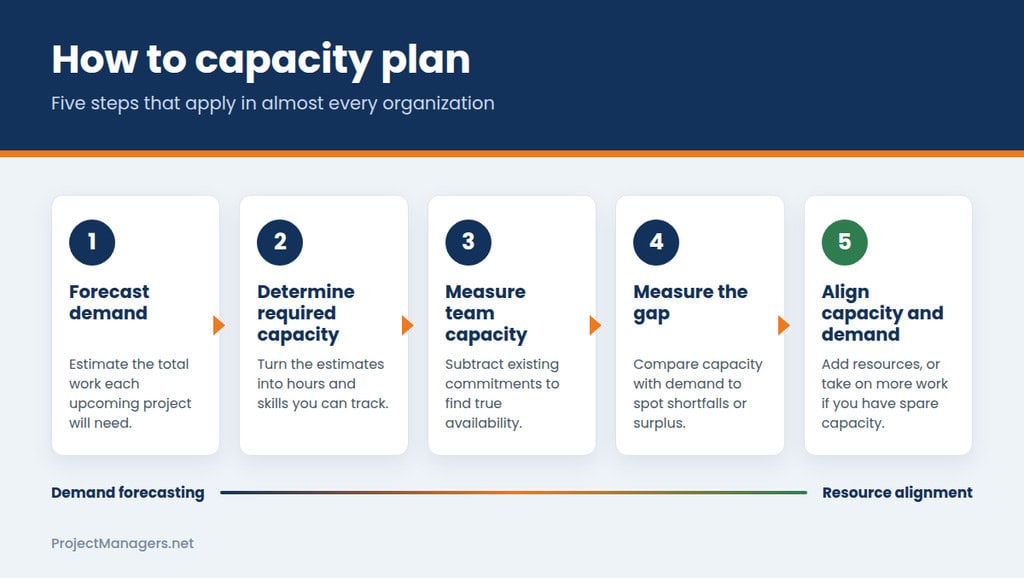
- Forecasting Anticipated Demands: If you know an upcoming project is on the horizon, estimate the total work it will require. This figure helps you determine how much capacity is needed to complete the project and gives you a concrete benchmark to compare against your current available resources.
- Determining the Necessary Capacity: Using the estimates from your demand forecast, calculate the specific capacity required to complete the planned work. This step converts your initial assumptions into measurable resource figures that can be tracked and adjusted as the project evolves.
- Determining the Current Team’s Resource Capacity: Before adding new projects to your team’s workload, verify that your staff can manage the additional load without risking burnout. If a team member averages 30 available hours per week but is already committed to existing work, subtract those commitments to calculate their true remaining availability.
- Measuring the Capacity Gap: Compare your current resource levels against projected demand to identify where surpluses or shortfalls exist. This gap analysis tells you whether you have more capacity than you need, less than required, or an approximate balance, and it directly informs the decisions you make in the next step.
- Synchronizing Capacity and Demand: Once the gap is understood, determine the best path to bring supply and demand into alignment. If your team is fully committed, additional resources may need to be brought in. For example, a company expanding technical infrastructure might work with a data center recruiter to fill specialized roles quickly. If surplus capacity exists, taking on additional projects is a practical way to maximize utilization and protect team momentum.
4 Reasons Why Capacity Planning Is Important
Capacity planning delivers meaningful benefits to everyone involved, including the project manager, the team, and the wider business. Understanding these advantages makes the case for building a consistent planning practice from the outset.
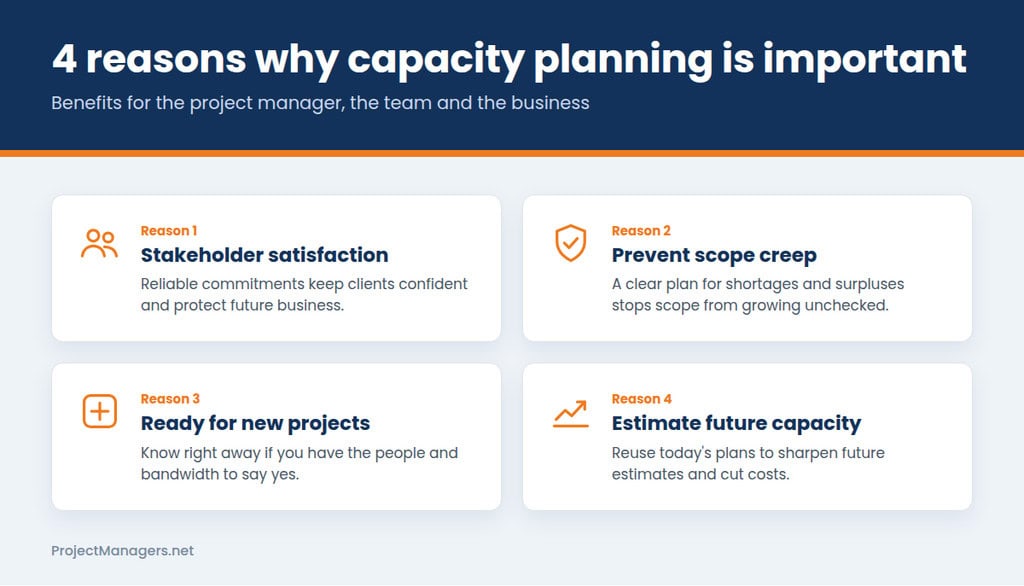
- Stakeholder Satisfaction: Accurately predicting demand and aligning your delivery capacity to match it keeps stakeholders informed and confident in your team’s commitments. When you can reliably meet your promises, you protect existing client relationships and reduce the risk of losing potential future business.
- Prevent Scope Creep: A well-considered capacity strategy gives your team a clear framework for handling both resource abundance and shortage situations. Knowing exactly what steps to take in each scenario reduces the likelihood of scope creep expanding unchecked and compromising project quality or timelines.
- Available for New Projects: Effective capacity planning keeps your team’s skills and availability synchronized with incoming opportunities. When a new project arises, you already know whether you have the people and bandwidth to take it on, or whether you need to expand your team before committing.
- Estimate Future Capacity: Capacity plans developed for current projects become valuable reference points for future work that shares similar specifications and requirements. Reusing this historical data increases planning transparency, sharpens future estimates, and can meaningfully reduce overall production costs over time.
3 Simple Capacity Planning Strategies
There are three established strategies for planning capacity, each suited to different operational contexts and demand patterns. Selecting the right one depends on the predictability of your demand and your organization’s tolerance for carrying unused capacity.
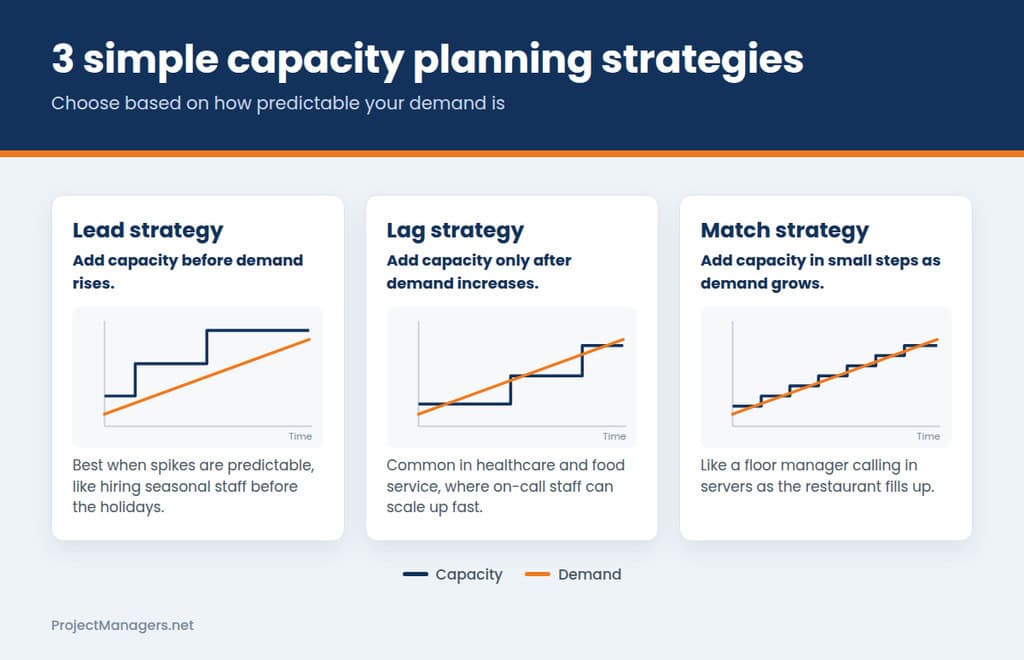
- Lead Capacity Planning: This strategy involves increasing staffing or resources in anticipation of rising demand before it arrives. A retail business, for example, might hire seasonal employees ahead of the holiday period rather than waiting for demand to surge. It works best when demand spikes are predictable, and the cost of being understaffed outweighs the cost of carrying extra capacity temporarily.
- Lag Strategy Planning: This approach expands resource capacity only after demand has already increased, ensuring that additions are made in direct response to confirmed need. It is frequently used in healthcare, community service, and food service industries, where on-call staffing allows teams to scale up quickly when actual demand materializes rather than speculating about what might be needed.
- Match Strategy Planning: This hybrid approach blends lead and lag planning by expanding capacity incrementally as demand grows, rather than making large adjustments in either direction. A floor manager who calls in additional servers as a restaurant fills up is applying match strategy in real time, balancing responsiveness with the efficiency of not overstaffing too early.
8 Best Practices in Capacity Planning
Applying the right practices helps teams plan more accurately, adapt more efficiently, and make better use of the resources already available to them.
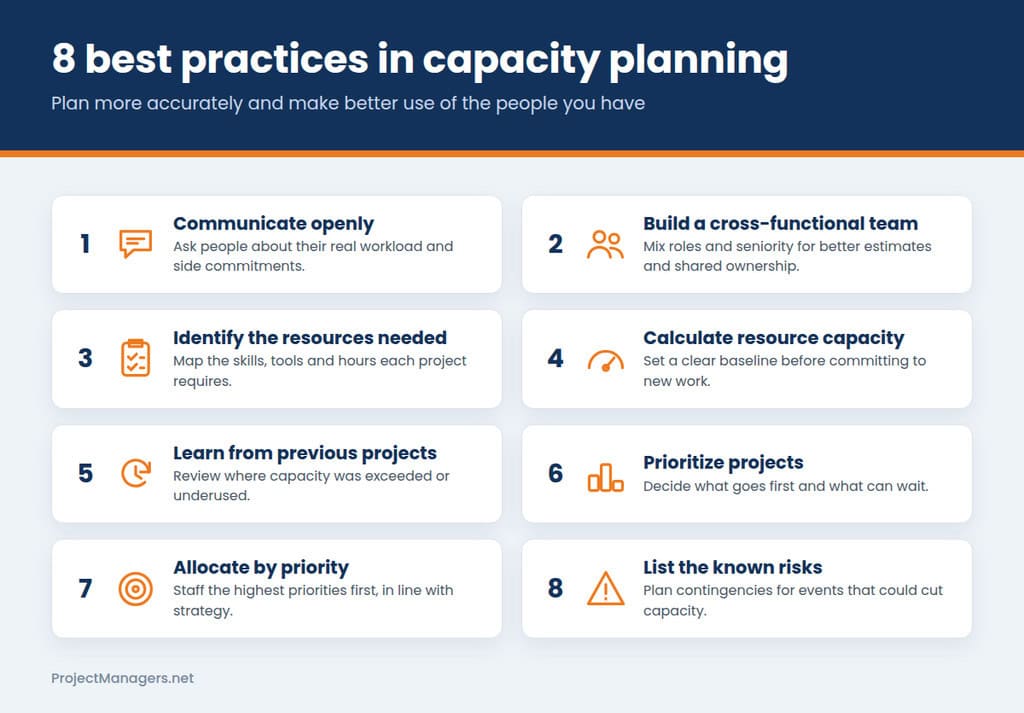
- Communicate Openly with Your Team: Have direct conversations with team members about their current workloads and any potential side commitments, since no one understands their own available capacity better than they do. Regular dialogue surfaces constraints that may not be visible in planning tools or project trackers.
- Create a Cross-Functional Team: Build a planning group that includes people from different roles and levels of seniority who can contribute diverse perspectives on production capacity and resource management. Broader involvement leads to more accurate estimates and stronger collective ownership of the resulting plan.
- Identify the Resources Needed: Take time to assess the size and complexity of each project and map out the specific skills, tools, and hours required to complete it. Vague resource assumptions made early in the planning process tend to become costly gaps later, when there is less room to course correct.
- Calculate Resource Capacity: Establish a clear baseline of your current capacity before making any commitments to new work. Knowing what your team can realistically deliver at present is the single most important input for every capacity decision that follows.
- Learn from Previous Projects: Host structured reviews after project completion, paying close attention to any phases where capacity was exceeded or significantly underutilized. These retrospectives sharpen future estimation skills and help prevent the same miscalculations from recurring across projects.
- Prioritize Projects: Determine which tasks and initiatives should take precedence and which can be deferred without significant consequence. Trying to advance everything simultaneously is a reliable path to delivering nothing well, so clear prioritization is essential when resources are finite.
- Determine Resource Allocation Based on Project Priority: Once priorities are established, assign resources to the highest-priority projects first and verify that those assignments support the organization’s broader strategic objectives. Misalignment between allocation decisions and strategy is one of the most common and preventable sources of wasted capacity.
- List the Known Risks: Identify uncertainties that could abruptly affect your capacity, including factors like adverse weather, labor disruptions, or incoming regulatory changes. Documenting these risks in advance allows you to build contingencies into your plan before problems arise rather than scrambling to respond after they do.
Capacity Planning vs Resource Planning
The main difference between capacity planning and resource planning is that capacity planning focuses on finding a balance between the resources you will need in the future and the resources you can realistically provide. As a result, it helps answer broad questions such as:
- When can we start these projects, and what should we work on?
- Do we need additional personnel?
- Do we have the right combination of skills?
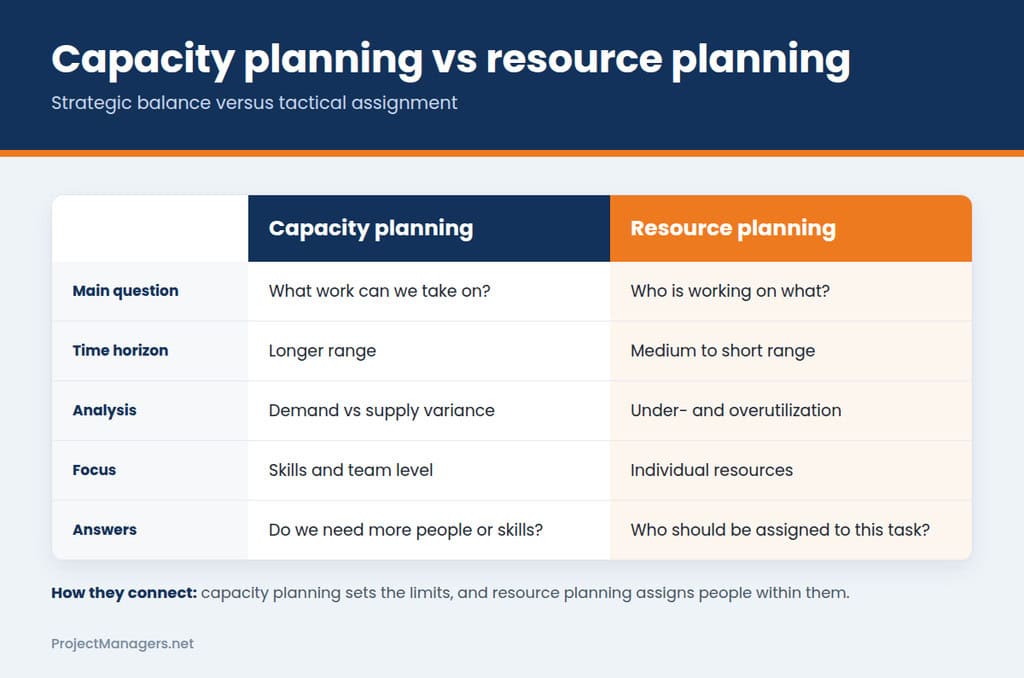
By contrast, resource planning is primarily concerned with short-term planning. It focuses on determining which resources should be assigned to specific projects based on the capacity parameters established through capacity planning.
| Capacity planning | Resource Planning |
|---|---|
| What task can we tackle? | What projects are our resources engaged in? |
| Longer range views | Medium range views |
| Demand vs. supply variance. | Reporting on under- and overutilization. |
| Skills/team level focus | Resource Focus |
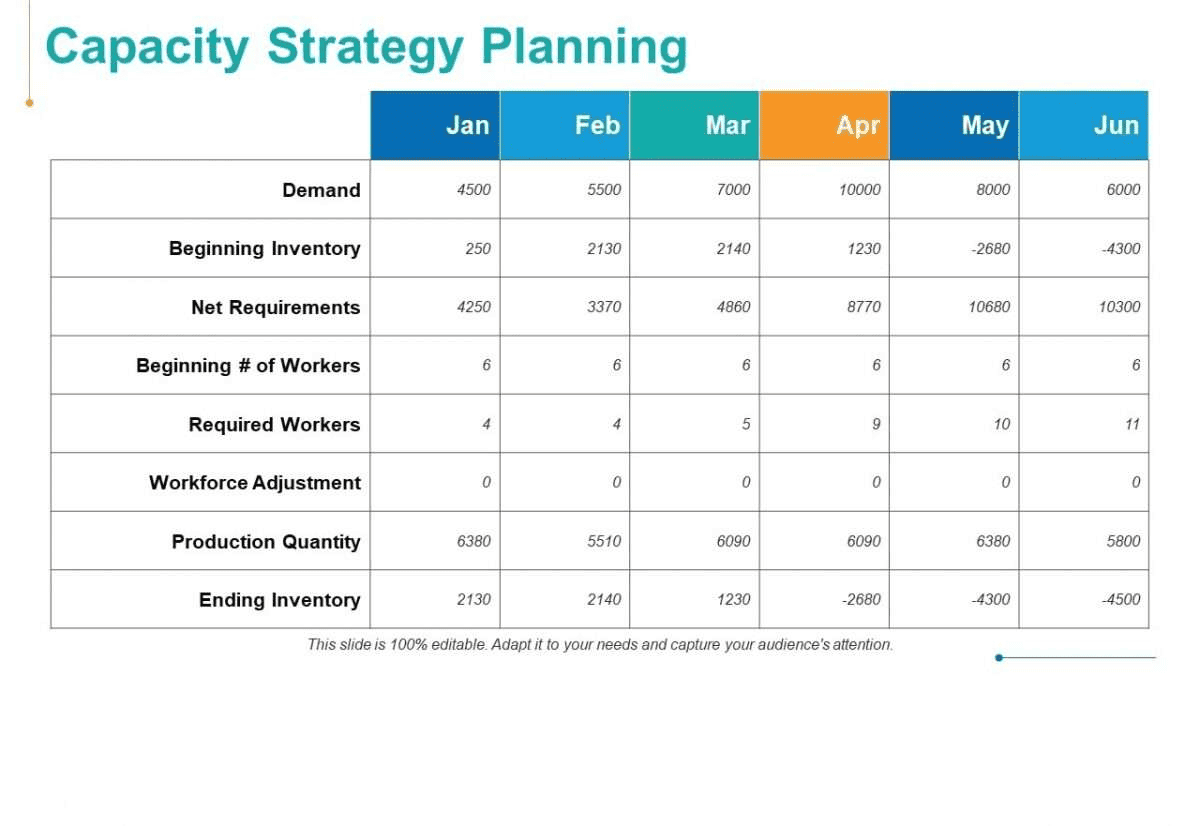
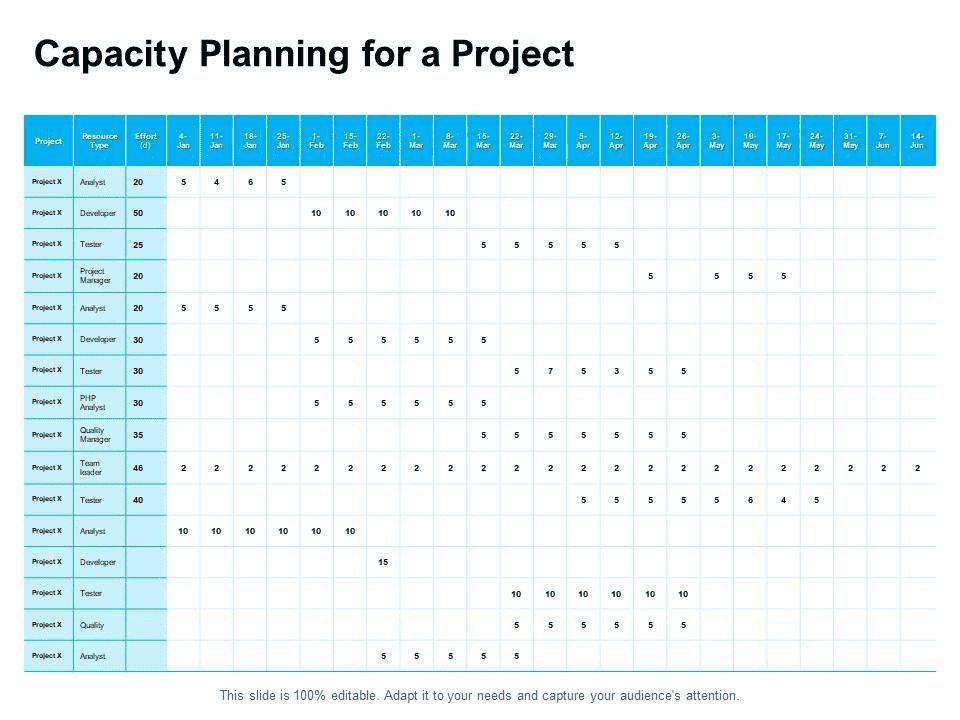
Capacity Planning Template PowerPoint
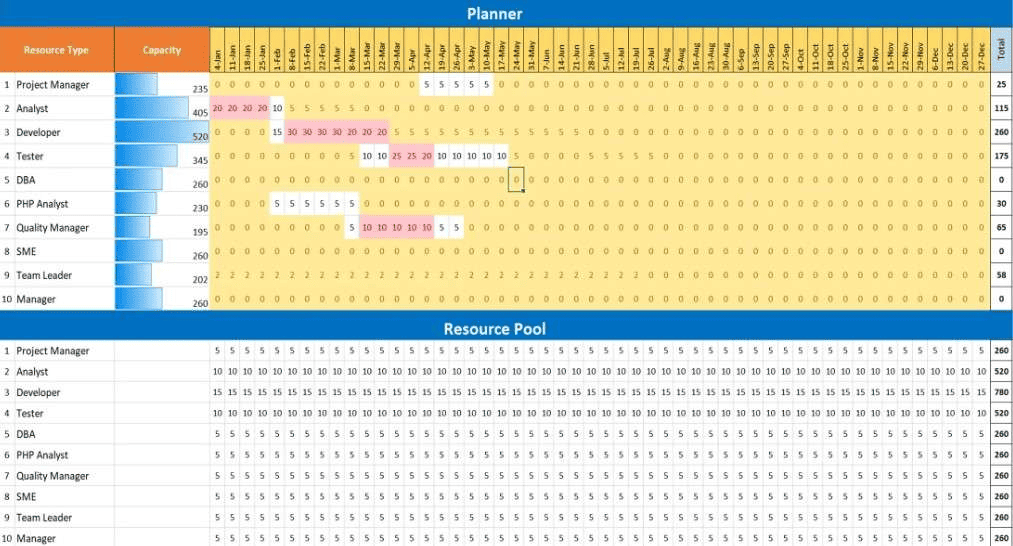
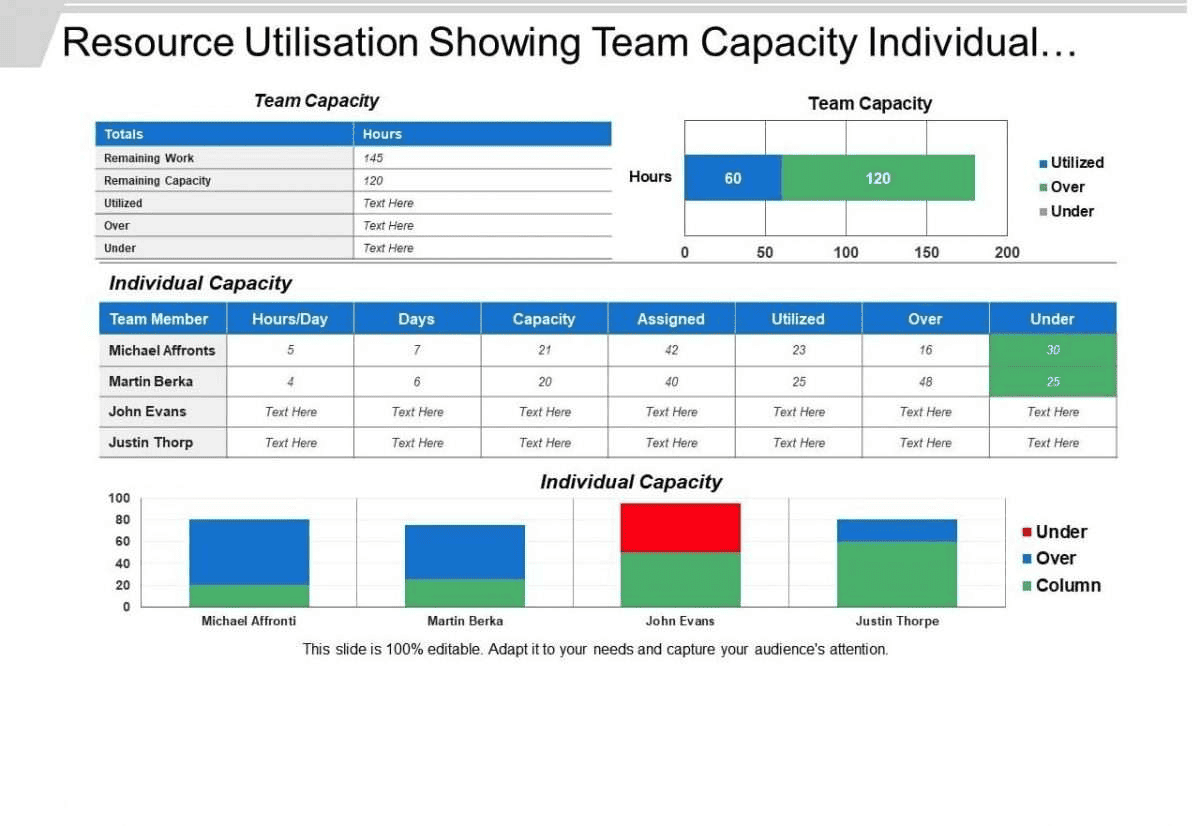
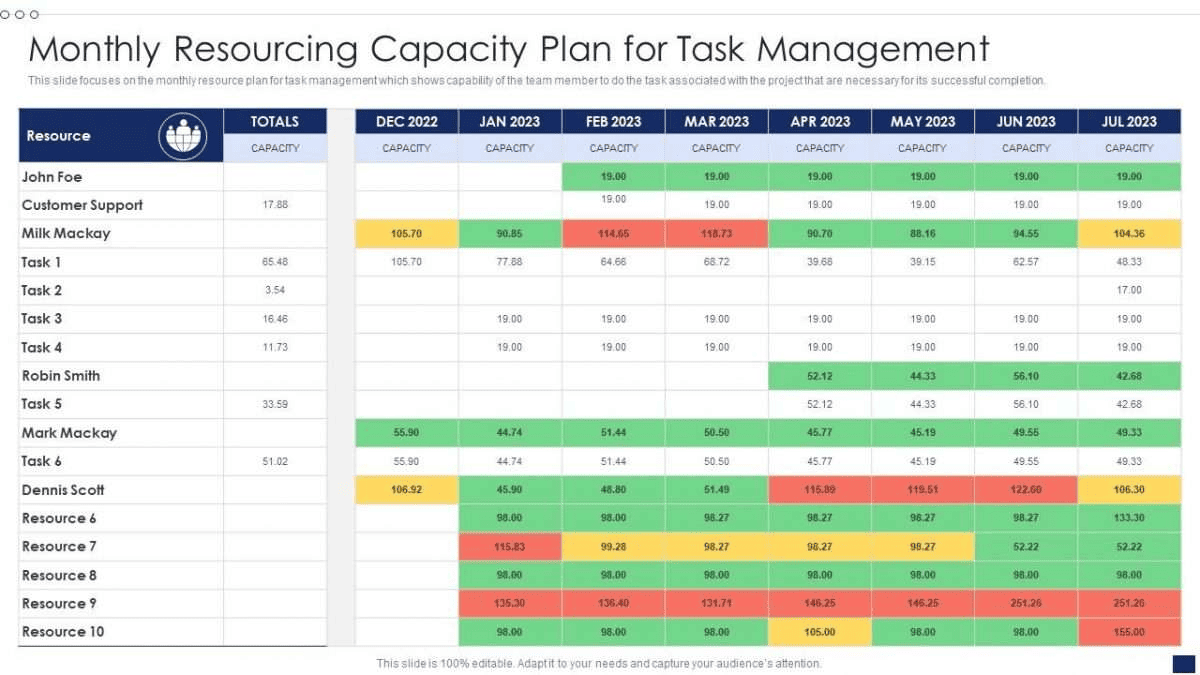
Capacity planning templates help you forecast workload, visualize team availability, and prevent overbooking before it impacts delivery. Use them to align demand with capacity across sprints, departments, or projects, so you can make confident resourcing decisions, reduce risk, and keep timelines on track.
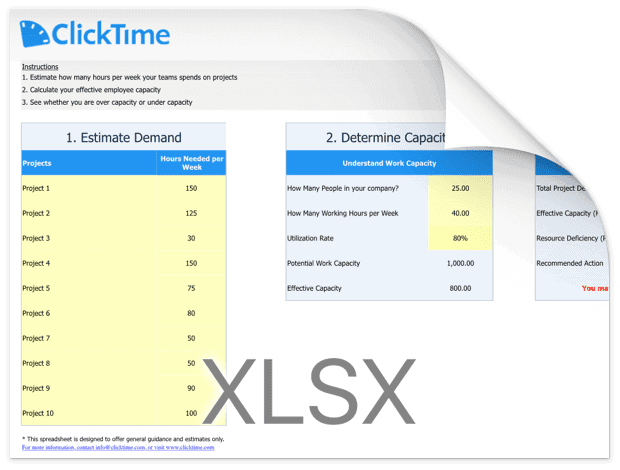
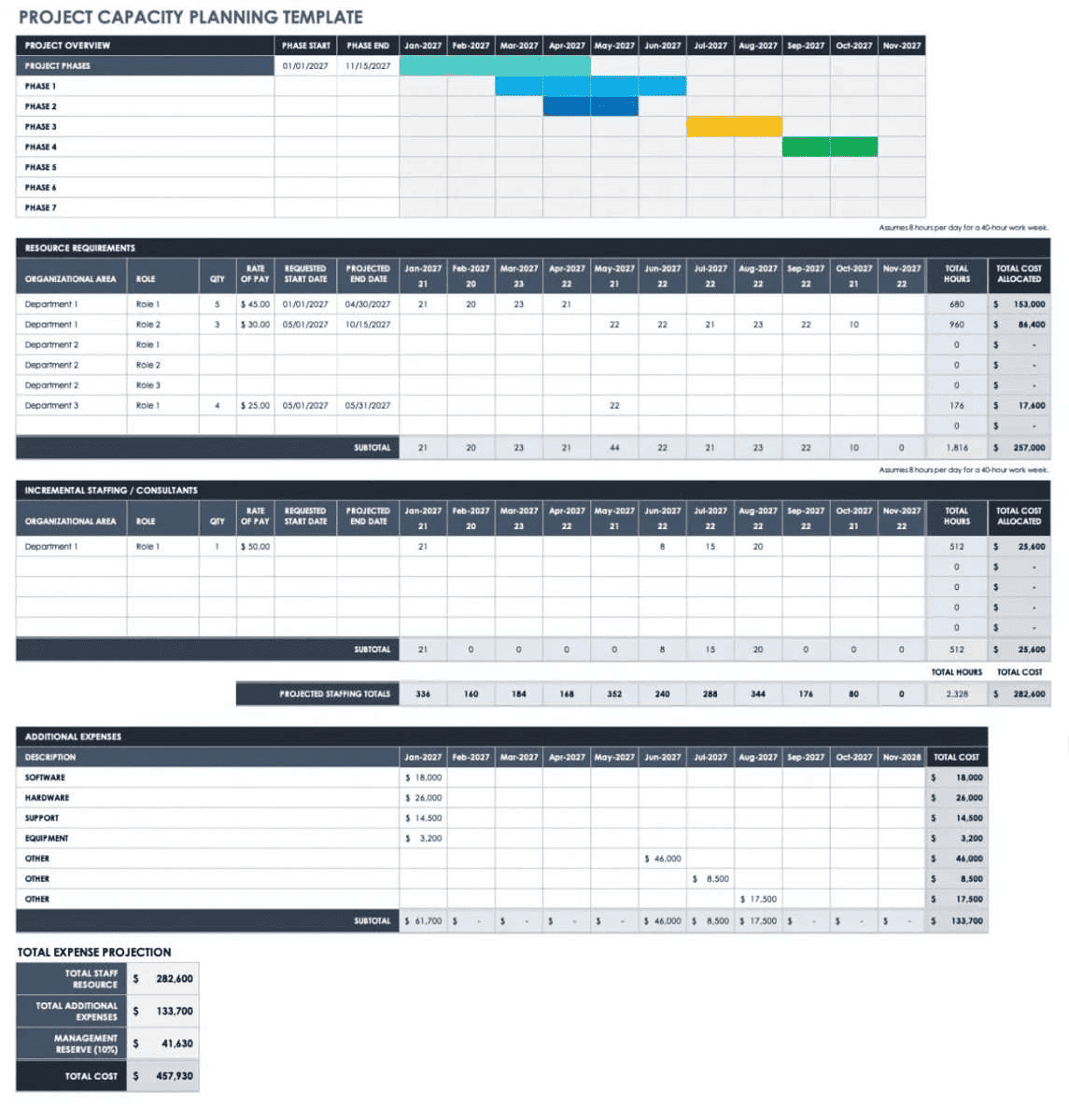
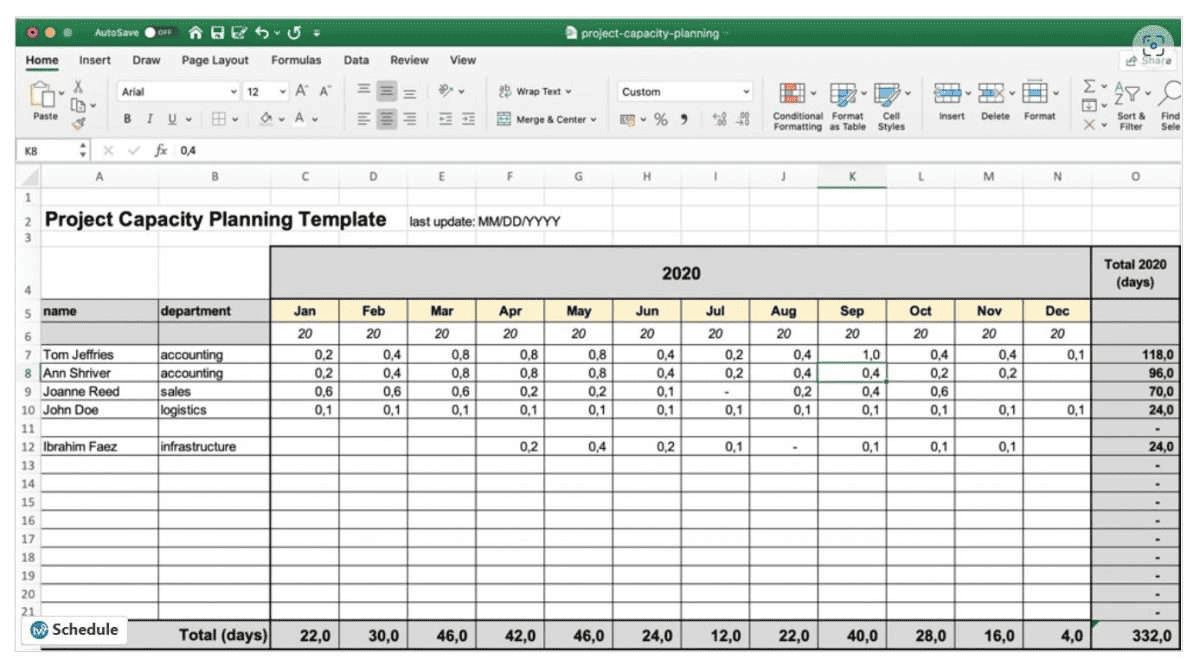
Capacity Planning Template Excel
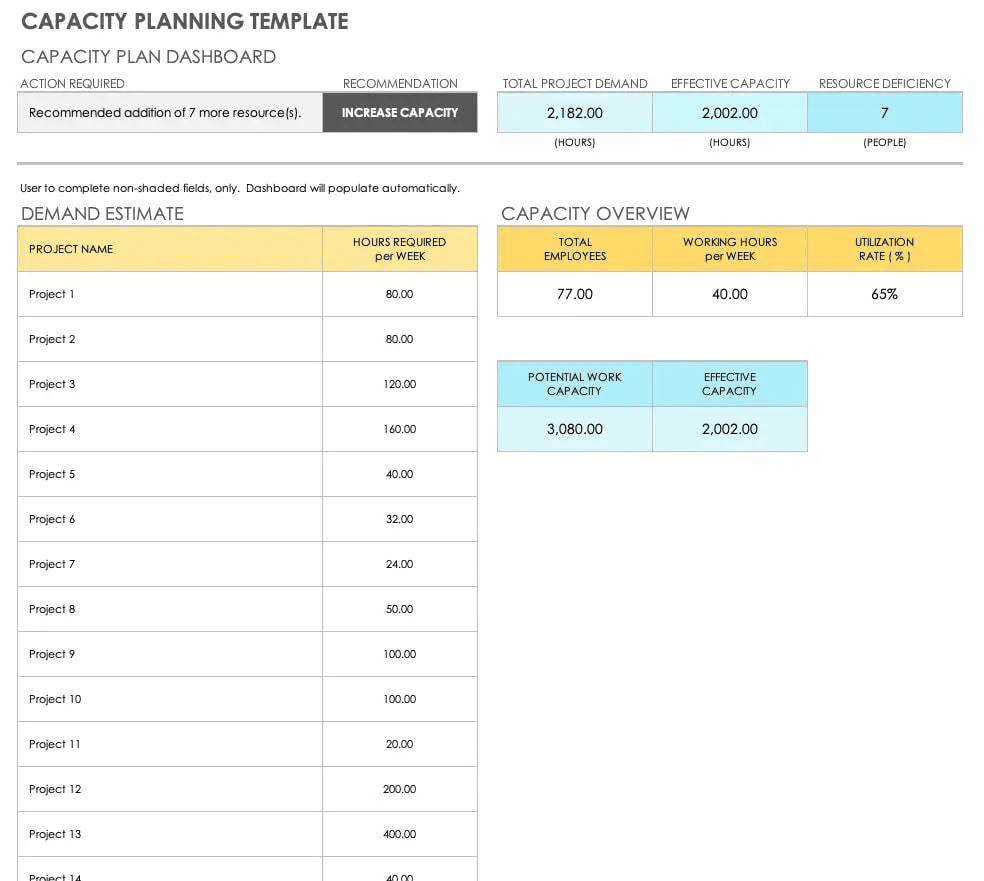
Capacity planning helps project teams deliver work reliably by matching future demand with real available capacity. Find practical Excel templates designed to forecast workload, spot overbooking early, and make smarter resourcing decisions—whether you’re planning sprints, tracking capacity, or preparing new projects.
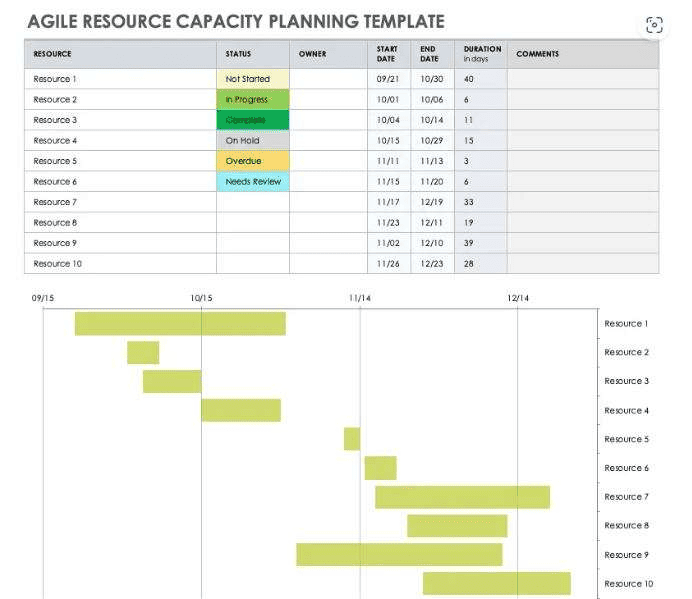
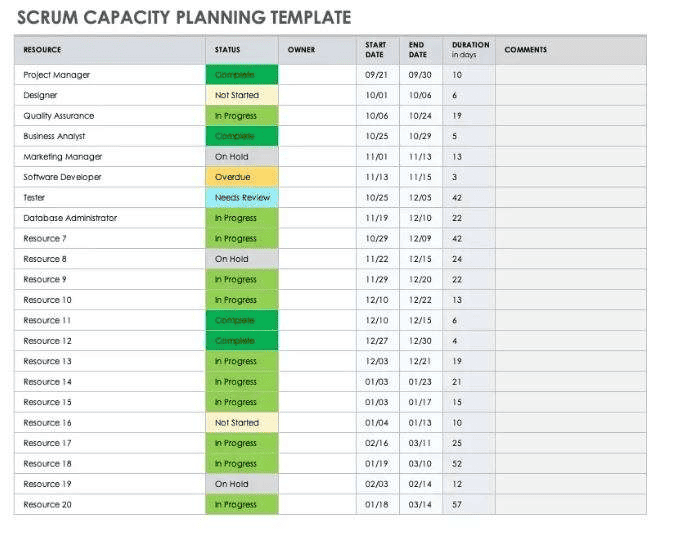
Agile Capacity Planning Templates
Agile capacity planning templates help teams manage workloads across sprints and iterations with greater flexibility. Whether you’re running Scrum or Kanban workflows, these ready-to-use templates make it easier to track resource availability, balance team capacity, and keep projects on schedule.
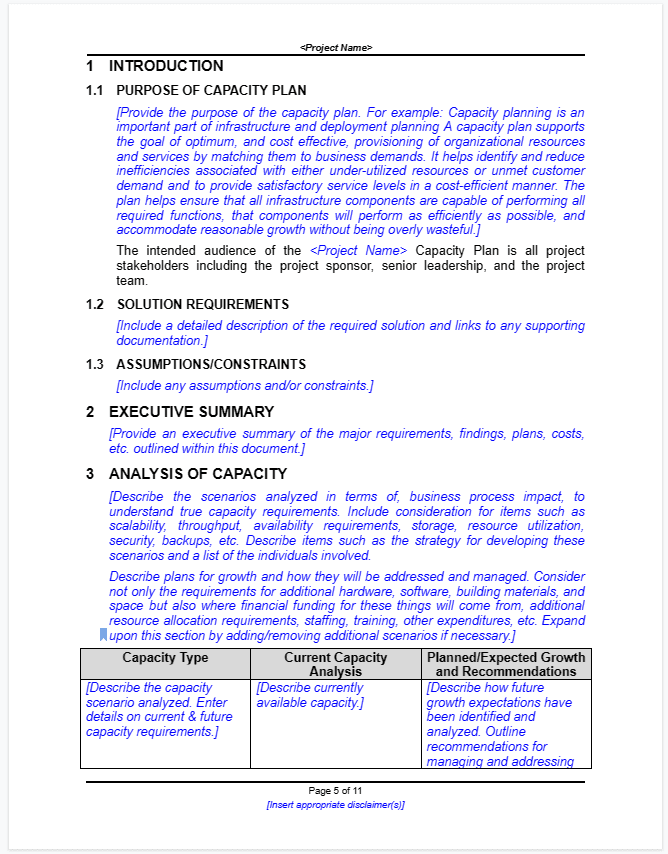
Capacity Planning Template Word
Use this Capacity Planning Template Word to forecast demand, compare it with your available team capacity, and spot over- or underutilization early. It helps you allocate work realistically, plan for upcoming sprints, and adjust workloads before deadlines are at risk.
Capacity Planning Online Tools
Jira Capacity Planning Tool
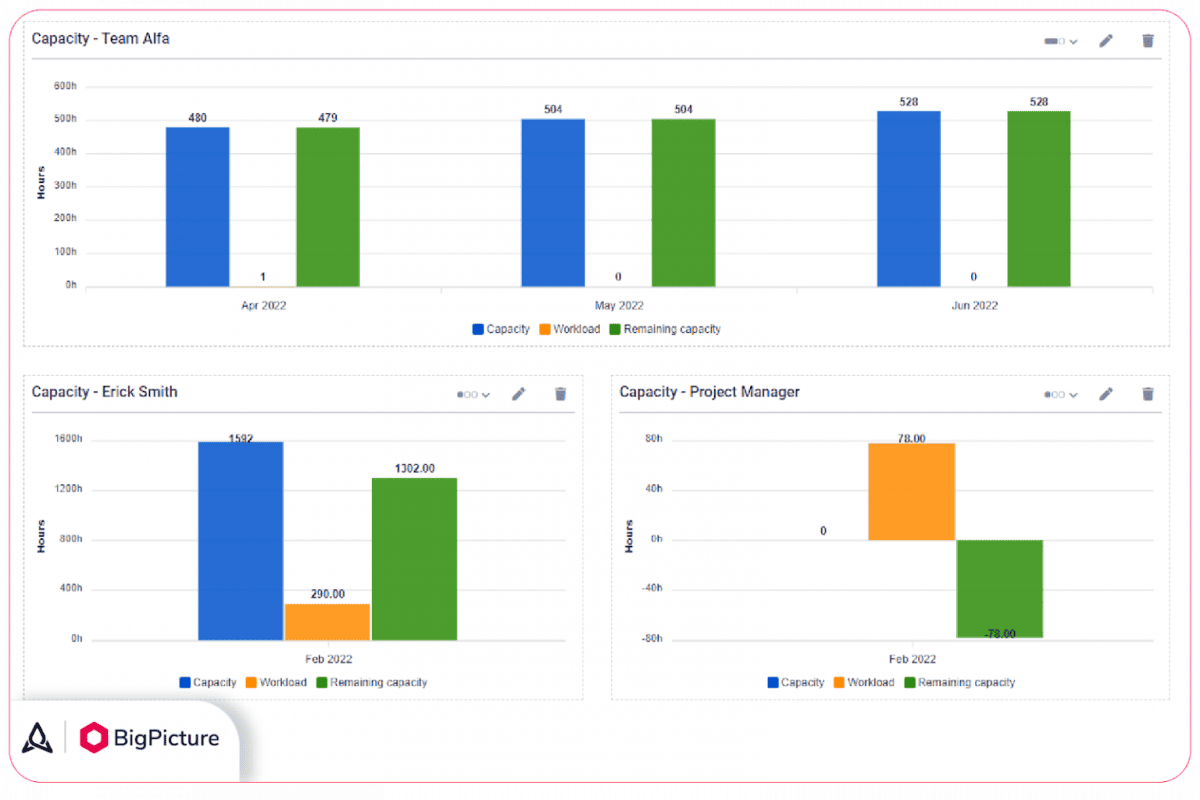
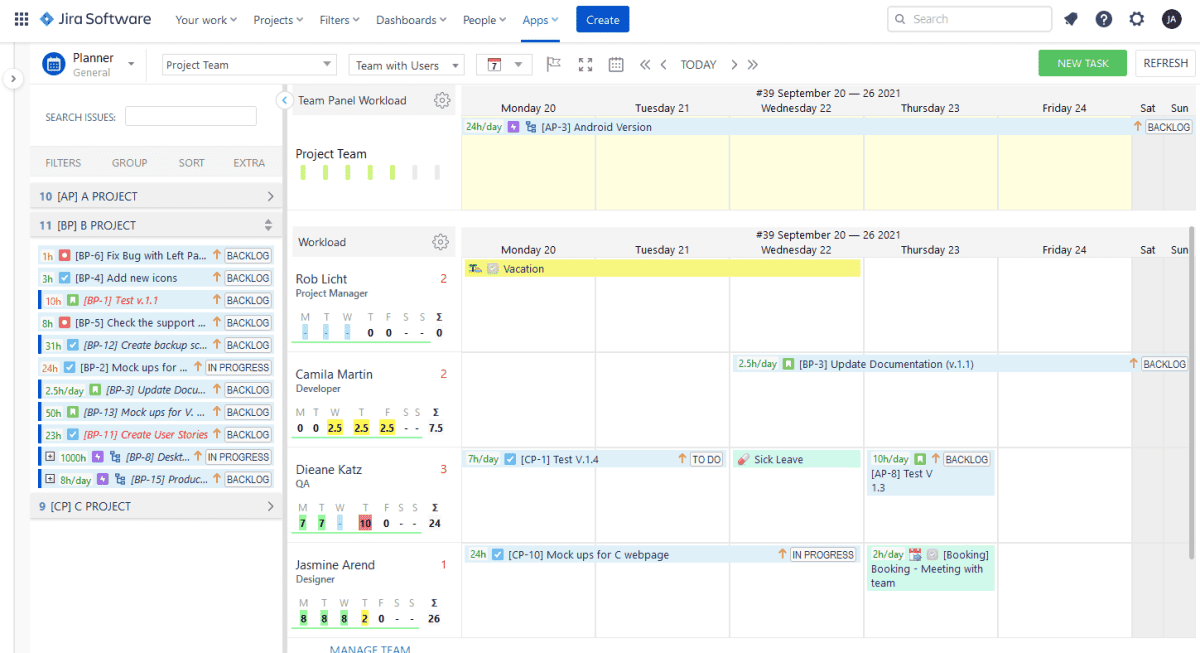
Jira is a highly effective tool for managing team workloads in software development environments, offering strong capabilities for visualizing work in progress and configuring team structures. Its core functionality can be extended with dedicated capacity planning integrations that provide more granular visibility into availability and allocation across sprints and projects.
Pros:
- Sprint Visibility: Provides clear views of team workload across active and upcoming sprints, making it easier to spot overallocation before it becomes a problem.
- Team Configuration: Supports detailed team setup and role assignment, allowing managers to align resources to projects with precision.
- Ecosystem Integrations: Connects with a wide range of third-party capacity planning tools, such as BigPicture and ActivityTimeline, to extend its native planning capabilities significantly.
Cons:
- Steep Learning Curve: Jira’s depth of functionality can make initial setup and onboarding time-consuming, particularly for teams without prior experience using the platform.
- Cost at Scale: Pricing increases as team size grows, which can make it a less accessible option for smaller organizations or teams operating on tight budgets.
- Limited Native Capacity Features: Out of the box, Jira’s capacity planning capabilities are basic, meaning most teams will need to invest in additional plugins or integrations to meet their planning needs.
Click Up
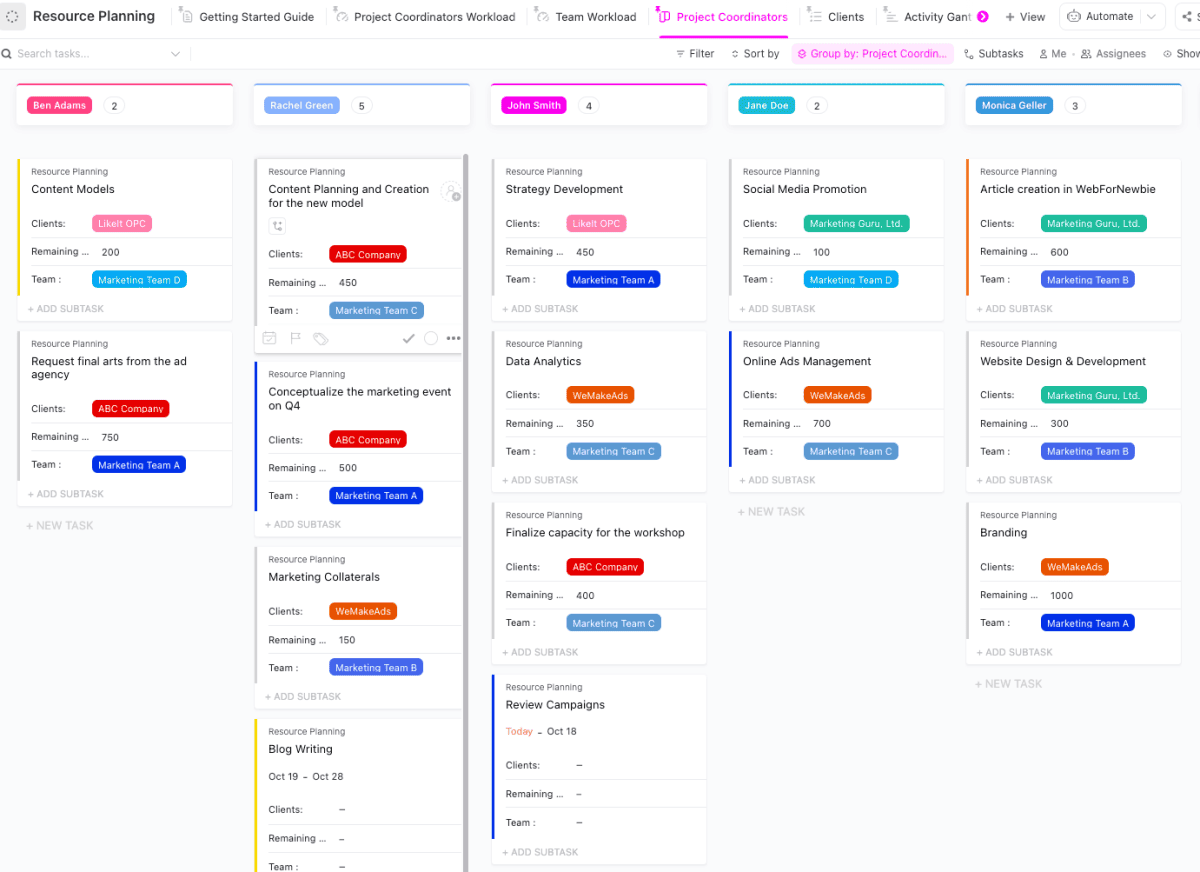
ClickUp is a cloud-based project management platform that achieves a strong balance between feature depth and accessibility, keeping costs manageable without sacrificing capability. It supports capacity planning through customizable views, workload tracking, and a wide range of reporting options.
Pros:
- Rich Feature Set: Offers an extensive range of project management capabilities covering tasks, goals, reporting, and team collaboration within a single platform.
- Manager Adaptability: Highly customizable to suit the preferences and workflows of individual project managers and team structures.
- Team Coordination Tools: Enables report generation, task delegation, deadline setting, and real-time team communication without requiring additional integrations.
Cons:
- Time Tracking Limitations: Native time tracking capabilities are less robust than dedicated tools, which may require supplementing with a third-party integration.
- Learning Curve: The breadth of available features can make initial onboarding more complex, particularly for teams new to project management software.
Asana
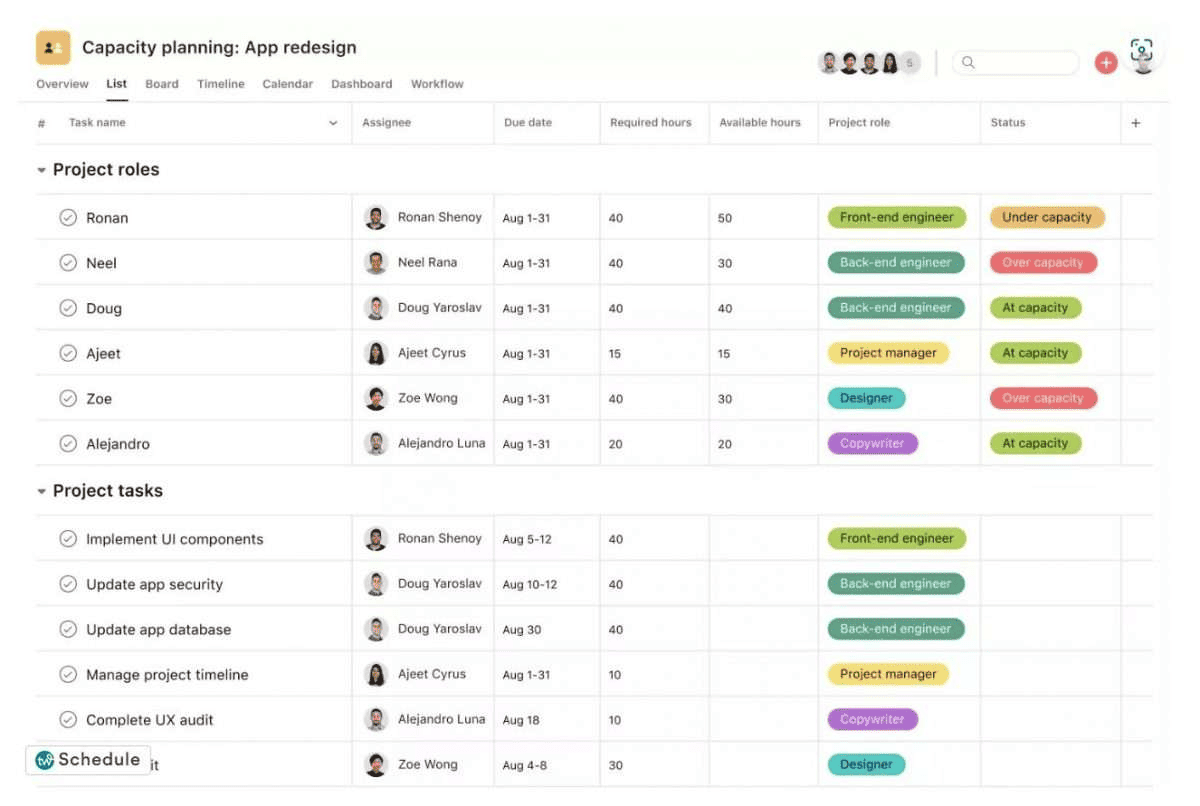
Asana is a cloud-based task management platform designed to help organizations structure, communicate, and collaborate on projects of varying complexity and scale. It is built to support multiple concurrent projects and can be adopted by teams across different business sizes and industries.
Pros
- Free Plan Availability: Offers a no-cost entry tier that gives smaller teams access to core project management features without an upfront financial commitment.
- Application Integrations: Connects with a wide range of third-party tools, making it easier to incorporate into existing technology stacks and workflows.
- Customization Options: Provides a broad set of features for tailoring views, fields, and workflows to match how different teams prefer to operate.
Cons
- Email Notification Confusion: Notification settings can be difficult to configure, and some users find the volume and format of email alerts hard to manage effectively.
- Performance Issues: Page and project loading can be slow, particularly in larger workspaces with many active tasks and team members.
- Complex Project Views: Navigating multi-project views can feel cumbersome, especially for teams managing a high volume of concurrent initiatives.
Toggl
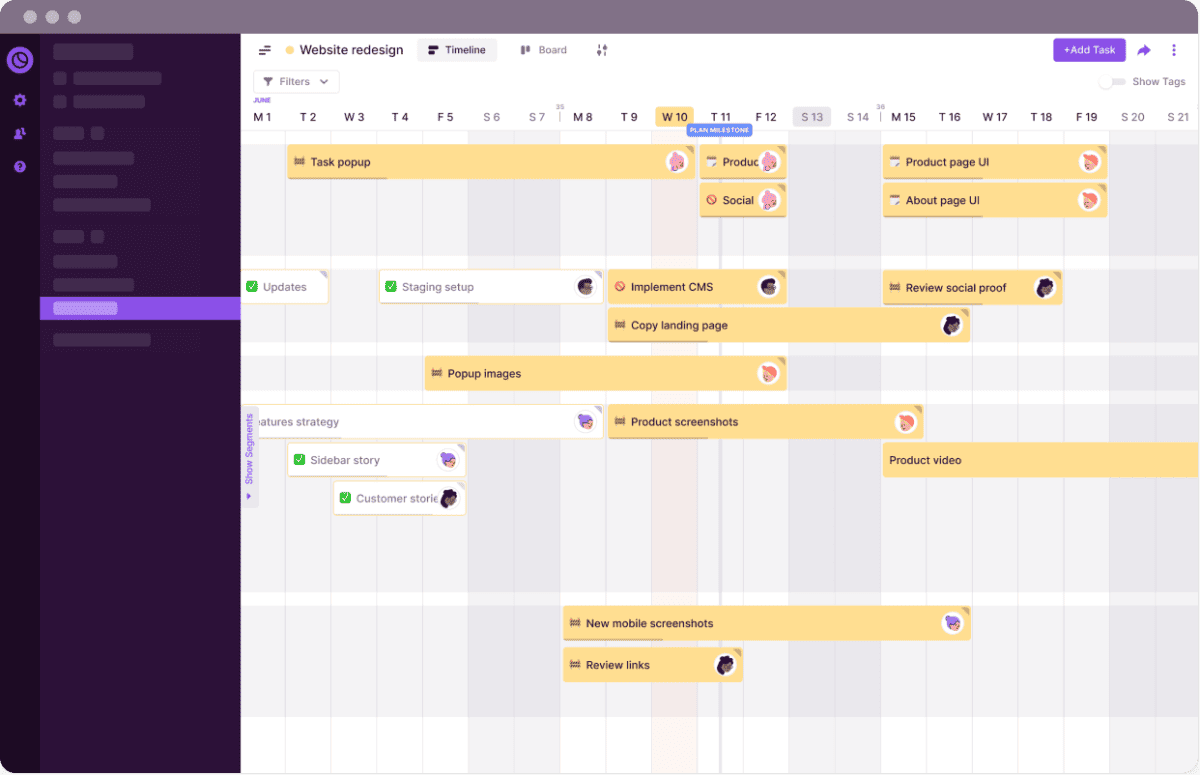
Toggl is a time-tracking application designed to monitor how employees allocate their time across tasks and projects throughout the working day. It provides detailed activity data that helps teams identify inefficiencies and make more informed decisions about where time is being spent.
Pros
- Scheduling and Calendar Features: Includes reminders and a calendar view that make it easier to plan time and maintain awareness of upcoming commitments.
- Cross-Platform Support: Available across all major platforms, ensuring consistent access for teams regardless of the devices or operating systems they use.
- Reporting and Productivity Tools: Offers robust reporting features alongside extras like a Pomodoro timer, giving teams practical tools for both tracking and improving their productivity habits.
Cons
- Tag Limitations: The number of tags available for categorizing time entries is restricted, which can limit granularity for teams with complex project taxonomies.
- Interface Usability: Some interface elements, including key action buttons, are not as intuitive as users might expect, creating occasional friction in day-to-day use.
- Pricing: Toggl’s cost can be prohibitive for smaller teams or organizations evaluating time-tracking tools on a limited budget.
Video About Capacity Planning
This video from LeanVlog provides a concise overview of capacity planning and its key concepts. It covers the fundamentals of balancing supply with demand, helping project managers and operations teams build a solid understanding of how effective capacity planning supports better decision-making and resource management.
Conclusion
Capacity planning is one of the most practical disciplines available to project managers and operations leaders. By systematically forecasting demand, assessing current resources, and selecting the right planning strategy for each situation, teams can take on work confidently, meet commitments consistently, and scale their operations without overextending their people or budgets.
The templates, tools, and best practices covered in this guide provide a strong foundation for building or refining your capacity planning process. Whether you are starting from scratch or improving an existing approach, the key is to plan proactively, communicate openly with your team, and treat capacity data as a living resource that is regularly reviewed and updated as conditions change.
Capacity Planning FAQs
What is the purpose of capacity planning?
The goal of capacity planning is to ensure your operations strategy can consistently meet demand at any given time. By embedding this practice into your planning process, you create the conditions to hit deadlines reliably, improve your bottom line, and grow your business in a way that is deliberate, sustainable, and informed by real data rather than assumptions.
What are the three types of capacity planning?
Capacity planning can be divided into three subcategories: product, tools, and workforce. Together, these three dimensions ensure that you have sufficient time, budget, and energy to meet both your current project commitments and your anticipated future needs without creating resource strain across the organization.
How could you use a spreadsheet for capacity planning?
A spreadsheet can be a practical and accessible tool for capacity planning, particularly for teams that are not yet using dedicated software. Using the Goal Seek function in Excel, for example, you can calculate how much additional capacity would need to be added to reach a specific project target, making it straightforward to model different scenarios and communicate findings to stakeholders.
What is the difference between capacity planning and resource planning?
Capacity planning takes a longer-range, strategic view, focusing on whether the organization has enough supply to meet future demand at a team or function level. Resource planning is more tactical and shorter in range, concerned with assigning specific individuals to specific tasks within the capacity parameters that have already been established through the planning process.
What happens when capacity planning is skipped?
Without capacity planning, teams frequently take on more work than they can realistically deliver, leading to missed deadlines, declining output quality, and team burnout over time. It also makes it significantly harder to evaluate and respond to new opportunities, since there is no reliable baseline for understanding whether the bandwidth exists to take them on responsibly.
Suggested articles:
- 11 Free Resource Planning Templates
- Resource Histogram PMP: What It Is & How to Use It
- What Is Resource Loading And How Can It Help Your Project Management?

Shane Drumm, holding certifications in PMP®, PMI-ACP®, CSM, and LPM, is the author behind numerous articles featured here. Hailing from County Cork, Ireland, his expertise lies in implementing Agile methodologies with geographically dispersed teams for software development projects. In his leisure, he dedicates time to web development and Ironman triathlon training. Find out more about Shane on shanedrumm.com and please reach out and connect with Shane on LinkedIn.
This post is a fantastic resource! The variety of templates provided makes it so much easier to tackle capacity planning. I love how user-friendly they are in both Word and Google Docs. Thank you for sharing these helpful tools!
These templates are a game-changer! I love how versatile they are for different project needs. Can’t wait to try them out for my team’s capacity planning. Thanks for sharing!
Thank you for sharing these templates! They are incredibly helpful for streamlining our capacity planning process. I appreciate the variety offered for both Word and Google Docs. Looking forward to implementing them in our projects!