
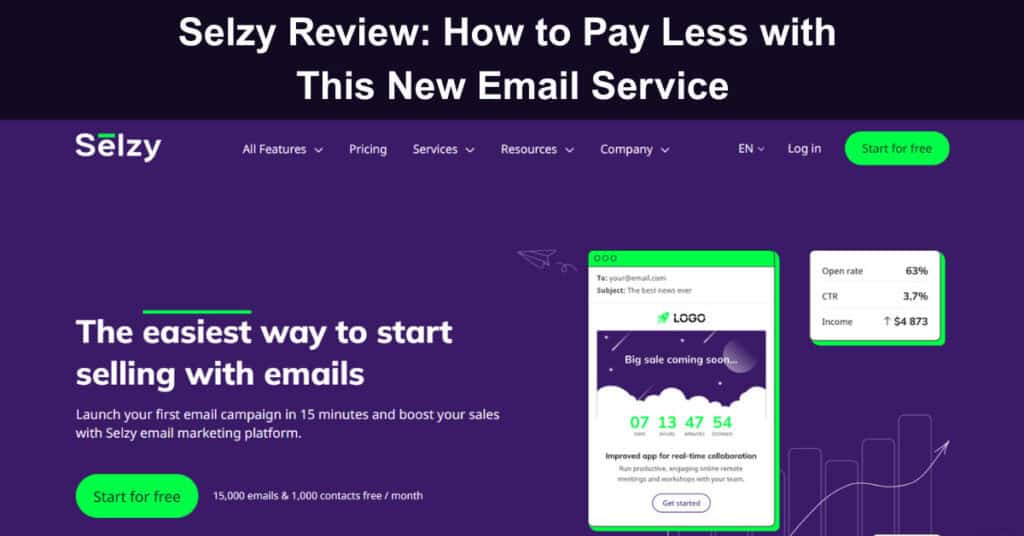
Running a business online usually means juggling several communication channels while keeping marketing costs under control. Email remains one of the most cost-effective ways to reach customers directly, yet many teams hesitate when they see the price tags on full-featured platforms. That hesitation is exactly where the Selzy email marketing platform earns a genuinely closer look.
This review breaks down what Selzy offers, how its pricing compares to other tools, and which features matter most for growing businesses today. You will find details on the email builder, automation, segmentation, analytics, integrations, and support, along with a candid look at how Selzy stacks up against better-known competitors in the market. Here is what this platform actually delivers.
What is Selzy?
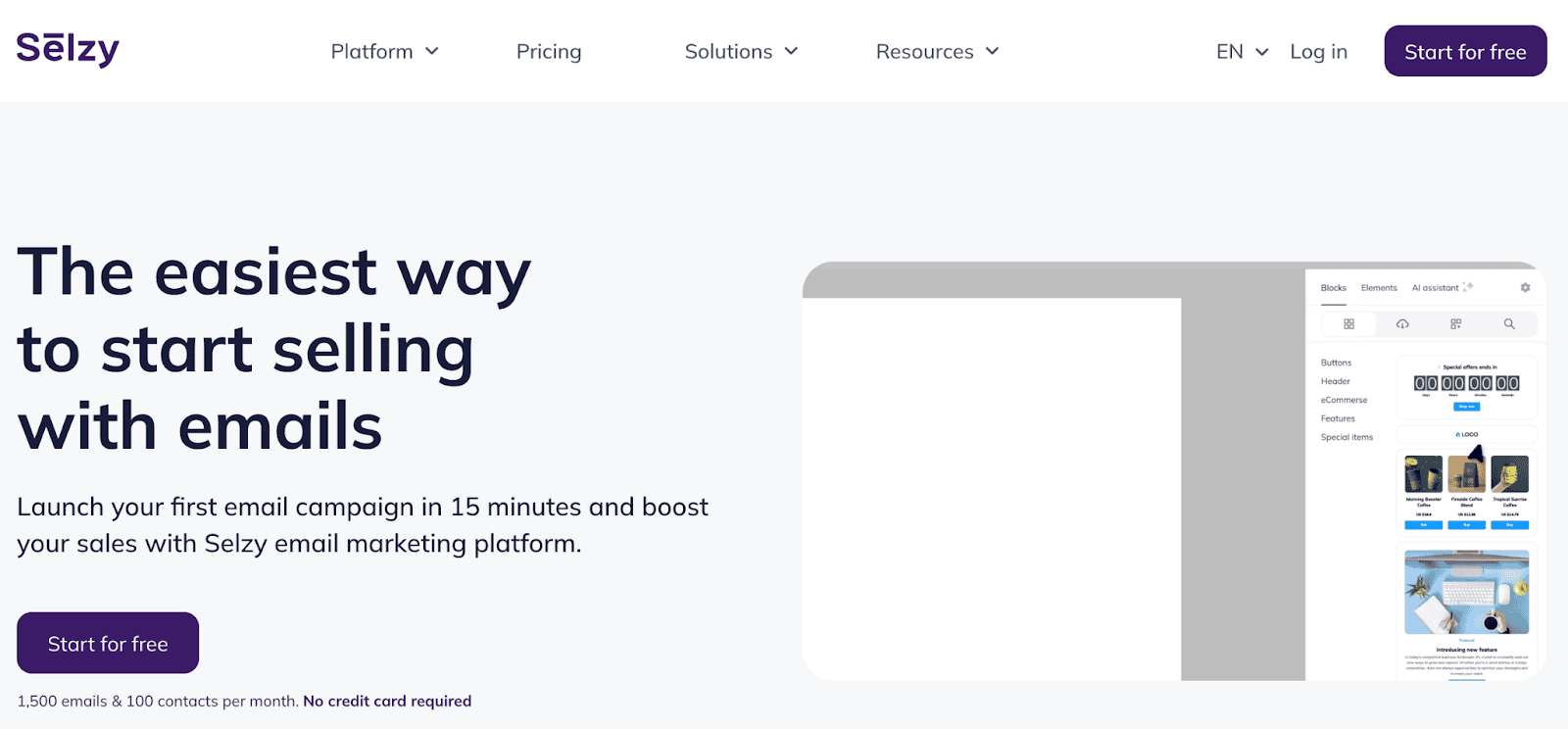
Selzy is a cloud-based email marketing platform built for businesses of every size, from solo founders to established ecommerce brands. It combines a drag-and-drop email builder, automation workflows, list segmentation, and campaign analytics into a single dashboard, and new users can typically launch their first campaign within fifteen minutes of signing up.
Beyond the core email tools, Selzy has expanded into AI-assisted content creation, Telegram chatbots, transactional SMS, and a landing page builder, positioning it as a broader marketing toolkit rather than a single-purpose sender. The company reports serving more than 50,000 customers worldwide and maintains a 24/7 support team, which is a meaningful differentiator for a platform in this price range.
What are the Key Features of Selzy?
Selzy groups its functionality into a handful of core areas that cover the full lifecycle of an email campaign, from writing the first draft to reading the final performance report weeks later. The sections below walk through each capability in detail, including what has changed as the platform has matured well beyond a simple bulk sending tool.

1. The Email Builder
Selzy’s drag-and-drop editor is designed so that people without design or coding backgrounds can still produce polished, on-brand emails. The builder now includes an AI assistant that can draft subject lines and body copy, plus an AI image generator built directly into the editing canvas, removing the need for a separate design tool for most campaigns.
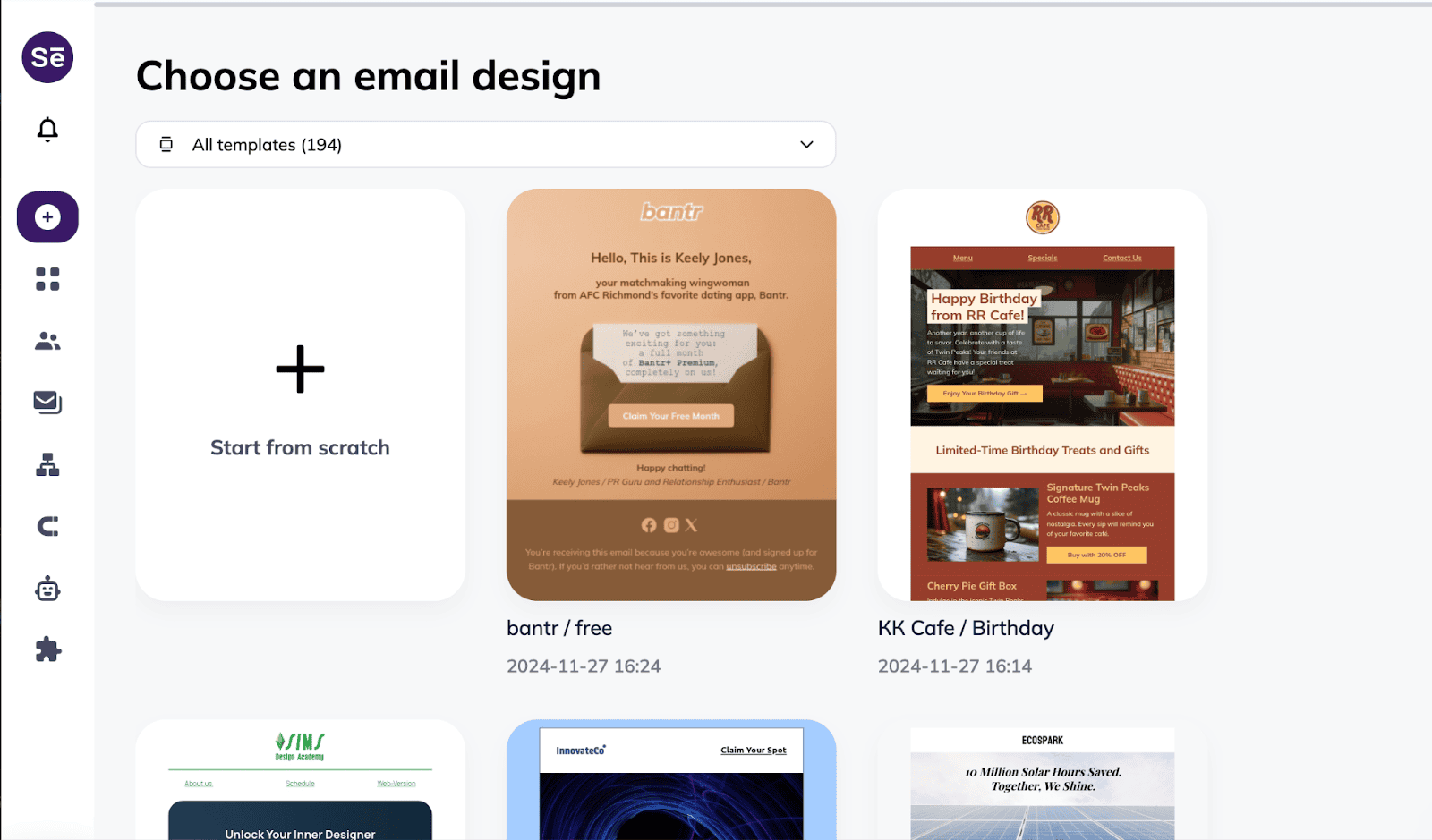
The following features define the AI email builder experience worth understanding first:
- Pre-Made Templates: Selzy offers more than one hundred responsive templates covering newsletters, promotions, and transactional messages, which speeds up production for teams sending frequent campaigns.
- AI Template Generator: The platform can pull branding, logos, and layout cues directly from a business website to generate a matching email template in under a minute.
- Personalization: Dynamic variables and placeholders let you insert subscriber names, purchase history, or custom fields, and personalized subject lines are associated with meaningfully higher open rates.
- Responsive Design: Every template automatically adapts to desktop, tablet, and mobile screens, so formatting does not break across devices.
- Integration With Other Tools: The builder connects with CRM and ecommerce platforms so subscriber data and behavioral triggers flow into your campaigns without manual exporting.
2. Automation
Automation is where Selzy moves from a simple sending tool to a genuine marketing system, since it lets you build sequences that respond to subscriber behavior instead of relying on manual sends every time. Triggered emails go out automatically based on actions like a new signup, a completed purchase, or a period of inactivity on the list.
These are the automation capabilities most businesses rely on daily:
- Automatic Welcome Emails: New subscribers receive an immediate greeting that sets expectations and introduces your brand voice before the relationship goes cold.
- Email Series: Cart reminder sequences and product recommendation chains keep prospects engaged without requiring a marketer to press send each time.
- Retargeting: Campaigns can be triggered by how a subscriber interacted with a previous email, including opens, clicks, or a lack of response.
- Automatic Event-Based Notifications: Inactivity triggers, purchase confirmations, and other event-based sends keep communication timely and relevant without manual monitoring.
3. Audience Segmentation
Selzy allows list segmentation using more than seventy criteria, which means subscribers can be grouped by behavior, demographics, or purchase activity instead of being treated as one undifferentiated list every single time. Industry data consistently shows that segmented campaigns outperform generic blasts on open rates, click rates, and unsubscribe rates across nearly every industry and business type.
Consider these segmentation options when planning your next targeted send:
- Behavioral Filters: Group subscribers by whether they opened, clicked, purchased, or ignored previous campaigns to tailor follow-up messaging accordingly.
- Demographics: Location, age range, and other basic attributes help you localize offers and avoid sending irrelevant promotions.
- User Activity: Separate new subscribers from long dormant contacts so each group receives messaging suited to where they are in the relationship.
- Purchase History: Segment by past orders to recommend genuinely relevant products instead of guessing at customer interest.
4. Analytics
Selzy’s analytics dashboard is built around answering one practical question for busy marketers with limited time to spare each week: what actually worked, and why. The reporting covers opens, clicks, conversions, and multimedia engagement, and it supports comparisons across campaigns, segments, and time periods so meaningful patterns become far easier to spot and act on quickly.
The following metrics and tools give the clearest picture of campaign performance:
- Opens and Clicks Tracking: See exactly how many recipients opened each email and how many followed through on a link.
- Conversions and Sales: Ecommerce integrations connect email activity to actual purchases, so you can measure revenue rather than just engagement.
- Segment Metrics Analysis: Compare performance across different subscriber groups to identify which offers resonate with which audiences.
- Multimedia Analytics: Track interaction with embedded videos and images to understand what content formats hold attention.
- A/B Testing: Test subject lines, layouts, or send times against each other, with Selzy reporting that this can lift conversions by as much as thirty percent.
5. Integrations
Selzy connects with a wide range of CRMs, ecommerce platforms, and analytics tools, which reduces the manual data entry that often slows down smaller marketing teams throughout a busy sales quarter. If your business already runs on established software, there is a strong chance Selzy can plug into it directly without any custom development work required.
Here is a breakdown of the integration categories Selzy currently supports:
- CRM Systems: HubSpot, Pipedrive, and Zoho connections keep contact records and interaction history synchronized across platforms.
- Ecommerce Platforms: Shopify, WooCommerce, and Magento integrations enable order notifications, abandoned cart flows, and post-purchase sequences.
- Social Media Integration: Data from Facebook and Instagram campaigns can inform email targeting and reduce duplicated ad spend.
- Web Analytics Integration: Google Analytics integration ties email performance to on-site behavior and overall conversion tracking.
- Subscription Forms: Typeform and Google Forms connections make it simple to collect new subscriber data from multiple entry points.
- API for Advanced Customization: For whatever purpose you have, use the Selzy API to integrate its email marketing platform. For example, you could integrate it with ReferralCandy to automatically email customers their referral rewards and invites. Involve your programmers to handle the task. In case of necessity, the Selzy team is always there for you.
- API for advanced customization:
6. Email Address Validation
A clean list matters just as much as a well-designed campaign, since sending to invalid or inactive addresses damages sender reputation and lowers deliverability across every future campaign you ever send. Selzy’s built-in email verification tool checks contacts before they ever receive a campaign, catching problems before they can affect your overall sender score.
These email validation checks help protect your sender reputation over time:
- Duplicate Contacts: Removing duplicate or malformed entries prevents wasted sends and skewed reporting.
- Filtering: The system flags addresses likely to bounce, something that is not always obvious just by reading the address.
- Non-Existent Recipients: Verification catches temporary or abandoned inboxes before they inflate your bounce rate and hurt deliverability.
Maintaining a strong sender’s reputation is essential for long-term email marketing success. With Selzy’s built-in email validation, you benefit from improved email deliverability, ensuring your carefully crafted messages land in your subscribers’ inboxes — not their spam folders.
7. Support Team
Selzy advertises an average response time of around five minutes through live chat and email, with support available 24/7 even on the free plan, which is fairly unusual at this price point in the market. A searchable help center backs this up with tutorials and step-by-step guides covering the most common tasks and questions.
Here is what the support experience typically includes for users:
- Live Chat and Email Support: Real-time assistance is available around the clock, not limited to business hours in one time zone.
- Self-Service Help Center: A library of tutorials and FAQs lets users troubleshoot common issues without waiting for a reply.
- Personal Account Managers: Larger accounts and Premium plan users can access a dedicated manager for hands-on campaign guidance.
How Selzy Compares to Other Email Marketing Platforms
Choosing an email marketing platform usually comes down to weighing price against feature depth, and Selzy positions itself as the middle ground between bare-bones senders and expensive enterprise suites built for large teams and bigger annual budgets. Understanding how it stacks up against familiar names helps clarify exactly where it fits in your evaluation process this quarter.
The comparisons below highlight the tradeoffs worth considering before you commit:
- Selzy vs Mailchimp: Selzy generally costs less at comparable list sizes and includes automation on lower tiers, while Mailchimp offers a broader app marketplace and more third-party integrations.
- Selzy vs Brevo: Brevo brings stronger native CRM and SMS capabilities, while Selzy focuses more tightly on email deliverability tools and its built-in AI content assistant.
- Selzy vs MailerLite: MailerLite offers more advanced customization and reporting depth, though its entry-level paid plan tends to start slightly higher than Selzy’s comparable tier.
- Selzy vs Constant Contact: Constant Contact leans toward event marketing and nonprofit tools, while Selzy stays focused on ecommerce and transactional automation use cases.
Who Should Use Selzy
Not every platform fits every business model, and Selzy’s pricing structure and feature set point toward a fairly specific set of users with particular needs, goals, and technical comfort levels overall. Matching your own priorities and budget against this list can save considerable time during your evaluation process before you commit to any paid plan.
Consider whether your situation matches one of these common use cases:
- Small and Mid-Sized Ecommerce Brands: Built-in Shopify and WooCommerce integrations make abandoned cart and post-purchase automation straightforward to set up.
- Solo Founders and Freelancers: The free plan and low-cost entry tiers make it realistic to run consistent campaigns on a limited budget.
- Agencies Managing Multiple Clients: The Selzy Agency service and API access support teams handle campaigns across several accounts at once.
- Teams New to Email Marketing: The bundled Email Marketing 101 course gives less experienced marketers a structured place to start.
Common Mistakes to Avoid When Using Selzy
Even a capable platform cannot fix strategy problems entirely on its own, and several avoidable mistakes show up repeatedly among new users during their first few busy months of active use with the tool. Recognizing these early can shorten the learning curve considerably and protect your sender reputation from unnecessary, preventable damage down the line.
Watch for these common missteps as you set up your first campaigns:
- Skipping List Verification: Importing an old or unverified list without running email validation first often leads to spam complaints and deliverability damage.
- Ignoring Segmentation: Sending the same message to an entire list wastes the platform’s segmentation tools and typically produces weaker engagement.
- Overlooking Send Time Optimization: Ignoring built-in send time features means messages can land when subscribers are least likely to check their inbox.
- Neglecting A/B Tests: Skipping subject line and layout testing leaves performance gains on the table that the platform is specifically built to surface.
Selzy Agency
Selzy backs its software with educational resources such as webinars, courses, and detailed tutorials that help customers get more value from the platform entirely on their own time and schedule. For businesses that prefer to outsource the work entirely, Selzy Agency offers professional email marketing services handled by the company’s in-house team of specialists and strategists.
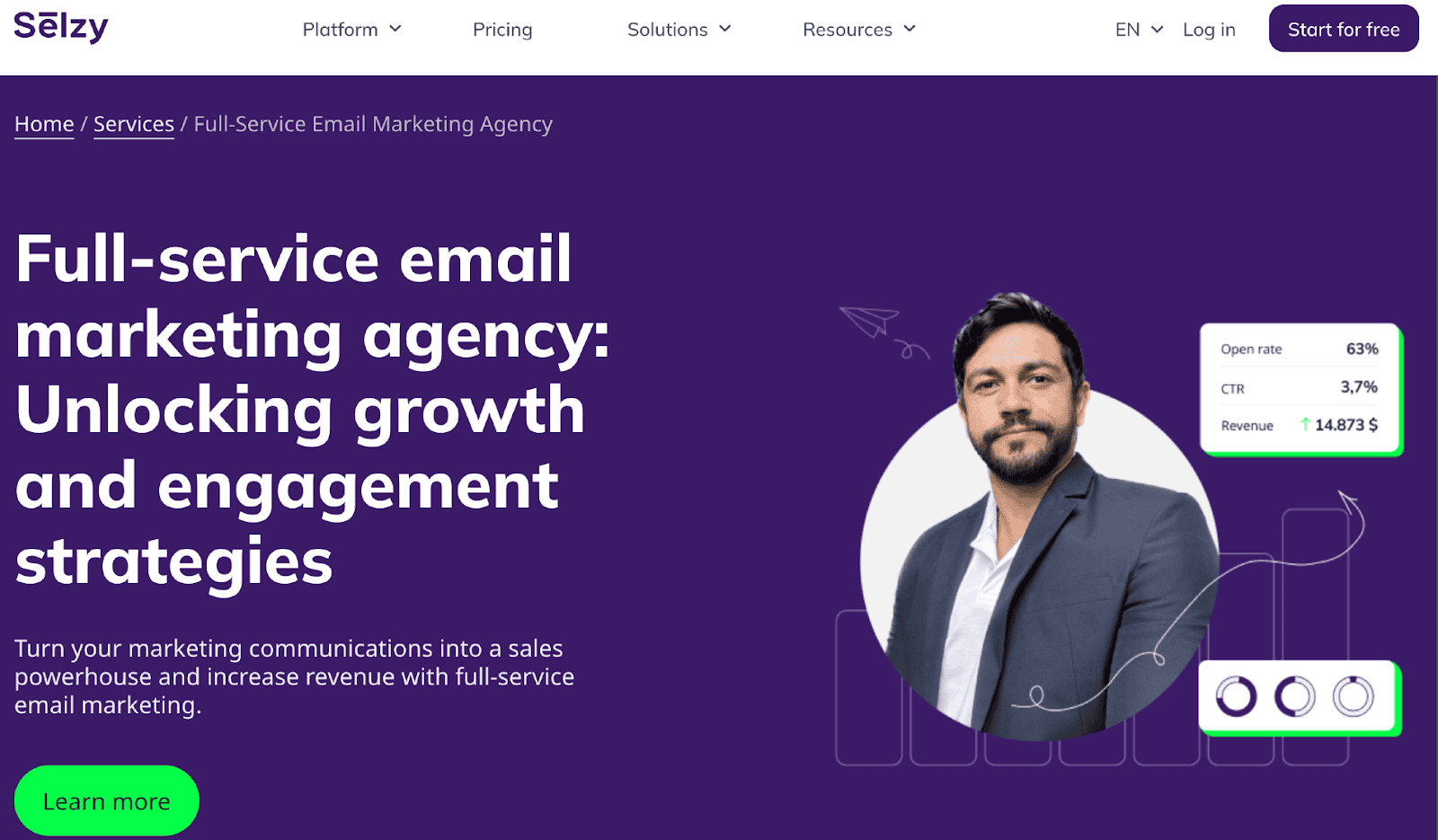
The agency service typically covers these areas of campaign management:
- Campaign Launch and Management: The Selzy team sets up and runs full email campaigns on your behalf, from strategy through execution.
- Ongoing Optimization: Analytics are used continuously to refine subject lines, timing, and content based on real performance data.
- Personalization and Automation Setup: Agency specialists build out automated sequences and personalization rules designed to increase audience engagement over time.
Selzy Affiliate Program
Selzy also runs an affiliate program that lets bloggers, content creators, and marketers earn ongoing commissions by referring new customers to the platform every single month of the year. It is a straightforward way to monetize an audience that is already interested in email marketing or small business tools without building a separate product yourself.
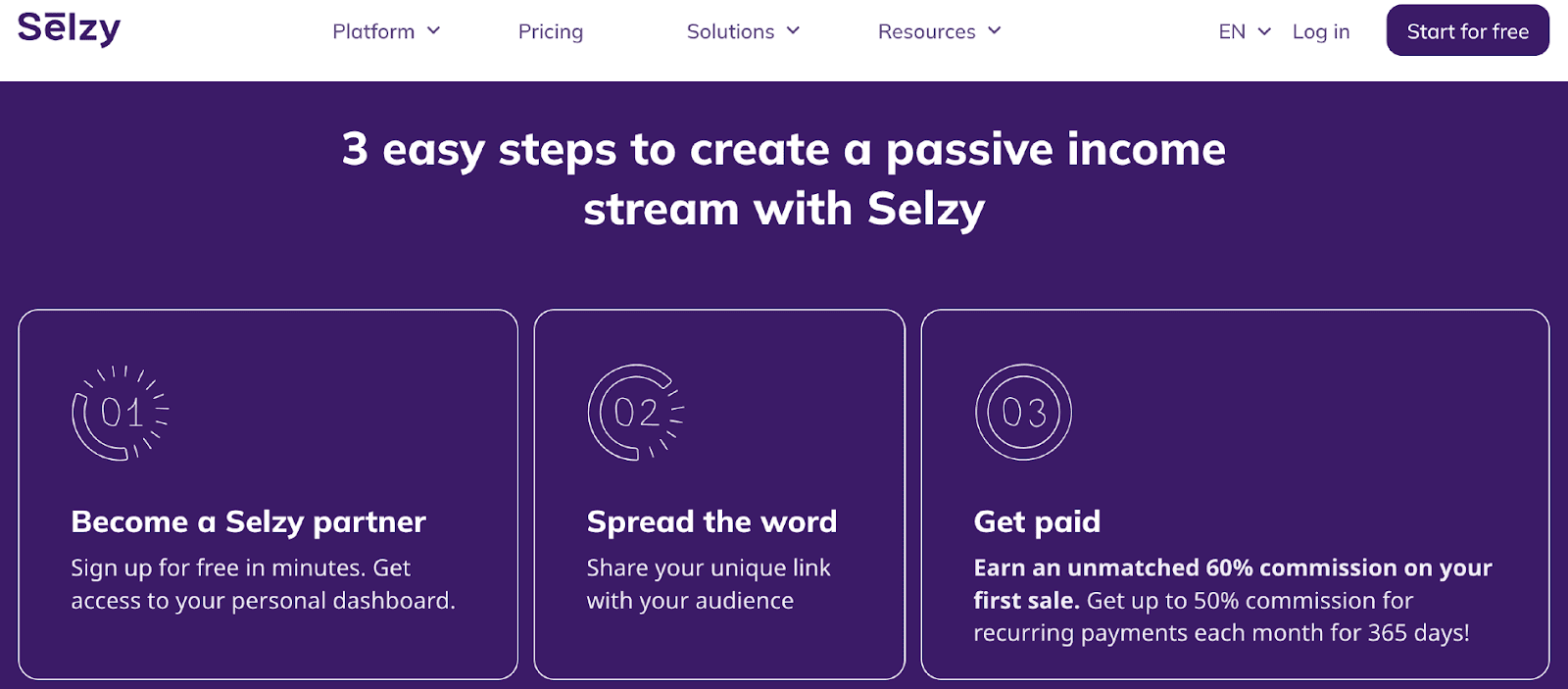
Here is how the commission structure for the Selzy affiliate program generally breaks down for referred accounts:
- First Payment Bonus: Affiliates typically earn sixty percent of a referred customer’s first payment.
- Ongoing Commission Tiers: Referring up to ten paid accounts earns thirty percent of each customer’s purchases during the year, while referring more than forty accounts raises that rate to fifty percent.
- Extended Attribution Window: Referral links generally remain valid for a year, so a commission can still apply even if the referred user signs up close to that deadline.
Testimonials
User feedback for the Selzy email marketing platform is generally quite positive, with reviewers on sites like G2 and Capterra frequently pointing to the same handful of consistent strengths worth mentioning here in detail. The overview dashboard and the responsiveness of support come up especially often in independent reviews across multiple review platforms and communities.

Reviewers consistently highlight the following key points in their feedback:
- Ease of Use: New users often mention sending a first test campaign within minutes of creating an account.
- Clear Analytics: The dashboard’s summary of opens, clicks, and unsubscribes is frequently cited as easier to read than competing platforms.
- Responsive Support: Multiple reviewers report support response times under five minutes, even outside standard business hours.
- Value for Money: Several long-term users describe the platform as more affordable than larger competitors without a major feature tradeoff.
Pricing
Selzy structures its pricing around either contact list size or total emails sent, which gives businesses meaningful flexibility depending on how their sending patterns actually operate day to day and month to month throughout the year. A free tier and a limited-time trial make it possible to test the platform thoroughly before committing to any paid plan. For the trial plan, new users can access a fourteen-day trial covering up to ten thousand emails and two thousand contacts to evaluate the full feature set.
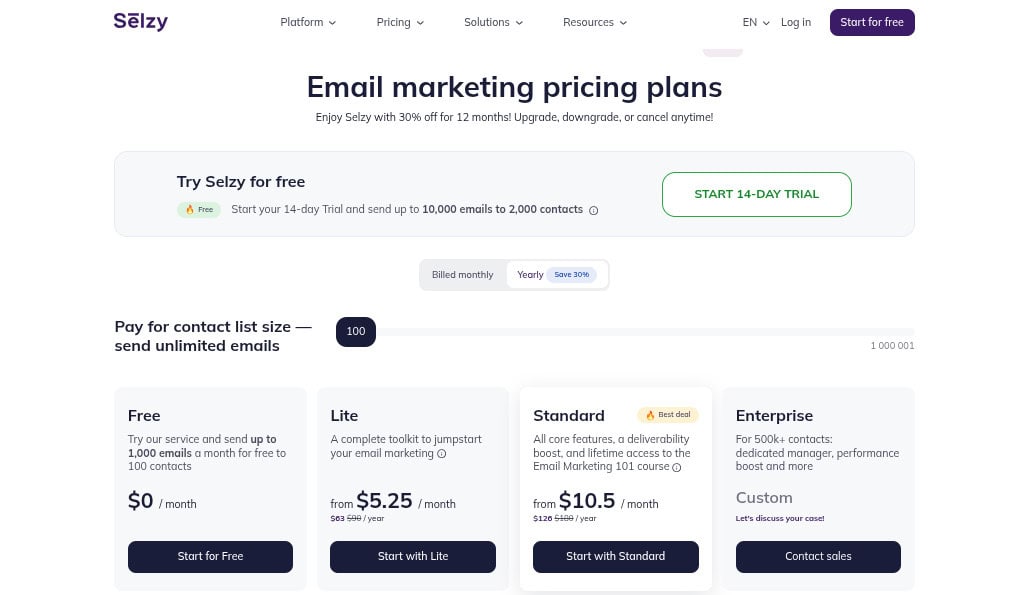
Here is a general breakdown of what each tier includes:
- Free Plan ($0 / month): Send up to one thousand emails per month to one hundred contacts at no cost, with Selzy branding included in the footer.
- Lite Plan ($5.25/month paid yearly): A budget-friendly entry point that unlocks A/B testing, segmentation, and branding removal for growing lists.
- Standard Plan ($10.5/month paid yearly): Adds the anti-spam checker, subject line assistant, Telegram chatbots, and lifetime access to Selzy’s email marketing course.
- Enterprise Plan (Contact Sales): Custom pricing for lists above five hundred thousand contacts, including a dedicated account manager and deliverability support.
Businesses can also purchase prepaid email packages instead of committing to a recurring plan, which can reduce per-email costs by a significant margin at higher sending volumes. Annual billing generally saves around thirty percent compared to paying month to month, which is worth factoring in for teams planning to stay on the platform long term.
Wrapping up
Selzy delivers a genuinely complete email marketing toolkit, from the AI-assisted builder and automation to segmentation, analytics, and integrations, without the steep pricing that often comes with more established platforms. The combination of 24/7 support, a workable free plan, and features that scale up to enterprise-level lists makes it a reasonable fit for businesses at nearly any stage.
Whether the goal is nurturing new leads, recovering abandoned carts, or simply keeping in touch with customers more efficiently, Selzy provides the tools to do it without requiring a large team or a large budget to get started. For businesses evaluating where to invest their marketing dollars, this platform is worth a serious, closer look.
Frequently Asked Questions About Selzy
Is Selzy good for beginners?
Yes. The drag-and-drop builder, pre-made templates, and bundled Email Marketing 101 course are designed specifically for people with no prior email marketing experience at all to start with. Combined with 24/7 support on every plan, including the free tier, new users generally find the learning curve manageable within their first few campaigns and sends.
How much does the Selzy email marketing platform cost?
Pricing depends on your contact list size or total email volume, with a free plan covering up to one thousand emails and one hundred contacts monthly. Paid tiers scale from a low-cost Lite plan up through custom Enterprise pricing for lists exceeding five hundred thousand contacts, and annual billing typically reduces the total cost further.
Does Selzy have a free plan?
Yes. The free plan allows up to one thousand emails per month to one hundred contacts, and it includes core features like the email builder, automation, and basic analytics dashboards. A separate fourteen-day trial also grants temporary access to a much larger sending allowance so you can evaluate the full feature set before paying anything.
How does Selzy compare to Mailchimp?
Selzy typically costs less at similar list sizes and includes automation features on lower-priced tiers than Mailchimp does at comparable price points and sending volumes overall. Mailchimp offers a larger third-party app marketplace and more extensive integrations, so the right choice often depends on whether you prioritize cost efficiency or ecosystem breadth for your team.
Can Selzy integrate with an online store?
Yes. Selzy connects directly with Shopify, WooCommerce, and Magento, allowing order data, abandoned cart triggers, and post-purchase sequences to flow automatically into your existing email automation workflows and marketing campaigns. This makes it a practical option for ecommerce brands that want behavioral email marketing without building custom integrations from scratch or hiring a full-time developer.
Suggested articles:
- Email Marketing For Gen Z: How To Reach Them Effectively
- 6 Automated Email Warmup Platforms for Improving Deliverability
- Best 7 Email Verification Platforms for SaaS Companies

Daniel Raymond, a project manager with over 20 years of experience, is the former CEO of a successful software company called Websystems. With a strong background in managing complex projects, he applied his expertise to develop AceProject.com and Bridge24.com, innovative project management tools designed to streamline processes and improve productivity. Throughout his career, Daniel has consistently demonstrated a commitment to excellence and a passion for empowering teams to achieve their goals.