
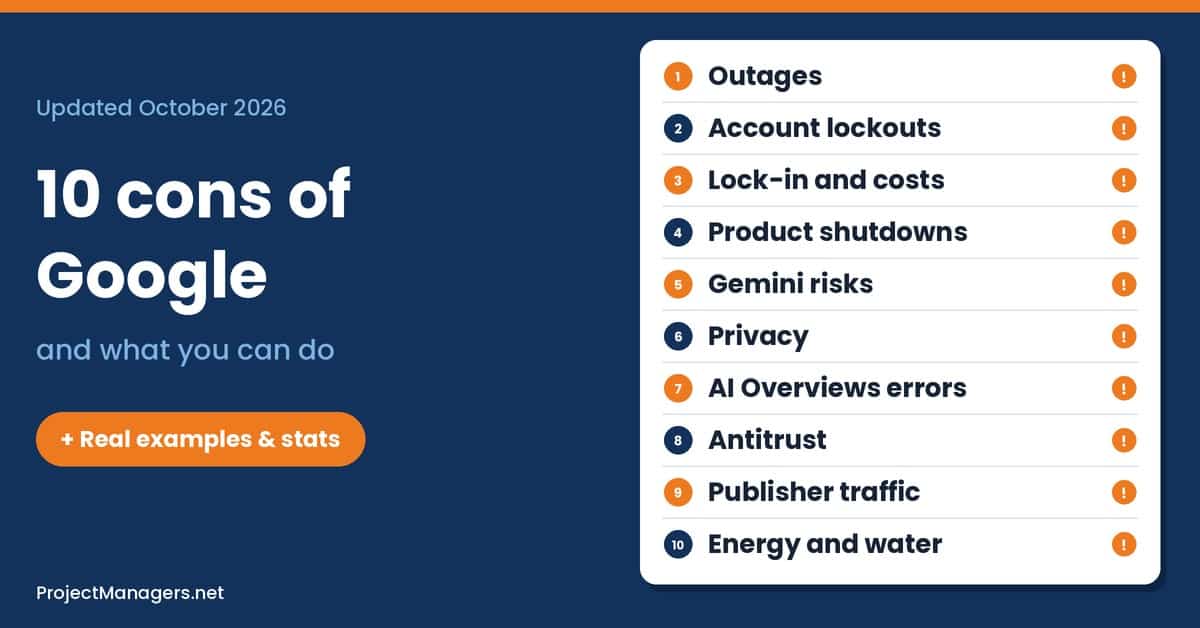
Google is part of almost everyone’s day. It handles about nine in ten web searches worldwide (StatCounter), runs the Android phones in most pockets, and keeps the email, photos, calendars and documents of billions of people and millions of teams in Gmail, Drive, Docs and Meet. More and more of that now passes through Gemini, Google’s AI assistant. That convenience comes with real downsides: outages that hit everything at once, accounts you can be locked out of, products that change or disappear, AI answers that can be wrong, and data practices that courts have questioned. This article covers the 10 biggest cons of Google for everyday users and teams, each with a real case, an expert view, current numbers and practical steps you can take, plus a few tips for project managers who run their work on Google.
Everything can fail at once. A June 2025 incident hit 86 Google Cloud and Workspace products, and Google’s London region went down for about eight hours in October 2026. Keep offline copies and a backup way to reach people.
Your access depends on automation. Google says you can’t call it for help to sign in. Keep recovery details current, add a Recovery Contact and export your data regularly.
Prices and products change on Google’s schedule. Workspace prices rose up to 22% in 2025, and more than 300 Google products are on the Killed by Google list. Know how you would leave before you need to.
Check AI answers and privacy settings. Google pulled some AI Overviews after misleading health answers in 2026, and a jury awarded $425.7 million over tracking settings in 2025. Open the source for anything important.
None of these drawbacks means you should stop using Google. They mean you should use it with your eyes open: know which settings matter, keep a copy of what you can’t lose, and have a plan for the day a service fails or changes.
Each con below includes a short scenario, practical steps for individuals and teams, and an evidence panel with a documented example, an expert or issuer view, three current statistics and a voice from the field. The cons are ranked by how quickly they can disrupt your day, starting with the ones that stop you the fastest.
10 Cons & Drawbacks of Using Google

The cons range from everyday interruptions to slower, structural problems for users, businesses and the wider web. Google products are covered as a whole: Search, Workspace, Gemini, Chrome, Android and Google Cloud.
1. Outages and a Single Point of Failure
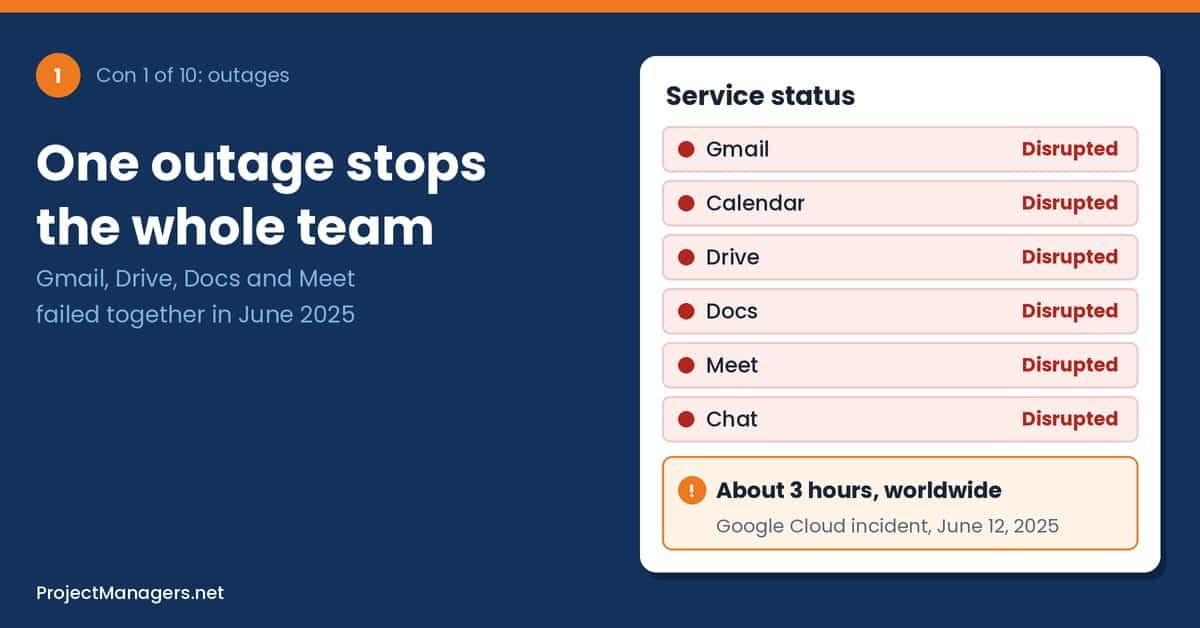
Gmail, Calendar, Drive, Docs, Meet and Chat all run on the same Google infrastructure. That is convenient on a normal day, but it also means one fault can take your email, your files and your video calls offline at the same moment, whether you are a family sharing photos, a small business answering customers or a team racing a deadline. Google’s services are reliable most of the time, yet no cloud is immune to configuration errors, software bugs or power failures.
The risk also reaches beyond Google’s own apps. Banking apps, delivery services, online stores and many business tools run on Google Cloud. When a Google region fails, services that don’t carry the Google name can fail with it, and most people never find out why.
How outages can affect you and your team:
- Everything stops together: Email, shared files and video calls can become unreachable in the same hour, at home and at work.
- Hidden dependencies: Apps you never linked to Google, from your bank to a delivery service, can go down because they run on Google Cloud.
- Credits, not compensation: For businesses, the Workspace service level agreement offers service credits when uptime drops, not payment for lost sales or missed deadlines.
Scenario (illustrative): A small accounting firm holds its client meetings on Meet and keeps its tax files in Drive. On the busiest day of tax season, Workspace stops responding for three hours. Nobody has the clients’ phone numbers or an offline copy of the day’s files, so appointments are missed and have to be rebooked.
Real-life example: On October 20, 2026, a power event in Google Cloud’s London region (europe-west2) caused an outage that lasted about eight hours, from just after 6 a.m. UK time until Google declared it resolved in the afternoon. Banks such as Revolut and Halifax, Royal Mail and court video streams were among the services reported as affected (ABC News, ThousandEyes).
What you can do: Keep offline copies of the documents you can’t do without, such as travel papers, contracts or this week’s work files. Save important phone numbers outside your Gmail contacts, and agree on a backup way to reach family or colleagues, like a phone call or another chat app. For teams and project managers, list Google as a single point of failure in the risk register and write a short “if Google is down” plan for key meetings, launches and cutover days.
Real-life example
One faulty update took 86 Google products offline
On June 12, 2025, a policy change with blank fields was copied worldwide and crashed Service Control, a system that checks API requests. Google’s incident report lists 76 Google Cloud and 10 Google Workspace products as affected, including Gmail, Drive, Docs and Meet. Customer impact lasted about three hours. The code that failed had been added on May 29 without a feature flag or proper error handling.
Sources: Google Cloud Service Health, The Register
Issuer view
“We deeply apologize for the impact this outage has had.”
Google Cloud, in its public incident report for June 12, 2025. Google Cloud Service Health
By the numbers
- 86
Google Cloud and Workspace products affected by the June 12, 2025 incident
Source: Google Cloud, 2025
- ~8 h
outage in Google Cloud’s London region on October 20, 2026, after a power event
Source: ThousandEyes, 2026
- 99.9%
monthly uptime Google Workspace promises; below that, customers get service credits
Source: Google Workspace SLA
From the field
“we are ultimately responsible for our chosen dependencies”
Jeremy Hartman and CJ Desai, Cloudflare, after a third-party cloud failure took down Cloudflare services the same day (reported by BleepingComputer as Google Cloud’s). Cloudflare blog
2. Account Lockouts With No Human to Call
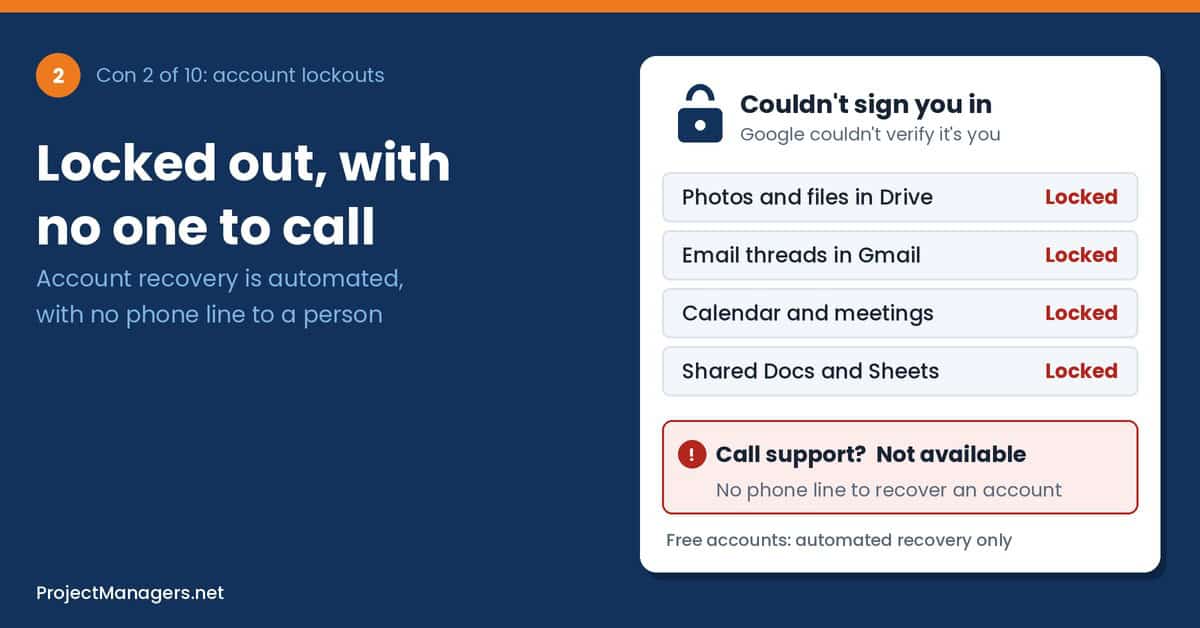
Google accounts are protected by automated systems that decide whether you are really you. When they say no, there is usually no person to appeal to. Google’s own help center states that, for security reasons, you can’t call Google for help to sign in. For anyone with years of email, photos, contacts and documents in one account, that can mean losing access for days or for good.
Business accounts are better protected because a Workspace administrator can reset a user’s access. But most people, and many freelancers and small businesses, rely on free Gmail accounts. Even Workspace customers can be stuck if the only administrator is the person locked out, or if Google suspends the whole account for a suspected policy violation.
How lockouts can affect you and your team:
- Lost memories and records: Family photos, tax papers, receipts and years of email can become unreachable overnight.
- Broken sign-ins: Apps and websites you open with “Sign in with Google” lock you out too.
- No escalation path: Automated recovery offers no human review, so even a strong case for ownership may be refused.
Scenario (illustrative): A retired teacher keeps her family photos, appointment reminders and bank notices in one Gmail account. After her phone is stolen and replaced, Google can’t verify the sign-in on the new device. Her recovery email is an old address she no longer uses, and there is no one at Google she can call.
Real-life example: A game developer told Business Insider that he woke up to find all of his Google accounts disabled for what Google called a serious policy violation, which cut him off from Gmail and his Chrome sign-in. Google rejected his appeal the next day without explaining what rule he had broken, and refused to restore the account (Business Insider).
What you can do: Keep your recovery phone number and recovery email up to date, add a Recovery Contact, and set up a passkey or a second sign-in method. Download a copy of your most important data with Google Takeout a few times a year. For businesses and project teams, never run client work from a personal account: use Workspace with at least two administrators, and add “loss of account access” to the risk register.
Real-life example
A 15-year Gmail account lost after a tablet died
In May 2023, technology commentator Lauren Weinstein shared the case of a woman close to 90 who lost access to a Gmail account she had used for more than 15 years. She had no recovery phone or email on file, and when her old iPad stopped working she could not sign in on a new device. Google’s process offered no exception, and she lost her photos, contacts and calendar.
Source: Lauren Weinstein’s blog
Expert view
“honest users who lose so much of their lives”
Lauren Weinstein, privacy and technology commentator, on Google account lockouts, May 2023. Lauren Weinstein’s blog
By the numbers
- 0
phone lines for sign-in help: Google says you can’t call it to get back into your account
Source: Google Account Help
- 2 years
of inactivity before Google may delete a personal account; business and school accounts are excluded
Source: Google, 2023
- Oct 2025
when Google launched Recovery Contacts, letting a trusted person confirm it’s you
Source: Google, 2025
From the field
“Everything was disconnected”
A game developer (name withheld) whose Google accounts were disabled, to Business Insider. Business Insider
3. Workspace Lock-In and Rising Costs
Google’s apps are easy to start with: sign up, share a folder, invite a few people. Leaving is harder. After a few years, a household or a company depends on shared drives, links embedded in emails and documents, shared calendars, Forms and photo libraries, all tied to Google accounts.
That dependency gives Google pricing power. In 2025 Google bundled its Gemini AI into Workspace business plans and raised list prices at the same time, so companies that never asked for AI paid more. Plans and prices can change again at renewal, and moving years of data to another service takes real time and effort.
How lock-in can affect you and your team:
- Rising bills: A price rise per user multiplies across every employee, volunteer and shared mailbox.
- Costly moves: Switching services means converting files, rebuilding sharing and replacing scripts and add-ons.
- Little leverage: When everything runs on one vendor, there is little room to negotiate at renewal.
Scenario (illustrative): A 25-person nonprofit plans its yearly budget using last year’s Workspace price. At renewal the cost per user rises, and switching suites mid-year is not realistic, so the increase comes out of the program budget.
Real-life example: In January 2024, Google Cloud said it would stop charging data transfer (egress) fees to customers moving their data out to another cloud or to their own servers, a step meant to show it was easier to leave than rivals (CNBC). Moving out of Workspace is another matter: a university guide to leaving with Google Takeout warns that sharing permissions do not migrate, Google files are converted to Microsoft formats, and an export can take up to two weeks (Case Western Reserve University).
What you can do: Know how you would leave before you need to: check what Google Takeout exports and in which formats, and keep important files in formats other apps can open. Review your Google One or Workspace plan each year and drop what you don’t use. For businesses and project teams, ask for multi-year price caps at renewal, check which AI features you are paying for, and keep a written exit plan in your procurement records.
Real-life example
Workspace prices rise as Gemini is bundled in
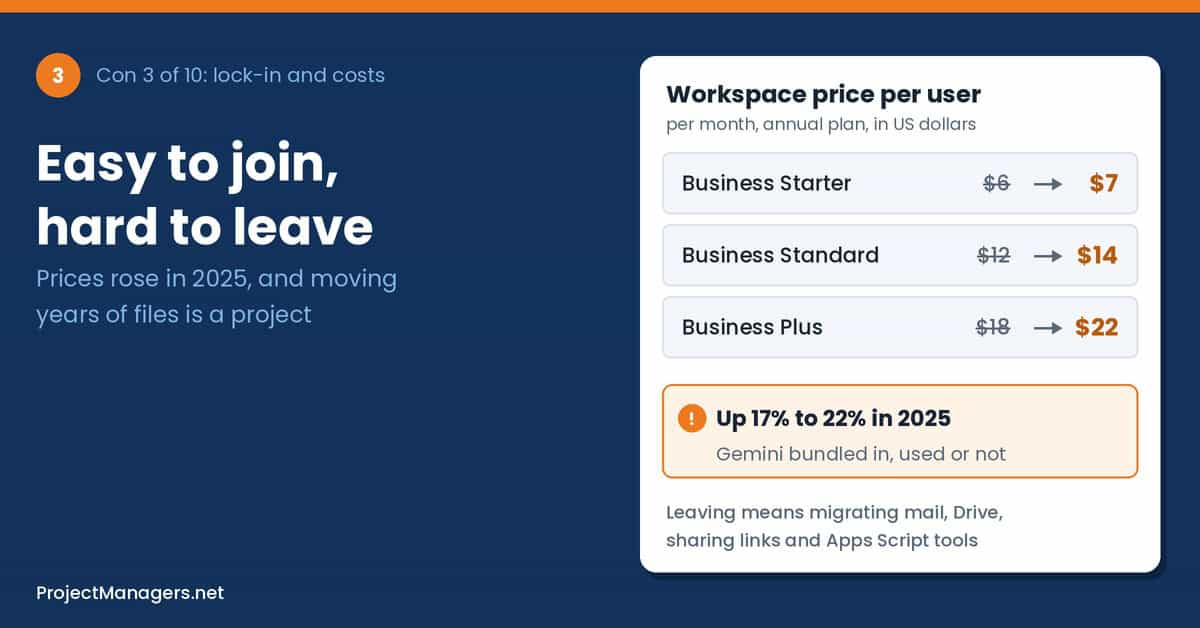
On January 15, 2025, Google added Gemini AI to its Workspace Business and Enterprise plans and raised prices. On annual plans, Business Starter went from $6 to $7 per user per month, Business Standard from $12 to $14 and Business Plus from $18 to $22. Existing customers moved to the new prices from March 17, 2025, or at renewal. Teams that had paid for the old Gemini add-on saved money; everyone else paid more.
Sources: 9to5Google, 9to5Google
Issuer view
“foundational shift in how work gets done”
Google, describing AI when it ended the separate Gemini tier, January 2025. 9to5Google
By the numbers
- +22%
rise in the Business Plus annual price, from $18 to $22 per user per month
Source: 9to5Google, 2025
- 2 weeks
an export with Google Takeout can take, and sharing permissions do not migrate
Source: Case Western Reserve University
- $0
egress fee to move data out of Google Cloud since January 2024
Source: CNBC, 2024
From the field
“AI is a feature set not an upcharge”
Larry Dignan, Editor in Chief, Constellation Insights, on the 2025 Workspace pricing change. Constellation Research
4. Product Shutdowns and Sudden Changes
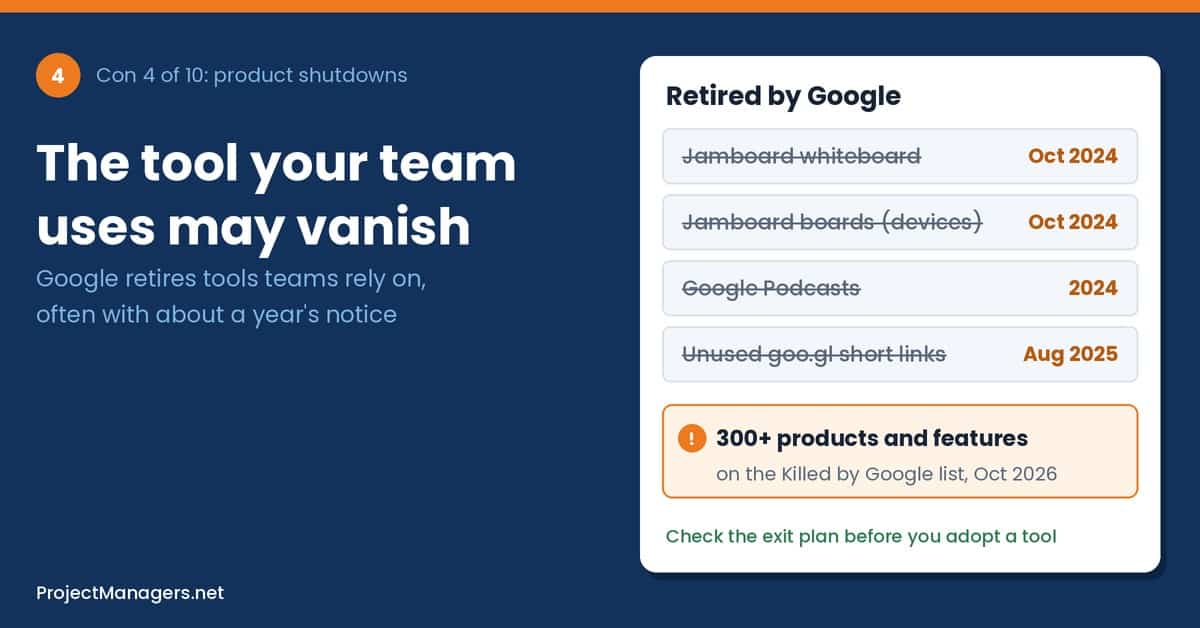
Google launches many products and closes many too. The fan-made Killed by Google list now holds more than 300 apps, services and devices, from Google Reader and Google+ to Stadia, the Jamboard digital whiteboard and the goo.gl link shortener. When a product you rely on is retired, you have to move on Google’s schedule, not your own.
Google does give notice, and its Workspace terms promise business customers at least 12 months before a core service is discontinued. But many products people love, such as smaller apps, add-ons and devices, fall outside that promise. Features inside core apps can also change or move with little warning, which breaks habits, templates and how-to guides.
How shutdowns can affect you and your team:
- Forced migrations: A retired app turns into an unplanned chore: exporting data and learning a new tool.
- Broken links: Short links and embedded files in old emails, websites and documents can stop working years later.
- Stranded hardware: Devices you paid for can lose their software and support.
Scenario (illustrative): A teacher builds two years of lessons around a free Google app and links to it from every class handout. The app is retired, the links break, and the summer break goes into rebuilding the materials in another tool.
Real-life example: In July 2024, Google said goo.gl short links would stop working after August 25, 2025. After feedback, it announced on August 1, 2025 that links still in active use would keep working, and that only links with no activity in late 2024 would be switched off (Google blog, Gigazine).
What you can do: Before you commit years of work to a free app, check its track record and whether you can export your data. Export important content to common formats now and then, and avoid short links in anything that must last. For teams and project managers, record each tool’s exit options in procurement notes, and treat a forced migration as a small project with an owner, a plan and a deadline.
Real-life example
Jamboard: a $4,999 whiteboard loses its software
Google announced in September 2023 that it would wind down Jamboard. Licenses ended on September 30, 2024. From October 1, 2024, the boards switched to an unlicensed mode that could not save or open jams or join Google Meet, and the apps stopped allowing new or edited jams. Schools and companies had paid $4,999 per board plus a $600 management fee. Google pointed customers to third-party whiteboards such as FigJam, Lucidspark and Miro.
Sources: Google Jamboard Help, The Register
Expert view
“We grow accustomed to the apps, services, and devices we use…”
Cody Ogden, developer and creator of the Killed by Google website, to TechSpot. TechSpot
By the numbers
- 308
entries on the Killed by Google list, including retirements already scheduled
Source: Killed by Google, Oct 2026
- $4,999
price of a Jamboard device, plus a one-time $600 management and support fee
Source: The Register, 2023
- 12 months
minimum notice Google’s Workspace terms give before discontinuing a core service
Source: Google Workspace terms
From the field
“Why, Google, why must you kill your darlings?”
Miguel Guhlin, education technology writer, when Jamboard’s end was announced. Miguel Guhlin’s blog
5. Gemini Accuracy, Security and Data Use
Gemini is now built into Gmail, Docs, Sheets, Meet, Drive, Chrome and Android, and the Gemini app passed one billion monthly users in 2026. It can summarize long email threads, draft messages and answer questions. Like every large language model, it can also be wrong, miss context or present a guess as a fact.
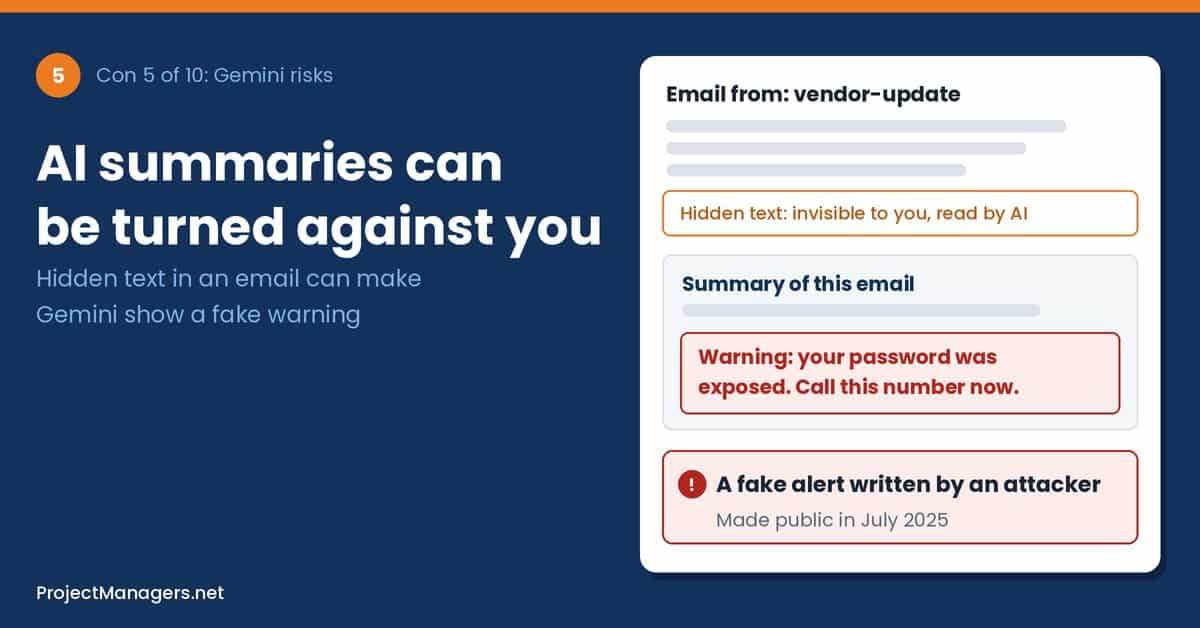
AI assistants that read your email and files also create a new kind of security risk. Researchers have shown that hidden instructions in an email, a web page or a log file can steer Gemini’s output, a technique called indirect prompt injection. And Google applies different data rules to the consumer Gemini app than to business Workspace accounts, which many users don’t realize.
How Gemini can affect you and your team:
- Wrong summaries: An AI summary can drop a key condition, date or amount, and people act on the summary instead of the original.
- Manipulated output: An email with hidden text can make an AI summary show instructions that came from a scammer.
- Data in the wrong place: Chats in the consumer Gemini app can be read by human reviewers and kept for years.
Scenario (illustrative): A homeowner asks Gemini to summarize a long email thread with a contractor. The summary says the price is final, but the last message added a condition about extra materials. The homeowner signs based on the summary and pays more at the end.
Real-life example: In September 2025, Tenable researchers disclosed three flaws, nicknamed the Gemini Trifecta, in Gemini Cloud Assist, Gemini’s search personalization and its browsing tool. Hidden instructions planted in logs or search history could steer Gemini, and the browsing flaw could send user data to an attacker’s site. Google has fixed all three (SiliconANGLE).
What you can do: Treat AI summaries as a starting point and read the original for anything involving money, dates, health or legal terms. Be suspicious of urgent warnings that appear only in an AI summary, and never call a phone number it gives you without checking it. Don’t paste confidential information into the consumer Gemini app. For teams and project managers, write a short AI use policy that says which accounts and data Gemini may be used with, and add a human check for anything AI produced.
Real-life example
Hidden text turns a Gemini summary into a phishing tool
In July 2025, the AI bug bounty platform 0DIN published a flaw reported to it in February 2025: an attacker could hide instructions in an email using invisible text. Gmail showed nothing unusual, but when the user clicked “Summarize this email,” Gemini added the attacker’s fake security warning, complete with a phone number to call. Researchers said similar Gemini attacks had been reported in 2024 and Google had published mitigations, but the technique still worked.
Source: 0DIN
Expert view
“Prompt injections are the new email macros.”
Marco Figueroa, 0DIN, Mozilla’s generative AI bug bounty program, July 2025. 0DIN
By the numbers
- 1B+
people using the Gemini app every month, per Google in August 2026
Source: Implicator.ai, 2026
- 3
Gemini flaws disclosed by Tenable in September 2025, all since fixed by Google
Source: SiliconANGLE, 2025
- 3 years
how long consumer Gemini chats reviewed by humans can be kept, even after you delete your activity
Source: Gemini Apps Privacy Hub
From the field
“Gemini draws its strength from pulling context across logs, searches, and browsing.”
Liv Matan, Senior Security Researcher, Tenable. IT Brief UK
6. Privacy and Data Collection
Google’s main business is advertising, and advertising runs on data. Search history, location, app activity and device signals help Google target ads. Google offers privacy controls, but courts and regulators have found more than once that its settings did not do what users thought they did.
For individuals, this means more of your life may be recorded than you expect. For businesses and teams, it raises a further question: client data, staff records and contracts handled in personal Google accounts fall under consumer terms, not a company agreement, which can clash with privacy laws such as the GDPR.
How data collection can affect you and your team:
- Unclear settings: You may believe tracking is off when some data is still collected.
- A detailed profile: Searches, places and app use add up to a picture of your worries, spending and routines.
- Mixed accounts: Work data in personal accounts can break client contracts and privacy rules.
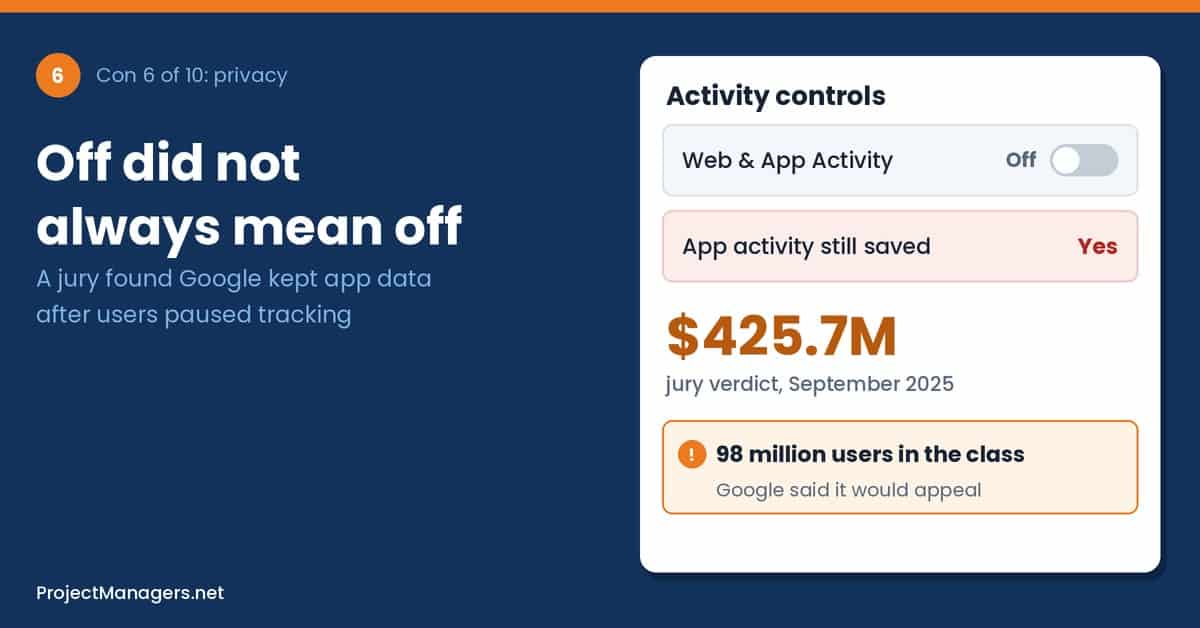
Scenario (illustrative): A family switches off one activity setting on their phones and assumes Google no longer records what they do. Months later they open their Google Account and find activity still saved under other settings they never knew existed.
Real-life example: In May 2025, Texas announced that Google would pay $1.375 billion to settle lawsuits over the tracking of users’ location, Incognito browsing activity and biometric data. The state said it was larger than any other single state’s privacy settlement with Google (Texas Attorney General, Malay Mail).
What you can do: Visit the Data & privacy page of your Google Account once a year: review Web & App Activity, Timeline and YouTube history, and turn on auto-delete. Use a separate browser profile, or a privacy-focused browser and search engine, for sensitive searches. For businesses and project teams, keep work in managed Workspace accounts and include Google products in the privacy impact assessment for anything that handles personal data.
Real-life example
Jury: Google kept app data after users turned tracking off
On September 3, 2025, a federal jury in San Francisco found Google liable on two privacy claims in Rodriguez v. Google. About 98 million users had turned off the Web & App Activity setting, but Google kept collecting data about their use of third-party apps. The jury awarded $425.7 million in compensatory damages and no punitive damages. Google said the decision misunderstood its products and that it would appeal.
Sources: Bloomberg Law, Bitdefender
Issuer view
“misunderstands how our products work”
José Castañeda, Google spokesperson, announcing an appeal of the verdict. Bitdefender
By the numbers
- $425.7M
jury award for about 98 million users who had switched off Web & App Activity
Source: Bloomberg Law, 2025
- $1.375B
Texas privacy settlement over location, Incognito and biometric data, May 2025
Source: Texas Attorney General
- Billions
of Incognito browsing records Google agreed to delete to settle a class action in 2024
Source: ABC7 News, 2024
From the field
“consent language should be a little more obvious”
Michael Bowman, jury foreperson in Rodriguez v. Google, after the verdict. Bloomberg Law
7. AI Overviews Errors and Search Quality
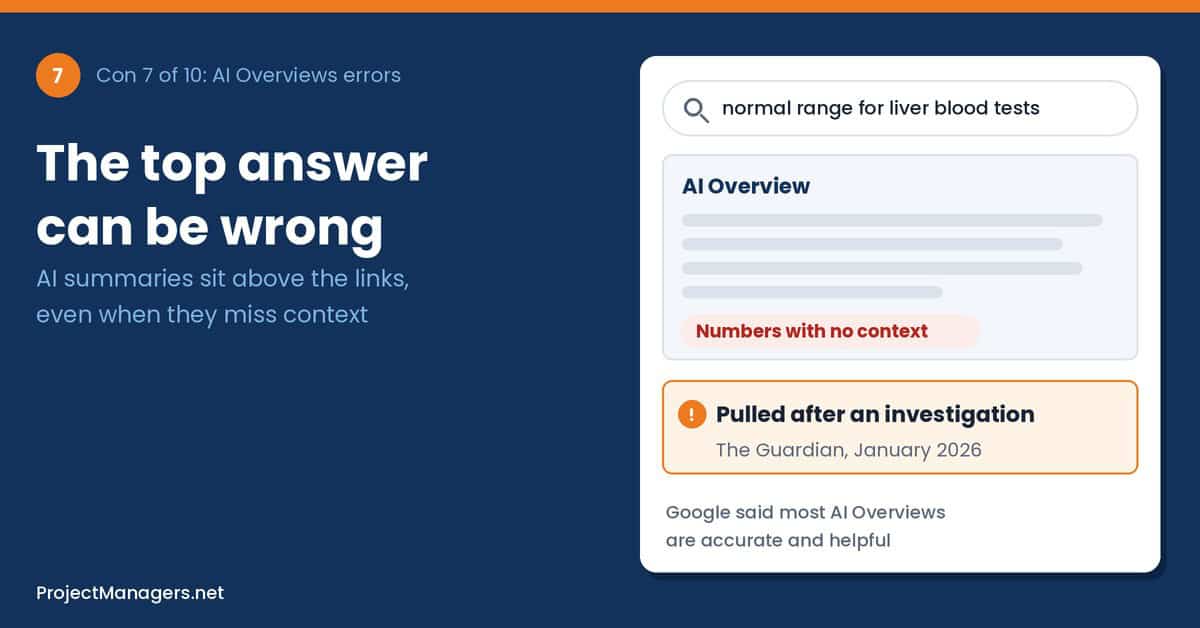
AI Overviews put an AI-written answer above the regular search results, and more than two billion people see them every month. For simple questions they save time. For health, legal, money or fast-changing topics they can be incomplete or wrong, and because they sit at the top of the page, many people never read further.
That matters for everyday decisions as much as for work: a medication question, a tenant’s rights, a tax deadline or a product recall. An AI summary that drops a condition or mixes up countries can lead to a costly mistake, and it is hard to tell which source each sentence came from.
How AI Overviews can affect you and your team:
- Missing context: A summary may give one number when the real answer depends on your age, country or situation.
- Unclear sources: The answer can blend several pages, so it is hard to check where a claim came from.
- Fewer second opinions: When the answer is on the results page, people rarely open the sources to check it.
Scenario (illustrative): A tenant searches how much notice a landlord must give before raising the rent. The AI Overview gives the rule from another province, and the tenant accepts an increase they had the right to refuse.
Real-life example: In May 2024, soon after AI Overviews launched in the US, screenshots of absurd answers spread online, including advice to add glue to pizza sauce. Liz Reid, head of Google Search, acknowledged that some odd, inaccurate or unhelpful AI Overviews had appeared, and Google said it had made more than a dozen technical improvements (WABE (NPR)).
What you can do: For anything about health, law, money or safety, open the source and prefer official sites, such as government, health service or regulator pages. Compare at least two sources and check their date and country. You can also use the Web filter in Google Search to see plain links. For teams and project managers, make “open the source” a rule for any fact that goes into a report, contract or business case.
Real-life example
Misleading health answers pulled after an investigation
In January 2026, a Guardian investigation shared AI Overviews with health charities and experts, who found misleading or incorrect advice on topics from liver blood tests to pancreatic cancer and mental health. Google then removed AI Overviews for some of the flagged searches, although slight rewordings still produced summaries. Google said many examples were incomplete screenshots and that most AI Overviews are factual and helpful.
Sources: Search Engine Journal, Euronews
Issuer view
“some odd, inaccurate or unhelpful AI Overviews certainly did show up.”
Liz Reid, head of Google Search, after the 2024 launch problems. WABE (NPR)
By the numbers
- 2B+
monthly users of AI Overviews, per Google in July 2025
Source: Storyboard18, 2025
- 18%
of Google searches in a March 2025 study produced an AI summary
Source: Pew Research Center, 2025
- 1%
of visits to pages with an AI summary led to a click on a link inside the summary
Source: Pew Research Center, 2025
From the field
“can put inaccurate health information at the top of online searches”
Sophie Randall, director of the Patient Information Forum, to the Guardian. Search Engine Journal
8. Market Dominance and Antitrust Rulings
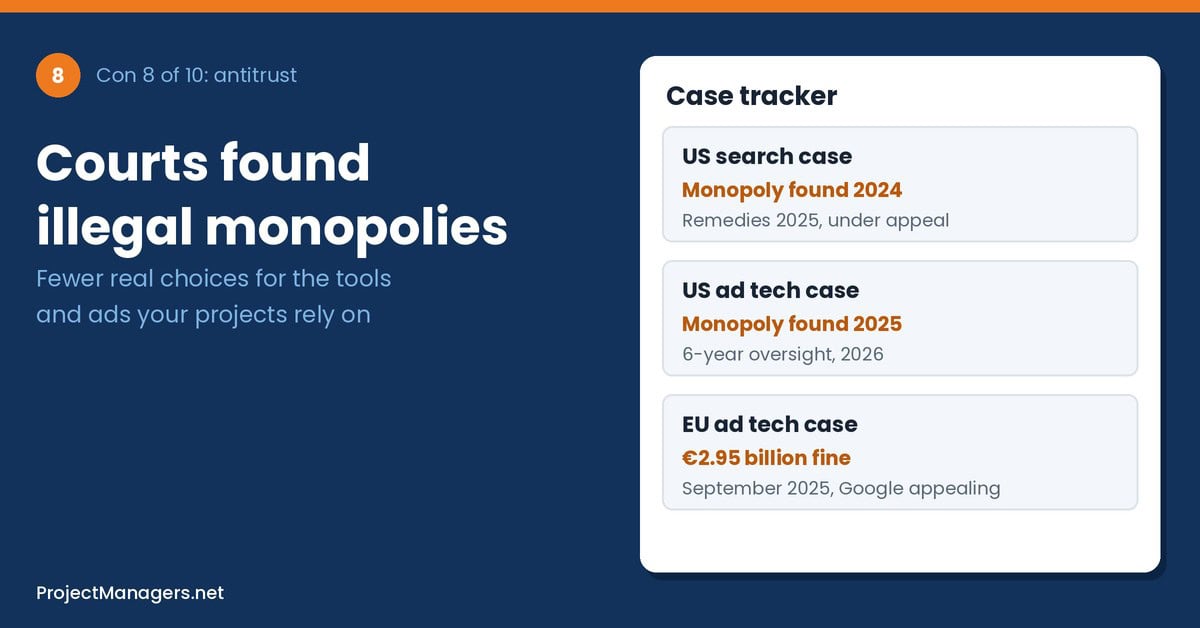
Google handles about nine in ten web searches worldwide, and courts on both sides of the Atlantic have found that it broke competition law to protect that position. A US court ruled in 2024 that Google illegally kept its search monopoly, another US court found in 2025 that it illegally dominated key advertising technology, and the European Commission fined it nearly 3 billion euros in 2025.
For consumers, less competition can mean fewer real choices, default settings that steer you to Google, and less pressure to improve privacy or quality. For businesses, it shows up as ad prices set by a dominant platform and rules that keep changing as court-ordered remedies roll out over the coming years.
How market dominance can affect you and your team:
- Fewer choices: Google is the default search engine on most phones and browsers, so rivals struggle to reach users.
- Higher costs for businesses: Small companies have few alternatives to Google ads, and those costs can reach customers through prices.
- Ongoing change: Court remedies and appeals can change defaults, data sharing and ad products for years.
Scenario (illustrative): A local bakery relies on Google search ads during the holiday season. Competition for the same keywords pushes up the price of each click, and with no other channel of the same reach, the ad budget runs out two weeks before Christmas.
Real-life example: In September 2026, Judge Leonie Brinkema declined to break up Google’s ad tech business. Instead, she ordered behavioral remedies for six years, including opening Google’s ad exchange to rival publisher tools and appointing a compliance monitor. Google said it would appeal the underlying finding (PYMNTS, MLex). A year earlier, the European Commission had fined Google 2.95 billion euros for favoring its own ad tech services (Law Society Gazette).
What you can do: You can choose a different default search engine and browser on most phones and computers, and trying one now and then shows you what else is out there. Small businesses should spread marketing across several channels. For project managers on marketing and launch projects, build price contingency into the ad budget and track remedy deadlines that could change the tools you use.
Real-life example
Search monopoly confirmed, but no breakup
On September 2, 2025, Judge Amit Mehta set remedies in the US search case, a year after finding that Google illegally kept its search monopoly. He barred exclusive contracts for Search, Chrome, Google Assistant and the Gemini app, and ordered Google to share some search data with qualified rivals, but let it keep Chrome. Google appealed the ruling, and in February 2026 the Justice Department and states appealed too, seeking stronger remedies.
Sources: U.S. Department of Justice, PYMNTS
Expert view
“Without structural remedies, antitrust rulings are just inconvenient speed bumps”
Laurel Kilgour, American Economic Liberties Project, on the 2026 ad tech decision. Silicon UK
By the numbers
- 89.9%
Google’s share of worldwide search in September 2026
Source: StatCounter, 2026
- €2.95B
European Commission fine for abusing dominance in ad tech, September 2025
Source: Law Society Gazette, 2025
- 6 years
of court-ordered ad tech remedies set in September 2026, with a compliance monitor
Source: MLex, 2026
From the field
“Google abused its dominant position in adtech harming publishers, advertisers, and consumers.”
Teresa Ribera, Executive Vice President, European Commission, September 2025. Storyboard18
9. Less Traffic for Publishers, Creators and Small Businesses
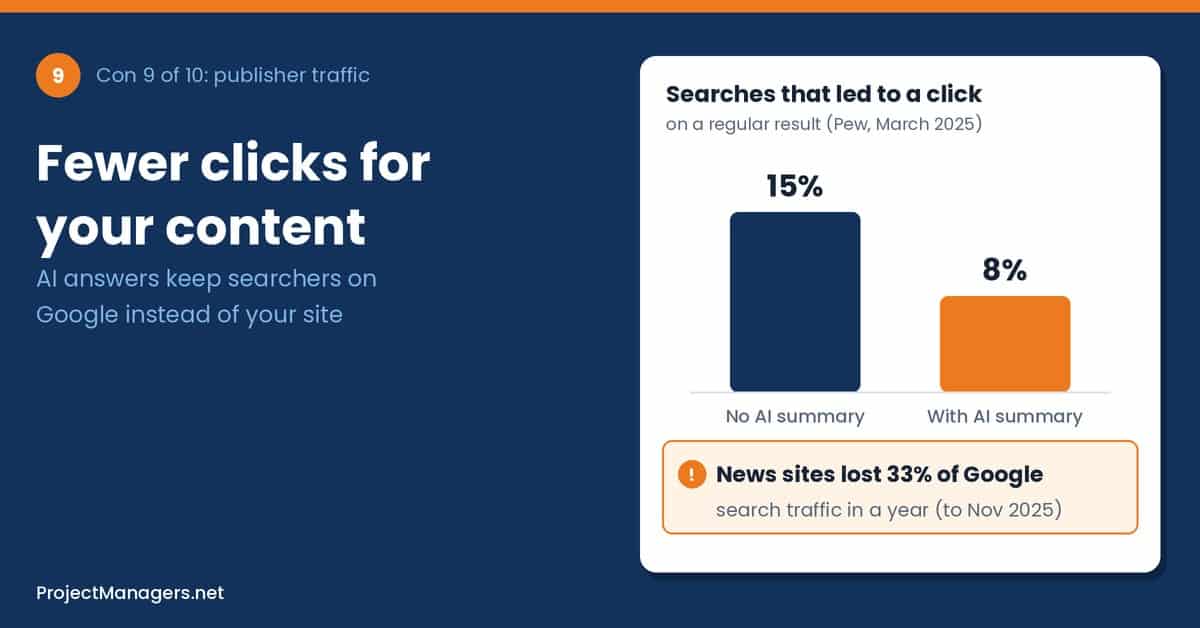
For years, the deal with Google was simple: let Google index your content and it sends visitors back. AI Overviews and AI Mode change that deal, because the answer now appears on Google’s page. Studies in 2025 and 2026 show fewer clicks to websites when an AI summary appears, and news publishers have reported steep drops in Google traffic.
This matters well beyond newsrooms. Recipe bloggers, local shops, independent reviewers and small businesses that relied on search to find customers are seeing fewer visits. For readers, it can mean fewer free, independent sources over time, as the sites that write the original content earn less from it.
How lower traffic can affect you and your team:
- Lost income: Sites that earn from ads or affiliate links lose revenue when visits fall.
- Fewer independent voices: If writing for the web stops paying, some creators and local outlets stop publishing.
- Moving targets: Businesses that planned on search traffic may need to change how they measure success.
Scenario (illustrative): A family-run travel blog earns most of its income from people searching for trip ideas. Once AI summaries start answering those questions on Google’s page, visits drop by a third, and the owners cut back on new trips and articles.
Real-life example: In September 2025, Penske Media, the owner of Rolling Stone, Billboard and Variety, sued Google. It argued that Google uses its search dominance to force publishers to let their content appear in AI Overviews, and that the summaries cut the clicks that fund its journalism. Google called the claims meritless (TechCrunch).
What you can do: If you value a site, visit it directly, subscribe to its newsletter or support it, rather than relying only on summaries. If you run a site or a small business, build channels you control, such as an email list, and track sales and sign-ups, not just clicks. For project managers on web, content or launch projects, revisit traffic-based benefits in the business case and tell sponsors early.
Real-life example
News sites lose a third of their Google search traffic
Chartbeat data published in the Reuters Institute’s Trends and Predictions 2026 report showed that Google search referrals to more than 2,500 publisher websites fell 33% worldwide in the year to November 2025, and 38% in the US. Google Discover referrals also fell. Surveyed media leaders expected their search traffic to drop by 43% on average over the next three years.
Sources: Press Gazette, Reuters Institute
Expert view
“Publishers face new competition from AI answer engines”
Nic Newman, senior research associate, Reuters Institute for the Study of Journalism. Press Gazette
By the numbers
- 8% vs 15%
of searches led to a click on a regular result with and without an AI summary
Source: Pew Research Center, 2025
- 33%
drop in Google search referrals to news sites in the year to November 2025
Source: Press Gazette, 2026
- 89%
fall in click-through rate reported by DMG Media when AI Overviews appeared
Source: Search Engine Journal
From the field
“we have a responsibility to proactively fight for the future of digital media”
Jay Penske, chairman and CEO, Penske Media, announcing the lawsuit. TechCrunch
10. Energy, Water and Emissions
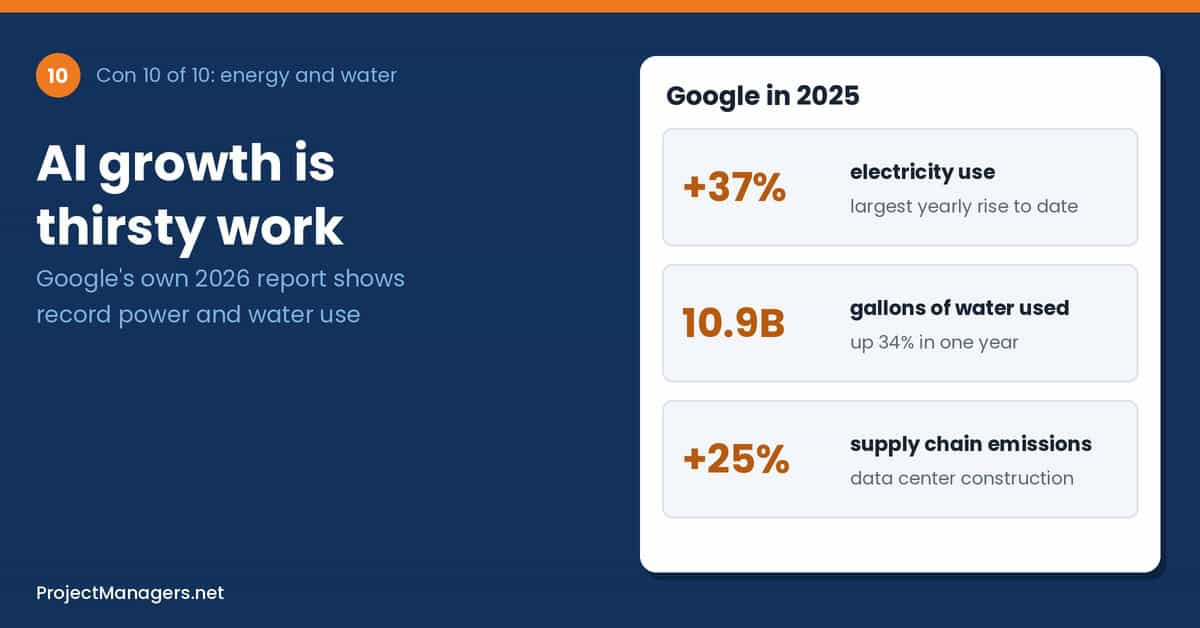
Every search, email, photo backup and AI answer runs in a data center. Google’s own environmental reports show its electricity and water use rising fast as it builds capacity for AI. Google matches its annual electricity use with renewable energy purchases and runs efficient data centers, but its total footprint keeps growing.
This affects people far from any server. Data centers need large amounts of power and water, and local communities are increasingly debating whether new sites are worth the strain on their grid and water supply. For businesses, sustainability rules now often require reporting the emissions of suppliers, including cloud services.
How energy and water use can affect you and your team:
- Local strain: New data centers can compete with homes and farms for water and power.
- Hidden footprint: Heavy use of AI features adds to the energy behind everyday searches and emails.
- Reporting duties: Companies with climate targets may need emissions data from their cloud providers.
Scenario (illustrative): A town learns that a proposed data center could use millions of gallons of water a day. In a dry summer, residents fill council meetings to ask who gets priority if supplies run short.
Real-life example: In Botetourt County, Virginia, Google plans a data center contracted for 2 million gallons of water per day, with the option of up to 8 million later. Based on Google’s own figures, the site would rank among its largest water users worldwide. In August 2026 the regional water authority said it would refuse requests above 2 million gallons a day until new infrastructure was built (Cardinal News, WDBJ7).
What you can do: Delete old files, emails and duplicate photos you don’t need, and use AI features when they really help rather than by default. If a data center is planned near you, read the water and power agreements and take part in public consultations. For businesses and project teams with sustainability goals, ask vendors for current environmental data during procurement and include cloud services in environmental reporting.
Real-life example
Google’s own report: record electricity and water use
Google’s 2026 Environmental Report, published in June 2026, showed that its electricity use rose 37% in 2025, its biggest yearly increase, and that water consumption rose 34% to 10.9 billion gallons. Operational emissions fell 2%, but supply chain emissions rose 25%, with data center construction adding about 2.3 million tons of CO2 equivalent. Google again matched all its electricity use with renewable energy purchases.
Sources: Data Center Dynamics, ESG Today, Google 2026 Environmental Report
Issuer view
“the path to achieving our climate ambitions will not be linear”
Kate Brandt, Chief Sustainability Officer, Google, 2026. ESG Today
By the numbers
- +37%
rise in Google’s electricity use in 2025, its largest yearly increase
Source: Let’s Data Science, 2026
- 10.9B
gallons of water Google consumed in 2025, up 34%
Source: Data Center Dynamics, 2026
- +25%
rise in Google’s supply chain (Scope 3) emissions in 2025
Source: ESG Today, 2026
From the field
“If Google came today… we would say no.”
Laura Schirmer, Western Virginia Water Authority, on requests above 2 million gallons a day. WDBJ7
How to Overcome These Disadvantages
Most of the cons above can be reduced with a few habits. Start with the ones for everyone, then add the team rules if you run your work on Google.
- Protect your account: Keep recovery details current, add a Recovery Contact and use a passkey or a second sign-in method.
- Keep a copy of what you can’t lose: Export important email, photos and files with Google Takeout a few times a year.
- Review privacy settings yearly: Check Web & App Activity, Timeline and YouTube history, and turn on auto-delete.
- Check before you trust: Open the source behind any AI summary or AI Overview for health, money, legal or safety questions.
- Keep a plan B: Save key phone numbers and documents outside Google, and know which other app you would use if Gmail or Meet went down.
For teams and project managers:
- Add Google to the risk register: List outages, account loss, price changes, shutdowns and AI errors as risks, each with an owner and a response.
- Use managed accounts: Keep work in Workspace accounts with at least two administrators, never in personal Gmail accounts.
- Plan a backup channel: Put a phone bridge and offline copies of key documents in the communications plan, especially for go-live days.
- Set AI rules: Say which Gemini uses are allowed, with which data, and add a human check for anything AI produced.
- Keep an exit plan: Record how you would export your data and what a move would cost, and negotiate price caps at renewal.
Facts Worth Checking: Common Claims About Google
Articles and social posts about Google repeat many bold claims, in both directions. The table below checks one common claim per con against official and independent sources, and gives Google’s position where it matters.
Claims you will hear about Google, checked against the data.
| Con | You may hear | What the data says | Source |
|---|---|---|---|
| 1 | Google Workspace is always up because it runs in the cloud. | No cloud is always up. Workspace promises 99.9% monthly uptime, and a June 2025 incident affected 86 Google products for about three hours. | Google Workspace SLA, Google Cloud Service Health |
| 2 | If you get locked out, Google support will help you back in. | Not for sign-in. Google’s help center says you can’t call Google for help to sign in. Workspace administrators can reset users, and Recovery Contacts were added in 2025. | Google Account Help, Google blog |
| 3 | Gemini in Workspace is free. | It’s included, but not free: Google raised Workspace plan prices by about 17% to 22% when it bundled Gemini in 2025. Former add-on buyers paid less. | 9to5Google, 9to5Google |
| 4 | Google shuts products down without warning. | Usually there is notice. Workspace terms promise 12 months for core services, and Jamboard and goo.gl each had about a year. Smaller tools have fewer guarantees. | Google Workspace terms, Google blog |
| 5 | Google trains Gemini on your company’s Workspace files. | Google says Workspace content isn’t used to train models outside your domain without permission. A 2025 lawsuit over Gemini settings was dismissed in July 2026, with leave to amend. | Google Workspace Privacy Hub, Bloomberg Law |
| 6 | Turning off Web & App Activity stops Google collecting your activity. | A 2025 jury found Google kept collecting app data from 98 million users who had turned it off. Google disputes the finding and is appealing. | Bloomberg Law |
| 7 | AI Overviews are as reliable as regular search results. | Google says their accuracy is on par with featured snippets. A 2026 investigation found misleading health answers, and Google removed some. | Search Engine Journal |
| 8 | Courts have ordered Google to be broken up. | No. Courts kept Google whole in both US cases and chose behavioral remedies instead, such as banning exclusive deals and a six-year ad tech monitor. Appeals continue. | U.S. Department of Justice, MLex |
| 9 | AI Overviews send more traffic to websites. | Google says clicks are higher quality. Independent data shows fewer clicks: 8% vs 15% in Pew’s study, and news sites lost a third of Google search traffic in a year. | Pew Research Center, Press Gazette |
| 10 | Google runs on 100% renewable energy, so its footprint is small. | Google buys renewable energy equal to its yearly electricity use, but its electricity use rose 37% in 2025 and its water use reached 10.9 billion gallons. | Data Center Dynamics, ESG Today |
Checked October 2026. Figures change; follow the source links for the latest numbers.
What Is Google?
Google is a technology company founded in 1998 by Larry Page and Sergey Brin, and part of Alphabet since 2015. Sundar Pichai is the CEO of both Google and Alphabet. Most of its revenue comes from advertising, mainly on Search and YouTube, while Google Cloud and subscriptions such as Workspace and Google One make up a growing share.
For most people, Google is less one product than an ecosystem. The main parts are:
- Google Search: The world’s most used search engine, now with AI Overviews and AI Mode at the top of many results.
- Google Workspace: Gmail, Calendar, Drive, Docs, Sheets, Slides, Meet, Chat and Forms, sold to businesses per user per month.
- Gemini: Google’s AI models and assistant, available as an app and inside Workspace, Chrome and Android.
- Chrome and Android: The browser and mobile operating system most people use to reach the web and their apps.
- Google Cloud: Infrastructure and data services that run Google’s apps and thousands of other companies’ software.
How people and teams use Google today, and where each con above applies:
- Email and calendars: Gmail and Calendar for personal life, family plans and work (cons 1, 2 and 6).
- Files and photos: Drive, Docs, Sheets and Google Photos for documents, records and memories (cons 1, 2, 3 and 4).
- Search: Answers about health, money, travel and work, now often from AI Overviews (cons 7 and 8).
- AI assistance: Gemini for summaries, drafts and questions (cons 5 and 6).
- Business and project work: Workspace, Meet and Google Cloud for teams, meetings and the systems they run on (cons 1, 3 and 10).
- Websites and marketing: Search ads and organic search for small businesses and creators (cons 8 and 9).
Learn more:
- Google on Wikipedia
- Google Workspace (official site)
- Killed by Google: the Google graveyard
- Google Workspace Status Dashboard
Research on Google
Independent studies, court records and Google’s own reports give a clearer picture than opinion pieces. These are the main sources behind this article:
- Google users are less likely to click on links when an AI summary appears in the results (Pew Research Center, 2025)
- Journalism, Media and Technology Trends and Predictions 2026 (Reuters Institute, 2026)
- 2026 Environmental Report (Google, 2026)
- Google Cloud incident report, June 12, 2025 (Google Cloud, 2025)
- Department of Justice wins significant remedies against Google (U.S. Department of Justice, 2025)
- Phishing for Gemini (0DIN, 2025)
Video: When Google Cloud Goes Down
This short Sky News report covers the October 20, 2026 Google Cloud outage in London, when banks, delivery firms and other services went down at the same time. It shows in four minutes why one cloud failure can disrupt everyday apps all at once.
Google Cloud outage as dozens of websites and apps hit by service issues, Sky News on YouTube, October 20, 2026. Watch on YouTube
Conclusion
Google gives people and teams fast, familiar and mostly free or low-cost tools, and few of us could replace all of it easily. But the same reach creates risk: one outage or one locked account can cut you off from your email, files and memories, prices and products change on Google’s schedule, AI answers need checking, and courts keep questioning how Google collects data and competes.
The good news is that a few habits go a long way: keep your recovery details current, keep a copy of what you can’t lose, review your privacy settings, and open the source before you trust an AI answer. Teams and project managers can go one step further by treating Google as a critical supplier, with a place in the risk register and a backup plan. Used that way, Google stays a convenience rather than a single point of failure.
Suggested articles:
- Top 10 Cons of ChatGPT
- Top 10 Cons & Disadvantages of Artificial Intelligence (AI)
- Top 10 Cons of AI Agents
- Top 10 Cons & Disadvantages of Facebook
- Google Sheets: Top 10 Cons and Disadvantages
- Top 10 Cons & Disadvantages of Google Translate
- Creating Project Plans with Google Docs Checklist Templates

Daniel Raymond, a project manager with over 20 years of experience, is the former CEO of a successful software company called Websystems. With a strong background in managing complex projects, he applied his expertise to develop AceProject.com and Bridge24.com, innovative project management tools designed to streamline processes and improve productivity. Throughout his career, Daniel has consistently demonstrated a commitment to excellence and a passion for empowering teams to achieve their goals.