
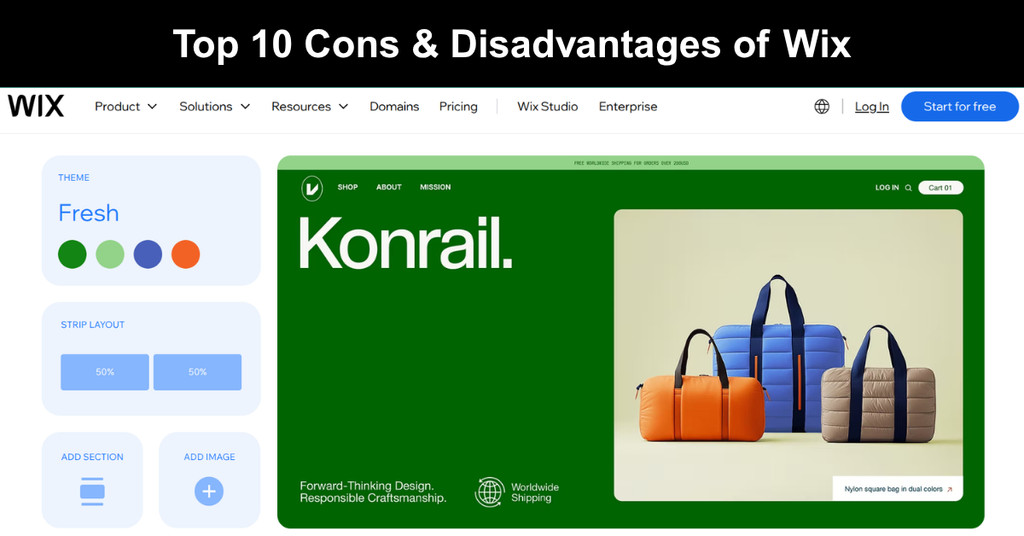
Wix ended 2025 with more than 304 million registered users, according to its annual report filed with the US Securities and Exchange Commission. That reach is earned. The drag-and-drop editor, built-in hosting, and AI site builder let a first-time owner publish a clean, working site within a single afternoon, and for many small projects, that speed matters more than total control over every single detail.
Wix does have its limitations, and they surface once a site grows: locked templates, shallow technical SEO controls, no design export, and renewal bills that climb. This guide covers the ten drawbacks that matter most, what each one costs in practice, and how to work around it without a full rebuild. Here are the disadvantages, starting with what the platform is and how it works.
What Is Wix?
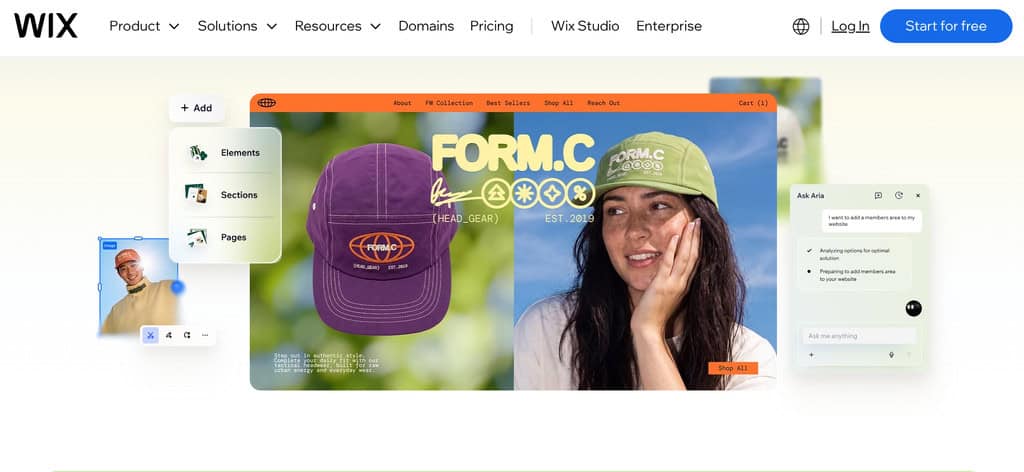
Wix is a cloud-based website builder, founded in 2006, that lets anyone design, publish, and host a site without writing code. It runs on a freemium model, with a free tier and paid plans that add domains, storage, and selling tools. The company keeps adding AI features, and its newest AI-assisted editor, announced in January 2026, is Wix Harmony.
Here is what defines the product at a basic level:
- Freemium Model: A free plan with no time limit lets you test the editor, while paid plans unlock custom domains, more storage, and selling tools, so serious sites end up on subscriptions.
- Drag-And-Drop Editor: Elements move freely on a visual canvas, which makes layout easy for beginners but limits how precisely developers can control page structure and underlying code.
- AI Building Tools: Its AI agent drafts pages, color palettes, and sections from prompts, and you refine the result by hand, which speeds up first drafts and lowers the skill barrier.
- Built-In Hosting: Wix runs hosting, security, and updates for you, which removes maintenance work but also ties your site to Wix infrastructure for as long as it lives.
Real-Life Example: A freelance photographer needed a portfolio and booking page before wedding season. She picked a Wix template, uploaded her best galleries, and added a contact form in one weekend, paying only for a basic paid plan and a custom domain, which gave her a professional site without hiring a developer.
10 Disadvantages & Drawbacks of Using Wix

Knowing where Wix falls short before you build saves more money than any discount. Most of its limits stay invisible during setup and only appear after you have published pages, paid for a plan, and gathered traffic. Each disadvantage below explains what the limit is, what it costs in practice, and how to work around it.
Disadvantage #1: Limited Design Flexibility After Initial Setup
Wix makes template changes hard once you start building, and this lack of flexibility can be a significant issue for brands that outgrow their first layout. A redesign usually means rebuilding pages by hand on a free-form canvas, and sitewide updates take longer than in a theme-based system, so every rebrand becomes an expensive rebuild.
Design friction usually shows up in a few predictable ways:
- Locked Templates: Moving to a new template means recreating sections, copy, and media manually, so a rebrand often becomes a rebuild instead of a quick, cheap restyle.
- Layout Drift: Elements sit on a free canvas, so editing a header or footer across many pages can leave spacing inconsistent unless someone reviews every page afterward.
- Mobile Rework: Desktop and mobile views often need separate adjustments, which doubles the editing time for each design change on a content-heavy site with many sections and pages.
Real-Life Example: A small catering company launched with a bright template, then rebranded a year later. Moving to a new layout meant retyping menus, resizing every photo, and rechecking each mobile page, which took two weekends and delayed a seasonal promotion by almost a week during its busiest month of bookings.
Solution: Choose a template you can live with for years, and keep brand colors and fonts in the site theme so a restyle touches one setting, not fifty. Before any major redesign, compare the full rebuild cost with a platform that offers swappable themes, shared global styles, and easy layout changes.
Disadvantage #2: Restrictions on E-commerce Functionality in Lower-Tier Plans
Wix Stores suits starter shops, but its guidelines can feel limiting for small businesses or startups that expect fast catalog growth. The free plan cannot sell online at all, so every store depends on a paid monthly subscription, and the price rises steadily with the store’s ambitions, size, and add-ons as the business grows over time.
E-commerce limits tend to appear in a few key areas:
- Catalog Limits: Wix publishes recommended limits for products, variants, and collections, so large catalogs need planning before launch, not after the first orders arrive and complicate things.
- Plan-Based Tools: Online payments and advanced selling features sit behind paid tiers, so a store’s real monthly cost rises as its needs grow beyond a simple shop.
- Growth Gaps: Features such as subscriptions, bookings, and multi-currency selling depend on the plan, so confirm each requirement against current plan details before building anything customers see.
Real-Life Example: A boutique owner built a store on a lower plan, then added product variants for sizes and colors. Her catalog neared the published guidelines within months, and she upgraded earlier than planned, which pushed her annual platform cost above the budget she had set at launch for the year.
Solution: List your expected product count, variants, and payment needs before choosing a plan. Match that list to the current limits page, and price the plan you will need in year two, not the cheapest one that works today. Revisit those numbers every quarter, and upgrade only when sales justify it.
Disadvantage #3: Limited SEO Capabilities Compared to Other Platforms
Wix covers SEO basics, but reviewers report limited control over advanced SEO work, such as server-level changes and deep technical customization. Editable titles, descriptions, and URL slugs cover the essentials. For brands competing in crowded search results, that ceiling matters more with every year the site grows, and every new competitor arrives in the results.
The gap between basic and advanced SEO looks like this:
- Basics Covered: Meta titles, descriptions, and slugs are editable per page, which is enough for local businesses and small sites that compete on content rather than tweaks.
- Technical Ceiling: You cannot touch the server, so specialized fixes depend on what Wix supports, and a complex requirement may need a workaround or a different platform.
- Migration Risk: Leaving Wix later can change URLs and break rankings unless you plan redirects carefully, so weigh technical SEO needs before you commit to the platform.
Real-Life Example: An agency built a Wix site for a law firm. The firm later wanted a technical setup its developers could not apply, so the agency moved the site to another platform, rebuilt every page, and spent several weeks mapping old URLs to new ones before the site could relaunch.
Solution: Audit your SEO needs before building, and list the technical features you expect to need in two years. If most are basics, Wix works well. If several are advanced, start on a platform with full code access, and avoid a costly migration later. Ask a developer to review the list.
Disadvantage #4: Websites Are Not Easily Transferable
Because Wix hosts your site, you cannot export website designs as a working site on another host. Some content, such as blog posts, can move, but layouts, forms, and functionality must be rebuilt on the new platform, which costs time and money that owners rarely plan for in advance, so budget for that cost early.
Portability problems usually come down to a few clear points:
- No Full Export: You can copy text and download images, but no package recreates the live design and features on another host, so you start over from scratch.
- Rebuild Costs: Moving means paying again for design, content entry, and testing, which can approach the cost of a new site for large stores and big sites.
- Lock-In Growth: Every added page, app, and form deepens dependence on Wix tools, so the cost and effort of leaving rises each month the site stays live.
Real-Life Example: A consultant ran a Wix site for nearly four years, then wanted a custom booking system. His developer could not lift the design out, so the team rebuilt eighty pages from scratch, retested every form, and finished three weeks after the date originally promised to his clients and partners.
Solution: Keep your own copy of all text, images, and brand files from day one, stored in an organized folder. Treat the site as replaceable, document your URL structure, and decide early whether Wix fits your long-term plan, before the page count grows and the cost of leaving rises with it.
Disadvantage #5: Potential for Slow Loading Times with Media-Heavy Sites
Pages heavy with video and images experience slower loading times, and forum threads often ask how to improve mobile speed. Most complaints trace back to oversized media and stacked effects, not the platform itself, so owners can fix most of them with a few habits, one free testing tool, and checks after each content update.
Slow pages on Wix usually trace back to these causes:
- Oversized Media: Uploading full-resolution photos and background videos forces visitors to download far more than they see, which hurts mobile load times first and hardest of all.
- Heavy Animation: Scroll effects, large galleries, and many moving elements add rendering work, and phones with weak processors feel the delay well before desktop visitors ever do.
- Extra Apps: Each added app can load more scripts on the page, so a site with several widgets loads more slowly than the same site without them.
Real-Life Example: A photographer uploaded forty full-size images to a portfolio page with a looping video header. Mobile visitors waited several seconds and left until she compressed the images, replaced the video with a still frame, split the page into two lighter pages, and watched her bounce rate fall within weeks.
Solution: Compress images before uploading, use short or streamed video, and limit animation to key moments. Remove unused apps, split long pages, and test mobile speed with a free tool after every major content update so problems surface early. Keep a short log of speed results to spot trends over time.
Disadvantage #6: Limited Functionality in the Basic Store Navigation
Shoppers expect fast browsing, yet Wix store features trail dedicated platforms such as Shopify, and store menus support only a single level of sub-menus. That suits simple catalogs, but strains stores with deep category trees, many filters, or large product ranges that shoppers need to browse, filter, and compare easily and quickly, especially on phones.
Store navigation limits often show up in these specific ways:
- Shallow Menus: A single level of sub-menus forces large catalogs into broad categories, so shoppers click more or rely on search to find a specific product quickly.
- Basic Filtering: Product filters work for small ranges, but stores with many attributes may need extra apps or custom work to give shoppers precise and fast results.
- Scaling Limits: Adding more products, categories, and collections eventually exposes the limits of the built-in structure, which dedicated platforms handle with less effort and fewer workarounds or apps.
Real-Life Example: A hardware shop listed six hundred products under eight categories because the menu could not go deeper. Customers struggled to find items, support emails about stock location increased, and the owner paid for a filter app to reduce the confusion and recover some lost sales over the following quarter.
Solution: Sketch your category tree before building, and keep it as flat as customers can follow. If your range is large or complex, trial a dedicated e-commerce platform before committing your whole catalog to Wix, and compare how each handles filters, menus, and search for your products. Test it with customers.
Disadvantage #7: Limited Third-Party Apps and Custom Code Options
Compared with open platforms, Wix offers fewer integrations and limited custom code options, and many apps in its market require a paid plan. Basic sites rarely notice the gap, but advanced workflows, such as syncing customer data between systems or building unusual features, hit the edges of the platform quickly, which forces teams into manual workarounds.
Integration limits tend to appear in these specific, practical places:
- Paid Apps: Many apps in the Wix App Market require a premium plan or their own subscription, which raises the monthly cost of sites needing several tools.
- Integration Gaps: A tool your business already uses may lack a native Wix connector, so you may rely on automation services or manual exports to move data.
- Code Boundaries: Wix supports custom code in defined places, but you cannot reshape the platform itself, so unusual features may need workarounds or may not be possible.
Real-Life Example: A small training company wanted its learner database to sync with its website. No native connector existed, so staff exported spreadsheets every Friday and uploaded them by hand, a routine that quietly cost about three working hours each week, caused occasional data errors, and lasted almost a year.
Solution: Write down every tool your site must connect to before you choose a plan. Check each one in the App Market, confirm its pricing, and rule out Wix early if a critical integration is missing, because retrofitting integrations later is slow, costly, and often leaves manual workarounds for your team.
Disadvantage #8: Branding Restrictions on the Free Plan
Free sites carry Wix-branded ads on every page and sit on a Wix subdomain, so they look unfinished beside a competitor with its own domain. The free plan suits practice and drafts, but it undermines trust for any business that wants to look established to customers, partners, and suppliers, so most owners choose to upgrade quickly.
Free-plan branding problems usually fall into these familiar, costly areas:
- Wix Ads: A Wix banner appears on your pages, which pulls attention from your offer and signals that the site is a trial rather than a business.
- Subdomain Address: Your web address includes the Wix name, which is harder to remember, harder to print on business cards, and less credible than a custom domain.
- Small Resources: The free tier includes limited storage, so a growing media library or blog can hit the cap before you are ready to pay for more.
Real-Life Example: A freelance writer shared a free Wix portfolio with prospective clients. Two replied asking why the site carried advertising, and one doubted she could deliver professional work, so she upgraded to a paid plan and connected her own domain within a week, then resent links to her contact list.
Solution: Use the free plan only for learning and drafts. Before sharing a site with clients or customers, upgrade to a paid plan, connect a custom domain, and confirm that the ads and subdomain are gone by viewing the live site in a private browser window on both phone and desktop.
Disadvantage #9: Limited Monetization Options Beyond E-commerce
Owners chasing more revenue hit paywalls fast on Wix, because most monetization tools beyond a basic store sit behind paid plans or paid apps. Free users have almost no real way to earn money, and paying users must count every added tool against their margins before they can honestly call a site profitable or sustainable.
Monetization limits typically look like this for most small sites:
- Plan-Gated Tools: Memberships, bookings, and selling features require paid plans, so revenue tools arrive with a monthly cost before the first sale or the first member joins.
- Ad Constraints: Publishers who want display advertising must work within what Wix allows, which gives less control than a self-hosted site where you manage ad code directly.
- App Dependence: Some income features rely on third-party apps with their own subscriptions, so profit shrinks as the number of required add-ons grows over the site’s life.
Real-Life Example: A fitness coach planned to sell paid memberships plus video classes on a basic plan. She found the member area and video tools needed higher tiers, so her first month brought two plan upgrades and an app subscription before any member had paid her a single fee for coaching.
Solution: Map each revenue stream to the plan or app that supports it, then total the monthly cost of the full stack. Launch with one stream that pays for itself, and add others only when income covers the upgrade, so growth never outruns your cash flow or forces rushed pricing decisions.
Disadvantage #10: Basic Analytics on Lower-Tier Plans
Wix dashboards help, but free sites cannot connect Google Analytics, which leaves lower tiers with basic traffic numbers and little insight into visitor behavior. Without deeper data, it is hard to see which pages convert visitors into customers and which ones quietly lose them, so marketing spend turns into guesswork and good pages get ignored.
Analytics gaps usually show up in these specific, costly ways:
- Basic Dashboards: Built-in reports show visits and sources, but they lack the funnel and event tracking that marketers use to improve conversion over time and defend budgets.
- Tracking Limits: Connecting external tools depends on your plan, so owners on lower tiers may need to upgrade before they can measure campaign results with real accuracy.
- Blind Spots: Without detailed data, you cannot tell which pages lose visitors, so changes to design or copy become guesses instead of controlled tests with measurable results.
Real-Life Example: A local clinic ran paid search ads to its Wix site on a lower plan. Dashboard visits rose, but without deeper tracking, the team could not tell which page produced bookings, so it kept funding a campaign that barely converted for another two months before anyone noticed the problem.
Solution: Upgrade to a plan that supports external analytics before running any paid campaign. Set up goals for bookings, calls, and form submissions, and review the data monthly to decide which pages to improve, pause, or remove from the site. Share the findings with your writers and designers after each review.
What Wix Really Costs Over Time
Plan for auto-renewal price increases, which rank among the most common complaints in public reviews of the platform. The advertised monthly price is rarely the full bill, so budget for the renewal price and the add-ons, not only the first-term discount that attracted you in the first place, and plan cash flow for the full term.
Hidden costs tend to grow through a few common routes:
- Monthly Billing Premium: Website Builder Expert lists the Light plan at $17 a month billed annually but $24 billed monthly, so paying month to month costs roughly forty percent more.
- Renewal Pricing Risk: Promotional discounts usually cover the first term only, so confirm the renewal price at checkout and set a calendar reminder well before the term ends.
- Cancellation Settings: Turning off auto-renewal stops the plan at term end but does not refund time already paid, and the money-back guarantee covers only the first payment.
- Add-On Costs: Domains, business email, paid apps, and extra storage each add to the bill, so total the full stack before you compare Wix with other builders.
How Could These Disadvantages Be Overcome Globally?
Wix already performs better than its reputation suggests: 74.86 percent of Wix sites passed Core Web Vitals in November 2025, according to HTTP Archive data reported by Search Engine Journal, second only to Duda. Closing the remaining gaps takes product changes from Wix and smarter habits from owners, and a few global improvements would help every user.
These improvements would address most of the drawbacks listed above:
- Easier Template Switching: Letting owners change templates without rebuilding content would remove the biggest source of lock-in and make redesigns affordable for small teams with limited budgets and time.
- More E-commerce Features in Lower Tiers: Moving core selling tools into entry plans would let new shops test demand before paying for the larger plan that a growing store eventually needs.
- Better SEO Control: Exposing more technical settings would help growing brands compete in search without leaving the platform or hiring developers to build workarounds for missing technical controls.
- Easier Data Export: A full-site export that preserves layouts and content would make switching platforms realistic and give owners genuine ownership of the work they have paid for.
- Better Support for Media-Heavy Sites: Smarter default compression and lazy loading for images and video would protect speed without asking every owner to become a performance expert or a developer.
Video About Wix
To see Wix in action, check out the video below. It walks through the complete setup process for beginners, covering the editor, templates, and core features discussed throughout this article, so you can judge for yourself whether the platform fits your needs.
Wix Limits, Prices, and Policies Worth Knowing Before You Build
Most Wix regrets come from facts that were available before launch but never checked. The table below collects the limits, prices, and policies that shape cost and flexibility, so you can compare them against your plans before committing real time and money to a build, and share it with anyone else involved in the decision.
Use this table as a quick checklist before you choose a plan:
| Aspect | Key Fact or Answer | Why It Matters |
|---|---|---|
| Free Plan | Includes Wix ads, a Wix subdomain, and 500MB of storage, with no online selling | Fine for learning, but unsuitable for a business site that needs trust |
| Entry Pricing | The Light plan costs $17 a month billed annually and $24 billed monthly | Billing frequency changes the real cost by roughly forty percent |
| Template Changes | Switching templates after you start building means rebuilding content | A rebrand can cost weeks, so choose a layout built for the long term |
| Site Export | Some content moves, but working designs and features do not | Leaving Wix means a rebuild, so keep your own copies of all assets |
| Analytics | Free sites cannot connect to Google Analytics | Paid campaigns need deeper tracking, which requires a paid plan |
| Renewals | Promotional discounts usually apply to the first term only | Budget for the regular price when you plan year-two costs |
Conclusion
Wix is a fast, friendly way to get a site online, and its drag-and-drop editor, built-in hosting, and AI tools remove many real barriers for beginners. For portfolios, small service businesses, and simple shops, the platform delivers what it promises without developer help, technical skills, or a large upfront budget, which is why so many owners start there, and many stay for years to come.
The disadvantages are about fit, not failure. Locked templates, limited technical control, weak portability, and rising renewal costs matter most for sites that expect to grow. List your needs for design, selling, search, and tracking, check them against the plan you would actually buy, and decide with confidence before the first page is built, so the platform serves your plans instead of quietly limiting them.
Frequently Asked Questions About Wix
What are the disadvantages of Wix?
The main disadvantages are limited template switching, restricted technical SEO control, no full site export, and plan-based limits on selling, apps, and analytics. Free sites also carry Wix ads and a subdomain, and renewal prices can exceed the first-term price. These issues matter most for growing businesses, online stores, and sites that depend on search traffic.
Is Wix good for small businesses?
Yes, for simple sites. Wix suits portfolios, service businesses, and small shops that need a professional page quickly without hiring a developer. It becomes harder to manage when a business needs large catalogs, advanced search optimization, or custom integrations, so check your two-year needs against the plan limits before you build, and review them yearly.
Can you move a Wix website to WordPress?
You can move some content, such as blog posts, text, and images, but you cannot move the design or functionality as a working site. Plan to rebuild layouts and features on WordPress, keep your own copies of all assets, and set up redirects from old URLs so you protect existing search rankings during the move.
Is the Wix free plan enough for a business?
Usually not. The free plan shows Wix ads, uses a Wix subdomain, offers limited storage, and cannot sell online or connect Google Analytics. It works for learning the editor or drafting a site, but a business that wants credibility, tracking, or sales needs a paid plan and a custom domain from the start, so budget for both.
Is Wix worth paying for?
It is worth paying for when you value speed, simplicity, and built-in hosting more than deep technical control. Compare the full yearly cost, including renewals and add-ons, with alternatives. If you expect heavy growth, complex stores, or advanced SEO work, a more flexible platform may cost less over time and save you a costly migration.
Suggested articles:
- Top 10 Cons & Disadvantages of Squarespace
- Top 10 Cons & Disadvantages of WordPress
- Top 10 Cons & Disadvantages of Shopify

Peter Kanai is a Google-certified freelance writer with over a decade of experience crafting high-quality content for business websites, blogs, and SEO & email marketing campaigns. His on-demand writing services are all about helping businesses expand their online presence and achieve their objectives. With a proven track record in delivering results-driven content, Peter is the go-to freelance writer for business owners seeking a strategic partner to help them grow their brand online.
Great Information and well presented