
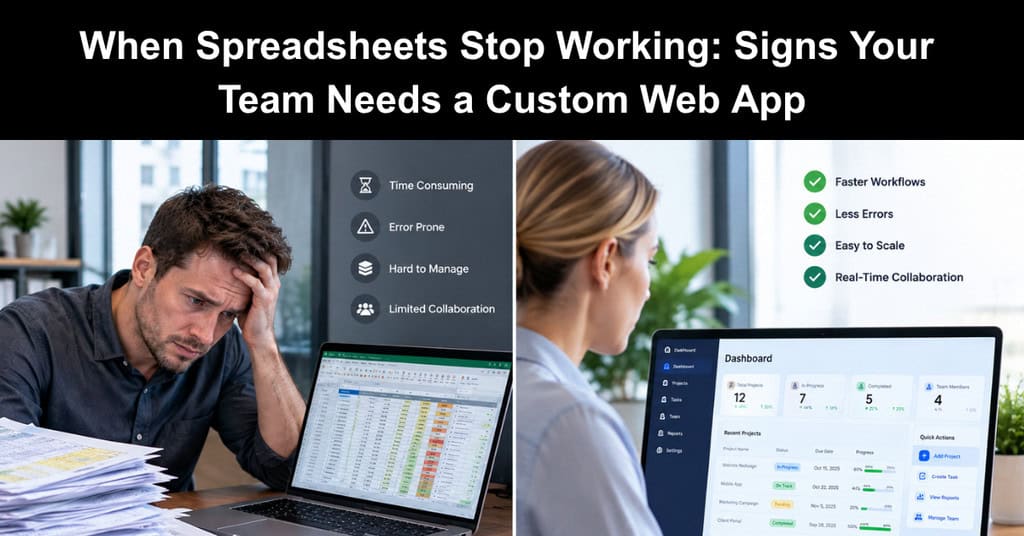
Most project teams start with spreadsheets and a popular task tool, and for a while that is enough. The trouble starts quietly: a tracker gets a second tab, then a macro, then a shared folder full of near-duplicate files, then a weekly copy-and-paste ritual that only one person fully understands and everyone else just trusts.
By the time a team admits its tools are holding it back, it has usually lost months to workarounds, duct-taped spreadsheets, and processes only one person understands. This article covers the warning signs that signal you have outgrown general-purpose tools, the realistic options available, and how to move to a custom web app without turning it into a runaway project.
Five Signs Your Team Has Outgrown Its Tools
Most teams don’t replace their project management tools on a single bad day. They get there gradually, patching gaps with spreadsheets and workarounds until the patches become the process. These five signs show when that point has arrived.
- The Same Data Lives in Three Places: Status sits in the task tool, budgets in a spreadsheet, and client details in email, so every report starts with reconciling them and nobody fully trusts the numbers.
- One Person Is the System: A single coordinator knows which file is current and how the formulas work. When they go on vacation, the process stalls, and the whole team feels the gap.
- Approvals Happen in Chat Threads: Requests get buried, nobody can see what is pending, and there is no record of who approved what, which creates delays and disputes later.
- You Pay for Features You Don’t Use: The team runs three SaaS subscriptions to cover one workflow, and still exports to Excel to finish the job, paying more for a poorer fit.
- Clients or Field Staff Can’t See What They Need: People outside the core team call or email for updates because there is no simple, secure place to check, which pulls your team away from real work.
One of these is an annoyance. Three or more usually means the workflow itself has outgrown general-purpose tools, and that patching it further will cost more than rebuilding it around how your team actually works.
Your Three Realistic Options
When a team hits these limits, it usually has three paths. None is right for everyone; the choice depends on how unique the workflow is.
| Option | Best when | Watch out for |
|---|---|---|
| Add another SaaS tool | The process is standard (time tracking, invoicing, ticketing) | Another login, another export, more data silos |
| No-code or low-code platform | The workflow is simple, and one team owns it | Limits on logic, permissions, and integrations as it grows |
| Custom web app | The workflow is specific to how your company operates, or ties several systems together | Needs clear scope and a reliable development partner |
Off-the-shelf software wins for standard jobs. But when your process is what sets your team apart, forcing it into someone else’s template costs more than it saves. That is where custom web app development earns its place: one system shaped around your workflow, connected to the tools you already keep.
What a Custom Web App Actually Changes
The biggest change is not new features. It is having one source of truth that matches how your team already works.
- One Place for Status, Budget, and Client Data: Reports come from live records instead of copied spreadsheets, so everyone works from the same current numbers and stops reconciling conflicting versions of the truth.
- Built-In Approvals With an Audit Trail: Notifications and a clear record of who approved what and when replace scattered chat threads and email chains, making decisions faster and easier to verify.
- Role-Based Access: Clients, field staff, and executives each see exactly what they need and nothing more, which protects sensitive information while keeping every view simple and relevant.
- Integrations With Accounting, CRM, or ERP: Connecting the app to the essential business tools you already use means data is entered once, which cuts duplicate work and reduces the errors that come from retyping.
Three projects show what this looks like in practice:
| Company | Before | What was built | Estimated impact |
|---|---|---|---|
| Medical equipment and supplies provider | Claims, purchase orders, inventory, and home-visit scheduling tracked in separate tools | One web and mobile platform with claims tracking, automatic purchase orders, inventory, scheduling, and AI document extraction | ~40% less time on claims and order admin |
| Electrical services contractor | Emergency jobs, technicians, equipment, and invoices coordinated by phone and spreadsheets | A web and mobile system for jobs, sites, equipment, technician scheduling, and invoicing | ~30% faster job dispatch; invoicing turnaround cut by about half |
| Multi-company business management firm | Payment files built by hand for each bank from accounting exports | A web app connected to Xero that generates bank payment files automatically for several banks | ~80% less time preparing payment batches |
Impact figures are estimates. At Paracon, we see the same pattern across industries: teams don’t need more software; they need software that fits.
How to Scope it Without Blowing the Budget
Custom web application development gets its reputation for overruns from vague scope, not from the code. Project managers already have the skills to prevent that.
- Map the Current Workflow First: Write down every step, handoff, and file involved today, including the workarounds. Interview the people doing the work, so the team builds from how work really happens, not assumptions.
- Start With the Most Painful Process: Replace one workflow end to end before adding anything else. This keeps the budget contained, delivers a complete and usable result, and gives the team real user feedback early.
- Define the First Release as a Minimum Viable Product: List what it must do on day one, and park the nice-to-haves for phase two. Each deferred feature can then be priced and prioritized on its own merits.
- Agree on Fixed Scope and Milestones: A short discovery phase that produces requirements, screens, and an estimate makes a fixed price realistic. Tie payments to milestones so progress is verifiable, and both sides share clear checkpoints.
- Plan Integrations Early: Data that must sync with accounting or a CRM shapes the design, so name those systems before development starts. Confirm each tool’s API access and who holds the credentials.
- Measure the Before and After: Track hours spent on reporting, approval turnaround, or error rates before launch and again afterward, so the value is visible to stakeholders and supports funding for the next phase.
The Bottom Line
Spreadsheets and off-the-shelf tools are the right start for most teams, and they can carry a growing business further than people expect. The trouble shows up gradually, in extra tabs, manual workarounds, and reports that take longer each month to pull together. When those workarounds start costing more time than the work itself, it is worth asking whether your process deserves a tool built around it.
Start small, scope tightly, and measure the result. Pick one painful workflow, define a clear minimum viable product, and agree on fixed milestones before development begins. A well-scoped custom web app can turn a fragile, person-dependent process into one the whole team can rely on, long after the project wraps up.
About the Author: Khaled Elshaer is the founder and CEO of Paracon Consultants, a Toronto-based software company with 15+ years of experience building custom web and mobile apps for mid-size companies on fixed-price contracts.
Suggested articles:
- The Pros & Cons of Using Web App Development Services
- AI Tools Revolutionizing Project Management
- How to Enhance Team Collaboration with Modern Tools

Daniel Raymond, a project manager with over 20 years of experience, is the former CEO of a successful software company called Websystems. With a strong background in managing complex projects, he applied his expertise to develop AceProject.com and Bridge24.com, innovative project management tools designed to streamline processes and improve productivity. Throughout his career, Daniel has consistently demonstrated a commitment to excellence and a passion for empowering teams to achieve their goals.