
A designer sends a draft to four reviewers and receives three conflicting sets of edits. What should have been a straightforward review quickly turns into another round of emails, clarification requests, and version checks. Remote collaboration tools can prevent this back-and-forth, but only when teams agree on where each type of communication belongs. Without clear rules, email becomes the default channel for every exchange, allowing the same conversations to spread across multiple threads and projects.
- Give Each Exchange One Home: Email back-and-forth shrinks when feedback, customer questions, task status, scheduling, and walkthroughs each have one agreed tool, rather than defaulting to the inbox.
- Email Still Eats the Workweek: McKinsey Global Institute estimated in 2012 that knowledge workers spend about 28% of the workweek on email, and Microsoft’s 2025 Work Trend Index found the average worker receives 117 emails a day.
- Match the Tool to the Thread: ProofHub covers feedback, tasks, files, and chat in one platform, while specialist tools such as Vendasta, Walls.io, Trello, actiTIME, Loom, and workflow automation handle one exchange each.
- A Charter Makes It Stick: A one-page communication charter names each exchange’s home, sets reply windows, assigns who records decisions, and retires the old email habit the same week.
The problem is not new. McKinsey Global Institute’s 2012 study of the social economy estimated that knowledge workers spend about 28% of their workweek managing email. Although the figure is dated, the challenge remains familiar to anyone managing a distributed team. A file arrives as an attachment, several reviewers respond with different edits, someone asks which version is current, and the conversation splits into competing threads. The right collaboration tools can bring these exchanges into one organized workspace, reduce unnecessary emails, and make it easier for everyone to find the information they need.
Why Email Back-and-Forth Keeps Growing

That ping-pong is not really an inbox problem. It happens when feedback on a draft, a customer question, or a status check has no agreed place to live, and better software helps only after that agreement exists. The volume is real: Microsoft’s 2025 Work Trend Index found the average worker receives 117 emails a day, most of them skimmed in under 60 seconds.
Distributed work makes the problem harder, because fewer questions get answered by leaning across a desk. Gallup’s hybrid work tracking found that about half of employees with remote-capable jobs (54%) work in a hybrid arrangement. When colleagues share an office only some days, each missing conversation turns into another email, and each email invites another reply-all.
- No Agreed Home: Every exchange defaults to email because nothing else has been named.
- Attachments Fork: Each reply carries its own copy, so versions drift apart.
- Status Is Hidden: People email to ask what a shared board could show.
- Collaboration Load Keeps Rising: Research published in Harvard Business Review found that managers and employees now spend at least half as much time collaborating as they did twenty years earlier.
Real-Life Example: A project manager counted one week of email on a website project and found 41 threads, 26 of them about design feedback or task status. The team moved feedback into its proofing tool and status onto a shared board, and agreed that email was for clients only. Four weeks later, internal threads on those two topics had fallen to a handful.
Quick Comparison of the 8 Tools
Each tool below gives one type of exchange a dedicated home, from file approvals and customer questions to meeting schedules and async video updates. Pick the one that matches the longest email threads on your current project, and the thread it used to spawn never starts. ProofHub leads the list because it covers the most exchanges in a single platform.
8 Remote Collaboration Tools at a Glance
| Tool | Best For | Exchange It Owns |
|---|---|---|
| ProofHub | Feedback and approvals attached to tasks and files | Review and approval |
| Vendasta Conversations AI | Routine customer questions answered from one shared inbox | Customer conversations |
| Walls.io | Internal comms feeds and shared content moderation | Content moderation |
| Trello | Simple visual task tracking and light client pipelines | Task status |
| actiTIME | Teams that lose time to emails about status, timesheets, and approvals | Time and approvals |
| WebsitePromoter SEO Task Tracker | SEO task tracking across several client projects | Campaign task tracking |
| Loom | Walkthroughs and explanations that would take a long email | Async video updates |
| Work Insiders | Choosing an automation tool for app-to-app handoffs | App-to-app handoffs |
Free Email Back-and-Forth Cost Calculator
Before choosing a tool, it helps to know what the back-and-forth costs. This free calculator estimates how many hours your project team spends on email each month and how much of that time a collaboration tool could move elsewhere. The default of 117 emails a day comes from Microsoft’s 2025 Work Trend Index, and every other figure is yours to adjust.
- Load an Example: Start from the 8-person PMO or the 12-person agency team.
- Enter Your Team: Add team size, daily emails per person, and minutes per email.
- Estimate the Share: Set the share of emails a tool could replace, such as feedback or status checks.
- Use the Result: Paste the figures into a business case, or save them as a spreadsheet or Word file.
Loading the free Email Back-and-Forth Cost Calculator…
The calculator keeps your numbers only in this browser, where they are stored between visits, and ProjectManagers.net never receives them. Clearing site data deletes them. Copy Results puts the estimate on your clipboard for a proposal, and the CSV and Word buttons save a file. After 30 days with your chosen tool, run the numbers again with your real thread count.
8 Tools That Make Team Communication Easier to Manage
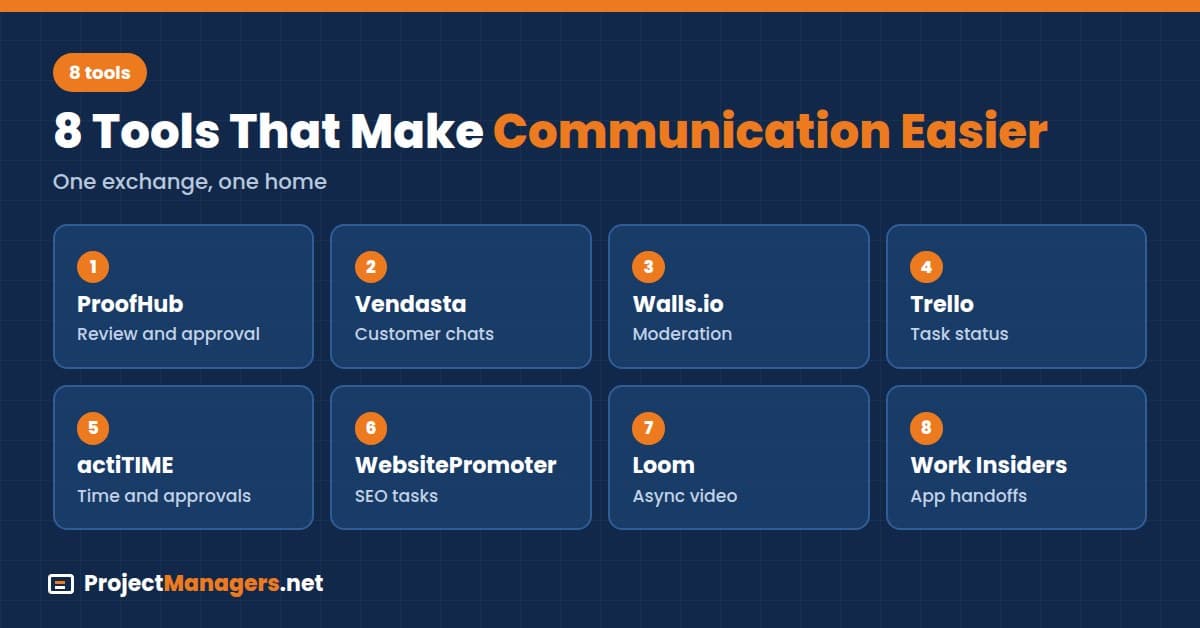
Each tool below is described the same way: who it suits, its free plan or trial, the exchange it takes out of email, how it works, key features, a project manager tip, and its starting price. Prices were checked on each vendor’s pricing page on November 17, 2026, so confirm current plans before you commit, and start with the tool that fits your longest threads.
1. ProofHub
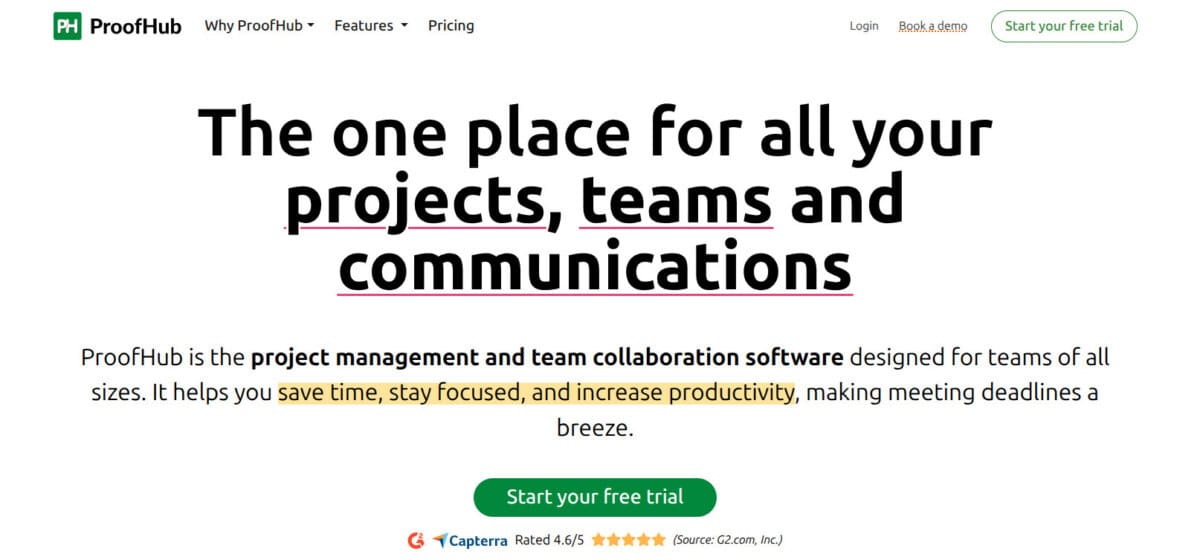
ProofHub is a project management and collaboration platform that gives tasks, files, and conversations one shared home. Instead of emailing attachments and collecting feedback in separate threads, reviewers annotate designs and documents directly in the online proofing tool, so every comment stays attached to the exact spot it refers to, and nobody has to merge edits from five separate email replies.
Discussions and chat keep project context next to the work, Kanban boards and Gantt charts show who owns what, and custom roles control who can see and edit. Everyone on a remote project gets one place to check status. Because it covers feedback, tasks, files, and chat, ProofHub is the strongest single pick for replacing several email habits at once.
Key Features
- Online Proofing: Annotate files and collect review feedback in one place.
- Discussions and Chat: Keep conversations next to the tasks they belong to.
- Multiple Work Views: Plan with Kanban boards, Gantt charts, tables, or calendars.
- Task Ownership: Assign owners, due dates, and subtasks so status is visible.
- Custom Roles: Control who can view and edit each project.
Project Manager Tip: Tell reviewers that only comments left on the proof count, so a quick “looks good” reply by email is never treated as approval and each file shows one clear sign-off.
2. Vendasta Conversations AI
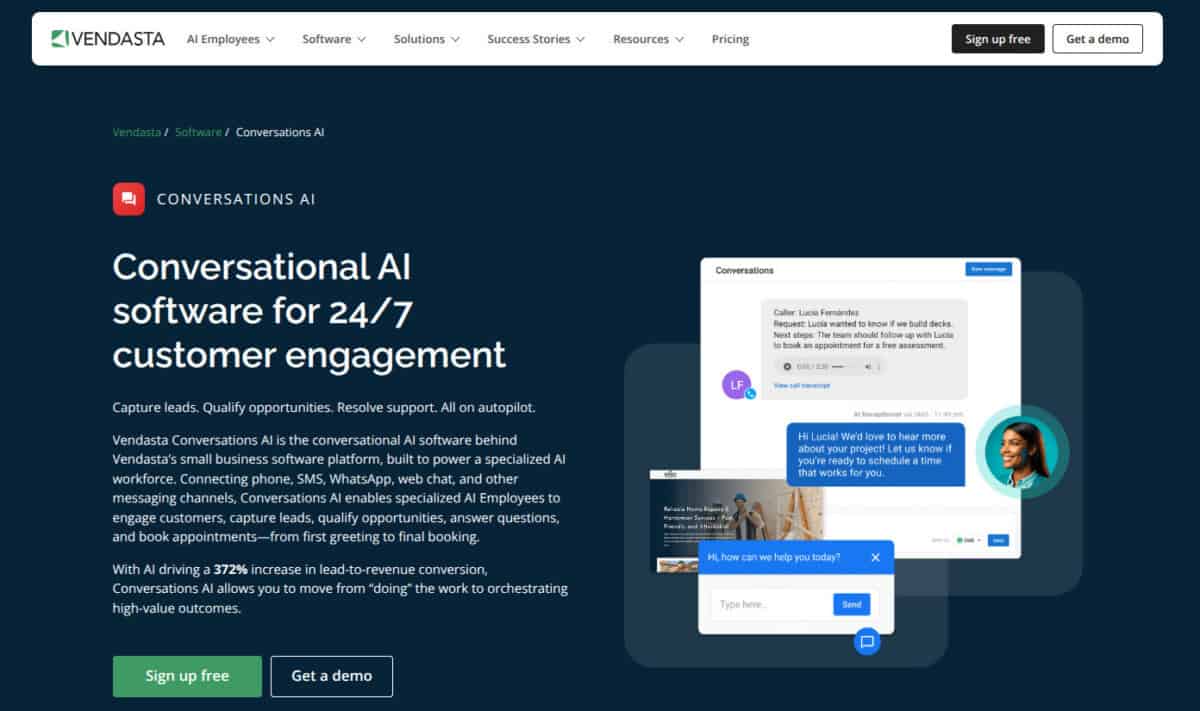
Vendasta Conversations AI cuts down on the email ping-pong that slows remote teams. Its AI Employees respond instantly to customer questions across web chat, SMS, and messaging apps. They draw on your business information to give accurate answers, collect contact details, and book meetings without a person stepping in, which keeps routine questions out of everyone’s project inbox for good.
When a conversation needs a person, it lands in a single inbox inside the Business App, alongside email, calls, and social messages. Everyone works from the same thread instead of forwarding chains, so replies come faster and the status-check emails that usually follow a handoff between colleagues stop arriving in busy project inboxes every afternoon.
Key Features
- 24/7 AI Responses: Answers FAQs, qualifies leads, and captures contact details at any hour.
- Unified Inbox: Combines web chat, SMS, email, calls, and social messages.
- Built-In Scheduling: Books appointments inside the conversation, with no back-and-forth over availability.
- Smooth Handoffs: Passes complex conversations to the right person with the full history attached.
- CRM AI Integration: Logs every interaction to the contact record automatically.
Project Manager Tip: Before launch, list the ten questions your team answers most often by email and test that the AI Employee answers each one correctly, then route everything else to the shared inbox.
3. Walls.io
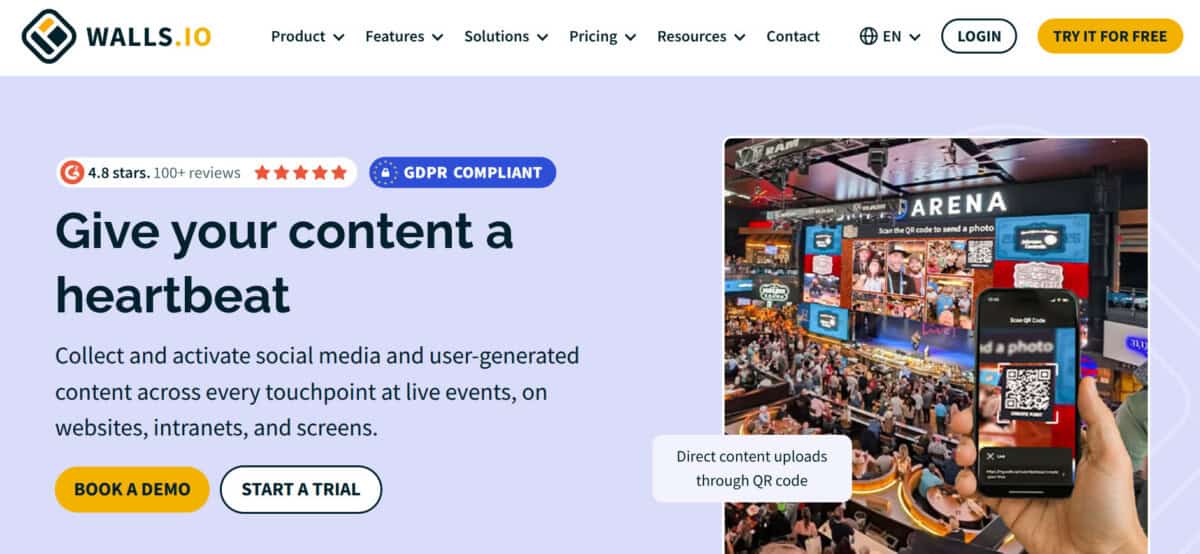
Walls.io is a social wall platform that brings content from social networks and your own people into one shared, live feed. Nobody has to chase approvals and asset links over email. Colleagues, clients, or agency partners join as moderators, get assigned roles, and review posts together in one place, so feedback happens where the content lives.
Internal comms groups also use it as an employee hub, with staff sharing updates and photos on a wall embedded in the intranet or shown on office screens. That gives distributed teams one visible place for news and recognition, instead of company-wide emails that most recipients skim, archive, or never open at all, especially on busy delivery weeks.
Key Features
- Shared Moderation: Invite colleagues, clients, or partners to review and approve posts together.
- Role-Based Access: Organize walls by department and control who can edit, moderate, or only view.
- Direct Posting: Employees and guests share updates and photos straight to the wall, with no email attachments.
- Real-Time Feed: Everyone works from the same live view, never an outdated version.
- Embed Anywhere: Add walls to your intranet, website, or office screens.
Project Manager Tip: Give each department its own wall with one named moderator, so approving a post sits with one person instead of a reply-all thread asking who signs off.
4. Trello
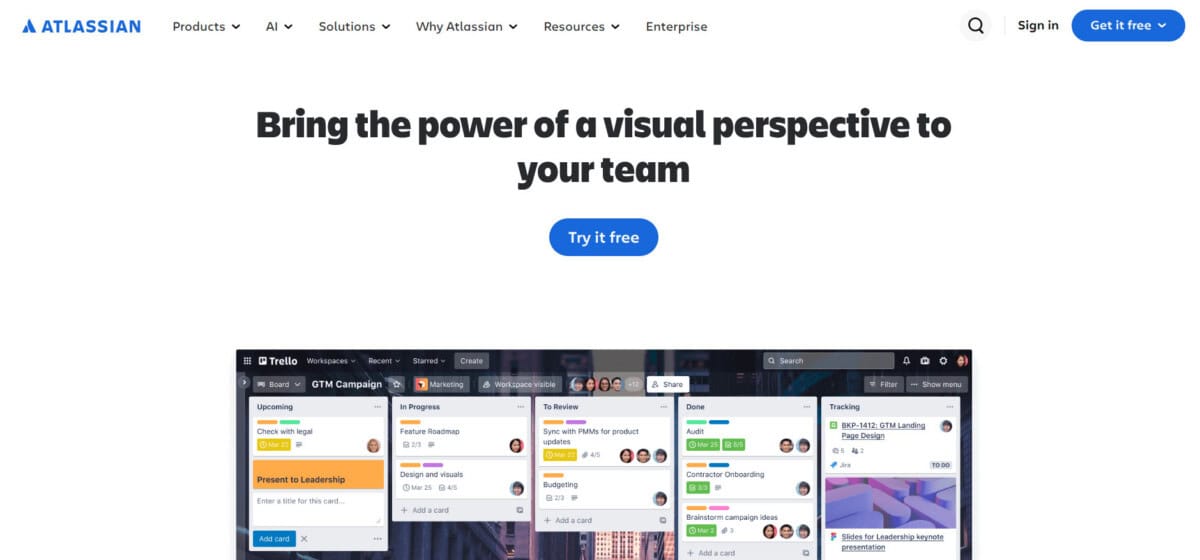
Trello makes task status visible without a single status email. Its drag-and-drop Kanban board, with columns such as To Do, In Progress, and Done, shows everyone where each piece of work stands at a glance. Adding clients or freelancers to specific boards removes the emails asking for progress reports, because the answer is always one click away.
It works best for light pipelines where a full project suite would be more than you need, such as a content calendar, a hiring pipeline, or a small client project. Teams that outgrow it usually need dependencies, workload views, or time tracking, which is where a broader platform such as ProofHub or actiTIME fits better.
Key Features
- Drag-and-Drop Kanban Cards: Move work through stages with almost no training.
- Checklists and Due Dates: Add step-by-step subtasks inside cards to track sub-deliverables.
- Butler Automation: Automate routine actions, like moving cards or tagging teammates when a stage is finished.
- Power-Ups: Connect Google Drive, Slack, or calendars directly to your boards.
Project Manager Tip: Add a “Waiting on Client” column and invite the client to the board, so the question “are you waiting on us?” is answered by where the card sits.
5. actiTIME
actiTIME replaces the status-check emails that slow remote teams down. Managers do not need to ask who worked on what, because hours, progress, and costs for every project sit in one place and update as people log time. Timesheets are submitted and approved inside the tool, so the monthly chase for missing hours stops happening by email.
The system also sends reminders about deadlines and incomplete timesheets, and a shared corporate calendar keeps holidays and company events visible across time zones. Distributed teams stay aligned without long email threads, and project managers can compare logged hours with estimates before a budget overrun becomes an unwelcome surprise at the end of the month or quarter.
Key Features
- Project hours, progress, and costs in one shared workspace.
- Timesheet submission and approval without email.
- Reminders about deadlines and incomplete timesheets.
- Shared corporate calendar for holidays and company events.
- Teams grouped by department, location, or time zone.
Project Manager Tip: Set the timesheet reminder for Friday afternoon and approve hours every Monday, so the month-end chase for missing time never reaches anyone’s inbox.
6. WebsitePromoter SEO Task Tracker

WebsitePromoter SEO Task Tracker is a free online project management tool designed for SEO freelancers, digital marketing agencies, and small businesses managing several clients. Users create a separate project for each client, organize SEO tasks, assign priorities, set deadlines, and monitor campaign progress from one simple dashboard, which keeps each client’s status in one view.
Ready-made SEO checklists, overdue task tracking, and downloadable CSV reports replace the “where are we on the audit?” emails that agencies send each other. No registration or subscription is required, so a distributed team can manage several SEO campaigns without paying for heavyweight project management software, adding another login, or onboarding the whole team to a new platform.
Key Features
- Multi-Client Dashboard: Manage separate SEO projects in one place.
- Task Management: Create tasks with priorities and deadlines.
- SEO Checklists: Add ready-made optimization tasks instantly.
- Progress Tracking: Monitor completion rates and overdue tasks.
- CSV Reports: Export project data and task progress easily.
Project Manager Tip: Load the same SEO checklist into every new client project, so each audit starts from one list and nobody emails a teammate to ask which steps remain.
7. Loom
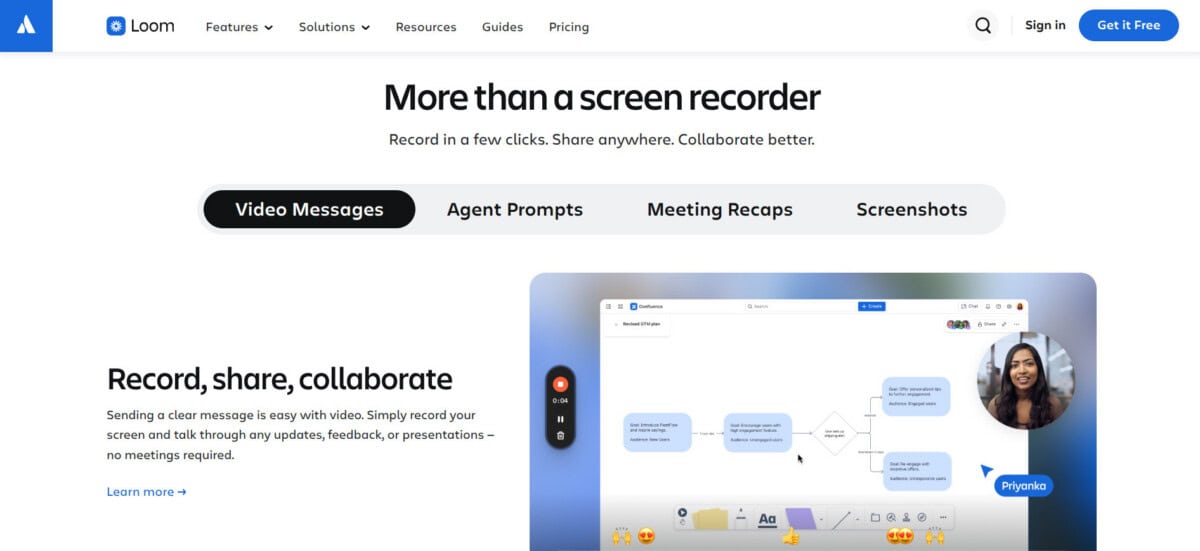
Loom replaces the long explanatory email with a short video. Team members record their screen, camera, or both, then share a link, so a reviewer sees the walkthrough instead of reading five paragraphs about where to click. Loom says millions of people across 400,000 companies use it to share AI-powered video messages with teammates and customers.
Async video suits distributed teams in different time zones, because a recorded update can be watched when it suits each person rather than at a meeting nobody can attend. Viewers can reply with comments on the video, which keeps follow-up questions attached to the explanation instead of starting a new email thread that reviewers then have to find later.
Key Features
- Screen and Camera Recording: Capture a walkthrough in one take.
- Share by Link: Send a link instead of a file attachment.
- Comments on the Video: Keep questions attached to the explanation.
- AI-Powered Messages: Use AI features to tidy and summarize recordings.
Project Manager Tip: Keep walkthroughs under five minutes, which also fits the free Starter limit, and paste the link into the task instead of an email so comments stay with the work.
8. Work Insiders Workflow Automation Software Comparison
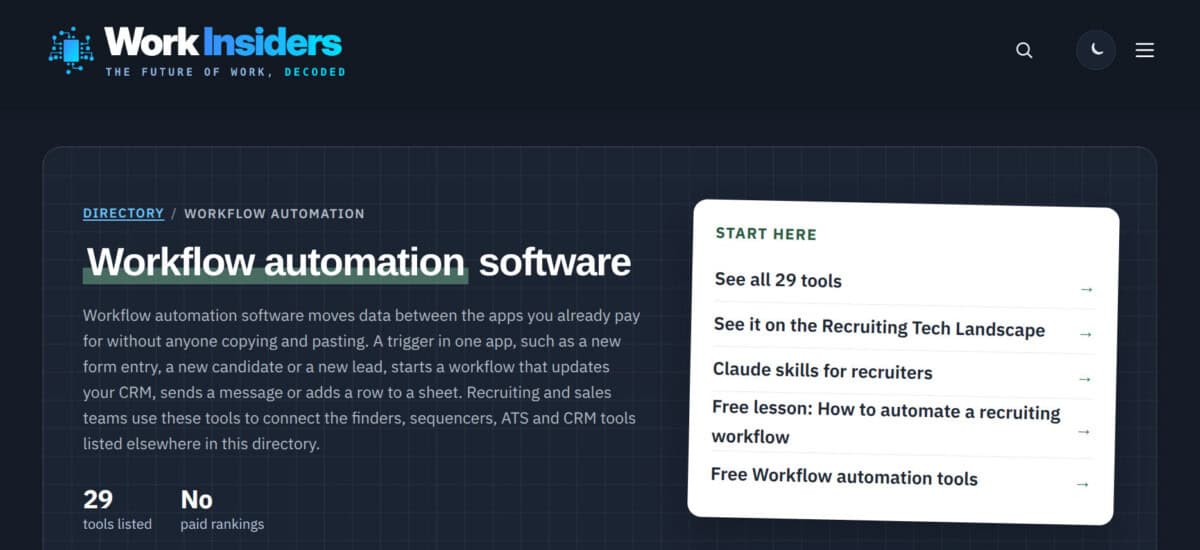
Many email threads exist only because someone has to copy information from one app and send it along. Work Insiders compares workflow automation tools, including Zapier, Make, n8n, Pabbly Connect, and Latenode, which move data between the apps a team already uses. A trigger such as a new form entry starts a workflow that updates a CRM or sends a message.
Because the handoff happens automatically, nobody copies, pastes, and emails the result. Each listing records starting price, free plan, free trial, and MCP and API support the same way, with prices checked against vendor pricing pages and no paid rankings, which makes it easier to shortlist one automation tool for a single painful handoff before testing it on a free plan.
Key Features
- Workflow automation tools compared side by side.
- Starting price, free plan, trial, MCP, and API on every card.
- Prices checked against each vendor’s own pricing page.
- Independent listings with no paid rankings.
Project Manager Tip: Pick the one handoff that creates the most forwarded emails, shortlist two tools with a free plan from the comparison, and test both on that single workflow first.
How to Choose the Right Tool for Your Biggest Email Problem
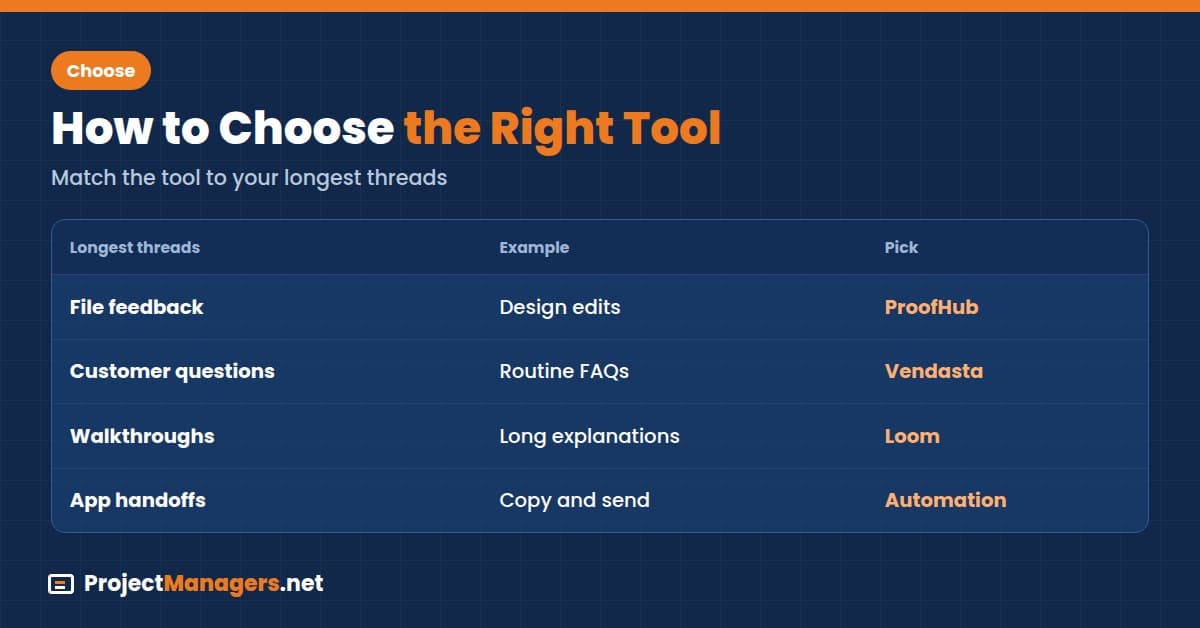
Start with the exchange that fills your project inbox most, then match it to a tool. If several rows below apply to you, ProofHub covers most of them, because feedback, task status, files, and discussions sit in one platform. That means one less tool to adopt and one less place for the team to check each morning:
Match Your Longest Email Threads to a Tool
| If Your Longest Threads Are About | Pick | Why |
|---|---|---|
| File and design feedback | ProofHub | Online proofing keeps each comment on the exact spot it refers to |
| Task status and progress updates | ProofHub or Trello | ProofHub adds Gantt charts, discussions, and custom roles; Trello suits light boards |
| Routine customer questions | Vendasta Conversations AI | AI answers FAQs and routes the rest into one shared inbox |
| Social or internal content approvals | Walls.io | Moderators review posts together in one live feed |
| SEO campaign progress across clients | WebsitePromoter SEO Task Tracker | One dashboard per client shows priorities, deadlines, and overdue tasks |
| Updates, timesheets, and approvals | actiTIME | The system sends reminders about deadlines and incomplete timesheets |
| Long explanations and walkthroughs | Loom | Short videos with comments replace long emails |
| Copy-and-send handoffs between apps | Work Insiders Workflow Automation Software Comparison | Side-by-side pricing and free-plan data helps you shortlist an automation tool |
How to Make the Tool Stick: A Communication Charter
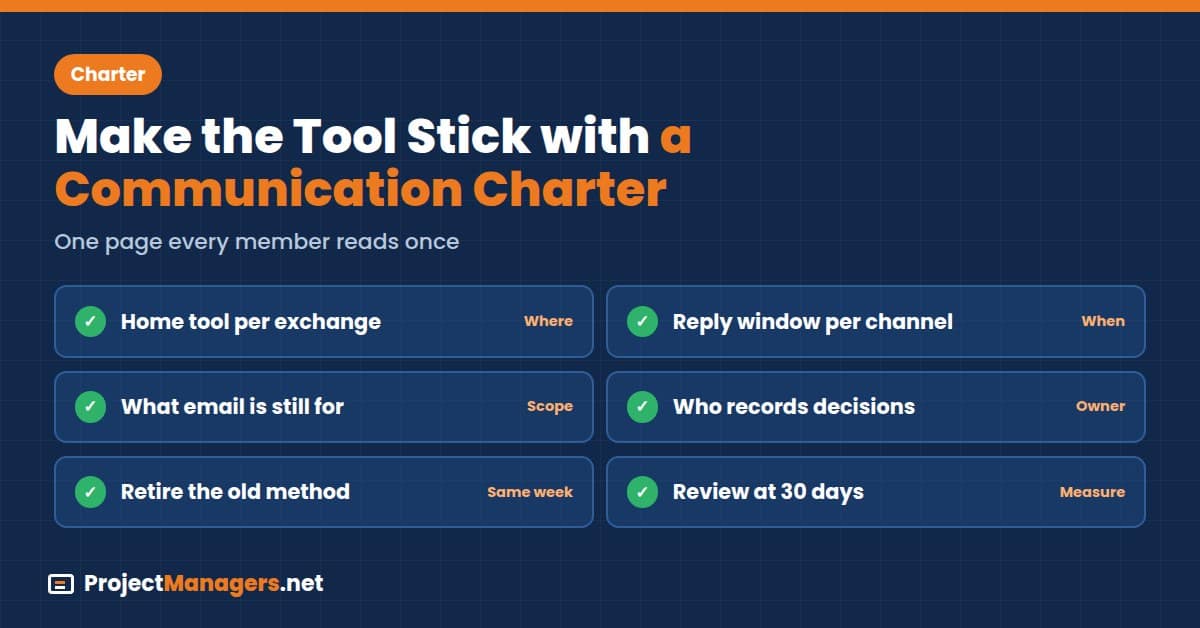
A tool moves a conversation only when everyone agrees to have it there. If half of a project’s participants comment on the task and the other half reply to the notification email, you end up with two threads instead of one. The fix is a short charter, a single page rather than a policy manual, that every team member reads once.
It answers four questions: where each type of message goes, how fast a reply is expected, who closes the loop, and which place is the record. The “closes the loop” rule matters most: after a call or chat, one named person copies the decision back to the task or file. For a longer starting point, see the remote team communication guidelines.
Use the checklist below as the one-page charter:
- For each exchange type (feedback, customer questions, status, scheduling, and walkthroughs), name its home tool.
- State a reply window per channel, such as the same working day for task comments.
- Decide what email is still for, such as outbound campaigns from your email marketing platform and external correspondence, and redirect everything else.
- Name who records decisions in the home tool after calls and chats, using a RACI chart if roles overlap.
- Retire the old method the same week you adopt the new one.
- Review at 30 days: count email threads on those topics and compare them in a short team retrospective.
Real-Life Example: A marketing team adopted a proofing tool but kept getting feedback by email, because reviewers replied to the tool’s notification messages. The project manager added one line to the team charter: comments count only inside the tool. The account lead was named to copy client decisions from calls into the task, and feedback emails dropped within two weeks.
Common Mistakes When Moving Conversations Out of Email
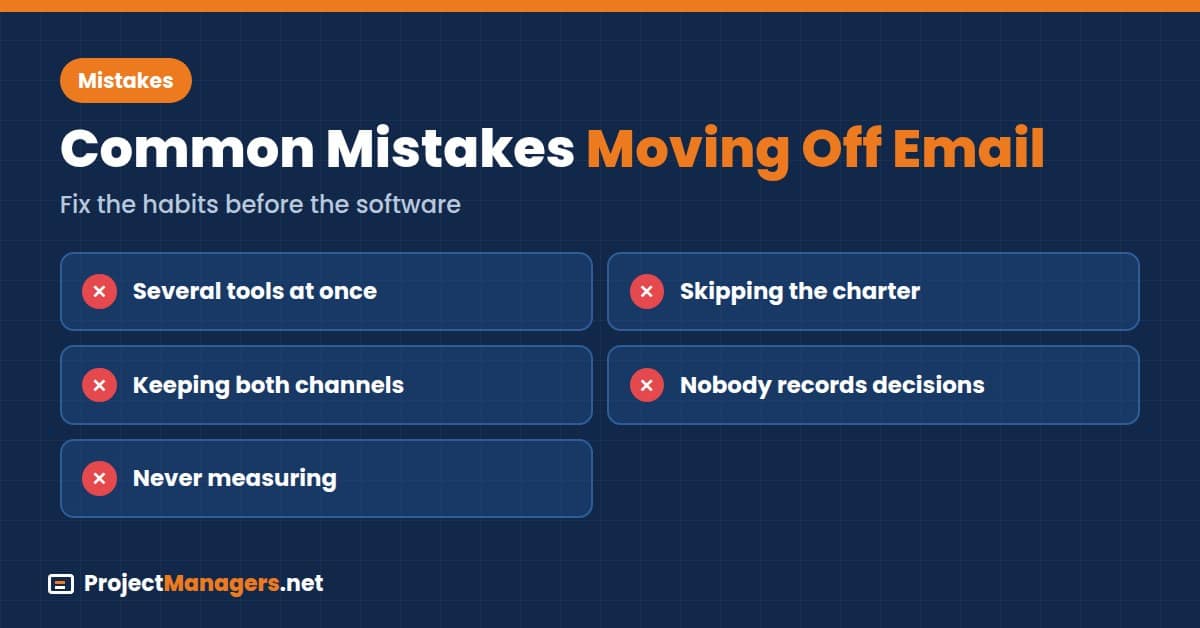
Most email-reduction efforts fail for the same few reasons, and none of them is the choice of software. They come from rolling out a tool without changing the habits around it. The five mistakes below show up often in retrospectives on distributed projects, and each one can be fixed in a single team meeting before the new tool goes live:
- Adopting Several Tools at Once: Each new tool adds a place to check, so start with the one that fixes your longest threads.
- Skipping the Charter: Without an agreed home, people fall back on email within a week.
- Keeping Both Channels Open: If email still works for feedback, half the team will keep using it.
- Nobody Records Decisions: Calls and chats produce decisions that never reach the task or file.
- Never Measuring: Without a 30-day thread count, nobody knows whether the tool worked.
Video: Building a Team Communication Charter
This Zoho Workplace webinar, published in February 2026, walks through building a team communication charter and deciding when to use email, chat, or a call. It fits the charter section above because it shows how teams agree on channels before adding new tools. Watch it before your kickoff meeting, then draft your own one-page charter.
[Webinar] Building your team's communication charter – Email vs. chat vs. call (Zoho Workplace, 56:49)
A webinar on agreeing which messages belong in email, chat, or a call, and writing that down as a team charter.
Remote Collaboration Tools FAQs
Remote Collaboration Tools FAQs
Which Remote Collaboration Tool Reduces the Most Email?
It depends on your longest threads. ProofHub covers the most exchanges in one platform, including feedback, task status, files, and discussions, so it is the strongest single pick when several types of thread fill your inbox.
How Much Time Do Teams Spend on Email?
McKinsey Global Institute estimated in 2012 that knowledge workers spend about 28% of the workweek managing email, and Microsoft’s 2025 Work Trend Index found the average worker receives 117 emails a day.
What Is a Communication Charter?
A one-page agreement that names where each type of message goes, how fast replies are expected, who records decisions, and which place is the record.
Should We Stop Using Email Completely?
No. Keep email for external correspondence and outbound campaigns, and move internal feedback, status, and scheduling into the tools that own those exchanges.
How Can Customer Questions Stay Out of the Team Inbox?
An AI assistant such as Vendasta Conversations AI can answer routine questions and route the rest into one shared inbox, so colleagues stop forwarding customer emails.
How Do I Know If the New Tool Is Working?
Count the email threads on the topics you moved before launch and again after 30 days. The calculator above turns that change into hours and cost.
Can One Tool Replace All Team Email?
Rarely. Most teams pick one tool for their biggest exchange first, add a charter, and only then consider a second tool for the next-largest problem.
Conclusion
Email overload is a placement problem more than a volume problem. Each tool above gives one kind of exchange a home, and the right pick is the one that matches your longest threads. If those threads are spread across feedback, task updates, files, and discussions, start with ProofHub, which keeps all four in one platform.
Pick your tool, write a three-line rule for where that exchange happens, and run it for 30 days. Then count the threads that are left and compare them with the calculator’s estimate. If the count has not dropped, the charter needs work before the software does, so fix the habit first and only then consider adding a second tool.
Suggested Articles:
- 7 Best Team Collaboration Tools 2026 + Cost Calculator
- Better Communication in Remote Teams with Recording Software
- 7 Steps to Inbox Zero and Better Email Management

Daniel Raymond, a project manager with over 20 years of experience, is the former CEO of a successful software company called Websystems. With a strong background in managing complex projects, he applied his expertise to develop AceProject.com and Bridge24.com, innovative project management tools designed to streamline processes and improve productivity. Throughout his career, Daniel has consistently demonstrated a commitment to excellence and a passion for empowering teams to achieve their goals.