

Project managers know how important it is for all team members to collaborate smoothly to meet project goals. When remote work and a blend of office and telework are standard, using suitable collaboration tools is key to running a successful team in the chaos. Missed messages, scattered files, and disconnected task lists don’t just slow a project down; they quietly erode trust between team members and make it harder to spot risks before they become blockers.
Because of this, we are now presenting a list of powerful collaboration tools that suit your needs, following real experience and current trends. The market has also shifted quickly over the past year: nearly every major platform on this list has layered in some form of agentic AI, from meeting summarization to automated task routing, changing not just what these tools cost but how much of the busywork they can take off a project manager’s plate.
Selection Criteria
Choosing a collaboration tool isn’t merely a question of purchasing a subscription — it’s an investment in project success. To get it right, we always look for several key features that any good solution should have:
- Real-Time Communication: Chats, video calls, and notifications to keep everyone up to date;
- Task Management Integration: The ability to link tasks to discussions, preventing planning-execution disconnects.
- File Sharing and Version Control: Secure document sharing with versioning;
- Customizable Workflows: Flexibility to accommodate the specific needs of the team.
Increasingly, we also weigh a fifth factor: Responsible AI assistance. Every tool on this list now bundles some form of AI, whether that’s meeting summaries, automated task creation, or a full agentic assistant that can act across connected apps. The best implementations save real time without burying the team in extra add-on costs or introducing another tool for people to learn.
The right tool should be intuitive and suit your project management style. It is similar to purchasing a fertility monitor — you can grab any device you initially come across and struggle with it, or opt for a product like the Mira Starter Kit and skip the trouble entirely. The same logic applies here: a collaboration tool that fights your team’s existing habits will get abandoned within a few weeks, no matter how many features it packs in.
Top Collaboration Tools
To remind our readers of the best available solutions, we’ve selected six collaboration tools that are perfect for project managers. Each has its strengths, and we’ll outline how they can help in real-world scenarios.
1. Slack: The Communication Powerhouse
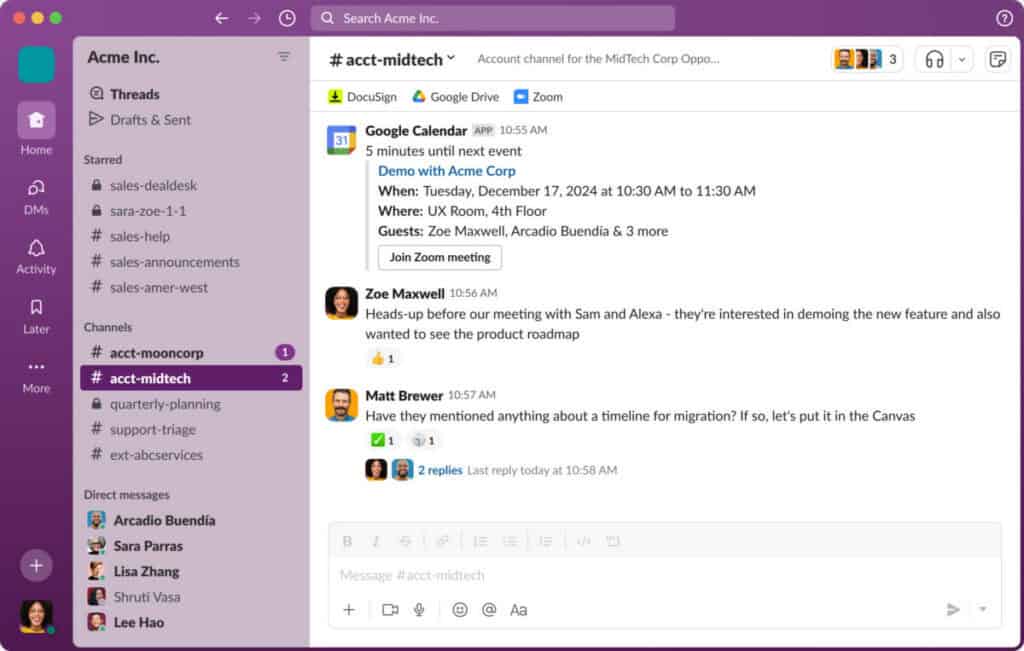
Slack remains a favorite for team communication due to its simplicity and strong integrations. It’s an ideal tool for teams that enjoy quick messaging and the ability to organize discussions via channels. Since being folded further into Salesforce’s Agentforce ecosystem, Slack has rebuilt Slackbot into a full agentic AI teammate that can transcribe and summarize meetings, draft follow-up actions, route requests to the right connected app through the Model Context Protocol, and even run reusable “Skills” the team defines once and reuses across projects. We use Slack for our daily stand-ups, and integration with tools like Jira keeps everything in check.
Pricing has also shifted: the Free plan still caps message history at 90 days, Pro runs $7.25 per user/month billed annually, and Business+ is $15 per user/month annually, now bundling most of the AI features that used to require a separate add-on. The old Enterprise Grid tier has been renamed Enterprise+ and remains custom-priced. The main limitations persist — the free tier’s short history and, for some teams, notification overload if channels aren’t tuned properly.
2. Microsoft Teams: The All-in-One Solution
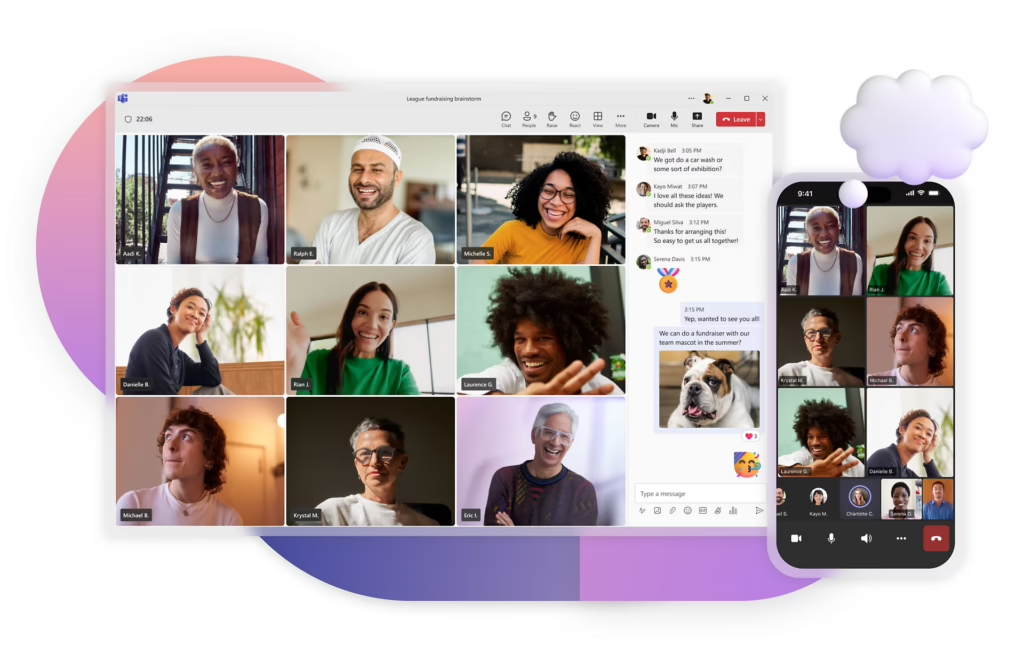
Microsoft Teams combines the ability to video conference, text chat, and access Microsoft 365 files. It is very important for project managers heading large groups or government client projects. Following a 2025 EU antitrust settlement, Microsoft unbundled Teams from Office and 365 suites in Europe and introduced standalone SKUs: Teams Essentials for small teams (around $4–$4.50/user/month) and Teams Enterprise as an add-on license for organizations already on E3/E5 plans. For most buyers, Teams still arrives bundled inside Microsoft 365 Business Basic, Standard, or Premium.
On the feature side, Copilot in Teams now works consistently across chats, channels, and meetings, summarizing threads and surfacing action items, while Microsoft is rolling out interactive Copilot-based meeting agents that participants can consult live during calls. Town hall and webinar capabilities that once required the paid Teams Premium add-on — ultra-low-latency streaming, custom invite templates, attendee polls — have been folded into the base Enterprise license, though a slimmer Premium tier still exists for advanced scenarios.
We like that Teams supports forming channels for planning, development, and delivery stages of our projects, and its Power BI integration still gives stakeholders real-time dashboards. The trade-off is a genuinely more complex licensing structure than before, so it’s worth double-checking which SKU your organization is actually on.
3. ClickUp: The Task-Based Collaboration Hub
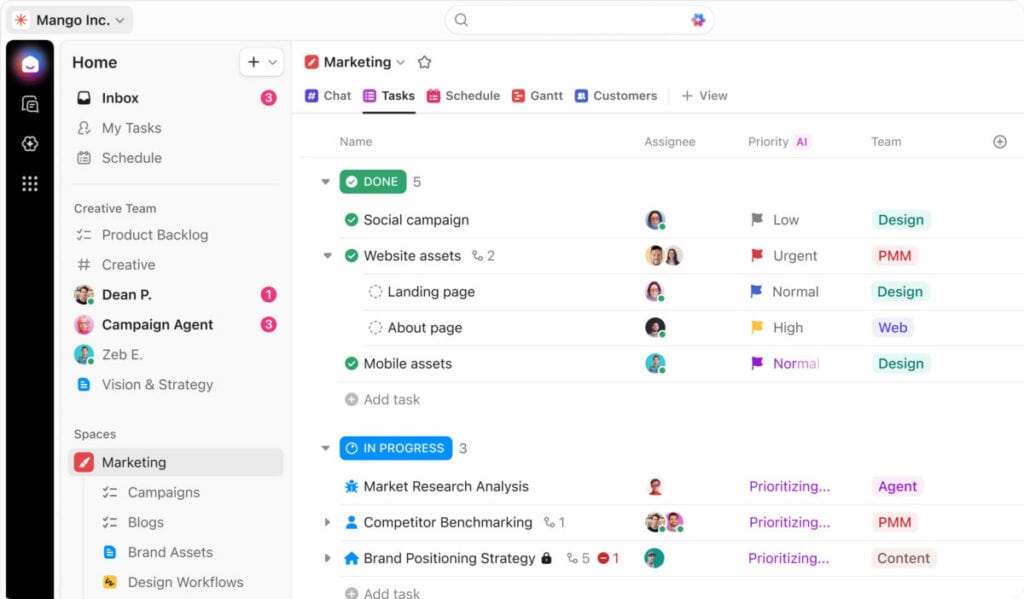
ClickUp stands out with its focus on task management with feature-rich team collaboration. You can turn chat conversations directly into tasks using this tool, which saves time. ClickUp has since expanded its AI lineup with Brain MAX, a standalone desktop app that puts a universal AI command bar on your machine, searching across ClickUp tasks alongside Google Drive, Slack, GitHub, and SharePoint, and letting you dictate tasks, emails, and summaries by voice. The platform has also added Gantt Baselines, so managers can track how a project’s actual timeline drifts from the original plan. ClickUp still offers over 1,000 templates, keeping it flexible for various types of projects.
Pricing runs Free Forever for unlimited users with a 100MB storage cap, Unlimited at $7/user/month, Business at $12/user/month, and Business Plus around $19/user/month, all billed annually, with Enterprise custom-priced. Note that core ClickUp Brain AI features are sold as a separate add-on (roughly $9/member/month) rather than bundled into the base plans. The platform’s integrations with Jira, Trello, and GitHub, plus its customizable dashboards, still help managers spot bottlenecks before they hit deadlines.
4. Miro: The Visual Collaboration Champion
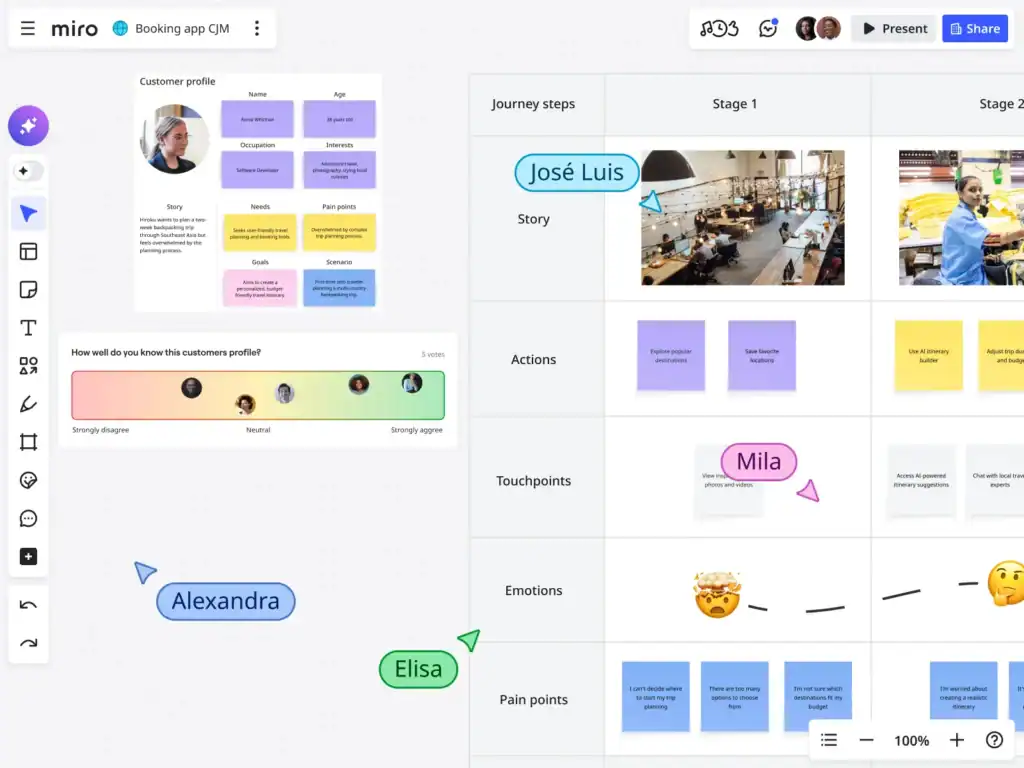
Miro is the perfect platform for visually driven teams. Its virtual whiteboard allows the real-time creation of mind maps, wireframes, and project timelines. Miro has grown well beyond the whiteboard: Talktrack audio notes are still there for asynchronous walkthroughs, but the bigger addition is Miro Prototypes, which turns sticky notes, screenshots, or prompts into clickable, multi-screen mockups directly on the board, alongside AI Sidekicks that can review documentation, cluster feedback by theme, and automate multi-step workflows called Flows. We’ve used Miro for brainstorming, and it felt like we’d gathered the whole team in one room — even when working remotely.
Pricing now includes AI credits by tier: Free gives unlimited members, three editable boards, and a small monthly AI-credit allowance; Starter runs about $8/user/month annually with unlimited boards and more credits; Business is roughly $16/user/month annually with SSO, unlimited guests, and expanded AI Workflows; and Enterprise is custom, with a 30-seat minimum. The platform’s infinite canvas and extensive template library for retrospectives, journey mapping, and agile ceremonies remain a strong draw for planning-heavy teams.
5. Chanty: Unified Collaboration Platform
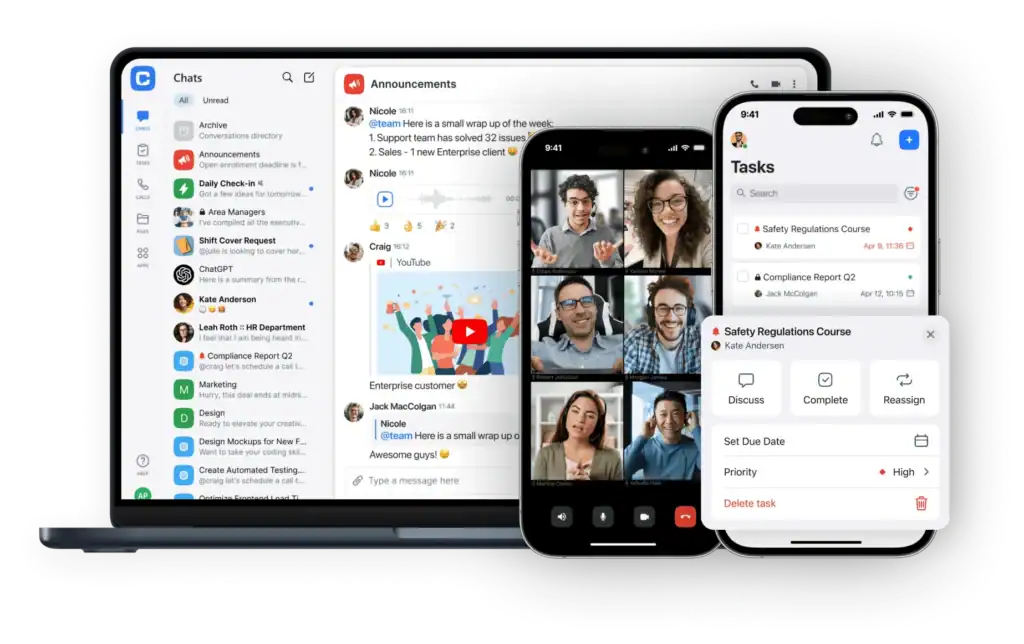
Chanty is a unified collaboration tool that combines all work features in a single app. The tool offers instant communication via public and private channels, as well as direct and group messages. Audio calls and video conferences with screen sharing let attendees present during the meeting. It offers a built-in task manager with a Kanban board that improves project collaboration.
Chanty remains the budget pick on this list and hasn’t chased the AI arms race the way the larger platforms have, which keeps its interface simple but means it lags on automation. The Free plan covers small teams (typically up to 5 members) with unlimited messages and core communication features, while the Business plan runs roughly $3–$4 per user/month and unlocks unlimited members, task management, and the built-in calendar for scheduling and project coordination. The collaboration tool still lets you turn messages into tasks, assign them to team members, set due dates, and track progress.
6. Troop Messenger: Secure Team Messaging & Collaboration Software
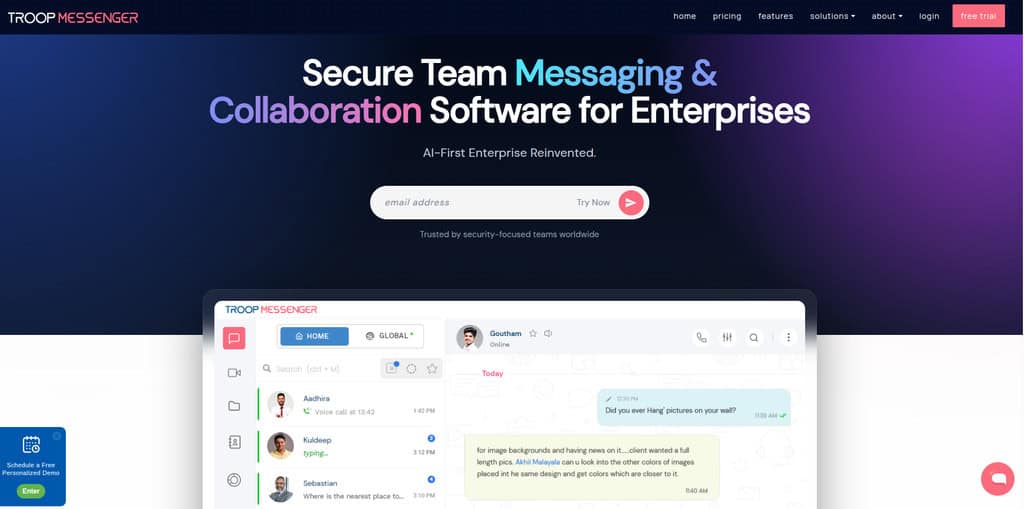
Troop Messenger is a strong pick for teams that want secure communication without handing every conversation to a third-party cloud. It’s ideal for teams that enjoy quick messaging and group chats, with the added choice of on-premises deployment so conversations and files can stay on the company’s own servers.
Troop Messenger has also added an AI suite of its own: an AI File Analyzer that summarizes shared documents and answers questions about them, plus AI Rewrite, Smart Suggestions, and AI Translate that help teams write clearer replies and communicate across languages. Beyond the basics of chat, audio and video calling, and screen sharing, it includes self-destructing “Burnout” messages, “Forkout” for sending files to several contacts or groups at once, and a built-in code editor that developer teams find handy for sharing snippets.
Pricing is simple to follow: there’s no permanent free plan, but a free trial is available. Premium runs $2.5 per user/month, Enterprise is $5 per user/month, and Superior is $9 per user/month, while on-premises deployment is custom-priced. The main limitations are that it has fewer third-party integrations than Slack, and on-premise pricing requires a custom quote rather than a fixed rate.
Comparing the Tools at a Glance
To help you make an informed decision, we’ve compiled a comparison table of the key features of the tools discussed. The details are accurate and reflect our experience using them:
| Tool | Key Strength | Best For | Pricing | Limitations |
| Slack | Real-time messaging & integrations | Agile teams, quick communication | Free; $7.25/user/month (Pro) | Limited message history (free) |
| Microsoft Teams | All-in-one with Microsoft 365 | Corporate, large teams | $6/user/month (Business) | Complex interface |
| ClickUp | Task-driven collaboration | Complex projects, task-focused | Free; $7/user/month (Unlimited) | Steep learning curve |
| Miro | Visual collaboration, whiteboards | Creative teams, brainstorming | Free; $8/user/month (Team) | Weak task management |
| Chanty | Real-time collaboration | Multi – functional teams | Free; 3/user/month | Lack of some integrations |
| Troop Messenger | Secure messaging with on-premises deployment option | Security-conscious teams, regulated industries | Free trial; $2.5/user/month (Premium) | Fewer integrations than Slack; custom quote for on-premises |
The table outlines the unique features of each tool without repeating explanations here. For example, we have considered current pricing and specific use cases not mentioned in the reviews.
How to Incorporate These Tools into Your Workflow
Picking a tool is half the battle. To get it to deliver real value, it needs to be properly incorporated into workflows. Here are several steps we recommend:
- Define Clear Roles and Channels: Set up channels or boards for each project and ensure all team members know their roles.
- Leverage Integrations: Integrate tools with your existing PM platforms to prevent data duplication.
- Train Your Team: Organize brief training sessions so that everyone can master the basic features, including whichever AI assistant now ships with your chosen platform.
- Set Ground Rules for AI Use: Decide together which AI-generated summaries or drafts still need a human check before they’re acted on, especially for anything client-facing.
- Audit Notification Settings Early: A tool that buries urgent updates in noise gets ignored fast, so agree on what deserves a ping versus what can wait for a daily digest.
After launching a tool, be sure to get feedback from the team on a regular basis. For instance, we’ve discovered some colleagues use Miro for creative work but use Slack for socializing. Constantly adjusting tools to team needs makes them as effective as possible. It’s also worth revisiting your choice every renewal cycle: pricing tiers and AI features on these platforms have been changing every few months, so what was the best fit last year may not be the best fit or the best value today.
Final Thoughts: Choosing the Best Tool for Your Team
Selecting team collaboration tools isn’t simply a convenience issue; it’s a strategic decision that impacts project success. Microsoft Teams suits Microsoft 365 environments needing compliance and expanding Copilot agents. Slack fits teams wanting fast, informal communication paired with genuinely useful automation. ClickUp remains strongest for task execution once the AI add-on cost is properly budgeted. Miro still leads for visually driven product and design teams.
Chanty remains the pragmatic choice for smaller teams or startups watching every dollar, even without extensive AI features. Beyond picking a platform, treat the decision as ongoing rather than final. Pricing structures and AI capabilities have shifted meaningfully across every tool on this list within the past year, so revisit your stack annually, gather honest team feedback, and switch when a competitor fits much better.
Suggested articles:
- The Pros and Cons of Using Miro Software
- The Pros and Cons of Using Slack Software
- The Pros and Cons of Using ClickUp Software

Daniel Raymond, a project manager with over 20 years of experience, is the former CEO of a successful software company called Websystems. With a strong background in managing complex projects, he applied his expertise to develop AceProject.com and Bridge24.com, innovative project management tools designed to streamline processes and improve productivity. Throughout his career, Daniel has consistently demonstrated a commitment to excellence and a passion for empowering teams to achieve their goals.