

Choosing the right project management tool is one of those decisions that quietly determines whether your workflow runs smoothly or constantly feels like a struggle. Most teams don’t fail because they lack effort; they fail because their systems don’t support how they actually work. When tasks are scattered, communication is unclear, and priorities are buried, productivity drops no matter how skilled the team is. That’s why tools like Asana, Basecamp, and Trello have become essential.
Each one offers a different philosophy—structure, simplicity, or flexibility. This guide breaks them down in practical terms, so you can choose based on how your team actually operates, not just what looks good on paper. And if you ever want to push any of these tools further with advanced reporting and exporting, Bridge24 is worth keeping in your back pocket.
By the end of this guide, you will know exactly which tool aligns with your team size, project complexity, budget, and communication style.
Overview of Asana, Basecamp, and Trello
Before comparing features, it’s important to understand that these tools are not interchangeable. They solve the same problem—managing work, but they approach it from completely different angles. That difference is what determines whether your team adopts the tool or quietly abandons it after a few weeks.
| Asana | Basecamp | Trello | |
|---|---|---|---|
| Core Philosophy | Structure & control | Clarity & calm | Visual flexibility |
| Best For | Complex, multi-layer projects | Communication-heavy teams | Fast, visual task tracking |
| User Experience | Feature-rich, needs training | Intuitive, minimal learning | Instant, drag-and-drop |
| Scaling Potential | Excellent (small to enterprise) | Good (small to mid-size) | Moderate (best for small teams) |
- Asana is built for structured workflows, planning, and scalability.
- Basecamp focuses on communication, clarity, and simplicity.
- Trello prioritizes visual organization and flexibility.
Trying to force one tool to behave like another is where most teams go wrong. The right approach is to match the tool to your workflow—not the other way around.
Asana: Advanced Work Management for Complex Teams

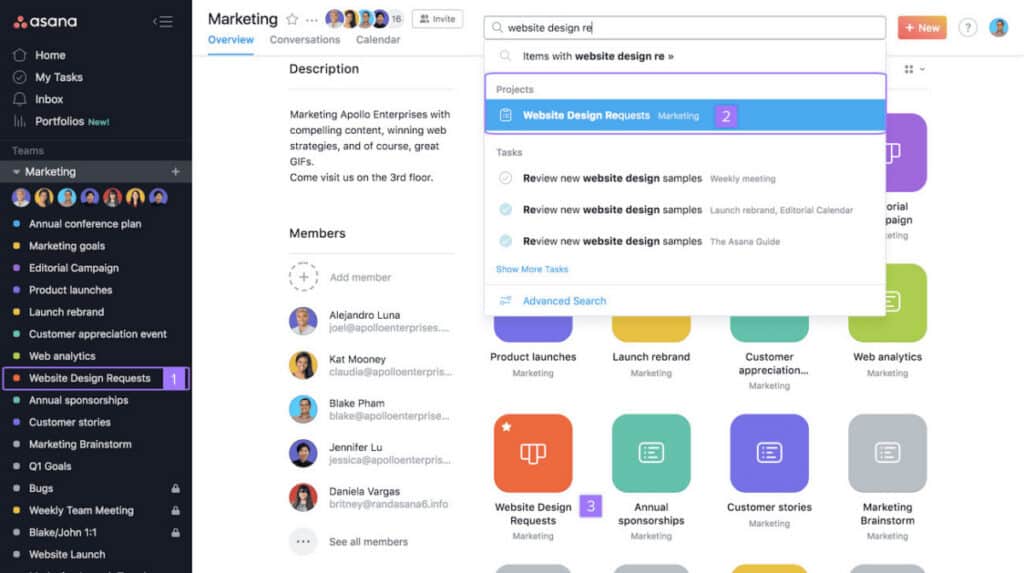
Asana is designed for teams that need more than basic task tracking. It’s built to handle complex workflows where multiple projects, deadlines, and dependencies must be managed at the same time. Instead of just listing tasks, it connects daily work to broader business goals, giving teams clarity on what matters and why it matters. This makes Asana especially valuable for growing teams, agencies, and organizations that need structure, accountability, and visibility across multiple layers of work.
If your projects involve coordination between different roles, strict timelines, or performance tracking, Asana is built for that level of execution — and when you’re ready to take reporting even further, Bridge24 for Asana unlocks powerful charts and in-depth reports that turn your project data into actionable insights.
Key Features of Asana
- Multiple Project Views: Asana allows teams to switch between list, board, calendar, and timeline views, giving each team member a way to interact with work that suits their role. This flexibility improves clarity across departments and ensures no one is forced into a single, rigid system that slows them down.
- Task Dependencies and Milestones: Tasks can be linked together so that one cannot begin until another is completed, reducing bottlenecks and confusion. Milestones highlight critical deliverables, ensuring teams stay focused on what truly moves the project forward.
- AI and Workflow Automation: Built-in AI helps generate summaries, automate updates, and reduce repetitive work. Combined with automation rules, this ensures tasks move forward without constant manual intervention, improving consistency and efficiency.
- Portfolios and Workload Management: Managers can oversee multiple projects at once while monitoring team capacity. This prevents overload, improves resource allocation, and ensures deadlines remain realistic instead of optimistic guesses.
- Goals and OKR Tracking: Asana allows teams to link daily tasks to high-level business goals and OKRs. This creates alignment across the organization, ensuring everyone understands how their individual work contributes to broader company objectives.
- Forms and Intake Management: Teams can create custom forms that automatically convert submissions into tasks with predefined fields and workflows. This streamlines request management from clients, stakeholders, or other departments without manual data entry.
- Advanced Search and Reporting: Asana offers customizable dashboards and advanced filtering that allow teams to track progress, identify bottlenecks, and generate real-time reports. This is critical for managers who need data-driven insights without exporting to spreadsheets.
- Integrations and API Access: Asana connects with over 200 tools, including Slack, Microsoft Teams, Salesforce, and Jira. The open API allows custom integrations, making it suitable for enterprises with existing tech stacks that require seamless data flow.
Pricing of Asana
Asana uses per-user pricing. Higher tiers add automation, reporting, and advanced controls. Annual billing is cheaper than monthly.
- Personal (Free): For individuals or small teams. Includes unlimited tasks and projects, basic views, activity logs, mobile apps, and 100+ integrations.
- Starter ($10.99/user/month annually or $13.99 monthly): For growing teams. Adds timeline (Gantt), Asana AI, automation, dashboards, advanced search, custom fields, forms, and unlimited automations.
- Advanced ($24.99/user/month annually or $30.99 monthly): For larger teams managing multiple projects. Includes goals, portfolios, workload management, approvals, proofing, time tracking, advanced integrations, and stronger security.
- Enterprise (Contact sales): For organizations at scale. Adds resource management, SAML/SCIM provisioning, advanced admin controls, custom branding, workflow bundles, and 24/7 support.
- Enterprise+ (Contact sales): For strict compliance needs. Includes audit logs, SIEM and DLP integrations, data residency, enterprise key management, HIPAA support, and advanced workspace controls.
Strengths of Asana
- Handles complex, multi-layered projects without breaking down
- Strong automation and AI reduce manual coordination work
- Scales effectively from small teams to large enterprises
- Offers deep reporting and performance tracking
Weaknesses of Asana
- Takes time to learn and configure properly
- Costs increase quickly as team size grows
- Overly complex for simple workflows
Who Should Choose Asana?
Choose Asana if your team has multiple departments, strict deadlines, interdependent tasks, and you need to report on progress to stakeholders. It is ideal for marketing agencies, product development teams, and operations managers.
Basecamp: Simple, Organized, and Communication-First

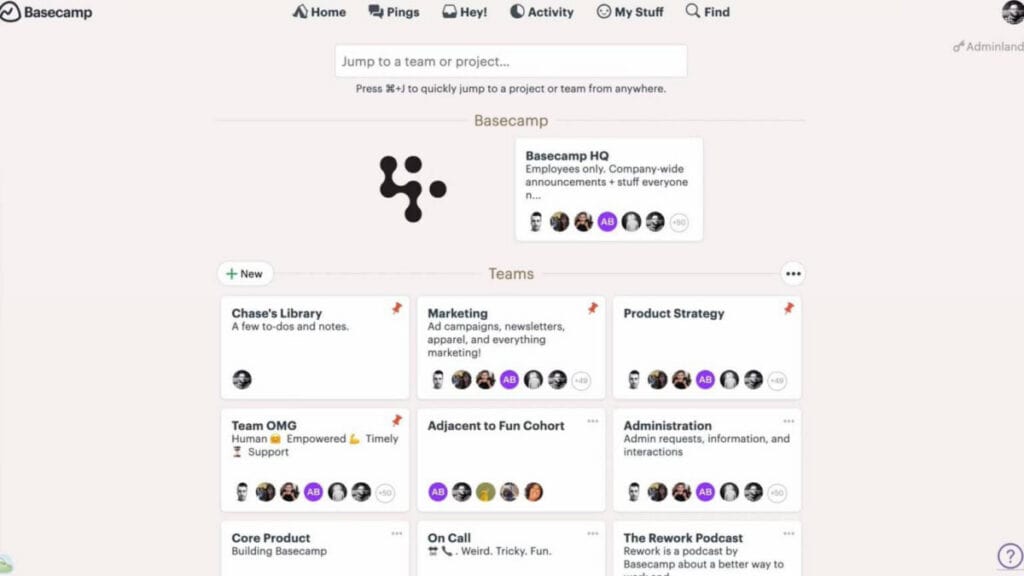
Basecamp takes a completely different approach by removing complexity instead of adding to it. It is built around the idea that most teams don’t need more features—they need fewer distractions and clearer communication. Instead of overwhelming users with customization, it provides a structured system that keeps everything in one place.
Basecamp is particularly effective for small to mid-sized teams that want predictable workflows without constant setup or management. It replaces scattered emails, chats, and files with a centralized workspace, making it easier to stay aligned without overthinking the process. And when you’re ready to take your reporting and data exports to the next level, Bridge24 for Basecamp seamlessly fills that gap — giving your team powerful analytics without ever leaving your workflow.
Key Features of Basecamp
- All-in-One Project Workspace: Each project includes message boards, to-do lists, files, schedules, and chat, ensuring everything related to the work is stored in one organized location without relying on multiple tools like separate email threads or cloud storage folders.
- Message Boards and Structured Communication: Conversations are organized into threads, making them easy to follow and reference later. This eliminates confusion caused by scattered communication across emails and chat apps, preserving context for new team members or future audits.
- Automatic Check-Ins: Teams can set recurring questions (e.g., “What did you work on today?” or “Any blockers?”). These collect updates without meetings, saving time while still maintaining visibility into progress and challenges across the team.
- Hill Charts and Progress Tracking: Instead of vague percentages, Basecamp shows whether work is still being figured out (figuring things out) or actively executed (moving up the hill), giving a more realistic view of progress that avoids false confidence.
- Client Access and Permissions: Basecamp makes it easy to invite clients or external partners into specific projects with limited permissions. Clients see only what they need, reducing back-and-forth emails and keeping everyone on the same page without security risks.
- Campfire Real-Time Chat: Each project includes a dedicated group chat called Campfire for casual, real-time conversation. This reduces the need for separate Slack channels while keeping all project-related communication inside the same workspace.
- Automatic Daily Digest Emails: Basecamp sends a daily summary of all activity across projects, so team members stay informed without constantly checking the app. This reduces notification fatigue while ensuring no important update is missed.
Pricing of Basecamp
Basecamp keeps pricing simple. All plans include the same core tools. Differences are in storage, user limits, and pricing structure.
- Free ($0): For individuals or small teams. Includes 1 project, up to 20 users, and 1 GB storage. Free to use with no time limit.
- Plus ($15/user/month): For growing teams. Includes unlimited projects, 500 GB storage, and 24/7 support. You only pay for employees—clients and guests are free. Optional add-ons: Timesheet and Admin Pro Pack.
- Pro Unlimited ($299/month annually or $349 monthly): For larger teams. Includes unlimited users, unlimited projects, 5 TB storage, priority support, built-in Timesheet and Admin Pro Pack, plus onboarding help.
Strengths of Basecamp
- Extremely easy to use with almost no learning curve
- Reduces tool overload by combining everything in one place
- Encourages focused, distraction-free work
- Predictable pricing benefits growing teams (flat rate option)
Weaknesses of Basecamp
- No advanced planning tools like Gantt charts or dependencies
- Limited automation compared to competitors
- Basic reporting and analytics
- Not ideal for complex, multi-phase projects
Who Should Choose Basecamp?
Choose Basecamp if your team struggles with scattered communication, spends too much time in meetings, and wants a single source of truth without learning a complex system. It is ideal for remote teams, creative agencies, and small businesses.
Trello: Visual, Flexible, and Easy to Use

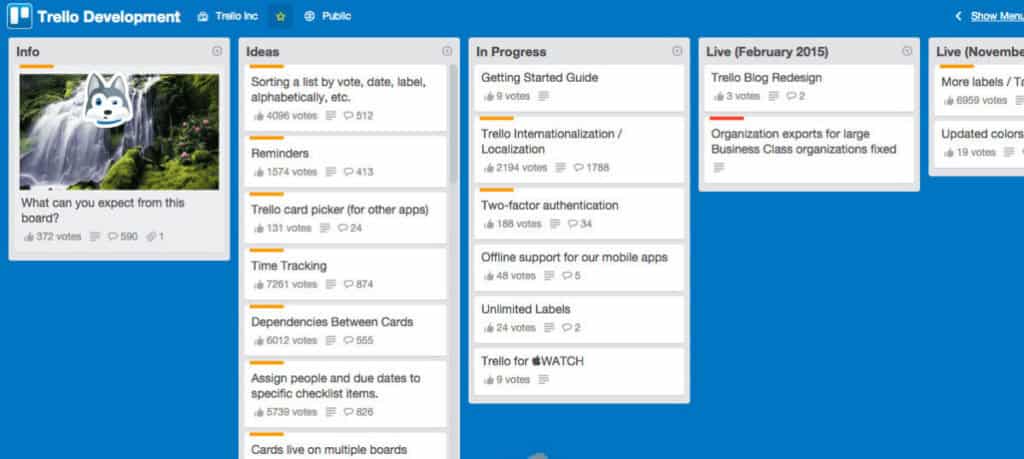
Trello is built for simplicity and speed. Its Kanban-style system allows users to see tasks visually and move them through different stages of completion. This makes it one of the easiest tools to adopt, especially for teams that want to get started immediately without training. Trello works best for teams that value flexibility and don’t need complex structures.
It adapts easily to different workflows, making it suitable for everything from personal productivity to lightweight team collaboration. The visual nature reduces cognitive load and makes status updates instantly clear — and when you’re ready to take things further, Bridge24 for Trello transforms that clarity into powerful reports and exports your team can actually act on.
Key Features of Trello
- Boards, Lists, and Cards: Tasks are organized visually, allowing teams to track progress at a glance without digging through menus or reports. Each card can hold checklists, due dates, attachments, comments, and labels, making it a self-contained work item.
- Drag-and-Drop Workflow: Tasks can be moved instantly between stages (e.g., To Do → In Progress → Done), making updates simple and intuitive while maintaining real-time visibility. This tactile interaction is one of Trello’s most beloved features.
- Butler Automation: Repetitive actions can be automated without coding. For example, automatically move cards, assign members, add labels, or schedule recurring tasks based on triggers. Butler saves hours of manual work for teams with predictable workflows.
- Power-Ups and Integrations: Trello integrates with tools like Slack, Google Drive, Jira, Salesforce, and over 200 others via Power-Ups. Each board can customize its capabilities, extending functionality without bloating the core experience.
- Card Cover Images and Stickers: Trello allows users to add cover images, emoji reactions, and stickers to cards, making boards more visual and engaging. This seemingly minor feature improves adoption in creative teams and makes task tracking more enjoyable.
- Due Dates, Calendar, and Timeline Views: Cards can have due dates with reminders. The calendar view shows all deadlines across boards, while the timeline view (Premium) provides Gantt-style planning for teams needing basic project scheduling without full complexity.
- Templates for Common Workflows: Trello offers hundreds of pre-built templates for content calendars, sales pipelines, job hiring, product roadmaps, and personal task management. Teams can start in minutes instead of building from scratch.
- Custom Fields and Labels: Teams can add custom fields (e.g., priority, estimated hours, client name) to cards and use color-coded labels for filtering. This provides structured data without forcing rigid hierarchies, balancing flexibility with organization.
Pricing for Trello
Trello has four plans. Pick based on team size and feature needs.
- Free ($0/month): For individuals or small teams. Includes unlimited cards, 10 boards per workspace, Inbox, unlimited Power-Ups, and mobile access.
- Standard ($5/user/month yearly or $6 monthly): For teams needing more structure. Adds unlimited boards, calendar (Planner), advanced checklists, custom fields, and AI task capture.
- Premium ($10/user/month yearly or $12.50 monthly): For growing teams. Includes Timeline, Table, Dashboard views, full AI features, unlimited automation, and stronger admin controls.
- Enterprise ($17.50/user/month yearly): For large organizations. Adds unlimited workspaces, org-wide permissions, SSO, user provisioning, and 24/7 admin support.
Strengths of Trello
- Extremely easy to use and quick to set up (under 5 minutes)
- Highly visual and intuitive workflow system
- Flexible enough for multiple use cases (personal, team, client-facing)
- Affordable entry point for small teams
Weaknesses of Trello
- Limited functionality for complex projects with dependencies
- Can become disorganized at scale (many boards, no hierarchy)
- Relies heavily on Power-Ups for advanced features (which add cost)
- No native timeline/Gantt without Premium plan
Who Should Choose Trello?
Choose Trello if your team works visually, moves tasks quickly through stages, and values speed over structure. It is ideal for content calendars, sales pipelines, job applicant tracking, and personal productivity.
Which Tool Should You Choose?
There is no universal “best” project management tool—only the one that fits how your team actually works. The biggest mistake is choosing based on features instead of practical use. A powerful system that no one uses is worse than a simple one that everyone follows consistently.
| Your Team Type | Recommended Tool | Why |
|---|---|---|
| Startup (1–10 people, fast-paced) | Trello | Quick setup, visual, cheap |
| Remote agency (10–30 people) | Basecamp | Centralized communication, less chaos |
| Product/Engineering team | Asana | Dependencies, sprints, scaling |
| Marketing team | Trello or Asana | Trello for content calendars, Asana for campaigns |
| Enterprise (50+ people) | Asana | Reporting, portfolios, control |
| Client work (external collaboration) | Basecamp | Client-friendly, transparent |
Closing Thoughts
Asana is built for teams that need structure, control, and scalability. It excels in complex environments where deadlines, dependencies, and reporting matter. Basecamp is designed for clarity and simplicity, making it ideal for teams that want to reduce noise and focus on execution without getting lost in features. Trello offers speed and flexibility, giving teams a visual way to manage work without friction. The right choice comes down to this:
- If you’re managing complex work with many moving parts, choose Asana.
- If your priority is clarity and staying aligned as a team, choose Basecamp.
- If speed and adaptability matter most, choose Trello.
Test one for two weeks with your real work—not demo data or sample projects. The tool that quietly supports your workflow without demanding attention is the one worth keeping. If you have to fight the software, it’s the wrong fit.
Suggested articles:
- The Pros and Cons of Using Asana Software
- The Pros and Cons of Using Basecamp Software
- The Pros and Cons of using Trello Software

Peter Kanai is a Google-certified freelance writer with over a decade of experience crafting high-quality content for business websites, blogs, and SEO & email marketing campaigns. His on-demand writing services are all about helping businesses expand their online presence and achieve their objectives. With a proven track record in delivering results-driven content, Peter is the go-to freelance writer for business owners seeking a strategic partner to help them grow their brand online.