
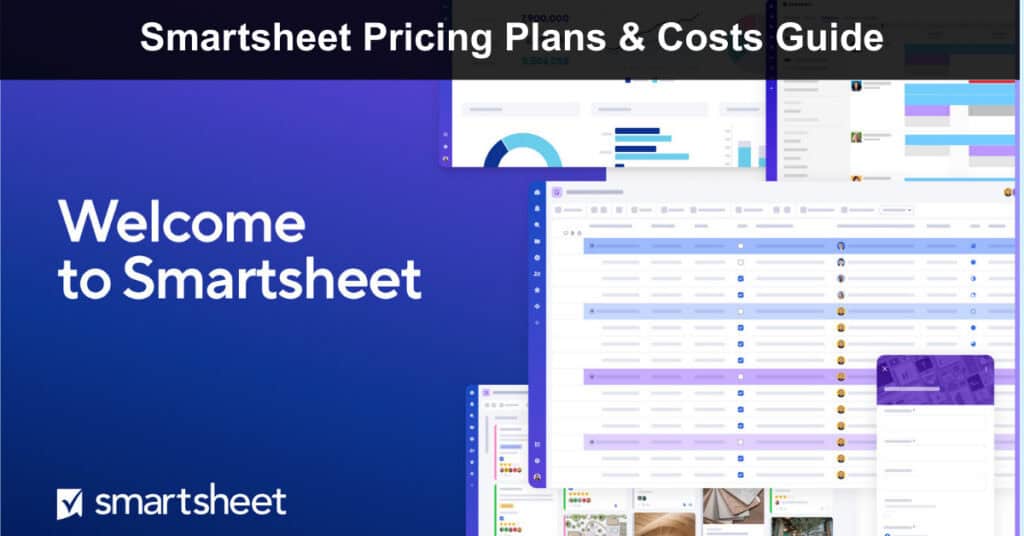
Smartsheet is a full-scale work management platform built to help teams plan, execute, and scale projects across departments with structure and clarity. From AI-powered insights and portfolio visibility to enterprise-grade security and deep integrations, Smartsheet is designed for organizations that need more than basic task management. Whether you’re coordinating a small internal project or running complex, cross-functional programs, the platform adapts to your size and operational maturity.
With flexible per-member pricing and custom enterprise options, Smartsheet offers tiers that grow with your needs. In this guide, we’ll break down Smartsheet’s pricing plans, costs, and features so you can choose the right investment for your team.
How Much Does Smartsheet Cost?
Smartsheet offers flexible pricing designed for teams that need structure today and scalability tomorrow. Plans are priced per Member, allowing organizations to expand gradually as operational complexity increases. Annual billing provides noticeable savings compared to monthly pricing, making it the more cost-effective option for long-term use.
- Free Plan ($0 per user/month): Best for individuals or very small teams beginning with structured project management. It includes basic views, unlimited sheets, forms, and reports, plus AI Essentials, making it a practical way to explore the platform without financial commitment.
- Pro Plan ($9/month billed annually or $12/month): Designed for teams that want to track, share, and manage projects efficiently. Limited to 1–10 Members, it includes rich formulas, Gantt, Board, Table, and Calendar views, unlimited sheets, and 250 automations per month.
- Business Plan ($19/month billed annually or $24/month): Built for growing organizations aligning people, projects, and programs. Requires a minimum of three Members and adds Timeline view, team workload tracking, administrative capabilities, unlimited automations, and 1 TB of attachment storage.
- Enterprise Plan (Custom Pricing): Created for organizations requiring advanced security, AI-powered functionality, and centralized governance. Available for 10+ Members, it includes all Business features plus AI formulas, texts, and charts, SAML-based SSO, Collections, Work Insights, Enterprise Plan Manager, directory integrations, and unlimited storage.
- Advanced Work Management Plan (Custom Pricing): Intended for enterprises managing large-scale portfolios and integrating across complex systems. It includes all Enterprise features plus Control Center, Dynamic View, Data Shuttle, DataMesh, premium connectors including Salesforce and Jira, Calendar App, Pivot App, and Premium Support.
If you’re working with a limited budget and find Smartsheet’s pricing too high, consider evaluating AceProject as an alternative. AceProject offers user-independent pricing, which can result in significant cost savings for your organization.
Smartsheet Free Plan ($0 per user/month)
The Free plan is a limited legacy tier best suited for individuals who want to explore Smartsheet’s core interface and manage lightweight, personal tasks. It provides a hands-on way to test basic functionality, but it comes with strict limits on sheets, editors, and automations.
Free Plan Includes:
- Limited Sheets and Editors: Create and own a maximum of two sheets, with collaboration limited to two editors or viewers, making it ideal only for the simplest personal use cases.
- Core Work Views: Access essential views, including Table, Board, Grid, Gantt, and Card, to organize and visualize basic project information and tasks.
- 100 Automations per Month: Automate simple, recurring updates and notifications, but with a low monthly cap that restricts usage for any serious workflow.
- 500 MB Attachment Storage: Store files and documents with a modest 500 MB storage limit, suitable for lightweight file sharing but not for media-heavy projects.
- Collaborate on Shared Sheets: Free users can view, edit, and update sheets owned by paid users, allowing for limited participation in larger projects without a license.
- 30-Day Free Trial Available: Access a 30-day trial of paid plans at any time to test full platform functionality, including unlimited sheets and advanced features, before committing.
Smartsheet Pro Plan ($9 per Member/month (billed yearly) or $12 monthly)
The Pro plan is ideal for people and small teams that want to track, share, and manage projects in a structured way. It supports up to 10 Members and unlimited Viewers, offering flexible work views, formulas, unlimited sheets, and automation capacity suited for growing teams.
Pro Plan Includes:
- Unlimited Free Viewers: Share sheets and reports with unlimited stakeholders who can monitor progress without paid licenses, reducing collaboration costs while maintaining visibility across projects and departments.
- Gantt, Table, Board, and Calendar View: Switch between multiple structured views to visualize timelines, organize workflows, track deadlines, and manage execution from different operational perspectives within the same platform.
- Rich Formulas: Build advanced formulas directly within sheets to automate calculations, track metrics, and eliminate reliance on external spreadsheets for reporting and project analysis.
- Unlimited Sheets, Forms, and Reports: Create unlimited structured sheets, collect information through forms, and generate reports to support ongoing project management and operational clarity.
- 250 Automations per Month: Automate routine updates, notifications, and workflow actions to reduce manual coordination and keep projects moving consistently.
Smartsheet Business Plan ($19 per Member/month (billed yearly) or $24 monthly)
The Business plan is designed for organizations aligning multiple teams, projects, and programs. It requires a minimum of three Members and includes unlimited Guests and Viewers. This tier introduces workload tracking, administrative controls, expanded storage, and removes automation limits for scalable collaboration.
Includes everything in Pro plus:
- Unlimited Free Guests: Invite external collaborators, such as contractors or partners, into specific workspaces without increasing licensing costs, maintaining secure collaboration across internal and external teams.
- Timeline View: Visualize projects across extended timeframes to improve planning accuracy and support better coordination across departments and initiatives.
- Team Workload Tracking: Monitor resource allocation and team capacity to prevent overload, identify bottlenecks, and balance responsibilities more effectively across your organization.
- Admin Capabilities: Manage users, permissions, and governance settings centrally from one interface to maintain control as your organizational complexity increases.
- Unlimited Automations: Remove monthly automation limits entirely to support large-scale workflow execution without worrying about operational restrictions or caps.
- 1 TB Attachment Storage: Store and manage up to one terabyte of files and attachments directly within Smartsheet for centralized, secure document access.
Smartsheet Enterprise Plan (Custom Pricing)
The Enterprise plan is built for large organizations requiring advanced security, AI-powered intelligence, and company-wide governance. It supports complex solutions, deeper analytics, and centralized administrative control while removing storage limitations and strengthening identity management integration.
Includes everything in Business plus:
- AI Formulas, Texts, and Charts: Use advanced AI-driven tools to generate insights, automate complex logic, and create intelligent visualizations directly within your sheets and reports.
- SAML-Based Single Sign-On (SSO): Integrate secure authentication through enterprise identity providers to centralize user access, simplify login, and strengthen security controls.
- Collections: Organize dashboards, sheets, and reports into curated collections for streamlined executive access and simplified departmental visibility across the organization.
- Work Insights: Gain deeper operational analytics to understand workflow performance, user activity levels, and overall project health across all your teams.
- Enterprise Plan Manager: Oversee plan configuration, governance policies, and license management from a centralized administrative interface designed for scale.
- Unlimited Attachment Storage: Remove all storage caps to support enterprise-scale documentation, large files, and comprehensive project asset management without limits.
- Directory Integrations: Sync with enterprise directory systems like Active Directory to automate user provisioning and maintain centralized identity control.
Smartsheet Advanced Work Management Plan (Custom Pricing)
The Advanced Work Management plan is designed for organizations managing large-scale portfolios and connecting Smartsheet across complex business systems. It includes all Enterprise features plus premium applications and connectors that support portfolio governance, advanced reporting, and cross-system integration.
Includes everything in Enterprise plus:
- Control Center: Standardize and automate large project portfolios using centralized blueprints to maintain governance, consistency, and best practices at scale.
- Dynamic View: Share secure, role-based views of your data with internal and external stakeholders without exposing the underlying full sheet or sensitive information.
- Data Shuttle: Automate structured data imports and exports between Smartsheet and external systems to maintain reporting accuracy and eliminate manual data entry.
- Connectors: Integrate natively with platforms such as Salesforce and Jira to synchronize workflows and maintain operational alignment across your critical business systems.
- DataMesh: Connect and manage data relationships across multiple sheets to ensure consistency, eliminate duplication, and create a single source of truth.
- Calendar App: Create advanced, customizable calendar visualizations to manage complex scheduling needs across numerous projects, resources, and timelines.
- Pivot App: Generate powerful summaries and analytical breakdowns from large datasets to support in-depth executive reporting and data-driven decision making.
- Premium Support: Access priority, enterprise-grade support services designed for mission-critical environments and complex operational needs with faster response times.
Conclusion
Choosing the right Smartsheet plan ultimately comes down to the scale and complexity of your work. For individuals, the Free plan offers a glimpse into the platform’s potential, while teams requiring structured collaboration will find the Pro plan a natural fit. As your organization grows and requires deeper visibility across departments, the Business plan provides the necessary workload tools and unlimited automation. For enterprises, the Advanced Work Management and Enterprise tiers deliver the governance, AI-driven intelligence, and portfolio control needed to manage mission-critical operations securely.
Each plan builds logically on the last, allowing you to scale your investment alongside your operational maturity. However, pricing is just one piece of the puzzle. To ensure Smartsheet aligns with your team’s unique workflows and culture, it’s essential to understand both its strengths and limitations. Before making your decision, please look at our Smartsheet Pros and Cons article to get the full picture.
Suggested articles:
- Monday.com Pricing Plans & Costs Guide
- Bitrix24 Pricing Plans & Costs Guide
- Redbooth Pricing Plans & Costs Guide

Daniel Raymond, a project manager with over 20 years of experience, is the former CEO of a successful software company called Websystems. With a strong background in managing complex projects, he applied his expertise to develop AceProject.com and Bridge24.com, innovative project management tools designed to streamline processes and improve productivity. Throughout his career, Daniel has consistently demonstrated a commitment to excellence and a passion for empowering teams to achieve their goals.