
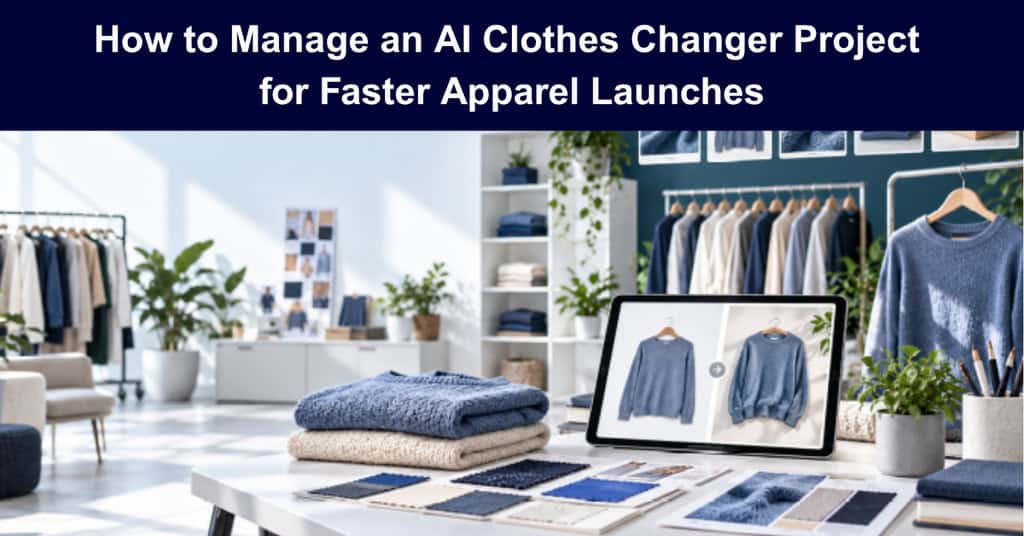
Launching an apparel collection involves more coordination than many teams expect. Sample approvals, model bookings, photography, retouching, and product listing preparation all compete for time and budget. For a small team, a delay in one step can affect the launch schedule and leave less time for merchandising and campaign decisions.
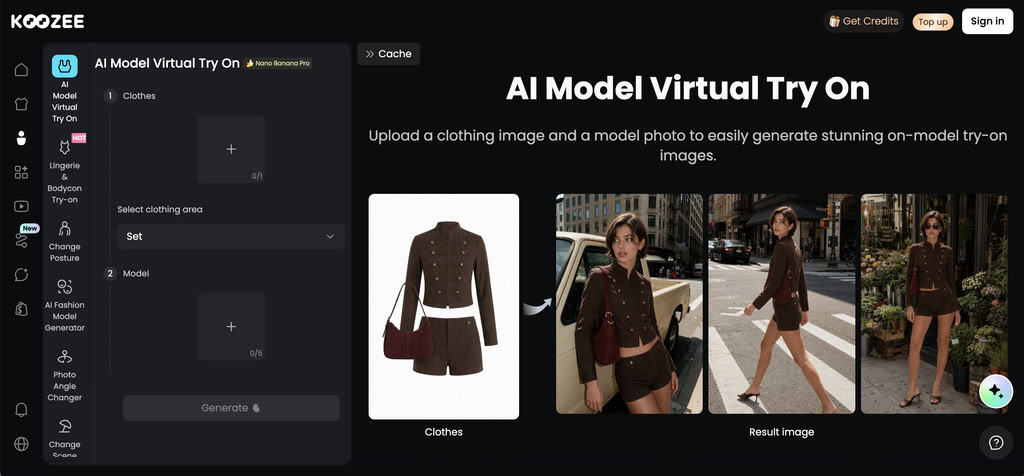
An AI clothes changer can help teams explore product visuals earlier in that process. Koozee offers apparel image tools for sellers and marketing teams. Used thoughtfully, this type of tool can support launch previews, client reviews, and early creative testing. The project still needs a defined scope, owners, review criteria, and a clear decision about which images are suitable for publication.
This guide explains how to plan an AI clothes changer project as a practical workflow for an apparel or e-commerce team. The goal is not simply to generate more images. It is to help the team make informed decisions earlier while keeping product accuracy and approvals in view.
Start With a Defined Project Outcome
A project should begin with a business outcome, not just a decision to “try AI.” A team might aim to prepare launch previews for a set number of products by a specific date, reduce the time needed to create initial visuals, or test several creative directions before approving a full photoshoot.
Write the project outcome in measurable terms. For example: “Prepare approved preview images for 20 new styles within three weeks, so merchandising and marketing can review the collection before the production shoot is booked.” This gives the team a finish line while leaving room to learn whether AI-generated imagery is suitable for each use case.
Distinguish between a preview and a final product image. An image that helps a team discuss styling may not meet the accuracy, brand, marketplace, or customer expectations required for a live listing. Setting this boundary early prevents an internal concept image from moving into a public channel without the right review.
Map the Workflow Before Choosing the Tool
The project manager should map the steps from garment selection to an approved image. A simple workflow might include:
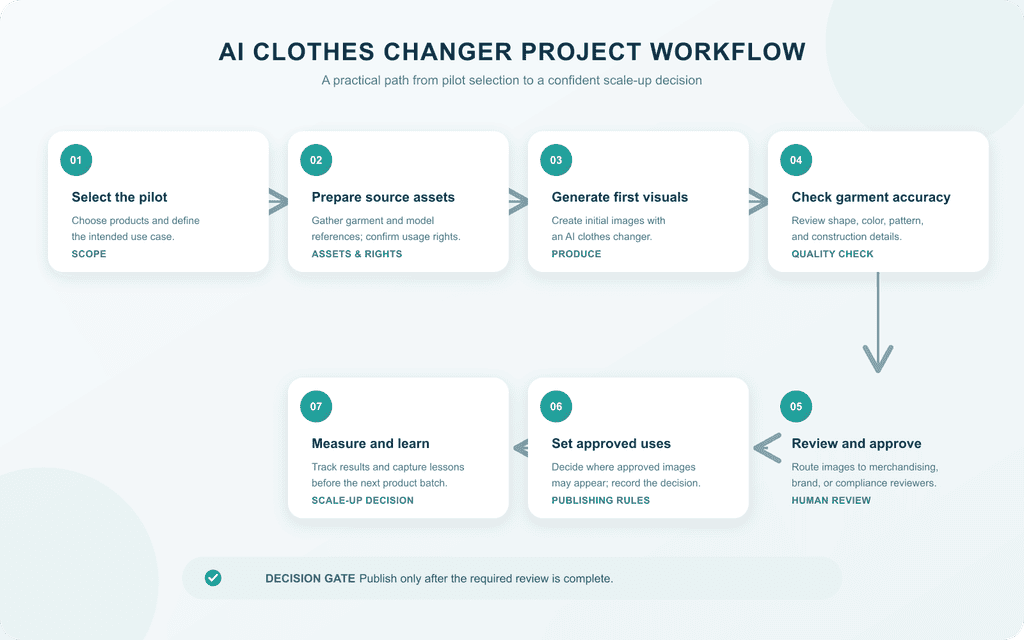
- Select the products and use cases for the pilot.
- Collect garment photos, model references, and usage permissions.
- Generate initial images with an AI clothes changer.
- Review the garment’s shape, color, pattern, and construction details.
- Route images to merchandising, brand, or compliance reviewers.
- Decide where approved images can be used and record that decision.
- Measure results and document lessons for the next product batch.
This sequence helps the team see where work can happen in parallel and where one task depends on another. Image generation may begin once usable garment and model images are available, but publication should wait for the required reviews. Build these handoffs into the schedule instead of treating approvals as informal follow-up work.
Teams that need a lightweight planning structure can adapt the goal-setting, milestone, and weekly review practices in this guide to project management for small businesses.
Define Scope, Roles, and Acceptance Criteria
A short project brief can prevent confusion later. It should state which products and categories are included, which image types will be produced, which channels are in scope, who supplies source images and confirms usage rights, who generates and reviews each image, and what budget, timeline, and tool access are available.
Assign one accountable owner for each decision. A merchandising lead might confirm whether the garment is represented accurately; a brand lead might review visual consistency; and an e-commerce lead might verify image requirements for the sales channel. The project manager tracks dependencies, decisions, risks, and deadlines so that reviewers know when their input is needed.
Define acceptance criteria before image generation begins. Reviewers might check whether the garment color and construction are represented faithfully, whether the model pose and crop fit the intended use, whether the image meets brand standards, and whether the source assets can be used for that purpose. Agree in advance on what happens when an image fails review: revise it, use conventional photography, or remove the product from the pilot.
Run a Small Pilot Before Scaling
A pilot is a practical way to test the workflow without committing the full catalog. Choose a representative group of products, including items with different cuts, fabrics, colors, or construction details. Avoid selecting only the easiest garments; the team needs to learn where the process works and where it requires extra review.
For the pilot, teams can evaluate a dedicated AI clothes changer tool such as Koozee’s on a small, representative batch. Use a shared tracker to record each product, source assets, generation status, reviewer, decision, and final use. Keep the first cycle short enough to reveal bottlenecks quickly.
A weekly review can answer practical questions: Are source images arriving on time? Which review steps are causing delays? Are acceptance criteria clear enough? How many generated images need revision? Which product types produce reliable results for the intended use? These questions help the team assess the process rather than judging the tool on a few attractive examples.
The purpose of a pilot is to evaluate the entire workflow. A fast generation step may not save time if asset preparation or approvals take longer than expected. Record the time spent at each stage and compare it with the original plan before recommending a broader rollout.
Manage Image Quality, Rights, and Customer Expectations
AI-assisted visuals need human review. A generated image can look polished while changing details that matter, such as a neckline, sleeve, seam, print, or fit. Review the output against the actual garment and the intended use before it reaches customers.
Teams should confirm that they have permission to use the garment and model images they upload, and check the terms that apply to generated output. Keep a record of source files, approvals, and channel-specific requirements. If an image is for internal concept review only, label it accordingly and prevent it from moving into a public listing by mistake.
The project manager should document risks and escalation paths. If an image changes a product detail, a reviewer should be able to reject it and request a new version or conventional photography. When the team is unsure whether an image meets marketplace or brand requirements, route it to the appropriate reviewer before publication.
Track Results That Matter
A useful project scorecard combines delivery measures with quality measures. Depending on the goal, track:
- Time from source-image readiness to approved visual
- Cost per usable image, including review and revision time
- Percentage of images approved on the first review
- Number of revisions per product
- Number of products completed by the launch milestone
- Performance of approved visuals in a controlled campaign test, if applicable
Avoid treating image volume as success by itself. The team needs to know whether images were accurate, approved, and useful for the intended purpose. If the pilot is meant to speed up launch planning, measure whether stakeholders can make decisions earlier—not only how many images the tool generated.
Close the Project With a Clear Decision
At the end of the pilot, compare results with the original goal. Decide which product categories and use cases suit the workflow, which still require conventional photography, and what changes are needed before a larger rollout. Capture the checklist, review criteria, timeline assumptions, and lessons learned so the next project can begin with a stronger plan.
Project management gives teams a structure for turning a new tool into a controlled business process. The Project Management Institute describes the project life cycle as a framework teams use to structure projects and lists phases such as feasibility, design, build, test, deployment, and close in its overview of the project life cycle. For an AI clothes changer project, the same principle applies: define the outcome, organize the work, review the deliverables, and use evidence from the pilot to decide what comes next.
Frequently Asked Questions
What is an AI clothes changer project?
It is a planned initiative to use AI clothing visualization in a defined workflow, such as preparing apparel launch previews or testing campaign concepts. It includes more than generating images: the team also defines scope, responsibilities, reviews, rights, and success measures.
Should AI-generated images replace a photoshoot?
Not automatically. Some teams may use generated visuals for internal review, early concepts, or selected marketing tests, while keeping conventional photography for other products or channels. The right choice depends on image accuracy, brand standards, customer expectations, and channel requirements.
How should a team begin?
Start with a small product group and a specific outcome. Agree on source assets, acceptance criteria, reviewers, and permitted uses before generating images. Then review the workflow and results before expanding it.
Suggested articles:
- How Print on Demand Saves Money on Custom Apparel
- Converting Customers into Brand Ambassadors with Printed Apparel
- Streamlining Project Workflows with Print-on-Demand Services

Daniel Raymond, a project manager with over 20 years of experience, is the former CEO of a successful software company called Websystems. With a strong background in managing complex projects, he applied his expertise to develop AceProject.com and Bridge24.com, innovative project management tools designed to streamline processes and improve productivity. Throughout his career, Daniel has consistently demonstrated a commitment to excellence and a passion for empowering teams to achieve their goals.