
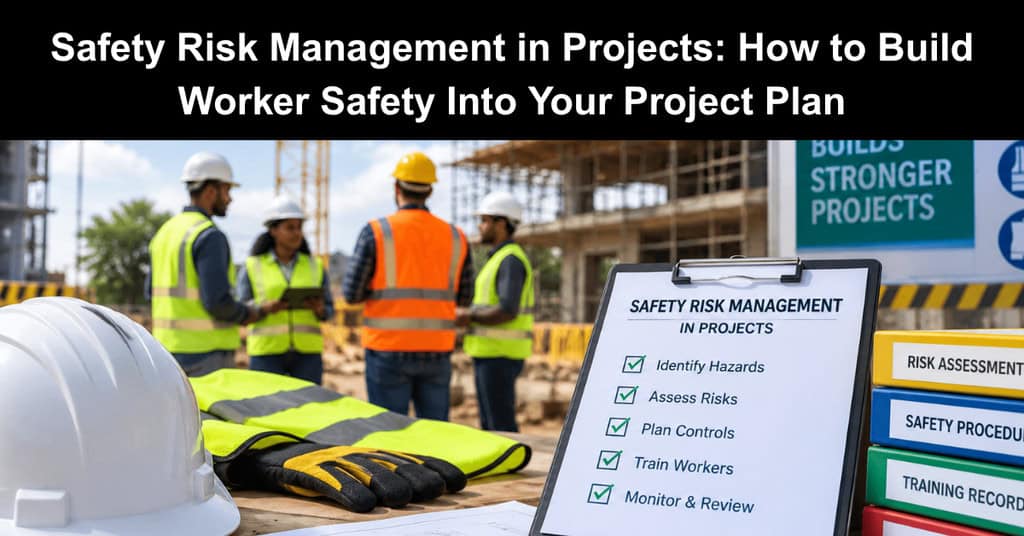
Most project risk registers are full of schedule slips, budget overruns, and vendor delays. Safety risks often sit in a separate binder that someone else owns. That split causes trouble, because a serious injury can stop a project faster than any late shipment. Federal data shows why. The Bureau of Labor Statistics recorded 5,070 fatal work injuries in the US in 2024.
Construction and extraction occupations accounted for 1,032 of them. Falls, slips, and trips caused 370 of those construction and extraction deaths. Safety risk management folds worker safety into project risk management from day one. The steps below show how.
Put Safety Risks in the Project Risk Register
PMI describes the risk register as the place where the outputs of risk management get recorded. Safety hazards belong there next to cost and schedule risks. When they share a document, they get the same airtime in status meetings.
For each safety risk, capture:
- The hazard and the task or phase where it shows up
- Who could be exposed, including subcontractors and visitors
- Likelihood and severity, scored on your usual scale, with any risk of serious injury flagged for attention even when it seems unlikely
- The planned control and the person who owns it
- A target date for putting the control in place
Walk the work breakdown structure with the people who’ll do the work. Tie each risk to the job hazard analysis (JHA) for that task. Crews often spot hazards that never appear in drawings or specs. Worker participation is one of the core elements in OSHA’s Recommended Practices for Safety and Health Programs. IT and operations projects count too. Server room moves, equipment installs, and plant shutdowns all carry lifting, electrical, or fall hazards.
Use the Hierarchy of Controls to Choose Risk Responses
Standard threat responses like avoid, transfer, mitigate, and accept only loosely fit safety work. You can shift cost to a subcontractor, but you can’t hand off the hazard itself. The NIOSH hierarchy of controls gives a clearer ranking. It lists five types of action in order of general effectiveness:
- Elimination: remove the hazard entirely
- Substitution: swap in something less dangerous
- Engineering Controls: isolate people from the hazard with guardrails, barriers, or ventilation
- Administrative Controls: change how people work through training, scheduling, or restricted access
- Personal Protective Equipment (PPE): hard hats, gloves, harnesses, and respirators
The cheapest time to use the top of the hierarchy is during planning. NIOSH notes that elimination and substitution may be the simplest and cheapest options at the design stage, and the hardest to retrofit later. Assembling a component at ground level, for example, can remove a work-at-height task from the schedule.
Lower levels still matter, but they cost more effort over time. NIOSH points out that administrative controls and PPE require significant and ongoing effort by workers and supervisors. If your only response to a fall hazard is “wear a harness,” flag it as a weaker control. Then ask whether a higher-level option is feasible.
Run Toolbox Talks That Follow the Schedule
Toolbox talks are short safety briefings, usually held at the start of a shift. OSHA’s fall prevention training guide includes sample talks on ladders, scaffolds, and roofing that run about 5 to 10 minutes each.
They work best when they match the day’s work. Pull topics from your look-ahead schedule:
- Excavation starts Monday? Cover trench hazards.
- Crane lift on Thursday? Walk through the lift plan, exclusion zones, and hand signals.
- Data center cutover this weekend? Go over lockout steps and lifting limits.
Keep a sign-in sheet for every talk. Attendance records show the briefing happened and who heard it.
Make Near-Miss Reporting Easy
A near miss is an event that could have hurt someone but didn’t. Federal OSHA’s injury recordkeeping rule doesn’t cover near misses. Even so, the agency’s voluntary recommended practices encourage employers to investigate them.
Reporting only works if people feel safe doing it. Some practical steps:
- Offer a quick channel, such as a QR code form, a text line, or a card box in the site trailer
- Thank people for reports and share what changed as a result
- Review near misses in weekly project meetings alongside other risk triggers
- Update the risk register when a near miss reveals a new hazard or a weak control
Treat a cluster of near misses like any other leading indicator. It tells you to adjust the plan before something worse happens.
Coordinate Safety Across Contractors
Most projects bring several employers onto one site. Communication and coordination among host employers, contractors, and staffing agencies is one of the core elements in OSHA’s Recommended Practices for Safety and Health Programs.
Build that coordination into the project plan:
- Ask for each contractor’s safety plan during procurement and compare it with your risk register
- Name an owner for shared hazards, such as open edges, temporary power, or traffic routes
- Hold a joint pre-task meeting when trades overlap in the same area
- Set one process for reporting incidents and near misses that every company follows
Safety responsibilities in contracts differ from job to job. Legal and procurement teams usually confirm how those duties are split.
Write the Incident Response Plan Before You Need It
OSHA’s recommended practices call for plans covering nonroutine work and foreseeable emergencies, including drills. A project incident response plan should spell out:
- Who gives first aid and who calls emergency services
- The site address and access directions for responders
- How to secure the area and preserve the scene
- Who notifies project leadership, the client, and the insurer
- Who handles regulatory reporting
Reporting timelines depend on where you work. Under federal OSHA rules, employers generally must report a work-related fatality within 8 hours of learning about it. In-patient hospitalizations, amputations, and loss of an eye generally go in within 24 hours. States that run their own OSHA-approved plans can set different rules, so confirm what applies to each site.
Run a tabletop drill at kickoff. A ten-minute walkthrough often exposes gaps, like a gate code nobody wrote down. You might discover that vital information, such as a secure gate code or an emergency contact number, was never actually recorded or shared with the primary responders.
What Happens After an Injury on a Project
Care for the injured worker comes first. After that, several processes usually start at once:
- An incident report records what happened, when, where, and who saw it
- An investigation looks for root causes, not only the immediate trigger
- Injury logs get updated where the employer is required to keep them
- The team reviews the risk register and controls for the affected task
Workers’ compensation usually comes into play as well. In the US, it’s largely run by the states, and rules on eligibility, benefits, and deadlines vary by state. Separate federal programs cover specific groups, such as federal employees and longshore workers. These cases aren’t always simple, especially when several contractors share a site. Injured workers sometimes talk with a workers compensation lawyer to understand how their state’s system applies to them.
In those situations, clear and timely incident records help everyone get an accurate picture of what happened. That’s one more reason to treat documentation as part of the job. Toolbox talk sheets, near-miss logs, and incident reports serve the crew, the project, and any later review.
Keep Safety on the Agenda at Every Phase
Safety risk management runs for the life of the project. OSHA’s recommended practices call for regular checks that controls still work, especially when conditions change. On a project, conditions change constantly, so review safety risks at every phase gate. Update controls as the work shifts, and carry lessons into the next project’s register. A plan that protects people also protects the schedule.
This article was contributed by Munley Law, a personal injury firm based in Pennsylvania.
Suggested articles:
- How to Plan a Workplace Safety Display Project Successfully
- How to Manage Workplace Injury Claims Within Your Project Team
- Workers’ Compensation Laws Every Small Business Owner Should Know

Daniel Raymond, a project manager with over 20 years of experience, is the former CEO of a successful software company called Websystems. With a strong background in managing complex projects, he applied his expertise to develop AceProject.com and Bridge24.com, innovative project management tools designed to streamline processes and improve productivity. Throughout his career, Daniel has consistently demonstrated a commitment to excellence and a passion for empowering teams to achieve their goals.