
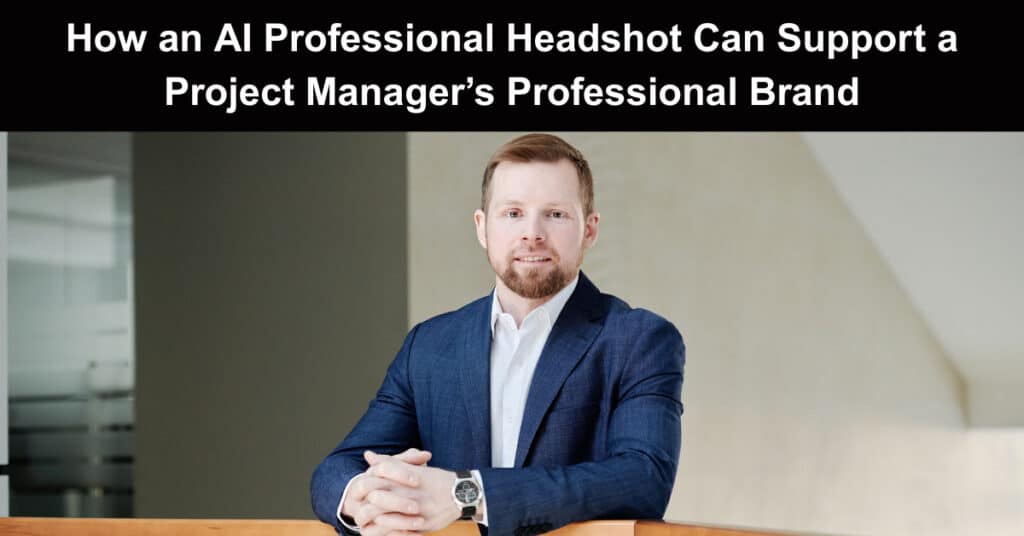
Project managers spend much of their working lives building trust. They lead meetings, present progress to stakeholders, negotiate priorities, resolve misunderstandings, and represent their organisations to clients. Long before some of those conversations happen, however, people may already have formed an initial impression from a LinkedIn profile, a company biography, a proposal, a conference page, or a collaboration platform.
A professional headshot cannot prove that someone knows how to control a budget or manage project risk. It can, however, make a digital profile feel complete, current, and credible. The challenge is that arranging traditional business photography is not always convenient. A studio session may involve scheduling, travel, outfit preparation, photography fees, and several days of waiting for edited images.
For project managers working remotely, changing jobs, joining a proposal team, or preparing for an event, that process may not fit the available time or budget. So, AI-generated headshots provide another option.
Why a Headshot Matters to Project Managers
Project management is built around relationships. Even when schedules, budgets, workflows, and reporting systems are technically strong, project delivery can suffer when stakeholders do not trust the person leading the work. A professional image is only one part of that relationship, but it often appears at important digital contact points.
It Contributes to Professional Consistency
Project managers may appear in several places at once:
- LinkedIn profiles
- Company websites
- Client proposals
- Project governance documents
- Conference programmes
- Speaker biographies
- Email accounts
- Team directories
- Online training platforms
It Can Strengthen a Career Profile
Project managers frequently move between organisations, industries, contract assignments, and consulting opportunities. Their online presence may therefore matter even when they are not actively searching for a role. A polished photograph can support a complete LinkedIn profile or resume portfolio, but it should remain accurate.
ProjectManagers.net explains that authenticity in personal branding and job hunting means professional presentation works best when it reflects the real individual rather than creating an artificial persona. When project managers present a genuine image online, they establish immediate credibility and build long-term trust with team members, employers, and executive stakeholders from day one.
Where Project Managers May Use AI-Generated Headshots
The value of an AI headshot depends on the situation. Before using a generator, the user should identify exactly where the images will appear.
LinkedIn and Professional Networking
LinkedIn is often the most obvious use. Clients, hiring managers, recruiters, suppliers, and potential collaborators may view a project manager’s profile before sending a message or accepting a connection. The chosen headshot should match the person’s normal professional appearance. A technology project manager working in a relaxed organisation may look more natural in business-casual clothing.
Ultimately, the primary goal is to select an image that feels entirely natural, professional, and well-aligned with the specific day-to-day environments in which the person actually works. A thoughtful, accurate photo builds genuine trust, ensuring that clients, colleagues, and key stakeholders immediately recognize the individual both online and during real-world project engagements.
Proposals and Project Documentation
Consulting firms, agencies, engineering companies, and technology providers often introduce proposed team members within tenders or client presentations. Including polished headshots alongside professional background details creates an immediate human connection, elevates the pitch quality, and reassures prospective clients that the assigned team possesses the right expertise to deliver results.
These documents may include:
- The project manager’s role
- Relevant qualifications
- Previous experience
- Areas of responsibility
- A short professional biography
- A headshot.
Events, Webinars, and Professional Publications
Conference organisers and webinar hosts often request a high-resolution speaker image. The request may arrive only a few days before the programme is published. Keeping several approved photographs available can make this process easier. Having ready-to-use options prevents last-minute panic, ensures your branding stays polished, and keeps event marketing schedules moving without unnecessary delays.
A project manager might retain:
- A formal portrait for conference programmes
- A business-casual image for online workshops
- A neutral headshot for company biographies
- A high-resolution version for print
- A square crop for digital platforms
How to Approach the Headshot Process Step-by-Step
AI-generated headshots tend to produce stronger results when the user follows a structured, methodical process rather than a casual, trial-and-error approach. Project managers are already well-equipped for this task, as their daily work relies heavily on planning, quality control, clearly defined requirements, and rigorous acceptance criteria. Applying these same disciplined principles to headshot generation helps ensure consistent, professional, and genuinely usable results every time.
Step 1: Define the Intended Outcome
Start with a simple question: what must this photograph achieve? Clarify the primary use case and desired impression before generating anything, so every output aligns with real goals like credibility, consistency, and recognition across your profile, proposals, and event materials.
The answer might be:
- Create a credible LinkedIn image
- Match the visual style of a company directory
- Support a client proposal
- Provide a speaker photograph
- Replace an outdated profile picture
- Create consistent images for a remote team
Step 2: Establish Visual Requirements
Before generating anything, create basic acceptance criteria that clearly define what success looks like, so every AI-generated headshot can be measured against consistent, objective standards rather than a vague, subjective impression of whether an image simply “looks right.”
For example:
- The face must be immediately recognisable.
- Clothing must reflect the user’s real working environment.
- The background must be neutral and uncluttered.
- The expression should appear confident but natural.
- The image must work in both square and landscape crops.
- No visible objects should appear distorted.
- The photograph must be suitable for professional and commercial use.
Step 3: Prepare Varied Source Photographs
AI tools need clear, varied information about the person’s actual appearance to generate accurate results. Uploading several nearly identical selfies, taken from the same angle, setting, and lighting condition, may significantly limit the accuracy, realism, and overall quality of the final generated output.
A stronger source set includes photographs with:
- Different facial angles
- Natural expressions
- Clear lighting
- A visible face and hairline
- Minimal filters
- Recent appearance
- Limited background clutter
- No sunglasses or face-covering accessories
Step 4: Conduct a Detailed Quality Review
Never trust a small preview. Always open AI headshots at full resolution, then carefully check facial features, hairline edges, clothing seams, and background detail for distortion. Verify consistent lighting, natural expression, and crisp sharpness before using anywhere professionally.
Check the following areas:
- Facial Accuracy: Are the eyes, nose, jawline, smile, and face shape correct?
- Hair and Accessories: Are hairlines, glasses, earrings, and facial hair rendered naturally?
- Clothing: Are collars, buttons, lapels, and fabric edges realistic?
- Body Proportions: Do the shoulders, neck, and posture look natural?
- Background: Are there distorted objects, meaningless signs, or unusual textures?
- Lighting: Does the lighting fall consistently across the face and clothing?
- Expression: Does the person look relaxed and recognisable?
- Resolution: Is the file sharp enough for its intended use?
Evaluating an AI Headshot Service
Project managers should assess an image platform as they would assess any digital vendor handling personal information. A person considering an AI professional headshot should look beyond the number of promised images. The important issue is whether the service can produce a smaller group of accurate, usable portraits.
Review Privacy Before Uploading
Facial photographs are personal data, and once uploaded to an AI headshot generator, they may be stored, processed, or even used to train future models. Before using any such service, take the time to review its privacy policy and terms and conditions. Understanding exactly how your images will be handled, stored, and protected is an essential first step, not an afterthought.
Ask:
- How long will uploaded photographs be stored?
- Can the user delete the source images?
- Are uploads encrypted?
- Will the photographs be used to train other models?
- Are files shared with processors or other third parties?
- Where is the data stored?
- What happens to generated images after account deletion?
- Can an organisation manage deletion requests for employees?
Confirm Image Ownership and Usage Rights
Professional headshots may be used across many touchpoints, including company websites, marketing materials, client proposals, event pages, press releases, printed documents, social media profiles, internal directories, and email signatures, making consistency and quality especially important.
The service terms should clearly explain whether users can:
- Use images commercially
- Edit or crop the photographs
- Publish them on multiple platforms
- Provide them to employers or event organisers
- Retain the images permanently
- Request regeneration when the results are unsuitable
Measure Usable Output, Not Total Output
A useful comparison looks like this:
| Evaluation Area | Practical Question |
| Accuracy | How many portraits genuinely resemble the user? |
| Professional suitability | Do the clothing and backgrounds fit the intended context? |
| Variety | Are there meaningful differences between the images? |
| Resolution | Can the files be used online and in print? |
| Privacy | Are retention and deletion policies clearly explained? |
| Licensing | Are professional and commercial uses permitted? |
| Revisions | Can inaccurate images be regenerated? |
| Cost | What is the cost per genuinely usable image? |
Using AI Headshots Across a Project Team
A project management office or consulting firm may consider using AI headshots to create visual consistency across a distributed team. This should be managed as a voluntary, transparent process rather than a requirement introduced without consultation.
Create Simple Image Standards
A short internal guide can specify:
- Acceptable background types
- Preferred clothing levels
- Required image dimensions
- Minimum resolution
- File formats
- Approved business uses
- Review responsibilities
- Consent and deletion procedures
Include a Human Approval Stage
No image should move directly from the generator to a company website without careful review first. Every process of creating an AI-generated headshot requires thorough human oversight to confirm accuracy, professionalism, and brand consistency before publication across any official company channel or platform.
A suitable AI-generated headshot approval process could be:
- The employee selects preferred images.
- The employee confirms that the portrait is accurate.
- A brand or communications reviewer checks visual consistency.
- The final file is cropped and named correctly.
- The employee approves the final version.
- Source images are removed according to the agreed retention process.
Final Decision Checklist for Project Managers
Before publishing an AI-generated headshot, confirm that the answer to each question is yes:
- Does the image look unmistakably like me?
- Is it consistent with my current appearance?
- Does the clothing suit my actual profession?
- Is the background believable and distraction-free?
- Have I checked the full-resolution file for errors?
- Do I understand the platform’s privacy policy?
- Do I have the necessary usage rights?
- Would I feel comfortable using this image in front of clients?
- Does it support rather than exaggerate my professional identity?
- Have I obtained consent from anyone whose image is being managed?
Conclusion
A professional headshot can support recognition, consistency, and confidence across the digital spaces where project managers work. AI-generated headshots make that process more accessible, but convenience should not remove the need for judgement. Project managers should evaluate facial accuracy, privacy, licensing, authenticity, and professional suitability before using the results.
The strongest image is the photograph that looks credible, feels appropriate, and helps colleagues or clients recognise you instantly. A headshot may set the first impression, but lasting trust is built through transparency, consistency, and the quality of your work afterward.
Suggested articles:
- The Role of Authenticity in Personal Branding and Job Hunting
- Career Paths for Project Managers: From PMP to the C-Suite
- 10 Steps to Career Growth From Project Manager to Chief Project Officer (CPO)

Daniel Raymond, a project manager with over 20 years of experience, is the former CEO of a successful software company called Websystems. With a strong background in managing complex projects, he applied his expertise to develop AceProject.com and Bridge24.com, innovative project management tools designed to streamline processes and improve productivity. Throughout his career, Daniel has consistently demonstrated a commitment to excellence and a passion for empowering teams to achieve their goals.