
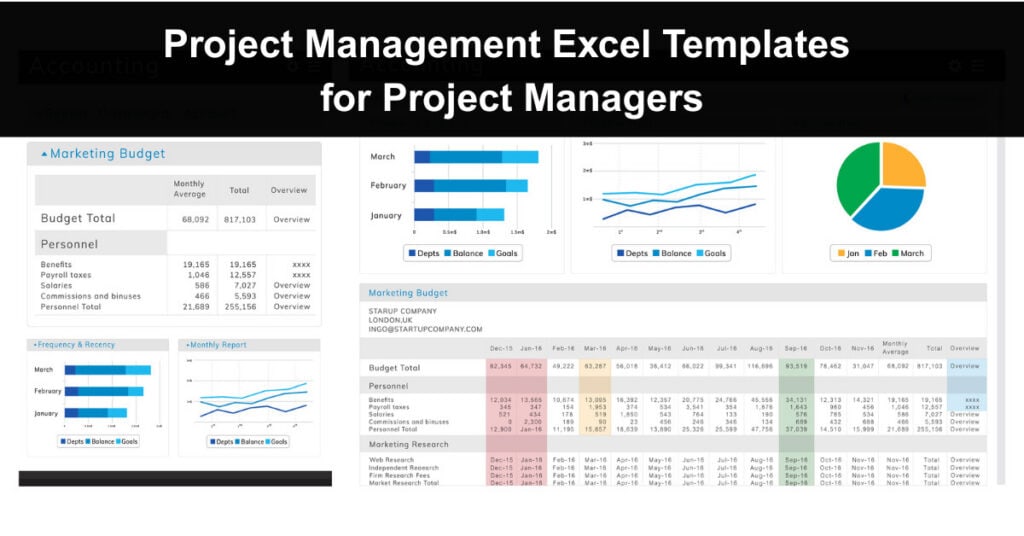
Project plans, timelines, and Gantt charts are just a few of the tracking and planning records a project management team needs to oversee a project successfully. Creating these documents from scratch is a time-consuming process that diverts attention from higher-value work. Fortunately, a wide range of pre-built Excel templates can eliminate this burden entirely.
Every project manager should maintain a curated library of Excel templates suited to assignments of varying scopes and sizes. Using templates removes the need to produce charts and registers ad hoc, which improves overall team efficiency. Standardising on specific templates for particular organisational functions also helps build consistency across the project management process.
A broad selection of pre-made templates for all kinds of project management tasks is available online, and most are free to use. Whether you are managing a small team or an entire department, leveraging Excel templates makes project management more structured and less tedious. The following templates represent some of the most useful options available.
Template 1: Simple Gantt Chart
Get this template here.
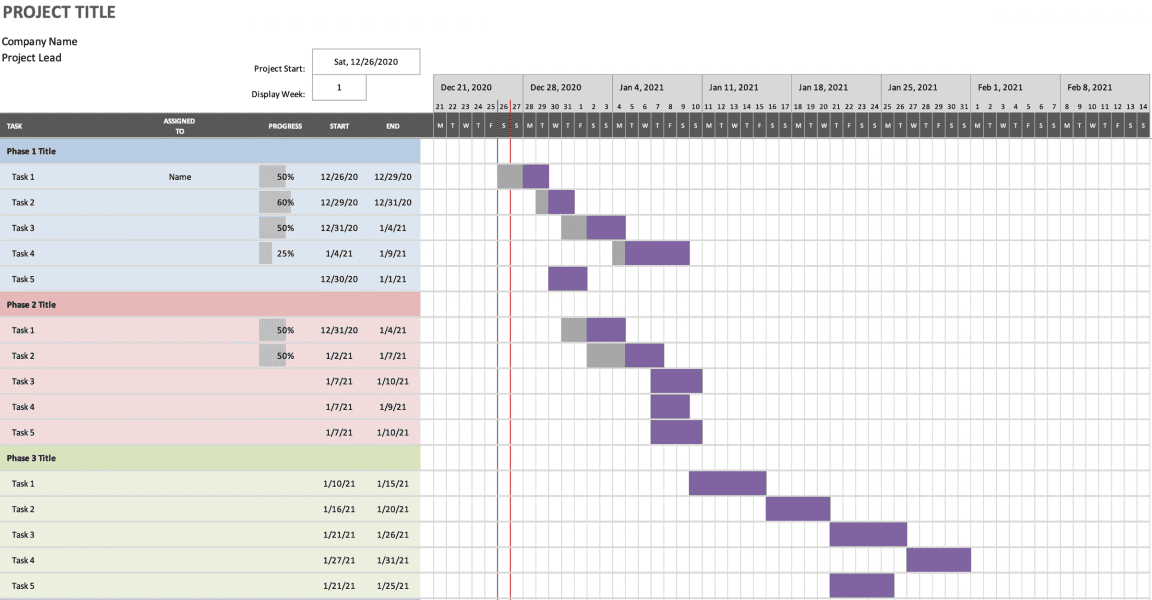
A Gantt chart is one of the most widely used tools in project management because it visually represents how tasks are sequenced and whether work is on track to meet a deadline. This simplified version provides a bird’s-eye view of your current project at a glance. It allows you to set a duration and target date for a project, then displays progress relative to the planned completion date.
Gantt charts are particularly effective for communicating timelines to stakeholders who need a clear, visual summary without getting into the details of every task. The simplicity of this template makes it accessible to project managers at all experience levels. If you are looking for additional Gantt chart templates in Excel or Google Sheets, check out GanttPro, which offers additional Gantt chart software.
Template 2: Work Plan Timeline
Get this template here.
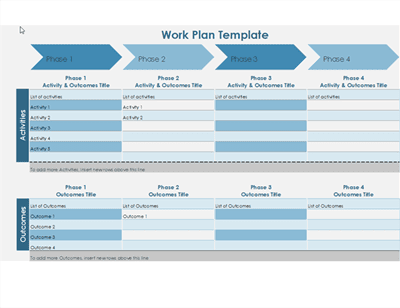
Organisations typically rely on the project management life cycle to realise objectives and deliver results at every phase of a project. A work plan timeline template allows you to set project milestones chronologically, so you can plan activities around target outcomes and work toward the desired end state. This makes it an ideal tool for proposal showcasing and stakeholder alignment.
The project timeline is especially useful during the planning phase, when the team needs to align on the order and ownership of key deliverables. By mapping milestones visually, project managers can identify scheduling conflicts and dependencies before work begins. This reduces the risk of surprises later in the project lifecycle.
Template 3: Activity-Based Cost Tracker
Get this template here.
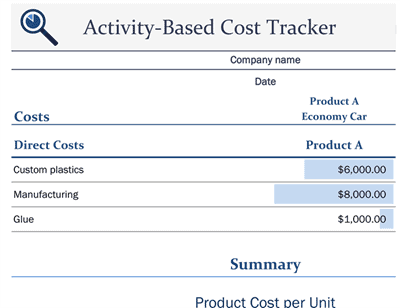
Understanding the true cost of delivering a product or service is central to sound project management. This free Excel template calculates costs at the activity level, offering clear insight into where resources are being consumed. It helps organisations identify the resources required to fulfil each activity and determines product cost based on actual resource consumption.
Activity-based costing is more accurate than broad overhead allocation because it ties spending directly to the work being performed. This template is particularly valuable for teams managing complex projects where cost overruns are a risk. By tracking costs at a granular level, project managers can identify inefficiencies and make more informed decisions about resource allocation.
Template 4: Project Performance Tracking and Reporting
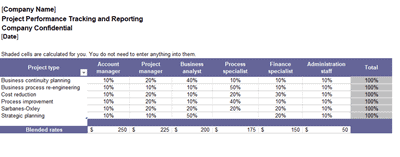
Get this template here.
Keeping a project on track requires consistent monitoring of tasks, milestones, and overall performance. This template allows project managers to create tasks, track progress, and modify project details to streamline workflow from a single location. The Project Performance Tracking and Reporting template is designed for projects of varying complexity and works well as a centralised management tool.
Regular project performance reporting also improves team accountability, since task owners can see their responsibilities clearly alongside the current status. When shared with stakeholders, this type of template provides transparency without requiring lengthy status meetings. It supports a culture of visibility and continuous progress monitoring throughout the project.
Template 5: Project Planning Template

Get this template here.
A project planning template serves as the foundation for all the work a team will do to steer a project toward successful completion. It helps project managers scope their work, break it into manageable components, and assign tasks with clear ownership. Key project details such as timelines, task owners, statuses, and action items can all be captured in a single dashboard.
This template is also flexible enough to accommodate team changes, making it easier to manage workloads as members join or leave the project. Platforms like Monday.com offer robust project planning templates that go beyond basic Excel functionality, supporting real-time collaboration and automated status updates. For teams that need a single source of truth, this template type is an essential starting point.
Choosing the Right Template for Your Project
Not every project requires all five templates, and selecting the right combination depends on the nature and scale of your work. A short internal project may only need a Gantt chart and a simple task tracker, while a complex multi-phase initiative may benefit from all of them working in combination. Understanding what each template is designed to do will help you build a toolkit that fits your specific context.
The following are key considerations to guide your selection:
- Project Scope: The complexity and duration of your project should drive your template choices. Larger projects with multiple workstreams benefit from performance tracking and cost templates, while smaller projects may only require a timeline.
- Stakeholder Communication: Consider who needs to receive updates and in what format. Gantt charts and timeline templates are especially useful for executive reporting, while detailed cost trackers are better suited for internal team reviews.
- Team Size and Structure: Larger teams with distributed ownership across tasks benefit most from planning templates that clearly assign responsibilities. A single-owner project can often be managed with a simpler setup.
- Budget Sensitivity: If cost control is a priority, the activity-based cost tracker should be a core part of your toolkit from the outset. Introducing it later in the project makes it harder to establish meaningful baselines.
- Tool Availability: While all five templates work in Excel, some projects may be better served by integrating with dedicated project management platforms. Consider whether a native Excel workflow is sustainable or whether a more collaborative tool is needed.
Conclusion
Excel templates give project managers a practical, accessible way to standardise their processes and reduce the time spent on administrative setup. From Gantt charts to cost trackers, each template in this collection addresses a distinct planning or monitoring need, and using them together creates a more complete view of project health.
As your projects grow in complexity, the right templates will help you stay organised, communicate more clearly with stakeholders, and make better-informed decisions. Start with the templates most relevant to your current work, and build out your toolkit from there as your project management practice matures.
FAQs
What are project management Excel templates?
Project management Excel templates are pre-built spreadsheet files designed to help project managers plan, track, and report on projects without building documents from scratch. They typically include structured layouts for tasks, timelines, costs, and milestones that can be customised to suit a specific project.
Are these Excel templates free to use?
Most of the templates referenced in this article are available for free download from their respective sources. Some platforms, such as GanttPro and Monday.com, offer free versions of their templates alongside paid tiers with additional features and integration capabilities.
Can I customise these templates for my specific project?
Yes, all of these templates are designed to be adapted to your project’s requirements. You can adjust column headers, add new rows, modify formulas, and update formatting to align the template with your organisation’s processes and reporting standards.
When should I use a Gantt chart versus a work plan timeline?
A Gantt chart is best suited to visualising task duration and progress against a schedule, making it ideal for day-to-day tracking. A work plan timeline is better for presenting milestones and phases at a higher level, particularly during the planning stage or when communicating with senior stakeholders.
Do I need specialised software to use these templates?
No specialised software is required. All of the templates featured in this article are compatible with Microsoft Excel, which is widely available in most business environments. Some templates are also compatible with Google Sheets, making them accessible to teams that use cloud-based tools.
Suggested articles:
- Project Management Templates (50+ kit) – Method123
- 7 Free Release Plan Templates – Word, Excel, PowerPoint
- 5 x Project Manager Checklist Templates

Andrew Makar, DMIT, PMP, CSM is an IT director with delivery experience across projects, programs and portfolios in Digital Marketing, Automotive, Software and Financial Management industries. He is an enthusiastic leader who effectively translates project management theory into practical application. His area of interest and practice is in implementing Agile processes and SCRUM techniques to deliver better software to his customers. Find out more about Andrew on andymakar.com and please reach out and connect with Andrew on LinkedIn.