

Project scheduling is one of the most critical aspects of project management, yet it remains difficult to master. A well-crafted schedule can mean the difference between a project that comes in on time and on budget versus one that misses deadlines and consumes far more resources than anticipated. Understanding the core principles behind effective scheduling helps teams avoid costly errors from the very start. Fortunately, there are proven approaches that any project manager can follow to ensure their scheduling stays on track.
This article covers everything you need to know about project scheduling, from foundational concepts to practical techniques and common pitfalls to avoid.
What Is Scheduling in Project Management?
Scheduling in project management is the process of listing all the tasks, deliverables, and milestones involved in a project. It typically includes the project’s start and finish dates, the duration of each activity, and the resources allocated to complete them. A well-structured schedule gives every team member a clear picture of what is expected and when.
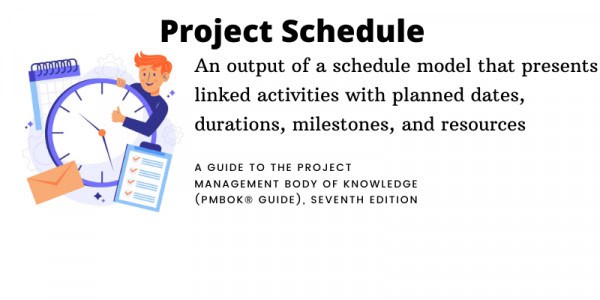
Creating a schedule can be challenging, which is why a work breakdown structure is such a valuable starting point. The work breakdown structure provides a visual representation of the project scope, individual tasks, and key deliverables. It gives the entire team a summary of what must be accomplished and supports the creation of a realistic, achievable plan.
Importance of Scheduling in Project Management
A project schedule does far more than track dates. It serves as a central management tool that supports prioritization, communication, resource planning, and risk mitigation across the entire project lifecycle. Here are the core reasons scheduling matters in project management:
- Prioritization of Tasks: A project schedule helps teams complete activities in the correct sequence and with appropriate urgency. By linking tasks to project goals, priority items become more visible and naturally rise to the top of each team member’s workload, reducing the risk of critical work being overlooked.
- Progress Tracking and Monitoring: Scheduling provides visibility into potential slippage and gives managers the data needed to make timely adjustments. Regular schedule reviews with the team help surface issues early, before they escalate into larger problems that threaten the project timeline.
- Better Team Communication: The schedule is a key communication tool for all project stakeholders, making clear who is responsible for what and when. It also provides a structured way to communicate changes, ensuring that updates reach everyone promptly and reducing the risk of confusion or delays.
- Improved Resource Management: Understanding task dependencies allows managers to allocate resources more efficiently and avoid over-committing any individual or team. Scheduling also signals when additional resources may be needed, giving managers time to plan rather than react under pressure.
- Risk Management: A detailed schedule helps identify and assess risks by making task dependencies and potential bottlenecks visible. Early identification of risks creates space to develop mitigation strategies before those risks derail the project.

How to Create a Project Schedule
Because the schedule is foundational to project success, it must be both thorough and realistic. The following steps provide a structured approach to building a schedule that your team can actually execute. Here are the key steps to follow when creating a project schedule:
- Define the Scope of the Project: The first step is determining what the project must achieve. Defining scope helps identify which tasks must be completed and which milestones must be reached. Once the framework is clear, individual tasks and deliverables can be laid out with enough granularity to produce an accurate timeline.
- Create a Breakdown and Sequence of Tasks and Milestones: Tasks and milestones must be organized in their correct sequence, accounting for dependencies between them. If dependencies are overlooked at this stage, the timeline becomes unreliable, and team members may find themselves waiting on others before they can proceed.
- Identify the Critical Path: The critical path is the sequence of tasks that must be completed on time to prevent delays from pushing the entire project back. Identifying it requires careful consideration of task dependencies and team availability, and it serves as the backbone of scheduling decisions throughout the project.
- Allocate Resources: Resource allocation requires an honest assessment of both the project’s demands and the organization’s capacity. It is essential to match the right people, equipment, and materials to each task, while also accounting for the cost and lead time required to secure any resources before work begins.
- Prepare Your Timelines: With tasks, milestones, and dependencies mapped out, specific timelines can be assigned to each activity. Timelines should account for weekends, holidays, and planned time off, and they must remain flexible enough to absorb changes in scope or unexpected productivity challenges.
- Communicate the Schedule to All Stakeholders: Once finalized, the schedule should be shared with every stakeholder, including team members, clients, and sponsors. Early communication creates an opportunity for feedback and adjustments before work begins, which is far less disruptive than making changes mid-execution.
- Monitor and Adjust the Schedule as Needed: Regular monitoring allows managers to catch variances early and respond with targeted adjustments. Changes might involve resequencing tasks, reallocating resources, or revising timelines to reflect the current state of the project.

Project Scheduling Techniques
Selecting the right scheduling technique depends on the project’s complexity, the level of uncertainty involved, and the information available at the planning stage. The following techniques are the most widely used in professional project management.
Critical Path Method (CPM)
The critical path method is designed to determine the minimum and maximum time required to complete a project. It is best suited to projects with complex or numerous interdependent activities, and it helps managers identify and remove blockages before they cause delays. CPM is one of the most widely adopted scheduling methods in professional project management today.
CPM relies on three key inputs to function effectively. By understanding these elements, project managers can build a realistic timeline, sequence tasks correctly, and calculate both a minimum and maximum project completion time with a meaningful degree of confidence.
- Task Identification: Every activity involved in completing the project must be listed explicitly, ensuring nothing is overlooked during the planning phase and that the full scope of work is visible from the outset.
- Duration Estimates: Each task requires a time estimate so that the overall timeline can be calculated with accuracy and the critical path can be correctly identified across all project activities.
- Dependency Mapping: Understanding which tasks must be completed before others can begin is essential for calculating realistic timelines and sequencing work in the correct order throughout the project.
Pros:
- Improved Project Management: CPM provides a structured framework that improves overall project control by making task sequences and dependencies explicit and visible to the entire team from the start.
- Minimized Delays: By identifying critical tasks early, CPM allows managers to focus attention where it matters most and take preventive action before delays have a chance to occur.
- Better Resource Allocation: The method supports more informed resource planning by clarifying which tasks are time-sensitive and where additional support may be needed to keep work on schedule.
- Clearer Project Communication: Making the critical path visible to all stakeholders improves understanding of project priorities and creates a shared reference point for discussing progress and changes.
Cons:
- Lack of Flexibility: CPM can be rigid in dynamic project environments where scope or priorities shift frequently, making it less suitable for projects with high levels of ongoing uncertainty.
- Complexity and Time Investment: Setting up and maintaining a CPM schedule can be time-consuming, and the level of detail required may be excessive for smaller or less complex projects.
- Risk of Oversimplification: CPM relies on fixed duration estimates, which may not account for variability in task execution, potentially producing a schedule that appears precise but is built on uncertain assumptions.
Program Evaluation and Review Technique (PERT)
PERT is comparable to CPM in that both methods create a task flow with an estimated timeline. The key difference is that PERT uses a weighted average duration rather than a single timeline estimate, making it better suited to projects where uncertainty is high and a range of outcomes must be considered during planning.
Program Evaluation and Review Technique (PERT) charts provide a clear visual of the project’s most important activities and how they depend on one another. Tasks are displayed in sequence and linked by activity lines, offering a project roadmap that accounts for variability in how long work actually takes across different team members and conditions.
Pros:
- Clear Activity Analysis: PERT provides a structured breakdown of all project activities, making it easier to understand the scope and sequence of work at a glance and communicate it clearly to stakeholders.
- Critical Path Visibility: Like CPM, PERT highlights the critical path, helping teams focus their attention and resources on the tasks that carry the greatest scheduling risk across the project.
- What-If Analysis: The weighted average approach allows managers to model different scenarios and assess the impact of uncertainty on the overall project timeline and final delivery date.
- Improved Team Coordination: By making dependencies and timelines explicit, PERT improves alignment across teams and supports more informed, collaborative decision-making throughout the project lifecycle.
Cons:
- Time-Intensive Setup: PERT requires significant time and detailed data to establish, making the initial planning phase considerably more demanding than simpler scheduling approaches.
- Tedious Ongoing Analysis: Maintaining and updating a PERT chart as the project evolves can become laborious, particularly on projects where task durations and dependencies change frequently.
- Subjectivity in Estimates: Because PERT relies on optimistic, pessimistic, and most likely duration estimates, the results are only as reliable as the judgment of those providing the underlying inputs.
- Not Suited for Long-Term Projects: PERT is generally not recommended for long-term projects where assumptions about durations, resources, and dependencies are likely to shift significantly over time.
Gantt Chart
A Gantt chart is a type of bar graph that project managers use to simplify the visualization of complex projects. Each task is displayed horizontally with start and end dates, deadlines, dependencies, and task owners clearly marked, making it straightforward to see how different activities relate to one another across the full project timeline.
The chart consists of two sections: a task list on the left and a timeline with schedule bars on the right. This layout supports team collaboration, enables more effective resource management, and provides stakeholders with an at-a-glance overview of project progress at any point during execution.
Pros:
- Visual Clarity: Gantt charts offer a precise, easy-to-read representation of tasks, dependencies, and schedules that both technical and non-technical stakeholders can interpret and act on quickly.
- Resource Allocation Support: The format makes it straightforward to see who is working on what and when, helping managers balance workloads and avoid over-allocation across the project team.
- Multi-Project Management: Gantt charts can be adapted to manage multiple projects simultaneously, making them a versatile tool for teams handling overlapping workstreams and competing priorities.
- Flexible Format: The structure of a Gantt chart can be scaled and adjusted to suit projects of varying size and complexity, from simple single-team efforts to large cross-functional initiatives.
Cons:
- Laborious Setup and Maintenance: Creating and updating a Gantt chart can be time-consuming, particularly for large projects where task details and dependencies change frequently throughout execution.
- No Built-In Priority Assignment: Gantt charts do not inherently communicate task priority, which means teams may need supplementary tools or processes to distinguish between critical and non-critical work.
- Complexity at Scale: Charts can become difficult to interpret as projects grow in size, scope, or the number of interdependent activities, reducing their effectiveness as a communication tool at scale.
Fast-Tracking
Fast-tracking is a scheduling technique that involves running tasks simultaneously or with planned overlap to compress the overall project timeline. Project managers typically use this approach when a project has already been delayed or is approaching its deadline with insufficient time remaining to complete all work sequentially.
The technique requires identifying the critical path and determining which non-critical tasks have enough flexibility to be worked on in parallel. The main risk is that teams under time pressure are more prone to errors, which can create rework and ultimately cost more time than the compression originally saved.
Pros:
- Early Project Implementation: Fast-tracking allows work to begin sooner on certain tasks, which can provide a competitive advantage or help recover lost time on a project that has already fallen behind schedule.
- Cost Reduction Potential: By compressing the timeline, the technique can reduce overall project costs, particularly when delays are generating financial penalties or causing the team to miss time-sensitive opportunities.
- Restores Schedule Momentum: Fast-tracking is an effective recovery tool that gives project managers a structured way to bring a delayed project back in line with its original delivery targets.
Cons:
- Risk of Errors and Rework: Teams working under accelerated timelines are more likely to make mistakes, which may result in rework, unexpected costs, and further delays that offset the time originally saved.
- Requires Deep Project Knowledge: Fast-tracking requires a thorough understanding of task dependencies and the critical path, making it unsuitable for teams that lack detailed familiarity with the project structure.
- Increased Team Pressure: Compressing timelines places additional stress on team members, which can negatively affect morale, reduce output quality, and increase the likelihood of burnout over the course of the project.
Crashing
The crashing technique shortens a project’s duration by adding resources to critical tasks so they can be completed faster than originally planned. The trade-off is typically a higher budget, which is why crashing focuses on minimizing additional costs while still achieving the time savings required to meet the project deadline.
The goal is to shorten the schedule without exceeding budget constraints. Managers must carefully evaluate which tasks will benefit most from additional resources and whether the time saved genuinely justifies the increased cost before committing to this approach on any part of the project.
Pros:
- Meeting Short Deadlines: Crashing is most effective when a firm deadline must be met, and a budget is available to absorb the cost of deploying additional resources to accelerate critical path tasks.
- Accelerated Project Completion: By allocating more resources strategically, crashing speeds up delivery without requiring tasks to be skipped or completed at a lower standard of quality.
- Risk Mitigation Through Speed: Completing critical tasks faster reduces the window of exposure to risks associated with delayed delivery, such as contractual penalties or loss of stakeholder confidence.
Cons:
- Increased Budget Risk: Adding resources mid-project places additional strain on the budget and requires careful cost monitoring to ensure the expense of crashing does not outweigh the time benefit gained.
- Potential for Team Conflict: Sudden shifts in workload and expectations can create friction among team members, particularly when additional resources are introduced without adequate communication or planning.
- Not Suitable for All Tasks: Crashing is only effective on tasks where additional resources can meaningfully accelerate completion, making it an inappropriate strategy for work constrained by factors other than resource availability.
Simulation
Project management simulations allow managers to model different potential outcomes and assess how probable each result is. This technique reduces project risk by helping teams choose the most reliable plan before committing to a course of action, making it particularly valuable on complex projects with significant uncertainty.
Simulation models account for individual project risks and other sources of uncertainty to assess their potential impact on project objectives. The most widely used approach is Monte Carlo analysis, which calculates a range of possible schedule outcomes based on identified risks and uncertainty factors present throughout the project.
Pros:
- Scenario Modeling: Simulation enables what-if analysis, allowing managers to evaluate how different decisions or risk events might affect the project timeline and delivery outcomes under varying conditions.
- Bottleneck Identification: By running multiple scenarios, the technique surfaces process bottlenecks and critical variables that might not be visible through static scheduling methods alone.
- Immediate Outcome Feedback: Simulations provide rapid feedback on the likely consequences of scheduling choices, supporting more informed and confident decision-making before work begins.
- New Process Insights: Running simulations can reveal inefficiencies and alternative approaches that would not have been identified through conventional planning methods, encouraging more innovative thinking.
Cons:
- High Cost and Time Investment: Simulation is time-consuming to set up and can be expensive to execute, making it less practical for smaller projects where the investment may not be proportionate to the benefit.
- Difficulty Interpreting Results: Some simulation outputs can be complex to interpret, and translating probabilistic results into concrete, actionable scheduling decisions requires experience and strong analytical judgment.
- Outcomes Not Always Practical: Simulation results represent statistical possibilities rather than guaranteed scenarios, and some outputs may describe conditions that are unlikely to occur in real project environments.
Common Mistakes in Project Scheduling

Even experienced project managers make scheduling errors that derail otherwise well-planned projects. Recognizing these mistakes in advance is the first step toward avoiding them. Here are the most common project scheduling mistakes and how to address each one:
- Insufficient Project Details: Vague requirements lead to vague schedules. Obtaining a specific, written list of deliverables at the project’s outset gives managers the detail they need to plan every activity accurately and avoid costly gaps later.
- Unrealistic Timelines: Time estimates that do not reflect actual capacity set the project up to fail. Meeting individually with team members and referencing data from similar past projects produces far more reliable and achievable estimates.
- No Risk Management Strategy: Ignoring risk during scheduling leaves teams unprepared when problems arise. Identifying common risks early, such as scope changes or resource gaps, allows for contingency planning before they affect the timeline.
- Unwillingness to Adapt: Rigid adherence to an original plan in the face of new information leads to poor outcomes. Successful scheduling requires a willingness to adjust resources, timelines, and tasks as the project evolves and circumstances change.
- Poor Implementation Estimates: Estimates made without input from the people doing the work are often inaccurate. The individuals executing each task have the clearest understanding of complexity and effort, and their input should inform every estimate.
- Failure to Identify Dependencies: Overlooking task dependencies creates gaps in the schedule that force team members to wait unnecessarily. A complete dependency map, including resource needs and task durations, is essential for building a schedule that flows correctly.
Difference Between Project Scheduling and Planning
Although scheduling and planning are closely related, they serve distinct purposes within project management. Understanding the difference helps managers use both tools more effectively and avoid conflating responsibilities that belong to separate processes.
- Project Planning: Focuses primarily on selecting the right policies, procedures, and strategies needed to achieve the project’s goals. A project plan typically documents detailed activities, milestones, resource requirements, and major deliverables, creating a comprehensive roadmap that spans the entire project from initiation to close.
- Project Scheduling: Focuses on the time-based execution of that plan. A schedule maps activities to specific durations, accounts for dependencies, assigns milestones, and establishes start and finish dates, all supported by visual representations that make sequencing and progress straightforward to track across the team.
The schedule serves as the operational foundation of the project management process and must be developed early in the planning phase. It should estimate durations, map dependencies, confirm milestones, and establish a logical sequence of activities that accounts for any constraints on time, resources, or scope.
Conclusion
Effective project scheduling is not simply a matter of assigning dates to tasks. It requires a disciplined approach to defining scope, sequencing work, identifying dependencies, and selecting the right technique for the complexity of the project at hand. When these elements come together, the schedule becomes a powerful tool for keeping teams aligned, managing resources efficiently, and delivering projects on time and within budget.
Project managers who invest time in building realistic, well-structured schedules are far better positioned to handle the inevitable challenges that arise during execution. By understanding common mistakes and applying proven techniques, teams can move from reactive problem-solving to proactive project control. A strong schedule, maintained and communicated consistently, sets the conditions for sustained project success.
FAQs
What is the purpose of a project schedule?
A project schedule defines the timeline, sequence, and resource allocation for all tasks and milestones within a project. It serves as a communication and management tool that keeps teams aligned, enables progress tracking, and provides a basis for identifying and responding to risks or delays throughout the project lifecycle.
What is the difference between project scheduling and project planning?
Project planning focuses on defining goals, strategies, and procedures, while scheduling translates that plan into a time-based sequence of tasks with specific start and end dates. Planning answers the question of what needs to be done, while scheduling answers when and in what order it will be completed.
What is the critical path in project scheduling?
The critical path is the longest sequence of dependent tasks that determines the minimum time required to complete a project. Any delay in a critical path task directly delays the project’s end date, which is why identifying and monitoring the critical path is a top priority in schedule management.
How often should a project schedule be updated?
A project schedule should be reviewed and updated regularly throughout the project, ideally at each status meeting or when a significant change occurs. Frequent updates ensure the schedule reflects current progress, resource availability, and any new risks or dependencies that have emerged since the last review.
What is the difference between fast-tracking and crashing?
Fast-tracking compresses the schedule by running tasks in parallel that were originally planned sequentially, without necessarily adding more resources. Crashing reduces project duration by adding resources to critical tasks to accelerate their completion, typically at a higher cost. Both are compression techniques but involve different trade-offs in terms of risk and budget.
Suggested articles:
- Project Planning Vs Project Scheduling: Key Differences, Benefits, and Stages
- Critical Path Method Scheduling: What? Why? and How?
- 9 Ways to Avoid Scheduling Conflicts

Shane Drumm, holding certifications in PMP®, PMI-ACP®, CSM, and LPM, is the author behind numerous articles featured here. Hailing from County Cork, Ireland, his expertise lies in implementing Agile methodologies with geographically dispersed teams for software development projects. In his leisure, he dedicates time to web development and Ironman triathlon training. Find out more about Shane on shanedrumm.com and please reach out and connect with Shane on LinkedIn.