
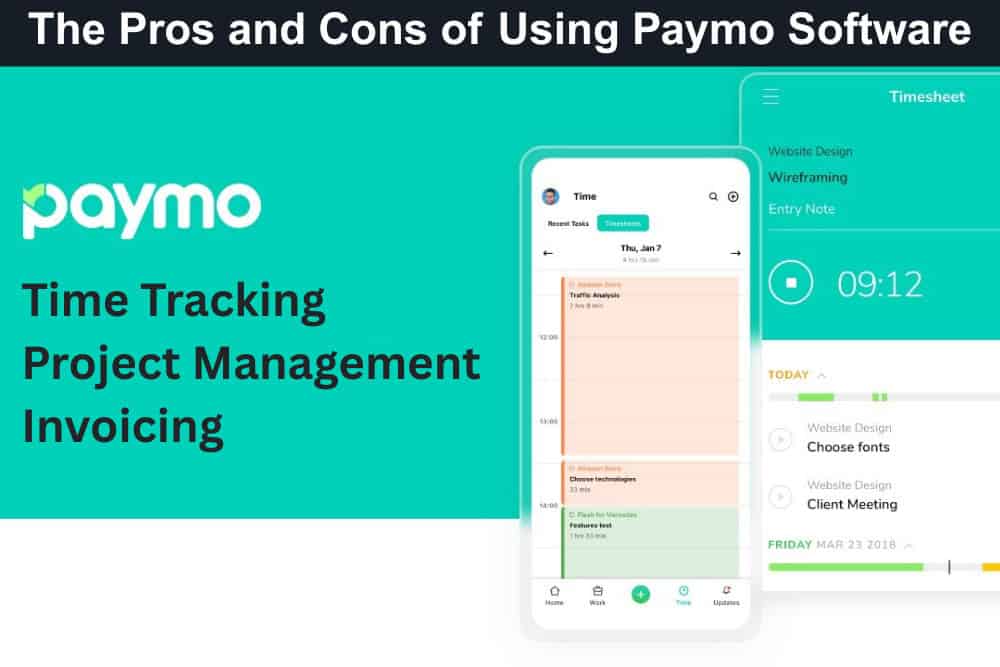
If you run a small business, you probably know the feeling — too many projects, endless spreadsheets, and not enough time to keep track of who’s doing what. Between chasing invoices and staying on top of deadlines, it’s easy for things to slip through the cracks. That’s where Paymo comes in. Built for small teams that need big-picture control, Paymo brings time tracking, project management, and invoicing together in one affordable tool. It helps you see where every minute goes, stay within budget, and get paid on time — all without the chaos of juggling multiple apps.
But is Paymo really the answer for growing businesses? In this article, you’ll find a balanced breakdown of its biggest pros and cons, discover how real users rate their experience, and get a clear sense of whether Paymo fits your team’s workflow and goals. For organizations seeking a more budget-friendly alternative to Paymo, AceProject is a great option. Unlike traditional per-user pricing models, AceProject charges on a per-project basis, which can result in substantial cost savings for teams managing multiple projects.
Paymo – Project Management, Time Tracking, and Invoicing Software
Paymo is designed to make small business management simple — combining project planning, time tracking, team collaboration, and invoicing in one easy-to-use platform. It’s trusted by over 100,000 users worldwide, from creative agencies to consultants and architects. At its core, Paymo helps you manage every stage of client work — from assigning tasks and tracking hours to generating invoices and measuring profitability.
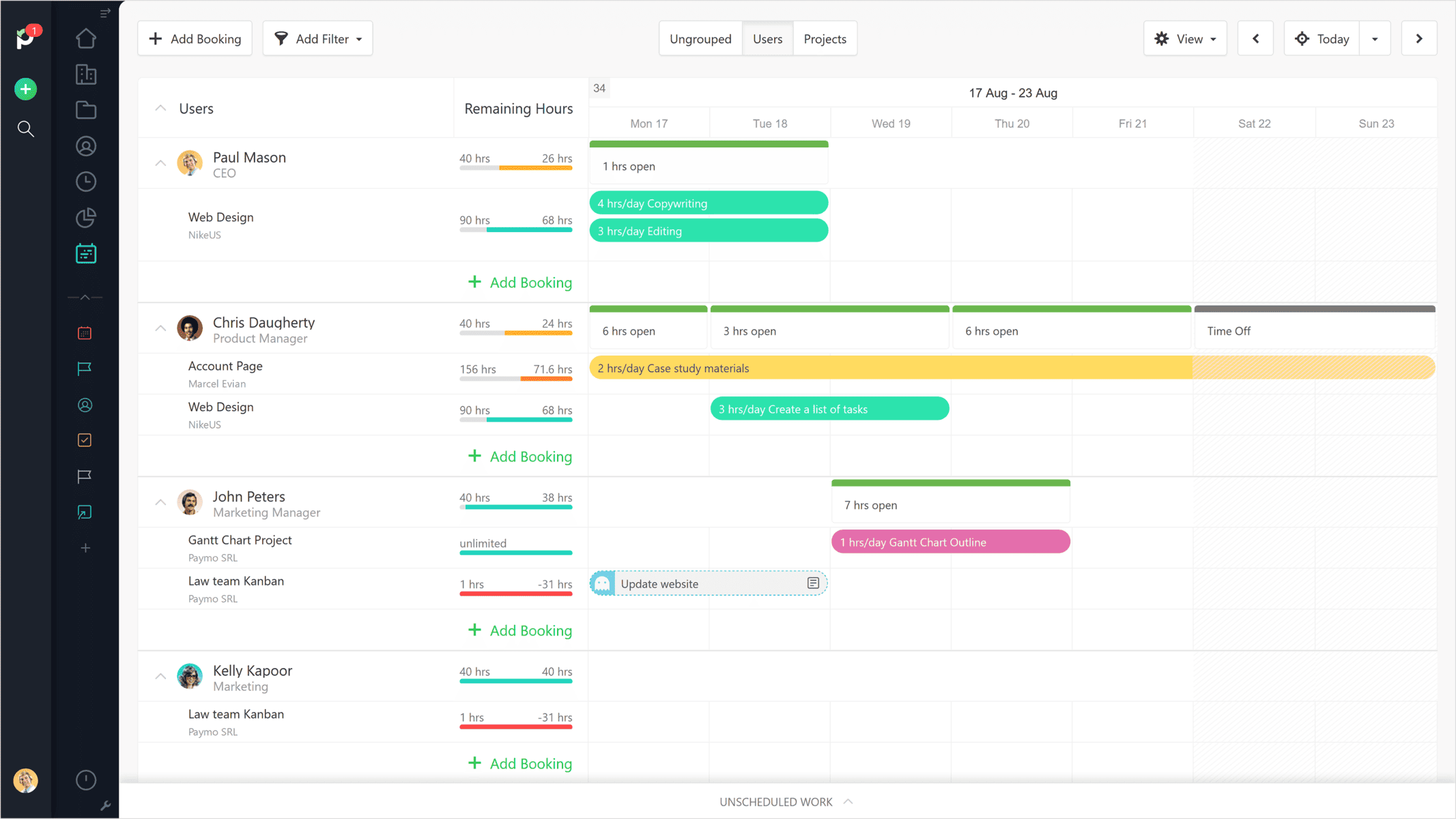
You can see in real time who’s working on what, which projects are on budget, and whether your team’s time is being used effectively. Its standout features include automatic time tracking, Gantt charts, Kanban boards, real-time task discussions, and a built-in client portal for transparent collaboration. And when it’s time to bill, Paymo makes it easy to convert timesheets into professional invoices, ensuring you’re paid accurately and on time.
The Pros or Advantages of Paymo

Paymo delivers a powerful mix of productivity, visibility, and billing control — all wrapped into one affordable package designed for small teams. If you’re juggling time‐tracking, project tasks, and client invoicing, Paymo helps you stay on top without adding complexity. Here are eight standout benefits consistently highlighted by users and reviewers.
- Unified Time Tracker and Project Workspace: Users highlight how Paymo combines time tracking, task boards, and invoicing in one environment. This means fewer tools to maintain, less switching between apps, and more transparency into who’s doing what and what’s being billed.
- Accurate Billable Hour Capture: Reviewers note that Paymo’s timer tools and desktop widget help recover previously lost hours. Capturing every billable minute improves revenue and enables fairer client billing — making each project more profitable.
- Reasonably Priced for Small Teams: Many users mention the value for money Paymo offers – integrating project, time, and invoice features at a lower cost compared with many competitors. This makes it appealing to smaller agencies or consultancies on tighter budgets.
- Flexible Project Views and Workflow Options: Paymo supports Kanban boards, Gantt charts, calendars, and list views, enabling teams to choose the working style that fits them rather than being forced into one model. This flexibility boosts adoption and comfort.
- Integrated Invoicing and Expense Tracking: With timesheets that convert into invoices and tracked expenses in the mobile app, Paymo helps ensure work done translates into income — and expenses don’t get ignored. Excellent for profitability clarity.
- Real-Time Team Visibility and Scheduling: The tool’s scheduling views and team workload charts allow managers to spot over-bookings or idle time early. This visibility helps optimise utilisation and avoid wasted capacity or staff burnout.
- Intuitive Interface and Onboarding: Reviews consistently mention that Paymo’s interface is clean and straightforward. Teams spend less time learning the system and more time doing work—especially useful for small businesses without dedicated admins.
- Strong Support and Community Reputation: Users highlight that Paymo’s support team is responsive and the community of small-business users is strong. For firms without large IT resources, this support network can be a real plus.
The Cons or Disadvantages of Paymo

While Paymo provides exceptional value and simplicity for small teams, it’s not without its trade-offs. Some users find its integrations and automation options limited compared to enterprise tools, while others note areas for improvement in performance, customization, and mobile usability. Here’s what users and reviewers most often cite as Paymo’s drawbacks:
- Limited Integration Ecosystem: While Paymo connects with key tools like Slack, Google Workspace, and QuickBooks, its overall integration library is smaller than competitors such as ClickUp or Asana. Businesses relying on niche or custom workflows may need external automation platforms like Zapier to bridge gaps.
- Mobile App Functionality Gaps: The mobile version of Paymo, though convenient for tracking time and managing basic tasks, lacks the depth and advanced features of its desktop counterpart. Offline access and full project visibility remain areas where users hope to see future improvement.
- Customization Options Are Limited: Paymo’s clean design is appreciated, but users seeking deep customization—such as advanced dashboard editing, interface personalization, or branded client portals—may find the options restrictive. It’s ideal for standardized workflows but less adaptable for companies with unique internal processes.
- Basic Reporting for Complex Projects: While reporting in Paymo covers essentials like time, cost, and utilization, power users find it lacks the advanced analytics, custom KPIs, and visual dashboards offered by more data-driven project platforms. Scaling organizations might find these reporting limits constraining.
- Performance Slowdowns with Large Data: Some reviewers note minor lag or slow load times when managing multiple active projects or extensive time logs. Though not common, these issues can slightly affect user experience for teams working on high-volume or data-intensive operations.
- Less Suited for Enterprise Scale: Paymo shines for small to medium-sized businesses, but its feature depth and scalability can feel limited for enterprise needs. Large teams with complex approval chains, portfolio management, or advanced role permissions may require a higher-tier PSA system.
Paymo Key Features
Paymo is designed as an all-in-one project management and time-tracking solution for small businesses seeking efficiency and clarity. Its features help teams organise workflows, track every billable hour, and get paid accurately—all while keeping operations transparent, collaborative, and profitable. Below are Paymo’s core capabilities that make it a reliable partner for modern service-based teams.
- Task Management: Manage projects from concept to completion using flexible task views like Kanban boards, lists, and calendars. Subtasks, dependencies, and custom workflows help you break complex projects into manageable pieces and keep everyone aligned without constant meetings or manual status updates.
- Time Tracking: Paymo’s built-in timers and automatic tracking tools make it simple to log time accurately. You can track hours from any device and generate timesheets instantly—ensuring every billable minute is captured and clients are billed fairly.
- Planning & Scheduling: Use Gantt charts and team schedulers to plan workloads and forecast deadlines with precision. See who’s available, prevent overbooking, and balance capacity across projects to improve delivery speed and overall productivity.
- Resource Management: Gain complete visibility into your team’s workload and availability. Paymo helps you allocate resources effectively, prevent burnout, and ensure every team member contributes efficiently to active projects—maximising both output and profitability.
- File Management: Centralise project files and creative assets within one secure space. Version control and proofing tools make collaboration smoother, allowing clients and teammates to review, comment, and approve deliverables directly in Paymo.
- Financial Management: Handle budgeting, expenses, and revenue tracking from one platform. With built-in cost management and profit forecasting, Paymo helps ensure every project stays on track financially—eliminating the need for external spreadsheets or tools.
- Client & Team Collaboration: Bring your entire team and clients together in one place. The built-in portal, task discussions, and file-sharing features keep communication contextual, reducing email clutter and enabling seamless updates on progress.
- Customisation: Tailor Paymo to your workflow with adjustable task views, custom fields, and personal dashboards. These flexible options help you align the platform with your team’s unique processes while keeping it intuitive for everyday users.
- Mobile Solutions: Track time, manage tasks, and send invoices on the go with Paymo’s mobile app. Perfect for remote teams, it ensures full visibility into project progress and team performance from anywhere, at any time.
- Analytics & Reporting: Get a complete view of your team’s productivity with real-time reports and visual dashboards. Paymo turns time and project data into actionable insights, helping you identify trends, improve efficiency, and make informed decisions.
- Invoicing & Online Payments: Convert billable hours into branded invoices with one click. Automate recurring billing, send invoices in multiple currencies, and collect payments securely via integrated gateways like PayPal, Stripe, or credit cards.
- Profitability Tracking: Monitor profit margins per project, client, or employee to ensure sustainable growth. Paymo’s profitability reports reveal which projects drive revenue—and which drain resources—empowering smarter pricing and operational strategies.
Paymo Use Cases
Paymo adapts seamlessly to different industries and professional roles, making it a versatile platform for project-based businesses. Whether you’re running a creative agency, managing engineering projects, or overseeing academic initiatives, Paymo’s tools are designed to simplify workflows, enhance collaboration, and drive profitability—while giving teams and leaders the visibility and control they need to succeed.
By Industry
- Creative & Marketing Agencies: Manage campaigns, design projects, and client approvals with task boards, proofing tools, and invoicing automation. Paymo helps creative teams stay organised, meet deadlines, and maintain profitability—all while keeping clients updated in real time.
- Software & Engineering Firms: Coordinate complex development or engineering projects through Gantt charts, task dependencies, and resource scheduling. Track every hour spent on coding, design, or testing to maintain accuracy in billing and forecasting.
- Architecture Firms: Streamline project delivery from planning to payment with Paymo’s time tracking, file proofing, and budgeting tools. Keep teams aligned on milestones and ensure client satisfaction by managing revisions, deadlines, and approvals efficiently.
- Consulting Businesses: Track billable hours, manage client projects, and analyse performance data all in one place. Paymo’s invoicing and profitability tracking features ensure consultants stay focused on delivering value without worrying about manual admin tasks.
- Educational Institutions: Coordinate academic projects, research initiatives, and administrative work using task management and collaboration tools. Paymo supports transparency among teams and departments, helping educators and staff manage workloads efficiently.
By Role
- For Business Owners: Get a complete overview of your business performance, track profitability, and identify top-performing clients or projects. Paymo consolidates all your operational and financial data, empowering confident, data-driven decisions.
- For Project Managers: Manage projects from start to finish using tools for scheduling, task delegation, and reporting. Gain real-time visibility into workload and progress, helping you deliver on time and within budget.
- For Employees: Stay clear on priorities with assigned tasks, due dates, and time tracking. Paymo’s intuitive interface ensures every team member knows exactly what needs to be done and can collaborate effectively with colleagues.
Paymo Pricing and Costs
Paymo offers transparent pricing plans designed to fit freelancers, small teams, and growing businesses. With no hidden fees and generous annual discounts of up to 40%, users can choose the plan that best suits their workflow and budget. All plans include a free trial—no credit card required—and provide access to core features like time tracking, invoicing, and project management.
- Free Plan – $0/month: Ideal for freelancers or individuals getting started with project management. Includes unlimited time tracking, invoicing, and tasks. You can manage up to one client and two projects with 1GB of storage. Perfect for testing Paymo’s essential tools before upgrading.
- Solo Plan – $5.90/month (annual) or $9.90/month (monthly): Designed for independent professionals who need more flexibility. Includes flat-rate and retainer projects, up to three clients and five projects, Kanban and calendar task views, guest access, in-app tech support, and 5GB of storage. Best suited for solo entrepreneurs managing multiple clients.
- Plus Plan – $10.90/user/month (annual) or $15.90/user/month (monthly): This is the most popular plan built for small teams looking to scale efficiently. Includes everything in Solo plus recurring tasks, meta Kanban boards, project profitability tracking, proofing and versioning, recurring invoices, estimates, expenses, integrations, API access, and 50GB of storage. It’s a comprehensive plan for growing service-based businesses.
- Pro Plan – $16.90/user/month (annual) or $23.90/user/month (monthly): Paymo’s most powerful plan, built for full-scale teams managing complex workflows. Includes all Plus features, along with Gantt chart views, task dependencies, workload scheduling, timesheet approvals, leave management, and portfolio tracking. Comes with 500GB of storage, priority support, and online remote assistance.
If you’re still wondering if Paymo’s pricing is the ideal fit for your time tracking and project management needs, check out our detailed article on Paymo Pricing and Costs. It breaks down every plan and feature so you can see what fits your needs.
Conclusion
Paymo stands out as a practical, all-in-one solution for small businesses and teams seeking streamlined project management without overwhelming complexity. Its combination of time tracking, invoicing, and collaboration tools delivers genuine value at an accessible price point. While it may lack the advanced integrations and customization options of enterprise-grade platforms, Paymo excels where it matters most for growing service businesses—helping you capture billable hours, maintain budget control, and get paid accurately.
If you’re managing multiple client projects and need clear visibility into team productivity and profitability, Paymo offers a solid foundation. Take advantage of the free trial to test whether its features align with your specific workflow requirements.
Suggested articles:
- The Pros and Cons of Using Scoro Software
- The Pros and Cons of Using Quickbase Software
- The Pros and Cons of Using ProofHub Software

Peter Kanai is a Google-certified freelance writer with over a decade of experience crafting high-quality content for business websites, blogs, and SEO & email marketing campaigns. His on-demand writing services are all about helping businesses expand their online presence and achieve their objectives. With a proven track record in delivering results-driven content, Peter is the go-to freelance writer for business owners seeking a strategic partner to help them grow their brand online.