
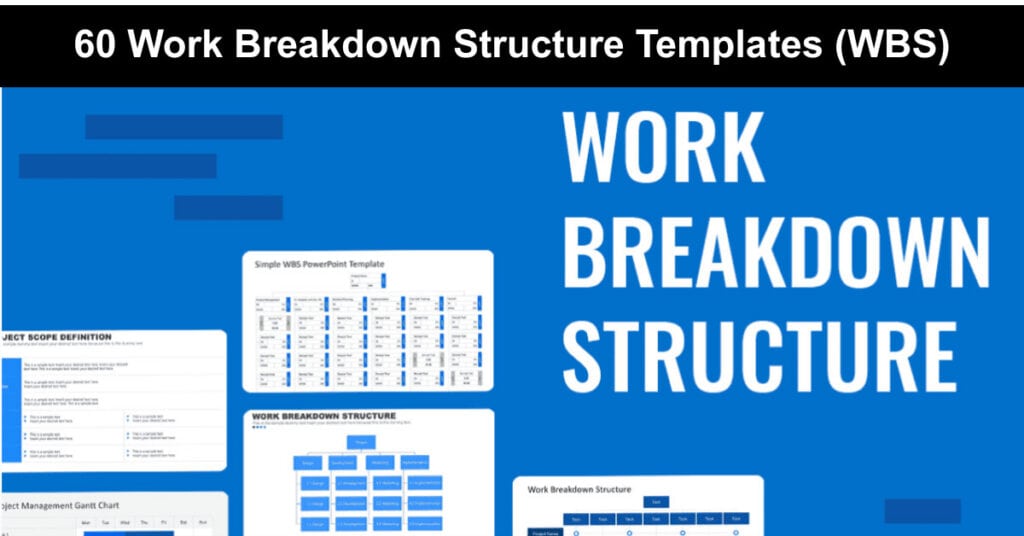
A work breakdown structure template turns the overwhelming scope of any project into something your team can actually plan, schedule, and execute. By dividing large deliverables into smaller, clearly defined pieces, a WBS creates a shared visual map that keeps everyone aligned on scope, responsibilities, and progress from kickoff through completion.
The value of a WBS goes beyond basic task organization. According to the Project Management Institute, organizations that consistently apply structured project management practices waste 28 times less money than those that do not. Whether you are managing a software launch, a construction build, or a marketing campaign, the right WBS template gives your planning a concrete foundation that reduces risk, clarifies ownership, and prevents costly scope creep.
Project Management WBS (Work Breakdown Structure)
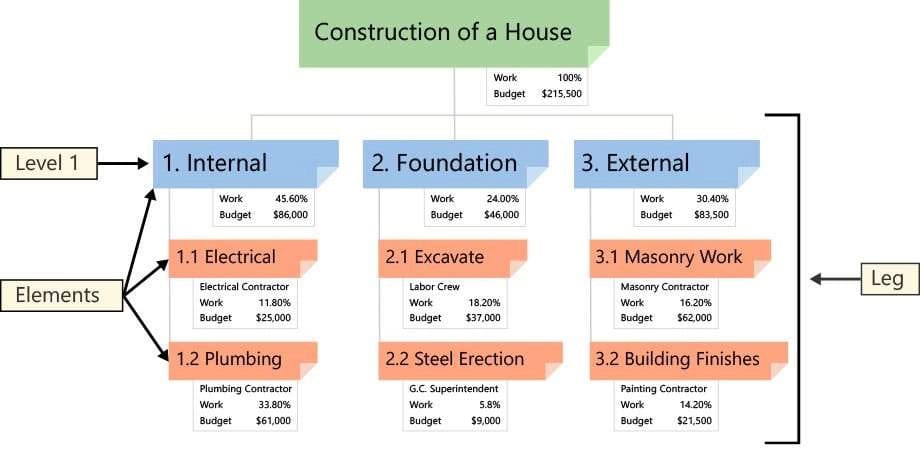
If you have a complex project, a Work Breakdown Structure (WBS) template helps you manage, schedule, and deliver it with far less friction. From a project management perspective, a properly structured WBS is built around three interconnected levels, each adding a layer of precision to your planning.
The three core WBS levels found across all project types are as follows:
- Control Account: The top-level deliverables and phases that define the major milestones of the project. Control accounts represent significant chunks of work and are used to track performance against budget and schedule at a summary level.
- Work Packages: The specific units of work assigned under each control account. Work packages are small enough to be estimated and managed but large enough to represent a meaningful output, making them ideal for resource assignment and progress tracking.
- Activities: The individual tasks required to complete each work package. Activities are the most granular level of the WBS and form the direct input into your project schedule, providing the team with clear, actionable work items.
What is a Work Breakdown Structure (WBS) | Project Management
All three levels are present in every well-formed WBS, regardless of industry or project type. Construction projects, software development sprints, event planning, and product launches each benefit from this consistent hierarchical structure.
Work Breakdown Structure Project Management Definition
The Project Management Body of Knowledge (PMBOK 5) defines the work breakdown structure as a hierarchical decomposition of the total scope of work to be carried out by the project team to accomplish the project objectives and create the required deliverables. This definition, established in PMBOK 5 and carried forward through subsequent editions, places deliverables at the center of every WBS rather than processes or activities.
A key distinction worth understanding is the difference between a WBS and a project plan. A WBS defines what needs to be delivered; a project plan defines when and how. The two tools are complementary but not interchangeable. The WBS is created first, then used as the input for sequencing tasks, assigning resources, and building the project schedule. Confusing the two is one of the most common mistakes project managers make early in their careers.
How to Create a WBS Template
Creating a work breakdown structure that works requires deliberate thinking about scope and structure before a single box is drawn. The process works best when it follows a logical top-down sequence, starting from the final deliverable and decomposing progressively toward individual tasks.
Follow these steps to create a WBS from scratch:
- Define the Project Objective: Start with a single, clear statement of what the project must deliver. This becomes the Level 1 element at the top of your WBS hierarchy. For example, “Launch updated e-commerce platform” or “Complete office relocation.”
- Identify Major Deliverables: Break the project objective into three to seven major deliverables or phases. These become Level 2 in the WBS. Focus only on outputs, not actions. Use nouns rather than verbs to keep the focus on what will be produced, not how it will be done.
- Decompose into Sub-Deliverables: Divide each Level 2 deliverable into smaller components at Level 3. These sub-deliverables should be distinct and independently manageable. Avoid overlapping scope between branches.
- Define work packages: Continue decomposing until each element meets the 8/80 rule: no work package should require fewer than eight hours or more than eighty hours of effort. This range ensures tasks are meaningful but not unwieldy.
- Validate with Stakeholders: Present the completed WBS to all relevant stakeholders before finalizing it. This is the moment to confirm scope coverage, resolve gaps, and agree on what is in and out of scope. The WBS, once agreed upon, becomes the baseline for the entire project.
- Build the Project Schedule: Only after the WBS is approved should you sequence activities, assign resources, and create your project timeline. Skipping straight to scheduling without a validated WBS is a leading cause of scope creep and missed deadlines.
Tips for Making a Sample WBS Document
A well-built WBS document is more than a list of tasks. It is a structured contract between the project team and its stakeholders that defines exactly what will be delivered. Applying the right principles during construction improves accuracy, reduces rework, and makes the WBS genuinely usable throughout the project lifecycle.
Here are the most important guidelines to follow when building a WBS:
- 100% Rule: Every element in the WBS, at every level, must account for 100% of the work defined by the project scope. Nothing is added that falls outside the scope, and nothing within the scope is omitted. The sum of work at each lower level must always equal the work represented by the level above it.
- Avoid Duplication: Never list the same sub-task twice or plan to perform the same work in two separate branches. Duplication violates the 100% rule, distorts resource estimates, and creates confusion about accountability when the project is underway.
- Focus on Outcomes, Not Actions: Every WBS element should describe a deliverable or outcome, not a process or activity. Using nouns in your labels (such as “Test Report” rather than “Conduct Testing”) keeps the structure aligned with PMBOK guidance and makes the scope easier to verify.
- Apply the 8/80 Rule: Each work package should represent between 8 and 80 hours of effort. Tasks shorter than 8 hours add unnecessary overhead to your WBS; tasks longer than 80 hours are too large to track accurately and should be decomposed further.
- Maintain Three Levels of Detail: Most well-structured WBS documents contain three levels of decomposition. While additional sub-levels are sometimes necessary for complex deliverables, going too deep too early creates an unmanageable document that is difficult to update as the project evolves.
- Assign Clear Ownership: Every work package should have a designated owner, whether an individual team member or a specific team. Clear ownership prevents tasks from falling through the cracks and makes it straightforward to hold people accountable for delivery.
Limitations of WBS Templates
A work breakdown structure is a powerful planning tool, but it is not without practical limitations. Understanding these constraints helps project managers use the WBS appropriately and avoid over-relying on it as a substitute for dynamic project management.
The most commonly encountered WBS limitations are outlined here:
- Active Interface Management Required: A WBS does not manage itself. Dependencies between work packages, handoffs between teams, and scope changes all require active coordination. Without regular review, the WBS can become outdated and misaligned with actual project conditions.
- Increased Management Overhead: Building, maintaining, and communicating the WBS takes time. For smaller projects, the documentation effort can outweigh the planning benefit. Managers should assess whether a full WBS or a simpler outline is appropriate, given the project’s complexity and duration.
- Demarcation Challenges: In cross-functional projects, where responsibilities overlap or are shared, defining clear boundaries between work packages can be contentious. Ambiguous ownership at the WBS level often leads to gaps or duplication during execution.
- Not Suited for Highly Iterative Work: Traditional WBS structures work best in waterfall or phase-gated projects with well-defined scope. In agile environments, a rolling wave approach is often more practical, where only near-term work packages are fully defined and further decomposition is deferred until the scope becomes clearer.
- Scope Rigidity Risk: Once a WBS is baselined and agreed upon, significant changes require formal scope change management. Teams that rely too heavily on the original WBS without revisiting it as the project evolves risk building toward an outdated definition of success.
18 Free WBS Templates in Google Docs
Google Docs WBS templates offer a quick-start solution for project managers who need a shareable, easy-to-edit structure without investing in specialized software. All Google Doc templates below require you to go to File, then Make a Copy, to edit. This option is only available if you are logged into a Google account.
- Google Doc WBS Template 01/43 – Office Project Work Breakdown Structure Example
- Google Doc WBS Template 02/43 – Company Project WBS Levels Example
- Google Doc WBS Template 03/43 – Organisation Project Work Breakdown Structure Example
- Google Doc WBS Template 04/43 – Project Deliverables Work Breakdown Structure Example
- Google Doc WBS Template 05/43 – Project Management WBS Outline and Diagram Example
- Google Doc WBS Template 06/43 – Blank Project Work Breakdown Structure
- Google Doc WBS Template 07/43 – Blank WBS for a Client Project Template
- Google Doc WBS Template 08/43 – Project Work Breakdown Structure Tree Example
- Google Doc WBS Template 09/43 – One Page Work Breakdown Structure Dictionary Example
- Google Doc WBS Template 10/43 – Contractual Project WBS Dictionary Example
- Google Doc WBS Template 11/43 – Project Management WBS Table Example
- Google Doc WBS Template 12/43 – Simple Project Work Breakdown Structure Example
- àGoogle Doc WBS Template 13/43 – Management System WBS Tree View Example
- Google Doc WBS Template 14/43 – Blank Project Tasks Work Breakdown Structure
- Google Doc WBS Template 15/43 – Project Planning Work Breakdown Structure Table Example
- Google Doc WBS Template 16/43 – Blank WBS Diagram and Dictionary Example
- Google Doc WBS Template 17/43 – Project Work Breakdown Structure Chart Example
- Google Doc WBS Template 18/43 – Project Management Docs WBS Example
25 Free WBS Templates in Google Sheets
- Google Sheet WBS Template 19/43 – Project Managers Blank WBS Example
- Google Sheet WBS Template 20/43 – Project Managers Blank WBS with WBS Tree Example
- Google Sheet WBS Template 21/43 – Company Project WBS Diagram Example
- Google Sheet WBS Template 22/43 – Blank Project Manager WBS Dictionary
- Google Sheet WBS Template 23/43 – Company Project WBS Outline and Diagram Example
- Google Sheet WBS Template 24/43 – Company Project WBS with Blank Gantt Chart Example
- Google Sheet WBS Template 25/43 – IT Project Work Breakdown Structure Example
- Google Sheet WBS Template 26/43 – Project Work Breakdown Structure Example
- Google Sheet WBS Template 27/43 – Company Project Blank WBS Dictionary
- Google Sheet WBS Template 28/43 – Project Work Breakdown Structure Example
- Google Sheet WBS Template 29/43 – Simple Project WBS Diagram and Outline Example
- Google Sheet WBS Template 30/43 – Project Management WBS Table Example
- Google Sheet WBS Template 31/43 – Project WBS Outline and Diagram Example
- Google Sheet WBS Template 32/43 – Project Manager WBS Example and Blank Diagram
- Google Sheet WBS Template 33/43 – Client Project WBS Table Example
- Google Sheet WBS Template 34/43 – Project WBS Table Detailed Example
- Google Sheet WBS Template 35/43 – Project WBS Task Level Table Example
- Google Sheet WBS Template 36/43 – Project WBS Level Diagram Example
- Google Sheet WBS Template 37/43 – Product WBS Table Example
- Google Sheet WBS Template 38/43 – Multiple Project WBS Table Example
- Google Sheet WBS Template 39/43 – Basic WBS Table with Duration Example
- Google Sheet WBS Template 40/43 – Large Project WBS Table
- Google Sheet WBS Template 41/43 – Business WBS Table Example
- Google Sheet WBS Template 42/43 – Project WBS with Budget Allocation Example
- Google Sheet WBS Template 43/43 – Project Tasks WBS Blank Table
7 Free Work Breakdown Structure Templates in Excel
Excel remains one of the most widely used formats for WBS documents, particularly in organizations that rely on Microsoft Office and need templates that integrate with other planning spreadsheets. The following Excel WBS templates are available from trusted project management sources.
- Smartsheet Work Breakdown Structure Template with Gantt Chart
- Smartsheet Work Breakdown Structure Diagram Template
- Smartsheet Work Breakdown Structure Dictionary Template
- Smartsheet Work Breakdown Structure Outline and Diagram Template
- ProjectManager Work Breakdown Structure Template in Excel
- Stakeholdermap Free Work Breakdown Structure Templates
- Vertex42 Work Breakdown Structure Template
4 Free Work Breakdown Structure Templates in Word
Microsoft Word WBS templates are a practical choice for teams that need a printable, distributable document to share with stakeholders in formal settings. The templates below range from simple outlines to structured tree diagrams.
- TemplateLab 30+ Work Breakdown Structure Templates
- Smartsheet Work Breakdown Structure Tree Diagram Template
- Smartsheet Work Breakdown Structure Levels Template
- Work Breakdown Structure Template – A.cdc.gov
Free Work Breakdown Structure Templates Online and PDF
Beyond Google Docs and Excel, a growing number of visual and online platforms offer dynamic WBS tools that allow real-time collaboration, automatic hierarchy rendering, and integration with project management workflows. The following tools and resources offer free WBS templates or built-in WBS capabilities.
Here are the most useful free online and PDF WBS resources available today:
- Creately: A browser-based diagramming platform with a free WBS tool that supports real-time team collaboration. Creately allows users to co-edit WBS diagrams simultaneously, add comments directly on tasks, and export to a range of formats, including PDF and CSV.
- Miro: An online whiteboard platform with WBS templates well-suited to distributed teams. Miro’s WBS template supports drag-and-drop hierarchy building, sticky note integration, and integration with tools like Jira and Asana.
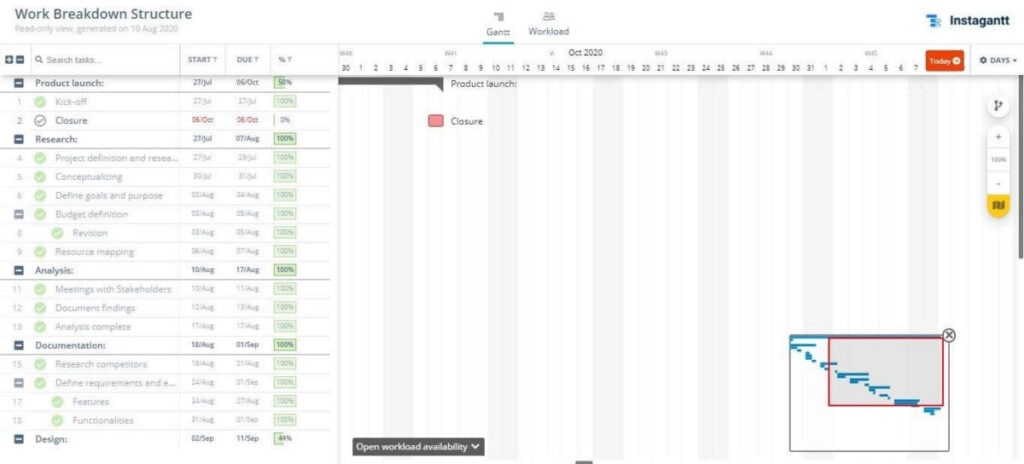
- Instagantt: A Gantt-focused project management tool with a free WBS template that maps directly to a timeline view. Instagantt is particularly useful for teams that want to move from WBS decomposition straight into schedule creation without switching tools.
- Lucidchart: A popular diagramming platform with a dedicated WBS software mode. Lucidchart connects to your existing project management apps and produces publication-quality WBS diagrams with shareable links.
- PDF Templates (22 Formats): A collection of 22 downloadable PDF WBS templates suited to formal documentation, stakeholder presentations, and project archive needs. PDF formats work well when the WBS needs to be distributed to external parties who should not edit it.
Creative Work Breakdown Structure Charts
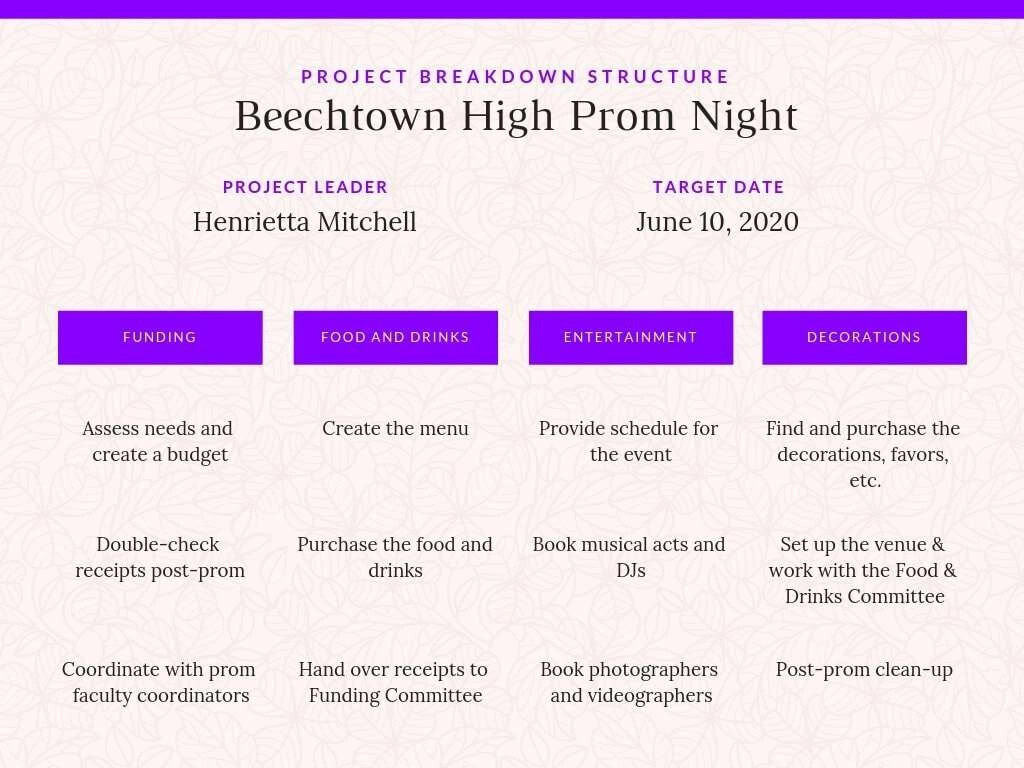
Any project manager responsible for a project knows what needs to be delivered, when, and at what cost. Presenting that information visually to stakeholders requires a format that is both accurate and easy to read at a glance. Canva offers a range of ready-made WBS chart templates that combine structural clarity with polished visual design.
Canva’s WBS templates are available in several ready-to-use color schemes and styles:
Light Pink Work Breakdown Structure
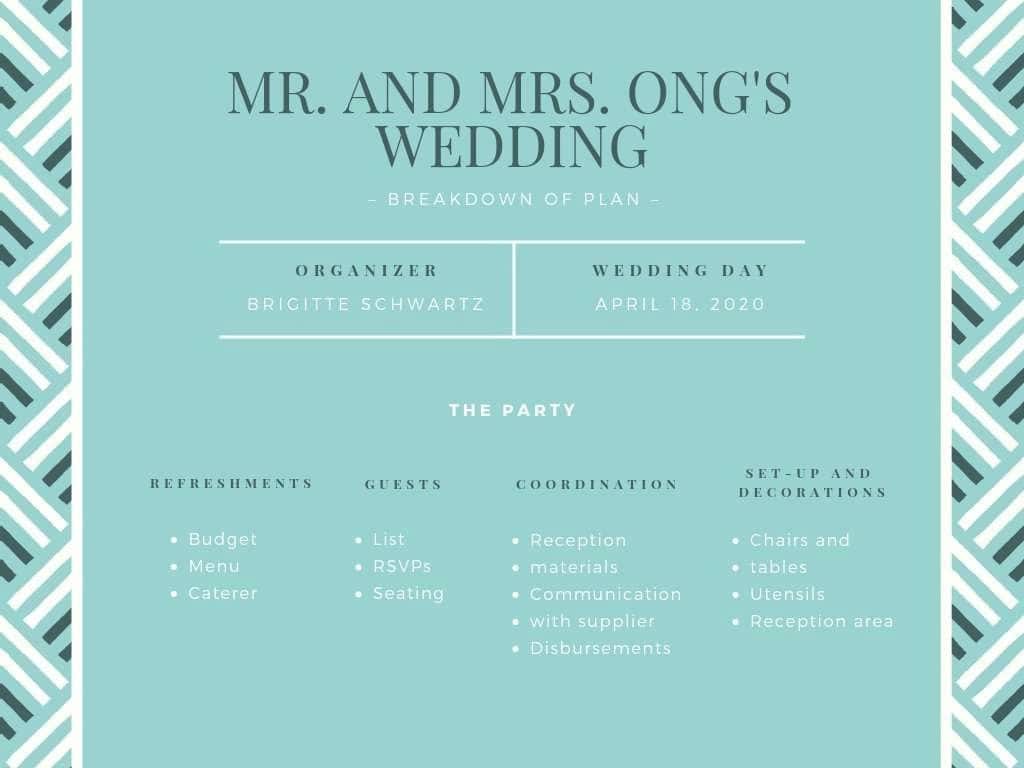
Teal Work Breakdown Structure Chart
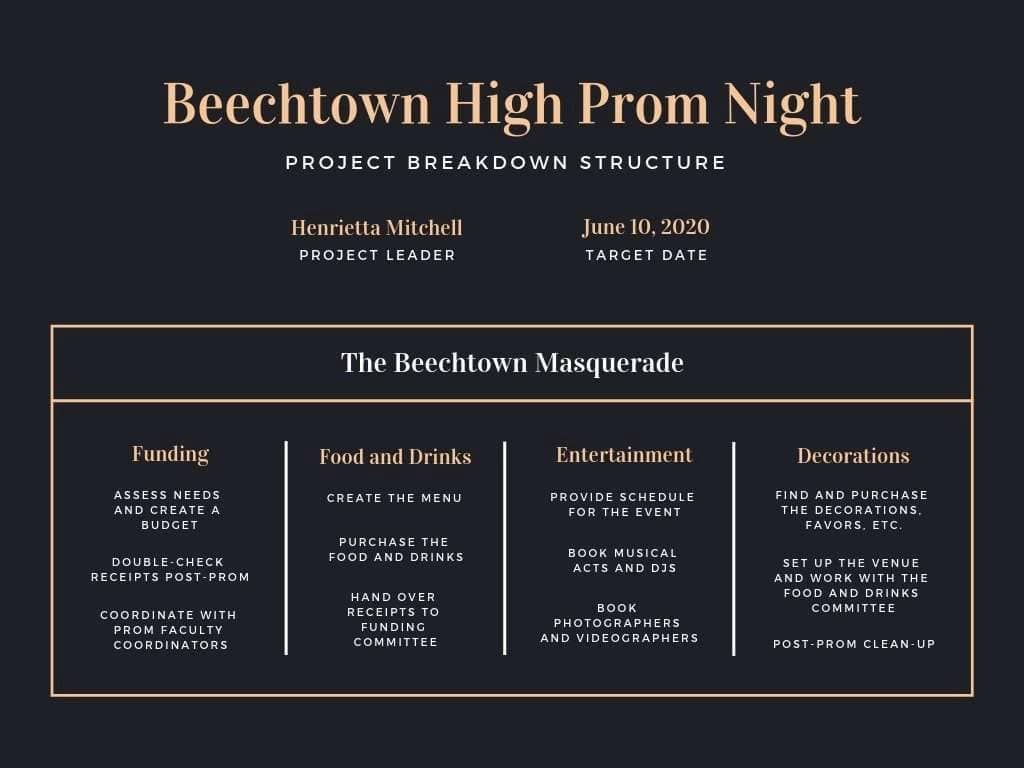
Black and Gold Work Breakdown Structure
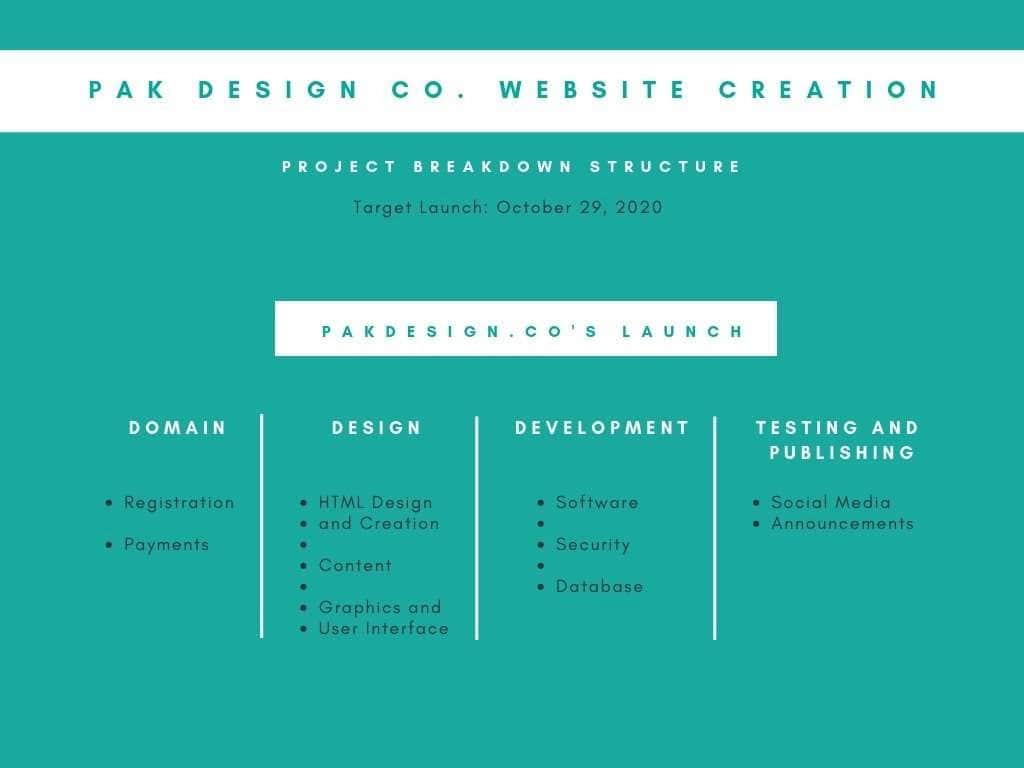
Sea Green and White Work Breakdown Structure

Black and Gold Work Breakdown Structure (1)
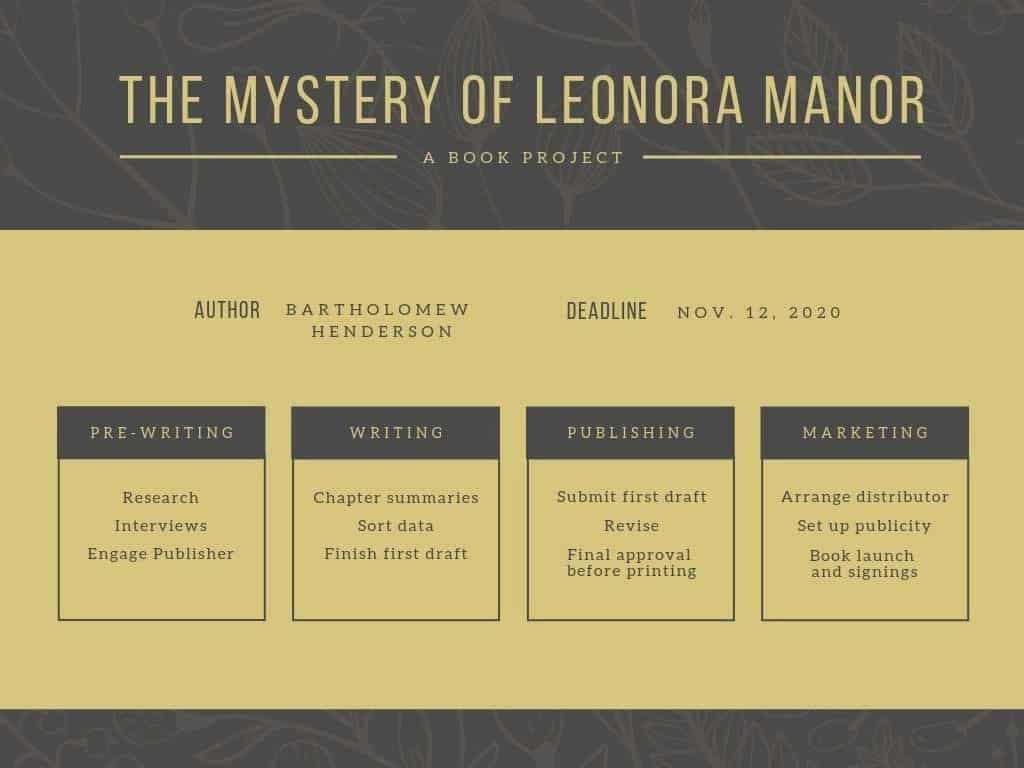
Gold and Charcoal Floral Work Breakdown Structure
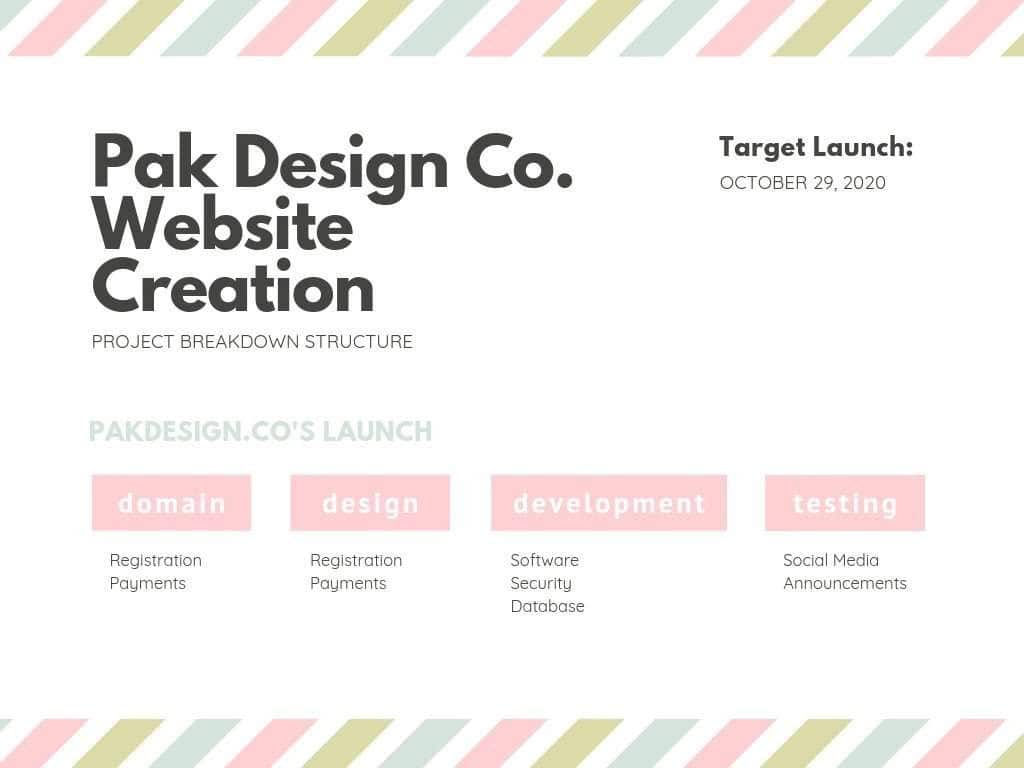
White with Pastel Stripes Work Breakdown Structure
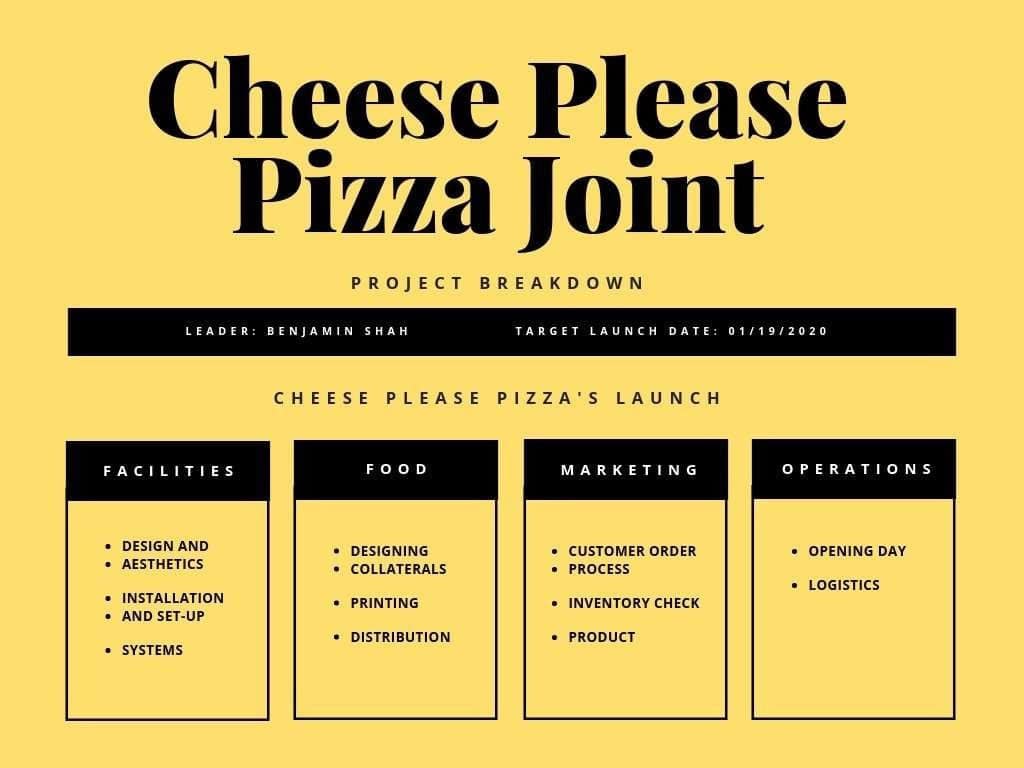
Yellow and Black Work Breakdown Structure Chart
Common WBS Mistakes to Avoid
Even experienced project managers fall into predictable traps when building or maintaining a work breakdown structure. Recognizing these mistakes before they occur is one of the most practical things you can do to protect project quality and team efficiency. The following WBS pitfalls appear most frequently in real-world projects:
- Listing Activities Instead of Deliverables: The most widespread WBS mistake is filling the structure with actions rather than outputs. If your WBS reads like a to-do list, with items such as “schedule kickoff meeting” or “send weekly updates,” it has drifted from its purpose. Every element should describe something that will be produced or delivered, not something that will be done.
- Building Without Stakeholder Input: A WBS built in isolation almost always misses scope. Engaging stakeholders from each team early in the decomposition process surfaces requirements, flags dependencies, and ensures that the agreed WBS genuinely reflects the full project scope.
- Skipping the WBS Dictionary: The WBS dictionary defines exactly what is and is not included in each work package. Without it, ambiguity about scope boundaries leads to duplication, gaps, and disputes over ownership during execution.
- Failing to Update the WBS: A WBS that reflects the project as it was defined on day one is not useful by week six. Scope changes, team adjustments, and new information all require corresponding updates to the WBS. Treating it as a static document rather than a living reference is one of the primary reasons projects drift off course.
- Excessive Granularity: Breaking the WBS down to individual hours or micro-tasks creates a structure that is too cumbersome to manage. Apply the 8/80 rule consistently, and resist the temptation to decompose further than necessary to assign, estimate, and track work effectively.
Further Questions on What a Work Breakdown Structure
If you like the video below, it is worth checking out the Project Manager’s work breakdown structure guide that provides extra details you might need to complete the WBS and get your project kicked off.
Conclusion
A work breakdown structure template is one of the most practical tools in any project manager’s planning toolkit. By giving complex projects a logical, visual hierarchy, the WBS creates clarity around scope, improves resource allocation, and gives every team member a clear picture of how their work connects to the overall objective. From Google Docs and Excel to dedicated platforms like Lucidchart and Creately, there is a format to suit every team size and project type.
The 60 free templates in this guide cover the full range of WBS formats, from simple table-based outlines to detailed tree diagrams with integrated Gantt charts and dictionary fields. Start with the template format that fits your current project, apply the 100% rule and the 8/80 rule as you decompose your scope, and validate the completed WBS with your stakeholders before scheduling begins. Getting the structure right at the start sets every other phase of the project up for success.
Frequently Asked Questions About Work Breakdown Structures
What is the difference between a WBS and a project plan?
A work breakdown structure defines what needs to be delivered on a project, organized as a hierarchy of deliverables and work packages. A project plan defines when each piece of work will happen, who is responsible, and how tasks depend on each other. The WBS is typically created first and then used as the foundation for building the project schedule. Treating them as interchangeable tools is a common source of planning confusion.
What is the 100% rule in a work breakdown structure?
The 100% rule states that the WBS must capture 100% of the work defined by the project scope, and nothing beyond it. At every level of the hierarchy, the combined scope of child elements must equal the full scope of the parent element above them. No work should be omitted from the WBS, and no work that falls outside the agreed scope should be included. This rule is the cornerstone of accurate WBS construction.
How many levels should a work breakdown structure have?
Most well-structured WBS documents contain three levels of decomposition: the project objective at Level 1, major deliverables or phases at Level 2, and sub-deliverables or work packages at Level 3. Some complex projects extend to four or five levels, but adding unnecessary depth makes the WBS harder to manage and update. The right depth is the level at which each element can be realistically assigned, estimated, and tracked.
Can a WBS be used in agile projects?
Yes, a WBS can be adapted for agile and hybrid project environments. In agile contexts, a technique called rolling wave planning is used, where only near-term work packages are fully decomposed, and future items remain at a higher level until the scope becomes clearer. This approach, recognized in PMBOK guidance, allows teams to benefit from WBS structure without being locked into scope definitions that may change across iterations.
What is a WBS dictionary, and why does it matter?
A WBS dictionary is a companion document that provides detailed descriptions for each element in the work breakdown structure. For every work package, the dictionary typically includes a scope description, a responsible owner, estimated effort, acceptance criteria, and any known dependencies or constraints. Without a WBS dictionary, work package boundaries remain ambiguous, which leads to scope gaps, duplication of effort, and disagreements over what was and was not delivered during project closeout.
Suggested articles:
- Top 10 Cons & Disadvantages: Work Breakdown Structure (WBS)
- Build the Right Microsoft Project WBS Levels
- Improving Project Status Reports with Visual Reporting

Daniel Raymond, a project manager with over 20 years of experience, is the former CEO of a successful software company called Websystems. With a strong background in managing complex projects, he applied his expertise to develop AceProject.com and Bridge24.com, innovative project management tools designed to streamline processes and improve productivity. Throughout his career, Daniel has consistently demonstrated a commitment to excellence and a passion for empowering teams to achieve their goals.