
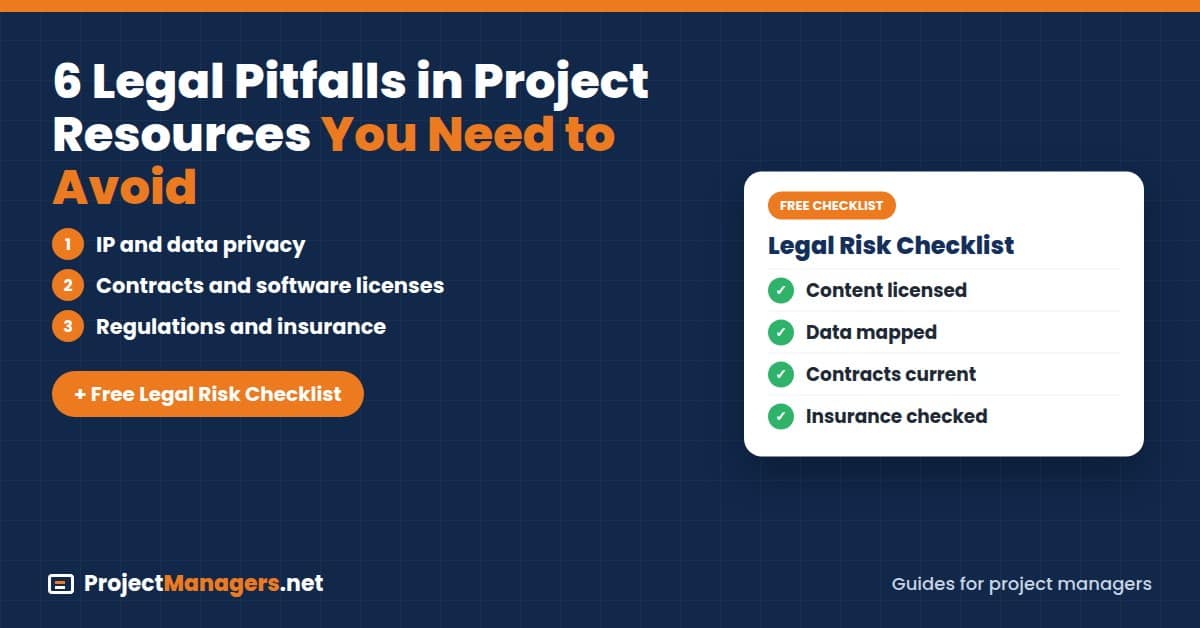
A stock photo in a client deck, customer records on a contractor laptop, or an expired software license can each turn a healthy project into a legal dispute. These problems rarely show up during planning. They surface after launch, when fixing them costs far more than preventing them. Project managers control most of the resources involved. So legal checks belong in resource management.
- Six Pitfalls Cause Most Legal Trouble: Unlicensed content, mishandled personal data, loose contracts, lapsed software licenses, missed regulations, and thin insurance cover create most project legal exposure.
- Prevention Is Cheaper Than Settlement: A license check, a data map, or a clear termination clause costs hours, while a breach fine or lawsuit can cost millions and months.
- Contracts Need Upkeep: Scope changes, renewals, and termination rights should be reviewed during the project, not only when the agreement is signed.
- Use One Checklist per Project: A short legal risk checklist reviewed at kickoff and each phase gate catches most of these issues before they reach a client.
The six pitfalls below follow the order in which they usually appear on a project, from the content and data a team gathers to the contracts, software, regulations, and insurance that protect the work. Each section explains the risk, the controls that prevent it, and a case showing what happens when those controls are missing. A checklist, video, and FAQs follow.
1. Unauthorized Use of Intellectual Property (IP)

Intellectual property violations are among the most common legal pitfalls in project work. Images, fonts, code snippets, and documents found online are easy to drop into a deliverable, and many project managers assume public means free. It does not. Copyright protects original work from the moment it is fixed in a tangible form, so using it without permission invites infringement claims and costly disputes.
Leveraging copyright services is a direct way to avoid trouble with digital content, because specialists can confirm that a project’s images, software, and documents are licensed and credited correctly. The U.S. Copyright Office explanation of what copyright covers is a useful primer for the team. Build these checks into the project workflow:
- Keep an Asset Register: Record the source, license type, and expiry date of every image, font, and template.
- Buy Licenses Before Use: Purchase stock and software licenses before an asset enters a draft, not at final review.
- Set Ownership in Contracts: State who owns deliverables created by freelancers and agencies.
- Review at Sign-Off: Add an IP check to the deliverable acceptance criteria.
Real-Life Example: A marketing agency used images found online in a client’s advertising campaign without buying licenses. After launch, the photographer sued for infringement. The agency paid a large settlement, and the client’s brand took a public hit. A simple asset register with license proof for each image would have cost a few hours and avoided both the payout and the lost client trust.
2. Data Privacy and Security Violations
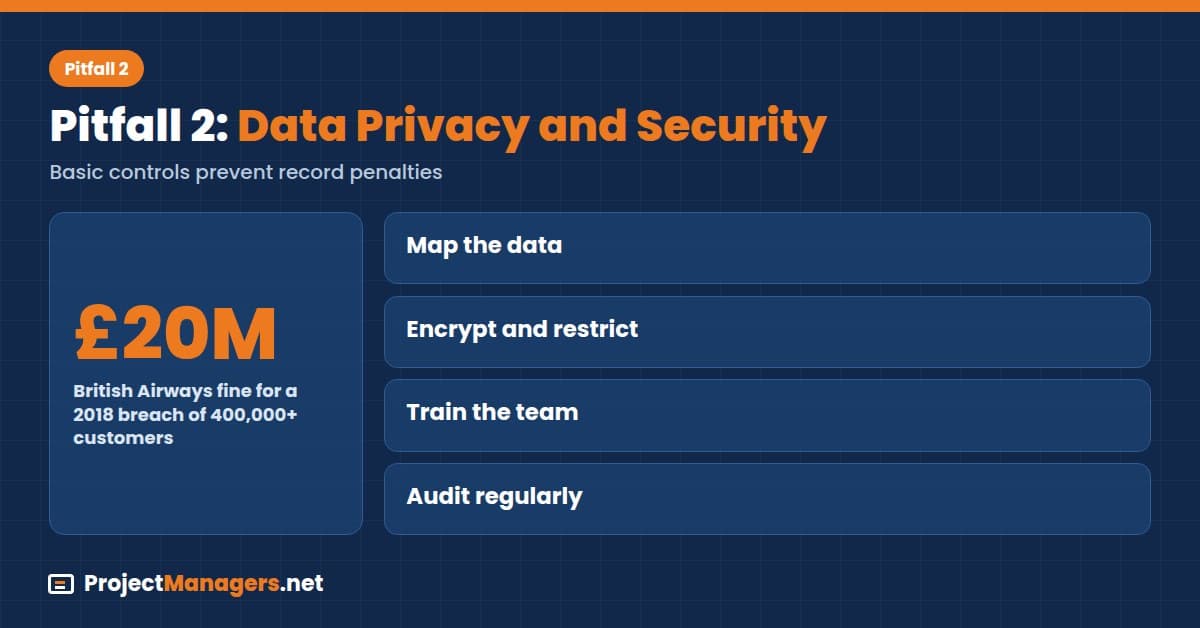
Data privacy is a major concern for projects that touch customer, employee, or patient records, especially under laws like the GDPR and CCPA that carry heavy fines for noncompliance. Mishandled data, whether through weak security or careless sharing, can bring penalties and lasting reputational damage. Projects add risk because temporary teams, test environments, and vendor tools often copy personal data outside its usual controls.
Prevention starts with a privacy framework set up at kickoff, not after a breach. The NIST Privacy Framework gives teams a structured way to identify and manage privacy risk. Shared project tools need attention too, since weak passwords on project management platforms remain an easy way in for attackers. The practical controls are:
- Map the Data: List what personal data the project collects, where it is stored, and who can access it.
- Encrypt and Restrict: Encrypt sensitive records and limit access to the people who need them.
- Train the Team: Brief every member, contractors included, on data protection rules before access is granted.
- Audit Regularly: Review access logs and data handling at each phase gate.
Real-Life Example: Attackers compromised British Airways systems in 2018 and harvested login, payment card, and travel booking details. The Information Commissioner’s Office later fined the airline £20 million over a breach that affected more than 400,000 customers. Investigators found that security measures such as multi-factor authentication were not in place, which shows how basic controls left out of a project can become a record penalty.
3. Mismanaged Contracts and Vendor Agreements
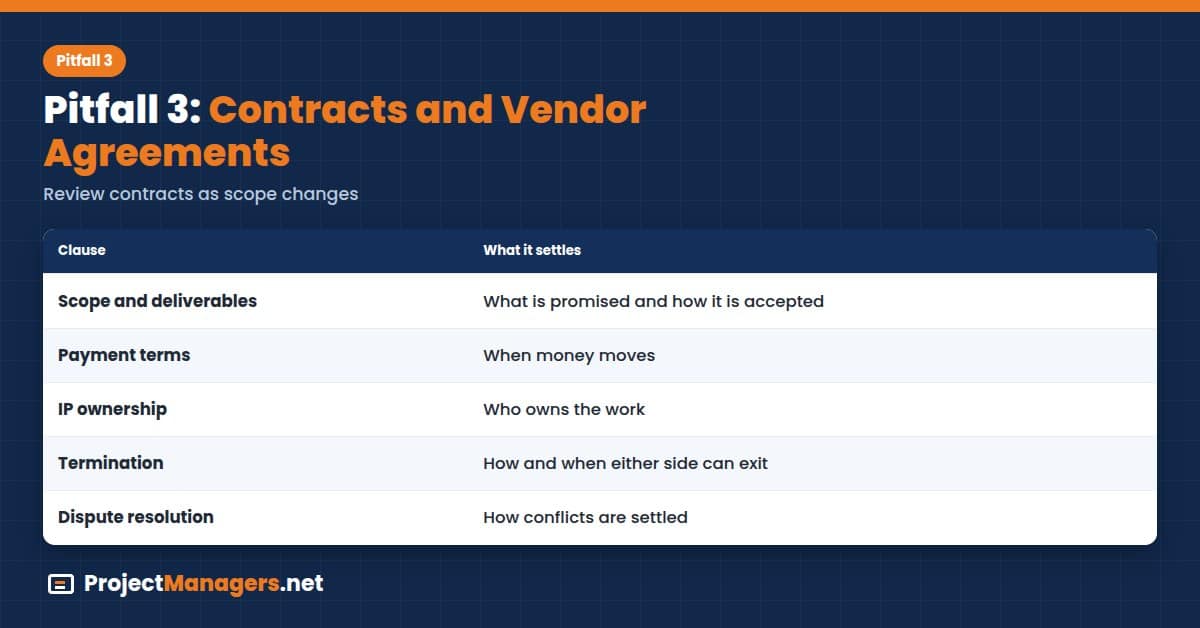
Contracts are the foundation of any project that relies on vendors or freelancers. Unclear or incomplete agreements often lead to disputes over scope, deadlines, and ownership of deliverables, especially when they skip clauses on intellectual property transfer, payments, or dispute resolution. Working with an asset protection attorney can add stronger protection against liability claims and financial losses.
Work closely with legal professionals to draft contracts that cover every part of the engagement. Be explicit about payment terms, ownership of the work created, and how disputes will be resolved. Clauses for indemnity, termination, and intellectual property rights protect both parties when the relationship gets difficult. Store signed versions where the whole project team can find them, and record every agreed change in writing.
Contracts need upkeep once work begins, not only at signing. Regularly reviewing and updating contracts as project scope changes can prevent future disputes. Treat the termination clause as more than boilerplate: under English law, carrying on with a contract after you know a right to terminate has arisen can cost you that right, as EM Law’s guide to waiver and termination rights explains.
- Define Deliverables: Describe each output, its acceptance test, and its due date.
- Fix Payment Terms: Tie payments to accepted milestones, not to time passed.
- Track Termination Rights: Log when a right to terminate arises and decide quickly whether to use it.
- Control Change: Put every scope change through a written change order before work starts.
Real-Life Example: A construction company hired a subcontractor for a high-profile project without a contract that defined the scope of work. When the subcontractor underdelivered, both sides argued over what had been promised, and the dispute became a lawsuit over missed deadlines and payment terms. Many firms now use a virtual legal assistant to handle intake forms, document organization, and contract review workflows.
4. Licensing and Compliance Issues with Third-Party Software
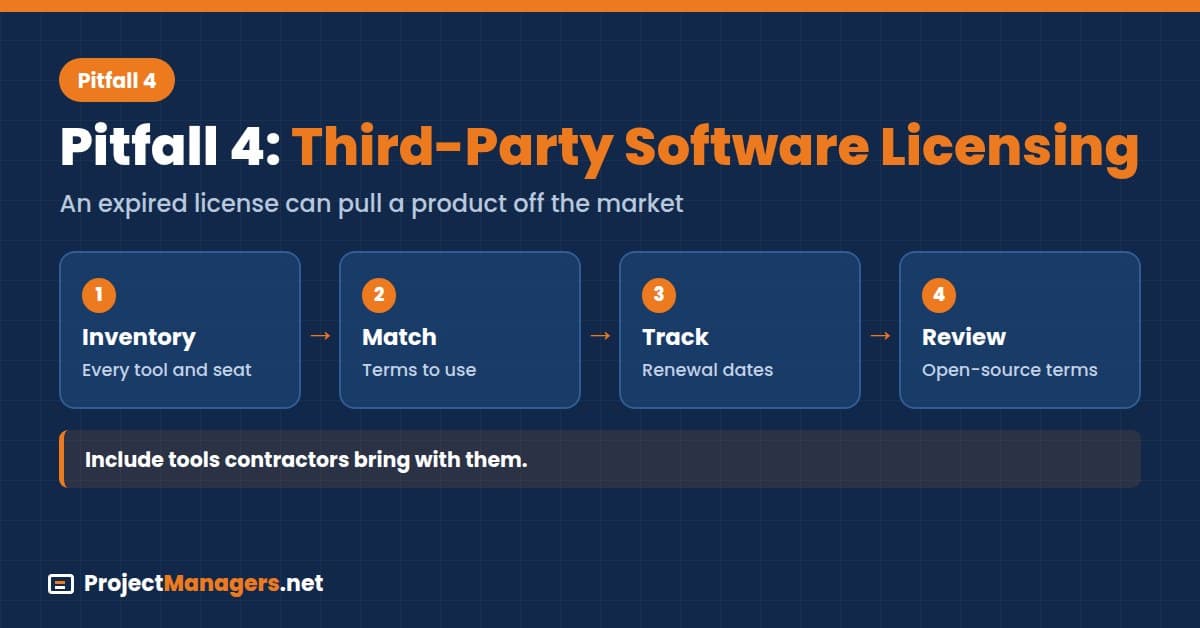
Third-party software rarely comes with unlimited rights. A license may cap users, ban commercial use, or end on a fixed date, and open-source components carry their own conditions. Using software outside those terms can bring fines, forced shutdowns, or a product pulled from sale. Even a missed renewal can halt project progress and create costs nobody planned for in the budget.
Start by auditing every software license the project depends on, including tools that contractors bring with them. Confirm that each license allows the way the team plans to use it, and keep renewal dates in the project calendar. Developers should check open-source terms against the OSI-approved license list before adding a component. Useful habits include:
- Build a License Inventory: List every tool, its owner, seat count, and renewal date.
- Match Terms to Use: Check commercial use, user caps, and distribution rights.
- Track Open-Source Code: Record each component and its license obligations.
- Involve Procurement: Route new tools through legal and procurement review.
Real-Life Example: A software startup built its product on a third-party component without reading the license terms closely. When the license expired, the product had to be pulled from the market until a replacement was built, delaying client deliveries and triggering contract penalties. The lesson was simple: audit software licenses regularly and confirm the terms match how the product uses the software.
5. Non-Compliance with Regulatory Standards
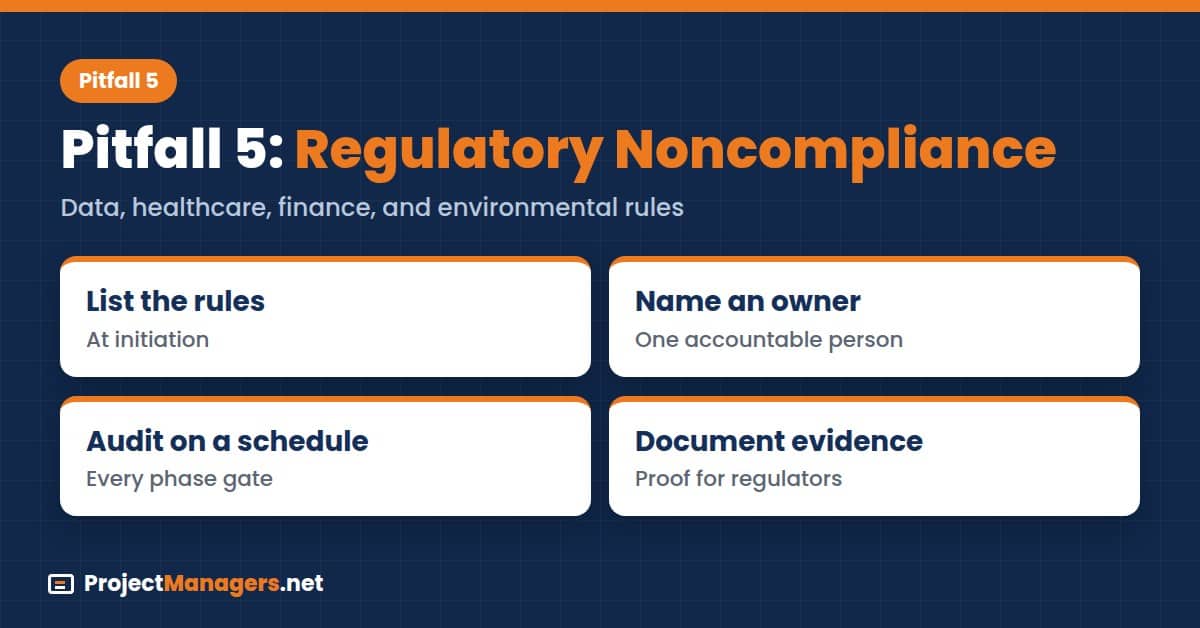
Regulatory compliance is a legal minefield because the rules depend on the industry and the data involved. Data protection laws, sector rules in healthcare or finance, and environmental guidelines can all apply to one project. Missing any of them can mean fines, penalties, or an order to stop work, and noncompliance damages the organization’s reputation long after the project closes.
Schedule regular compliance audits and appoint a compliance officer or legal advisor to own regulatory oversight. Train the team whenever a rule that affects the project changes. In healthcare, the HHS Office for Civil Rights enforces HIPAA privacy and security rules and publishes its enforcement results, which is a reminder that regulators check. Strong compliance plans include these steps:
- List the Rules: Identify every regulation that applies during project initiation.
- Name an Owner: Give one person responsibility for compliance decisions.
- Audit on a Schedule: Check compliance at each phase gate, not only at launch.
- Document Evidence: Keep records that show how each requirement was met.
Real-Life Example: A healthcare software project handled patient data without meeting HIPAA requirements, and a breach followed. The company faced a multimillion-dollar settlement and operating restrictions that stalled the project and hurt its standing with hospital clients. A compliance owner and phase-gate audits would have flagged the gaps months earlier, when fixing them meant changing a design rather than paying a penalty.
6. Poor Risk Management and Lack of Insurance Coverage

Many project managers overlook legal risks such as client disputes, delays, or breaches. In severe cases involving fatal incidents, consulting a wrongful death lawyer may be necessary to address liability and legal claims properly. Without adequate insurance, such as errors and omissions (E&O) or professional liability cover, a project is exposed to lawsuits it cannot afford.
Begin each project with a risk assessment that includes legal risks alongside schedule and budget risks. Confirm that insurance covers the liabilities the project creates, including contract disputes and professional errors. Update the risk management plan whenever the scope, the client, or the delivery location changes, and book a legal consultation for high-exposure work. Prepared teams follow four habits:
- Assess Legal Risk at Kickoff: Add disputes, injuries, and breaches to the risk register.
- Check Insurance Limits: Compare policy limits with contract values and client requirements.
- Review After Changes: Revisit the register when scope or partners change.
- Know Your Advisors: Keep legal contacts ready before an incident happens.
Real-Life Example: A consulting firm gave a client advice that led to financial losses, and the client sued. The firm had no errors and omissions insurance, so it paid the full legal and settlement costs itself, and the loss strained its operations for a year. A policy review at project kickoff would have shown the gap while buying cover was still a routine purchase.
Projects in high-risk environments, such as sites where workplace accidents or bodily injury claims can happen, benefit from specialized legal expertise. If a project faces personal injury or wrongful death claims, consider the option to hire West Coast Lawyers, recognized for personal injury law. Their guidance can help a project manage risk and address the full scope of liabilities.
Legal Risk Checklist for Project Resources

Use this checklist at project kickoff and again at each phase gate. Each line maps to one of the six pitfalls above, so a single unchecked item shows exactly where the project is exposed. Assign an owner to every open item and set a date to close it. The list takes about fifteen minutes to review for most mid-sized projects:
Who Owns Each Legal Risk on a Project
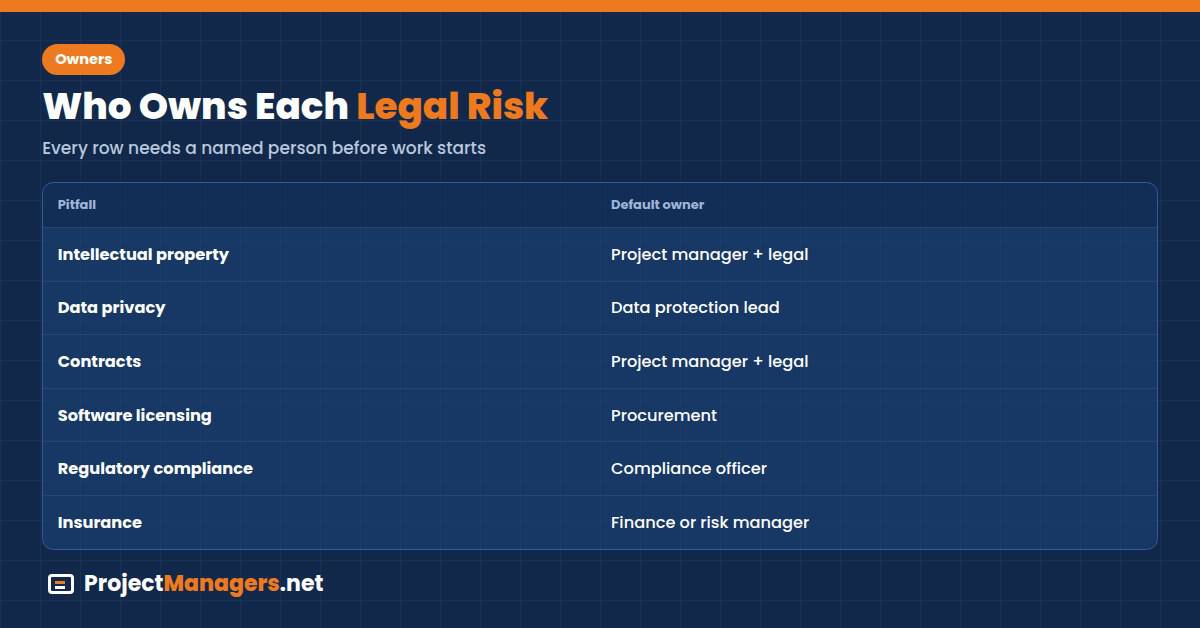
Legal risks fall through gaps when nobody knows who owns them. The table below suggests a default owner and an early warning sign for each pitfall, which helps a project manager set up the risk register in the first week. Adjust the owners to match your organization, but make sure every row has a named person before work starts:
Legal Risk Owners and Warning Signs
| Pitfall | Default Owner | Early Warning Sign |
|---|---|---|
| Intellectual property | Project manager with legal advisor | Assets in drafts without a license record |
| Data privacy | Data protection lead | Personal data copied into test or vendor tools |
| Contracts | Project manager with legal advisor | Work starting before a change order is signed |
| Software licensing | Procurement | Tools added by contractors without review |
| Regulatory compliance | Compliance officer | No audit planned before launch |
| Insurance | Finance or risk manager | Contract value above the policy limit |
Video: Compliance Management for Project Managers
Edzest Project Academy’s lesson, published in November 2026, explains how project managers plan and manage compliance as part of the PMP Business Environment domain. It covers identifying requirements, classifying them, and tracking evidence, which connects directly to the regulatory and contract pitfalls above. It runs about fourteen minutes and suits anyone preparing a compliance plan.
Compliance Management Explained | PMP Exam 2026 | Business Environment Task 2 (Edzest Project Academy, 14:05)
A walkthrough of how project managers identify compliance requirements, plan for them, and track evidence through delivery.
Project Legal Pitfalls FAQs
Project Legal Pitfalls FAQs
What Is the Most Common Legal Pitfall in Project Management?
Contract problems are among the most common, because unclear scope, payment terms, or ownership clauses lead directly to disputes. Intellectual property misuse, such as unlicensed images or code, follows close behind.
Who Is Responsible for Legal Compliance on a Project?
The organization is legally responsible, but the project manager makes sure compliance tasks are planned, owned, and checked. Legal advisors, compliance officers, and procurement teams own the specialist decisions.
How Can Project Managers Avoid Copyright Infringement?
Keep an asset register, buy licenses before an asset enters a draft, and add an IP check to deliverable sign-off. Contracts with freelancers should state who owns the work they create.
When Should Contracts Be Reviewed During a Project?
Review them at kickoff, at every major scope change, before renewals, and whenever a right to terminate may have arisen. Waiting until a dispute starts usually leaves fewer options.
Do Small Projects Need Professional Liability Insurance?
Any project that gives advice or delivers professional work can face claims. Errors and omissions cover is worth checking even for small engagements, especially when the client contract requires it.
How Do Data Privacy Laws Affect Project Teams?
They control how personal data is collected, stored, shared, and deleted. Project teams need a data map, access limits, and training before anyone handles customer or employee records.
What Should a Legal Risk Checklist Include?
Content licenses, personal data handling, contract clauses, software licenses, applicable regulations, and insurance limits. Review it at kickoff and at each phase gate, with an owner for every open item.
Conclusion
Most of the legal trouble described here starts with a resource nobody checked: an image, a dataset, a contract clause, a license, or a policy limit. That is good news for project managers, because resources are already on their list. Adding a legal question to each resource decision costs little time and removes the pitfalls that turn finished projects into court cases.
Start with the two pitfalls closest to your current work. A project that relies on contractors should review its contracts and termination rights this week, while a project that handles customer records should map its data first. Then run the full checklist at the next phase gate and give every open item an owner, a date, and a follow-up in the status report.
Suggested Articles:
- 7 Best Legal Case Management Tools for Project Managers
- Why Project Managers Need Legal Documentation Ready Before Issues Arise
- How Global Project Managers Can Avoid Financial Compliance Pitfalls

Daniel Raymond, a project manager with over 20 years of experience, is the former CEO of a successful software company called Websystems. With a strong background in managing complex projects, he applied his expertise to develop AceProject and Bridge24, innovative project management tools designed to streamline processes and improve productivity. Throughout his career, Daniel has consistently demonstrated a commitment to excellence and a passion for empowering teams to achieve their goals.