
A well-designed website is not enough on its own. Google’s guidance sets 2.5 seconds as the target for how fast the main website content loads on at least 75 percent of visits. Visitors and search engines reward pages that load fast, read clearly, answer real questions, and guide people toward a clear next step. Content optimization covers that work, and the right software shortens each task for busy teams.
The market has changed quickly, with AI writing assistants, search visibility tracking, and behavior analytics now sitting alongside older editing tools. Some products have been acquired, repriced, or rebuilt since they first gained widespread popularity among marketers. This guide reviews ten proven options, what each does best today, and who should use it, starting with the simplest and most immediate win, which is image compression.
1. TinyPNG
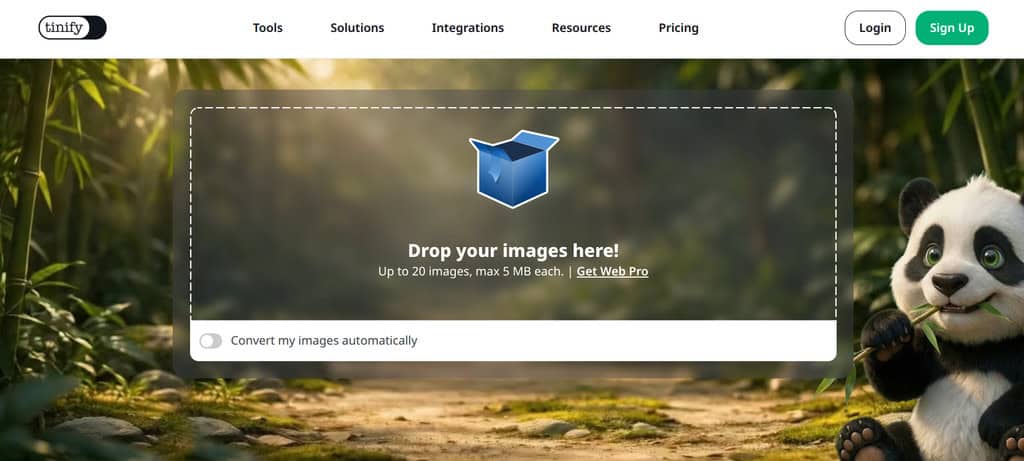
Heavy images are among the most common causes of slow pages, so compression is a sensible first step. Services like TinyPNG shrink PNG, JPEG, WebP, AVIF, and JPEG XL files without visible quality loss, which keeps pages lighter and faster for every visitor. To learn more about image optimization, follow this link and see how to use an automatic photo editor to create pro-grade content.
MDN’s guidance on optimizing images recommends modern formats, compression, and correctly sized responsive images, along with lazy loading for images below the fold, so heavy files never delay what visitors see first. Compression is rarely the only bottleneck, so check server speed and layout shifts too. Plugins for WordPress and Figma make the routine part automatic.
These features make TinyPNG a practical choice for everyday image work:
- Smart Compression: Reduces file size by selectively lowering color detail in ways viewers rarely notice, which shortens load times and supports better performance scores without requiring any design software.
- Format Conversion: Converts between PNG, JPEG, WebP, and AVIF, so teams can serve modern formats to supported browsers while keeping an older fallback available for visitors using outdated software.
- Plugins and API: Offers WordPress and Figma plugins plus a pay-per-use developer API, which lets teams automate compression during uploads instead of processing every image by hand before publishing.
2. Text Optimizer
A good way to improve rankings is to optimize your text with tools like Text Optimizer. It analyzes your draft and suggests related concepts and terms that searchers and search engines expect to see on a topic. Writers can therefore cover a subject more completely without guessing, even without deep SEO knowledge, which is especially useful for time-pressed project managers.
Use Text Optimizer when you need help with these common content tasks:
- Free Text Analysis: Paste a draft into the free version to see which related terms and ideas are missing, then decide whether each gap deserves a new sentence or section.
- Pro Features: Paid access unlocks fuller optimization suggestions and Excel export, which helps editors share term lists with writers and track coverage across several articles at once.
- Chrome Extension: The browser extension brings analysis into the pages you already use, so you can review competing articles quickly and compare their coverage against your own draft.
3. Hemingway Editor
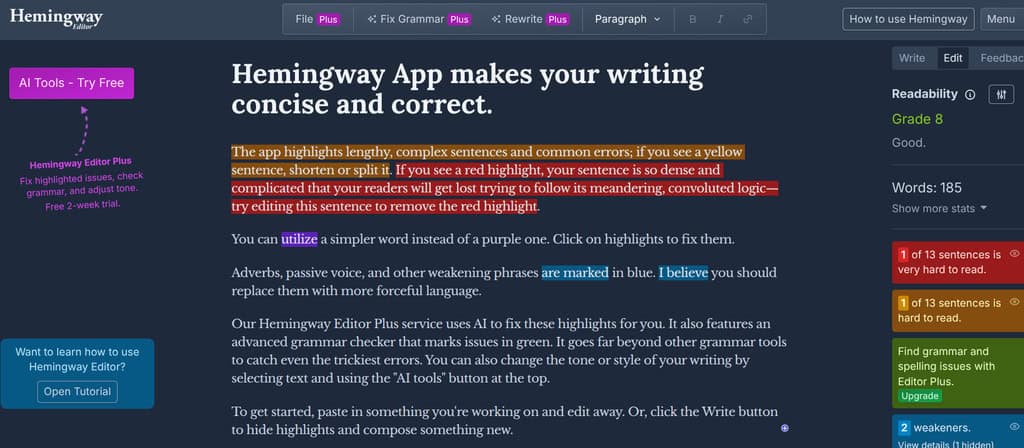
To optimize your text, you can also use Hemingway Editor. The free web editor color-codes long sentences, complex phrasing, adverbs, and passive voice, then assigns a readability grade. Hemingway Editor Classic runs on the desktop and Plus adds AI-assisted editing with a two-week trial. Check this guide on how to create attention-grabbing content to discover some useful tips.
Nielsen Norman Group’s research on plain language found that even highly educated readers want succinct, scannable text, and it suggests keeping sentences to 15 to 20 words. The same research links clear writing to greater credibility, conversions, and customer loyalty. Apply these limits during your first full edit pass, then read the draft aloud to catch awkward phrasing.
Hemingway Editor is most helpful for improving these aspects of a draft:
- Sentence Length: Highlights sentences that are too long and difficult to read, which prompts writers to split ideas, trim filler, and keep each point easy to scan.
- Passive Voice: Flags passive constructions so writers can restore the actor in the sentence, which usually makes instructions and business writing shorter, clearer, and more direct for readers.
- Readability Grade: Scores the draft by reading level, helping you aim for an audience-appropriate reading grade instead of guessing whether the vocabulary and structure suit your target readers.
4. Hotjar(Now Contentsquare)
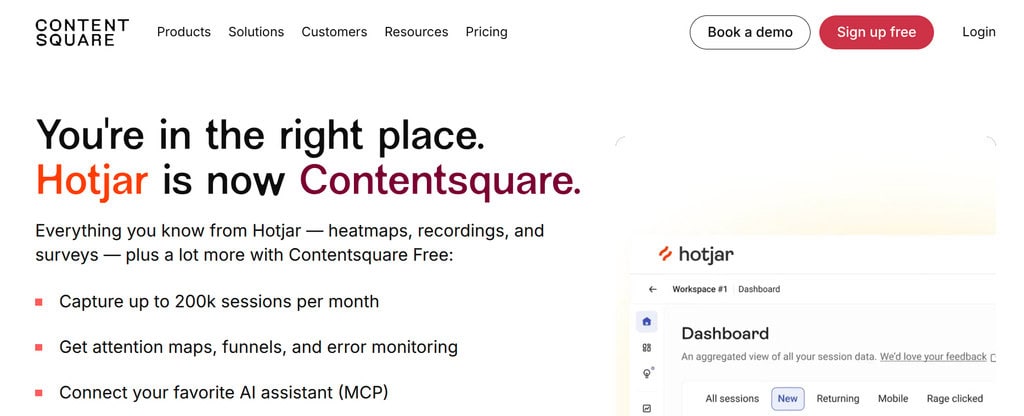
It’s important to analyze user behavior on a website as well. To do so, you can use Hotjar, which is now part of Contentsquare. Heatmaps show where visitors click, move, and scroll, using color intensity to mark busy areas, while recordings and surveys explain why. Engagement zones combine that data to reveal which page sections attract the most attention.
Hotjar helps content teams answer these questions about real visitor behavior:
- Click and Scroll Maps: Show whether visitors reach your key paragraphs and buttons, so you can move your important points higher or cut sections that people consistently skip past entirely.
- Session Recordings: Replay anonymized visits to see hesitation, rage clicks, and abandoned forms, which reveal usability problems that traffic numbers alone never explain to the content team.
- Surveys and Feedback: Collect short on-page responses, since the free plan covers a limited number of sessions and survey responses, while paid plans add higher limits and more advanced features for larger teams.
5. Clearscope
If you’re a writer, marketer, or SEO strategist, you might like Clearscope as well. It grades drafts against top-ranking pages and recommends related terms, readability, and structure in real time, and every plan includes unlimited users and projects. There is no free version, and pricing is monthly, with a higher Business tier above the entry level.
Clearscope has also moved into AI search, tracking queries across ChatGPT and Gemini and monitoring brand mentions. Search Engine Land’s guide to large language model optimization reports that content with quotes, statistics, and credible sources earns 30 to 40 percent more mentions in AI answers, which makes that tracking more useful for planning updates to existing pages.
Clearscope is a strong fit when your team values these capabilities:
- Content Grading: Scores each draft against relevant terms and competing pages, giving editors an objective benchmark before publishing and a simple way to explain revisions to writers.
- Topic Exploration: Researches a subject and suggests what to cover, so briefs reflect real search intent instead of a single keyword that might hide several different needs.
- Query Tracking: Monitors selected queries across search and AI assistants, helping teams see whether updated pages gain visibility and where competitors are cited more often than you.
6. Wistia
Unlike traditional video-sharing platforms, Wistia has a suite of features tailored to enhance the professional presentation of videos, improve viewer analytics, and integrate smoothly into marketing strategies. Engagement graphs show watch time and drop-off points, and you can add calls to action inside a video. Wistia offers a free plan, while paid plans add branding control and deeper analytics.
Video also pays off for educational content. HubSpot’s summary of Wistia’s State of Video report found that 57 percent of companies produce educational videos, and many teams use LinkedIn as their primary B2B video channel. Those findings suggest tutorials and explainers deserve top priority and early, steady, focused investment when you plan hosted, trackable video.
Wistia gives marketers these advantages when video supports a content strategy:
- Viewer Analytics: Engagement graphs and heatmaps show where viewers stop watching, so editors can shorten slow introductions and place the most important message before viewer attention fades completely.
- In-Video Calls to Action: Add buttons, forms, and email capture inside the player, turning viewers into leads without sending them away from the page they were already reading and trusting.
- Brand Control: Paid plans remove Wistia branding and let teams customize the video player, which keeps every embedded video consistent with the surrounding site design, tone, and message.
7. WriterZen
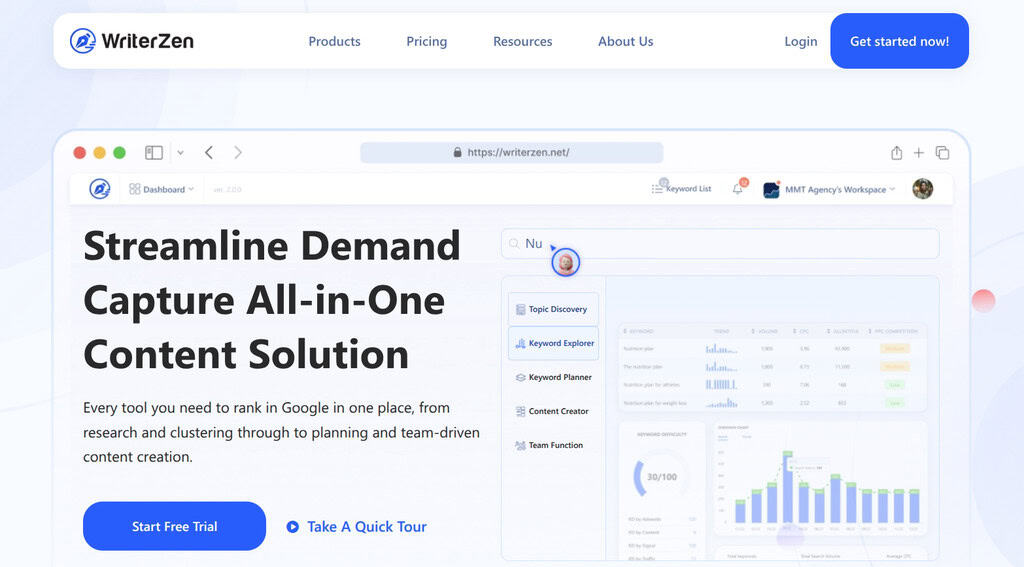
Another tool an SEO specialist might want up their sleeve is WriterZen. It combines Topic Discovery, a keyword explorer, a content creator, and a plagiarism checker in one workspace. Instead of a monthly subscription, its published plans are one-time payments, with separate tiers for keyword research and all-in-one use, which makes budgeting simpler for freelancers.
Good keyword research starts with intent. Ahrefs explains that keyword intent falls into informational, commercial, transactional, and navigational types, and that content should match the intent before volume is considered. WriterZen’s topic clusters give writers a way to group related searches and plan articles around that principle. Use these clusters to avoid publishing overlapping articles.
WriterZen supports content planning, research, and production in these specific ways:
- Topic Discovery: Generates subtopics and related questions from a seed phrase, helping writers quickly find gaps competitors have not fully covered before they outline a new article.
- Keyword Planning: Shows search volume and competition data, then clusters related terms, so one page can target a group of searches instead of competing against other pages on your site.
- Content Creator: Combines outlines, AI drafting help, and plagiarism checking in one editor, which reduces the number of tools a small editorial team needs to buy and manage.
8. Dashword
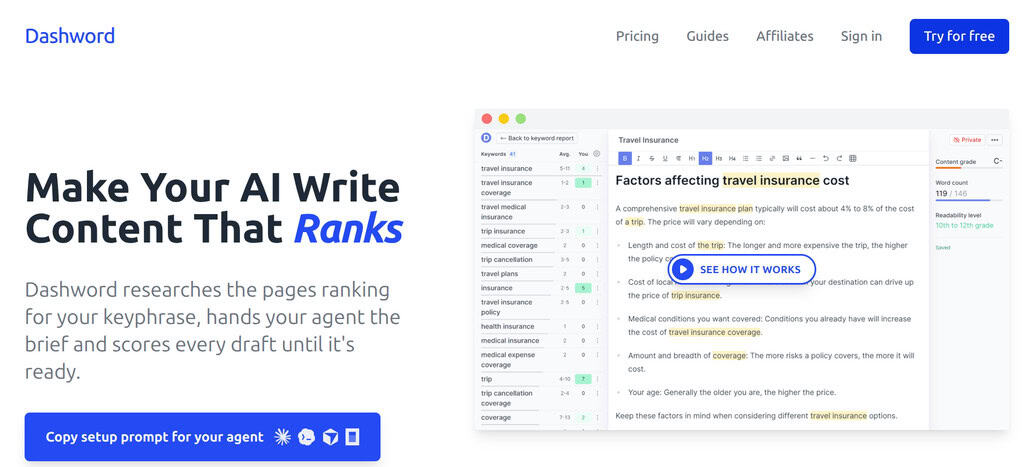
Dashword is a feature-rich program for content optimization. It builds content briefs from competitor research, scores drafts in real time, and monitors published pages so teams can spot ranking drops. A Google Docs integration keeps writers in a familiar editor, and the platform now connects with AI agents. It offers a free tier alongside paid plans, so confirm current rates before buying.
AI-assisted briefs still need human judgment. Search engines increasingly ask whether content offers original value, shows real expertise, and is transparent about automation, and they treat automation used mainly to manipulate rankings as spam. Treat Dashword’s suggestions as only a starting point, then add firsthand experience and verify every factual claim before anything is published.
Dashword is most useful for teams that need these workflow benefits:
- Content Briefs: Builds outlines with topics, questions, and competitor insights, giving freelancers a clear and specific target and reducing revision rounds between writers and editors on every assignment.
- Optimization Scoring: Grades a draft while you write, showing which suggested terms are missing and which sections already cover the subject well enough to leave alone for now.
- Performance Monitoring: Tracks published pages regularly and alerts you to sudden ranking changes, which makes refreshing older articles a planned task instead of an occasional last-minute rescue effort.
9. Frase
Frase is also considered one of the best content optimization and AI writing tools. It first drew attention as a writing assistant powered by a hybrid AI framework that combines OpenAI’s large language models with its own proprietary AI technology. Today, it focuses on research, briefs, SEO and GEO scores, and publishing straight to WordPress. Pricing is tiered, with a Starter plan and a Professional plan, so confirm current rates.
Frase suits teams that want research and drafting in one place:
- Research and Briefs: Pulls competing pages into a single brief, so writers can see headings, questions, and gaps without opening a dozen tabs and copying notes manually each time.
- SEO and GEO Scoring: Scores content for traditional search and for visibility in AI answers, which helps teams optimize one article for both audiences instead of maintaining two checklists.
- Publishing Workflow: Publishes to WordPress, Webflow, and similar platforms, and supports a content calendar on higher plans, so planning and scheduling can easily live alongside the drafts themselves.
10. Picreel
If you need a reliable tool for A/B testing, advanced targeting, and analytics, then you should try Picreel. It builds popups with exit-intent, scroll, and time-based triggers, offers more than 100 ready-made templates, and integrates with platforms such as Shopify, WordPress, and Klaviyo. Some reviewers describe the interface as confusing at first, though a free trial lets you test it.
Experiments need discipline to produce reliable answers, and search engines can penalize intrusive full-page mobile interstitials, so keep popups small and avoid blocking content. Plan each test around a clear hypothesis, a calculated sample size, and at least two full business cycles, and avoid stopping early. CXL’s A/B testing guide explains these principles and common statistical mistakes in detail.
Picreel works best when you plan popups around these practical tests:
- Exit-Intent Offers: Show a relevant lead magnet or discount only when a visitor is about to leave, which captures interest without interrupting people who are still reading.
- Targeted Messages: Vary offers by referral source, device, or behavior, so a visitor from a how-to article sees a noticeably different prompt than someone browsing product pricing pages.
- A/B Testing: Compare headlines, designs, and timing against a control, then keep only the variations that improve results without hurting the reading experience, mobile usability, or page speed.
How to Choose the Right Content Optimization Tool
No single product covers every optimization task, so selection should start with your biggest bottleneck. Semrush’s guide to creating and measuring SEO content recommends tracking clicks, impressions, and rankings in Google Search Console, which gives every tool a shared baseline. Define the problem first, then compare tools on cost, learning curve, and how easily results can be measured.
Use this short checklist when comparing tools before you commit to one:
- Match the Bottleneck: Choose a tool for the problem you can prove, such as slow load times, weak readability, missing topics, or low conversions, instead of buying a broad suite.
- Check Pricing Models: Compare monthly subscriptions, annual billing, one-time lifetime payments, and usage limits, because article quotas, tracked pages, and sessions can change the real monthly cost quite quickly.
- Run a Pilot: Test one article or page with a free plan or trial, record the before-and-after results, and expand only when the improvement is clear and repeatable.
Free and paid options solve different problems, so compare them side by side before you buy. Free tools cover image speed, readability, and behavior basics at no cost. Paid platforms add competitor-based scoring, briefs, and tracking for teams that publish regularly, though they require a budget, a learning period, and some onboarding time for each writer.
| Aspect | Free and Low-Cost Tools | Paid Research Platforms |
|---|---|---|
| Examples | Image compressors, readability editors, basic heatmaps | Scoring, briefing, and keyword research suites |
| Typical cost | Free tiers with usage limits | Monthly subscriptions or one-time fees, varying by tier |
| Best for | Image speed, readability, and basic behavior insight | Competitor-based scoring, briefs, and AI search tracking |
| Main limit | Capped uploads, sessions, and survey responses | Higher cost plus article or page quotas |
| Pilot approach | Use immediately on any page | Start with a trial and one article |
Conclusion
These ten tools cover the main stages of content optimization, from compressing images and polishing sentences to researching topics, watching visitor behavior, hosting video, and testing popups. Each solves a different problem, and the best results come from combining a few of them with clear goals. Pricing and features have changed for many of these products, so always confirm current details and prices before buying.
Start with the weakest point in your current content, whether that is speed, readability, topical depth, or conversions. Choose one or two programs you like, try them on a single page, and measure what changes. Revisit the results after a month and adjust your toolkit. Tools support good writing but do not replace it, so keep your focus on useful, trustworthy content for your readers.
Frequently Asked Questions About Content Optimization Tools
What are website content optimization tools?
Website content optimization tools are programs that help you improve pages for search engines and readers. They cover tasks such as compressing images, checking readability, finding missing topics, analyzing visitor behavior, and testing offers. Most teams combine several tools because each one usually solves a different problem rather than handling the entire optimization process alone.
Are free tools good enough to optimize website content?
Free tools are often enough to start. Image compressors, readability editors, and basic behavior tools all offer free access that can improve speed, readability, and visitor insight. Paid tools become worthwhile when you publish at volume, need competitor-based scoring, or must share data across a team. Test free versions first, then upgrade only where limits slow you down.
Which tool is best for checking content readability?
Hemingway Editor is the simplest choice for readability because it highlights long sentences, passive voice, and complex phrasing and gives a grade. Pair it with a human edit, since a score cannot judge accuracy or tone. Usability research suggests short sentences and scannable formatting, so aim for clear writing instead of chasing a perfect number.
Do AI writing tools hurt SEO?
Not by themselves. Search guidance focuses on whether content is helpful to people, and using automation mainly to manipulate rankings breaks spam policies. Content should offer original value, show real expertise, and be accurate and trustworthy. Use AI tools only for research, outlines, and editing support, then add firsthand knowledge and review every claim before publishing.
How many content optimization tools do you need?
Most small teams need only three or four: one for images, one for editing, one for research or scoring, and one for behavior or testing. More tools add cost and complexity without guaranteeing better results. Start with your biggest bottleneck, measure the outcome, and add another tool only when a clear gap remains in your process.
Suggested articles:
- AI Content Creation Tools: 7 Best Picks to Speed Up Your Marketing Projects (2026)
- Choosing the Right SEO Tool: A Guide for Marketers in 2026
- Best AI Tools for Small Businesses to Automate Content Creation

Daniel Raymond, a project manager with over 20 years of experience, is the former CEO of a successful software company called Websystems. With a strong background in managing complex projects, he applied his expertise to develop AceProject.com and Bridge24.com, innovative project management tools designed to streamline processes and improve productivity. Throughout his career, Daniel has consistently demonstrated a commitment to excellence and a passion for empowering teams to achieve their goals.