
A marketing operations manager reviewing renewals can find three tools that send email, two that score leads, and a survey app nobody remembers buying. Each was bought for one campaign, and none shares a clean customer record. Gartner’s 2025 Marketing Technology Survey puts martech utilization at 49%. That gap pushes teams toward consolidation. Cutting tools without a plan, however, can break integrations and lose data.
- Overlap Is the Usual Starting Point: Most marketing teams pay for tools that do the same job and do not share data, which is why Gartner’s 2025 survey found only 49% of martech capability in use.
- Run It as a Project: Give the consolidation a scope, named owners, a timeline, and a risk register, the same as any other project, rather than treating it as a buying decision.
- Audit First, Then Migrate in Phases: Inventory every tool before cutting anything, then move data and users phase by phase, with old and new tools running side by side.
- Measure What Changed: Judge the project by adoption, data quality, and cost savings, each compared with a baseline recorded before the first tool is switched off.
Treating the clean-up as a project, with goals, owners, and dates, keeps those risks visible. This guide follows the work in order: why stacks sprawl, how to set scope and roles, how to audit and score each tool, and how to migrate in phases. It covers the risk register, adoption and training, the numbers to track after go-live, and a checklist for every cutover.
Why Martech Stacks Get Out of Control
Martech stacks rarely grow by design. A campaign needs a landing page builder, a product team buys its own social scheduler, and a free trial quietly turns into a paid plan on someone’s card. Zylo’s 2026 SaaS Management Index found that business units now control 81% of SaaS spend while IT directly manages just 15%, so nobody sees the whole picture.
The cost of that sprawl shows up in four places:
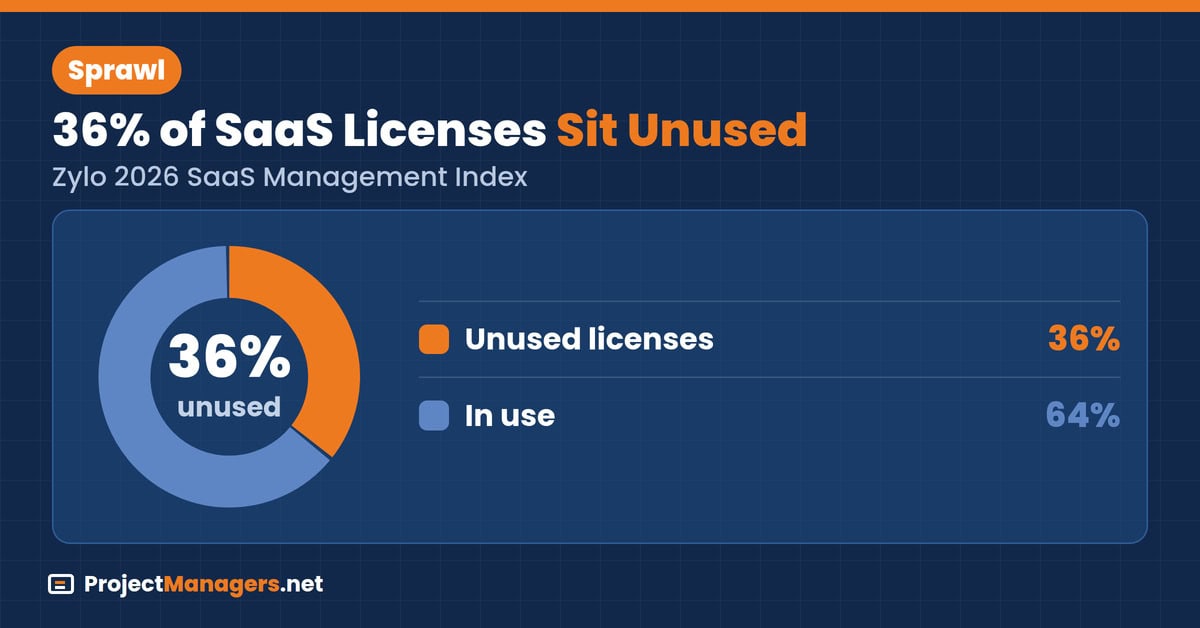
- Licenses No One Uses: The same Zylo index found that organizations leave an average of 36% of their SaaS licenses unused, and marketing renewals are an easy place for that waste to hide.
- Duplicated Customer Data: One contact can sit in the email platform, the CRM, and the webinar tool, each with a different status and consent record.
- Reports That Disagree: Two dashboards built on different tools give two lead counts, and review meetings turn into debates about which number is right.
- An Endless Supply of New Tools: The 2026 chiefmartec landscape counts 15,505 martech products, so there is always another app for the next request.
Define the Consolidation Scope and Goals
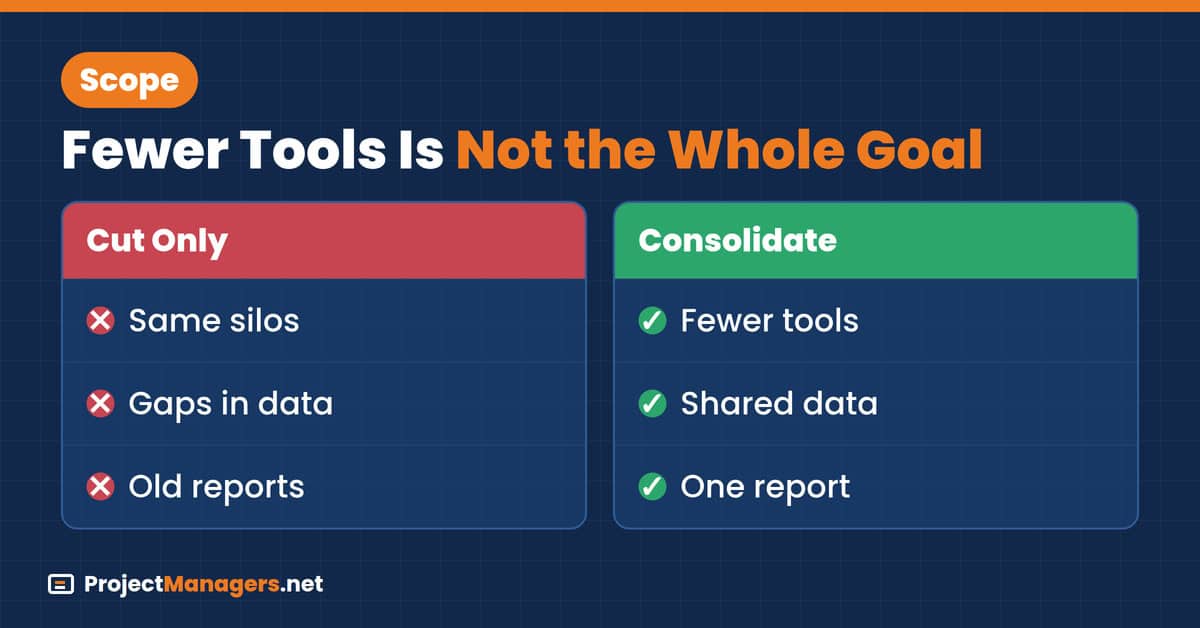
Before anyone touches a tool, write down what the project must achieve and how success will be measured. Typical goals are fewer tools, lower license costs, and one source of customer data every team trusts. Give each goal a number and a date, such as cutting the stack from 24 tools to 15 by the end of the third quarter, so progress can be checked.
The goal is not simply fewer tools. It is a setup where data flows between systems, so teams can unify marketing technology stack components around shared customer data instead of maintaining separate silos.
Settle these scope decisions in the project charter:
- In Scope: Every paid marketing tool, its integrations, and the customer data it holds, including tools bought by product or regional teams.
- Out of Scope: Systems other departments own, such as the finance ledger or the support desk, unless they share customer records with marketing.
- Fixed Constraints: Contract end dates, notice periods, and data retention rules that limit when a tool can be switched off.
- Decision Rights: Who can approve removing a tool, and who settles the dispute when two teams want different platforms.
Build the Consolidation Team and Assign Roles
Consolidation touches budgets, data, security, and daily work, so no single department can run it alone. Marketing operations usually leads, IT handles integrations and access, finance confirms costs and contract terms, and data and security staff protect customer records. The people who use each tool every day matter just as much, because they know which features the team cannot lose.
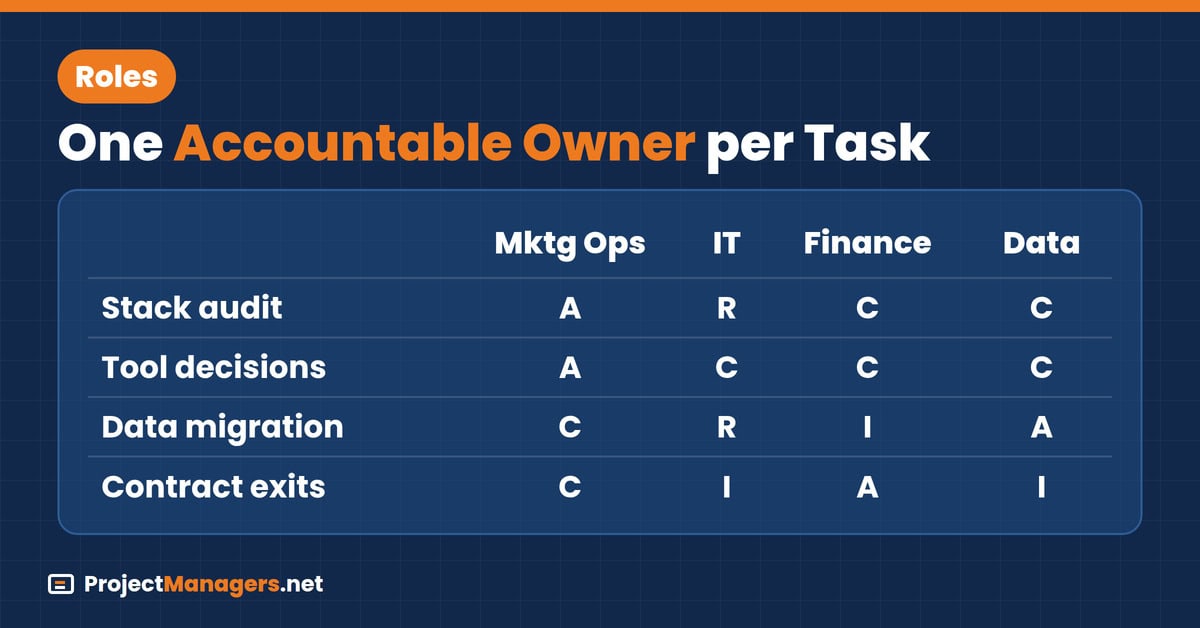
Treat these groups the way you would in any other piece of project stakeholder management: note what each one needs from the project, what it fears losing, and how often it wants updates. Then turn the roles into a simple RACI chart, so every decision on the plan has exactly one accountable owner and nobody assumes someone else approved it.
A sample RACI, where R means responsible, A accountable, C consulted, and I informed:
Sample RACI for a Martech Consolidation Project
| Activity | Marketing Ops | IT | Finance | Data and Security | Tool Users |
|---|---|---|---|---|---|
| Stack audit | A | R | C | C | C |
| Keep, replace, or merge decisions | A, R | C | C | C | C |
| Contract exits | C | I | A, R | I | I |
| Data migration | C | R | I | A | C |
| Training and adoption | A | I | I | I | R |
Audit the Current Martech Stack
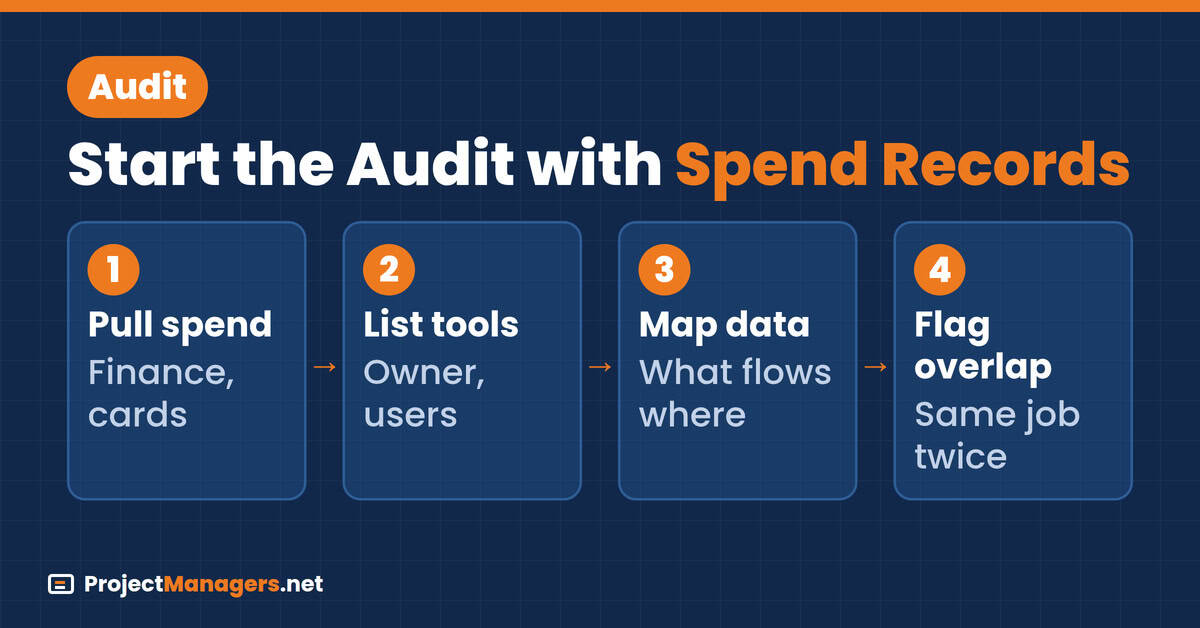
The audit is the fact base for every later decision, so finish it before anyone defends a favorite tool. Pull the list from finance records and expense reports, not only from IT, because tools bought on cards may never reach the asset register. For each tool, record its annual cost, contract end date, active users, integrations, the customer data held, and any overlap.
A sample audit table, with example figures:
Sample Martech Stack Audit (Example Figures)
| Tool | Annual Cost | Contract Ends | Active Users | Integrations | Data Held | Overlaps With |
|---|---|---|---|---|---|---|
| Email platform A | $18,000 | March 31 | 12 of 20 seats | CRM, web forms | Contacts, consent | Email platform B |
| Email platform B | $6,500 | July 15 | 3 of 10 seats | None | Contacts | Email platform A |
| Webinar tool | $4,800 | January 10 | 2 of 5 seats | CRM | Registrants | Event app |
| Review request tool | $3,600 | May 1 | 4 of 4 seats | Store, email | Reviews, emails | Email platform A |
Illustrative Scenario: A retail marketing team expected its audit to find about 15 tools. Card statements and expense reports raised the count to 27, including four separate form builders and two social schedulers bought by different teams. Seven tools had fewer than three active users, and two held customer records that no integration reached, which put data quality at the top of the charter.
Decide What to Keep, Replace, or Merge
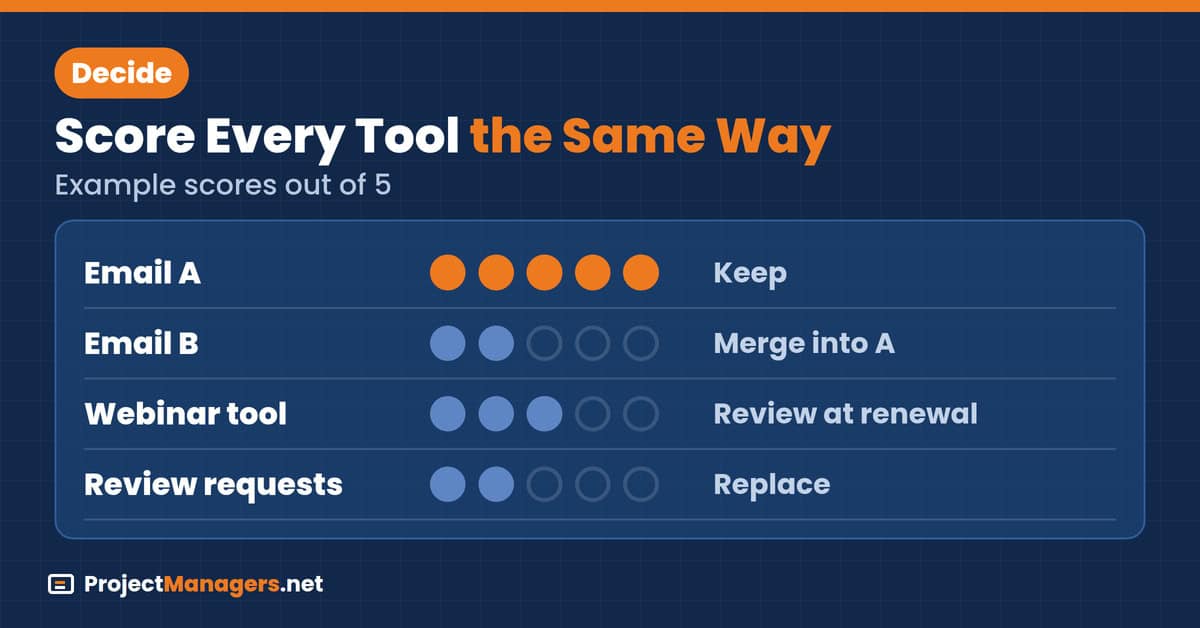
With the audit done, score each tool on the same scale so decisions rest on evidence rather than habit. Rate usage, integration, and cost from 1 to 5, add the scores, and agree on the thresholds before scoring starts. A tool that scores well on all three stays, a weak tool with a stronger alternative gets replaced, and two tools doing one job get merged.
Look for single-purpose tools that a platform could replace. For example, teams that collect customer reviews with manual email requests can switch to automated review collection software that connects directly to their e-commerce and email systems.
Apply the three scores this way:
- Usage: Compare active users with paid seats over the last 90 days, and check whether the features you pay for are actually switched on.
- Integration: Count the systems the tool exchanges data with automatically, and note every link that depends on manual exports or uploads.
- Cost: Divide the annual cost by active users, then add the staff hours spent maintaining it, because a cheap tool can be expensive to run.
- Verdict: Record keep, replace, or merge with the reason and the approver’s name, so the decision can be explained at renewal time.
Plan the Migration in Phases
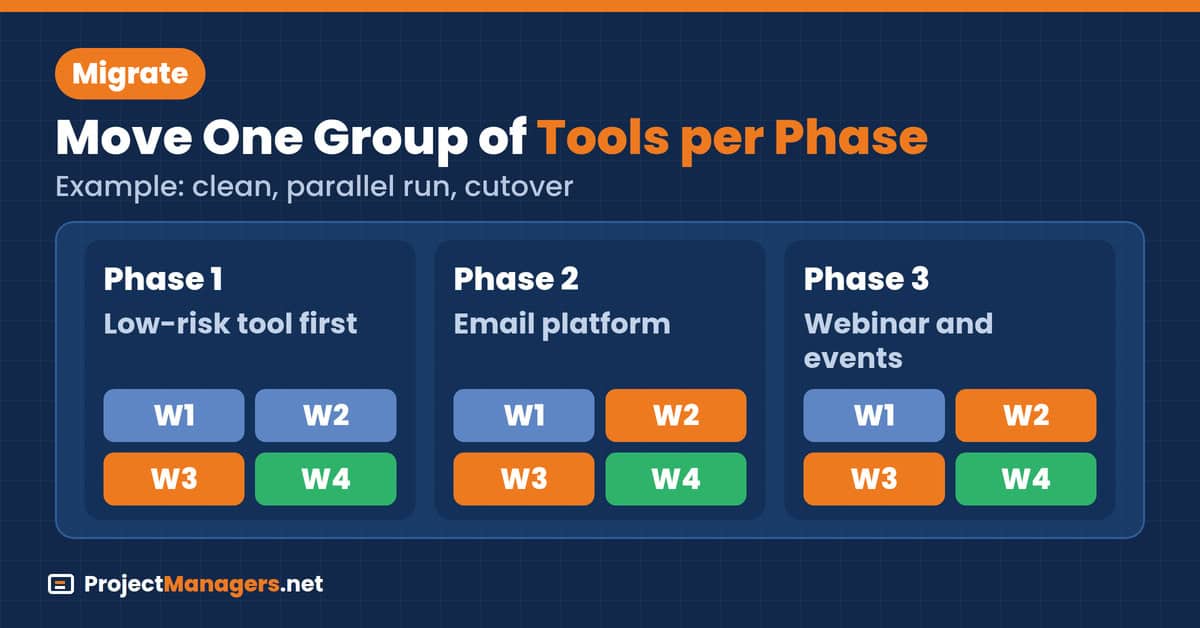
A phased migration limits how much of the project can break at once. Order the phases by contract end dates, so each move lands before a renewal, and start with a low-risk tool to test the process. In every phase, clean and map the data, run the old and new tools in parallel for a set period, and fix a cutover date everyone knows.
Each phase moves through the same four steps:
- Clean the Data: Remove duplicates, outdated contacts, and unused fields before export, so old problems are not copied into the new system.
- Map the Fields: Match every field, list, and consent flag in the old tool to its place in the new one, and agree on what happens to fields with no match.
- Run in Parallel: Keep both tools live for two to four weeks and compare outputs such as send counts and lead totals until they agree.
- Fixed Cutover Date: Switch off the old tool’s workflows, keep read-only access for reference, and cancel before the notice period ends.
Illustrative Scenario: A software company’s marketing team had survey, email, and webinar contracts ending in March, June, and September. It moved the survey tool first, since only two people used it, and found that consent flags did not map cleanly. Fixing the mapping template before the email phase kept the team from repeating that problem across 80,000 contact records.
Manage Consolidation Risks
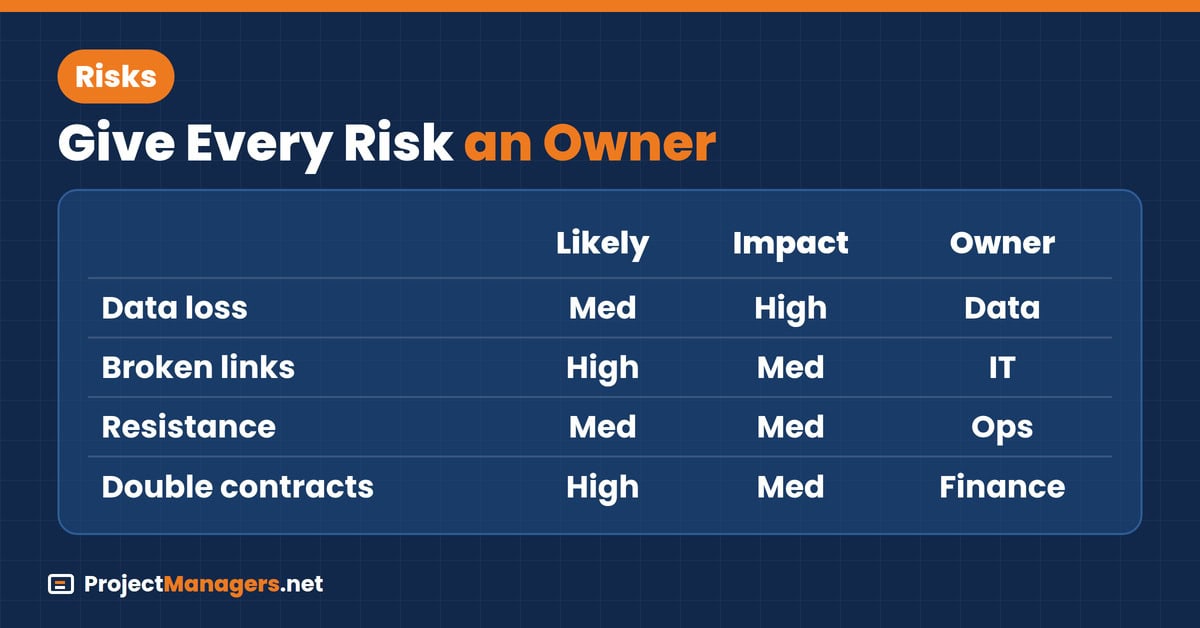
Most consolidation risks are predictable, which means they can be planned for. Data can be lost or corrupted during export, integrations break when a connected tool disappears, users resist losing a familiar app, and overlapping contracts mean paying for old and new systems at once. Log each risk with its likelihood, impact, owner, and response, then review the list at every project meeting.
A short risk register example for a consolidation project:
Sample Consolidation Risk Register
| Risk | Likelihood | Impact | Owner | Response |
|---|---|---|---|---|
| Data loss during migration | Medium | High | Data lead | Take a full backup before export, and check record counts after import. |
| Broken integrations | High | Medium | IT lead | Map every connection during the audit, and test each one in the parallel run. |
| User resistance | Medium | Medium | Marketing ops lead | Involve heavy users in scoring, and name a champion in each team. |
| Paying for overlapping contracts | High | Medium | Finance partner | Time cutovers to notice periods, and negotiate short extensions only where needed. |
Drive Adoption and Training
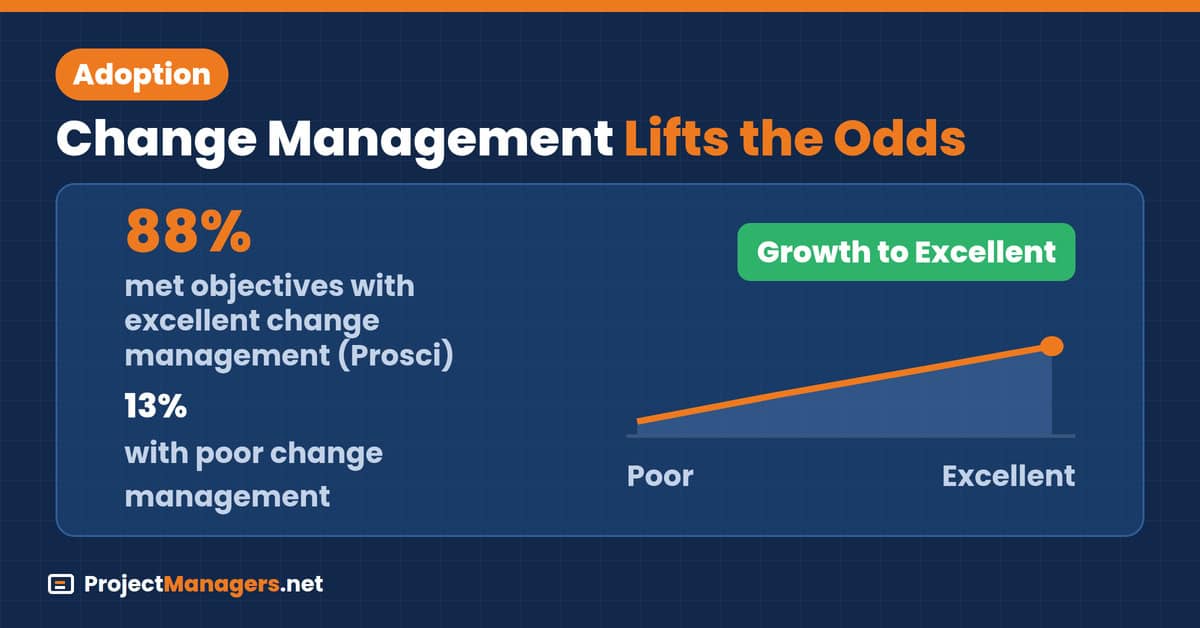
A new platform only pays off when people use it. Prosci’s research on change management found that 88% of projects with excellent change management met or exceeded their objectives, compared with 13% of those with poor change management. For a consolidation, plan the people side with the same care as the data migration, starting well before the first tool is switched off.
Three habits make adoption more likely:
- Champions in Each Team: Pick one respected user per team to test the new setup early, answer quick questions, and pass problems back to the project.
- Short Training Sessions: Run sessions of 30 to 45 minutes built around real tasks, such as building this month’s newsletter, instead of a full feature tour.
- Updated Process Documents: Rewrite the playbooks, request forms, and naming rules that mention old tools, so nobody follows steps for a system that is gone.
Illustrative Scenario: A marketing team moving five people from two email tools to one asked its most skeptical campaign manager to be the champion. That manager rebuilt the team’s monthly newsletter in the new platform first and recorded a ten-minute walkthrough. Questions about the switch dropped off after the second week of the project, and nobody asked to keep the old tool.
Measure Results After Go-Live
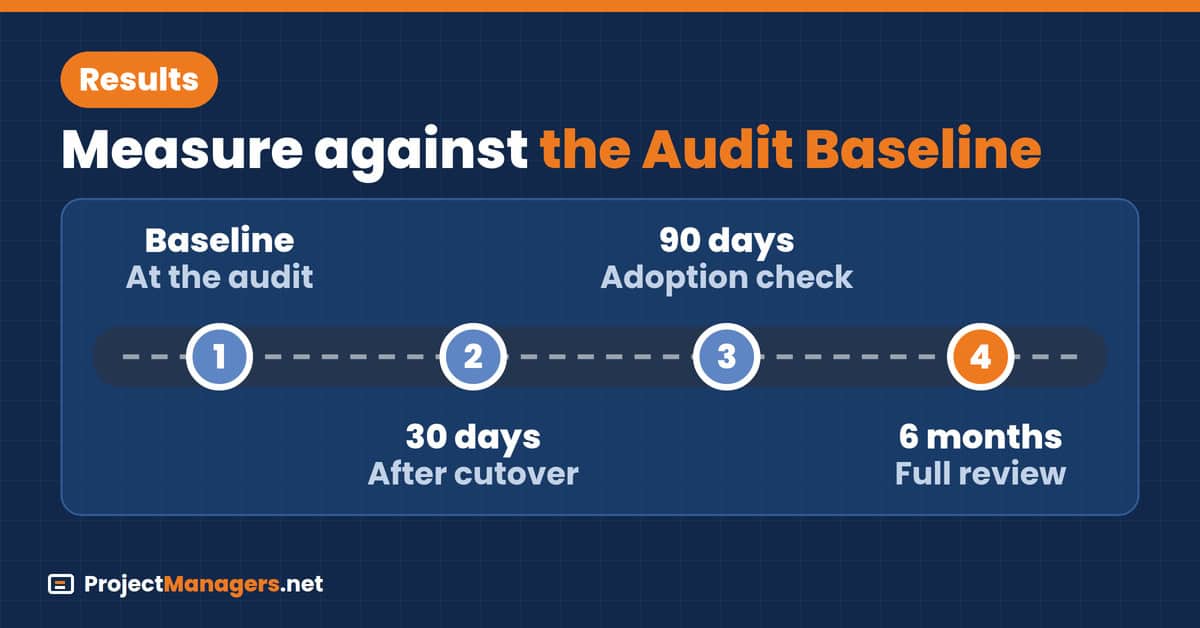
Measure results against the baseline taken during the audit, or the project’s value will be argued from memory. Track five numbers: the tool count, annual license savings, data accuracy, adoption of the new platform, and the time spent building reports. Check them 30 days after each cutover, again at 90 days, and in a full review at six months, then share them with sponsors.
Define each measure before go-live:
- Number of Tools: Paid tools in the stack today, compared with the count in the audit.
- License Savings: Annual cost of the cancelled contracts, minus new platform fees and one-time migration costs.
- Data Accuracy: The share of contact records with no duplicates and a valid consent status, sampled the same way each time.
- Adoption Rate: Weekly active users as a share of licensed users on the new platform.
- Reporting Time: Hours spent each month on the standard marketing report, as logged by the analysts who build it.
Martech Consolidation Cutover Checklist
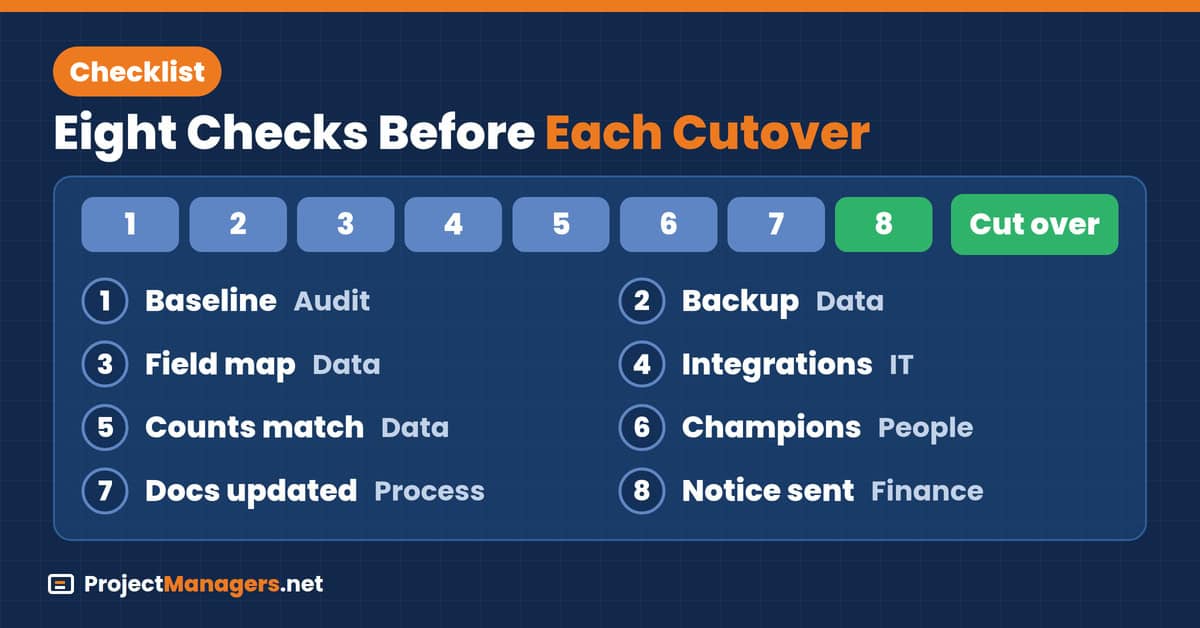
Work through these checks a week before each phase switches over, then once more on the cutover day itself. A tick should mean someone can show the proof, such as a backup file, a test log, or a cancellation notice. Any open item goes back to its owner with a closing date, and the project sponsor decides whether the switchover moves.
- Backups Make Mistakes Reversible: A tested export means a bad import can be undone instead of rebuilt by hand.
- Matching Counts Expose Silent Gaps: Comparing totals helps catch contacts or consent flags that failed to transfer.
- Timely Notices Avoid Double Billing: Sending the cancellation on time reduces the chance of paying for two tools for another year.
Video: A Three-Year CRM Consolidation, Step by Step
Optimove published this 18-minute session from its Connect 2026 event in March 2026. Mark Wilson, group head of marketing technology at Lottoland, walks through a three-year project that pulled duplicate tools around one CRM platform. Wilson reports campaign setup dropping from 64 touchpoints to 8 and about 300 hours of CRM time saved each month, and advises teams to expect delays.
From 64 Touchpoints to 8 and €1M Saved | Lottoland | Optimove Connect 2026 (Optimove, 17:48)
A case study of a three-year martech consolidation: mapping the old stack, choosing one CRM core, and migrating channels and data streams in stages.
Martech Stack Consolidation FAQs
Martech Stack Consolidation FAQs
How Long Does a Martech Consolidation Project Take?
Contract end dates and notice periods set most of the timeline, because tools are best retired at renewal. A small stack can move in one or two phases, while a large one often runs over a year in several phases. The Lottoland consolidation in the video took three years.
Who Should Own the Martech Stack?
One accountable owner, usually the head of marketing operations or a martech lead, should own the stack as a whole, including the tool list, budget, and integration map. IT, finance, and security stay involved, and every tool also needs a named business owner.
How Do You Avoid Losing Data During Migration?
Take a full backup before export, clean and map the fields first, and migrate a test batch. Compare record counts and consent flags after import, and keep the old tool read-only until the parallel run confirms the new one is complete.
What Is a Martech Stack Consolidation Project?
It is a planned effort to reduce the number of marketing tools, merge the ones that overlap, and connect the rest around shared customer data. Like any project, it has a scope, owners, a timeline, a budget, and a risk register.
How Many Tools Should a Marketing Team Cut?
There is no target number. Cut tools that score low on usage, integration, and cost, and merge tools that do the same job. The aim is a stack where data moves between systems, not the shortest possible list.
When Is the Best Time to Retire a Martech Tool?
Shortly before its contract renews, once the replacement has run in parallel and passed its checks. Read the notice period early, since many contracts require written notice weeks or months before the renewal date.
How Do You Measure Martech Consolidation Success?
Compare five measures with the audit baseline: number of tools, license savings, data accuracy, adoption rate, and time spent on reporting. Check them 30 days after each cutover and in a fuller review at six months.
Conclusion
A consolidation that begins with a vendor demo tends to swap one tangle of tools for another. The efforts that hold up start with an audit and a charter, give every decision one accountable owner, and move tools in phases timed to contract dates. Run that way, consolidation becomes a project with milestones and a risk register, not a purchasing exercise that ends at signature.
If several renewals fall in the next two quarters, build the audit table and the RACI this month, since both take days rather than weeks and both expose decisions nobody has made yet. Then score the tools, set the first cutover before the earliest notice deadline, and run the cutover checklist before every switch, including the final one.
Suggested Articles:
- API Security in Marketing Tech Stacks: A Project Manager’s Guide
- How to Run a CRM Automation Project: Fixing Lead Intake Before It Costs You Deals
- The Pros and Cons of ERP Integration in Project Management

Peter Kanai is a Google-certified freelance writer with over a decade of experience crafting high-quality content for business websites, blogs, and SEO & email marketing campaigns. His on-demand writing services are all about helping businesses expand their online presence and achieve their objectives. With a proven track record in delivering results-driven content, Peter is the go-to freelance writer for business owners seeking a strategic partner to help them grow their brand online.