
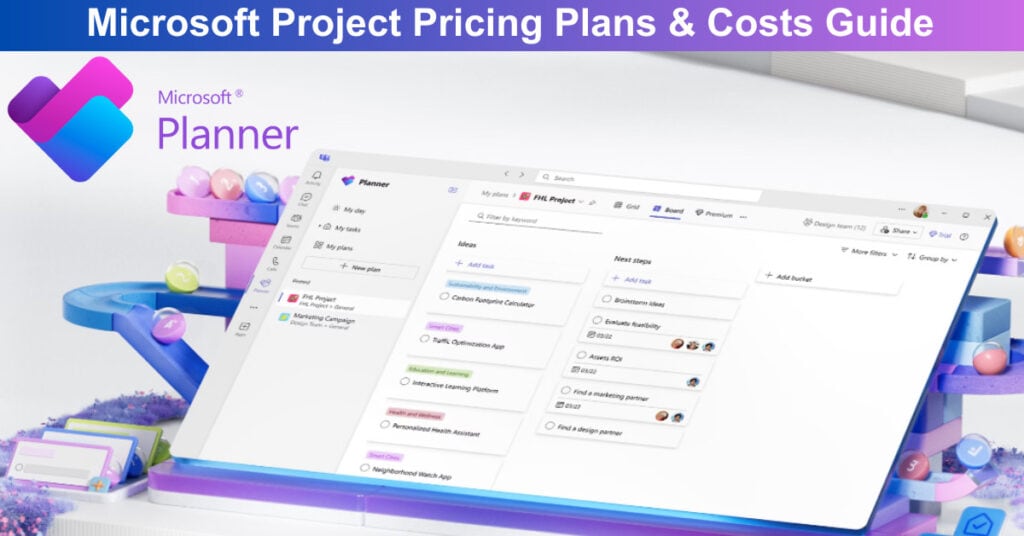
Microsoft Planner (formerly Microsoft Project) is the new, unified work management solution from Microsoft, bringing together To Do, Planner (the basic one), and Project for the web into a single, intelligent experience. It helps users manage tasks, plans, and complex projects, leveraging deep integration with Microsoft 365 and AI-powered tools. This consolidation represents a significant shift in Microsoft’s project management strategy, streamlining what were previously separate tools into one cohesive platform.
The transition aims to reduce complexity for users while maintaining the distinct capabilities that made each individual tool valuable, creating a more seamless workflow across different project management needs.
Key Updates for 2026:
- Product Unification: The tools are now centered around Microsoft Planner. The subscription plans previously known as Project Plan 1, 3, and 5 have been rebranded to Planner Plan 1, Planner, Project Plan 3, and Planner and Project Plan 5.
- AI Integration: The Project Manager Agent and Facilitator (AI-powered assistants) are being rolled out, enabling automated task creation from Teams meetings, AI-powered workback plans, and Planner data-enriched status reports. (Note: A Microsoft 365 Copilot license is required for most advanced AI features.)
- Compliance Features: New capabilities like Microsoft Information Protection (MIP) label support and eDiscovery for Roster plans are being implemented to meet enterprise-level security and compliance needs.
- On-Premise Version Update: The perpetual desktop licenses are now the 2024 versions: Project Standard 2024 and Project Professional 2024. Prices remain the same as the previous 2021 versions. Organizations managing multiple subscriptions and perpetual licenses often rely on Microsoft licensing services to ensure proper compliance, cost optimization, and efficient license administration across their environments.
Microsoft Planner offers cloud-based subscription solutions and maintains on-premise desktop licenses. This guide details the pricing and functionalities for both. If Microsoft Planner exceeds your budget, consider AceProject as an alternative. AceProject offers cost savings with pricing that isn’t based on user count, making it a more economical choice for budget-conscious teams.
How Much Does MS Project Cost?
Microsoft offers a simple and tiered approach to its work management solutions, with costs based on the complexity and scope of the features required. Companies interested in the paid subscription plans (Planner Plan 1 and Planner and Project Plan 3) can experience the system with a one-month free trial before committing to a subscription. Microsoft provides four distinct subscription levels:
- Planner in Microsoft 365 (Included in M365 Enterprise Plans): This plan offers basic task and plan management, including Grid, Board, Schedule, and Charts views, along with seamless Teams integration.
- Planner Plan 1 ($10.00 per user per month, billed yearly): Includes all M365 features, plus the Timeline (Gantt) view, task dependencies, backlogs/sprints, and project goals. One mistake companies make with software pricing is comparing plans only by feature count,” explains Richard Huang, CEO and founder of ReframeSpace.com. The more expensive plan is not automatically the better investment.
- Planner and Project Plan 3 ($30.00 per user per month, billed yearly): Includes Plan 1 features, plus the Project desktop client, Roadmaps, Baselines, Resource Request, and Copilot in Planner (preview).
- Planner and Project Plan 5 ($55.00 per user per month, billed yearly): Includes Plan 3 features, plus Portfolio Management, Enterprise Resource Management, and Advanced Portfolio Analysis.
Planner in Microsoft 365 (Included in M365 Enterprise)
This foundational offering is automatically included within existing Microsoft 365 Enterprise subscriptions, providing a powerful, accessible starting point for everyday work management and collaborative task planning across teams. Users can sign in directly to the Planner application within Microsoft Teams or access it conveniently via the web browser, making it ideal for standard, collaborative task tracking without needing specialized project tools. It’s perfect for organizations looking to streamline basic teamwork and simple plan execution immediately.
Planner in Microsoft 365 includes:
- Real-Time Collaboration, Commenting, and Sharing: Users can work together seamlessly, adding comments and sharing updates directly within the Planner app in Teams or the web, ensuring everyone is aligned on task progress and details as changes occur. This real-time visibility is key to maintaining momentum and efficient communication.
- Creation and Management of Content-Rich Tasks: Tasks are enhanced beyond simple names, supporting file attachments, detailed checklists, and customizable labels. This ensures that every task contains all necessary information and context for efficient completion by team members, reducing the need to search elsewhere for details.
- Tasks Organized by My Day, My Tasks, and Assigned to Me: A personalized organization system helps users prioritize their work effectively. This feature ensures individuals can quickly access tasks relevant to their daily focus and easily track all their assigned responsibilities, improving individual productivity and clarity.
- Basic Plan Templates: Provides simple, pre-structured plan layouts for common project types and team tasks. These templates enable quick setup for basic initiatives, reducing manual configuration time and helping teams start organizing their work immediately and consistently without complex planning tools.
- Ability to View Reports and Dashboards: Provides basic functionality to monitor plan progress and key metrics. This visibility into team activity and task completion rates helps managers identify potential bottlenecks and quickly assess the health of ongoing projects, supporting timely interventions.
- Grid, Board, Schedule, and Charts Views: Users benefit from multiple visual representations of their plans. These different views enable team members to choose the best way to visualize workflow progress, manage timelines, and analyze overall project status at a glance, catering to different management styles.
- Ability to View Task Dependencies: Offers a fundamental capability to see which tasks are linked to others, showing a basic relationship structure. This is a simple visual aid to help teams understand the sequence of work, which is important for coordinating tasks effectively within a plan.
- Security, Compliance, Data Privacy, and Support: This plan is backed by Microsoft 365’s enterprise-level security protocols and compliance standards. It includes robust data privacy measures and access to standard Microsoft 365 customer support channels, ensuring a reliable and secure environment for all basic planning activities.
Planner Plan 1 ($10.00 per user per month, billed yearly)
The Planner Plan 1 (formerly Project Plan 1) is a significant upgrade from the basic M365 inclusion, targeting small to expanding teams who require more sophisticated project execution. This subscription is built for professionals who need effective planning tools to manage complex workflows and dependencies. It introduces key views and functionalities for Agile methodologies, such as Sprints and Backlogs. This robust layer of features allows users to effectively track, report on, and meet their organizational project goals efficiently and with greater control.
Planner Plan 1 includes:
- Creation and Management of Content-Rich Tasks: Tasks are enhanced beyond simple names, supporting file attachments, detailed checklists, and customizable labels. This ensures that every task contains all necessary information and context for efficient completion by team members, reducing the need to search elsewhere for details.
- Project Goals: Enables teams to define, track, and measure high-level project objectives directly within the planning tool. This ensures all individual tasks contribute clearly to the overall desired business outcome, maintaining focus and alignment across the project team and organizational strategy.
- Backlogs and Sprints: Supports Agile project management methodologies by enabling teams to organize work into prioritized backlogs and defined time-boxed sprints. This framework helps teams manage iterative development cycles and adapt quickly to changing requirements, promoting flexibility and focus.
- Premium Plan Templates: Access to a wider range of pre-built, complex project structures and frameworks. These templates accelerate project setup by providing proven outlines for common project types, reducing manual configuration time significantly and promoting best-practice project initiation.
- Ability to Build Reports and Dashboards: Provides enhanced functionality to generate customized reports and detailed dashboards. This capability allows teams to track and analyze project performance metrics more deeply, offering greater control over data visualization and health assessment than the M365 viewing-only option.
- Grid, Board, Timeline (Gantt), and Charts Views: These advanced views, including the critical Gantt chart, display project schedules visually over a timeline, showing start and end dates and the sequential connections between tasks. It is essential for managing project phasing and ensuring time constraints are strictly adhered to.
- Task Dependencies: Allows users to link tasks together so that one task cannot start or finish until another is completed. This critical functionality ensures logical workflow sequencing and helps prevent scheduling conflicts and delays in complex multi-stage projects, maintaining overall project flow.
- Customization and Integration: Offers enhanced options to tailor the Planner experience to specific team needs and integrate with other services. This flexibility allows the tool to fit more seamlessly into existing organizational workflows, boosting efficiency and overall user acceptance.
- Security, Compliance, Data Privacy, and Support: All planning operations are secured with Microsoft 365’s foundational enterprise security and compliance frameworks. Users receive comprehensive data privacy assurance and access to Microsoft 365 customer support, establishing a trustworthy and compliant platform for project execution.
Planner and Project Plan 3 ($30.00 per user per month, billed yearly)
Stepping up to the Planner and Project Plan 3 (formerly Project Plan 3) brings true advanced project management capabilities into the mix, suitable for project managers and larger teams handling enterprise-level initiatives. This plan bundles the specialized power of the classic Project desktop client and Project Online access. It enables detailed planning, cost tracking, and resource allocation. This makes it an indispensable tool for structured project environments that require comprehensive control and sophisticated execution techniques for successful delivery.
Includes everything in Planner Plan 1, plus:
- Task History: Provides a detailed audit log of every change made to a task over its lifecycle. This history is crucial for accountability and troubleshooting, allowing project managers to review modifications, track progress updates, and understand task evolution clearly over time.
- Roadmaps: Enables executives and program managers to create high-level, visual summaries of multiple related projects. This feature provides a cross-project view of milestones and progress, facilitating strategic communication and portfolio visibility across organizational departments effectively and clearly.
- Baselines and Critical Path: Allows users to save the initial planned schedule (baseline) and identify the sequence of tasks that determines the earliest completion date (critical path). This is crucial for tracking schedule variance and focusing on time-sensitive tasks to mitigate risk effectively.
- Resources Request Capabilities: Provides tools for formally requesting, managing, and assigning human and material resources across projects. This ensures that resources are not over-allocated and that project managers have the necessary support to execute their plans effectively within budget constraints.
- Program Management: Offers tools and views designed for coordinating and overseeing multiple related projects as a collective program. This capability facilitates strategic alignment and resource optimization across a suite of interconnected initiatives, ensuring unified business goal achievement across the organization.
- Project Financials, Budgeting, and Costing: Includes dedicated tools for tracking and managing project expenditures. This enables detailed budget creation, cost reporting, and financial oversight, ensuring projects remain economically viable and providing accurate financial forecasting to stakeholders.
- Advanced Dependencies with Lead and Lag: Extends basic task linking by allowing users to define time offsets (lead/lag) between dependent tasks. This sophisticated scheduling control is necessary for fine-tuning complex project timelines where tasks must overlap or have waiting periods.
- Project Desktop: Grants access to the fully featured, classic Microsoft Project client application. This powerful software offers the most granular control over scheduling, resource leveling, and detailed reporting for seasoned project management professionals, supporting complex calculations and analysis.
- Project Online: Provides the web-based, cloud-hosted platform for portfolio and project management. This service complements the Project Desktop client, enabling accessibility, collaboration, and centralized data storage for all sophisticated project data and resource pools within the enterprise.
Planner and Project Plan 5 ($55.00 per user per month, billed yearly)
The top-tier Planner and Project Plan 5 (formerly Project Plan 5) is specifically engineered for executive and management teams responsible for the organization’s entire portfolio of work. This premium plan integrates all features from Plan 3 while adding strategic management tools. Its core focus is on optimizing resource allocation across multiple projects and providing advanced analysis to ensure all initiatives align with corporate objectives. This holistic perspective is crucial for driving high-level, business-wide strategic decision-making and project prioritization at the executive level.
Includes everything in Planner and Project Plan 3, plus:
- Advanced Portfolio Management: Offers tools to analyze, prioritize, and select optimal projects from a list of potential initiatives based on strategic drivers and constraints. This capability is essential for executive decision-making, allowing leaders to maximize return on investment across all work by focusing on the most valuable projects.
- Enterprise Resource Management and Allocation: Provides a centralized, high-level view of all organizational resources across all programs and projects. This allows managers to strategically allocate personnel, skills, and equipment to maximize utilization and balance workloads across the entire enterprise efficiently and fairly.
Conclusion
Choosing the right Planner tier comes down to scale and the level of control your projects demand. If your team just needs simple boards with tight Teams integration, the built-in M365 version gets the job done. Once you’re dealing with structured workflows, dependencies, and Agile sprints, Plan 1 becomes the sensible upgrade thanks to features like Gantt charts and goal tracking. For enterprises juggling multiple projects, resources, and budgets, the jump to Plan 3 or Plan 5 is strategic—not optional.
Plan 3 introduces the Project desktop client and deeper financial oversight, while Plan 5 gives leaders the enterprise-wide resource and portfolio intelligence needed to steer major initiatives. And don’t forget: the one-month trial for paid plans is the easiest way to gauge what truly matches your current and future workload. If you want a clearer picture before committing, check out our Microsoft Planner Pros and Cons article to see whether it genuinely fits your business needs.
Suggested articles:
- Xero Pricing Plans & Costs Guide
- Scoro Pricing Plans & Costs Guide
- Redbooth Pricing Plans & Costs Guide

Daniel Raymond, a project manager with over 20 years of experience, is the former CEO of a successful software company called Websystems. With a strong background in managing complex projects, he applied his expertise to develop AceProject.com and Bridge24.com, innovative project management tools designed to streamline processes and improve productivity. Throughout his career, Daniel has consistently demonstrated a commitment to excellence and a passion for empowering teams to achieve their goals.
Great breakdown of the different pricing plans for Microsoft Project! It’s really helpful to see how each option stacks up against the others. I appreciate the clarity on which plan might be best for different needs. Thanks for the detailed guide!
Great overview of Microsoft Project pricing! I appreciate the detailed breakdown of the different plans and costs. It’s really helpful to understand the features included in each option, especially for teams deciding on the best fit for their needs. Thanks for sharing!