
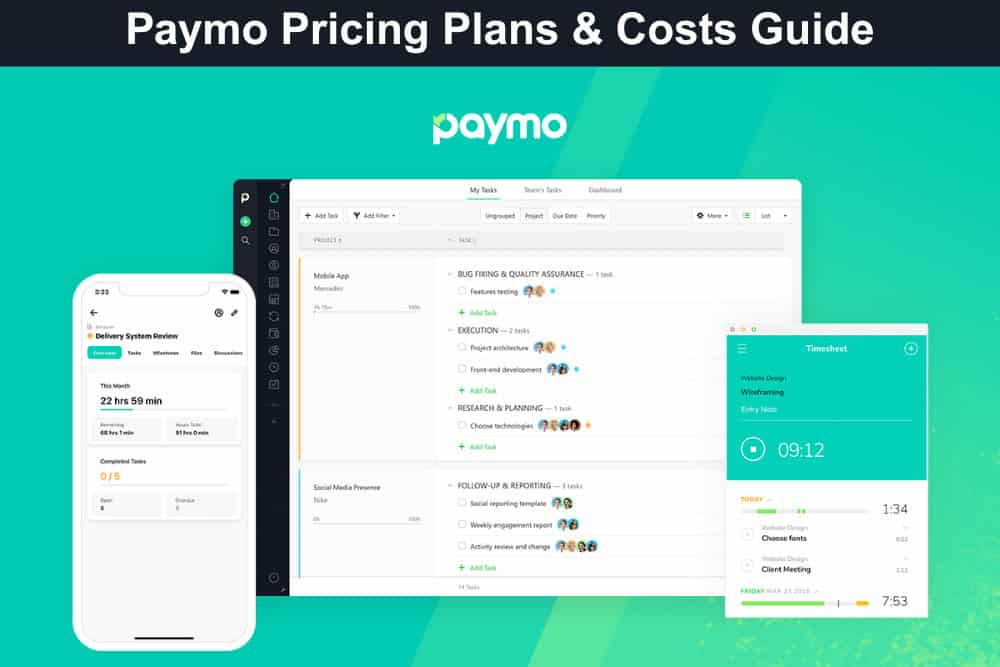
When you’re running a small business, every minute and every dollar counts, and that’s exactly where Paymo steps in. Paymo is an all-in-one time tracking, project management, and invoicing software designed for small teams, freelancers, and agencies that need to manage projects, track billable hours, and send invoices, all without breaking the bank. From real-time time tracking and task management to client invoicing and profitability insights, Paymo helps you stay organised, eliminate busywork, and ensure you’re getting paid for every bit of work your team delivers.
With mobile access, integrations, and reporting tools, it provides total visibility across projects and performance from anywhere. In this guide, you’ll learn exactly how much Paymo costs, what each plan includes, and which option best fits your business goals.
How Much Does Paymo Cost?
Understanding how much Paymo costs helps you choose a plan that fits your budget while giving you the right mix of tools for time tracking, project management, and invoicing. With four flexible pricing tiers, including a robust Free Plan, Paymo ensures that both freelancers and growing teams can find an option that suits their workflow. You can also save up to 40% by paying annually, and every plan comes with a free trial and no credit card requirement.
Here’s a quick breakdown of Paymo’s plans:
- Free Plan ($0/month – 1 user): Ideal for freelancers or solo professionals who need basic time tracking and task management. Includes unlimited time tracking and invoices, up to 2 projects, 1 client, and 1GB of storage.
- Solo Plan ($5.9/user/month annual or $9.9 monthly – 1 user): Perfect for independent consultants managing multiple small projects. Adds flat-rate and retainer projects, Kanban and calendar task views, guest access, and 5GB of storage.
- Plus Plan ($10.9/user/month annual or $15.9 monthly): Designed for small teams needing advanced collaboration. Includes recurring tasks, timesheet reports, project profitability tracking, integrations, and 50GB of storage.
- Pro Plan ($16.9/user/month annual or $23.9 monthly): Best for growing businesses that manage complex projects and teams. Adds Gantt charts, workload management, leave tracking, and priority support, plus 500GB of storage.
For teams seeking a more cost-effective solution, consider AceProject. Unlike many competitors, AceProject’s pricing structure is not based on a per-user model, which results in significant cost savings as your team scales.
Paymo Free Plan ($0/month – 1 user)
If you’re a freelancer or small business owner just starting to organise your workflow, the Paymo Free Plan offers the essential tools to manage projects, track time, and send invoices, completely free. It’s perfect for testing Paymo’s functionality while keeping your operations lean. Here’s what you get with the Free Plan:
Included in the Free plan:
- Unlimited Time Tracking: Track your work hours across all projects without limits. This helps you stay organised, understand how your time is spent, and create accurate records for billing or productivity analysis.
- Unlimited Invoices: Generate and send professional invoices directly from Paymo. With no cap on invoice numbers, you can handle ongoing work smoothly and ensure consistent cash flow for every completed task or project.
- Clients (Limited to 1): Manage one active client effectively — ideal for freelancers focusing on a single partnership or retainer project. This keeps your communication, invoices, and project progress all in one organised space.
- Projects (Limited to 2): Create and manage up to two simultaneous projects. This structure lets you focus on quality delivery while experimenting with Paymo’s project tracking and task management capabilities.
- Unlimited Tasks: Add as many tasks as you need within your projects. This flexibility helps you break down complex goals into smaller, actionable steps and monitor progress efficiently.
- Task List View: Keep your workflow clear and structured through the task list interface. It gives you a simple, at-a-glance view of everything that needs attention today or in the week ahead.
- Desktop & Mobile Apps: Use Paymo seamlessly across desktop and mobile devices. You can log hours, update tasks, and manage projects from anywhere, whether you’re in the office or on-site.
- 1GB Storage: Safely store project files, invoices, or key documents. With 1GB of space, you can keep essential resources at your fingertips without clutter or confusion.
Paymo Solo Plan ($5.9/user/month annual)
If you’re an independent consultant or freelancer managing multiple clients, the Paymo Solo Plan gives you the flexibility and control to handle diverse projects efficiently. It’s designed for solo professionals who want advanced task views, client management, and support — all at an affordable price. Here’s what you get with the Solo Plan:
Everything in Free plus:
- Flat Rate Projects: Set a fixed price for your projects to simplify billing and budgeting. This helps you avoid hourly confusion and clearly communicate costs to your clients upfront.
- Retainer Projects: Manage ongoing client work under retainers. This feature makes it easy to track hours, measure value delivered, and ensure consistent, predictable income over time.
- Clients (Limited to 3): Expand your client base to handle up to three active relationships simultaneously. It’s perfect for freelancers juggling multiple ongoing projects or recurring partnerships.
- Projects (Limited to 5): Run up to five projects at once to manage a wider variety of work without losing oversight. Ideal for balancing smaller projects or different service types.
- Task Calendar View: Visualise your deadlines on a calendar to better plan workloads and avoid overcommitment. It helps you manage due dates and stay on schedule effortlessly.
- Task Kanban View: See your workflow in an interactive Kanban board. Move tasks through stages, track progress visually, and identify bottlenecks instantly to stay productive.
- Guest Access: Invite clients or collaborators to view project updates. This enhances transparency, reduces status calls, and improves trust between you and your clients.
- In-App Tech Support: Access direct technical assistance from within Paymo whenever you need it. This ensures you get quick solutions without interrupting your workflow.
- 5GB Storage: Store more project files, documents, and invoices securely. With five times more space than the Free Plan, you’ll have room for detailed project assets and records.
Paymo Plus Plan ($10.9/user/month annual)
If you’re part of a growing team or managing multiple ongoing projects, the Paymo Plus Plan gives you the professional-grade tools to streamline collaboration, automate workflows, and track profitability in real time. It’s ideal for small agencies, consultancies, and creative studios that need deeper control over projects, reporting, and finances — without breaking the bank. Here’s what’s included:
Everything in Solo plus:
- Task Spreadsheet View: Organize and manage tasks in a familiar spreadsheet-style layout. Quickly edit multiple tasks, filter data, and maintain total visibility across project activities.
- Meta Kanban Board: Get an overview of all tasks across projects in one place. This board helps identify team bottlenecks and improve resource allocation for smoother operations.
- Recurring Tasks: Automate repetitive workflows by setting tasks to recur on a schedule. Ideal for maintenance work, monthly reporting, or client retainer deliverables.
- Bulk Time Entries: Log multiple time entries at once to save valuable admin time. This ensures accurate time tracking across multiple projects and team members.
- Active Timers: Run multiple timers simultaneously to switch between projects seamlessly. Perfect for multitaskers who juggle several clients or tasks daily.
- Timesheet Reports: Generate detailed timesheet reports to analyze team productivity, project timelines, and billing accuracy. Easily share insights with clients or internal stakeholders.
- Project Templates: Save time by reusing successful project structures. Templates allow you to replicate workflows, milestones, and task lists for faster project setup.
- Project Profitability: Track revenue and expenses to measure how profitable each project truly is. Identify where you’re earning most — and where margins can improve.
- Proofing & Versioning: Simplify creative reviews with built-in proofing tools. Manage feedback, compare versions, and maintain a clear revision history for client deliverables.
- Recurring Invoices: Automate client billing with recurring invoices for retainers or long-term contracts. Ensure timely payments without manual follow-ups.
- Estimates & Expenses: Create accurate project estimates, track ongoing expenses, and seamlessly convert approved quotes into invoices for smoother financial management.
- Integrations & API Access: Connect Paymo to your favorite tools like Slack, QuickBooks, or Zapier. Streamline data flow and extend functionality to fit your business stack.
- 50GB Storage: Get ample storage space for files, invoices, and project assets. This ensures every document is securely stored and easy to access when you need it.
Paymo Pro Plan ($16.9/user/month annual)
For established teams and agencies managing multiple projects, clients, and staff, the Paymo Pro Plan delivers advanced scheduling, workload management, and project control capabilities. It’s built for organizations that need precision, oversight, and scalability—ensuring teams stay productive, projects stay profitable, and operations run smoothly. Here’s what you get with the Pro Plan:
Everything in the Plus plan plus:
- Task Gantt Chart View: Visualize project timelines with interactive Gantt charts. Easily manage task dependencies, adjust schedules, and maintain clarity across complex projects.
- Task Dependencies: Link related tasks to create logical workflows. Automatic updates help you adjust schedules quickly when one task’s timing impacts others.
- Portfolio Gantt Chart: See all your projects in one panoramic timeline. Monitor deadlines, track interdependencies, and prioritize resources for maximum efficiency.
- Employee Scheduling & Workload: Balance workloads across your entire team. Assign tasks based on availability, prevent burnout, and ensure even distribution of work hours.
- Project Schedule Timeline: Plan your projects more strategically with a visual timeline that highlights task overlaps, team availability, and delivery milestones.
- Timesheet Approvals: Implement a structured review process for submitted timesheets. Managers can verify logged hours for accuracy before approving billing or payroll.
- Automatic Ghost Bookings: Optimize resource forecasting with ghost bookings that represent potential work. Perfect for anticipating workload before contracts are finalized.
- Employee Leave Management: Track vacations, sick leave, and days off in one system. Automatically adjust schedules to maintain project momentum while respecting team availability.
- Priority Support: Get faster, dedicated help from Paymo’s support team. Receive prompt solutions and personalized assistance to keep your operations running seamlessly.
- Online Remote Assistance: Access one-on-one remote sessions with Paymo experts for setup help, troubleshooting, or optimization advice tailored to your team’s workflow.
- 500GB Storage: Enjoy vast storage space for all your project files, invoices, and assets. Ideal for teams handling large media files or extensive client documentation.
Conclusion
Paymo stands out as a versatile and affordable project management platform designed to help freelancers, small businesses, and growing teams manage every stage of their work—from time tracking and task organization to invoicing and profitability reporting. With flexible pricing tiers and scalable functionality, it offers just the right balance of simplicity and sophistication for teams of all sizes.
Whether you’re managing solo projects, running a creative studio, or leading a distributed agency, Paymo adapts to your workflow while helping you stay productive and financially on track. Before committing to a plan, take advantage of the free trial to explore its tools in action, and don’t forget to read our Paymo Pros and Cons to decide if it’s the perfect fit for your business.
Suggested articles:
- Scoro Pricing Plans & Costs Guide
- Nutcache Pricing Plans & Costs Guide
- Redbooth Pricing Plans & Costs Guide

Daniel Raymond, a project manager with over 20 years of experience, is the former CEO of a successful software company called Websystems. With a strong background in managing complex projects, he applied his expertise to develop AceProject.com and Bridge24.com, innovative project management tools designed to streamline processes and improve productivity. Throughout his career, Daniel has consistently demonstrated a commitment to excellence and a passion for empowering teams to achieve their goals.