
A perceptual map is a simple chart that shows how customers or stakeholders see competing products, vendors or options on two attributes, such as price and ease of use. For a project manager, it turns a vague question (“how are we seen?”) into a picture the whole project team can read in a minute. This page gives you 11 free perceptual map templates for Excel, Word and online whiteboards, a free online builder, and a 5-step guide with a worked project example.
- Perception, not specs: a perceptual map plots how customers or stakeholders see competing options on two attributes, even when that view differs from the facts.
- Five steps: define the decision, choose two independent attributes, list the real alternatives, collect scores from 1 to 10, then plot and read the map.
- Four signals: clusters, gaps, your closest rival and movement over time tell a project manager where the project stands and where it should aim.
- Survey before you decide: a map built on the project team’s opinion is only a hypothesis. Validate it with the audience before the project commits budget.
Project managers meet perceptual maps on product launch projects, rebranding projects, market entry projects and vendor selections. In each case the project succeeds or fails on perception: a product that is better on paper can still be seen as complicated, expensive or old. The templates and the builder below help you capture that view, share it with the project sponsor and decide what the project should change.
What Is a Perceptual Map?
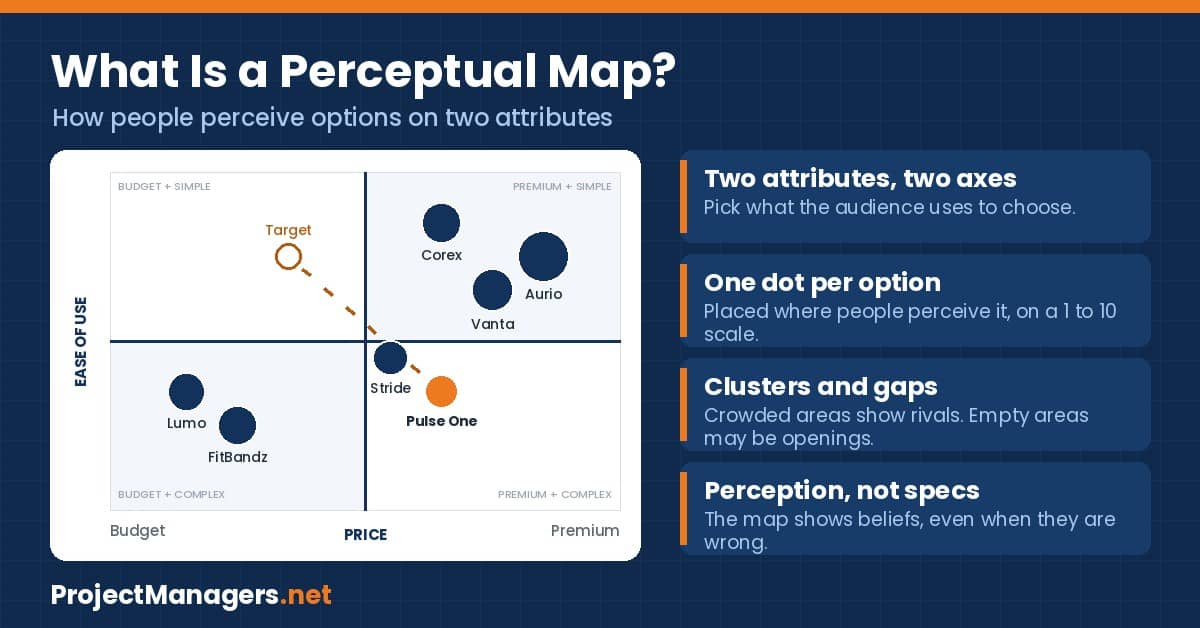
A perceptual map, also called a perceptual positioning map, is a two-axis chart. Each axis is one attribute that matters to the audience, each end of the axis is labeled (for example Budget and Premium), and each product, vendor or option is placed where people perceive it. Shopify describes the result as a snapshot of the impressions consumers hold about a product.
The key word is perception. The map does not show measured facts such as the list price or the number of features. It shows what the audience believes, which is what drives their choice. That is why a perceptual map is built from survey answers or interviews, and why a map drawn only from the project team’s opinion should be treated as a first draft.
A complete perceptual map has four parts:
- Two attributes: the criteria the audience uses to choose, one per axis.
- A scale: usually 1 to 10, with a label at each end.
- The options: your product or proposal and the alternatives people compare it with.
- The positions: the average score of each option on both attributes, sometimes with bubble size showing market share.
Shopify gives a simple example of why perception needs its own map. An Apple smart watch and a Timex Expedition watch were each on sale for $329, so a positioning map based on price puts the two watches on the same spot. No buyer sees them as the same product, and only a perceptual map shows that difference.
For a project manager, the lesson is to ask which map the project needs. If the project decision depends on facts, compare specifications. If it depends on how people will react, map perception.
Sources: Shopify, How to Use Perceptual Mapping.
Why Project Managers Use Perceptual Maps
Perceptual mapping started in marketing, but the technique fits any project where success depends on how people see the result. Project managers use it in five common situations:
- Product launch projects: to agree with the sponsor on the position the new product must win, and to check after launch whether the project delivered it.
- Rebranding and repositioning projects: to show the current position, the target position and the distance between them, which becomes the project scope.
- Vendor and software selection: to show how the project team perceives each shortlisted vendor before the formal scoring, for example when choosing project management software.
- Stakeholder work: to see how stakeholders perceive the project options or the PMO services, next to your stakeholder analysis.
- Business cases: to support the market section of a business case with one clear picture, next to a PESTLE analysis and a gap analysis.
The map earns its place in a project because it exposes a mismatch early. If the sponsor believes the product is seen as premium and simple, and buyers place it in the expensive and complicated corner, the project requirements are aimed at the wrong target.
PMI surveyed more than 2,000 project practitioners and business analysts about requirements. Poor requirements management turned out to be the primary cause in nearly half of the projects that missed their goals.
A perceptual map is not a requirements document, but it attacks the same problem. It checks that the project team and the audience describe the product in the same way before the project plan, the budget and the schedule are built around that description.
Sources: PMI, Requirements Management: A Core Competency and PMI survey summary.
Types of Perceptual Maps
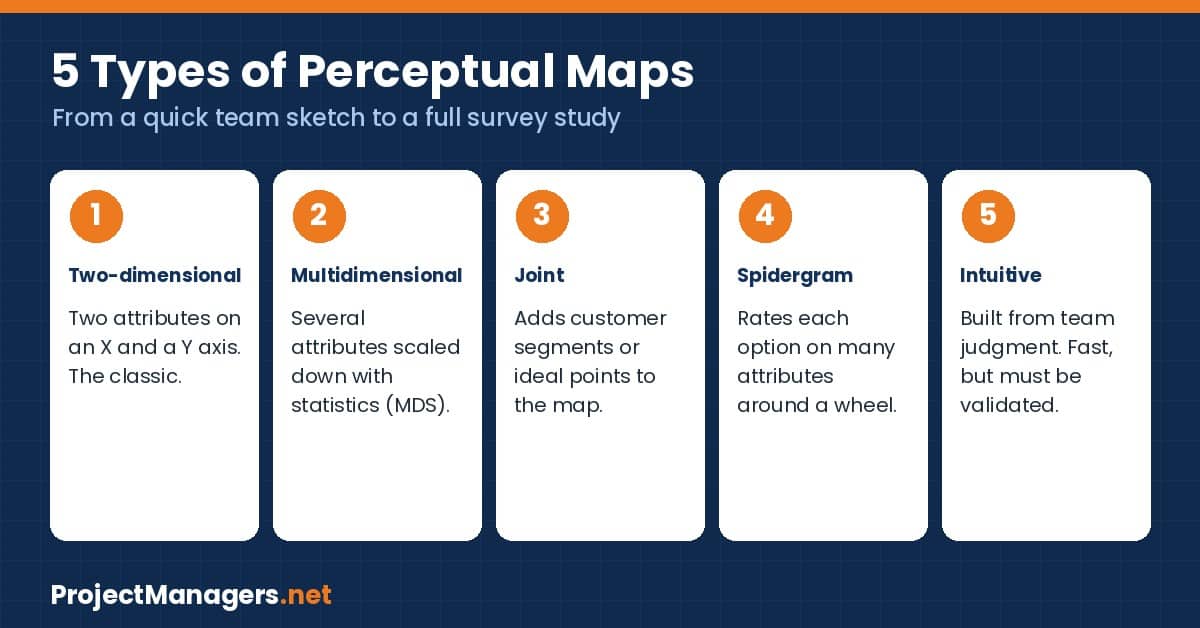
Marketing guides describe five main types of perceptual maps. A project manager will use the first and the last most often.
Two-Dimensional Perceptual Map
The classic map: two attributes, an X axis and a Y axis, and one dot per option. It is the easiest to build and to explain to a steering committee, and every template on this page supports it.
Multidimensional Perceptual Map
When more than two attributes matter, analysts collect ratings on many attributes and use statistics such as multidimensional scaling to reduce them to a map. The result is more robust, but the project needs survey data and an analyst to produce it.
Joint Perceptual Map
A joint map adds customer segments or ideal points to the two-dimensional map. It shows not only where the options sit, but also where each group of buyers would like them to be.
Spidergram
A spidergram, or radar chart, rates each option on several attributes around a wheel. It suits a comparison of two or three options on five to eight criteria.
Intuitive Perceptual Map
An intuitive map looks like a two-dimensional map, but the positions come from the judgment of the team instead of research. It is fast and useful to start a project discussion, as long as everyone knows it is a hypothesis.
Perceptual Map vs Positioning Map vs SWOT Analysis
Project managers often mix up perceptual maps with other 2 x 2 tools. The table shows what each one answers and when to use it on a project.
| Tool | What it shows | Data source | Use it when |
|---|---|---|---|
| Perceptual map | How the audience perceives the options on two attributes | Surveys and interviews (or a team estimate as a draft) | The project decision depends on how people see the result |
| Positioning map | Where the options sit on objective attributes such as price or features | Specifications, price lists, test results | The project compares facts, for example a technical vendor evaluation |
| SWOT analysis | Strengths, weaknesses, opportunities and threats of one option | Workshop with the project team and stakeholders | The project needs a broad strategic view before planning |
| Power-interest grid | Stakeholders by power and interest in the project | Stakeholder analysis | The project manager plans engagement, not market position |
A perceptual map and a positioning map can use the same axes. The difference is the source: perception in the first, measured facts in the second.
For the stakeholder side, see our project stakeholder management guide, which includes a free power-interest grid builder.
How to Create a Perceptual Map in 5 Steps
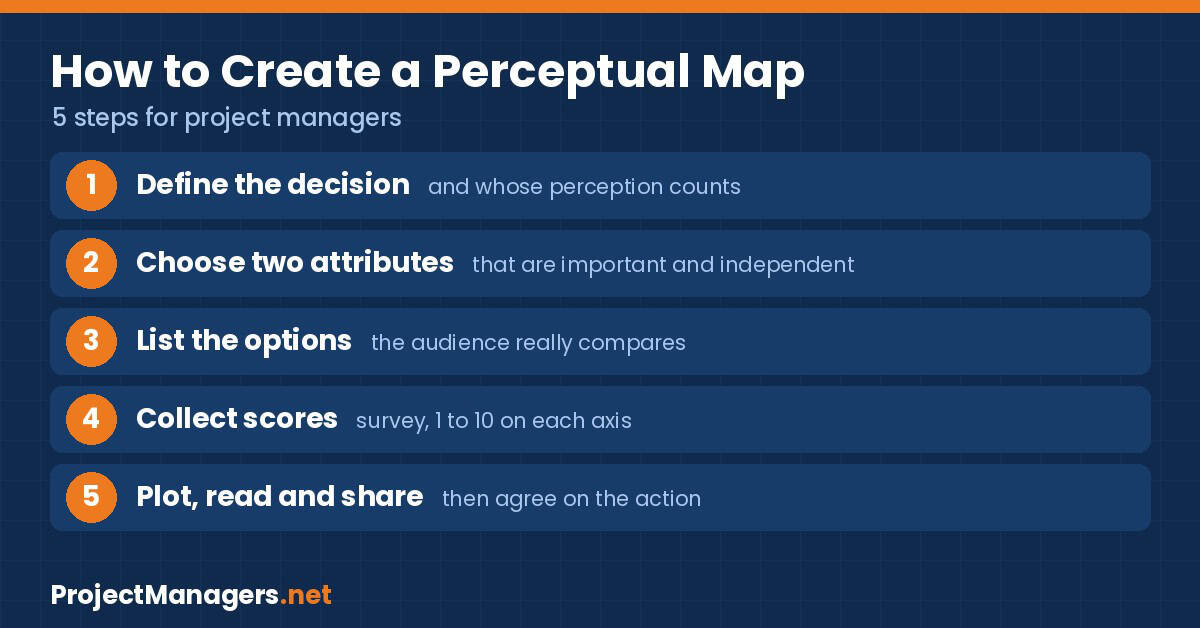
Before drawing a perceptual map, plan it like any other project deliverable: who needs it, for which decision, and by when. Then follow these five steps.
Step 1: Define the Decision and the Audience
Write down the decision the map will support, for example “which position should the relaunch project aim for?” Then name the audience whose perception counts: buyers, users, sponsors or another stakeholder group. A map for teenagers and a map for IT directors will look very different for the same product.
Step 2: Choose Two Attributes
Pick the two attributes the audience really uses to choose between the options. Ask a few customers or stakeholders first, in their own words. Good attributes are important to the audience, easy to rate, and independent from each other. Price and quality are the classic pair, but they usually rise together, so every option ends up on one diagonal line and the map says very little.
Step 3: List the Options
List your product or proposal and the alternatives the audience actually compares it with, including doing nothing. A short session with a brainstorming tool helps the project team build the list quickly. Five to ten options keep the map readable.
Step 4: Collect Perception Scores
Ask the audience to rate each option on each attribute, from 1 to 10, and use the average. A short online survey is enough for most projects. Record how many people answered, because the sample size tells readers how much weight the map can carry. If the project has no time for a survey, let the project team score the options, and label the map clearly as a team estimate.
Step 5: Plot, Read and Share
Plot each option at its two scores, mark your own, and add the target position if the project aims to move perception. Read the map with the four signals explained below, write down what it means for the project, and share it with the sponsor and the stakeholders. Then set a date to survey again, because perception changes as competitors and customers move.
Old Spice is a well-known repositioning case. The brand was seen as a product for older men while younger buyers moved to rivals. The agency Wieden+Kennedy reports that the campaign “The Man Your Man Could Smell Like”, launched online around the Super Bowl weekend in 2010, had a clear, measurable goal: raise body wash sales by 15%.
By May 2010, the agency reports, sales of Old Spice Red Zone Body Wash were 60% above the previous year. The takeaway for a project manager: a repositioning project needs a starting position, a target position and a number that shows whether perception really moved.
Perceptual Map Example: Product Launch Project
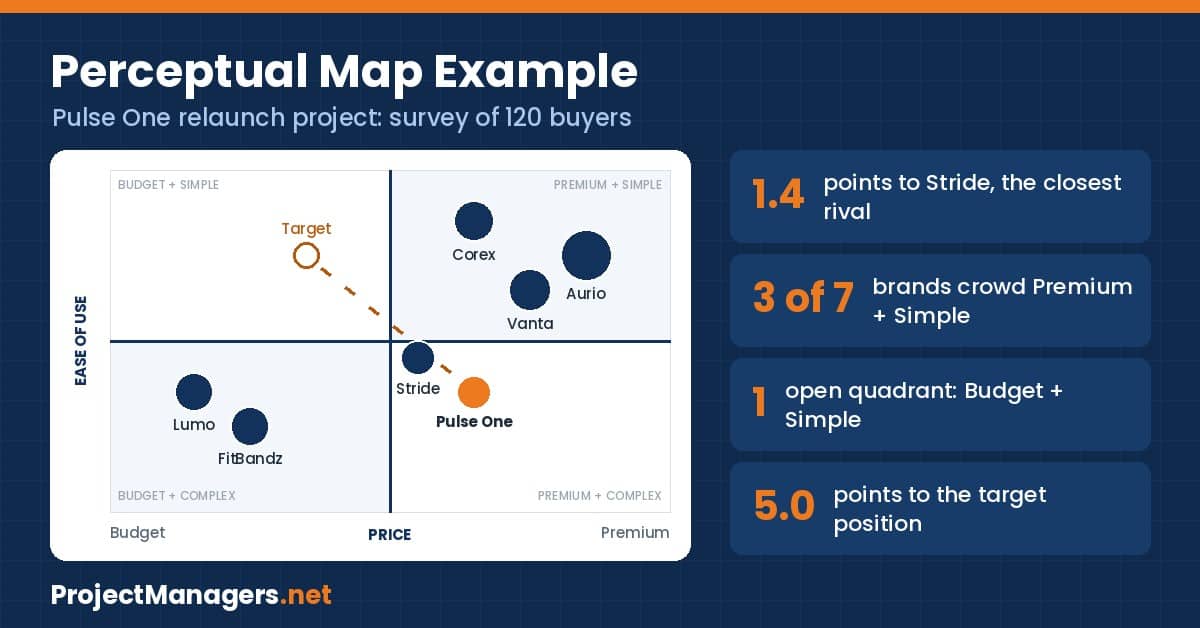
Here is a worked example you can load in the builder below. The brands and the numbers are invented for illustration. A project manager leads the relaunch of Pulse One, a fitness tracker. The project sponsor believes buyers see Pulse One as a simple, mid-priced product. Before the project plan is approved, the team surveys 120 buyers on two attributes: price (Budget to Premium) and ease of use (Complex to Simple).
| Brand | Price | Ease of use | Share | Quadrant |
|---|---|---|---|---|
| Pulse One (ours) | 7 | 4 | 8% | Premium + Complex |
| Aurio | 9 | 8 | 28% | Premium + Simple |
| Vanta | 8 | 7 | 16% | Premium + Simple |
| Corex | 7 | 9 | 14% | Premium + Simple |
| Stride | 6 | 5 | 9% | Premium + Complex |
| FitBandz | 3 | 3 | 13% | Budget + Complex |
| Lumo | 2 | 4 | 12% | Budget + Complex |
Quadrants split at 5.5, the middle of the 1 to 10 scale.
The map changes the project brief in four ways:
- The sponsor’s picture is wrong. Buyers place Pulse One in the Premium + Complex corner, the least attractive one.
- Stride is only 1.4 points away. Buyers hardly distinguish the two products.
- Premium + Simple is crowded. Three of the seven brands, with 58% of the market, already make that promise.
- Budget + Simple is open. Nobody is perceived as affordable and easy to use. The project sets its target position there, at 4 on price and 8 on ease of use, a move of 5.0 points.
A 5-point move is a large shift. The project manager turns it into scope (a simpler setup flow, a new price point, new messaging), adds it to the project plan, records the risk that buyers may not want a cheaper tracker in the risk register, and books a second survey after launch.
Free Perceptual Map Builder
Use the builder to plot your own perceptual map in a few minutes. It opens with the Pulse One example loaded.
- Name the two axes and the label at each end.
- Enter each product, vendor or option with a score from 1 to 10 on both axes. Share is optional and sets the bubble size.
- Mark your own item, add a target position if the project aims to move perception, then read the notes under the map.
- Download the map as a PNG for your project report, export the scores as CSV, or print the tool.
The Perceptual Map Builder needs JavaScript. Please enable it or reload the page.
11 Free Perceptual Map Templates
We checked every link on November 14, 2026. The first two templates are ours and download without sign-up. The other nine are free templates from other publishers, most of them online whiteboards that ask for a free account.
| Template | Format | Sign-up | Best for |
|---|---|---|---|
| 1. ProjectManagers.net Excel | Excel (.xlsx) | No | Project managers who want the chart and the analysis in one file |
| 2. ProjectManagers.net Word | Word (.docx) | No | Workshops, printed handouts and project files |
| 3. Perceptual Maps 4 Marketing | Excel (.xlsx) | No | Large maps, up to 50 brands |
| 4. Conceptboard | Online board, PDF export | Free account to save | Remote workshops |
| 5. Miro | Online whiteboard | Free account | Teams that already run projects in Miro |
| 6. FigJam | Online whiteboard | Free account | Design and product teams |
| 7. Creately | Online diagram, image and PDF export | Free account | A ready-made example to edit |
| 8. Visual Paradigm Online | Online diagram | Free account | Drag-and-drop editing in the browser |
| 9. Edit.org | Online design editor | Free account | Presentation-ready designs |
| 10. Asana | Guide with a downloadable template | Free account | A step-by-step guide with the template |
| 11. EdrawMind | Template for EdrawMind | Free account | Mind-map style layouts |
GroupMap also offers a perceptual map template, but only with a 14-day free trial, so we did not count it.
1. Perceptual Map Template for Excel (ProjectManagers.net)
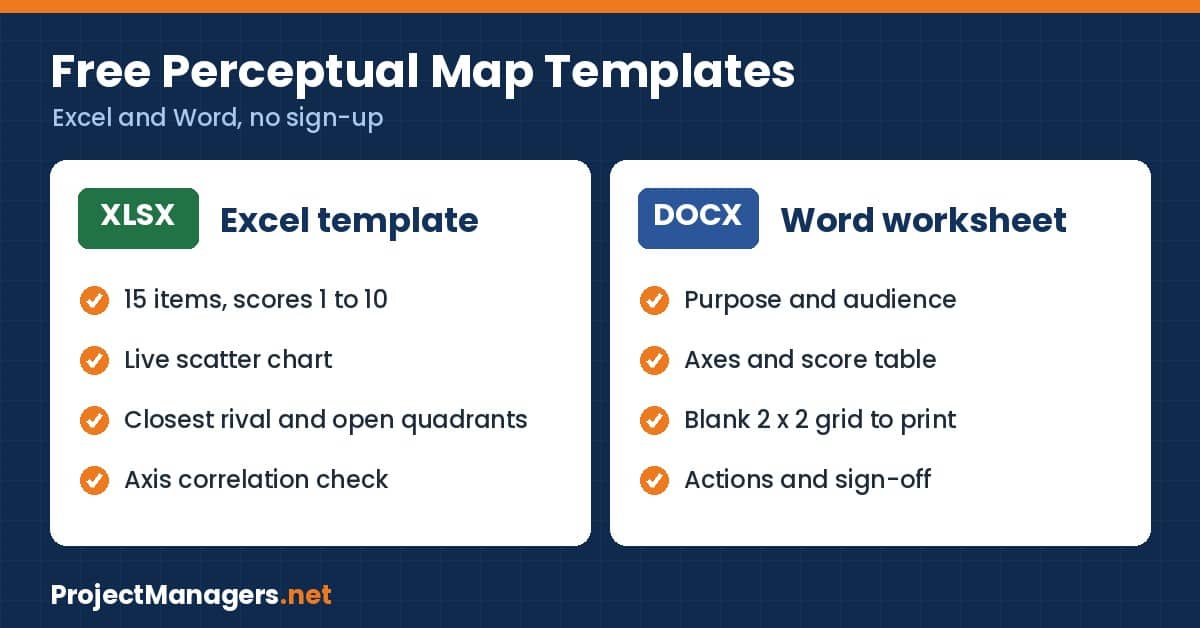
Our Excel template plots up to 15 products, vendors or options on a live chart as you type. Enter the two attributes, the scores from 1 to 10 and, if you want, a target position. The Summary sheet names your closest rival, counts the items in each quadrant, lists the open quadrants and warns you when the two axes move together. Download the Excel template.
2. Perceptual Map Template for Word (ProjectManagers.net)
The Word worksheet guides a project workshop from start to finish: purpose and audience, the two axes, a score table, a blank 2 x 2 grid to fill in by hand, a reading section, an action table and a sign-off block. Download the Word template.
3. Perceptual Maps 4 Marketing (Excel)
A free Excel template from a site dedicated to perceptual maps. It maps up to 50 brands, accepts scores on a 1 to 9 or 1 to 5 scale and produces four versions of the map. No sign-up is needed; the site says the template is “Always free, always will be.” Source: Perceptual Map Template | Perceptualmaps
4. Conceptboard
A 2 x 2 online board to compare the market position of your brand or product with competitors. You can share the board by link or download it as a PDF. Source: Perceptual Map Template | Conceptboard
5. Miro
A free whiteboard template with two axes and optional circles for sales or market share. A good choice if your project team already uses Miro for planning. Source: Perceptual Map Template | Miro
6. FigJam by Figma
A customizable perceptual map example for FigJam, the Figma whiteboard. It works well when designers and product owners sit in the same project workshop. Source: Perceptual Map Template | Figma
7. Creately
A ready-made perceptual map you can edit in the Creately online editor and export as JPEG, PNG, SVG or PDF. Source: Perceptual Map Template | Creately
8. Visual Paradigm Online
An editable web-based perceptual map with a drag-and-drop editor. Source: Perceptual Map Template | Visual-paradigm
9. Edit.org
Several brand positioning map designs you can edit online, then download to print or share. Source: Perceptual Map Template | Edit.org
10. Asana
A guide to perceptual maps with steps, tips and examples, plus a free downloadable template that you can use in Excel, PowerPoint, Google Slides or on a whiteboard. The download asks for an Asana account. Source: Perceptual Map Template | Asana
11. EdrawMind
A perceptual map template for EdrawMind, the mind-mapping tool from Wondershare. Source: Perceptual Map Template | Edrawmind
Not counted: GroupMap has a collaborative perceptual map where each participant places the items and the tool shows the group result, but it requires a 14-day free trial. Source: Perceptual Map Template | Groupmap
How to Read a Perceptual Map
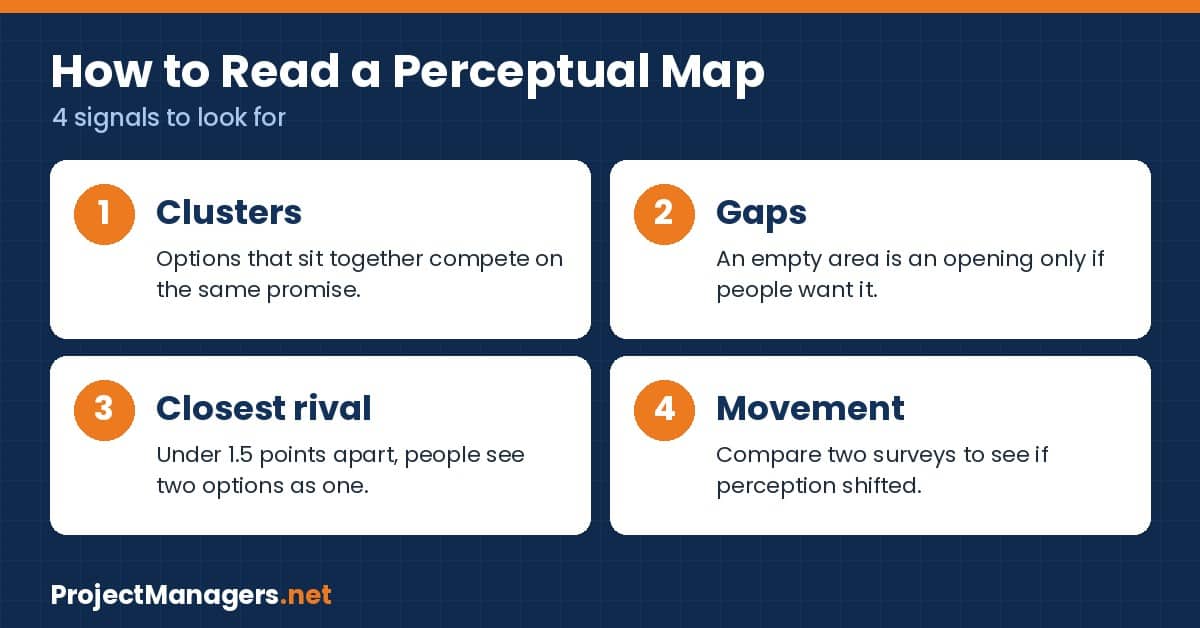
A finished map answers four questions for the project.
- Clusters: options that sit close together make the same promise in the eyes of the audience. A crowded quadrant means the project must compete on something else, or accept a price fight.
- Gaps: an empty area may be an opening. It may also be empty because nobody wants that combination, so confirm demand before the project chases it.
- Closest rival: measure the distance between your item and the nearest alternative. Under about 1.5 points on a 10-point scale, people probably see the two as interchangeable.
- Movement: compare the map before and after the project. The change in position is the real measure of a repositioning project.
Keep the map alive after the project closes. Store the survey file, the template and the exported image with the rest of the project and brand material; proper digital asset management keeps research files, templates and visual assets consistent, accessible and easy to update across projects.
The Cola Wars show that a position can change without any action from the brand itself. According to Perceptual Maps 4 Marketing, Pepsi produced more than 300 TV commercials for one of its campaigns in the American market and, with its “new generation” advertising, pushed Coca-Cola toward the old and less tasty side of the map. Coke lost 2.5 points of market share between 1980 and 1984.
A project manager should read this as a risk: a competitor, a new regulation or a news story can move the project’s position after the baseline survey. Plan a second measurement.
Sources: Perceptual Maps 4 Marketing, Pepsi and Coke positioning and New Coke case.
Common Perceptual Map Mistakes
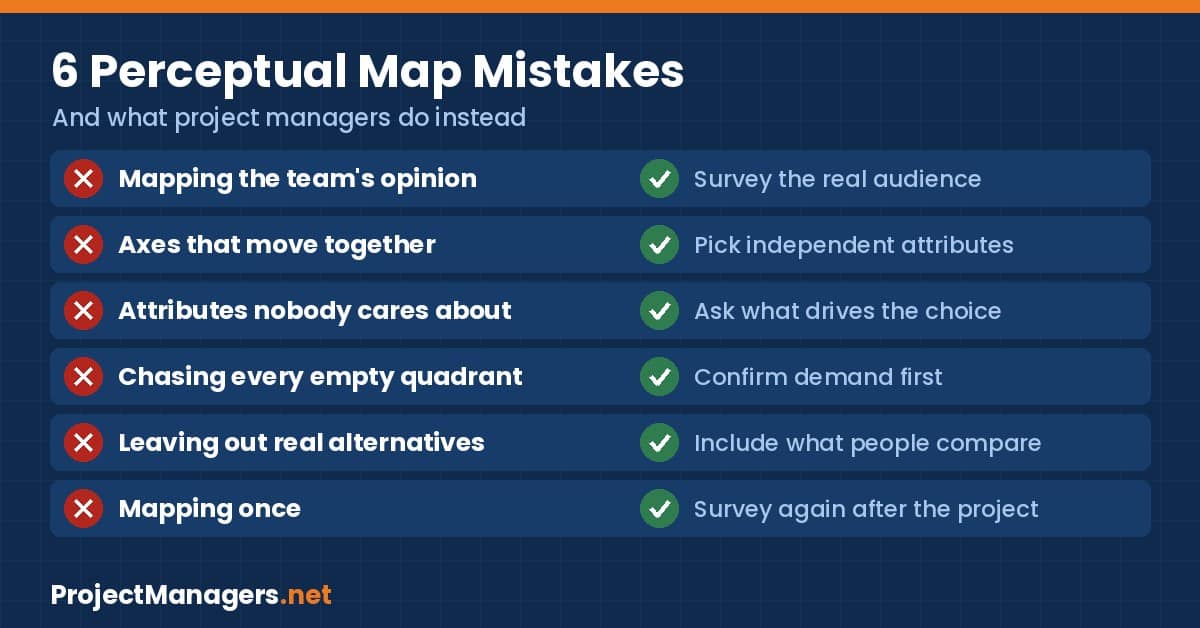
- Mapping the team’s opinion as if it were the market. Label a team estimate as an estimate and validate it with a survey.
- Choosing axes that move together. If the dots form a diagonal line, replace one attribute.
- Using attributes nobody cares about. Ask the audience what drives the choice before you draw the axes.
- Chasing every empty quadrant. A gap is an opportunity only when people want what it represents.
- Leaving out real alternatives. A map with only two friendly competitors flatters the project and helps nobody.
- Mapping once. Perception drifts. Schedule the next survey when you close the project.
In April 1985, The Coca-Cola Company changed the formula of Coca-Cola for the first time in 99 years. The new formula had been preferred in taste tests of nearly 200,000 consumers. The tests measured taste, not the bond people felt with the original drink. By June the company was receiving 1,500 calls a day, against 400 before the change, and the original formula returned after 79 days.
The research was large and still measured the wrong attribute. For a project manager, choosing the right axes matters more than the size of the survey.
Sources: The Coca-Cola Company, New Coke: The Most Memorable Marketing Blunder Ever?.
Perceptual Map Quiz
Test what you have learned with 10 questions. Each question has one correct answer.
Video: Perceptual Mapping and Product Positioning Explained
This 9-minute video explains perceptual mapping and product positioning with examples. It is a good introduction to share with the project team before a mapping workshop.
Video: Perceptual Mapping & Product Positioning Explained (9:07), on YouTube.
Perceptual Map Facts Worth Checking
We verified the main claims in this article against their sources on November 14, 2026.
| Claim | What we found | Source |
|---|---|---|
| A perceptual map shows perception, not facts | Confirmed. Positioning maps use objective data; perceptual maps use the views of customers, whether or not they match reality. | Shopify |
| There are five main types of perceptual maps | Confirmed: two-dimensional, multidimensional, spidergram, joint and intuitive. | Shopify |
| 47% of unsuccessful projects miss goals because of poor requirements management | Confirmed. The figure comes from a PMI Pulse of the Profession in-depth study of more than 2,000 practitioners. | PMI |
| US$51 million is wasted per US$1 billion spent | Confirmed: 5.1% of every dollar spent on projects, for the same reason. | PMI |
| New Coke followed taste tests of nearly 200,000 consumers | Confirmed by the company history page. | The Coca-Cola Company |
| The original Coca-Cola returned after 79 days | Confirmed: announced April 23, 1985; returned July 11, 1985. | The Coca-Cola Company |
| Old Spice body wash sales rose 60% by May 2010 | Reported by the agency for Red Zone Body Wash, year over year, against a goal of 15%. Other sources quote different figures for other periods. | Wieden+Kennedy |
| Coke lost 2.5 share points from 1980 to 1984 | Reported by a secondary source; we did not find the original market data. | Perceptual Maps 4 Marketing |
| The Perceptual Maps 4 Marketing template handles up to 50 brands | Confirmed on the download page. No sign-up required. | Perceptual Maps 4 Marketing |
| All 11 templates are free | Confirmed on November 14, 2026. Two need no sign-up besides ours; most online tools ask for a free account. GroupMap offers a 14-day trial only and is not counted. | Publisher pages linked above |
Conclusion
A perceptual map is one of the fastest ways for a project manager to check that the project is aimed at the right target. It takes two attributes, a short survey and one chart to show how the audience sees your product, vendor or proposal next to the alternatives. Start with the free Perceptual Map Builder or the Excel template, validate the map with the people whose perception counts, and write the target position into the project scope. Then measure again when the project is done.
For more free tools, visit our Free PM Toolkit and the 50+ project management templates.
Perceptual Map FAQs
What is a perceptual map used to assess?
A perceptual map is used to assess how customers or stakeholders perceive a product, brand, vendor or option compared with the alternatives, on the two attributes that matter most to them. Project managers use it to check the position a project must deliver.
What are the two functions of a perceptual map?
The first function is diagnosis: the map shows where each option stands today in the eyes of the audience. The second is direction: it reveals clusters, gaps and the distance to a target position, which helps the project team decide what to change.
What must be shown on a perceptual map?
A perceptual map must show two labeled axes with the attribute and both ends named, the scale, every option placed at its scores, your own item clearly marked, and the source of the data with the number of respondents.
Why is a perceptual map useful for brands?
It shows how the target audience really sees the brand, which competitors are perceived as similar, and where an unmet need may exist. Brands use it to plan launches and repositioning projects and to measure whether perception changed.
What is the difference between a perceptual map and a positioning map?
A perceptual map is based on what people believe about the options. A positioning map is based on objective data such as price or features. The two can use the same axes and still look different, because perception does not always match the facts.
How many items should a perceptual map have?
Five to ten items keep the map readable. Include your own item and the alternatives the audience really compares it with. Our builder accepts up to 12 items and our Excel template up to 15.
Can I make a perceptual map in Excel?
Yes. Enter the two scores of each item in two columns and insert a scatter chart with both axes set from 1 to 10 and crossing at 5.5. Our free Excel template does this for you and adds the analysis.
Suggested articles:
- 9 Free Sprint Planning Templates (Word, Excel) + Free Builder
- 10+ Roles and Responsibilities Templates + Free Builder (2026)
- 33 Free PESTLE Analysis Templates (Excel, Word, PPT, PDF)
- Free PM Toolkit: Templates, Calculators, Simulators and Quizzes

Shane Drumm, holding certifications in PMP®, PMI-ACP®, CSM, and LPM, is the author behind numerous articles featured here. Hailing from County Cork, Ireland, his expertise lies in implementing Agile methodologies with geographically dispersed teams for software development projects. In his leisure, he dedicates time to web development and Ironman triathlon training. Find out more about Shane on shanedrumm.com and please reach out and connect with Shane on LinkedIn.